Customer Ratings & Reviews



- Model:
- WFG700N/B
- SKU:
- 10187847
Rating by feature
- Value
Rating 4.3 out of 5 stars
- Quality
Rating 4.4 out of 5 stars
- Ease of Use
Rating 4.4 out of 5 stars
Customers are saying
Customers are pleased with the product's sound quality, excellent battery life, and comfortable fit. However, some users have experienced minor connectivity issues, a lack of bass, and noted that the product is not compatible with all computers and can be expensive.
This summary was generated by AI based on customer reviews.
- Pros mentioned:Battery life
Constant static noise
||Posted . Owned for 2 weeks when reviewed.This reviewer received promo considerations or sweepstakes entry for writing a review.These have constant static/white noise when powered on. Consensus is the tradeoff for having good battery life is a high noise floor. I would only recommend these if you are okay with hearing white noise when no other sound is being played. I exchanged my first pair because of the white noise issue and my 2nd pair had the exact same issue. White noise is present when the buds are ON and in any mode, i.e. noise cancelling on/off and ambient sound mode on/off
No, I would not recommend this to a friendBrand response from SonyListens
Posted .Hi ChristopherF,
We regret to hear that you are having a constant static noise with your Sony INZONE Buds even after replacing the unit with new pair. This is definitely not the customer experience we want you to have. To further isolate the issue, please pair and connect them with several different Bluetooth devices to test their sound quality. Make sure you are using your INZONE Buds away from places with wireless LAN, where a microwave oven is used, electromagnetic waves are generated, etc. You can also follow the other suggestions here: https://helpguide.sony.net/mdr/2977/v1/en/contents/TP1001273088.html.
We take all user input seriously and will make sure your comments reach the appropriate person. Should you need further assistance, you can email us at socialsupport@am.sony.com with the following details:
Name:
Best Buy Username:
Model Number:
Issue:
Telephone Number:
Sincerely,
Vincent
Headphones
||Posted . Owned for less than 1 week when reviewed.This reviewer received promo considerations or sweepstakes entry for writing a review.It works great with my ps5 and I haven’t experienced any issues
I would recommend this to a friendBrand response from SonyListens
Posted .Thank you for your review, Isaiah!
We are so pleased to hear that your WF-G700N earbuds are working great with your PS5. We designed these earbuds to provide a seamless and high-quality gaming experience, and it's rewarding to know you're enjoying them without any issues.
Thank you again for choosing Sony and for sharing your experience.
Best regards, Gus, Sony Social Media Team
Not bad at all!
||Posted . Owned for 3 weeks when reviewed.This reviewer received promo considerations or sweepstakes entry for writing a review.First time using earbuds for gaming. As good as I would expect from wireless earbuds.
I would recommend this to a friendBrand response from SonyListens
Posted .Hi Roche, Thank you for sharing your feedback on the INZONE Buds. We’re glad to hear that your first experience using earbuds for gaming has been a positive one and that they’ve met your expectations for wireless performance. Happy gaming and thanks for choosing Sony! -Jess
Good earbuds
||Posted . Owned for 1 month when reviewed.This reviewer received promo considerations or sweepstakes entry for writing a review.Purchased ad a gift for my son. He had a little trouble with set up but figured it out
I would recommend this to a friendBrand response from SonyListens
Posted .Hi dlovett,
Thank you for the review and we do apologize for the inconvenience. We're glad to hear you're able to figure it out. Thank you for choosing Sony!
-David
Gaming
||Posted . Owned for 1 week when reviewed.This reviewer received promo considerations or sweepstakes entry for writing a review.Really cool item a must have for gaming fans 100 % recommend it
I would recommend this to a friendBrand response from SonyListens
Posted .Hi AlbertoM,
Thank you for the fantastic 5-star review! We are thrilled to hear that you think the INZONE Buds WF-G700N are a "must-have for gaming fans" and would 100% recommend them.
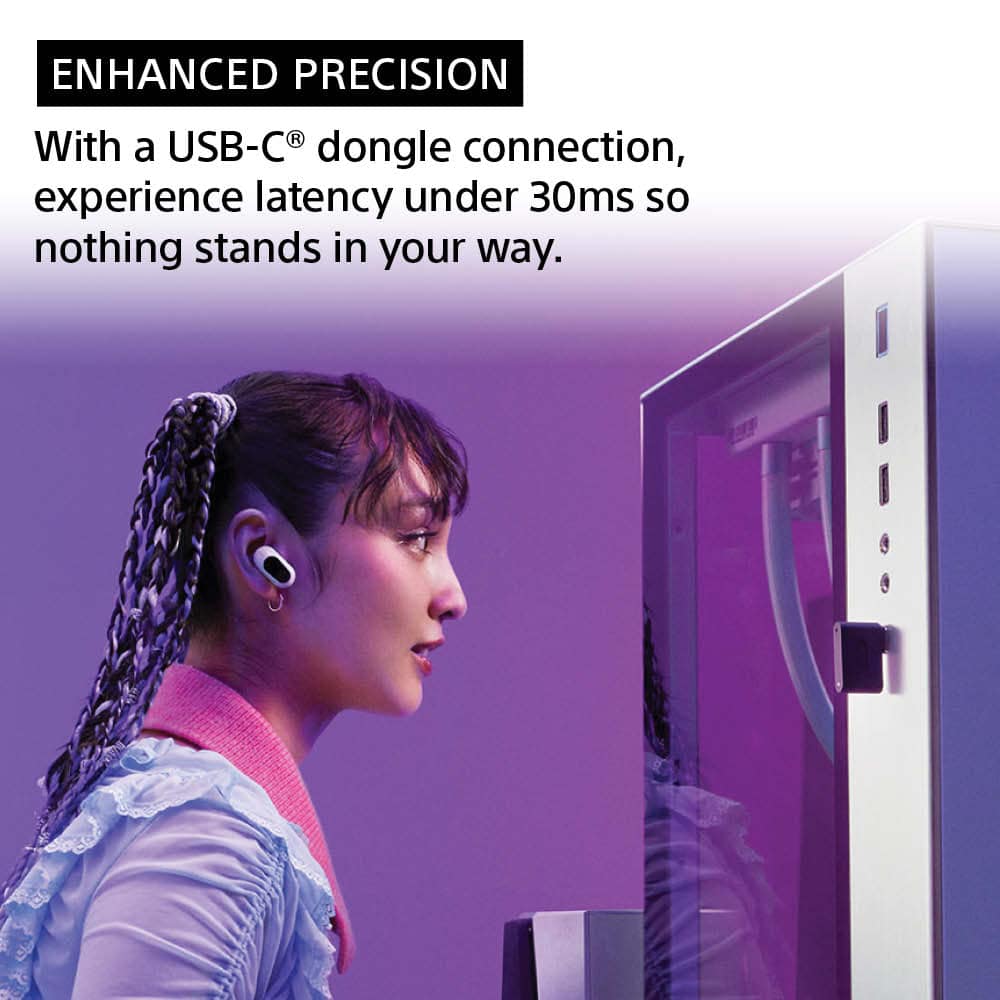
It's great to know that you're enjoying the competitive advantage they provide. We designed them with a low-latency USB-C dongle connection to ensure every millisecond counts, so you can always stay ahead of the action.
Thanks for choosing Sony, have an amazing day!
DiegoV
- Cons mentioned:Connectivity
Not for the price
||Posted . Owned for 9 months when reviewed.This reviewer received promo considerations or sweepstakes entry for writing a review.its great for maybe a movie but not for gaming. They disconnect a lot. usually about 2 hour mark 1 side or both would disconnect and take about a minute to turn back on. Not recommended for gaming
No, I would not recommend this to a friend - Cons mentioned:Connectivity
Save your time.
||Posted . Owned for 1 month when reviewed.This reviewer received promo considerations or sweepstakes entry for writing a review.Save your time and money. I haven't tested them on a PS5 but for PC, I can safely say they are trash. They are constantly disconnecting from my pc, which is less then 3ft away from them. I need to pull them out of my ears and lean down to my PC to re-establish a connection. EVERY. 5. MINUTES. give or take. The kicker is they worked great for 2 weeks. Then all of a sudden BAMB! Cant stay connected to save my life. At the start of this review, they both disconnected, and now FOR SOME REASON the right one reconnected! I HAVEN'T MOVE OR DONE ANYTHING BUT TYPE THIS REVIEW! That is how unreliable they are. Save your money, time, and don't get frustrated like me. Don't buy them.
No, I would not recommend this to a friendBrand response from SonyListens
Posted .Hi Krist, We're sorry to hear about your experience. This is definitely not what we wanted you to go through.
To connect your INZONE Buds (WF-G700N) to your PC, you need to use the INZONE Hub application. Here are the steps to follow:12
Install the INZONE Hub Application:34
Ensure you have a Windows computer (Windows 10 or later) and an active internet connection.5
Download and install the latest version of the INZONE Hub application from the official Sony website.12
Connect the Headphones:
Plug the USB transceiver into your computer.34
Turn on the headset and connect it to the computer via Bluetooth.
Launch the INZONE Hub Application:34
Open the INZONE Hub application on your computer.34
If this is your first time launching the application, you will need to go through the Privacy Policy confirmation and Privacy Settings screens.
Update the INZONE Hub Application (if necessary):34
If the INZONE Hub application is not up-to-date, a red circle will appear on the gear icon in the lower left corner. Click on the gear icon to go to the settings screen and update the application.6
Check the Connection:
Ensure that the headset is properly connected to the INZONE Hub application. You can check the connection status and the firmware version by clicking on Device Settings within the application.16
If you encounter any issues, such as the headset not connecting, try the following troubleshooting steps:
Ensure the Bluetooth adapter on your computer is turned on.
Wake the computer if it is in standby or hibernation mode.
If the headset has automatically connected to another device, deactivate the Bluetooth function on that device or turn it off.
Delete the headset pairing information on your computer and perform the pairing again.
If you need further assistance with your device, you may reach us at socialsupport@am.sony.com with the following details :
Full Name:
Best Buy Username:
Telephone Number:
Sony Model Number:
Additional Information regarding your experience with the unit:
We are sorry for the inconvenience and hope to speak to you to resolve this matter.
Sincerely,
-Craig
Great Buds
||Posted . Owned for 5 months when reviewed.This reviewer received promo considerations or sweepstakes entry for writing a review.Great product and the service was very satisfactory
I would recommend this to a friendBrand response from SonyListens
Posted .Hi SashaM,
That's great to hear! We're delighted you're finding the INZONE Buds to be a great product and that your service experience was very satisfactory. Enjoy your gaming!
Thanks for choosing Sony.
-Eliab
Boom! Bam! There it is!
||Posted . Owned for 1 month when reviewed.This reviewer received promo considerations or sweepstakes entry for writing a review.Excellent! Used PS5 for spatial sound as well and it goes a long way in games to know the location of an enemy or finding a hidden item!
I would recommend this to a friendBrand response from SonyListens
Posted .Hi Calcipher, Thanks for the 5-star rating! We're glad you like your new gaming earbuds. Enjoy and thanks for choosing Sony. -Craig
Great
||Posted . Owned for 8 months when reviewed.This reviewer received promo considerations or sweepstakes entry for writing a review.Great!!!!!!!!!!!!!!!!!!!!!!!!!!!!!!!!!!!!!!!!!!!!!!
I would recommend this to a friendBrand response from SonyListens
Posted .Hello Armstrong,
Thank you for commenting! We're truly delighted to hear about your satisfaction with the superb performance of your INZONE Truly Wireless Noise Canceling Gaming Earbuds. Thank you so much for your purchase and for choosing Sony!
- Romeo
Great ear buds.
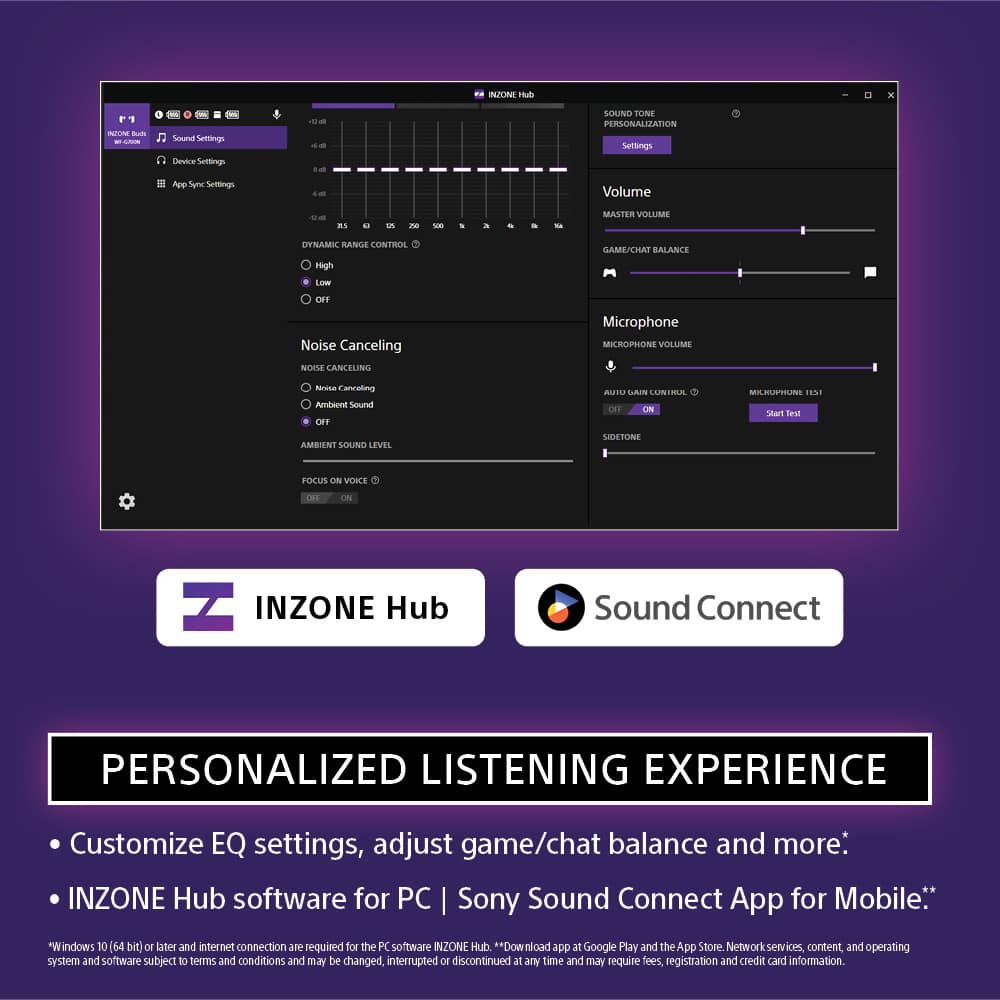
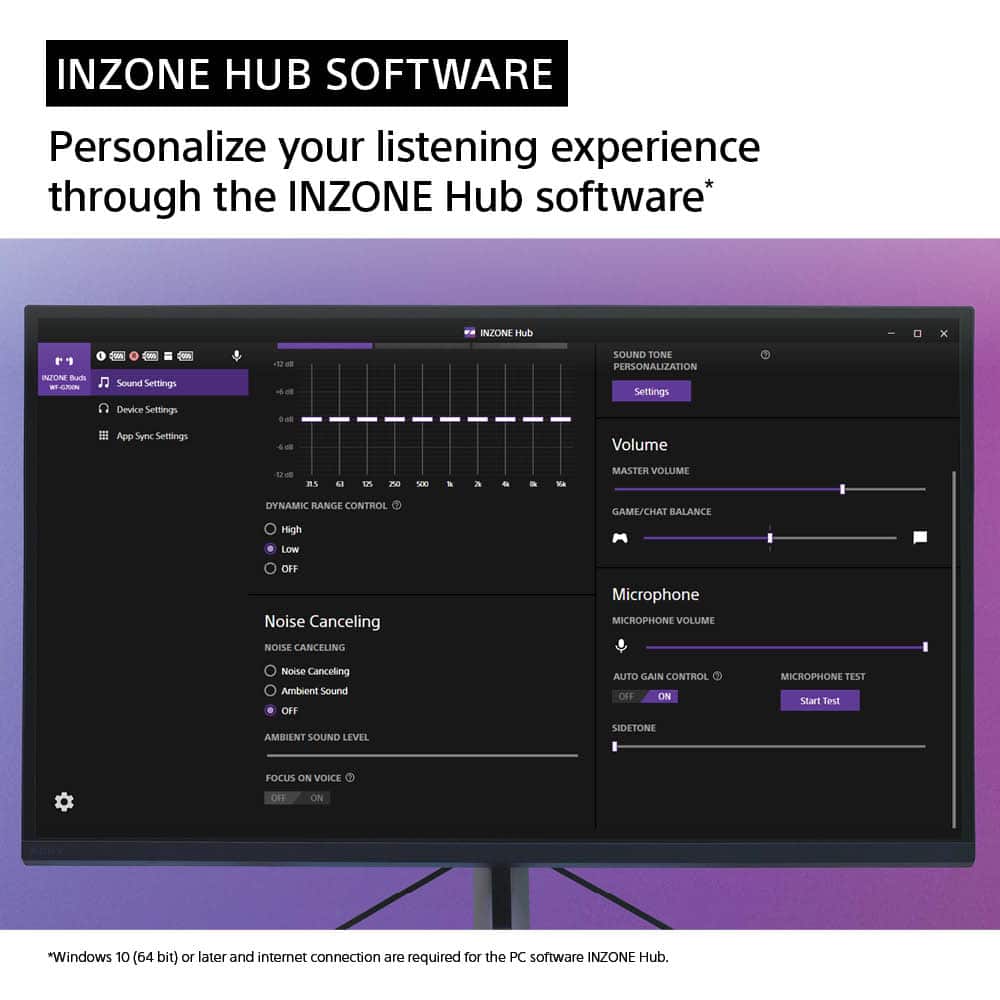
||Posted . Owned for 1 week when reviewed.This reviewer received promo considerations or sweepstakes entry for writing a review.These ear buds are great so far. They have an app to customize the EQ settings, other features. The app is only accessible on a PC. I would like to see an app for mobile phone.
I would recommend this to a friendBrand response from SonyListens
Posted .Hi VarletteW,
Awesome! We're glad to hear that you like the equalizer of the headphones. Thank you for choosing Sony!
-David
Pretty good buds
||Posted . Owned for 1 week when reviewed.This reviewer received promo considerations or sweepstakes entry for writing a review.Connected very easily to my PS5 also used the same profiles I had set up with my other inzone H9 so I didn’t have to re see them up on these new buds
I would recommend this to a friendBrand response from SonyListens
Posted .Hi Mrjcezzy, Great! We're happy to hear that you are enjoying your Inzone Buds. Experience a world of unparalleled sound precision. The INZONE Buds are meticulously crafted for gamers, with superior sound clarity and long battery life that keeps you playing for hours. Transform every gaming session into an elevated, immersive experience. Thank you for choosing Sony. Erin
- Cons mentioned:Connectivity
Sony - INZONE Buds Truly Wireless Noise Canceling
||Posted .This reviewer received promo considerations or sweepstakes entry for writing a review.When they work they are fantastic, but beware if you are using on PC. They disconnect constantly. Got them replaced by Sony and same thing on a brand new pair.
No, I would not recommend this to a friendBrand response from SonyListens
Posted .Hi SebbyPay,
Thanks for your feedback on the INZONE Buds. We’re very sorry for the trouble you’ve been through. We know this is not the experience you expected from us.
To help us better understand what happened and assist you with your case, please email the following information to socialsupport@am.sony.com: your full name, username, telephone number, model number, a brief description of the issue or concern, and your case number if you have one.
Thanks for considering Sony and letting us know about your experience.
Warm regards,
Estefany
Good quality
||Posted . Owned for 2 months when reviewed.This reviewer received promo considerations or sweepstakes entry for writing a review.I use daily with no issues for pc would recommend for anyone
I would recommend this to a friendBrand response from SonyListens
Posted .Hi Abraham, we are immensely pleased to hear that your WFG700N is being used daily with no issues for your PC! We are truly grateful for your recommendation. It's rewarding to know that its seamless performance is enhancing your daily computing experience.
Thanks for choosing Sony!
Best regards,
Stephanie
Best Headset for PS5
||Posted .This reviewer received promo considerations or sweepstakes entry for writing a review.These work awesome. Have improved my gaming experience.
I would recommend this to a friendBrand response from SonyListens
Posted .Hi BLeonard,
Thank you for taking the time to share your feedback on the WFG700N! We're delighted to hear that these earbuds have enhanced your gaming experience. It's wonderful to know that our product exceeds your expectations.
We appreciate your support and look forward to serving you again.
Thanks for choosing Sony!
Best regards,
Stephanie
- Cons mentioned:Price
Not worth asking price!
||Posted . Owned for 2 months when reviewed.This reviewer received promo considerations or sweepstakes entry for writing a review.They are decent but not excellent! Not enough there to justify the price!
No, I would not recommend this to a friendBrand response from SonyListens
Posted .Hi Mrschock, We regret to hear that the Inzone Buds did not met your expectations. This is definitely not the experience we'd like you to have. We'd love to help you troubleshoot your problem and turn your experience around.
For optimum performance, please ensure the software is updated. Update the headset software and computer software “INZONE Hub” to the latest version. https://www.sony.com/electronics/support/headphones-gaming-headphones/wf-g700n/software/00279252
For troubleshooting guide, please check here:
https://helpguide.sony.net/mdr/2977/v1/en/contents/TP1001273081.html
I hope this helps but if you still need assistance, do not hesitate to drop us an email at socialsupport@am.sony.com with the following details:
Name:
Username:
Model Number:
Issue:
Telephone Number:
Sincerely,
Erin
Good sound
||Posted .This reviewer received promo considerations or sweepstakes entry for writing a review.Good on everything other than is you have small ears
I would recommend this to a friendBrand response from SonyListens
Posted .Hi Chase, We're pleased to hear that you like the audio quality. Thank you for choosing Sony. Erin
Not as good as the pulse earbuds
||Posted . Owned for 1 week when reviewed.This reviewer received promo considerations or sweepstakes entry for writing a review.Not as good as the Sony PlayStation pulse earbuds. The pulse are way better in my opinion. The mic and everything on the pulse are better. If you’re looking to get between the 2 definitely go with the pulse earbuds. Will be returning these.
No, I would not recommend this to a friendBrand response from SonyListens
Posted .Hi MianN, We are sorry to hear that the Inzone Buds did not meet all of your expectations. If you still have the earbuds, we would like to ensure that you get the best out of them.
May we contact you to help? If so, please email the below information to socialsupport@am.sony.com
Apologies if you disclosed some of this information in your review and to customer service, we just want to ensure that we have your accurate details at the time of communication.
Full Name:
Username:
Telephone Number:
Model Number:
Issue:
Regards,
Carl
Great earbuds, but limited
||Posted . Owned for 2 weeks when reviewed.This reviewer received promo considerations or sweepstakes entry for writing a review.The earbuds are great for gaming, but not everyday use. The XM5 would be a much better deal.
No, I would not recommend this to a friendBrand response from SonyListens
Posted .Hi AshK, We are happy that you now have a great pair of earbuds for gaming. We take all user input seriously and will make sure your comments reach the appropriate person. Thank you for choosing Sony! Vincent
Ear bud
||Posted . Owned for 2 weeks when reviewed.This reviewer received promo considerations or sweepstakes entry for writing a review.They suck , the ear bud doesn't even Connect to my phone with Bluetooth i have to plug in the adapter to use it and thw same thing goes for my pc you can't use Bluetooth on there either and the play and pause button doesn't even works at all i even aside the button to do it and and doesn't work
No, I would not recommend this to a friendBrand response from SonyListens
Posted .Hi Omeganight, Thanks for sharing your experience with the Sony Inzone buds and we're sad to hear that you are having connection issues with it. This is definitely not the experience we wanted you to have.
INZONE Buds only support LE Audio connection (codec: LC3). Please note that the regular Bluetooth (Bluetooth Classic) codecs SBC, AAC, aptX and LDAC are not supported.
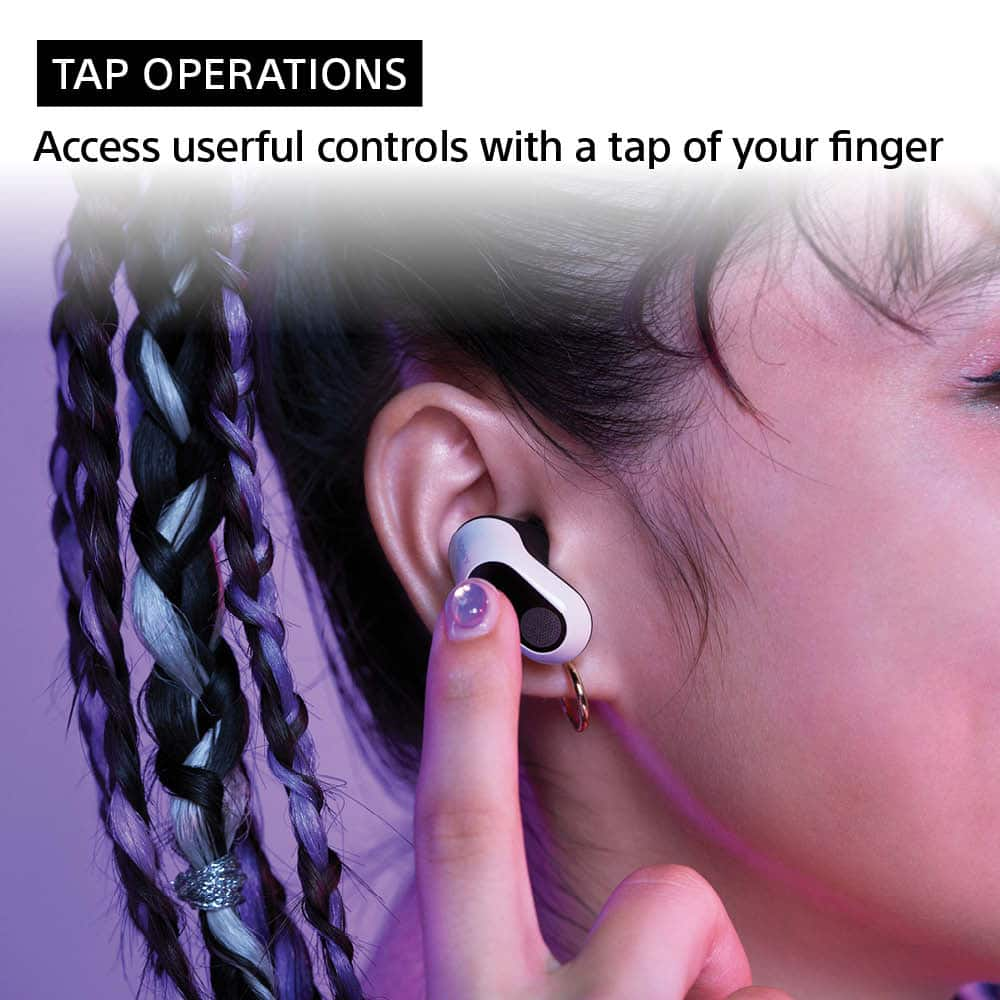
If your LE audio device supports the following profiles, you can enjoy listening to music and control the Play/Pause tap controls from your INZONE Buds via a LE Audio connection:
1) TMAP (Telephony and Media Audio Profile) - You can control the streaming for smartphones, headset, left and right standalone earbuds, speakers, TVs, and more.
2) MCP (Media Control Profile) - You can play or stop music.
3) VCP (Volume Control Profile) - You can adjust the volume, etc.
If you need further assistance with your device, you may reach us at socialsupport@am.sony.com with the following details :
Full Name:
Best Buy Username:
Telephone Number:
Sony Model Number:
Additional Information regarding your experience with the unit:
We are sorry for the inconvenience and hope to speak to you to resolve this matter.
Sincerely,
-Craig