Customer Ratings & Reviews

- Model:
- WHG900N/W
- SKU:
- 6510363
Rating by feature
- Value
Rating 4.1 out of 5 stars
- Quality
Rating 4.4 out of 5 stars
- Ease of Use
Rating 4.6 out of 5 stars
Customers are saying
Customers consistently note the exceptional sound quality and comfortable fit of the product. They also appreciate its great battery life, lightweight design, and effective active noise cancellation. While many find the Bluetooth connectivity reliable and the fit perfect, some customers feel the price is a little high.
This summary was generated by AI based on customer reviews.
- Pros mentioned:Battery life, Comfort, Sound quality

*THE* Headset for PS5 and PC Gamers
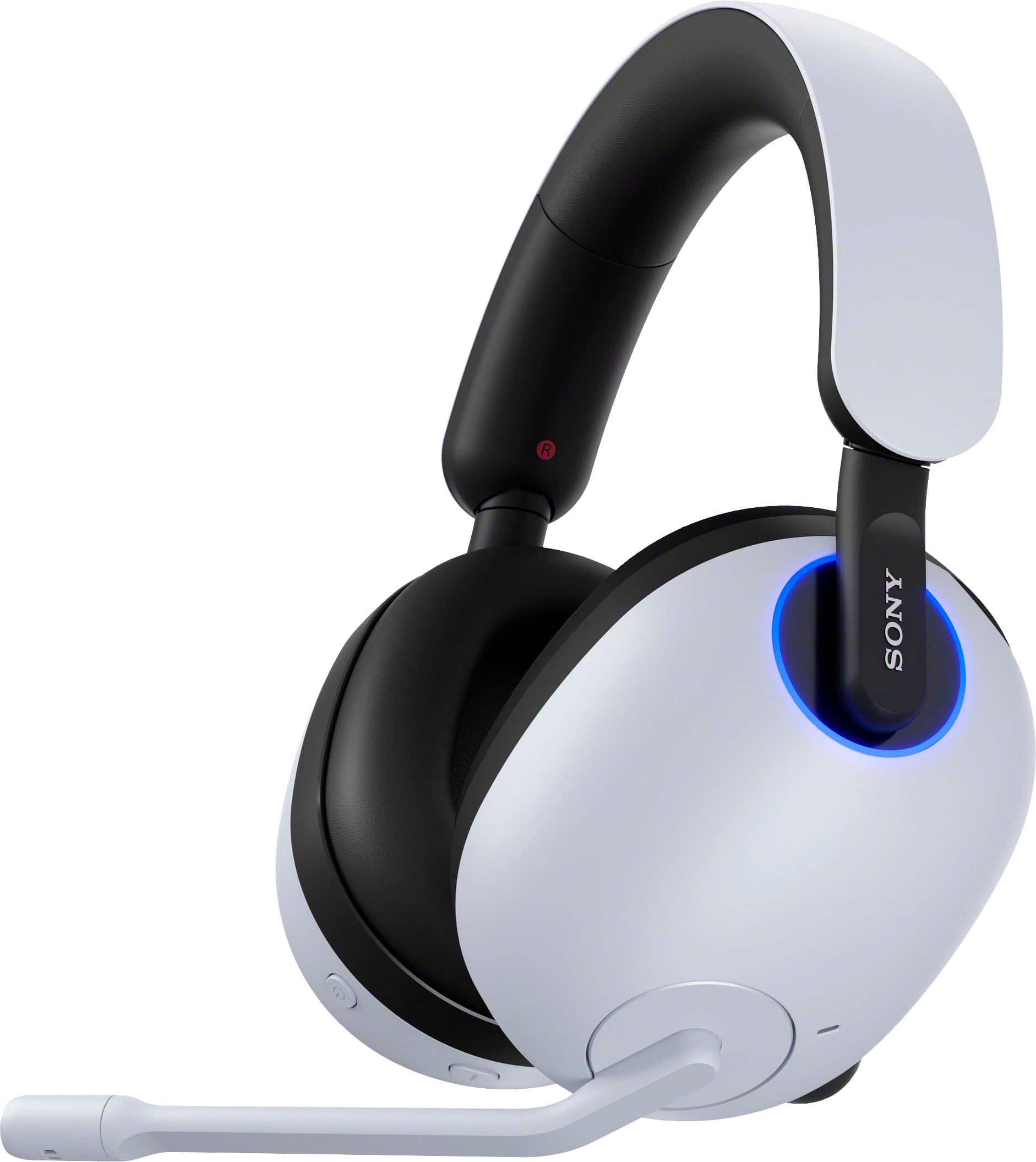
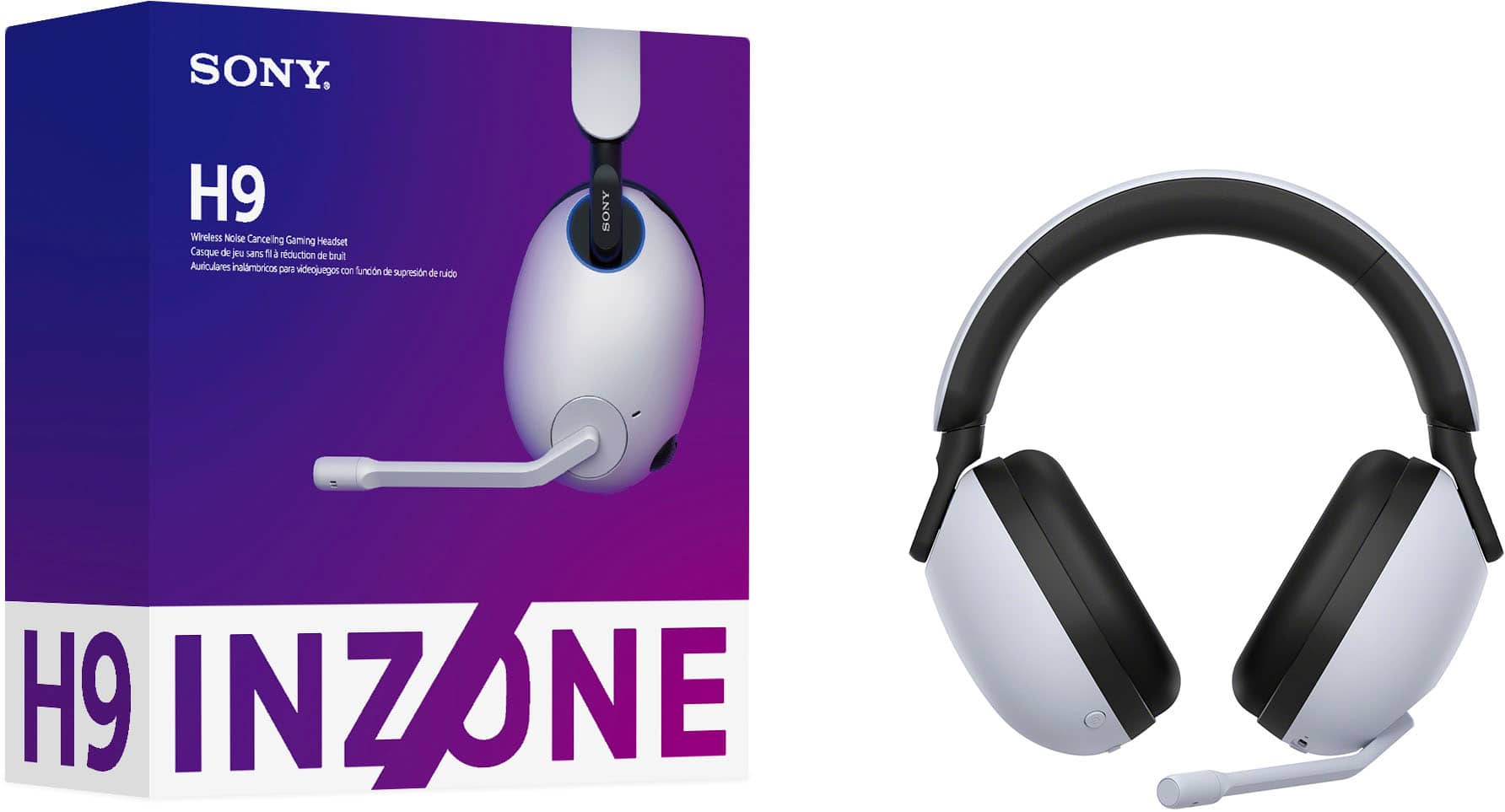
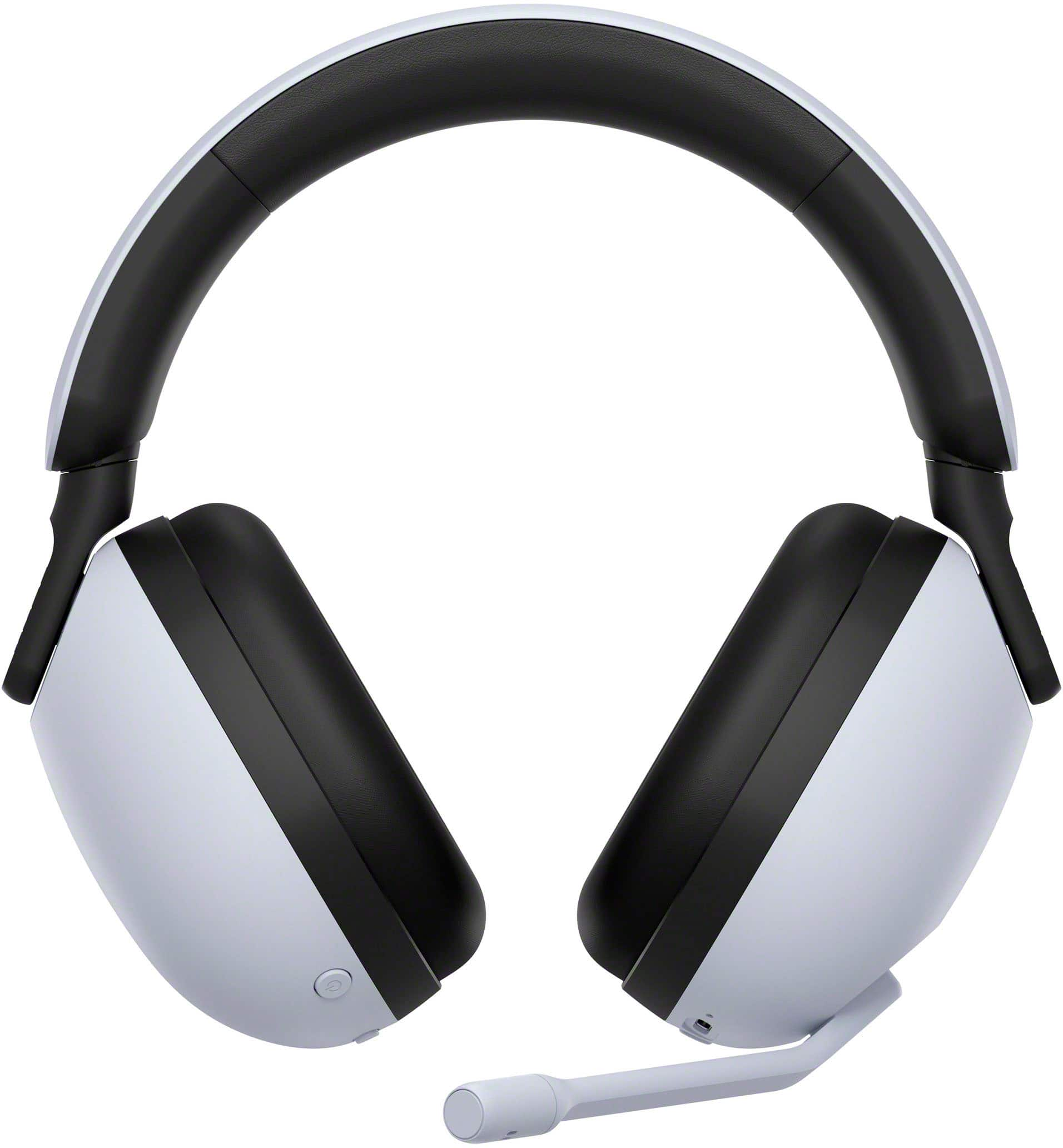
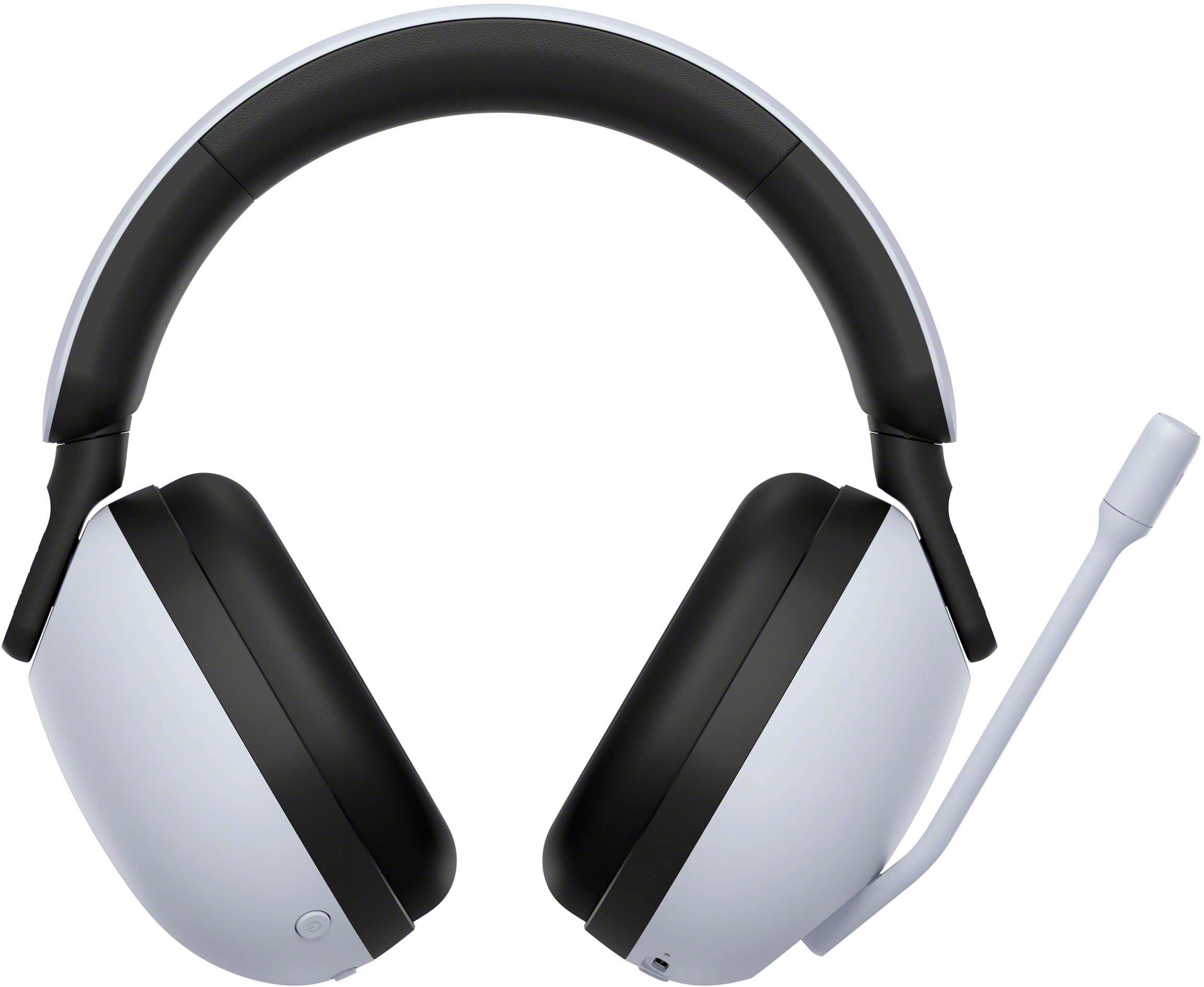
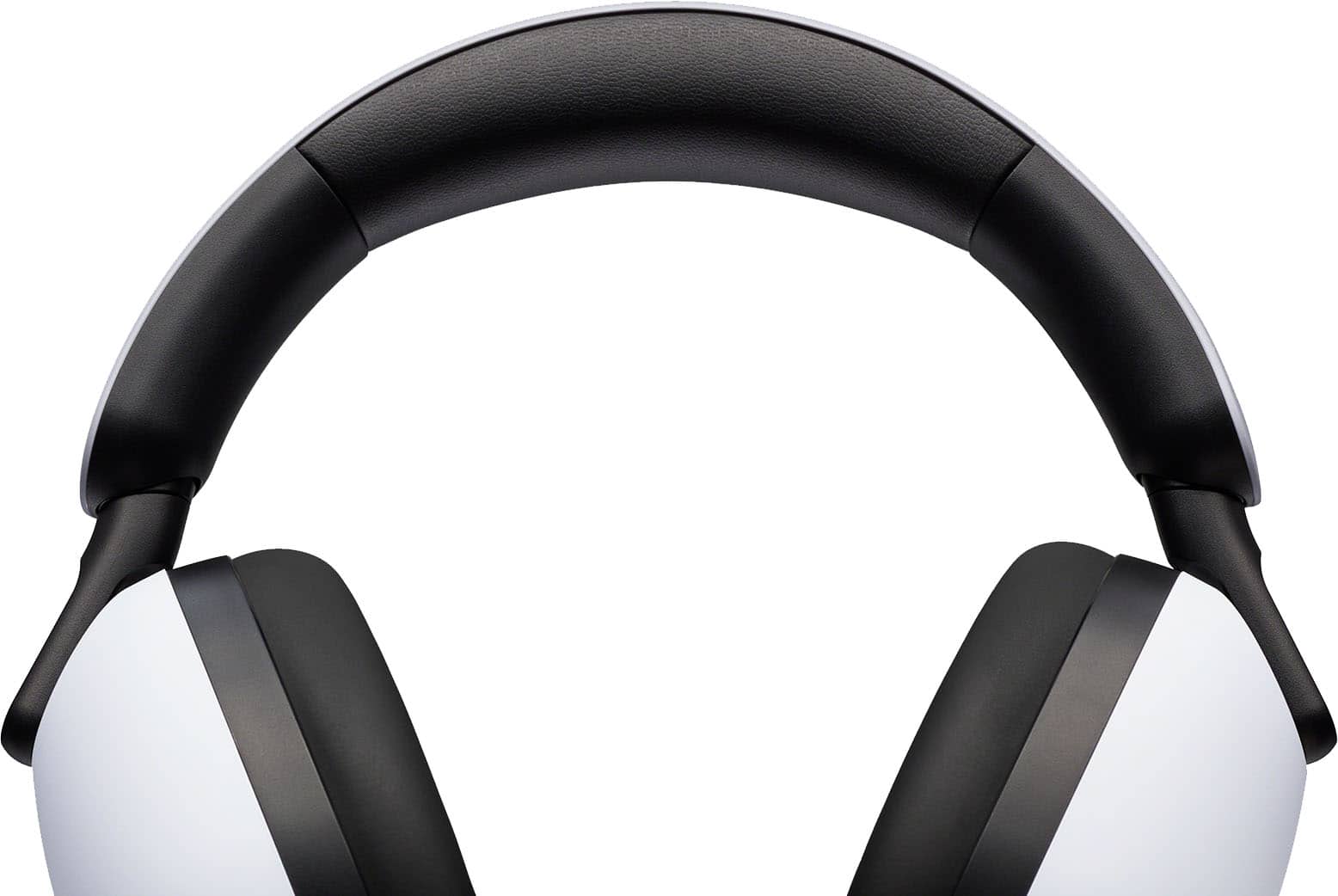
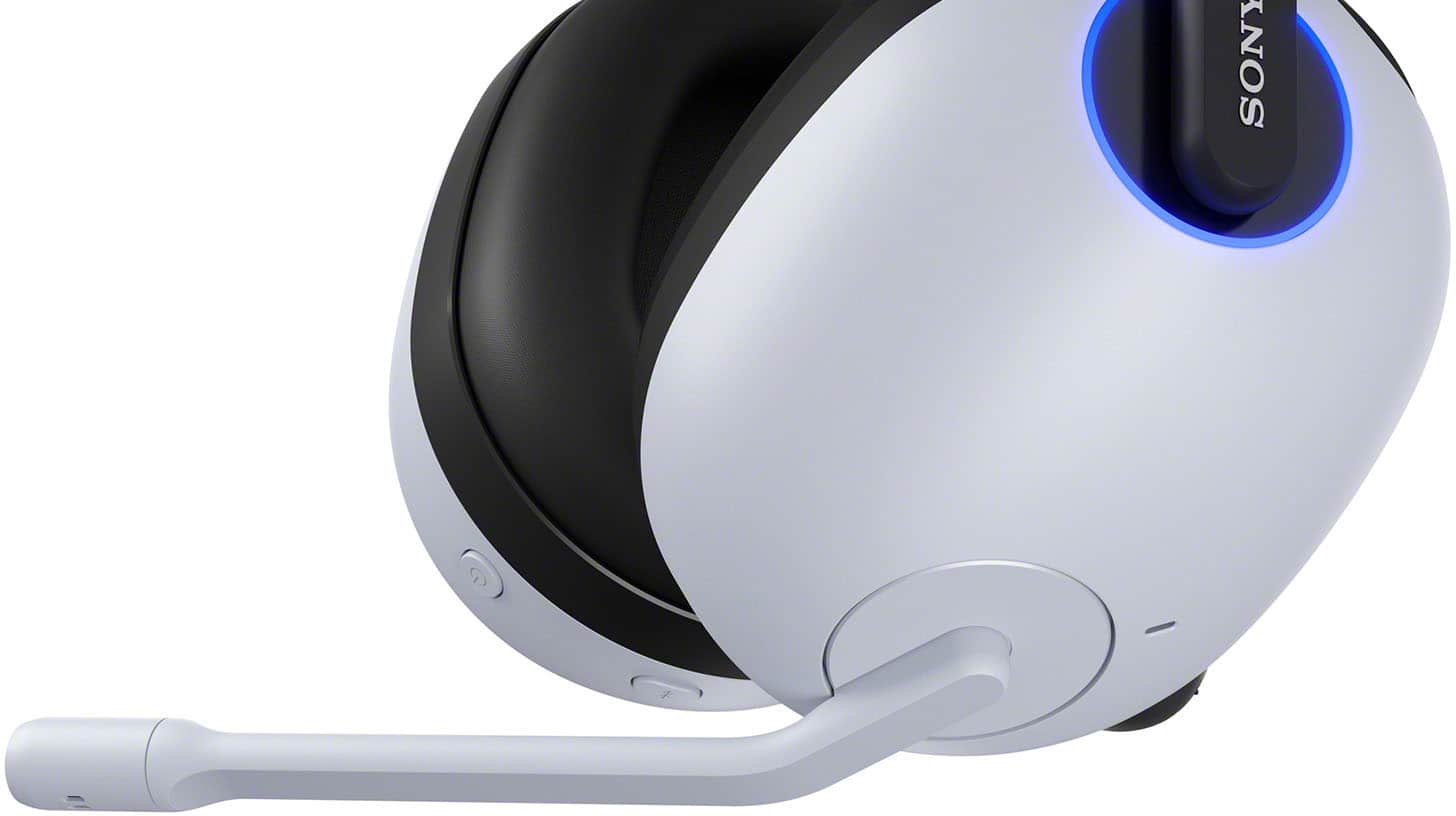
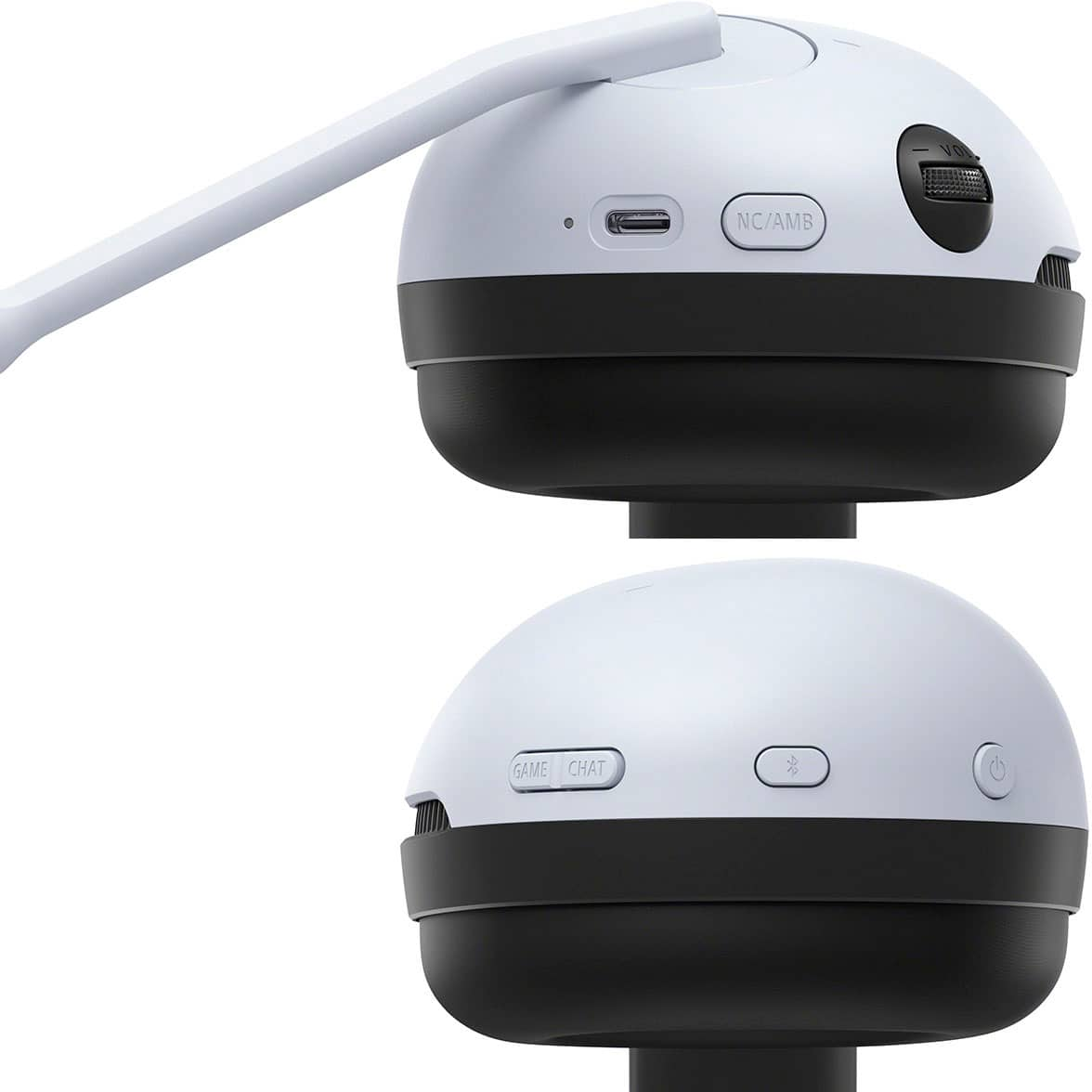
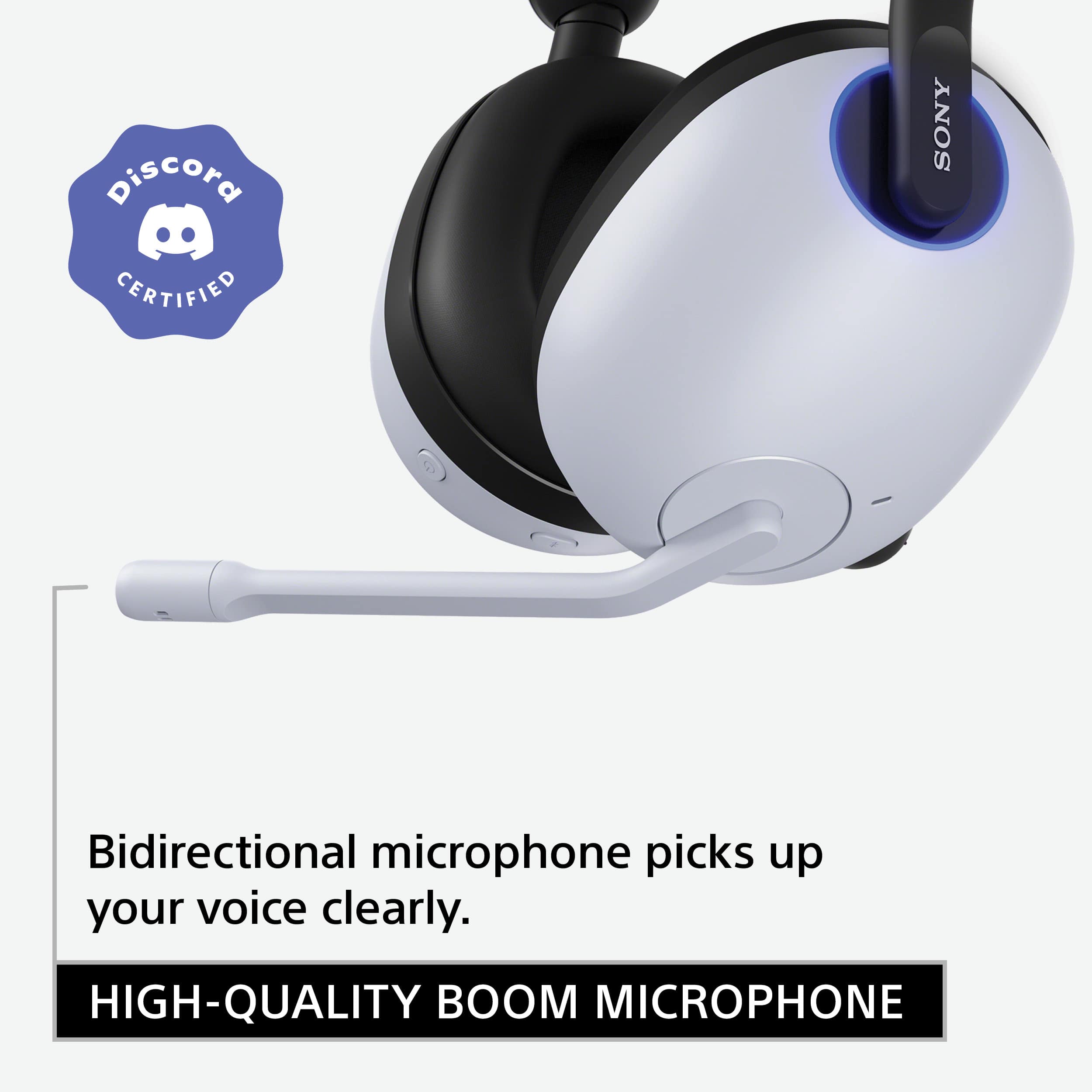
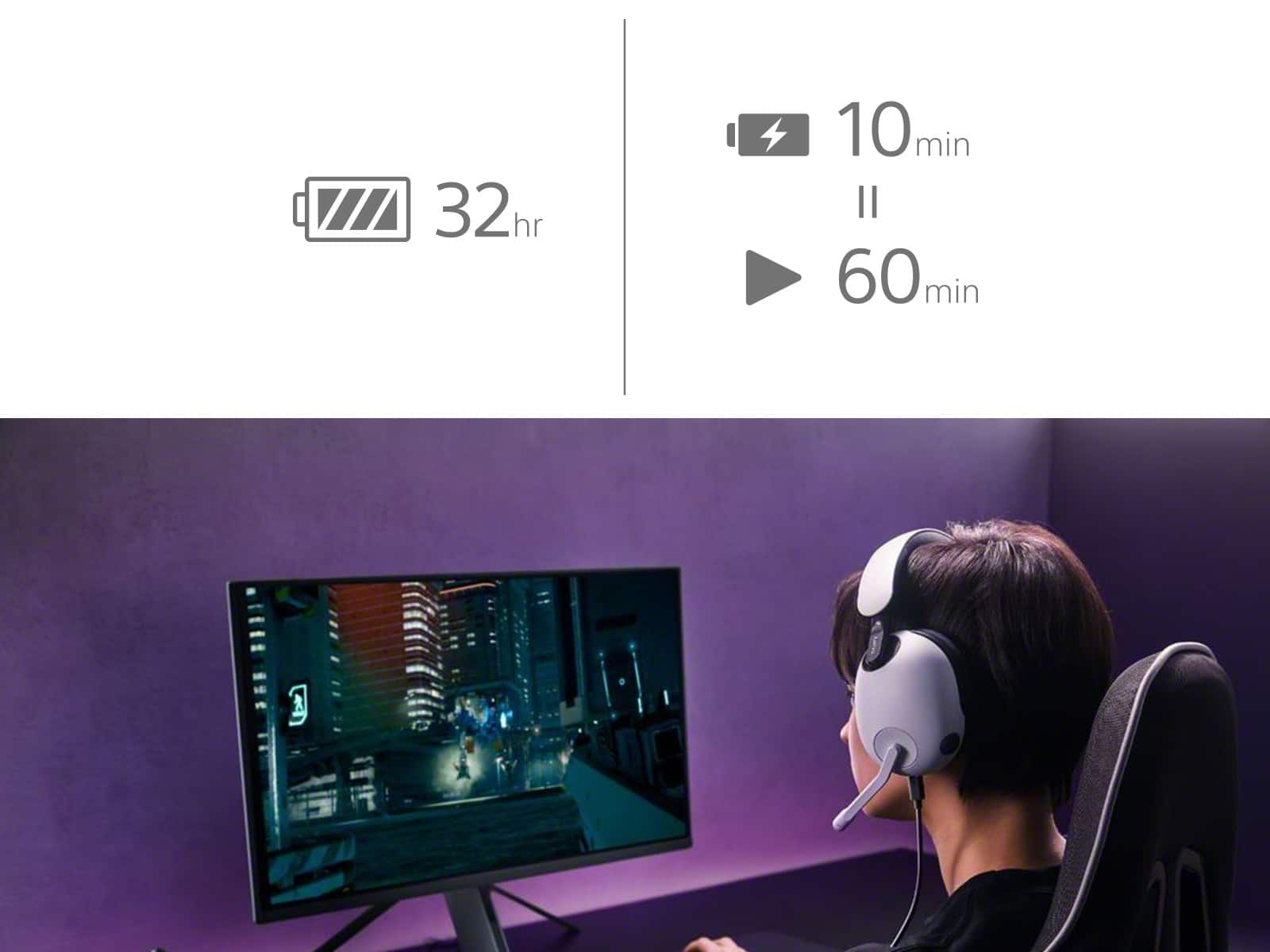
|Posted .This reviewer received promo considerations or sweepstakes entry for writing a review.I game on both a PC and a PS5 and have struggled to find a headset that I enjoy using on both platforms. Enter Sony's new INZONE line of gaming headsets. The matte white finish of the H9 headset looks like a direct extension of a PS5 console, but the headset works brilliantly on both platforms with excellent audio quality, comfort, and noise cancellation. If you can stomach the price, the H9 might be the only headset you'll need for quite some time. ===DESIGN, COMFORT, & SETUP=== There's no getting around it - this is a large headset. It is basically a larger version of Sony's new WH-1000XM5 headphones with a microphone attached on the left side. If you livestream and are concerned about looking a bit silly, this might not be the headset for you. Personally, I love the clean look and the PS5-white color. There are LED rings around the hinges, but they are not customizable. They glow white when connected via the wireless dongle, and blue when connected via Bluetooth. I have worn the H9 for at least 4 hours a day for the past week and a half and have no complaints regarding comfort. They are lightweight, plush, and have just the right amount of clamping force. The left headphone holds the boom microphone and also has a volume dial and noise cancelling adjustment button. The right headphone has the power button, Bluetooth pairing button, and a button to adjust the volume balance between game audio and voice chat. The boom microphone is not removable, but the microphone automatically mutes itself when in the upright position. On PC, the headset's settings can be customized via the INZONE Hub software. Once you plug in the wireless USB dongle to your PC and install INZONE Hub, you're pretty much good to go. Even easier on PS5 -- just plug in the dongle; no software or app to install. On PC, you can use the Sony app on your phone to scan your ear shape to generate a Spatial Audio profile (more on that below). My problem with the INZONE Hub software on PC is that it often fails to recognize the H9 headset, even with the headset turned on and the dongle plugged in. About 50% of the time, I will open the program only to stare at a blank interface with no options. I usually have to restart my PC to get the app to work properly. ===AUDIO QUALITY, NOISE CANCELLATION, & BATTERY LIFE=== I have been struggling to find a wireless PC gaming headset that does not sound muffled or distorted. I've tried various options from Logitech and Corsair only to be disappointed. The INZONE H9 headset sounds excellent to me -- almost equal to the wired Alienware AW510H headset I've been using for several years. Audio on the H9 is crisp and clear with no distortion even at higher volumes. Lower frequencies pack plenty of "oomph," and Sony's version of Spatial Audio is very convincing while gaming. I've played the new Spider-Man Remastered for PC for several hours now and I'm frequently impressed by the surround sound effect of city noise, voices, bullets, etc. appearing to come from all sides of the headset. I couldn't get Dolby Atmos to work with these headphones on PC, so you'll have to stick with Sony's proprietary version of spatial audio. Noise cancelling is also very good, although not as effective or strong as Sony's WH-1000XM4 or XM5 headphone models. Sony says it adapted some of the noise cancelling technology in the H9 from the XM5, though the H9 uses "low pressure" noise cancelling to reduce fatigue and discomfort during long gaming sessions. So these probably won't work too well on an airplane or in a crowded coffee shop, but they do an excellent job in cancelling out noise from fans, air conditioning units, etc. Sony claims that the H9 can last up to 32 hours on a single charge. I wasn't able to get quite that much battery life, but pretty close. After 6 days of using the headset for about 4-5 hours a day, the headset finally died and needed to be recharged. So I would say battery life is closer to 24-30 hours per charge, but that is still excellent. I just wish you could continue to use the headset with a wired connection when the battery is low or dead. ===OTHER THOUGHTS=== There are a few drawbacks to the INZONE H9 headset, especially at this price point. There is no analog or wired connection option. Microphone quality is good, but there is no mic noise cancelling or equalization controls, so ambient noise is picked up quite easily by this microphone. I love the design and look of the headset, but at this price, I wish Sony would have used some more premium materials rather than just plastic. The INZONE Hub software is great when it works, but it frequently fails to load properly and has not been updated in nearly two months. These are all minor problems, but certainly worth noting if you're considering this $300 headset. ===OVERALL=== For me, the INZONE H9 is a keeper. It checks all the right boxes as someone who games primarily on PC and PS5. If you've used any of Sony's excellent WH-1000 series headphones and are a fan of their audio quality and noise cancellation, then you will love Sony's INZONE H9. I never thought that Sony of all brands would create my ideal PC gaming headset, but here we are. If you can look past the small drawbacks mentioned above and justify the premium price, you won't be disappointed.
I would recommend this to a friendBrand response from SonyListens
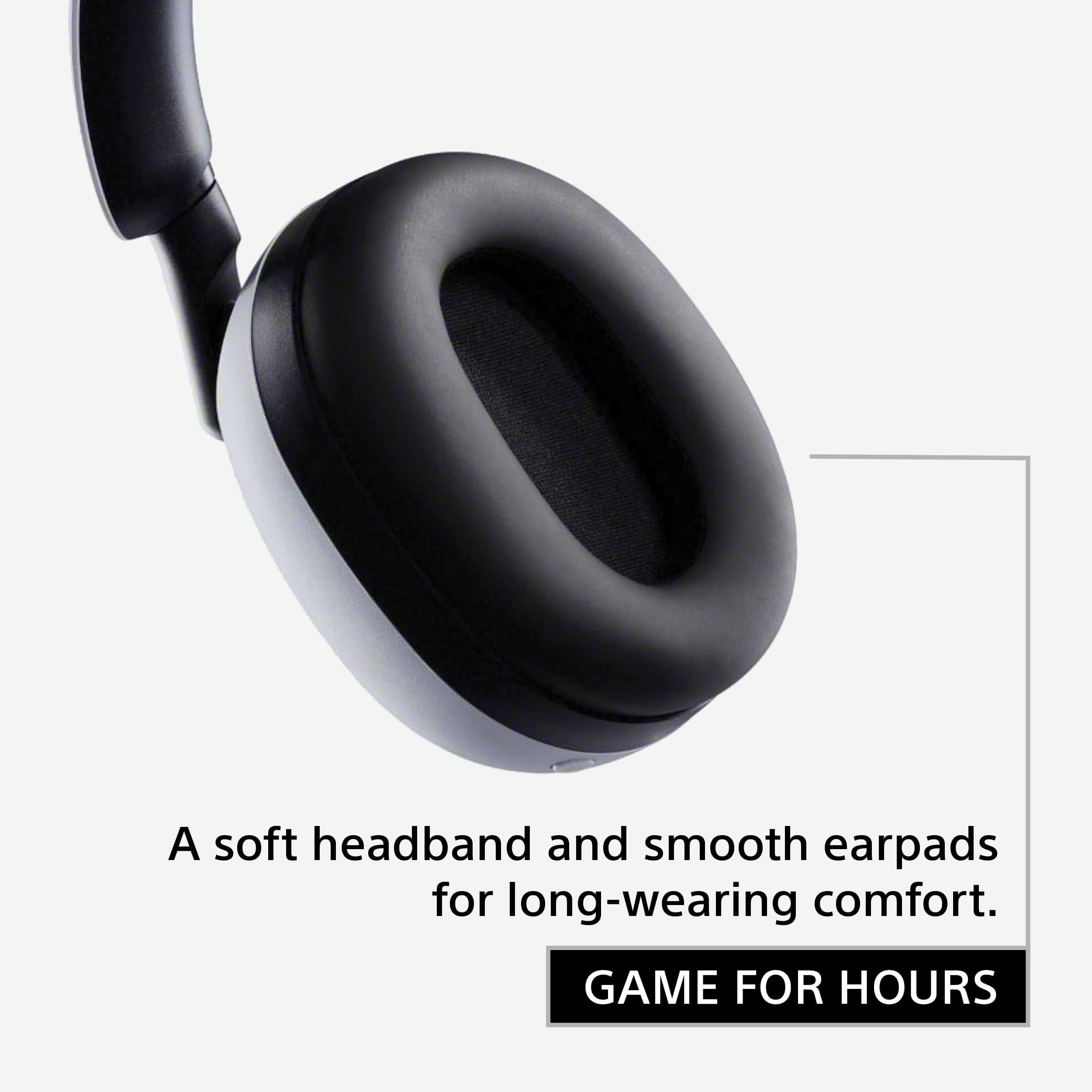
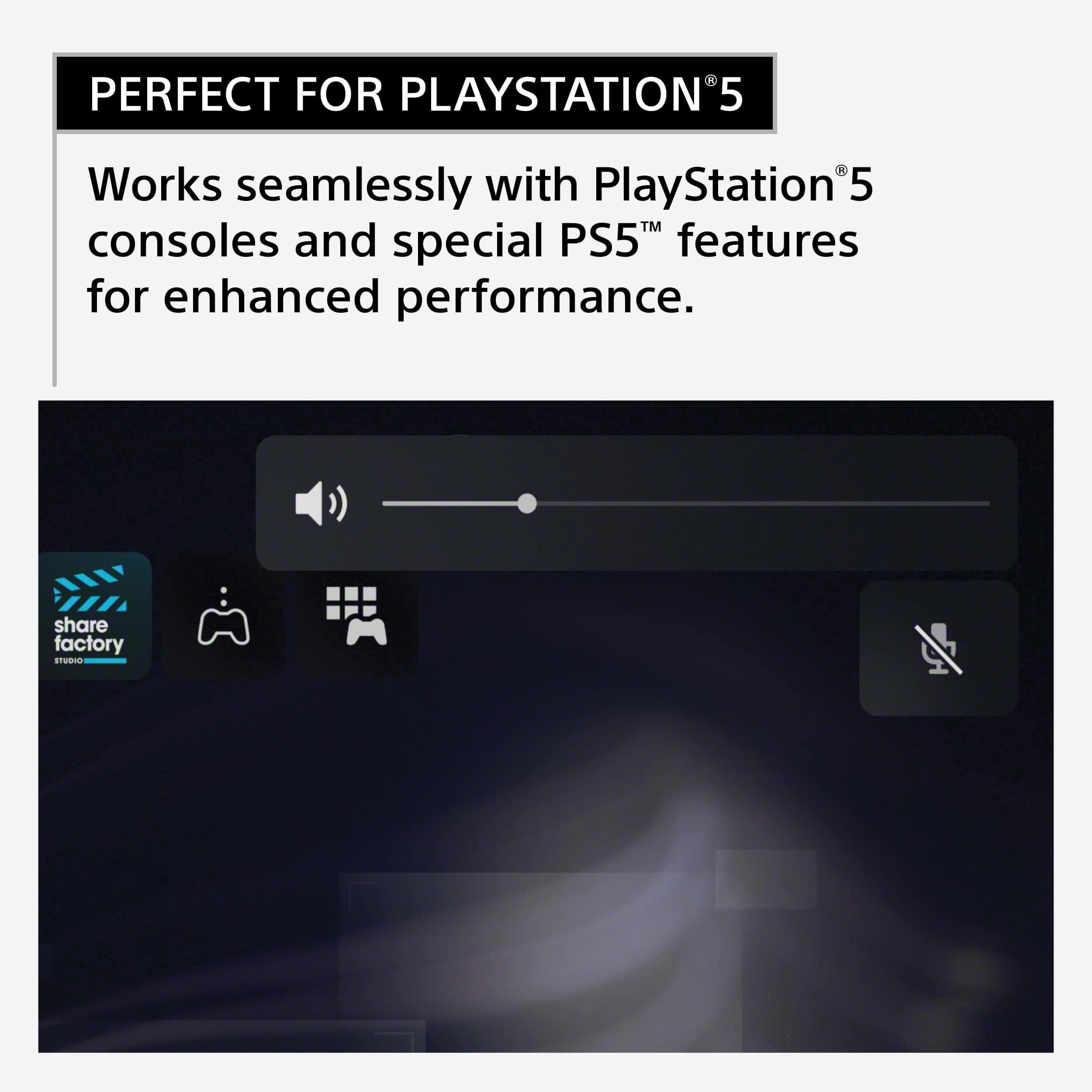
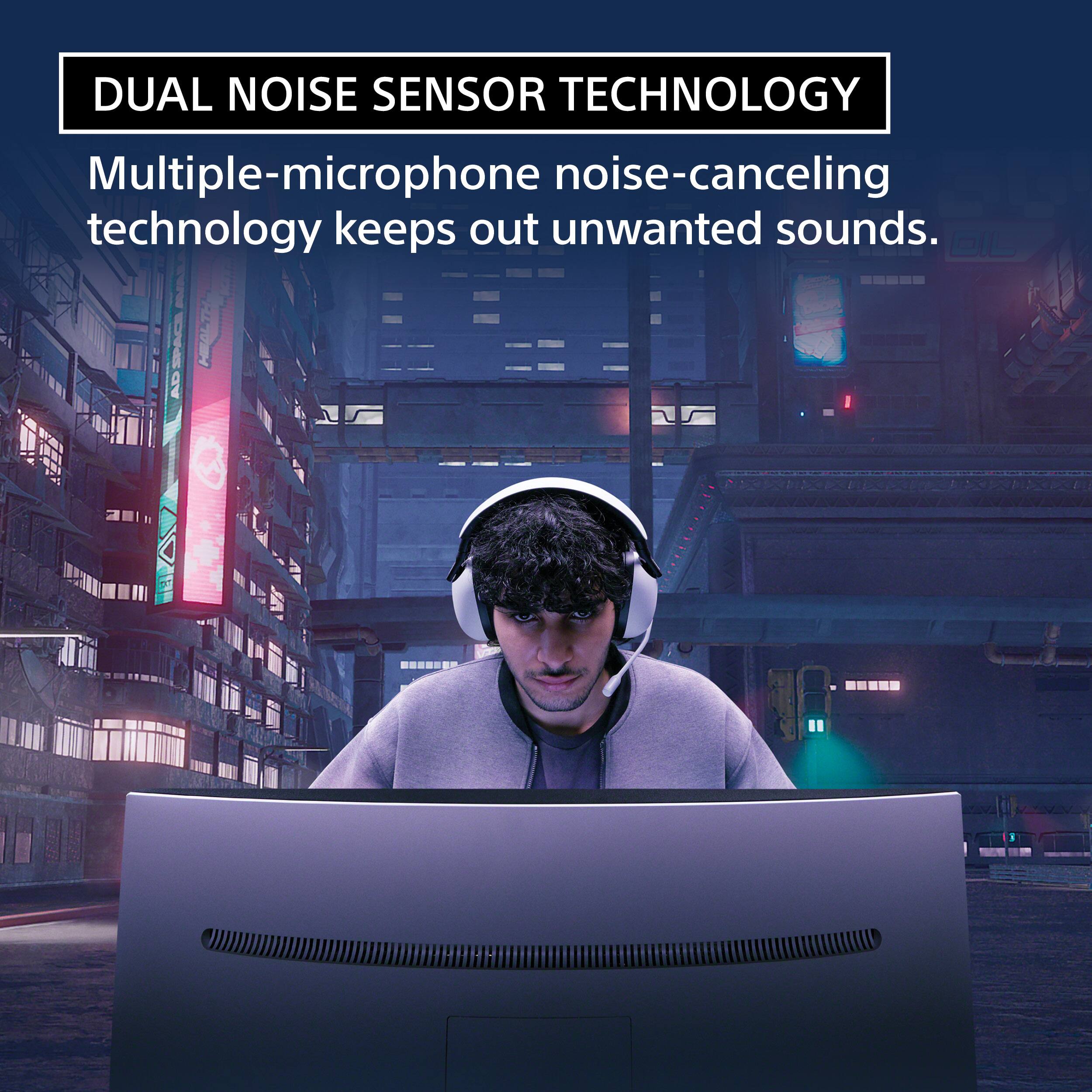
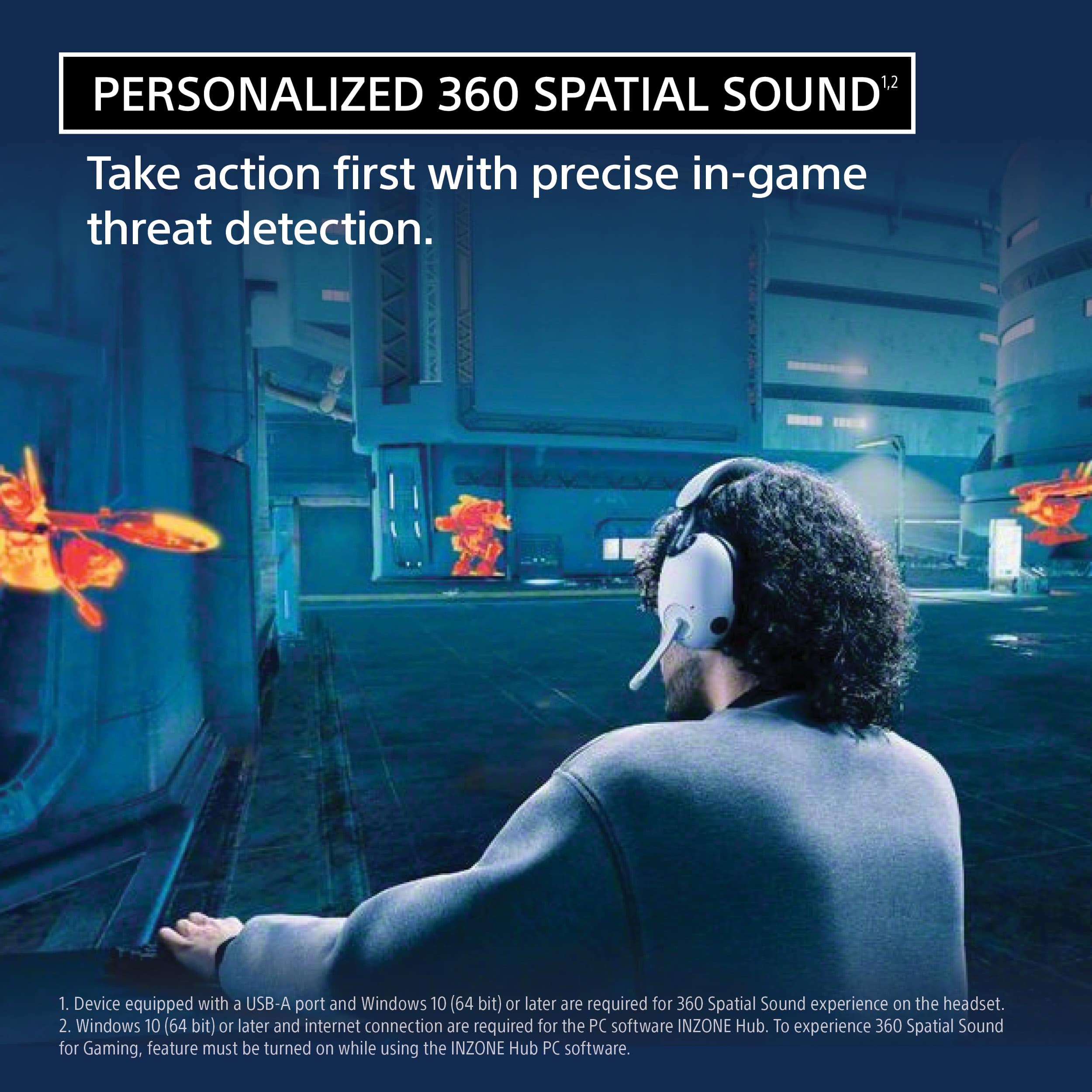
Posted .Hi ryanmcv, Thank you for taking the time to review the INZONE H9 Wireless Noise Canceling Gaming Headset. Our INZONE H9 gaming headset immerses you in the zone with spatial sound and noise cancelling for supercharged hearing and super sharp reflexes. Take performance beyond your best, detecting opponents before they see you. We’ve designed our INZONE H9 headset to bring your game soundtrack to life. A symmetric acoustic structure, flexible enough to comfortably fit a variety of individual head shapes and sizes, enhances sound quality and spatial acoustic precision. Designed to be secure and stable when worn, with minimal side pressure, this is a headset that’s ready to take into action for hours on end. The wide, soft headband cushion spreads weight evenly across your head for long-term wearing comfort. INZONE H9 allows you to enjoy the immersive sound of PlayStation® 5’s Tempest 3D AudioTech for gaming with greater spatial expression. Works seamlessly with PlayStation®5 consoles and special PS5™ features for enhanced performance. Our 360 Spatial Sound for Gaming, activated by the PC software INZONE Hub, features a newly developed virtualizer for gaming that reproduces spatial sound out of multi-channel audio signals as the game creators intended. Also, with the smartphone app 360 Spatial Sound Personalizer, you’ll get spatial sound optimized to your ear shape for truly personalized gameplay. From heaters and PC fans to construction work, INZONE H9 with multiple-microphone noise cancelling keeps out the sounds that disturb your performance. We’ve incorporated the same Dual Noise Sensor Technology used in our class-leading 1000X series headphones for invincible gaming. Please refer to this link for more details: https://helpguide.sony.net/mdr/295960/v1/en/contents/TP1000670427.html.
If you are unable to resolve your concern, please chat with us from Sony’s e-support webpage.
I hope this helps! Jay
Best Headset for PS5
||Posted . Owned for less than 1 week when reviewed.This reviewer received promo considerations or sweepstakes entry for writing a review.These work flawlessly with PS5, son loves them. Great quality and ease of use. Big fan.
I would recommend this to a friendBrand response from SonyListens
Posted .Hi QuentinP,
Thank you for the 5-star rating! We're glad to hear that your son loves the headphones. Thank you for choosing Sony!
-David
Great headset
||Posted . Owned for 2 weeks when reviewed.This reviewer received promo considerations or sweepstakes entry for writing a review.I use this for pc and ps5 and its the best headset i had. The surround sound works as it should. Great headset i approve this headset.
I would recommend this to a friendBrand response from SonyListens
Posted .Hi sheff169, Thank you for the 5-star rating! We are glad to hear that you are enjoying your new Inzone H9! Sharpen your senses and prepare for action. Our INZONE H9 gaming headset immerses you in the zone with spatial sound and noise canceling for supercharged hearing and super sharp reflexes. Take performance beyond your best, detecting opponents before they see you. Thank you for choosing Sony! -Craig
Good sound, but…
||Posted . Owned for 1.5 years when reviewed.This reviewer received promo considerations or sweepstakes entry for writing a review.Good sound and features. However, the padding on the top started coming off within the first few months of light use. Expect better quality for this price.
No, I would not recommend this to a friendBrand response from SonyListens
Posted .Hi JMann3476,
Thank you for the purchase! We're glad to hear that you like the sound quality and smart features of the headphones. Your feedback is greatky appreciated. This is a difficult question to answer because everyone treats their headphones differently and the longevity of the earpads will depend on how the individual cares for them.
If you need further assistance, please email us at socialsupport@am.sony.com with the following details:
Name:
Best Buy Username:
Model Number:
Issue:
Telephone Number:
-David
Great sound.
||Posted . Owned for 2 weeks when reviewed.This reviewer received promo considerations or sweepstakes entry for writing a review.This headphones work great, I have used them with the PS5 and PC. They sound is great I would recomend them to a friend.
I would recommend this to a friendBrand response from SonyListens
Posted .Hi Frank123, We're very grateful for this positive feedback! Our INZONE H9 gaming headset immerses you in the zone with spatial sound and noise cancelling for supercharged hearing and super sharp reflexes. Take performance beyond your best, detecting opponents before they see you. INZONE H9 allows you to enjoy the immersive sound of PlayStation® 5’s Tempest 3D AudioTech for gaming with greater spatial expression. Works seamlessly with PlayStation®5 consoles and special PS5™ features for enhanced performance. Our 360 Spatial Sound for Gaming, activated by the PC software INZONE Hub, features a newly developed virtualizer for gaming that reproduces spatial sound out of multi-channel audio signals as the game creators intended.
Thank you for the recommendation! Jay
Best out there
||Posted . Owned for 1 year when reviewed.This reviewer received promo considerations or sweepstakes entry for writing a review.You can hear a mouse squeak from the other side of the map
I would recommend this to a friendBrand response from SonyListens
Posted .Hi Ryan,
Thank you for the 5-star rating! We're glad to hear that you like the accurate sound of the headphones. Our 360 Spatial Sound for Gaming, activated by the PC software INZONE Hub, features a newly developed virtualizer for gaming that reproduces spatial sound out of multi-channel audio signals as the game creators intended. Also, with the smartphone app 360 Spatial Sound Personalizer, you’ll get spatial sound optimized to your ear shape for truly personalized gameplay. Thank you for choosing Sony!
-David
Better Sony option
||Posted . Owned for 1 month when reviewed.This reviewer received promo considerations or sweepstakes entry for writing a review.Good product definitely worth the money for me. A little on the bulky side
I would recommend this to a friendBrand response from SonyListens
Posted .Hi Daniel,
We appreciate the 5-star rating and we're glad to hear that you like the value of the headphones. Prepare for victory with Sony’s INZONE H9 premium gaming headset. With 360 Spatial Sound for Gaming, your audio will be amplified for your mission. Developed from our expertise in music headphones, the diaphragm of the INZONE H9 has a unique shape that allows it to reproduce extremely high-frequency sounds with high compliance, as well as authentic low frequencies, for an immersive gaming experience. Thank you for choosing Sony!
-David
- Pros mentioned:Sound quality
Inzone H9 is good, but for how long?
||Posted . Owned for 8 months when reviewed.This reviewer received promo considerations or sweepstakes entry for writing a review.My H9 headset's headband has fallen apart. unfortunately what was originally an excellent headset from Sony quickly became very uncomfortable. Noise cancelling is great! but what good does that do for me If i can't even wear it anymore?
No, I would not recommend this to a friendBrand response from SonyListens
Posted .Hi Zach, We're sorry to hear about what happened to the INZONE H9 Wireless Noise Canceling Gaming Headset. For further assistance, please email the below information to socialsupport@am.sony.com or chat with us from Sony’s e-support webpage. Apologies if you disclosed some of this information in your review and to customer service, we just want to ensure that we have your accurate details at the time of communication.
Full Name:
Best Buy Username:
Telephone Number:
Sony Model Number:
Additional Information regarding your experience with the INZONE H9 (WHG900N):
We are sorry for the inconvenience and hope to speak to you to resolve this matter. We appreciate you and thanks again for shopping Sony!
Sincerely,
Jay
BUYER BEWARE - DURABILITY ISSUES
||Posted . Owned for 2 months when reviewed.This reviewer received promo considerations or sweepstakes entry for writing a review.For the price point I expected better. All the positives about this product are throw own the window due to durability and poor quality. At just under 3 months of normal use, the fabric started separating from the headband. There isn't any damage or tears to the fabric. Just poor assembly quality. Unfortunately Sony hides behind "cosmetic damage"/"wear and tear" clauses to avoid covering this issue under warranty. I wouldn't recommend this product until that issue is resolved or at least if Sony recognized it as poor production qualtiy.
No, I would not recommend this to a friendBrand response from SonyListens
Posted .Hi KrisY,
We're sorry to hear about what happened to this INZONE H9 Wireless Noise Canceling Gaming Headset.
If the fabric started separating from the headband, please check our contact details from this link or you send us email to better assista you. https://us.esupport.sony.com/support/s/support-contact?language=en_US&category=headphones
You can email the below information to socialsupport@am.sony.com or chat with us from Sony’s e-support webpage. Apologies if you disclosed some of this information in your review and to customer service, we just want to ensure that we have your accurate details at the time of communication.
Full Name:
Best Buy Username:
Telephone Number:
Sony Model Number:
Additional Information regarding your experience with the INZONE H9 (WHG900N):
We are sorry for the inconvenience and hope to speak to you to resolve this matter. We appreciate you and thanks again for shopping Sony!
Sincerely,
Jay
Excellent
||Posted . Owned for 1 week when reviewed.This reviewer received promo considerations or sweepstakes entry for writing a review.Awesome headphones works great with PC and PlayStation 5
I would recommend this to a friendBrand response from SonyListens
Posted .Hi Kyle, That's great! Our 360 Spatial Sound for Gaming, activated by the PC software INZONE Hub, features a newly developed virtualizer for gaming that reproduces 2ch stereo audio signals in 7.1ch surround sound, as the game creators intended. Also, with the smartphone app 360 Spatial Sound Personalizer, you’ll get spatial sound optimized to your ear shape for truly personalized gameplay. Thank you for choosing INZONE H9 Wireless Noise Cancelling Gaming Headset. Jay
- Pros mentioned:Bluetooth, Comfort, Sound quality
Versatile headphones for the multi-device gamer!
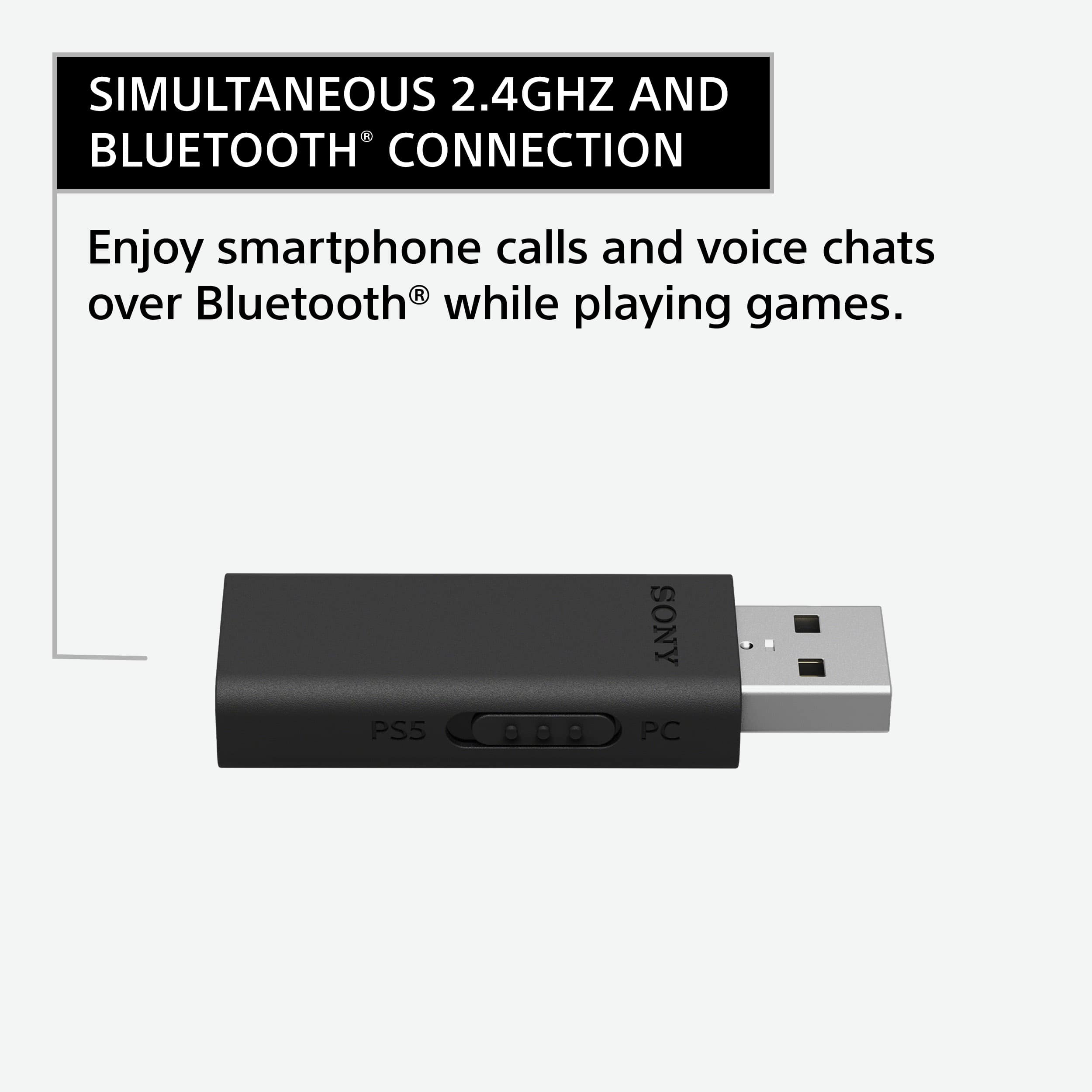
|Posted .This reviewer received promo considerations or sweepstakes entry for writing a review.As the title of my review says, these are headphones that one can truly expect to be able to enjoy multitasking with on multiple devices. I am impressed with the versatility present here. These headphones are able to connect via Bluetooth to devices like your phone and play audio from that source while simultaneously playing the audio from whatever device you have hooked up with the 2.4ghz USB-A dongle. I can confirm that this headset works excellently with the USB-A dongle with both my gaming desktop PC and with my PS4 Pro! Although this is advertised for use with the PS5, this will indeed work with the PS4 from my testing! The dongle has a switch on the side the moves from PS5 to PC in selection, and there is a nice LED light on the top of it that indicates whether it is turned on and connected to your headset. This headset is an example of the gaming industry moving forward in my opinion. Present here is a device that delivers many features that gamers will benefit from, such as active noise cancellation and the versatility to work between multiple devices at the same time. For example, I found that I can be talking to my friends on our Discord server on my phone with this headset while at the same time gaming independently on my PS4. I love this ability to have my game and my private conversations going on at the same time. This headset takes into account this audio split with hardware buttons on the headset that lets you control the balance of audio between the two sources. On the right ear cup, you have two buttons labeled game and chat that let you direct the balance of your volume including totally muting one audio source or the other. You have a master volume controlled on a scroll wheel on the left ear cup. The build quality present here is great---as it should be for a headset of this price. The plastics all feel solid, the foam headband feels comfortable, and there appears to be plenty of adjustability in the size of the headset from small to even very large heads. The flip away mic articulates nicely, and the buttons and other hardware inputs of the headset all feel solid. The color is, of course, a perfect match to the PS5 white console color scheme and would like great as part of that set up. In general, this headset feels a little on the bulkier side, but I am not surprised as this comes with so many features including the ANC and ambient noise setting and involved mics and the various antennas and hardware needed for both Bluetooth and 2.4ghz wireless connection. The audio of this headset I would say is average to above average. Out of the box, present here are excellent, full mids, trebles that sound crisp but sometimes at higher volumes come out as rather tinny sounding, and then bass notes that are present and accentuated, but could certainly be more robust and powerful for headphones of this price and size. I would, in honesty, expect better audio quality in general from headphones of this price, but I am willing to give some allowances as this is such a well featured headset. EQ settings are present on the Inzone Hub app for PC and for the phone app, including the spatial audio settings. I think the spatial audio is really great for videogames and some music and will become even more useful as more media sources utilize spatial audio. There is a YouTube video from Sony called “360 Spatial Sound Mapping Demo” that really demonstrates how impressive the 360 Spatial audio can be. Altogether, what you are getting here is a great entry from Sony into the wireless gaming headset market that comes with features that are bound to make some audiophiles and audio-gear nuts drool. If one’s interest is purely in a gaming headset to work with their one dedicated gaming device, I would not pressure them into spending this much for a headset. The audio quality is not reflected in the price, but rather the features are. Thanks for reading and I hope this review helps you with your purchase decision!
I would recommend this to a friendBrand response from SonyListens
Posted .Hi Bren, thank you for choosing and purchasing our newest gaming headset! We appreciate your in-depth review of our product. Our INZONE Hub PC software allows you to personalize your INZONE H9 experience by customizing a wide range of operations, including a variety of sound and hardware settings. Fine-tune sound frequencies to your game for more clarity and immersion using the EQ function. We’ve created the INZONE H9 to be ultra comfortable so you can keep on playing through extended sessions. Designed to be secure and stable when worn, with minimal side pressure, this is a headset that’s ready to take into action for hours on end. We’ve designed our INZONE H9 headset to bring your game soundtrack to life. A symmetric acoustic structure, flexible enough to comfortably fit a variety of individual head shapes and sizes, enhances sound quality and spatial acoustic precision. Thank you for choosing SONY. ~Earl
- Pros mentioned:Battery life, Comfort, Sound quality
YOU GET WHAT YOU PAY FOR!!!
|Posted .This reviewer received promo considerations or sweepstakes entry for writing a review.And what you get is an exceptional pair of gaming headphones that are lightweight, comfortable and probably the best pair of gaming headphones that I have used on my PS5. I am not an avid PC gamer, but I do spend some time on my PS5, and I can tell you that your gaming experience will improve significantly the with these headphones. So, lets go over some of the features, PROS, and CONS of the Sony INZONE H9 Wireless Noise Canceling Gaming Headset. Setup: The Sony H9 can be used for PC and PS5 gaming. The headphones can be connected with a provided USB or Bluetooth. The USB does have a little switch on the side to switch back and forth between PC and PS5. You can also simultaneously use the USB and the Bluetooth connection allowing you to answer phones calls with the Bluetooth technology, while playing your favorite game and chatting away with the USB connection. Originally, I was not a big fan of the USB connection because it sticks out a bit if you plug in the front, but after noticing the how low latency between the game play and picture synchronization I changed my mind. 360 Spatial Sound – The 360 spatial audio technology takes your gaming experience to a whole ‘nother level. The spatial audio allows you to hear your enemies and even figure out how far away they are. Now I have tested this feature in Warzone, and It is scary how well that feature works and made gaming even more entertaining. I could hear people around me and even closing the distance on me. It was super cool and even helped me get some more kills. Flip-Up Boom Microphone – This is pretty much self-explanatory. You can flip up the microphone when it is not needed and the audio quality is nice and clear even on phone calls, no issues there. WEAR – The headphones are lightweight yet durable. The headband and earpads are made of synthetic leather and soft comfortable material for extended wear. I used these for a few gaming sessions which lasted a few hours, and they were very comfortable. The headset is designed for be glasses friendly and are also adjustable for a better fit. Noise Cancellation and Ambient Sound – The noise cancellation on these headphones is top notch. There are multiple microphones on the outside of the headset that cancel out the noises that distract you from your game play. I actually got in trouble with the wife while using it because she kept calling me for something and I could not hear her. WORKED GREAT!!! But there is also an ambient mode which does allow you to hear what’s going on around you but is not distracting. There are physical buttons on the headphones turning on the noise cancellation, power button, Bluetooth, and volume control for easy access. Battery Life and Charing – These headphones have a battery life of about 35 hours but that is cut down to about 20 hours with the Noise cancellation. The headphones are rechargeable with the provided USB-C cable. PROS: AUDIO QUALITY COMFORTABLE AND LIGHT WEIGHT 360 SPATIAL AUDIO DESIGNED FOR PEOPLE WITH GLASSES USB CONNECTION CONS: NO CASE – lets face it these headphones are not cheap. In my opinion they should come with some sort of a case for someone to keep their investment safe. No Audio Jack – Even though audio jacks have pretty much become obsolete, I always welcome them. In the event that something goes wrong, or the battery dies out, I would have preferred to have an audio jack available just in case. Overall, I am very satisfied with the Sony INZONE H9 Wireless Noise Cancelling Headphones. These headphones will not only give you an immersive but overall an enjoyable gaming experience. if you are in the market for some PC or PS5 gaming headphones, I would recommend that you check these out.
I would recommend this to a friendBrand response from SonyListens
Posted .Hi Hmirza, Thank you for taking the time to review the INZONE H9 INZONE H9 Wireless Noise Canceling Gaming Headset. Our 360 Spatial Sound for Gaming, activated by the PC software INZONE Hub, features a newly developed virtualizer for gaming that reproduces spatial sound out of multi-channel audio signals as the game creators intended. Also, with the smartphone app 360 Spatial Sound Personalizer, you’ll get spatial sound optimized to your ear shape for truly personalized gameplay. We’ve designed our INZONE H9 headset to bring your game soundtrack to life. A symmetric acoustic structure, flexible enough to comfortably fit a variety of individual head shapes and sizes, enhances sound quality and spatial acoustic precision. Thanks for choosing Sony! Jay
- Pros mentioned:Battery life, Comfort, Sound quality
Great Spatial Audio, with world class battery life
|Posted .This reviewer received promo considerations or sweepstakes entry for writing a review.----Design---- Pros -Mostly comfortable and very light weight - Buttons are easy to identify while on your head - White and black is a nice modern look - Overall design is clean and well made - Can be expanded to fit larger heads or situations yet small enough for smaller heads (not something all headsets do well in the small department) - Mic is easy to activate by pulling down, easy to hide out of sight too - Cups are able to rotate so the entire headset can lay flat - Included 2.4ghz wireless dongle for superior audio to the Bluetooth audio - Charges via USB C Cons - The leather material used on the cups is terrible. Unfortunately, a lot of headphone model use this. It's garbage. It promotes sweat, feels sticky and uncomfortable after a while. The use of mesh, like other premium headphones in this price bracket use would have been a far better decision. This alone will severely limit my use of these, if not cause me to stop use all together. - This is not so much a design decision, but, there is no case included in the packaging. This is also something other headsets in this price range offer, seems like a huge omission for the price Sony is asking for these. - Mic is permanently attached and forced to live in an upright position when not in use. While not a dealbreaker. having it retract into the left cup, or removable all together would have been a better design choice here - Headphones are not able to fold. Having the omission of a case as mentioned above, this makes it even harder to travel with these in a bag. ----Features/Functionality---- Pros - The spatial audio is VERY good on these headphones with the use of the 2.4ghz dongle. Sound is very directional and you do not need to pay extra for this feature via software. It is included and operational in the Sony InZone desktop app. - These headphones include active noise cancellation and transparent modes. The Active Noise Cancellation is acceptable, but far from Sony's best. They could have done a whole lot better with this price point, however, the ANC is good enough to block out most ambient noise, and it's inclusion makes this a pro. The transparency mode is also average at best, but does allow ambient noise to come through and be heard much easier than if it wasn't present at all. So this is also a pro for it's inclusion and works good enough functionality. - Battery Life is AMAZING! Sony claims something like 32 hours with ANC turned off. I have used these almost exclusively with ANC turned on, aside from testing out the other modes, and I have yet to have to charge these things using them over the past week (at minimum 48 hours total). This is remarkable and an absolutely major, major pro for these headphones. Absolutely best in class here. - Mic performance is about what you'd expect from most gaming headsets. Audio is clear enough and background noise is isolated so hearing speech isn't a problem for others. This mic is not going to win any awards, and it is far from best in class, but, it meets expectations, performs good enough for the intention of in game chat. It is not intended for media creation, therefore I am not judging it as such. Just note, if Mic quality is important to you and you with to use these as dual purpose, this would be a deal breaker, or, require you to use a separate mic. - The InZone app is very easy to use with these headphones and it makes locating all features a breeze. This is actually an area I am noticing more and more with gaming peripherals, is getting more and more confusing and terrible. I appreciate that Sony kept things well thought out, clean, and very easy to navigate and use. No one should have any issues finding features or using this application along with the headset. Cons - The most important aspect of headphones is sound. Unfortunately, the sound is just "ok" on these. Sony is capable if exceedingly better audio fidelity. These headphones do pretty good with lower frequencies such as bass, and even the mid range retains most of it's fidelity, though mid level bass does feel a bit forced. Where things go flat is with the higher frequencies. There is simply no sharpness to anything these can produce. I tried all three sound settings (Bass Boost, Music/Video, Custom EQ) to try and achieve a better balance, but unfortunately, it just isn't there. It feels almost like the tweeters are synthesized or synthetic. It's weird to explain, though once you listen to these you'll likely understand what I mean This con is also amplified by again, Sony's high asking price on theses, where expectations for what Sony is known to produce and what this price point demands, Sony could have and should have done much better here. - Bluetooth audio is horrible! This is nothing new to Bluetooth audio, however, it is extra worse on these. I could not believe how downscaled the audio became when using these in Bluetooth mode. You also lose all of the advanced spatial audio features when using this mode as the InZone app does not recognize these headphones when on Bluetooth. Fortunately, all of these issues are fixed using the included USB dongle. The sound is far better (though still lacking as mentioned above) and all features work. ----Bottom Line---- I know that I rattled off a number of cons here. On the surface, you would be right to expect that I likely hate these headphones. This is not the case. This is actually a very good, well rounded headset for the sole intention of gaming. That is what Sony intended for these to be, and that is what they do well. Spatial audio is critical for directional sound in games, and Sony nails this. Adequate mic performance with easy access is also a must. Sony does this well also. Comfort is also a must for long gaming sessions. While I have my opinions on the awful leather material, these are otherwise extremely light and comfortable. Pair that with exceptional battery life and fantastic app experience, this is a gaming headset surely to please most gamers. I have come to have very high expectations for Sony products over the years. They typically set a benchmark for nearly all of their products, This however, is setting no benchmarks, and I know Sonly could have done more with these. All in all, a solid 4 star product. The disappointing audio fidelity forced me to remove 1 star
I would recommend this to a friendBrand response from SonyListens
Posted .Hi elitegangsta, We're sorry to hear about your issue with the INZONE H9 Wireless Noise Canceling Gaming Headset. we apologize for the inconvenience. We’ve designed our INZONE H9 headset to bring your game soundtrack to life. A symmetric acoustic structure, flexible enough to comfortably fit a variety of individual head shapes and sizes, enhances sound quality and spatial acoustic precision. Soft-fit leather ear pads are shaped to minimize pressure on your ears by optimizing contact with the side of your head. This highly stretchable ear pad material is designed for comfort, stability and sound insulation. When you want to use the microphone, fold it down and adjust it so it's close to your mouth. Highly flexible, it can be angled into any position. Developed from our expertise in music headphones, the diaphragm of the INZONE H9 has a unique shape that allows it to reproduce extremely high-frequency sounds with high compliance, as well as authentic low frequencies, for an immersive gaming experience. Our 360 Spatial Sound for Gaming, activated by the PC software INZONE Hub, features a newly developed virtualizer for gaming that reproduces spatial sound out of multi-channel audio signals as the game creators intended. Also, with the smartphone app 360 Spatial Sound Personalizer, you’ll get spatial sound optimized to your ear shape for truly personalized gameplay. Connect to a smartphone via Bluetooth® while connected to 2.4 GHz wireless. You can enjoy smartphone calls and voice chats over Bluetooth while playing games using the USB wireless connection. You can enjoy a voice chat and hands-free call while playing a game by connecting to a computer or PS5 via wireless 2.4 GHz connection with the USB transceiver and connecting to a smartphone at the same time via BLUETOOTH® connection. Please refer to this link for more details: https://helpguide.sony.net/mdr/295960/v1/en/contents/TP1000670395.html
Thanks for choosing Sony! Jay
- Pros mentioned:Battery life, Sound quality
Great Headset for Gaming but no Voice indicators
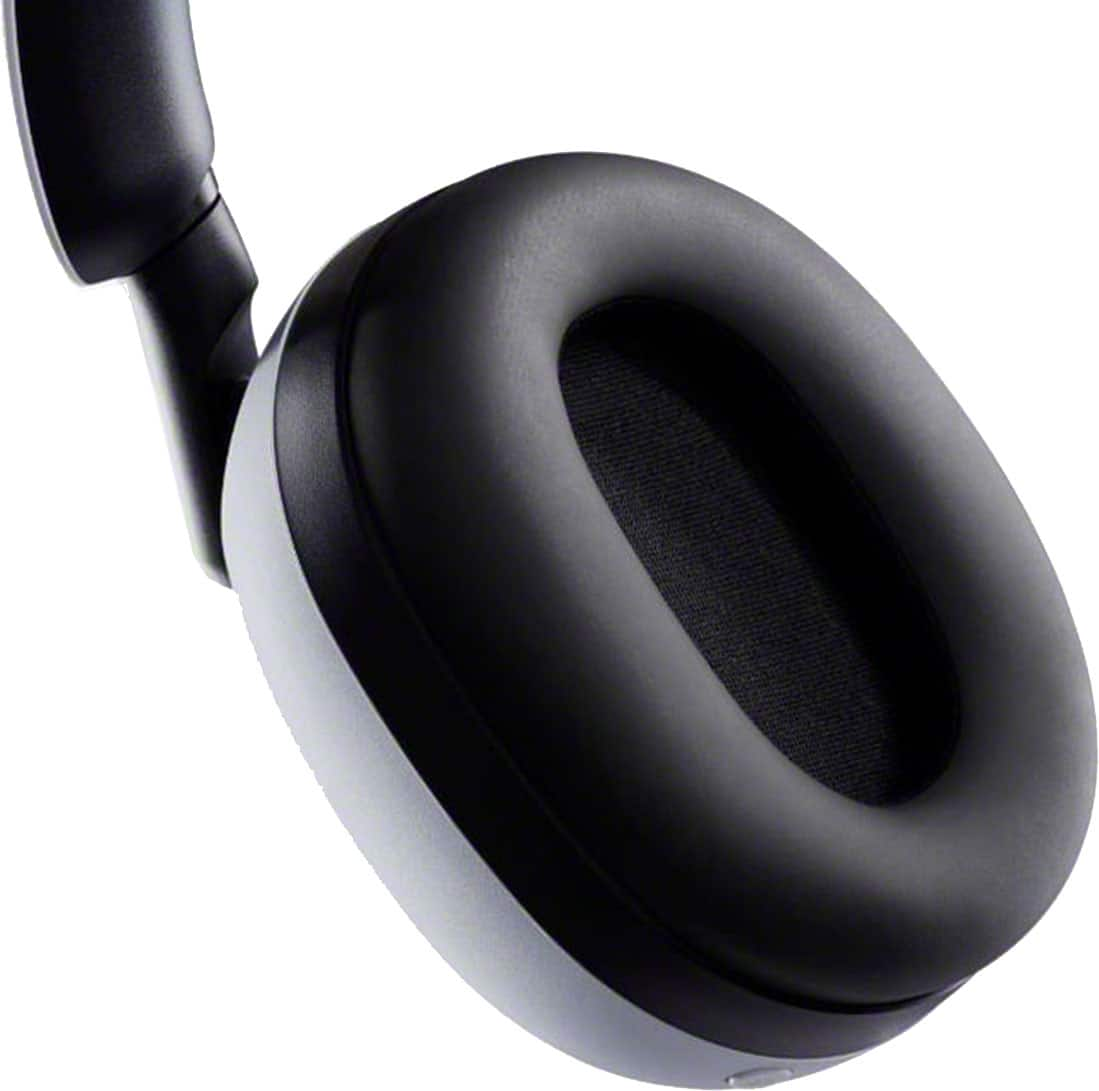
|Posted .This reviewer received promo considerations or sweepstakes entry for writing a review.Sony’s 360 spatial sound included with this headset really makes a difference and It adds a whole new level of realism when gaming. Overall the sound quality, comfort and noise cancellation are as good as it gets but the lack of the standard wireless headphone voice indicators like Power On/Off, Pairing/Connected, Battery High/Medium/Low, ANC On/Off Ambient keep it from being five stars. Pro: - Fit and feel are very comfortable even when aggressively gaming - Noise Cancellation is excellent - Sound quality is good for gaming and the equalizer lets you tune it to your liking - Game sounds are much more dimensional with the 360 Spatial audio Cons: - No voice indicators, you only get beeps which are not intuitive - No case or protective bag - The USB receiver is 4 cm long which is not laptop friendly - In Zone Hub App is only available via the USB receiver and not via Bluetooth These headphones are simple to connect if you use the USB receiver. Connecting via Bluetooth can be problematic because you have to keep checking the LEDs on the ear cups to see if you are in pairing mode or connected. There are no voice responses to tell you the status of the headphones, only cryptic beeps. To get the most out of these headphones you need to set up the Spatial audio and the In Zone Hub app. The Sony’s 360 Spatial sound is configured using an app on your phone. This helps configure the spatial sound quality to your ears. Once you have that done you download the In Zone Hub app to your pc. The In Zone Hub lets you control the sound and device settings. This is where you can select one of the three preset equalizers or create a custom one. You can also select different microphone levels as well some noise cancellation options. Note that the In Zone app is only available if you are using the USB receiver, if you are using Bluetooth you lose these features. After I set up the spatial audio and tuned the equalizer for my taste the audio quality was excellent. Out of the box I think these headphones are bass heavy which is good for gaming. I was really surprised by how much the sound improved due to the directional separation of the sounds. Instead of just hearing a boom in my ear I also had some direction of where it came from. Basically it made the sound directional which made the overall game much more realistic. In FPS games this really does help because you aren’t just reacting to sounds left or right. The headset has a volume control and ANC switch on the left ear cup and the microphone arm works as mute switch in the up position. The On/Off, Bluetooth and Chat/Game button are on the right ear cup. The microphone works great and cuts out the ambient room noise so that the person on the other side doesn’t hear the background sounds like the pc fans. The noise cancellation is as good as it gets. With it on I couldn’t hear any room noise at all and in the ambient setting it lets in just enough sound that you have some room awareness. On the downside, there are no voice responses such as Power On, Battery High/Low, ANC On/Off/Ambient, Waiting to Pair/Connected or any of the standard voice responses you get in most wireless headphones these days. Instead there are some LEDs on the ear cups and some beeps that tell you that you pressed something. This can be problematic because you have to remove the headset to see what the LEDs are indicating. When changing ANC you have to listen to know which setting you are on. The battery level is indicated with LEDs when first powered on or via the In Zone app. The USB receiver is 4cm long which can be a major pain if you are using a laptop. The headphones are charged via an included USB-C cable and the battery life is estimated at 32 hours. Fit: These headphones have very soft foam ear cups that allow your ear to sit inside the cups. The leatherette covering on the ear cup is supple so it conforms to your skin and definitely helps with the overall noise isolation. The foam on the top support is thick enough to keep you from feeling the plastic band. Overall these are some of the nicest fitting headphones I have ever used but because they are closed they do get a tad warm with long intense gaming sessions. The pull down microphone is moldable to better align with your mouth and its long enough to pick up your voice but not so long that it gets in the way.
I would recommend this to a friendBrand response from SonyListens
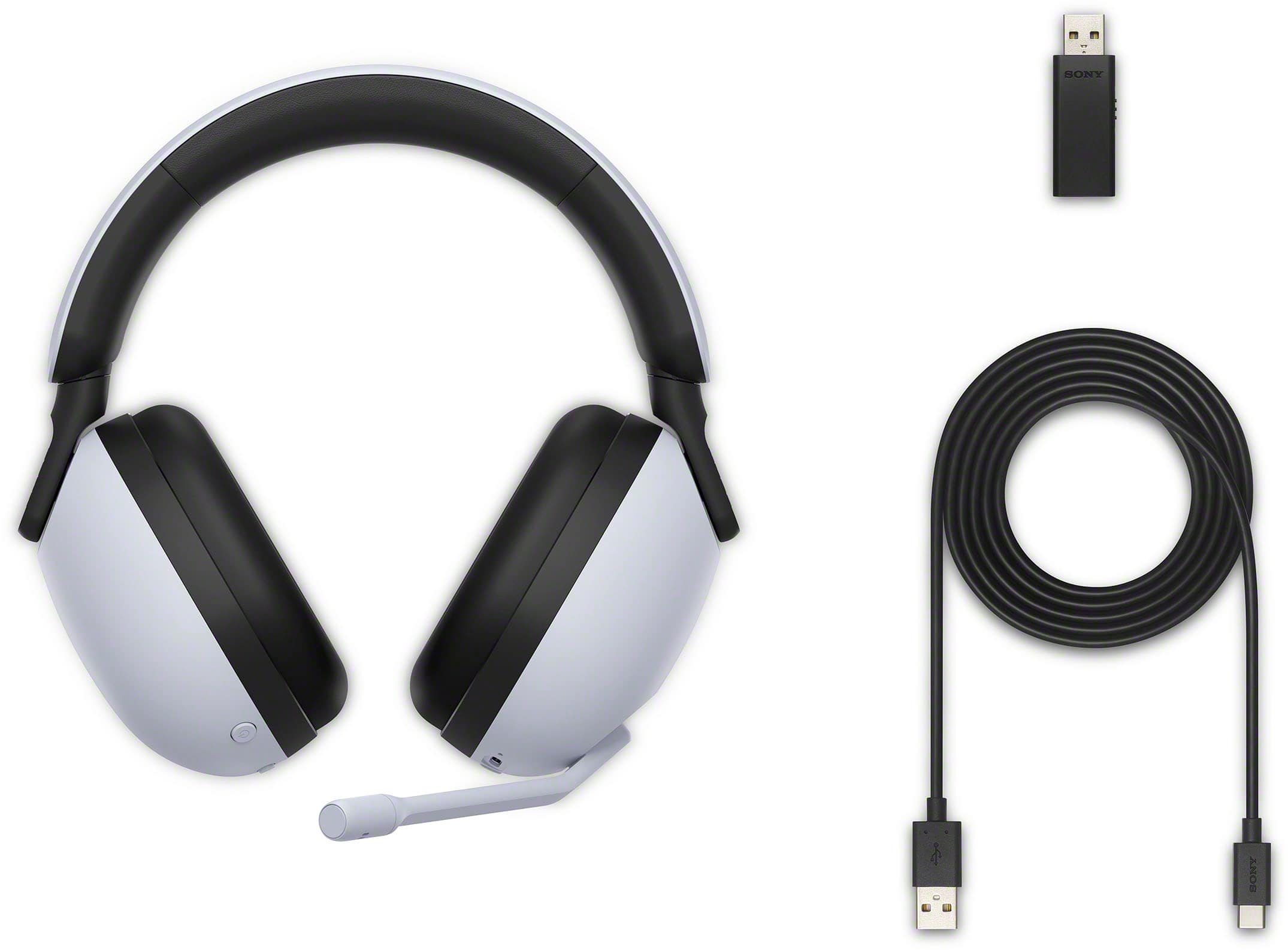
Posted .Hi explore42, We appreciate your time sharing your review with this INZONE H9 Wireless Noise Canceling Gaming Headset. Our products are not only designed to be stylish but also with the environment in mind. No plastic is included in the packaging material for the INZONE H9, and it uses only recycled materials and non-woven cellulose, reflecting Sony’s commitment to reducing the environmental impact of our products and practices. Our INZONE monitors elevate your gaming experience and help you perform to the very best of your ability. Our 360 Spatial Sound for Gaming, activated by the PC software INZONE Hub, features a newly developed virtualizer for gaming that reproduces spatial sound out of multi-channel audio signals as the game creators intended. Open up the packaging of your INZONE H9 headset and you’ll find a USB-C charging cable (1.5 m) and a USB transceiver included. Connect to a smartphone via Bluetooth® while connected to 2.4 GHz wireless. You can enjoy smartphone calls and voice chats over Bluetooth while playing games using the USB wireless connection. Thanks for choosing Sony! Jay
- Pros mentioned:Comfort, Sound quality
Good headset
|Posted .This reviewer received promo considerations or sweepstakes entry for writing a review.Having a PS5 I was really looking forward to a high end set of Sony gaming headphones designed specifically for the PS5 and though they are good, an update could make them great. I never tried the Pulse 3D as I felt they were more of a budget headset. To start off the Inzone H9’s feel well made and are very comfortable with soft material on the ear cups and headband. Another plus is if you have a large head these should fit you no problem as they have a lot of adjustment. Setting up the headset is like any other gaming headsets that use a Bluetooth dongle, plug it in and you’re ready to go. This is where my first issue comes in though, when you use these first on a PS5 you can use the controllers mute button to mute the headset without having to flip the mic to mute. Using the controllers built in mute button allows you to leave the mic down and mute the headset, which creates less wear on the boom mic. I’ve had other headsets flip to mute mic wear out over time because of the constant up and down flipping. This wouldn’t be that big of a deal if you could easily swap out the mic with a new one if it wears out. The real head scratcher is after you plug these in and use these on a pc this feature is no longer available on the PS5! I’m not really sure why Sony would do this as the mute button on the PS5 controller is the fastest way to mute or unmute a headset when gaming. If you want to use them on a pc and a PS5, it’s kinda double edge sword because the Sony inzone app on the pc allows a lot of customization you can’t do on the PS5. As good as the inzone app is, I don’t understand why Sony didn’t create an iOS/Android version so you can make these adjustments from your phone/tablet instead of a pc. In terms of gaming the headset sounded great with good situational awareness and clear chat audio. Having the ANC is definitely a plus on a gaming headset and with it turned on, it made the fan I had running in the background like it wasn’t even on. The Inzone H9’s are a good headset that could be great if Sony thru an update allowed you to mute the headset with the controller and added an iOS/Android app like on the pc or allowed more customization on the PS5.
I would recommend this to a friendBrand response from SonyListens
Posted .Hi Linksys, Thank you for taking the time to review the INZONE H9 INZONE H9 Wireless Noise Canceling Gaming Headset. INZONE H9 allows you to enjoy the immersive sound of PlayStation® 5’s Tempest 3D AudioTech for gaming with greater spatial expression. Works seamlessly with PlayStation®5 consoles and special PS5™ features for enhanced performance. Our 360 Spatial Sound for Gaming, activated by the PC software INZONE Hub, features a newly developed virtualizer for gaming that reproduces spatial sound out of multi-channel audio signals as the game creators intended. Also, with the smartphone app 360 Spatial Sound Personalizer, you’ll get spatial sound optimized to your ear shape for truly personalized gameplay. We’ve designed our INZONE H9 headset to bring your game soundtrack to life. A symmetric acoustic structure, flexible enough to comfortably fit a variety of individual head shapes and sizes, enhances sound quality and spatial acoustic precision. Thanks for choosing Sony. Jay
Great sound and features, bad material quality
||Posted . Owned for 5 months when reviewed.This reviewer received promo considerations or sweepstakes entry for writing a review.This headset is awesome, however, after owning for 5 months with minimal use the "leather" that wrapped around the foam on the head band just slid right out of place. Now the foam is exposed and is coming off as well. I've done some online research of this issue and have seen this to be a problem with other owners. Beware..
No, I would not recommend this to a friendBrand response from SonyListens
Posted .Hi RyanR,
We're sorry to hear about what happened to the INZONE H9 Wireless Noise Canceling Gaming Headset. We apologize for the inconvenience. To diagnose the issue, you can check our contact details from this link: https://us.esupport.sony.com/support/s/support-contact?language=en_US&category=headphones
Also, you can email the below information to socialsupport@am.sony.com or chat with us from Sony’s e-support webpage. Apologies if you disclosed some of this information in your review and to customer service, we just want to ensure that we have your accurate details at the time of communication.
Full Name:
Best Buy Username:
Telephone Number:
Sony Model Number:
Additional Information regarding your experience with the INZONE H9 (WHG900N):
We are sorry for the inconvenience and hope to speak to you to resolve this matter. We appreciate you and thanks again for shopping Sony!
Sincerely,
Jay
- Pros mentioned:Battery life, Comfort, Sound quality
My Honest thoughts
||Posted . Owned for 2 months when reviewed.This reviewer received promo considerations or sweepstakes entry for writing a review.I’ve been using the INZONE H9 for a while now, and honestly, they’ve become my go‑to gaming headset. The noise cancellation is way better than I expected — it blocks out background hums and chatter so well that I sometimes forget anything else is happening around me. The sound quality is super immersive too, especially in games where directional audio matters. Footsteps, gunfire, ambient effects — everything feels crisp and easy to pinpoint. Comfort-wise, these are great for long sessions. The ear pads are soft, the headband doesn’t squeeze too hard, and the whole thing feels lighter than it looks. Battery life is also impressive — I can go multiple sessions before even thinking about charging. If I had to nitpick, the price is definitely on the higher side, and I do wish the mic was detachable. But the mic quality itself is clear, and the flip‑to‑mute feature is convenient. Overall, if you want a premium headset with strong ANC, great comfort, and solid sound for PS5 or PC gaming, the H9 is absolutely worth it.
I would recommend this to a friendBrand response from SonyListens
Posted .Hi OscarE,
We could not be more pleased to hear that your headset has become your go-to for gaming! It is wonderful to know that the immersive directional audio, strong noise cancellation, and long-lasting comfort are giving you the edge during your long gaming sessions on PS5 and PC.
We also appreciate your feedback regarding the design. Since you mentioned wishing the microphone could be removed, we wanted to let you know that a detachable microphone is a brand-new feature available on our updated model, the INZONE H9 II. We always listen to our community's requests to help us improve our future products!
Thank you for trusting Sony to deliver your ultimate gaming experience.
Best regards,
Dominick
- Pros mentioned:Battery life, Comfort, Sound quality
Deep bass. Excellent sound. Comfortable. Quiet ANC
|Posted .This reviewer received promo considerations or sweepstakes entry for writing a review.The Sony Inzone H9 is an excellent set of wireless ANC gaming headphones, and what I was hoping for from a company that makes some of the best ANC headphones today. It even seems to share the same swivel hinge from the lauded XM series, which helps create a comfortable fit and tight seal. Setup on a Windows 11 PC is almost a plug-n-play affair with the USB 2.4g wireless dongle, but you’ll have to go through the initial setup to get all of the features activated. Plug in the dongle and Windows will automatically create two speaker output profiles (game and chat). It defaults to the chat one, but I found that selecting the game profile sounded better. I have no idea what the difference is between the two, and I couldn’t find any information explaining it either. In fact, it barely comes with any instructions except for a little comic strip on how to connect it and to download the Sony Inzone hub app. Basic sound and ANC will still work without the app, but you’ll need it to use the EQ, set up spatial sound, and make any other type of settings adjustment, so definitely get it. Unfortunately, you’ll also have to create or merge a Sony account and download another app to your cellphone to set up Sony’s spatial sound effect. It then asks you to take pictures of your ears so it can detect and create a specific spatial sound profile based on the shape of your ears. It’s an odd request, but the app made it painless and the concept is pretty neat. I have no idea how it adjusts the sound to my ears, but it sounds great so it’s doing something right. Sound performance is excellent with all mediums. You’ll need to adjust the EQ to get the best out of it, but the vocals sound natural, the bass has surprising low end extension, and the soundstage isn’t claustrophobic. I was impressed how it handled the hard driving bass lines in Kendrick Lamar’s “Mr. Morale” without getting sloppy. This carries over well to games and movies as gunshots and exhaust notes have a more guttural and lifelike presence. I don’t like that you can only create one custom EQ setting, but at least you can create several sound profiles with a different custom EQ for each one. The active noise canceling does an outstanding job of totally removing loud PC fan noise, but you’ll still hear some whispers if you’re in a loud room without anything playing through the headphones. It does a great job overall though, and the ANC performance is on par if not better than other high end headphones in this price range. The bluetooth connection is designed to pair with your phone so you can simultaneously game and talk or stream music from your phone at the same time. I like that the microphone has an auto-gain setting, which seemed to work well. Everyone I talked to said I sounded clear, so that’s a win for me. Overall, this is a pricey, but excellent set of ANC gaming headphones. The sound and ANC performance is top notch with excellent bass extension and lifelike vocals. The cushions are comfortable enough to wear for hours, and with 32 hours of battery life on a single charge, you’ll likely need a recharge before it does. Setup is a little annoying and I’d like a case for something in this price range, but I still highly recommend the Sony Inzone H9. It’s not just a good set of gaming ANC headphones, but stands out as a high quality multimedia PC headset as well. PROS - Custom spatial sound - Excellent sound quality - Solid bass - Effective noise canceling - Comfortable for long hours - 32 hour battery life - Customizable EQ - Flip down microphone - Controls are straight forward CONS - Need mobile app to finish spatial sound setup - Have to upload pictures of your ears to use spatial sound - Can only save 1 custom EQ band per profile - No spatial sound tuning / customization - Lack of instructions
I would recommend this to a friendBrand response from SonyListens
Posted .Hi BIGASN, Thank you for taking the time to review the INZONE H9 Wireless Noise Canceling Gaming Headset. Our 360 Spatial Sound for Gaming, activated by the PC software INZONE Hub, features a newly developed virtualizer for gaming that reproduces spatial sound out of multi-channel audio signals as the game creators intended. Also, with the smartphone app 360 Spatial Sound Personalizer, you’ll get spatial sound optimized to your ear shape for truly personalized gameplay. Our INZONE Hub PC software allows you to personalize your INZONE H9 experience by customizing a wide range of operations, including a variety of sound and hardware settings. Fine-tune sound frequencies to your game for more clarity and immersion using the EQ function. For more details, please check the TV model at our support website (http://www.sony.com/esupport) for product specifications and features. Thanks for choosing Sony. Jay
- Pros mentioned:Battery life, Comfort
Great ANC, Average Sound, Okay Software
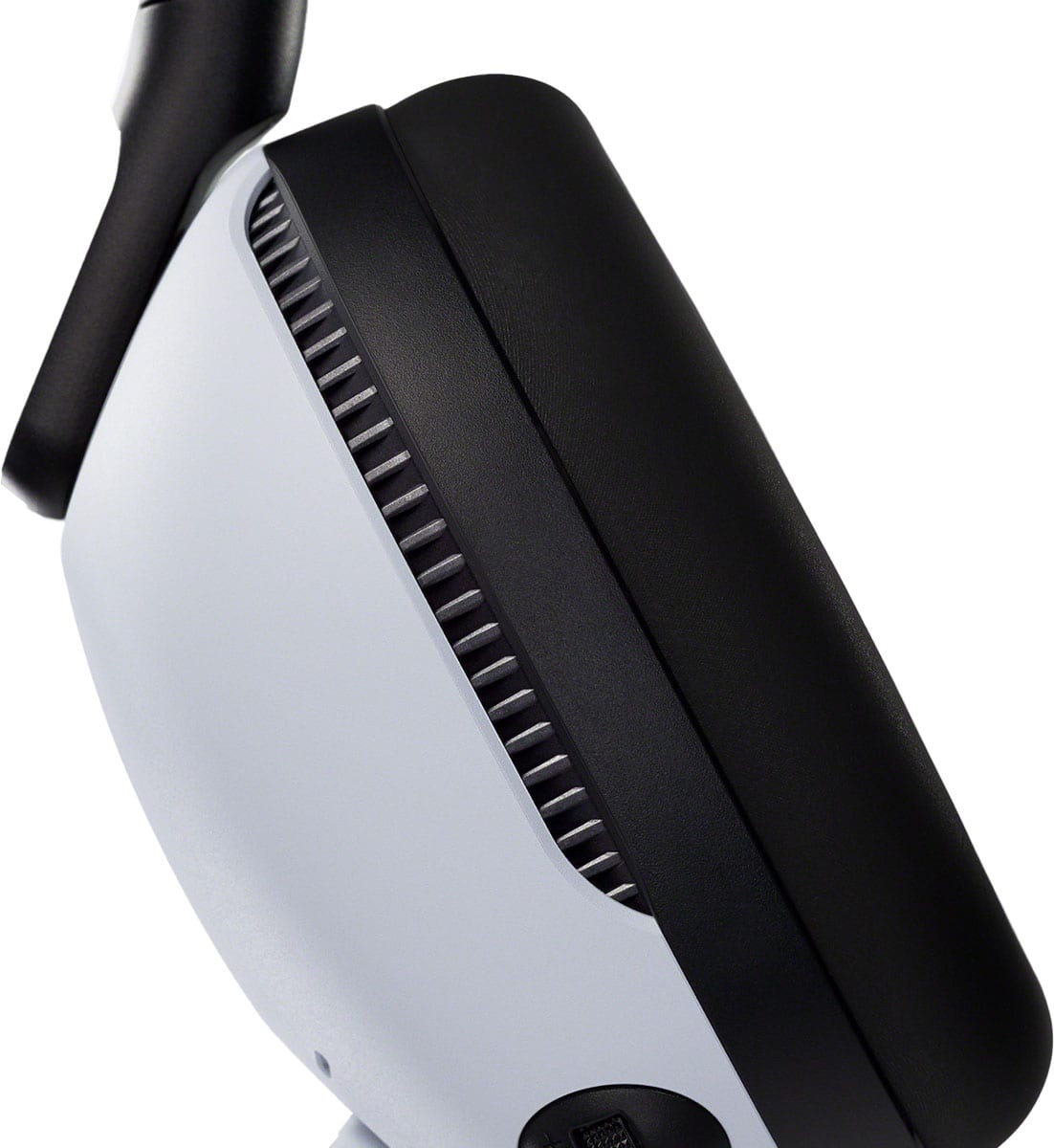
|Posted .This reviewer received promo considerations or sweepstakes entry for writing a review.INTRO: Sony is entering the expensive wireless gaming headset industry. And while some might know that Sony actually does make HiFi headphones and audio equipment, it’s important to note that none of that DNA really exists in the Sony INZONE H9. Rather, the H9 is more closely related to Sony’s mainstream consumer headphones like the WH-1000XM5 in terms of sound while retaining the PlayStation 5 aesthetic. UNBOXING: The unboxing experience is honestly barebones with a paper construction—which is better for the environment compared to plastic. In the box, you’ll find your USB-A to USB-C charging cable, a USB-A dongle and the H9 headset. Additionally, there are some INZONE stickers as well as the warranty, safety and reference guide. BUILD: Despite being quite lightweight, the H9 is rather large due to its ear cup design. The plastic of the ear cups and headband has a nice matte textured finish reminiscent of the PlayStation 5. And the LED indicators at the yokes are helpful for showing the connectivity status with 2.4GHz and Bluetooth. Although connectivity over 2.4GHz didn’t have the most impressive range, as I did experience it cutting out more than some other headsets I have. The ear pads are using the same memory foam inner cushion and sweat-resistant exterior padding as the XM5, but the ear cups are deeper on the H9 to accommodate larger size ears. So the inspiration from the XM5 is very obvious, but they’ve made some smart adjustments to better suit a wider range of head sizes. I don’t think these ear pads are removable, but I think Sony’s hoping that their sweat resistant pads will make them easier to clean and that the pads are unlikely to wear out as fast. Additionally, I do like that the H9 has tactile headband height adjustments with 10 fixed stops on each side, whereas the XM5 has smooth gliding height adjustments. If you’re the kind of person who wants the adjustments to be symmetrical on each side, the H9 has you covered. I only had to adjust to the 3rd or 4th height setting on each side for my average head. And the headband is flexible enough to stretch out for wider heads. COMFORT: Comfort of the H9 is pretty good, overall. I have been able to wear the H9 for hours at a time with occasional breaks. The ear cushions are soft, and I didn’t have issues with my ears getting particularly hot. The headband comfort in my experience is also good. This is usually a point of contention for me across different headphones and headsets, but I’m glad that the lightweight design paired with the thicker headband padding yields great comfort. SETUP: The setup process is very simple on PC and PS5. The USB-A dongle has a “PC” and “PS5” toggle switch that you can set before you plug it in to your respective device. PC users will additionally have the ability to download the INZONE Hub app for Windows which will give you access to sound settings, microphone settings and settings for ANC and Ambient sound modes. Once your dongle is toggled to the correct device and plugged in, you should see the LED indicator on the dongle blink to let you know it is waiting for the headset to pair. Simply put the H9 on your head and power it on by holding the frontmost button on the right ear cup. You will hear a short, audible beep, and within 5 seconds, it will make another beep to indicate that it has been automatically paired with the dongle. And if you want to power off, simply hold the power button until you hear a longer beep. FEATURES: On the headset itself, the left ear cup has the microphone which mutes and makes a tactile click when you flip it up. Additionally, the left ear cup is home to the USB-C charging port, volume dial and the ANC/Off/Ambient sound toggle switch. The right earcup has the power button, bluetooth multifunction button, and the Game/Chat mixing buttons. It’s a little weird that there’s no physical microphone volume adjustment on the H9, but you can of course control it in software. Additionally, there is an LED indicator on both ear cups where the headband attaches to the ear cup. One feature to briefly highlight is that you can use Bluetooth while simultaneously using the 2.4GHz wireless. In my testing, you can use the microphone on one device at a time, but can receive sound from a Bluetooth device and PC/PS5 simultaneously. SOFTWARE: For PS5 users, the H9 integration is plug and play. There’s no additional download, and everything works as you would expect. You can control volume, mix game and voice chat audio, toggle your ANC and transparency modes (although there will be no visual indicator for this on your PS5), and flipping the microphone up will mute it, which will also visibly indicate such on the PS5 as well as your DualSense controller. On PC, you get the same feature set, although it’s certainly more involved since you will need to configure your default sound output device to the “Game” output while your communication apps like Discord will use the “Chat” output. If you don’t want to use the Game/Chat mixer on the H9, then I’d just set everything to use the “Game” output device. When using the INZONE Hub on PC, you gain access to some more features not available on the PS5. The first thing you gain is the ability to set your own sound profiles and save them. Sony includes their EQ presets which are Flat, Bass Boost, Music/Video, and Custom. The Custom preset allows you to customize your own 10 band EQ. Unfortunately, these EQs do not persist from device to device, nor do they apply to audio transmitted over Bluetooth. There is no EQ for the microphone. The INZONE Hub also gives you access to their Spatial Sound and personalization features which can have you take a picture of your ears to use a personalized sound profile when you have Spatial Sound enabled. You can also set Dynamic Range Control which is supposed to give you the option of making quiet sounds a bit louder which might help for certain games. I don’t personally use this. Additionally, you’ll be able to control the sensitivity of ANC or Ambient Sound modes which you don’t have any control of directly on the H9. There’s also the ability to enable “Focus on Voice” during Ambient Sound mode to make voices more prominent. The Hub also gives you access to control your microphone gain and sidetone monitoring. By default, Automatic Gain Control is enabled if you don’t want to manually set your microphone volume. You can also adjust the Game/Chat balance and adjust basic settings like if and when it will automatically power off. SOUND: The stock sound signature of the H9 is not particularly special. It has the typical boomy overpowered bass and a fair midrange presentation. The treble overall is somewhat relaxed to my ears—which is likely a good thing for long gaming sessions, as you don’t want to fatigue your ears with bright treble. I played a number of games on PC and PlayStation 5, and overall, I think the H9 does a good job at letting you just focus on the game. I honestly didn’t think about the fact that I was wearing a headset, and was just immersed in the games at hand. I can’t speak for competitive gaming, but I think for most games, the H9 presented audio in a reasonable way. The Spatial Sound option in the INZONE Hub was not a good experience. It actually made everything sound more narrow to me—centralizing every sound into the center of my head, rather than creating a wide spatial effect. For music, I really find this headphone’s stock sound signature to be uninspiring. The Bass Boost and Music/Video EQs in the INZONE hubs are also laughably bad. For those with more discerning ears, consider using the EQ to dial in a better frequency response to better suit your preferences. For my preferences, I toned down a bit of the bass and brightened up a bit of the treble to my liking. And honestly, it’s serviceable. It’s not going to make me excited to listen to music, but I think it will suit the needs of casual listeners. ANC & AMBIENT: The ANC borrows from the work Sony has been doing with their WH-1000 series headphones since 2016. And in my experience, the ANC is quite good. It’s not as powerful as the XM5 headphone, but it’s strong enough to hide the high pitched fan noise of a whiny laptop. So if you’re gaming in an environment where there are droning noises, the H9 will do a good job to help keep you immersed. I don’t personally find the ANC pressure to be overwhelming, but some people are more sensitive to this kind of feeling. I’d like to see Sony provide better customization for this on the PS5 for console gamers. The Ambient sound mode is not a transparency mode like some other headsets, and even at max sensitivity, things do sound a bit muffled. When you’re playing music at louder volumes, it’s unlikely you’ll be able to hear a whole lot of what’s going on around you, but with less busy audio, you may be able to hear more going on in the environment. MIC: The microphone sounds reasonable for a wireless gaming headset. It doesn’t really carry much low-end bass, so its focus is really more on delivering clarity in the mid-range and treble. This means you won’t get a broadcast style sound, but on a positive note, people will be able to hear you clearly without issue. BATTERY: Sony claims that the battery life on the H9 can hit 32 hours with ANC off. If you’re listening at quieter volumes, you can certainly exceed this number. With ANC on, Sony claims you can achieve 20 hours of use. In my experience actually using the H9, I think their estimates are reasonable. CONCLUSION: For the price, I think the INZONE H9 delivers some of the best ANC in a wireless gaming headset, but it’s not special in terms of sound. If you want a wireless gaming headset that matches the PlayStation 5 aesthetic and brings on excellent ANC, this should be on your radar. But if you are a more discerning listener who wants a more versatile headset for both gaming and music, I don’t think this is a home run.
I would recommend this to a friendBrand response from SonyListens
Posted .Hi Xephyroth,
Thank you for taking the time to write such an in-depth review of your experience with the INZONE H9 Wireless Noise Canceling Gaming Headset. Good to know that you appreciate the great features, amazing noise cancellation, overall comfort, and you're utilizing the built-in equalizer on the INZONE Hub software.
We're also sorry you're having some audio dropouts when using the usb transceiver (2.4ghz). Because the USB transceiver, Bluetooth devices, and wireless LAN (IEEE 802.11ax/b/g/n) use the same frequency band (2.4 GHz), microwave interference may occur and result in noise, audio dropouts, or communications being disabled if this headset is used near a wireless LAN device. In such a case, perform the following steps.
- When connecting the headset to the USB transceiver or a Bluetooth device, use the headset at least 10 m (30 feet) away from the wireless LAN device.
- If this headset is used within 10 m (30 feet) of a wireless LAN device, turn off the wireless LAN device.
- Use this headset and the USB transceiver/Bluetooth device near each other as much as possible.
When the headset exterior is dirty, wipe it clean with a soft dry cloth. If the headset is particularly dirty, soak a cloth in diluted neutral detergent and wring it well before using it to clean the headset (excluding the earpads).
For low sound quality, when playing music, if the headset and the transmitting Bluetooth device are connected via an HFP or HSP Bluetooth connection, switch the Bluetooth connection to A2DP by operating the connected device. Please note that if you connect the headphones to a computer, the Equalizer, Spatial Sound, Dynamic Range Control, Game/Chat Balance, and Microphone volume settings are active only when the headphones are connected using the USB transceiver. These settings can't work when they are connected with a Bluetooth® connection.
Despite your concerns, we truly appreciate to hear you like that you can enjoy chatting and calling on your smartphone and extend the slider to adjust the length of the headband of your INZONE H9. We’ve designed our INZONE H9 headset to bring your game soundtrack to life. A symmetric acoustic structure, flexible enough to comfortably fit a variety of individual head shapes and sizes, enhances sound quality and spatial acoustic precision. With 360 Spatial Sound for Gaming, your audio will be amplified for your mission. Developed from our expertise in music headphones, the diaphragm of the INZONE H9 has a unique shape that allows it to reproduce extremely high-frequency sounds with high compliance, as well as authentic low frequencies, for an immersive gaming experience. Thank you for sharing your feedback and for choosing Sony! -Jess
Junk
||Posted . Owned for 3 weeks when reviewed.This reviewer received promo considerations or sweepstakes entry for writing a review.A very poor sound quality and hard to sync with my ps5
No, I would not recommend this to a friendBrand response from SonyListens
Posted .Hi TheMAN, We're sorry to hear that you're having issues with this INZONE H9 Wireless Noise Canceling Gaming Headset. We apologize for the inconvenience. If the volume is turned down on the connected device while connected via Bluetooth connection, the volume will not increase much by operating the headset. When this is the case, adjust the volume by operating the connected device.
If the headset cannot be connected to the USB transceiver connected to the computer or PS5, follow the procedure below to perform pairing again with the USB transceiver.
Connect the USB transceiver to a computer or PS5.
Press and hold the connect button on the USB transceiver for about 5 seconds or more. The USB transceiver goes into pairing mode, and the connect indicator (white) on the USB transceiver repeatedly flashes twice in a row.
Turn on the headset. When pairing is complete, a notification sound is emitted from the headset and the connect indicator (white) on the USB transceiver lights up.
Restart the computer or PS5 you are using.
Connect the connected device to the headset once again.
Reset the headset.
Initialize the headset, and pair the headset and the device again.
When using a wireless 2.4 GHz connection with a computer or PS5 and a Bluetooth connection at the same time, the microphone input of the headset is used for a call or chat with the connected device via Bluetooth. You cannot chat on the computer or PS5.
If you are unable to resolve your concern, please refer to this link for more details: https://helpguide.sony.net/mdr/295960/v1/en/contents/TP1000670441.html
In any case that you need our assistance, please email the below information to socialsupport@am.sony.com or chat with us from Sony’s e-support webpage. Apologies if you disclosed some of this information in your review and to customer service, we just want to ensure that we have your accurate details at the time of communication.
Full Name:
Best Buy Username:
Telephone Number:
Sony Model Number:
Additional Information regarding your experience with the INZONE H9 (WHG900N):
We are sorry for the inconvenience and hope to speak to you to resolve this matter. We appreciate you and thanks again for shopping Sony!
Sincerely,
Jay