Customer Ratings & Reviews
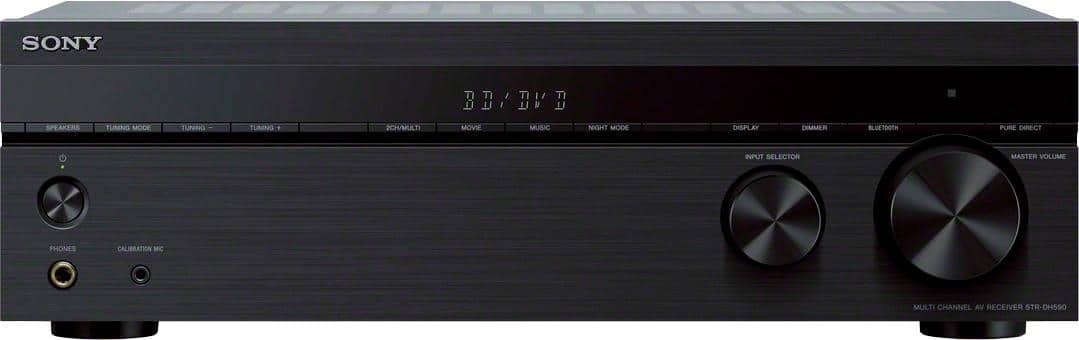
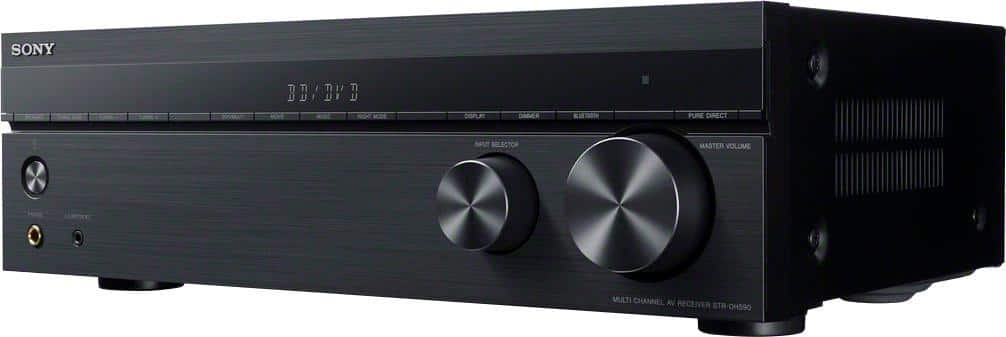
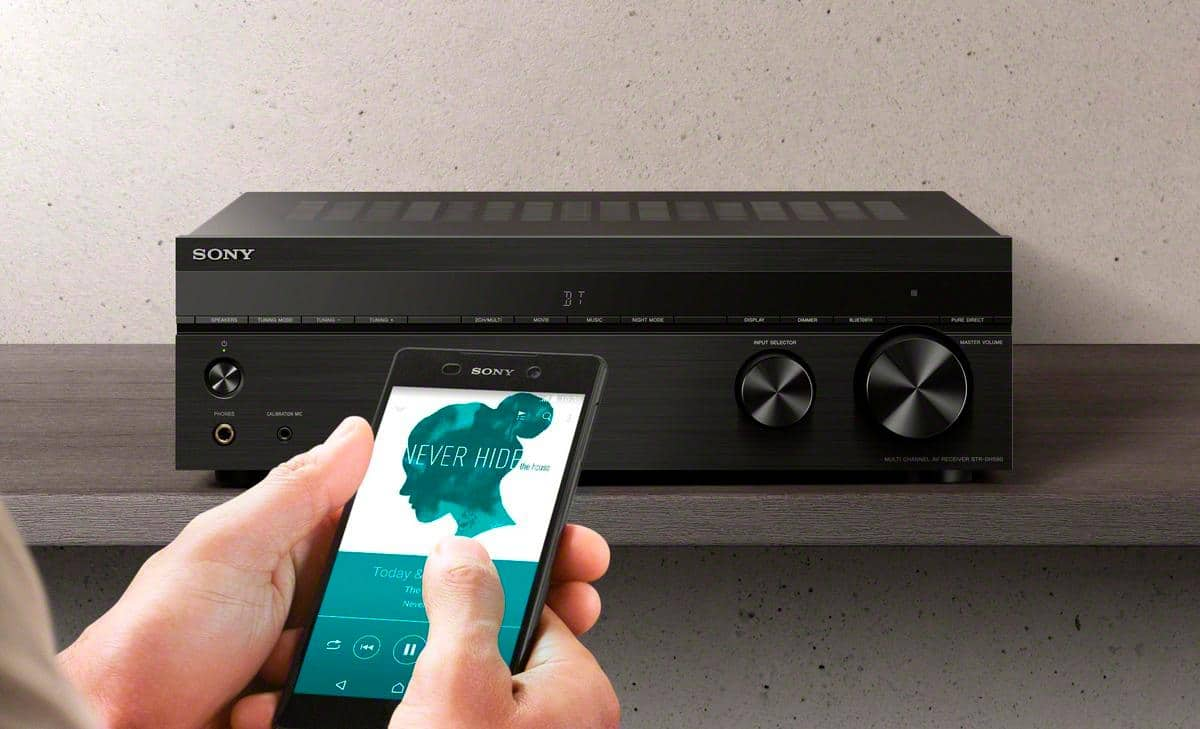
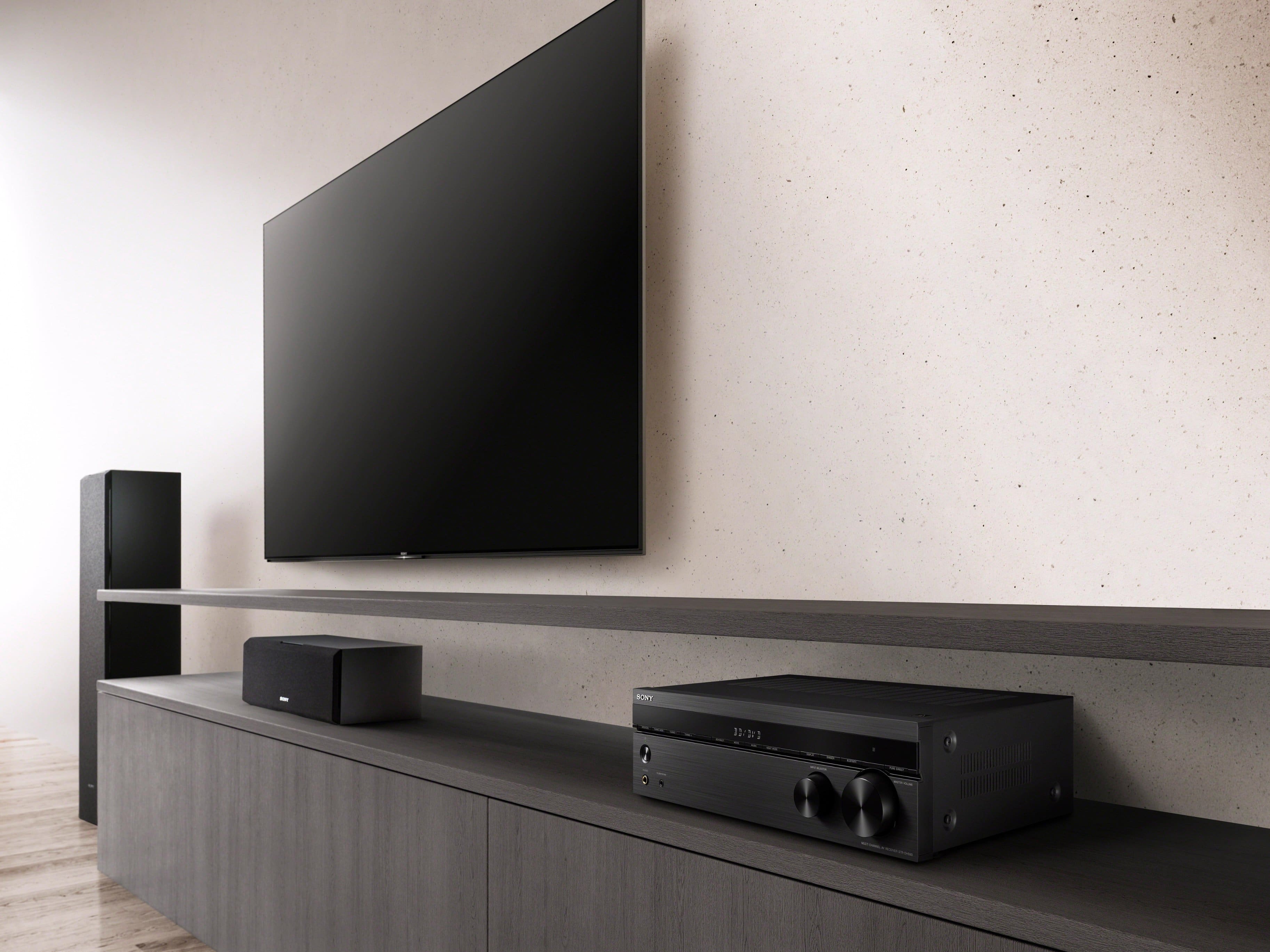

- Model:
- STRDH590
- SKU:
- 10562657
Rating by feature
- Value
Rating 4.6 out of 5 stars
- Quality
Rating 4.6 out of 5 stars
- Ease of Use
Rating 4.5 out of 5 stars
Customers are saying
Customers highly value the excellent sound quality, ease of use, and convenient Bluetooth connectivity. They also appreciate its power, price, and simple setup. However, some customers noted a lack of bass adjustments and concerns about the unit overheating.
This summary was generated by AI based on customer reviews.

Not as described, but works well for what it is...
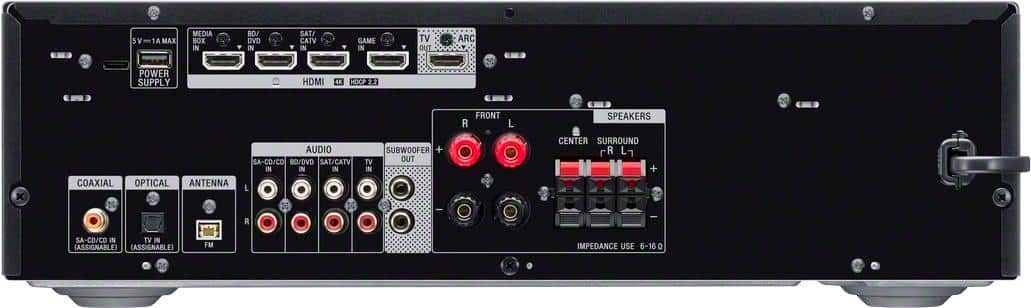
|Posted .This reviewer received promo considerations or sweepstakes entry for writing a review.Overall, the device performs well, with strong signals, ports working as expected, and overall getting the job done. With that said, the description for this product stated that it had 2 HDMI outputs, but the device actually only has 1 (it does have 4 HDMI inputs, as described). Not sure if perhaps I was sent the wrong unit or not, but I was expecting to test this as an HDMI splitter. It does work as as a cable pass through,but anyone hoping to use this as a splitter as I was, will need a separate splittter to run the output through if they purchase this model. Again, if you are only looking for one HDMI output, you'll be fine, but anyone looking for two outputs should look elsewhere.Giving this a 3 due to the product that arrived not being as described.
I would recommend this to a friendReceiver
Posted .This reviewer received promo considerations or sweepstakes entry for writing a review.It took me a bit to understand how this worked, but Chelsea (Geek Squad) helped me. Shes a gem.
I would recommend this to a friendBrand response from SonyListens
Posted .Hi Beverly1940schroeder, We are glad that you were able to understand how your Sony receiver works with the help of your dealer. Thank you for choosing Sony! Vincent

Trump 2024
Posted .This reviewer received promo considerations or sweepstakes entry for writing a review.Alrighty then I was born a poor black child I was born under a wondering star
I would recommend this to a friendBrand response from SonyListens
Posted .Hi user717789, This receiver is a great choice for an upgrade. We're very to hear you're happy and satisfied with your purchase! Thank you for your purchase and for the 5-star rating! -Jess
Outstanding sound quality
Posted .This reviewer received promo considerations or sweepstakes entry for writing a review.I just bought the receiver I didn't get past the outstanding sound wanted to hurry and give this receiver a 5 star! the on screen display on the receiver itself is very small not a big deal but it will display to tv for settings
I would recommend this to a friendGreat device with poor bluetooth.
Posted .This reviewer received promo considerations or sweepstakes entry for writing a review.While the head unit has plenty of power and easy to manage selections, bluetooth intermittently cuts out for fractions of a second with no rhyme or reason; leaving odd "skips" and "chirps" like you'd hear out of a scratched up vinyl record. It does this will all devices regardless of distance or device. Really kills what is an otherwise great head unit... in a large, loud shop environment where all music is played from bluetooth, it is important to have that component work correctly... which this one doesnt.
No, I would not recommend this to a friendBrand response from SonyListens
Posted .Hi ACMEHPL,
We're sorry to hear what happen with the Bluetooth of the AV receiver. Power reset the unit, simply unplug the unit and wait 1-2 minutes then plug the device back in and power on If power reset doesn't work, you can reset the sound fields to the default settings to isolate the issue.
https://helpguide.sony.net/ha/strdh59/v1/en/contents/TP0001553283.html
Sounds like you’ve upgraded your home entertainment system to work with the latest 4K TV’s and HDR sources. Equipped with 4 HDMI inputs, Bluetooth and a host of advanced features, your new receiver is ready for whatever and wherever your content takes you. Thank you for choosing Sony!
Regards,
David
- Cons mentioned:Bass
Poor quaility, fundamental design flaw
Posted .This reviewer received promo considerations or sweepstakes entry for writing a review.Purchased this Sony receiver with high expectations and boy was I disappointed. Once set up the receiver would shutdown/ reset randomly about every 10 minutes resulting in loss of music playing and bluetooth having to reconnect each time. Simply unusable. When it was on it sounded pitiful - way too much treble and mid range, virtually no bass when connected to high quality Infinity floor standing speakers I've used for years. Only after connecting 2 subwoofers was bass marginally acceptable. Fundamental design flaw - no treble or bass adjustments on unit or remote. Really??? C'mon Sony. Returned for a full refund and bought different brand. If I could give 0 stars for this piece of junk I would.
No, I would not recommend this to a friendBrand response from SonyListens
Posted .Hi Kurt,
Thank you for the feedback. It is unfortunate that the unit had to be returned. There might be a problem with your speaker connection. When matching speakers and Audio/Video (A/V) receivers, the ohm rating of the speaker should be equal to or greater than the ohm rating of the receiver to avoid any problem. Any speakers that feature bare wire connection will work to this receiver, as long as their impedances are from 6 to 16 ohms.
Thank you for sharing your experience and we hope you will consider Sony again in a future purchase.
Regards,
David
Review
Posted .This reviewer received promo considerations or sweepstakes entry for writing a review.Works really well, does exactly what we need it to do!
I would recommend this to a friendBrand response from SonyListens
Posted .Awesome, GeraldR! Thank you for telling us about your experience with your STR-DH590. We're so glad that your purchase went well and it matches your expectations. We're also delighted to hear you are enjoying the overall sound quality of the AV Receiver. Thank you for choosing Sony! -Jess
- Pros mentioned:Sound quality
Very good, but a few frustrations.
Posted .This reviewer received promo considerations or sweepstakes entry for writing a review.It sounds awesome. It's a little less user friendly than it could be, but wow does it sound good. The most annoying this is that it has timed shut-offs in it and they are set by default from factory. The instructions tell you they are there, but not how to shut the darn things off that should NOT have come from the factory that way.
I would recommend this to a friendBrand response from SonyListens
Posted .Hi R2D2, Thanks for your feedback on your STR-DH590, 5.2 multi-channel AV Receiver. Sounds like you’ve upgraded your home entertainment system to work with the latest 4K TV’s and HDR sources. Equipped with 4 HDMI inputs, Bluetooth and a host of advanced features, your new receiver is ready for whatever and wherever your content takes you. -Carl
Sony 750W Home Theater Receiver
Posted .This reviewer received promo considerations or sweepstakes entry for writing a review.The Home Theater Receiver is working fantastically well with my new 83" LG TV and DVD player.
I would recommend this to a friendBrand response from SonyListens
Posted .Hi LouisR,
Thank you for the review and we're glad to hear that the AV receiver works well with your setup. You’ve upgraded your home entertainment system to work with the latest 4K TV’s and HDR sources. Equipped with 4 HDMI inputs, Bluetooth and a host of advanced features, your new receiver is ready for whatever and wherever your content takes you. Thank you for choosing Sony!
-David
Good open box item
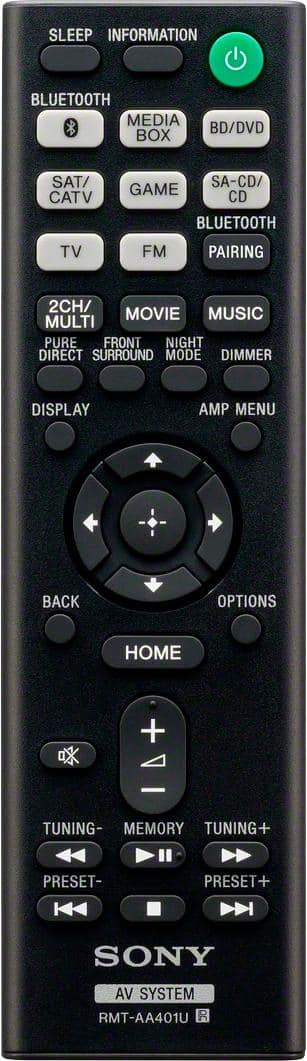
Posted .This reviewer received promo considerations or sweepstakes entry for writing a review.Great item. Great cust service. However i was disappiunted that the remote was not included with the system. Had to buy that separate from sony.
I would recommend this to a friendBrand response from SonyListens
Posted .Hi Sonytheater,
Thank you for the review. If this was purchase as a open box unit, it doesn't include a remote control. Sounds like you’ve upgraded your home entertainment system to work with the latest 4K TV’s and HDR sources. Equipped with 4 HDMI inputs, Bluetooth and a host of advanced features, your new receiver is ready for whatever and wherever your content takes you. Thank you for choosing Sony!
Regards,
David
Goes into PROTECT mode and stops working
Posted .This reviewer received promo considerations or sweepstakes entry for writing a review.I wish I had done a bit more research before purchasing this Sony receiver. If you look around online, like on Reddit and Amazon, you’ll find many users reporting the same issue I just experienced. Last night, while watching the Nuggets game in my theater room, the receiver suddenly shut down and displayed the error message: PROTECT. I followed all the steps outlined in the user manual's troubleshooting section for this mode, but unfortunately, nothing worked. The unit appears to be completely dead. It’s disappointing to see how widespread this issue seems to be, and even more frustrating that Sony doesn’t appear to be standing behind the product based on what others have shared. I’m hoping Best Buy will offer some support or a resolution, but this experience has certainly made me reconsider future purchases from this brand.
No, I would not recommend this to a friendSo great we bought two!
Posted .This reviewer received promo considerations or sweepstakes entry for writing a review.We have two, one for home and one for office. AWESOME!
I would recommend this to a friendBrand response from SonyListens
Posted .Hi Anon, Thank you for purchasing multiple STR-DH590 AV Receiver! We're so glad your purchase went well and you like the incredible audio quality and overall features of your STR-DH590 AV Receiver. Sounds like you’ve upgraded your home entertainment system to work with the latest 4K TVs and HDR sources. Equipped with 4 HDMI inputs, Bluetooth, and a host of advanced features, your new receiver is ready for whatever and wherever your content takes you. Thanks for choosing Sony! -Jess
MR
Posted .This reviewer received promo considerations or sweepstakes entry for writing a review.price fits well in my living room easy features to operate
I would recommend this to a friendBrand response from SonyListens
Posted .Hi User632848, That's awesome! We're delighted to hear you like the outstanding sound quality of this receiver and how it fits perfectly in your living room. Glad to know you are enjoying the amazing features of the unit. Thank you for choosing Sony! -Jess
Good Receiver
Posted .This reviewer received promo considerations or sweepstakes entry for writing a review.Works well. Easy set up. Bluetooth capability is a real neat feature.
I would recommend this to a friendBrand response from SonyListens
Posted .Hi user988869,
We appreciate the 5-star rating and we're glad to hear that you like the Bluetooth feature of the AV receiver. Sounds like you’ve upgraded your home entertainment system to work with the latest 4K TV’s and HDR sources. Equipped with 4 HDMI inputs, Bluetooth and a host of advanced features, your new receiver is ready for whatever and wherever your content takes you. Thank you for choosing Sony!
-David
It’s good but…
Posted .This reviewer received promo considerations or sweepstakes entry for writing a review.Over heats too quickly. It’s a good product overall.
No, I would not recommend this to a friendBrand response from SonyListens
Posted .Hi user179121,
Thank you for the review and we're glad to hear that you like the overall quality of the AV receiver. Do not block any ventilation openings. Install in accordance with the manufacturer’s instructions. Do not install near any heat sources such as radiators, heat registers, stoves, or other apparatus (including amplifiers) that produce heat. Although the receiver heats up during operation, this is not a malfunction. If you continuously use this receiver at a large volume, the cabinet temperature of the top, side and bottom rises considerably. You've upgraded your home entertainment system to work with the latest 4K TV’s and HDR sources. Equipped with 4 HDMI inputs, Bluetooth and a host of advanced features, your new receiver is ready for whatever and wherever your content takes you. Thank you for choosing Sony!
-David
No HDR10+ support for Samsung TV’s
Posted .This reviewer received promo considerations or sweepstakes entry for writing a review.Worked alright with my previous Dolby Vision capable LG tv but this receiver does not support HDR10+ which is the alternative HDR format backed by Samsung. I hoped the manufacturer website would have a firmware update to add it but none are listed.
No, I would not recommend this to a friendBrand response from SonyListens
Posted .Hi Plumber2190, Thanks for your feedback and insights. Sony values the opinions of customers and is always striving to provide the best experience possible. The STRDH590 is equipped with 4 HDMI inputs, Bluetooth and a host of advanced features, your new receiver is ready for whatever and wherever your content takes you. Should you need further assistance, please email us at socialsupport@am.sony.com. Thanks for choosing Sony! Erin
Review
Posted .This reviewer received promo considerations or sweepstakes entry for writing a review.Was easy to install with our current system and works well
I would recommend this to a friendBrand response from SonyListens
Posted .Hi user897831, we're glad you like our product! The STR-DH590 supports all the latest HDR formats(HDR10, HLG, and Dolby Vision). We hope you also utilize these video formats to give you remarkable video quality. The combination of superior video quality and great sound will improve your home theater experience. Also, be sure to check out the Bluetooth feature. You can easily play music from all your devices via Bluetooth to further enjoy your new 5.2ch 4K HDR Home Theater AV Receiver – STR-DH590. Thank you for choosing SONY. ~Earl
- Pros mentioned:Sound quality
Doesn't work, sounds bad.
Posted .This reviewer received promo considerations or sweepstakes entry for writing a review.Bought this at Best Buy before I had an account there to gain ARC function last receiver did not have. Nobody could tell me how/ if the old receiver would work with a new smart TV. The sound quality on this is terrible, it gets loud, but always seems flat or thin. Tried it as a 2.1 system at first, and the subwoofer just won't work. Added center speaker, which improved sound quality some, but sub still won't work. Sub itself works fine plugged into old receiver. Have a degree in electronics, and have tried every troubleshooting/ set-up procedure I can find....still no sub. Going to use sub with separate stereo set-up to not waste investment in it. If I can get time to figure out how to not use the ARC function, I will reinstall my previous receiver. Would not recommend this for any reason.
No, I would not recommend this to a friendBrand response from SonyListens
Posted .Hi RRB61,
Thank you for the feedback and we understand your concern. When matching speakers and Audio/Video (A/V) receivers, the ohm rating of the speaker should be equal to or greater than the ohm rating of the receiver to avoid a risk of hardware damage. Any speakers that feature bare wire connection will work to this receiver, as long as their impedances are from 6 to 16 ohms.
Regards,
David
New amp
Posted .This reviewer received promo considerations or sweepstakes entry for writing a review.Nice product, as I would expect from Sony! A bit difficult to set up, but it now works very well.
I would recommend this to a friendBrand response from SonyListens
Posted .Hi Pinesguys,
Thank you for the review. With STRDH590 5.2 multi-channel AV receiver, the combination of superior video quality and great sound will improve your home theater experience. Equipped with 4 HDMI inputs, Bluetooth, and a host of advanced features, your new receiver is ready for whatever and wherever your content takes you. Thank you for choosing Sony!
Regards,
David
- Pros mentioned:Power
Not Good
Posted .This reviewer received promo considerations or sweepstakes entry for writing a review.My GF gave me some new Bose 201's for my birhtday. I have always had some good speakers around the house. My current receiver has tons of power but you can't blue tooth to it. Its also a Sony and its at lest 20 years old. Anyway bought this receiver today, got the speakers all hooked up ran the speaker test and they all sounded excellent during the test. The problem being it wouldn't let me play any music because it kept muting for some reason. I could hear about a half a second of a song before it got muted. I reset this receiver at least 10 times It did not matter if I turned up the volume with the remote or with the big knob on the receiver.It would play for a half a second and then show it was muted. Couldn't find a way to turn the mute off. The mute button was certainly didn't help. So I boxed it up and took it back for a refund. This is a basic receiver its not rocket science. Unreal ,from what I did hear don't think it had more power than my old receiver anyway, I will look for something better with more power. What a waste of my time.
No, I would not recommend this to a friend