Customer Ratings & Reviews


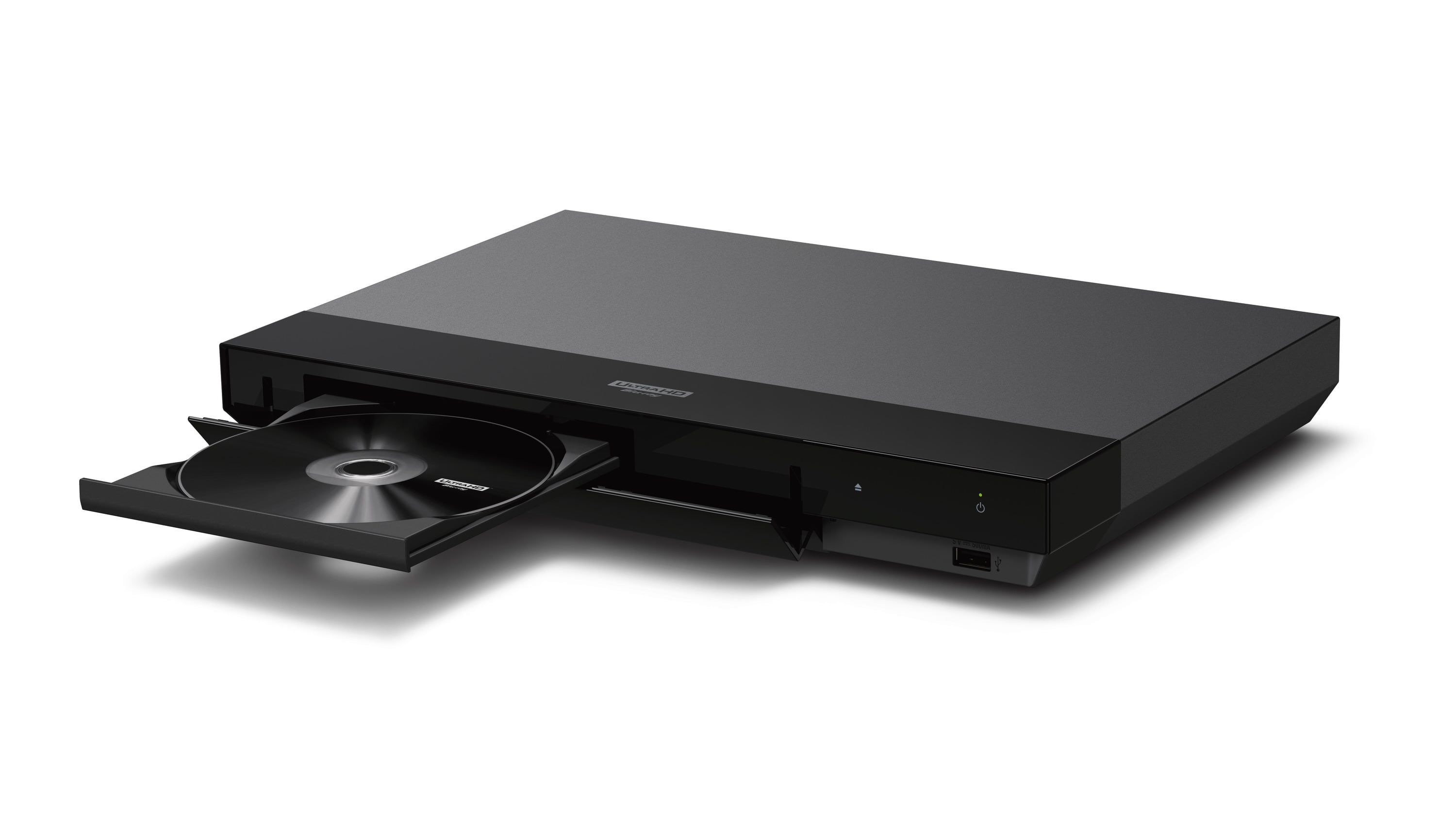
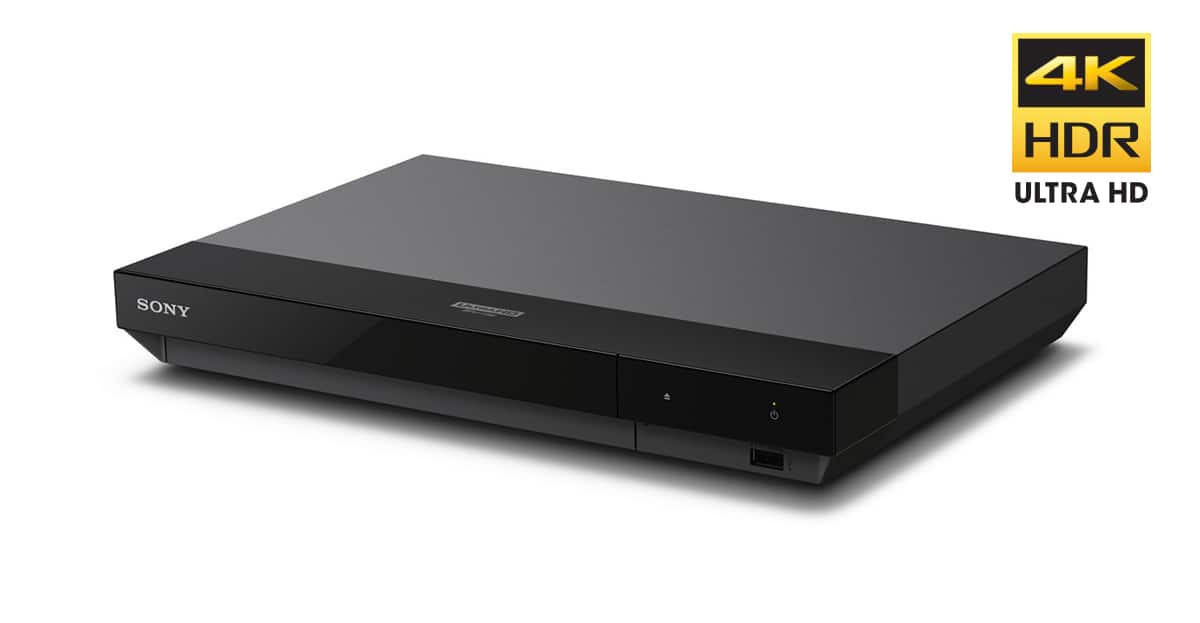
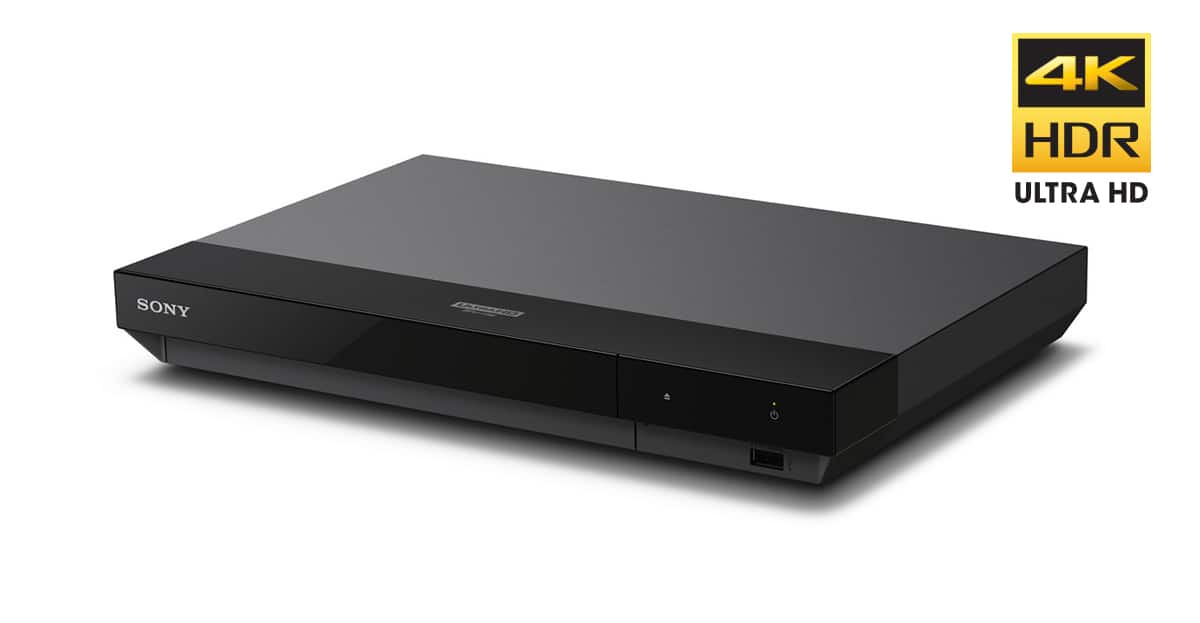
- Model:
- UBPX700/M
- SKU:
- 10758945
Rating by feature
- Value
Rating 4.5 out of 5 stars
- Quality
Rating 4.6 out of 5 stars
- Ease of Use
Rating 4.6 out of 5 stars
Really?
||Posted .This reviewer received promo considerations or sweepstakes entry for writing a review.This shipped without an outer box at Christmastime!! Unbelievable. So much for protecting your purchase from damage or theft or just plain disappointment if the wrong person opened the door.
No, I would not recommend this to a friend- Pros mentioned:Dolby vision, Picture qualityCons mentioned:Remote control

4 Stars for Good
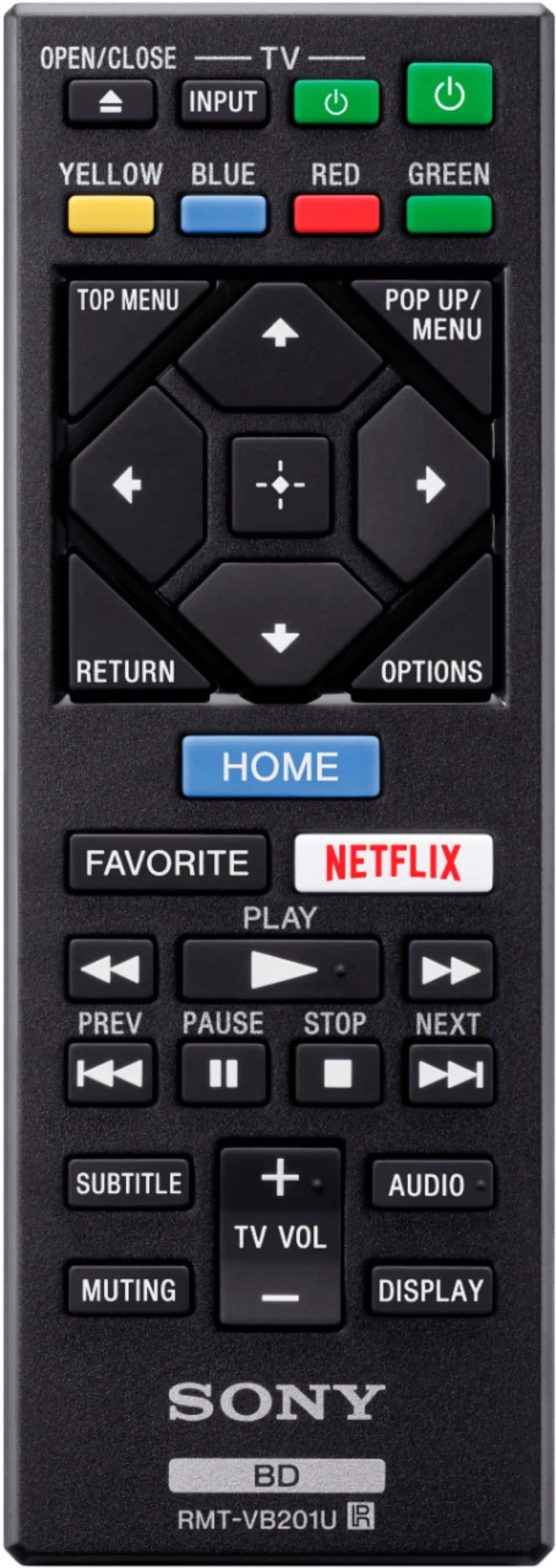
|Posted .This reviewer received promo considerations or sweepstakes entry for writing a review.This blu ray player gets the job done. It is small and light. Also the power cord is not permanently attached to it. Interesting. HDMI 1 and 2 and digital out. That's what you get. That's about all you need. Also, it comes with the HDMI cable. I watched a couple 4Ks with it, including Wonder Woman 1984. My TV is 4K and I have a high tech soundbar system. Video = good. What you would expect from a ultra hd player. But the sound did not particularly impress me. Not because it did nothing. I just didn't find it to do anything special. Also, a big annoyance is that it actually did NOT play nice with my soundbar. It kept cutting out the sound and I had to keep doing tricks to get the sound to stick around. And then when I finished my movie, I had to do tricks to get the sound back on with the TV. It was very frustrating an annoying. I don't know what that was all about because my previous ultra hd player did not do that. Also, when you turn on the player, the TV did not automatically turn on (my previous player does). I cannot say whether or not this was something in the settings, so I did not count that against it. Regarding the player functioning: it takes a long time for a disc to load. My goodness. In 2021, it should be pretty swift. Also, the player cuts off too soon. It only stays on and idle for like 5 seconds. I didn't count, but it was about that long. I am not talking about while paused. I am talking about maybe you inserted the disc but did not hit play. Or I hit the eject button on the remote and if I am not grabbing my disc in 5 seconds, the player eats it again. There are other things you can do with the player, such as listen to music, stream (i.e., Netflix, Hulu, etc.). The remote: wow! can it be anymore 1980s? Why is it so fat, boxy and clunky?? Seriously. The only thing you did was shorten it. Again, in 2021, we can be doing better that this horrific remote. I am not purposely trying to be petty with this player. But I decided to touch on the normal and then my annoyances/dislikes. I gave it three stars because three stars is "Average." And this is in fact an average player. I am honestly not sure if I would recommend it but there is no option for maybe. But since "maybe" is closer to "yes" than "probably not," I will just go ahead and recommend it. If you are fine with the negative things that I mentioned then the player will do you just fine. Peace.
I would recommend this to a friend bad
||Posted . Owned for 6 months when reviewed.This reviewer received promo considerations or sweepstakes entry for writing a review.Couldn't read any disc. I tried a 4K and bluray movie.
No, I would not recommend this to a friendDied.
||Posted . Owned for 1 year when reviewed.This reviewer received promo considerations or sweepstakes entry for writing a review.Died less than a year in, super not happy. Woild not recommend.
No, I would not recommend this to a friend- Pros mentioned:Dolby vision, Picture quality
Small Form, Large Capabilities
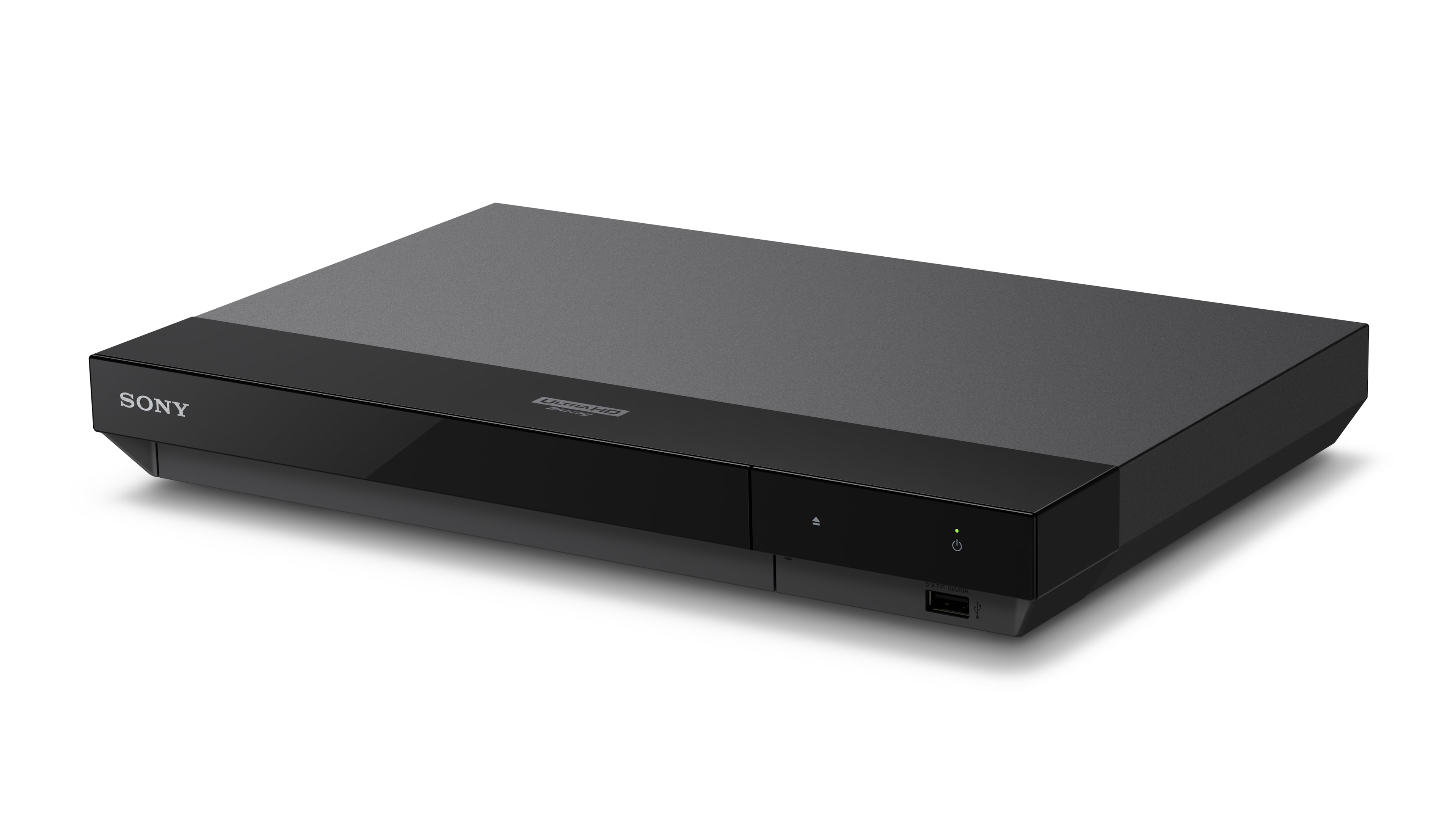
|Posted .This reviewer received promo considerations or sweepstakes entry for writing a review.I’ve always leaned towards Sony for my disc players. This is my third Sony disc player, having previously gone with two older Blu-ray players. The Ultra HD Blu-ray player replaces the oldest of my Blu-ray players, which finally stopped playing discs after 9 or so years. This unit is so tiny compared to the previous two players. It takes up hardly any space and is very light weight. However, don’t be fooled by its small stature – it is packed full of features and performs very well. This player is in my living room and is not my main disc player. My main player is in a dedicated media room and is the Oppo Ultra HD player that is no longer produced but still highly regarded. As such, I was going to compare the Sony to that, as well as the previous Blu-ray players I owned. The Sony Ultra HD player was super easy to set up. I already had a certified 4K HDR video cable running through the wall so dispensed with the provided cable but I still tip my hat when the manufacturer provides a quality cable. The power is supplied through a small brick transformer which probably accounts for some of the space saving in the small form factor of the player. Connect the color-coded power tip to the same-color port on the back of the player and you are almost finished. I connected my HDMI cable as well as an Ethernet cord as I have all my media devices connecting through a wired network. You don’t need to do that as this player also offers wireless connection but I prefer it for network stability. That said, the Ethernet port on the player peaks at 100 mbps so no real speed benefits from using Ethernet over wireless unless your wireless is particularly old or poor. You can even ignore the network connection altogether but then you will miss out on easy updates (you would need to download and then install from a USB stick) and the streaming applications. Speaking of which, the player came with most if not all the standard streaming applications you would expect. I did test this out quickly with Netflix and it appeared to work fairly well but it has to be said that these all-in-one units aren’t necessarily the best streamers, even if they are very convenient. We prefer to skip streaming from our TVs and players and instead use dedicated Roku Ultras in each room which handles streaming much better and without any limitations on picture or audio quality. The Sony Ultra player seemed more than adequate running Netflix but again, it would not be my preferred way to view it. Setup of the new player is super easy and I didn’t need to read the included, fairly detailed paper instructions. They were useful to look at later though and a nod to Sony for including them, rather than making you hunt for a PDF online. Now to the real reason you buy this player – to play 4K discs. I tested it with “Mad Max: Fury Road” which is probably my favorite test disc and “Apollo 13”. It was much faster at loading and getting to the start menu than my Oppo, which is a great feature. My older Sony Blu-ray players were oh-so-slow back in the day but that seems to be a thing of the past. The video quality when I tested playback of both movies was excellent and I could not see any difference between it and my Oppo. The fact that this player can handle Dolby Vision and HDR10 makes this a very good value for money purchase. The player was also handling playback to my Dolby Atmos receiver and speakers and again, I could not tell any difference between it or my Oppo handling playback. The Sony player will also handle DTS:X audio which my receiver accepts but I did not test that as I don’t have many discs that default to it. There were a couple of feature I don’t need but I thought they were great inclusions by Sony. One is having two HDMI outputs – the first is the standard audio/video which I use to route to my receiver. The second is an audio-only which you would use if your receiver was older and could not handle a 4K HDR or 4k 60Hz. signal. That way you can bypass the receiver for video and just send that direct to the muted TV but use the audio output to the receiver and still enjoy your surround sound. The paper instructions included show diagrams of how to set this up correctly which is helpful. Another feature I thought was good was the ability of the player to convert HDR signals to SDR if you have an older TV but bought 4K discs, maybe with an eye on the future. You can still watch the discs now and the player can convert them so they work on older equipment. The included remote control is quite small and stubby but works as well as my previous Sony remotes. It seems to pack a lot of buttons into a small format but it was fairly responsive when I tried each function. The only thing I could not get to work was putting the TV code in for my Vizio TV. I did not spend too much time trying to troubleshoot and it wasn’t that important at the time but it was surprising, given how easy everything else had been up to that point. I suspect I was misreading the instructions somehow and using the wrong button sequence. The last feature I particularly like is the ability of the player to play many different disc formats – standard DVDs, Blu-ray discs and Ultra HD discs as well as most types of CD. The specs list that even home-made discs should work in the player but I did not test that yet. I like to play Super Audio CDs so having this player able to do that means I can now enjoy them in my living room as well as my media room. If you have the player on your home network, you can use a built in mirroring function to send video to it from a phone or tablet. It relies on Miracast so I assume you need to download an associated app for this. Again, I just use my Roku Ultra for this capability but if you don’t want the added expense of yet another box/remote, this might be a useful feature. You can also play files from your home network so if you had movie files you wanted to view, you could navigate to where they are shared on your network and play through this player. In summary, I found this a really excellent little unit that seems indistinguishable at first glance to the capabilities of much more expensive players. Its small form factor is great for crowded media cabinets and its speed for getting up and running is impressive.
I would recommend this to a friend Returned this item
||Posted .This reviewer received promo considerations or sweepstakes entry for writing a review.I had issues with the first three 4k Blu-rays I tried to watch, so returned this item.
No, I would not recommend this to a friendnot working a 1 year later
||Posted . Owned for 1 year when reviewed.This reviewer received promo considerations or sweepstakes entry for writing a review.a little more than a year later, it stopped working
No, I would not recommend this to a friendTerrible service by BEST BUY after Sale
||Posted . Owned for 3 weeks when reviewed.This reviewer received promo considerations or sweepstakes entry for writing a review.can't get best buy to schedule installation in my home theater in Kansas City. Terrible service after sale.
No, I would not recommend this to a friendDon’t buy
||Posted . Owned for 1 month when reviewed.This reviewer received promo considerations or sweepstakes entry for writing a review.Do not buy. Buy the model up from this. This model is very noisy.
No, I would not recommend this to a friendSony blu ray
||Posted . Owned for 3 weeks when reviewed.This reviewer received promo considerations or sweepstakes entry for writing a review.I could not get the audio to work with every configuration possible
No, I would not recommend this to a friend- Pros mentioned:Picture quality, Size
Good video, buggy apps and poor DV implementation
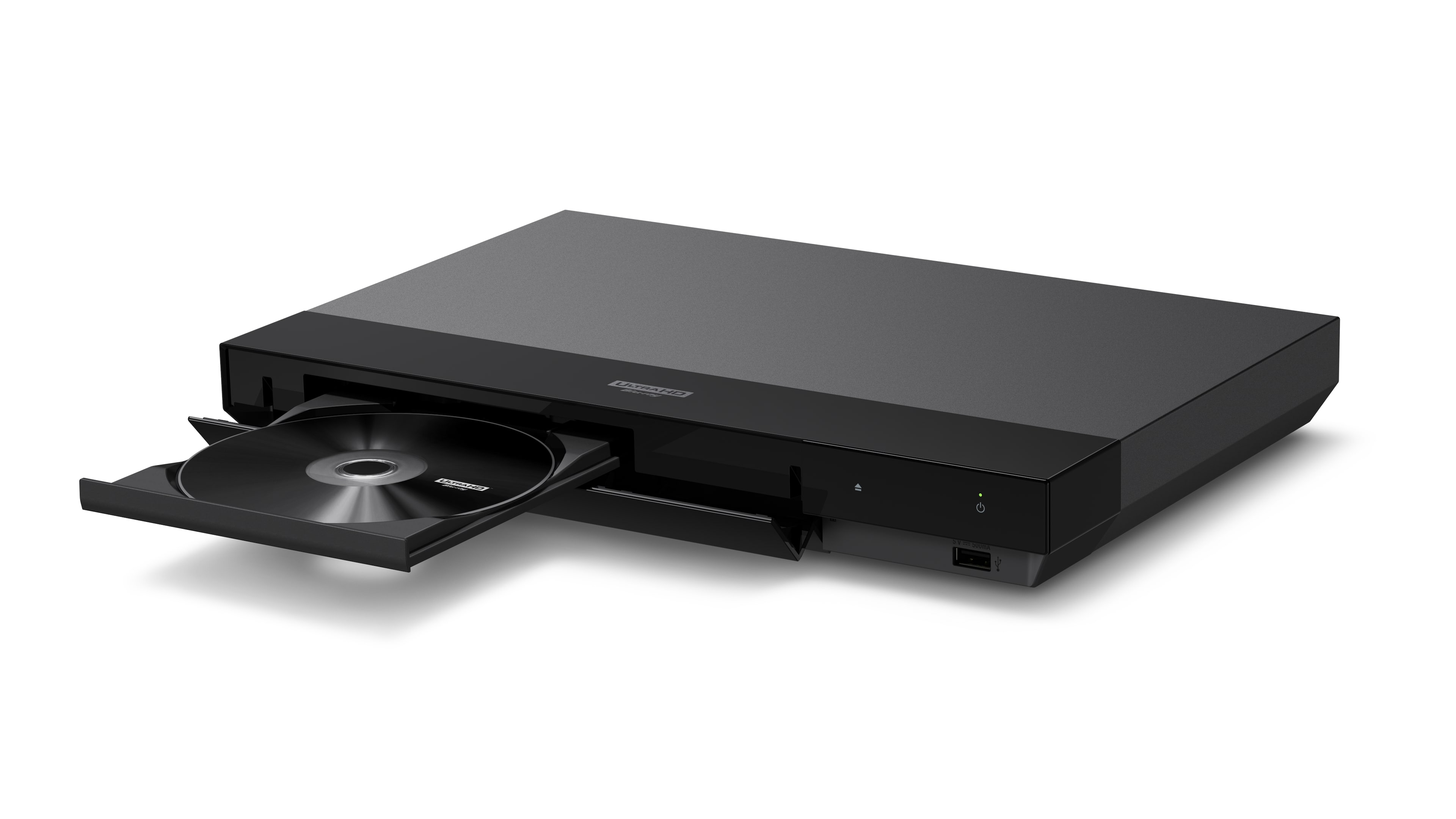
|Posted .This reviewer received promo considerations or sweepstakes entry for writing a review.Unboxing the X700 reveals a stylishly designed bluray player that is compact in size and extremely lightweight. I have a Sony UHP-1 and a UBP-X800, both of which have a larger footprint and a bit more weight. I like weight to my audio/video components, as often it is synonymous with quality, so I was a little concerned at the lightweight nature of the X700. It does feel a little cheap in the hands. The box also comes with a 18 GBPS HDMI cable (thank you Sony!), a wall wort plug, a compact remote, and a manual. The change in plugs is a bummer for me. The new wall wort requires more space to plug it in and I couldn't find a spot for it on my surge protector. I had to tie it into a second surge protector, which created additional clutter. I really like the remote. It is compact, reacts better than Sony's prior remotes, and feels better in the hand. I plugged the unit in, started it up, got WiFi going and checked to see if there were any updates. There were none. Clicked the Netflix button on the remote and got an error message telling me that the service wasn't available. Selected the Netflix icon on the home screen and got another error message saying it would retry in 30 seconds. Hmmm not good. Opened up Vudu and the app started up no problem. Entered my login data and skimmed through my movies. Dolby Vision was nowhere to be seen in the content, even though I have a large selection of movies encoded in DV. Did a search on Google, found out how to turn Dolby Vision on for the X700 in the settings menu. It appears that the X700 doesn't automatically recognize DV content and decode it out of the box, instead you turn Dolby Vision on in the settings and then it forces DV encoding on ALL content, even if it doesn't come encoded with it. Not sure I like that, to be honest. A bug happened within the Vudu app while I was using it. When I tried to rewind movies to the beginning, the Vudu app kicked me out and I was back at the home screen. I had to go back in to the Vudu app again and re-select the movie. I finally gave up trying to rewind movies via Vudu, after it kicked me out of the app several times. Tried Netflix again. No go, still same errors. So, unplugged the X700 and plugged it back in. Tried Netflix, it worked. Yay! Ran both standard Blurays and 4K discs through the X700. No issues with reading any of them. The X700 video is startling good. it didn't matter what media I ran through the X700, it looked great. Standard Bluray discs, 4K discs, 4K content via Vudu and Netflix, and regular content through Hulu all looked bright, detailed, and colorful. Comparing the X700's streaming services video quality to my HiSense's streaming apps, there was no competition. There was less grain to the picture via the X700, and it was sharper and more defined. No issues with the quality of sound either. However, Spotify connect refused to connect until a power cycle, and was hit and miss after that. I had to power cycle (unplug, plug in) the unit multiple times while I had it. Audio files were easily accessed from my NAS drive connected to my router and played back on the X700, even a couple of DSD files. I like that the X700 has a digital coax out, which I connected to my DAC and got some great sound from stereo music files. The UBP-X700 has great picture and sound. In use, however, it's apps are buggy, and I don't like its forced implementation of Dolby Vision. If you want to watch a 3D disc, you have to go in and turn Dolby Vision off via the settings menu, which takes a few screens to move through. It would have been nice if DV was easily turned on and off by the remote if Sony is going to force it on all content. I have had to power cycle the unit several times during use. I didn't care for the new wall wort style plug. For the price, I'm not sure I would recommend the X700. Perhaps if all you were going to use it for was watching physical media, it would be perfect. But once the streaming capabilities of the player were accessed that is where I ran into glitches and bugs that necessitated unplugging the unit.
No, I would not recommend this to a friend Do not buy
||Posted . Owned for 10 months when reviewed.This reviewer received promo considerations or sweepstakes entry for writing a review.Do not buy. There's something wrong with the memory for playback. Any 4k disc I play has stalling and freezing issues about 1 hr and 45 mins into playing. Being foolish, I didn't do my research before buying. Online several others are having the same issue. We've all checked cables, checked settings, and checked airflow. No fix at the moment that I know of.
No, I would not recommend this to a friend- Pros mentioned:Picture quality
Great picture, great value.
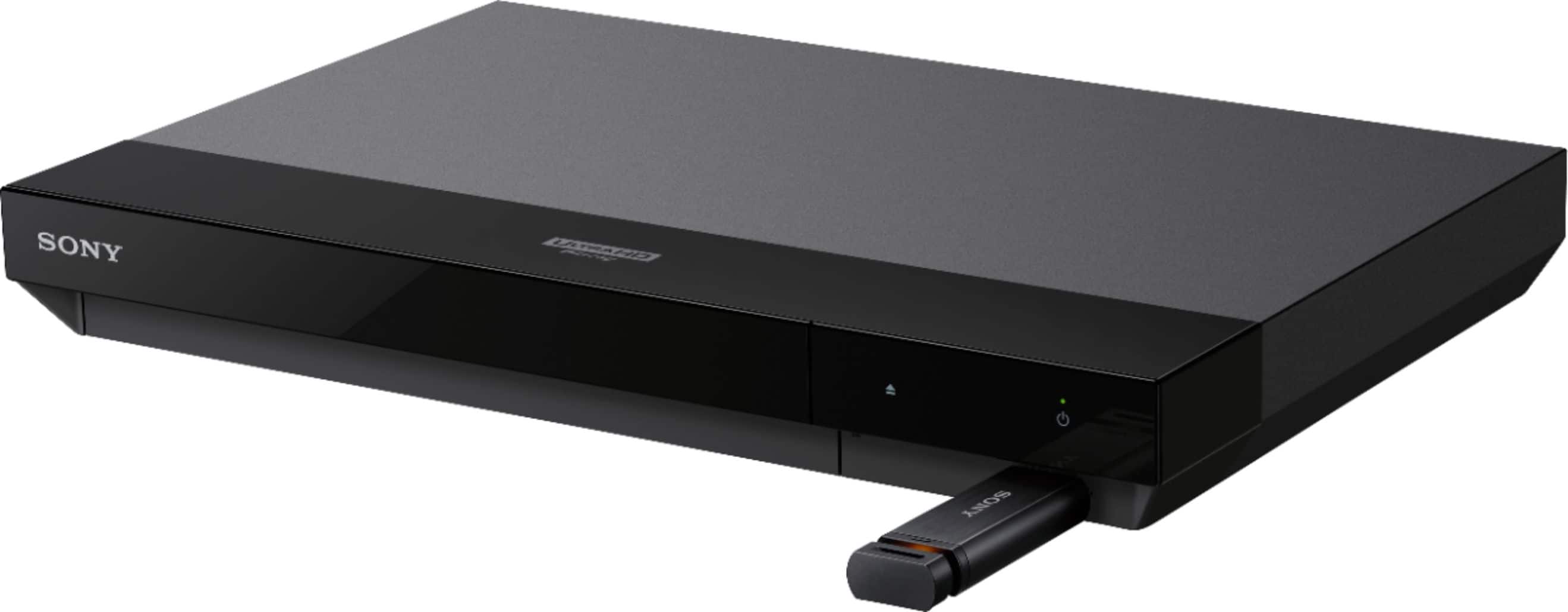
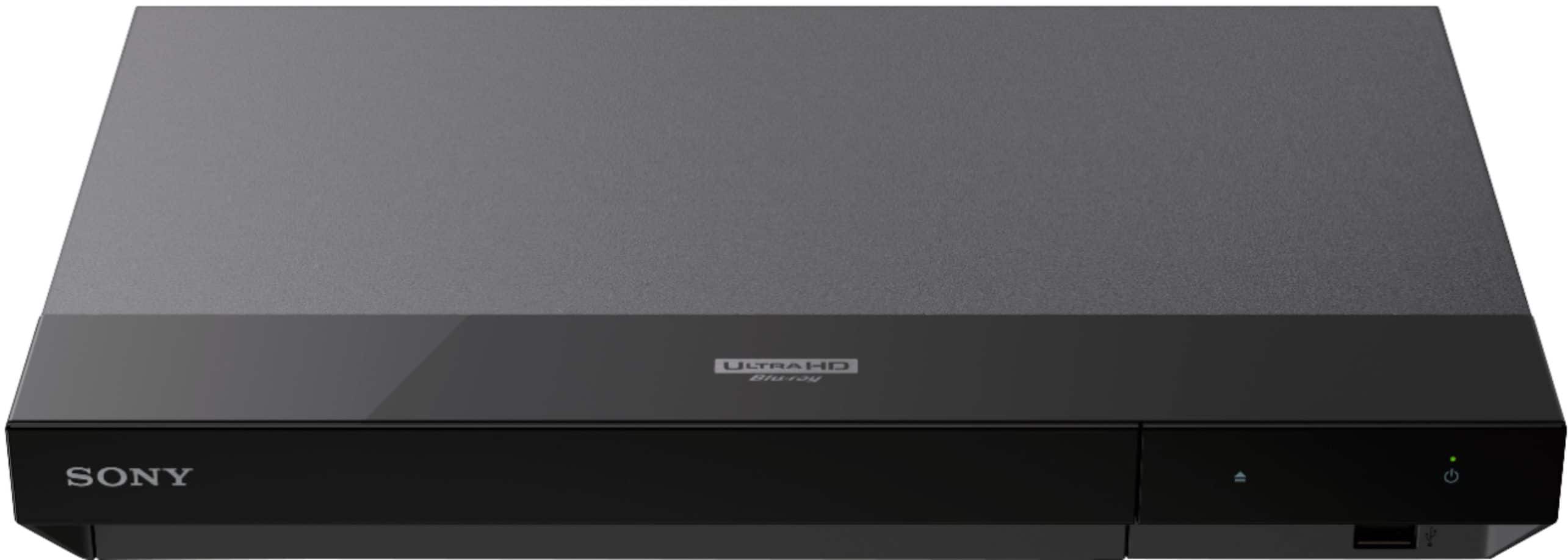
Posted .This reviewer received promo considerations or sweepstakes entry for writing a review.This is a great mid-range 4K player. I've had it for several years now, but just now getting to review it. This is not a top-of-the-line player like some of the Panasonic models, but for the money it does the job just fine. At the time I was comparing this one to its more expensive big brother the UBP-X800 and the only difference I found (other than physical size) is audio playback formats. I have no need for any of that fluff, I buy 4k players for their 4k quality. I also run this through a home theater 7.1 receiver and any music I play is streamed from my receiver. This player has a few apps like Spotify and Netflix, but again, I ONLY use this to play back 4K movies. Video quality is VERY good, better than streaming movies. I watched LoTR extended editions on this player and was blown away. There were colors on some of the characters that I had never noticed before. The remote is small and average. Nothing special about it, nothing wrong with it. I did have an issue with audio not synching up with actors mouths (probably a tv-receiver-4k player issue, not the 4k player alone) but there is a feature in this player that allows you to synch it up by the millis-second if I remember. Took a bit of time to get perfect but I got it there and now there's no issues. Also, the specs here on BB website say that it doesn't have a USB port, but it does have one on the front. Overall a great value and I have no regrets with this purchase. I paid $259.99 and as of this review it's now on sale for $199.99.
I would recommend this to a friendBrand response from SonyListens
Posted .Hello MikeE,
Thank you so much for your fantastic 5-star review! We're thrilled to hear that you're enjoying the Sony UBPX700/M and that it has exceeded your expectations in terms of picture quality and value. It's great to know that you appreciate its performance for 4K movies, especially those stunning moments in the Lord of the Rings extended editions! We also appreciate your feedback regarding the audio sync feature and the USB port; it's always helpful for us to know how we can improve. Thank you again for sharing your experience, and we hope you continue to enjoy your 4K viewing! Thanks for choosing Sony!
- Romeo
- Pros mentioned:Dolby vision
Seems to work well
|Posted .This reviewer received promo considerations or sweepstakes entry for writing a review.I had some MP4's and UHD Blu Rays with Dolby Vision to test with, and that was where I began. Valerian started up, and I was frustrated that Dolby Vision wasn't showing on my LG CX OLED TV. I did some digging in the menus and found where I had to enable it. I was disappointed that it doesn't enable that by default when the disc supports it. But the playback was great. I had tried it on my Xbox Series X as well as my PlayStation 5, both plugged into my OLED TV using EARC to my ARV for sound. The PS5 seemed a bit better than he Xbox for playback, but this one looked better than both. Even my 17 year old son said he could see an improvement. So for people like myself who have heard for years to get a dedicated disc player, not just use your game console, to watch 4k discs - the people saying that are actually telling the truth, there IS an improvement. No issues with transport, and stopping, turning off, turning back on, always gave me the option to continue where I left off or restart. I had no issues with the Dolby Atmos passing back to my AVR either. MP4 playback is a bit frustrating, since I had HOPED I would be able to play MKV's and such over the network, viewing things on my NAS. No such luck. This can only play local things on a USB drive. And to make it even more of a disappointment, the ONLY USB port is on the FRONT so you have to have the cord sticking out the front. I would have MUCH preferred a discrete USB port in the back so things could be out of sight. But the good news is that for the most part my MP4 Dolby Vision playback testing was fine. DV was recognized and I saw the notice on the TV for its presence. Transport was disappointing though, trying to skip forward or back. Half the time it locked the system up so hard I had to pull the power plug, nothing else would reset or turn it off, not even the power button on the unit. These have no issues playing back from the TV itself or my media center PC, so it's not a bad file. For the time being I put this on top of my Klipsch RP-450C center channel speaker. I would've liked to have kept it there, but it's so reflective on top that it's distracting being in front of the TV even though it's below it. I would have preferred a matte finish, not to mention the fingerprint issue with this glossy finish... I do like how the tray is hidden behind the cover, which opens when you hit the eject button on the remote or the player itself. I had to go digging to find an audio CD, but I found one and playback was fine. Sounded good, transport controls worked fine. I wish there was some screen saver option during playback I could turn on though, since I don't like leaving static things like this playback screen on my OLED for great lengths of time. Would not be an issue if you plug into an AVR, but since I need my TV power for the ARC to get sound to my receiver and speakers for now, I can't just turn off the TV. But I likely wont use this for audio playback anyway, everything I have is ripped to MP3. I'd love this and it's be 5 stars if I could access network SMB shares for video playback, and if it supported MKV's. But being limited to copying things to a USB drive means my use here will be limited. But I'll definitely be using this to play back my 4k discs, not a game console anymore.
I would recommend this to a friend - Pros mentioned:Picture qualityCons mentioned:Remote control
Light-weight size and heavy weight 4K quality
|Posted .This reviewer received promo considerations or sweepstakes entry for writing a review.Sony 4K Ultra HD Blu-ray Player | UBP-X700 is lightweight, while being a heavyweight in 4K picture quality! Installation was simple and straightforward with the included 18 Gbps High Speed HDMI. I've had blue-ray players before using standard HDMI cables, but with the Sony 4K Ultra HD Blu-ray Player | UBP-X700 and the 18 Gbps HDMI cable, the picture quality was so more crisp and life-like. It looked to have more depth! Audio was also very clear. After initial hook up, checked firmware update, via wifi. If I had complaints, it would be the AC power adapter is quite oversized, it takes up one of the bigger spots on my surge protector. Would also be nice to have illuminated buttons on the remote, so you can use it in the dark. Overall, loved the picture quality and audio of the Sony 4K Ultra HD Blu-ray Player | UBP-X700. Installation and setup was quick. Really enjoy watching my blue-rays with it. Added bonus of including the 18 Gbps HDMI that works with the Sony 4K Ultra HD Blu-ray Player | UBP-X700.
I would recommend this to a friend Has apps that dont work
||Posted . Owned for 3 weeks when reviewed.This reviewer received promo considerations or sweepstakes entry for writing a review.Not worth the money...apps included that are notorious for not functioning such as vudu....sneaky.
No, I would not recommend this to a friend- Pros mentioned:Picture quality, Size
Great 4k disk player
|Posted .This reviewer received promo considerations or sweepstakes entry for writing a review.This player is everything I wanted in a 4k UltraHD disk player. I previously had a X800 model from Sony and to me this is just as good and a much smaller package. My system consists of a LG OLED tv running through a Sony 4k receiver. Setup was quick and easy, plug in a few cables, select languages and enter your WIFI password (there is also a wired ethernet port). The video is crystal clear even on the action scenes. The audio is great. The apps are quick and responsive, although there are not that many of them but noone is using this as their main smart system. The remote is smaller and more comfortable than Sony's old remotes and very well laid out. It played 4k from disk and streaming well, although there is no comparison between the 2, disk is far and away the best way to watch 4k. I am very happy with this player and would definitely recommend it to anyone looking for a 4k disk player.
I would recommend this to a friend - Pros mentioned:4k, Picture quality
Best 4K Experience!
|Posted .This reviewer received promo considerations or sweepstakes entry for writing a review.The Sony 4K Ultra HD Blu-ray player provided me with best 4K experience. I am now able to tap into my TV full potential and was not disappointed. I also learned not all HDMI cables are the same. In order to see a difference, I bought The Ten Commandments on 4K blu-ray. I was amazed by the quality. I have never seen that movie so clear and vivid, it was like watching it live. I also wanted to see how DVDs would be played and I was amazed again. This Blu-ray player upscaled my DVDs and made them look high definition. The sound quality supports surround sound and I was immersed in the movies. Even watching Youtube was crystal clear and fast. The set-up was easy and connecting to my internet was fast compared to older Sony products so I was happy about that. Overall I recommend this product and am very pleased by the quality it delivers.
I would recommend this to a friend - Pros mentioned:Ease of use, Picture quality
Quality with ease
Posted .This reviewer received promo considerations or sweepstakes entry for writing a review.Great quality. Dependable. Wonderful price. And importantly, it was very simple to set up. Thank you for a quality product and great customer service in the store.
I would recommend this to a friend - Pros mentioned:Picture quality
Great Picture Quality UHD Blu-ray Player
|Posted .This reviewer received promo considerations or sweepstakes entry for writing a review.Got this Sony UBP-X700/M to replace an aging UHD Blu-ray player. Rectangular shape replaces a square device so had to make some room on the shelf below TV. This is my first Sony product ever. Lots of features: Ultra High Definition Blu-ray, 4K HDR, HDR10, Dolby Vision, 4K Streaming Services, 18 Gbps High Speed HDMI Cable included. A/V separator with 2 HDMI outputs. I used the combined Video/Audio HDMI port. Wired ethernet or 2.4 GHz band wi-fi. It even plays music CDs in addition to Blu-Ray and DVD. Set up was simple using Easy Setup that launches after you connect the HDMI and power cords. Just follow the onscreen instructions. Remote can be programmed to operate 12 major TV brands but not my TCL. Home button takes you to the Home screen where you can select various functions to play media, stream from a few major apps or access setup. Streaming apps are just a few of the majors like HULU, Amazon Prime, Netflix, tubi, VUDU, YouTube. My first test was an UHD Blu-ray of "Finding Dory" and the picture and colors were amazing. Animation is great for testing due to the vivid colors. Tried a regular DVD of "The Terminator" followed by the Blu-ray version. Good quality on DVD and amazing upgrade on the Blu-ray. Tried some bargain DVDs and Blu-rays and the picture was excellent throughout. Tested Loretta Lynn's new CD for music only and the sound was crisp and detailed through my TVs external speakers. Player claims to play almost any disc and file format. USB jack on the front below the power button. HOME and SETUP have various menu options to scroll through and check for updates or change playback settings. The only real drawback is the barebones streaming. I don't plan to stream with this player since my TV has Roku built in. I probably didn't even need to connect it to my wi-fi other than to check for software updates and see what streaming options were included (the box only shows Netflix and YouTube). The NETFLIX shortcut button on the remote doesn't work and only allows you to choose close but the Netflix app in the My Apps on the Home screen works. HULU seems have an older layout of the app but it is also labelled HULU Plus (discontinued) if you hover over it. Apps can be removed but additional apps can't be downloaded. I really only needed a new UHD Blu-ray player but couldn't find one with all these high end playback options that did not include wi-fi and streaming functions. I'm sure there is market for a lower priced device with high function playback that skips the streaming and internet connection.
I would recommend this to a friend