Customer Ratings & Reviews
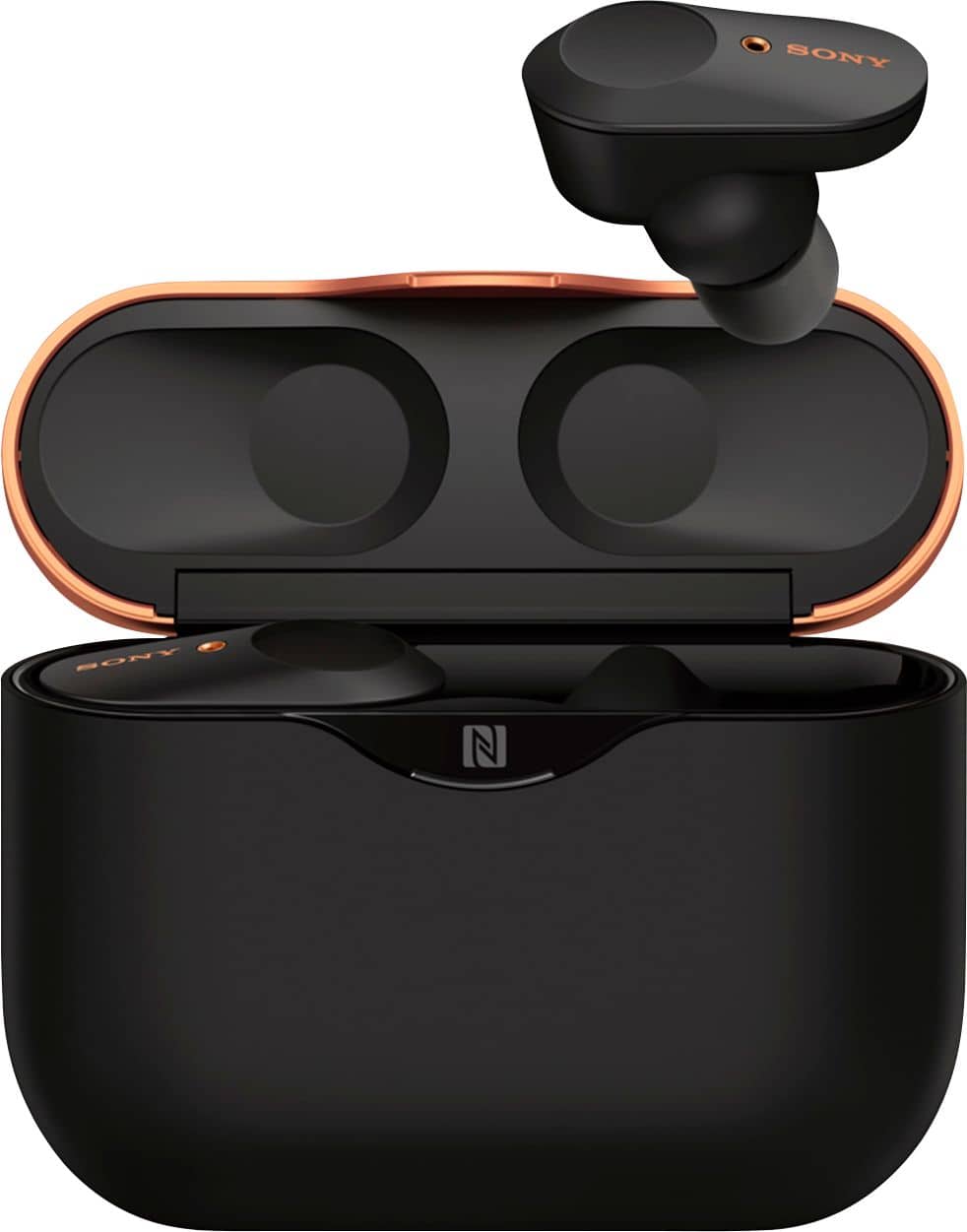
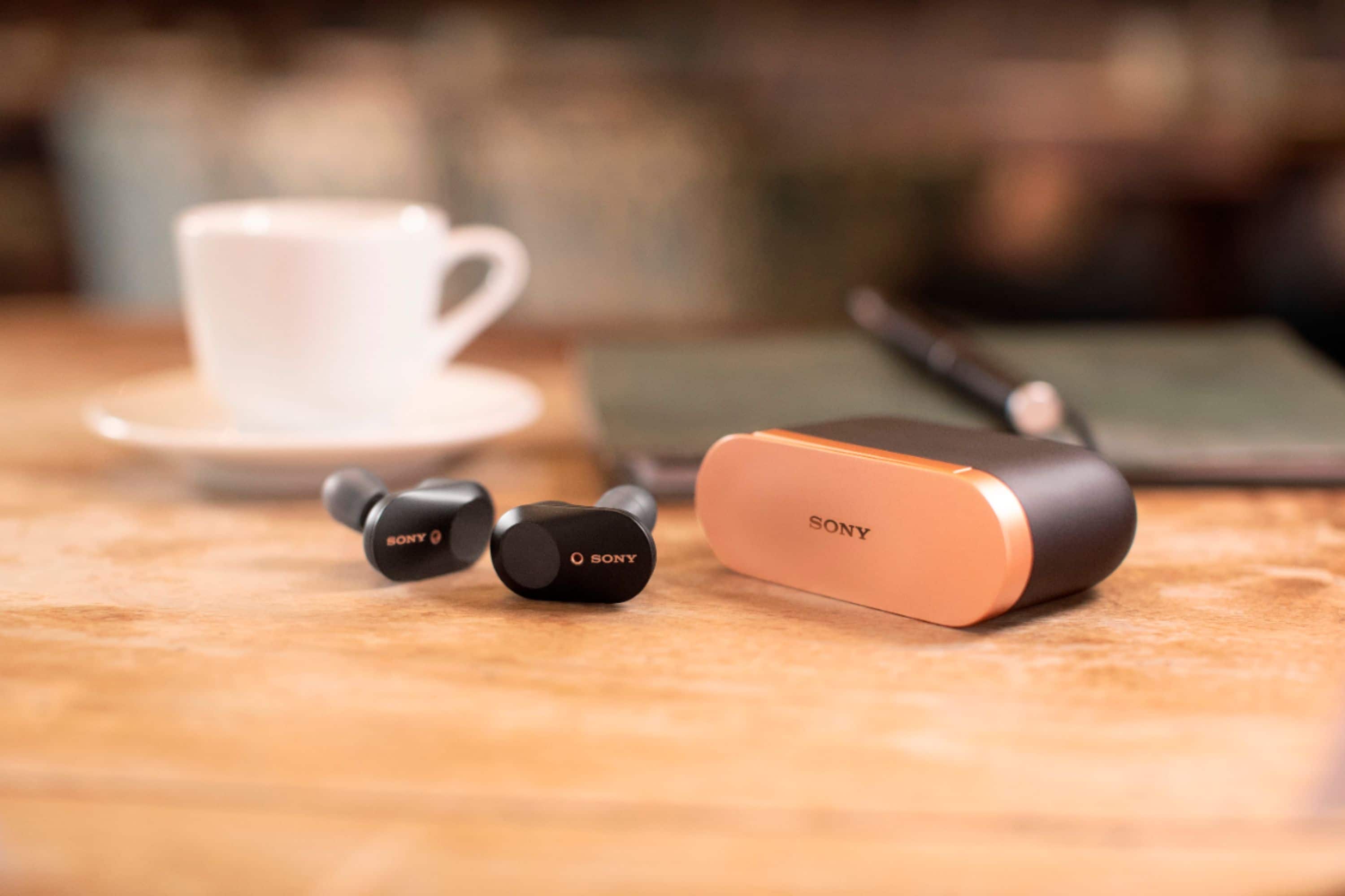

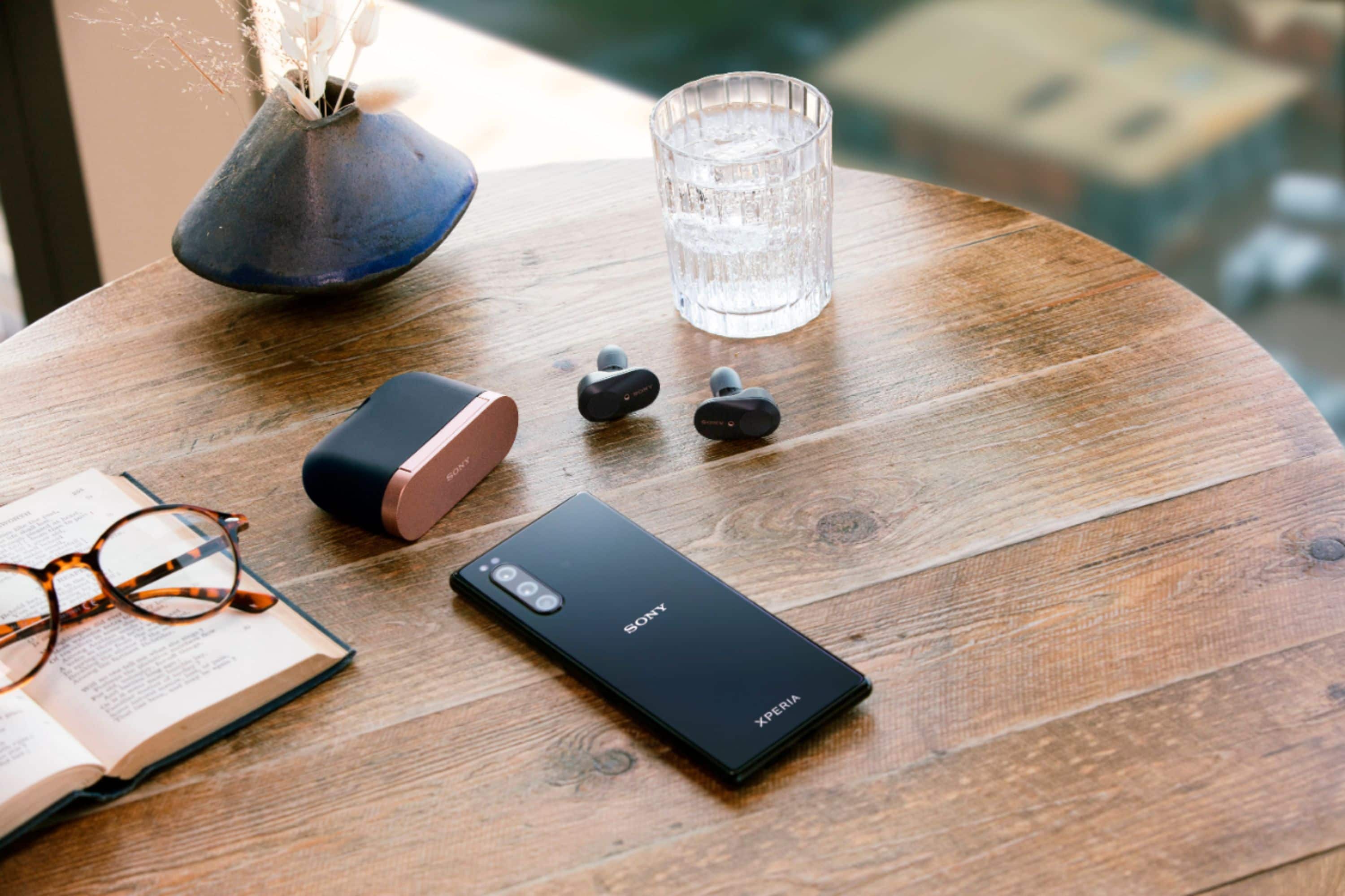




- Model:
- WF1000XM3/B
- SKU:
- 6359820
Rating by feature
- Sound Quality
Rating 4.6 out of 5 stars
- Battery Life
Rating 4.2 out of 5 stars
- Connectivity
Rating 4.1 out of 5 stars
Customers are saying
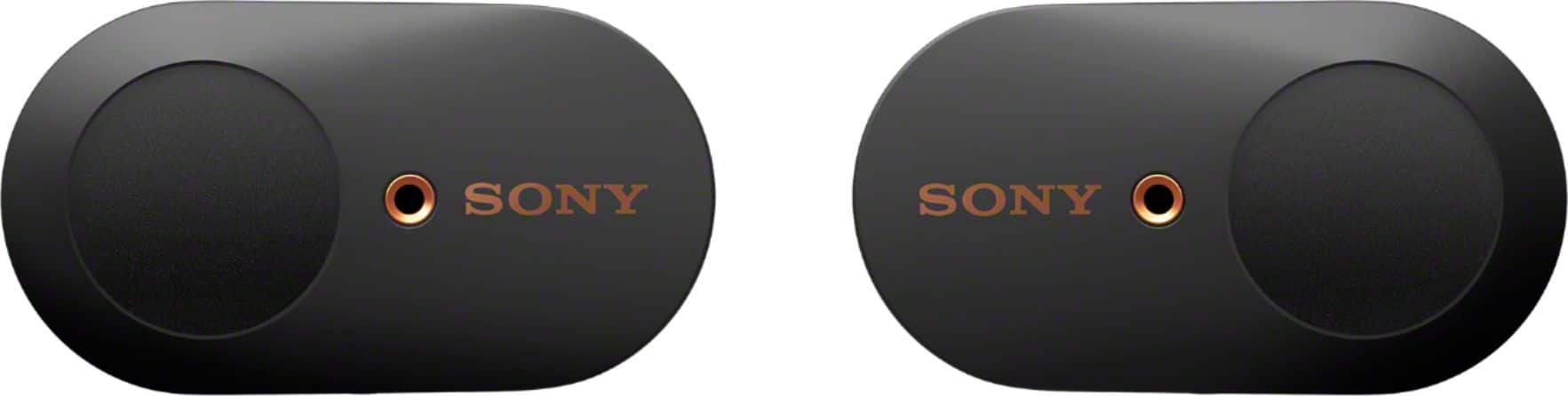
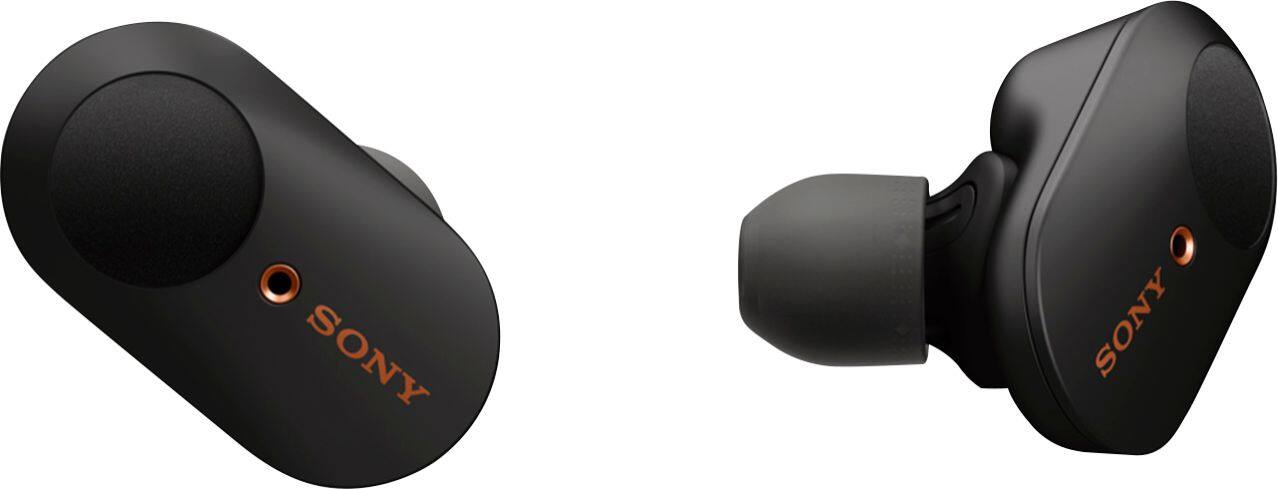
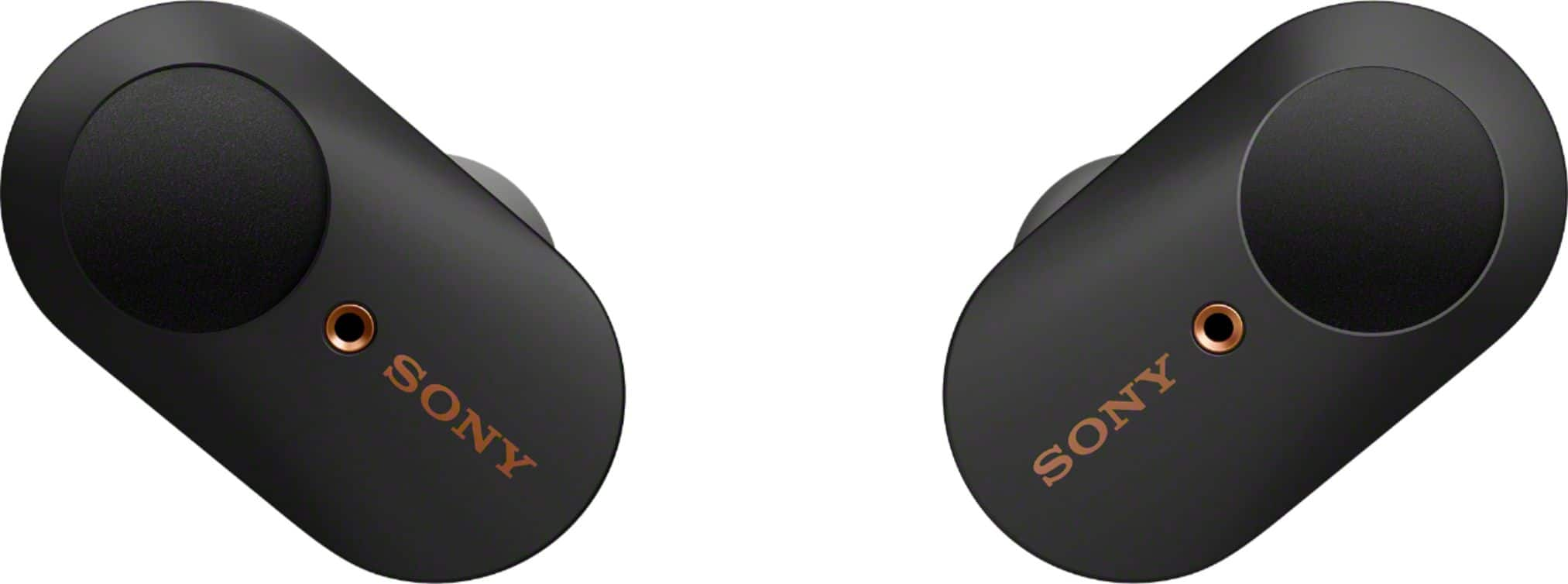
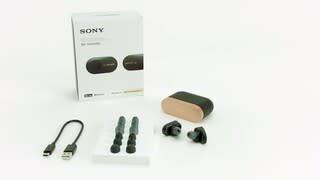
Customers frequently mention the excellent sound quality and great battery life of the WF-1000XM3 True Wireless Noise Cancelling In-Ear Headphones. Many also appreciate the comfortable fit and effective Active Noise Cancellation. However, some customers have concerns about the fit, connection stability, and water resistance, and a few would prefer a higher maximum volume.
This summary was generated by AI based on customer reviews.
- Pros mentioned:Sound quality

Didn't know what I was missing...
|Posted .This reviewer received promo considerations or sweepstakes entry for writing a review.until Sony took the background away from me. I generally use in-ear head phones and open back headphones. Open backs are mainly for gaming because they "widen the sound stage" and in-ear for the sound isolation. Most of the time in-ear buds work good enough for sound isolation that I've used them while cutting the grass, shooting outdoors (have to use approved protection at the range), and sometimes when I wanna ride with the car windows down. So what the heck active noise cancelling bring to in-ear buds? I was surprised what they could do! Now, even with the marshmallow tips some sound will leak and you have to turn the volume up just a bit more to overcome outside interference, especially when doing something loud like public commute or cutting the lawn. The 1000XM3's active noise cancellation brings the isolation up a few extra notches. Now I can turn the volume DOWN and save my ears and not have to compete with buzzing, clicking, popping, etc. It's almost like I'm underwater. You can still hear some sounds but they're muffled even more than with just the plain buds. You can now listen to you music and swear it sounds different now that you don't have your environment mudding up the sound. It's a real ear opener! Not only does the 1000XM3 have active noise cancelling, but it also has sound pass-through that allows the ambient sounds through. You can either cycle the modes: NC-AS-Off, or just hold the left bud (customizable) for a second and activate it temporarily. The Ambient Sound Control sounds so good that if I take a bud off it's almost impossible to tell that you still have a bud in your ear if you tweak the sounds right. It's incredibly clear. The best passthrough I've heard in any headphones I've tried so far. The Sony app has an option to allow for automatic Passthrough/Noise Cancelling settings. Using your location, it can tell if you're stationary, walking, running, or commuting. You can set it for "sitting" to be noise cancelling, "walking" to (my preference) ambient passthrough, "running" too... who am I kidding - I don't run, lol, and commute to Noise Canceling. Pretty convenient feature that I never though I'd ever want. One weakness I've noticed with noise cancelling is that it doesn't handle wind correctly. Driving with the windows down I actually heard the wind more with active noise cancelling than I did with passive. Something might need to be tweaked to get wind right. Even a window AC's wind is enough to repeat the extra sound. Sound quality is excellent. After a good bit of tweaking I finally got a good balance to where I can hear the bass drop in "My Philosophy" (It's a deep low freq bass that drops once per bar), the heavy boom of "I Ain't No Joke" and the bassline of "Hey Young World" without any sounding weak or muddy. Here's one huge downside of noise cancelling, you hear the compression in low bitrate music that much more. It's just too clear, lol. These headphones are just so good that if you don't use your highest bitrate music you'll hear the yuck. I can't say I've ever had this problem before. These headphones are like prescription glasses for your ears! Each bud can work independently of the other, meaning you can use one bud without having to use the other. it won't play mono so youi'll get left channel out of the left and right from the right. I love the ability to use either one singly. It's a feature a lot of wireless headphones don't have. It'll also pause and resume if you take a bud out. The only feature I'd like to see added is more customization of the taps. Maybe a volume up option is what I'd like. I haven't tested a call yet. My wife won't answer her phone so I'll have to give it a run down later. Watching a few YouTube and Netflix videos I saw just a slight bit of lag. Not enough to be annoying and only noticeable if I'm staring and looking for it. It seems every other pair of headphones I get I'm thinking "these are the best:!" but now having tried the 1000XM3 with its active noise cancelling I really thinking I've really found the best headphones for me.
I would recommend this to a friendBrand response from SonyListens
Posted .Hi, MadSquabbles!
We appreciate sharing your feedback about your experience with the earbuds. If you experience an issue with Wind Noise, please see this Knowledge Base article to help alleviate the issue:
https://www.sony.com/electronics/support/wireless-headphones-bluetooth-headphones/wf-1000xm3/articles/00229342
Regards,
Erin
- Cons mentioned:Connection
Sony
||Posted . Owned for 1 month when reviewed.This reviewer received promo considerations or sweepstakes entry for writing a review.Kept getting disconnected from calls and music. Made weird beeps. Battery did not last long.
No, I would not recommend this to a friendBrand response from SonyListens
Posted .Hi Caljosh,
We're sorry to learn the unit disconnects from the paired device and a beep sound is sometimes heard. Please allow us to help you and turn this into a better experience. Please make sure that your headphones are running on the latest firmware version. The communication between the devices will be poor if there is an obstruction between the unit and the connected device. Try the following:
• For Bluetooth connection issue: The WF-1000XM3 has a new Bluetooth chip and an optimized antenna design to provide a stable connection for hours of wireless streaming. To ensure you get the best Bluetooth connection, please set the headphones Bluetooth Connection Mode to “Priority on stable connection”.
https://helpguide.sony.net/mdr/wf1000xm3/v1/en/contents/TP0002289921.html
• If a notification tone is sometimes heard, the Adaptive Sound Control maybe is set to On. To keep this from happening, check that the notification tone in the Sony Headphones Connect app is disabled.
For more details, refer to this link: https://www.sony.com/electronics/support/wireless-headphones-bluetooth-headphones/wf-1000xm3/articles/00229328
• For available operating time of the unit, the usage hours may be different depending on the settings and conditions of use. Also, when the Equalizer function is used, the playback time will be shorter by about 45% at most.
Should you need further help, please email us at socialsupport@am.sony.com with the following details:
Name:
Best Buy Username:
Model Number:
Issue:
Telephone Number:
We are sorry for the inconvenience and hope to speak to you to resolve this matter.
Sincerely,
Jess
- Cons mentioned:Fit
Not what I was expecting
||Posted . Owned for 1 month when reviewed.This reviewer received promo considerations or sweepstakes entry for writing a review.Headphones are too Bulky and the noise canceling does not work well enough to put up with the cons. Wish I would have bought air-pods instead
No, I would not recommend this to a friendBrand response from SonyListens
Posted .Hi, Seth!
We're sorry to hear about this. To ensure optimal performance with noise canceling, as well as to obtain the best fit and prevent the headsets from falling out, please refer to one or both of the following:1.Help Guide
https://helpguide.sony.net/mdr/wf1000xm3/v1/en/contents/TP0002392265.html
2. Animated Tutorial on the Sony Headphones Connect app (ref https://helpguide.sony.net/mdr/hpc/v1/en/contents/TP0001548864.html?search=tutorial)
-Sam
I sincerely wasted a lot of money on these.
||Posted . Owned for 1 month when reviewed.This reviewer received promo considerations or sweepstakes entry for writing a review.Case stopped working, earbuds don't recognize the case unless it's plugged in, making the wireless aspect completely useless. Right earbud button won't work while in ear, but will work while in the case. Right ear bud also completely shuts off after about 5 minutes of play, will only come back on if I put it in the case, which I mentioned previously, only works if the case is plugged in. Absolutely useless, and an absolute waste of money.
No, I would not recommend this to a friendBrand response from SonyListens
Posted .Hi Sonyrippedmeoff,
Thank you for sharing your experience using the WF-1000XM3. We are sorry to hear that the right earbud doesn't work properly. We’d love to help you troubleshoot your problem. If the right earbud does not produce sound, your headphones may not be charging properly. Place the headphones in the charging case and check to see if the charging indicator light up. For more information, check here: https://helpguide.sony.net/mdr/wf1000xm3/v1/en/contents/TP0002289907.html
Resetting and initializing the headset may help resolve the issue:
Resetting the headset
• Place the headset in the charging case, leave the lid of the charging case open, then hold your finger to the touch sensor on the left unit for about 20 seconds.
• Release your finger when the indicator (red) of the headset turns off after flashing.
• Then hold your finger to the touch sensor on the right unit for about 20 seconds.
• Release your finger when the indicator (red) of the headset turns off after flashing.
If the headset does not operate correctly even after resetting, initialize the headset to restore factory settings.
• Place the headset in the charging case, leave the lid of the charging case open, then hold your fingers to the touch sensors on both the left and right units for about 10 seconds. Release your fingers when the indicators (red) of the headset start flashing.
• The indicators (blue) flash 4 times, and the headset is initialized.
You can also use this link for troubleshooting steps to isolate and resolve the issue.
https://www.sony.com/electronics/support/wireless-headphones-bluetooth-headphones/wf-1000xm3/articles/00229323
If you are unable to resolve your concern, you can email us at socialsupport@am.sony.com with the following details:
Name:
Best Buy Username:
Model Number:
Issue:
Telephone Number:
Sincerely,
Jess
- Cons mentioned:Connection
Overpriced for such poor performace.
||Posted . Owned for 3 weeks when reviewed.This reviewer received promo considerations or sweepstakes entry for writing a review.Wouldn't connect easily. Hurt my ears. Very difficult to take out of charging case.
No, I would not recommend this to a friendBrand response from SonyListens
Posted .Hi Unhappy,
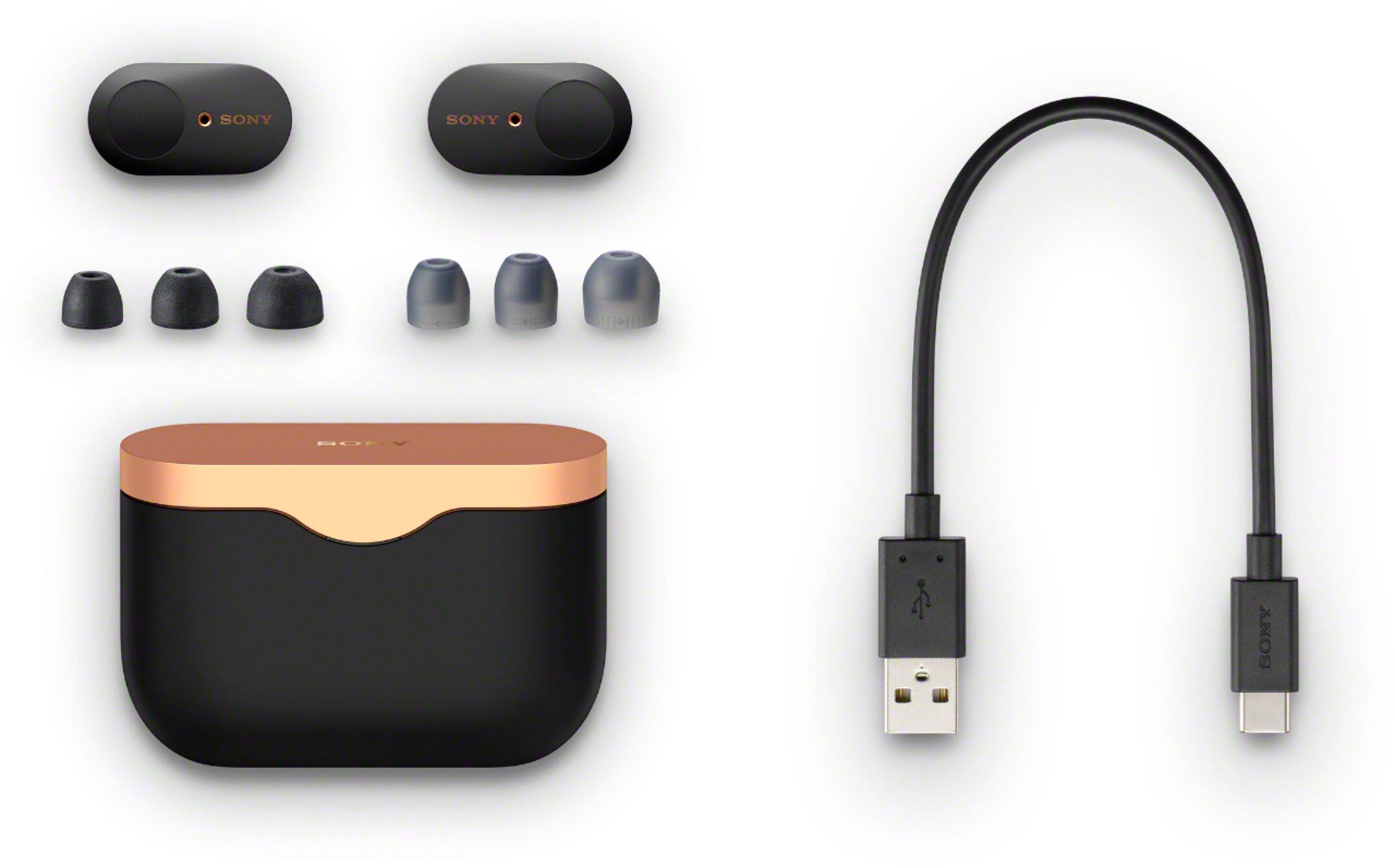
We regret to know that you're experiencing Bluetooth connection issues and you're having constant pressure on your ears when putting them on. They come with a portable, hard carrying case. When you remove the headset, lift it from the center of the charging case. The headset turns on automatically and the indicator (blue) flashes.
If you're unable to make a Bluetooth connection, check that the Bluetooth device is turned on and the Bluetooth function is on. If the headset automatically connects to the last connected Bluetooth device, you may fail to connect the headset to other devices via Bluetooth connection. In that case, operate the last connected Bluetooth device and disconnect the Bluetooth connection.
For further troubleshooting, refer to this link: https://www.sony.com/electronics/support/wireless-headphones-bluetooth-headphones/wf-1000xm3/articles/00030345
The earbuds may fall out or feel uncomfortable during use if you don't wear the headset properly. We recommend to change the earbud tips to ones that fit more snugly in your ears for comfortable listening experience. Additionally, if you wear the headset for a long time, your ears may start hurting. Use the headset while taking breaks periodically.
For reasons why your ears may hurt when putting on or wearing headphones, you may find this article helpful: https://www.sony.com/electronics/support/wireless-headphones-bluetooth-headphones/wf-1000xm3/articles/00015243
If you need additional help regarding your concern, you can email us at socialsupport@am.sony.com with the following details:
Name:
Best Buy Username:
Model Number:
Issue:
Telephone Number:
Sincerely,
Jess
Returned
||Posted . Owned for 3 weeks when reviewed.This reviewer received promo considerations or sweepstakes entry for writing a review.They worked ok at home. I wore them to the gym and they were bad. Returned them. I have the NC 900's over the ear, and they work great. May puchase the Sony wh next version.
No, I would not recommend this to a friendBrand response from SonyListens
Posted .Hi, jrc74!
We provide an assortment of earbuds in various sizes to ensure there is a great fit for all ear sizes and an optimal noise canceling experience. To ensure optimal performance with noise canceling, as well as to obtain the best fit and prevent the headsets from falling out, please refer to one or both of the following:
Help Guide https://helpguide.sony.net/mdr/wf1000xm3/v1/en/contents/TP0002392265.html
Animated Tutorial on the Sony Headphones Connect app (ref https://helpguide.sony.net/mdr/hpc/v1/en/contents/TP0001548864.html?search=tutorial)
Instructional Video https://youtu.be/HnXJ_f2nbb4
~Earl
Defective. Disconnects, static-y...
||Posted . Owned for 1 month when reviewed.This reviewer received promo considerations or sweepstakes entry for writing a review.When these work, they are great. After a couple weeks. the bluetooth disconnects, sometimes I hear static, one side goes out....etc... How can Sony's quality control be that bad? Don't they test things before putting it out on the market? ANd this is after I updated the firmware last week.
No, I would not recommend this to a friendBrand response from SonyListens
Posted .Hi, urbantea! We are sorry to hear about your experience with your Sony WF-1000XM3. To ensure you get the best Bluetooth connection, please set the headphones' Bluetooth Connection Mode to “Priority on stable connection": https://helpguide.sony.net/mdr/wf1000xm3/v1/en/contents/TP0002289921.html.
If still unresolved or you are still getting the issues, please email us at [email protected] with the following details:
Name:
BestBuy Username:
Model Number:
Issue:
Telephone Number:
Sincerely,
Vincent
Sony Social Support
- Cons mentioned:Connection
Has a problem with audio
||Posted . Owned for 1 week when reviewed.This reviewer received promo considerations or sweepstakes entry for writing a review.I returned them because it kept losing connection with the new iOS phone 11 plus audio kept cutting out between the ear pieces.
No, I would not recommend this to a friendBrand response from SonyListens
Posted .Hey Mike,
I'm sorry to hear about your experience with our product. We will surely take note of your feedback to improve our products and services. You may also find the information on this link helpful to your concern https://www.sony.com/electronics/support/wireless-headphones-bluetooth-headphones/wf-1000xm3/articles/00232586.
Regards,
Romeo
- Cons mentioned:Connection
Connectikn issue.
||Posted . Owned for 3 weeks when reviewed.This reviewer received promo considerations or sweepstakes entry for writing a review.Constantly disconnecting from my S20+. Product was returned after just a few hours of use.
No, I would not recommend this to a friendBrand response from SonyListens
Posted .Hi MANDM,
Thank you for the feedback on your experience with your WF-1000XM3. We're sorry to hear that you're having issues with the Bluetooth connectivity. The communication between the devices will be poor if there is an obstruction between the unit and the connected device.
As a suggestion, you may try setting the Bluetooth connection mode to Priority on stable connection and see if it resolves the problem. We recommend to make sure that your headphones are running on the latest firmware version. The software includes key features, applications, bug fixes, and feature improvements.
Resetting and initializing the headset may also help resolving the issue.
We regret to know that the unit had to be returned. We hope that you will shop Sony again in the future.
Thanks for sharing your feedback.
Sincerely,
Jess
Terrible sound quality
||Posted . Owned for 2 weeks when reviewed.This reviewer received promo considerations or sweepstakes entry for writing a review.Extremely poor sound quality, I had expected much higher decibel performance. Too late to take back and now I am stuck with ear plugs instead.
No, I would not recommend this to a friendBrand response from SonyListens
Posted .Hi Cheech,
Thank you for sharing your feedback on your experience with your WF-1000XM3 Wireless Noise-Canceling Headphones. We're sorry to hear your having issues with your wireless headphones. We appreciate your feedback regarding the sound quality of this WF-1000XM3. Sony commitment to customer satisfaction is our top priority. Please allow us to help you and turn this into a better experience.
For low sound quality, please try to follow the troubleshooting steps and guidelines on the links below:
https://helpguide.sony.net/mdr/wf1000xm3/v1/en/contents/TP0002289914.html
https://helpguide.sony.net/mdr/wf1000xm3/v1/en/contents/TP0002289889.html?search=about%20the%20sound
- To get the sound that you prefer, please try the different sound modes found in the Sony Headphones Connect app. There is even an EQ in there—which can be customized to fine-tune your music to your liking.
- Try playing another source on the device. For example, try another music app to see if the issue is with a particular app.
- When you listen to music from a computer on the headset, sound quality may be poor for the first few seconds after a connection is made. This is caused by the computer transmitting music at sound quality for communications at first, and it is not a malfunction.
Also, for optimum performance, please make sure that your headphones are running on the latest firmware version. The software includes key features, applications, bug fixes, and feature improvements. For instructions, please check the link here: https://www.sony.com/electronics/support/wireless-headphones-bluetooth-headphones/wf-1000xm3/downloads
If you are still having the same issue, you can email us at socialsupport@am.sony.com with the following details:
Name:
Best Buy Username:
Model Number:
Issue:
Telephone Number:
We are sorry for the inconvenience and hope to speak to you to resolve this matter.
We appreciate you and thanks for letting us help assist you.
Sincerely,
Jess
- Pros mentioned:Sound quality
quality
||Posted .This reviewer received promo considerations or sweepstakes entry for writing a review.love the wh-1000m3 but this once hype my expectation had to returned it
I would recommend this to a friendBrand response from SonyListens
Posted .Hi Dferna,
Thank you for purchasing the WF-1000XM3 Wireless Noise-Canceling Headphones.
We value your opinion and we would like to apologize if the unit did not meet your expectations. We're uncertain of the issue that you faced with the headphones, and would like to know more about the situation that caused you to return the headphones. Please note we have a customer hotline that is happy to assist you and help troubleshoot any concerns you have, and your headphones has a 1-year warranty from the date of purchase. Sony takes into consideration all feedback to improve the performance and quality of our products and services.
In any case you need further assistance or more information about our product, please email the below information to socialsupport@am.sony.com.
Apologies if you disclosed some of this information in your review and to customer service, we just want to ensure that we have your accurate details at the time of communication.
Full Name:
Best Buy Username:
Telephone Number:
Sony Headphones Model Number:
Additional Information regarding your experience with the WF-1000XM3
We are sorry for the inconvenience. We hope you will consider Sony again in a future purchase.
Sincerely,
Jess
- Pros mentioned:Sound qualityCons mentioned:Fit
Sound is what set these apart
|Posted .This reviewer received promo considerations or sweepstakes entry for writing a review.The sound on these earphones are great. If that’s what you’re after then you won’t go wrong with these. The first of its kind to have noise cancellation...and it works well. I love this feature because you can just shut out the world around you. Then with Sony’s app you’re able to make great adjustments to the sound to fit your taste. Now these are great for maybe listening at home or on an airplane but not so great for everyday use. To me they’re too bulky to be out and about or even for workouts. I think for this reason these will have a tough time competing with the other more popular ear buds. Those are just grab and go. The case is a little bulky too and doesn’t seem to be constructed with good materials. Seems like it will break any day now. I gave these a four because of the sound. Maybe I’ll keep giving them a try for everyday use to see if it gets better. If you don’t want the over the ear headphones then I think these can be a good alternative.
I would recommend this to a friend Not for me
||Posted . Owned for 3 weeks when reviewed.This reviewer received promo considerations or sweepstakes entry for writing a review.brought them back no ear wings constantly falling out when moving around house ext... otherwise sound and audio syncing with youtube videos was great.
No, I would not recommend this to a friendBrand response from SonyListens
Posted .Hi Burn,
Thank you for purchasing the WF-1000XM3 Wireless Noise-Canceling Headphones.
We're sorry to hear that you're having issues with the headphones and we apologize that the unit had to be returned. Unfortunately, the headset don't come with the arc supporters. The WF-1000XM3 comes with different sizes of earbuds to ensure there is a great fit for all ear sizes and an optimal noise canceling experience. To obtain the best fit and prevent the headset from falling out, please use the right size according to the size of your ears. When wearing them, please gently pull on the top of your ear as you twist the earbud into your ear. This should give you a firmer hold and better noise canceling experience. Good to know to know that you like it's the sound quality.
Thanks for sharing your feedback.
We hope that you will shop Sony again in the future.
Regards,
Jess
- Cons mentioned:Connection
Not what I was expecting for the price.
||Posted . Owned for 2 weeks when reviewed.This reviewer received promo considerations or sweepstakes entry for writing a review.It wouldn’t connect to my phone, voice assistant wouldn’t work, audio would cut off and not connect automatically.
No, I would not recommend this to a friendBrand response from SonyListens
Posted .Hello ChewbaccaG, We regret to hear that you are having that issue. We can reset your headphones to isolate the issue. Place the headset in the charging case, leave the lid of the charging case open, then hold your finger to the touch sensor on the left unit for about 20 seconds. Release your finger when the indicator (red) of the headset turns off after flashing. Then hold your finger to the touch sensor on the right unit for about 20 seconds. Release your finger when the indicator (red) of the headset turns off after flashing. When there is a problem with the headset, the indicator (red) of the headset remains off and does not start flashing even if you perform the procedures described above. In this case, hold your finger to the touch sensor longer (for about 30 seconds), and release your finger when the indicator (red) of the headset turns on.
If you are still having the same issue, you can email us at [email protected] with the following details:
Name:
Best Buy Username:
Model Number:
Issue:
Telephone Number:
Sincerely,
Vincent
Choose something else.
||Posted .This reviewer received promo considerations or sweepstakes entry for writing a review.So at first they seemed pretty nice. And if you only intend to use them with your phone. They probably work great. Minus cutting in and out occasionally. But I linked them to my laptop and it continually disconnects. It also Won’t connect to my iPad for some reason. The whole pairing process just seems to be a pain. I expected more for my money. But I would just recommend looking for something else.
No, I would not recommend this to a friendBrand response from SonyListens
Posted .HI, Rusty!
We're sorry to hear about this. We would like to know more about this issue and help you out. Can you please tell us what laptop are you using? Is it a Macbook or a Windows laptop? Can you also tell us what operating system is currently installed? Please email us at [email protected] with the following details:
Name:
Bestbuy Username:
Model Number:
Issue:
Telephone Number:
Sincerely,
Sam
Not for voice calls
||Posted . Owned for less than 1 week when reviewed.This reviewer received promo considerations or sweepstakes entry for writing a review.Great for music and movie. Not great when calling as it requires both earbuds for use. Doesnt stay paired to your phone.
No, I would not recommend this to a friendBrand response from SonyListens
Posted .Hi MsT1,
We do apologize for the call issue with your headphones. You may find this article helpful on how to resolve your issue.
https://www.sony.com/electronics/support/wireless-headphones-bluetooth-headphones/wf-1000xm3/articles/00231110
Hope this helps!
David
- Cons mentioned:Fit
Not good
||Posted .This reviewer received promo considerations or sweepstakes entry for writing a review.Excited to try these headphones but they don’t fit right. Returned.
No, I would not recommend this to a friendBrand response from SonyListens
Posted .Hi Carlos,
Thank you for the feedback on your experience with your WF-1000XM3 Wireless Noise-Canceling Headphones.
We're really sorry if our WF-1000XM3 did not meet your expectations. The WF-1000XM3 comes with different sizes of earbuds to ensure there is a great fit for all ear sizes and an optimal noise canceling experience. As a suggestion, please use the right size according to the size of your ears. When wearing them, please gently pull on the top of your ear as you twist the earbud into your ear. This should give you a firmer hold and better noise canceling experience. We regret to know that the unit had to be returned. Thank you for sharing your feedback, it helps us improve our future products.
We hope you will consider Sony again in a future purchase.
Regards,
Jess
Great for listening to music but not zoom calls
||Posted .This reviewer received promo considerations or sweepstakes entry for writing a review.Really wanted to like these headphones, as the price was right. However, the mic quality during Zoom calls prevented my colleagues from hearing me.
No, I would not recommend this to a friendBrand response from SonyListens
Posted .Hi PhDTeach, We are sorry to hear about your experience. Take note that only ordinary phone calls are supported by the headphones. Applications for phone calls on smartphones or personal computers are not supported: https://helpguide.sony.net/mdr/wf1000xm3/v1/en/contents/TP0002289893.html. To make sure your headphones run smoothly, please update download and install the updated firmware.
Should you need further assistance, you can email us at [email protected] with the following details:
Name:
Best Buy Username:
Model Number:
Issue:
Telephone Number:
Sincerely,
Vincent
A lot of static
||Posted .This reviewer received promo considerations or sweepstakes entry for writing a review.Heard a lot of static 50 percent of the time I would take a call. I thought it was my phone so I had a buddy try them and they did the same thing.
No, I would not recommend this to a friendBrand response from SonyListens
Posted .Hi Jesse, This is not the experience we like you to have and we are sorry to hear this. We highly recommend updating the firmware of the headphones: https://www.sony.com/electronics/support/wireless-headphones-bluetooth-headphones/wf-1000xm3/downloads. The software update includes key features, applications, bug fixes, and feature improvements.
If you are still having the same issue, you can email us at [email protected] with the following details:
Name:
Best Buy Username:
Model Number:
Issue:
Telephone Number:
Sincerely,
Vincent
Was not a good match foe my iPhone
||Posted . Owned for 1 month when reviewed.This reviewer received promo considerations or sweepstakes entry for writing a review.Read other reviews which led me to my purchases but were way below my expectations decent ear buds just not worth the cost not better than iPods
No, I would not recommend this to a friendBrand response from SonyListens
Posted .Hi NyKiLeKysh, We are sorry to hear about your experience. Please make sure to use the right size of earbuds according to the size of your ears to get the best noise canceling experience and sound quality. Also, download the Sony | Headphones Connect App. It includes Adaptive Sound Control—which automatically adjusts noise canceling based on your activity and an equalizer—which can be customized to fine-tune your music.
Should you need further assistance, you can email us at [email protected] with the following details:
Name:
Best Buy Username:
Model Number:
Issue:
Telephone Number:
Sincerely,
Vincent