Customer Ratings & Reviews
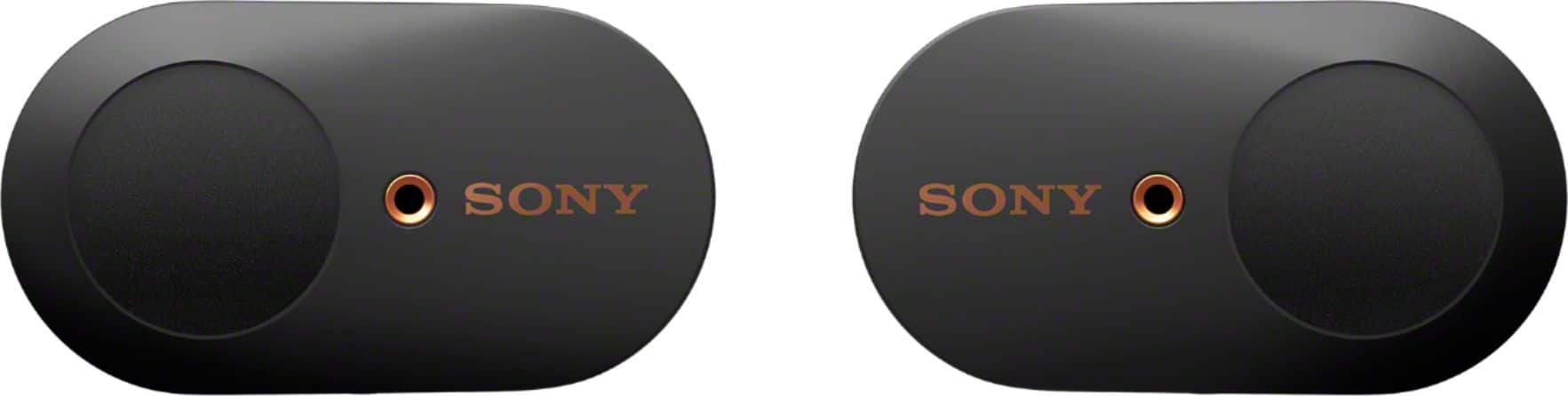
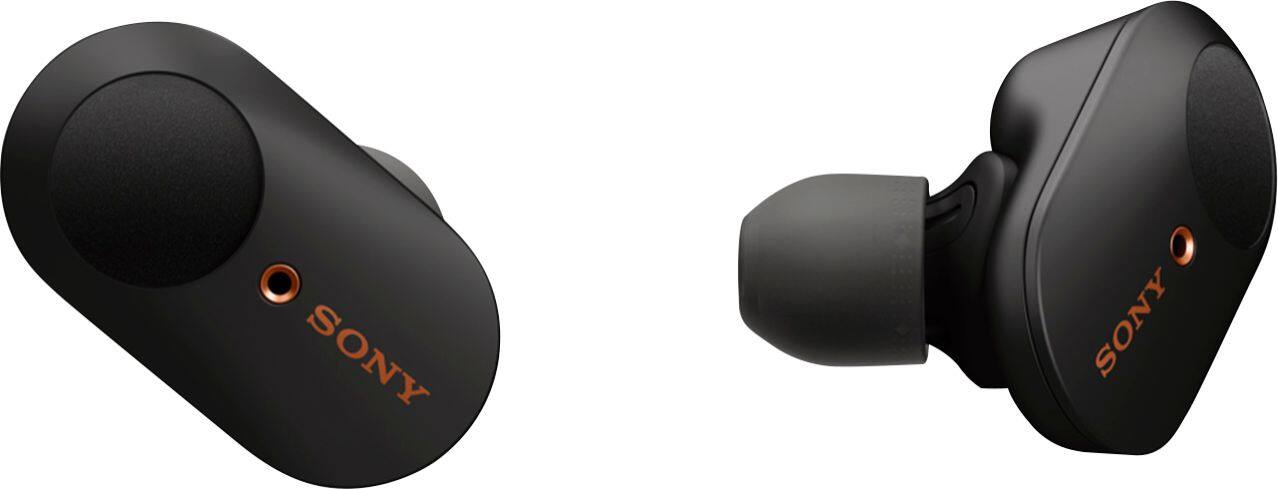
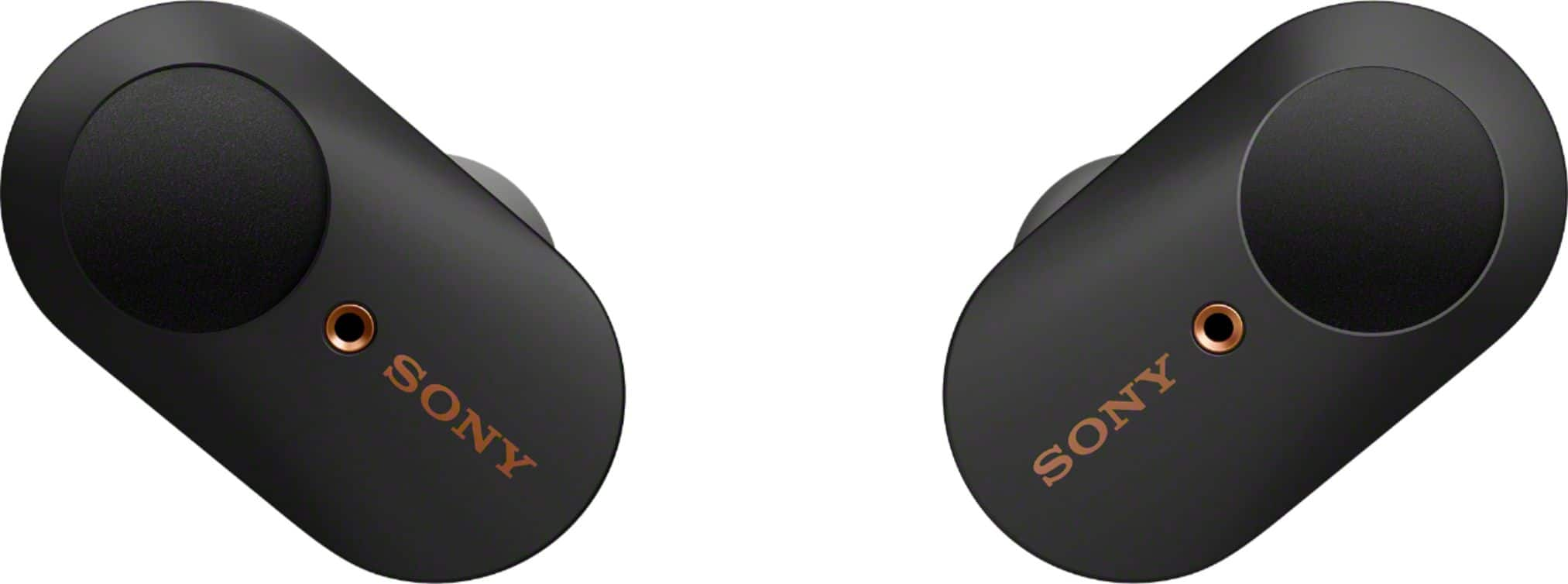
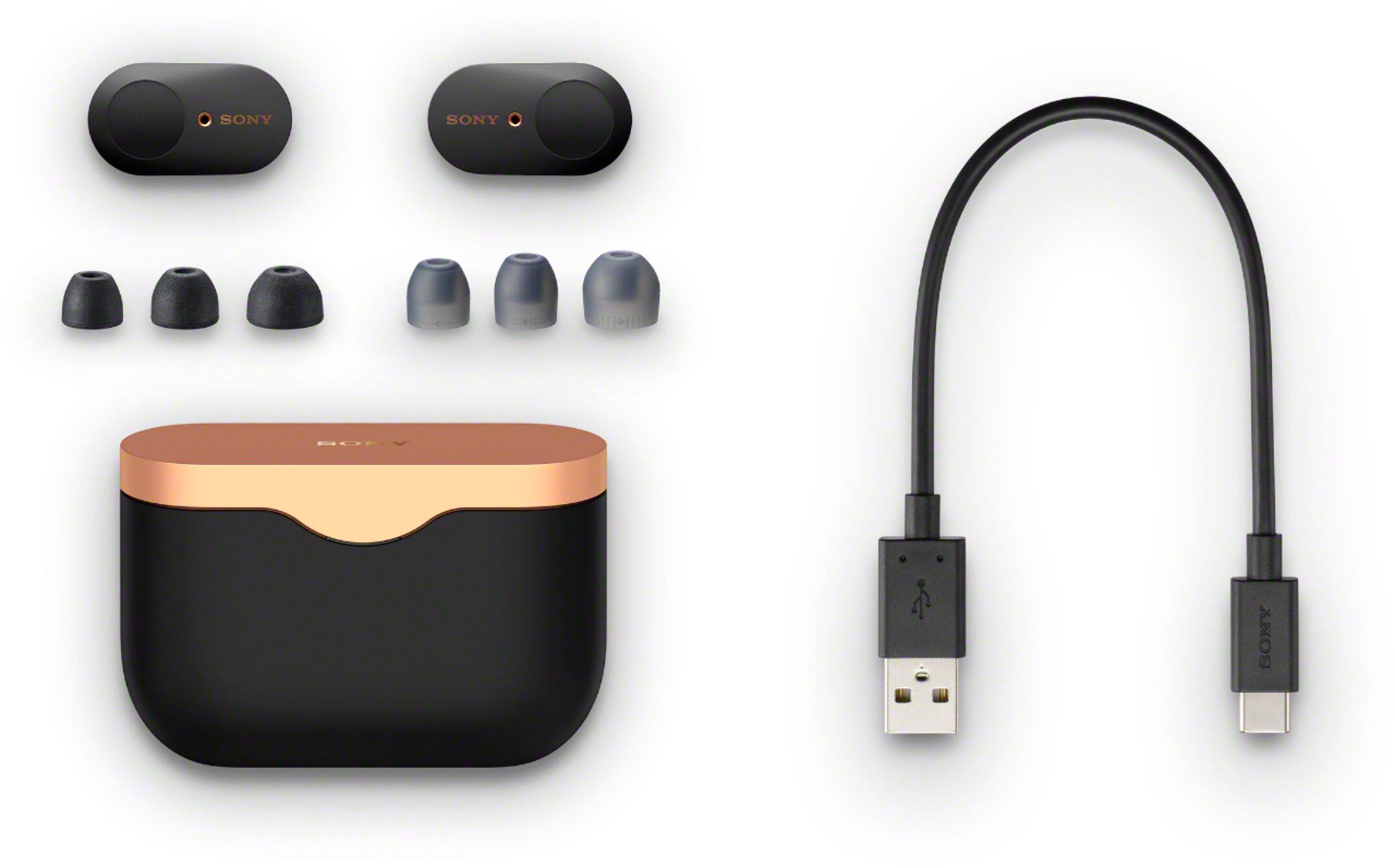
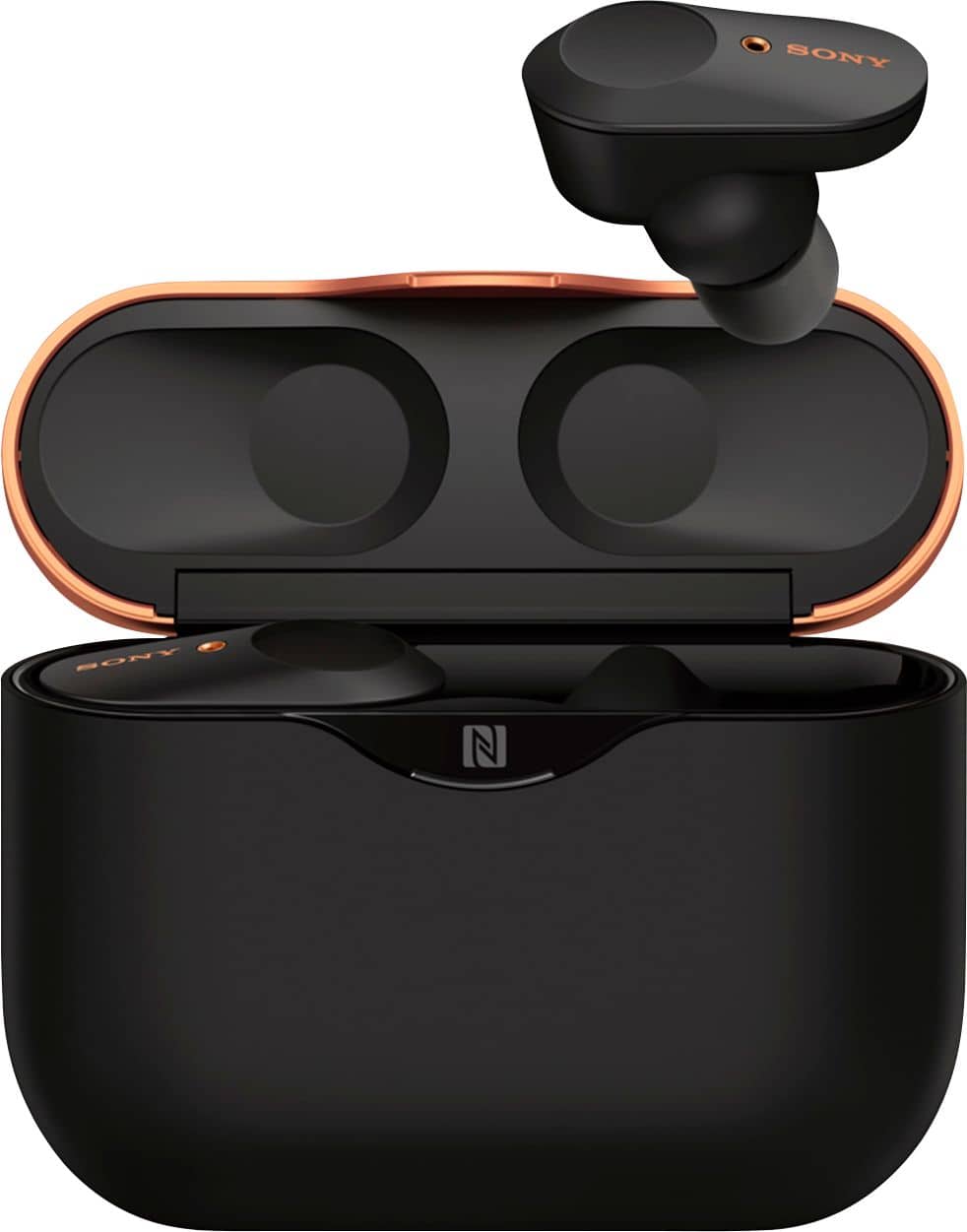
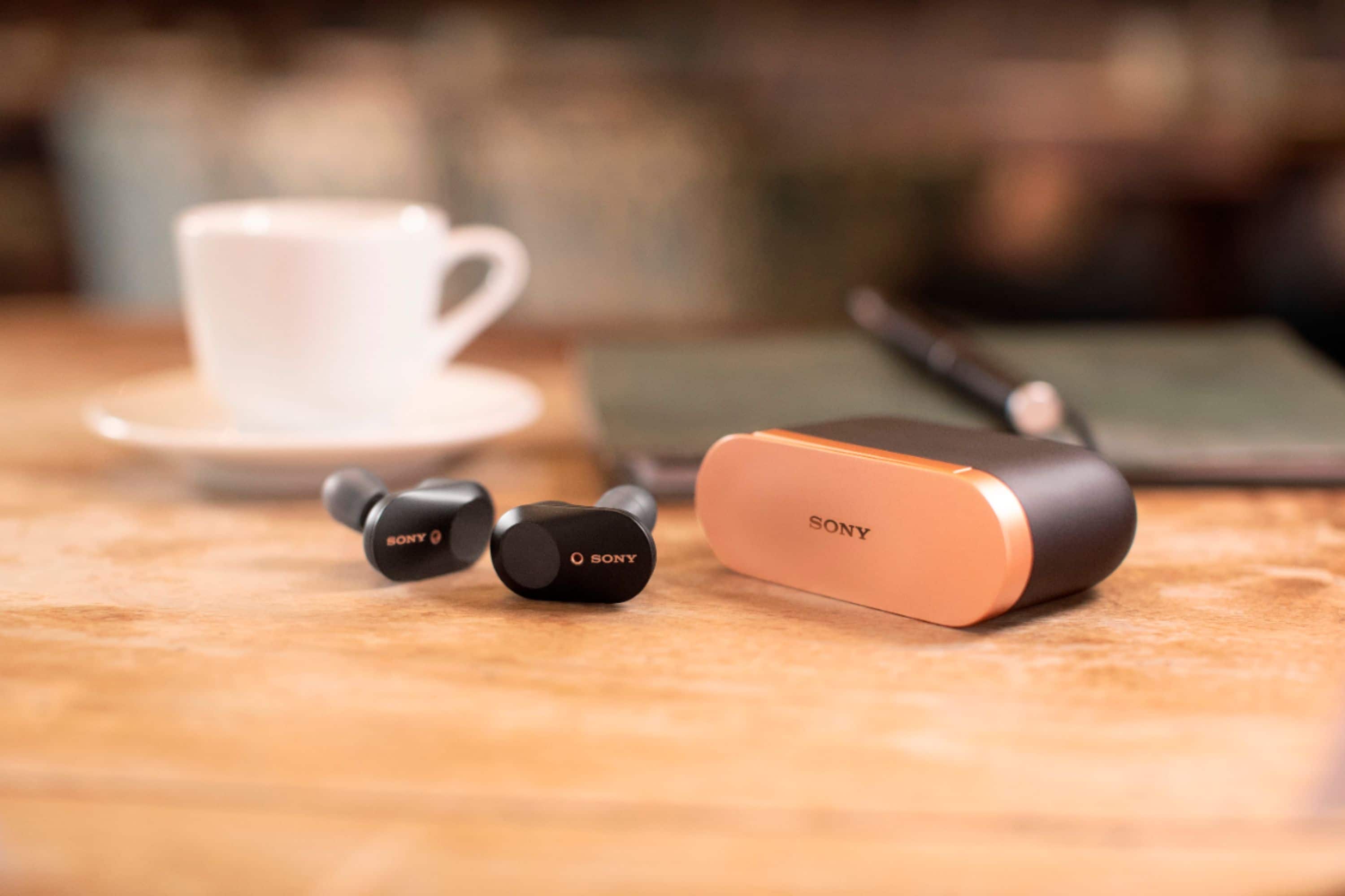

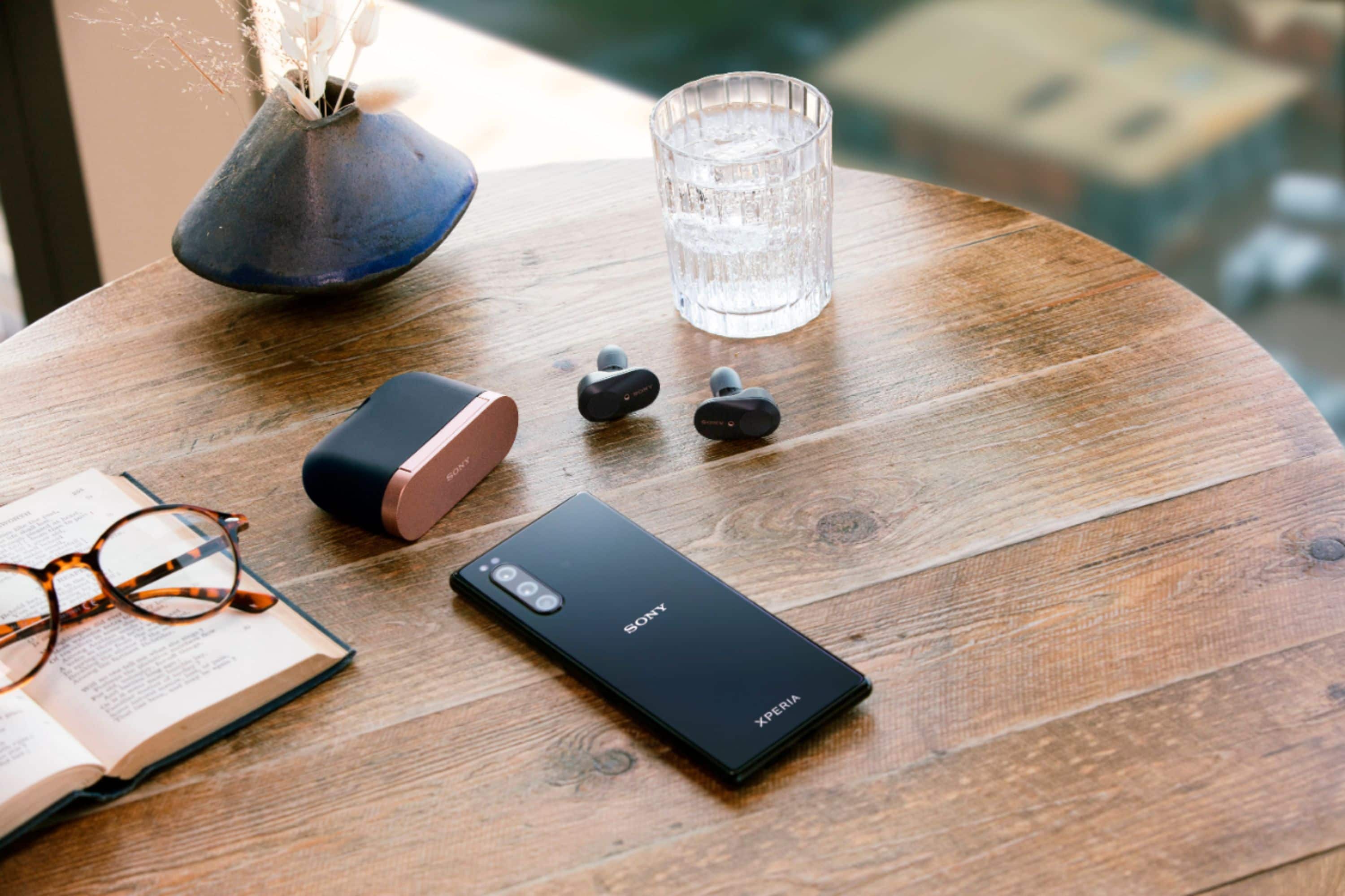




- Model:
- WF1000XM3/B
- SKU:
- 6359820
Rating by feature
- Sound Quality
Rating 4.6 out of 5 stars
- Battery Life
Rating 4.2 out of 5 stars
- Connectivity
Rating 4.1 out of 5 stars
Customers are saying
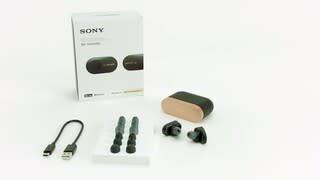
Customers frequently mention the excellent sound quality and great battery life of the WF-1000XM3 True Wireless Noise Cancelling In-Ear Headphones. Many also appreciate the comfortable fit and effective Active Noise Cancellation. However, some customers have concerns about the fit, connection stability, and water resistance, and a few would prefer a higher maximum volume.
This summary was generated by AI based on customer reviews.
- Cons mentioned:Fit
Sony’s
||Posted . Owned for 1 month when reviewed.This reviewer received promo considerations or sweepstakes entry for writing a review.Terrible fit! It hangs out of ear, feels cheap and does not sound good!
No, I would not recommend this to a friendBrand response from SonyListens
Posted .Hi Lulu,
Thank you for the feedback on your experience with your WF-1000XM3 Wireless Noise-Canceling Headphones.
We're sorry to hear your having issues with your wireless headphones. We appreciate your feedback regarding the fit and sound quality of this WF-1000XM3. Sony commitment to customer satisfaction is our top priority. Please allow us to help you and turn this into a better experience.
The WF-1000XM3 comes with different sizes of earbuds to ensure there is a great fit for all ear sizes and an optimal noise canceling experience. As a suggestion, to reduce discomfort while wearing the headphones, we recommend to try to use the right size according to the size of your ears. When wearing them, please gently pull on the top of your ear as you twist the earbud into your ear. This should give you a firmer hold and better noise canceling experience. For more details, refer to the link below.
https://helpguide.sony.net/mdr/wf1000xm3/v1/en/contents/TP0002392265.html
For low sound quality, please try to follow the troubleshooting steps and guidelines on the links below:
https://helpguide.sony.net/mdr/wf1000xm3/v1/en/contents/TP0002289914.html
https://helpguide.sony.net/mdr/wf1000xm3/v1/en/contents/TP0002289889.html?search=about%20the%20sound
- To get the sound that you prefer, please try the different sound modes found in the Sony Headphones Connect app. There is even an EQ in there—which can be customized to fine-tune your music to your liking.
- Try playing another source on the device. For example, try another music app to see if the issue is with a particular app.
- When you listen to music from a computer on the headset, sound quality may be poor for the first few seconds after a connection is made. This is caused by the computer transmitting music at sound quality for communications at first, and it is not a malfunction.
Also, for optimum performance, please make sure that your headphones are running on the latest firmware version. The software includes key features, applications, bug fixes, and feature improvements. For instructions, please check the link here: https://www.sony.com/electronics/support/wireless-headphones-bluetooth-headphones/wf-1000xm3/downloads
If you are still having the same issue, you can email us at socialsupport@am.sony.com with the following details:
Name:
Best Buy Username:
Model Number:
Issue:
Telephone Number:
We are sorry for the inconvenience and hope to speak to you to resolve this matter.
We appreciate you and thanks for letting us help assist you.
Sincerely,
Jess
- Cons mentioned:Connection
Heard set
||Posted . Owned for 3 weeks when reviewed.This reviewer received promo considerations or sweepstakes entry for writing a review.Bad product disconnect every five minutes, try to reset nothing works
No, I would not recommend this to a friendBrand response from SonyListens
Posted .Hi Rodpal12,
Thanks for sharing your experience so far with your new WF-1000XM3 headphones.
We regret your experience with our product and we apologize if the unit disconnects from the paired device every five minutes. We have taken note of your issues. Customer feedback is important to us because it helps us improve our products for the future. Thank you for sharing your experience. Please allow us to help you and turn this into a better experience. The communication between the devices will be poor if there is an obstruction between the unit and the connected device. Try the following:
• For Bluetooth connection issue: The WF-1000XM3 has a new Bluetooth chip and an optimized antenna design to provide a stable connection for hours of wireless streaming. To ensure you get the best Bluetooth connection, please set the headphones Bluetooth Connection Mode to “Priority on stable connection”.
https://helpguide.sony.net/mdr/wf1000xm3/v1/en/contents/TP0002289921.html
-Change the position or location of the unit or connected device.
-If the connected device has a cover on it, take it off to improve the communication distance.
-If the connected device is in a bag or in a pocket, try moving the position of the device.
-Place the devices closer together to improve signal transmission
• If the issue still occurs, please make sure that your headphones are running on the latest firmware version. The software includes key features, applications, bug fixes, and feature improvements. For instructions, please check the link here: https://www.sony.com/electronics/support/wireless-headphones-bluetooth-headphones/wf-1000xm3/downloads
If this does not help, please email us at socialsupport@am.sony.com with the following details:
Name:
Best Buy Username:
Model Number:
Issue:
Telephone Number:
We are sorry for the inconvenience and hope to speak to you to resolve this matter.
We appreciate you and thanks for shopping Sony!
Sincerely,
- Cons mentioned:Fit
Not good quality
||Posted . Owned for 8 months when reviewed.This reviewer received promo considerations or sweepstakes entry for writing a review.To bulky and the sound was not to good very disappointing
No, I would not recommend this to a friendBrand response from SonyListens
Posted .Hi Baby6969, we regret to hear that the design is too bulky. For sound quality issues, please refer to the Help Guide below for the troubleshooting steps to follow.
https://helpguide.sony.net/mdr/wf1000xm3/v1/en/index.html
If this does not help, please email us at socialsupport@am.sony.com with the following details:
Name:
Best Buy Username:
Model Number:
Issue:
Telephone Number:
Sincerely,
Erin
- Pros mentioned:Sound quality
Poor noise cancellation
||Posted .This reviewer received promo considerations or sweepstakes entry for writing a review.Noise cancellation is very poor. Sound and ear fit are good.
No, I would not recommend this to a friendBrand response from SonyListens
Posted .Hi ea1037,
We do apologize for the inconvenience. There are a few ways to check if Noise Canceling is On. Place both earbuds in the charging case, leave them for a few seconds, and then remove them from the charging case.
After they are removed from the charging case, the Noise canceling function will be on.
While wearing the headphones, tap the touch sensor until you hear Noise canceling.
In the default setting, tap the touch sensor to change the Ambient Sound Control function.
If your headphones don't switch to the Noise canceling function, try tapping one time quickly (about 0.3 seconds). If the contact time between the touch sensor and finger is too long, the mode switches to Quick Attention mode instead of the Noise canceling function. More details on the link below.
https://www.sony.com/electronics/support/wireless-headphones-bluetooth-headphones/wf-1000xm3/articles/00229318
Regards,
David
Garbage product & customer support is joke
||Posted . Owned for 3 months when reviewed.This reviewer received promo considerations or sweepstakes entry for writing a review.Worst product ever. Does not work properly, called tech support…they were able to wipe my phone clean of this product and secured my phone from ever recognizing the earbuds permanently. Would not buy nor would I receive if they were free or if Sony paid me money to take their product. Complete garbage.
No, I would not recommend this to a friendBrand response from SonyListens
Posted .Hi Sonygarbage, We are sorry to hear that the headphones do not work properly. This is definitely not the experience we'd like you to have. We'd love to help you troubleshoot your problem and turn this into a better experience.
May we contact you to help and get more information? If, please send us an email at socialsupport@am.sony.com with the following details:
Name:
Username:
Model Number:
Issue:
Telephone Number:
Sincerely,
Erin
Horrible sound
||Posted . Owned for 8 months when reviewed.This reviewer received promo considerations or sweepstakes entry for writing a review.Look good in ear but sound is not satisfying very bad choice I made when I purchased these
No, I would not recommend this to a friendBrand response from SonyListens
Posted .Hi ChiefM, we are sorry to hear that you're having an issue with the sound, This is definitely not the experience we want you to have. We'd love to help you troubleshoot your problem and turn this into a better experience.
We recommend following the troubleshooting steps on the Help Guide to fix the sound-related issues.
https://helpguide.sony.net/mdr/wf1000xm3/v1/en/search/search.html?search=sound
If you haven't tried it yet, please download the Sony | Headphones Connect App includes Adaptive Sound Control—which automatically adjusts noise canceling to your surroundings and an equalizer—which can be customized to fine-tune your music.
Should you need further assistance, please email us at socialsupport@am.sony.com with the following details:
Name:
Username:
Model Number:
Issue:
Telephone Number:
Sincerely,
Erin
- Cons mentioned:Connection
Didn’t work with iPhone 11
||Posted .This reviewer received promo considerations or sweepstakes entry for writing a review.Did not work with iPhone 11 Pro Max. Does not automatically pair with phone.
No, I would not recommend this to a friendBrand response from SonyListens
Posted .Hello, Ultbossa!
We regret to hear about this experience, please email us at [email protected] with the following details so we can help you out:
Name:
Username:
Model Number:
Issue:
Telephone Number:
Sincerely,
Zac
Sony Social Support
Not worth it
||Posted . Owned for 1 month when reviewed.This reviewer received promo considerations or sweepstakes entry for writing a review.Keeps stopping while playing, also the sound quality is not good at all.
No, I would not recommend this to a friendBrand response from SonyListens
Posted .Hi Tgiraffe,
Thank you for the feedback on your experience with your WF-1000XM3. We're sorry to hear that you are having some audio issues. The communication between the devices will be poor if there is an obstruction between the unit and the connected device. As a suggestion, you may try setting the Sound quality mode to Priority on stable connection and see if it resolves the problem. Also, check that the headphones are running on the latest firmware version. The software includes key features, applications, bug fixes, and feature improvements.
https://www.sony.com/electronics/support/wireless-headphones-bluetooth-headphones/wf-1000xm3/downloads
For low sound quality, please try to follow the troubleshooting steps and guidelines on the links below:
https://helpguide.sony.net/mdr/wf1000xm3/v1/en/contents/TP0002289914.html
https://helpguide.sony.net/mdr/wf1000xm3/v1/en/contents/TP0002289889.html
To get the sound that you prefer, please try the different sound modes found in the Sony Headphones Connect app. There is even an EQ in there—which can be customized to fine-tune your music to your liking. Also, try playing another source on the device. For example, try another music app to see if the issue is with a particular app.
If you are still having the same issues, you can email us at socialsupport@am.sony.com with the following details:
Name:
Best Buy Username:
Model Number:
Issue:
Telephone Number:
We are sorry for the inconvenience and hope to speak to you to resolve this matter
Sincerely,
Jess
broken after 3 uses
||Posted . Owned for 2 weeks when reviewed.This reviewer received promo considerations or sweepstakes entry for writing a review.I looked forward to these headphones and pre-ordered them for use on a trip. They worked well the first two times I used them then the left in-ear headphone went dead and will not respond or charge. I had owned the headphones for less than two weeks. This makes me wonder about their long term reliability. Get an extended warranty if you are going this way. Cool product though.
No, I would not recommend this to a friendBrand response from SonyListens
Posted .Hello, Lotusfla!
We regret to hear about this experience, please email us at [email protected] with the following details so we can help you out:
Name:
Username:
Model Number:
Issue:
Telephone Number:
Sincerely,
Zac
Sony Social Support
Sound quality the best but
||Posted . Owned for 2 weeks when reviewed.This reviewer received promo considerations or sweepstakes entry for writing a review.The ear plugs will keep falling out don’t matter who use it or what adapter you buy. Terrible ear fit
No, I would not recommend this to a friendBad ear buds
||Posted . Owned for 1 week when reviewed.This reviewer received promo considerations or sweepstakes entry for writing a review.This ear bud made a lot of popping sound, it wasn't noise cancelling. We could hear everything on the background. We couldn't hear what the person was saying. We thought maybe it's defective so I exchange it for another one. It was the same thing. Still made the popping sound and not a noise cancelling ear buds. It sucks. I would not recommend it for any body.
No, I would not recommend this to a friendBrand response from SonyListens
Posted .Hi, Chipamput!
This is not the experience we want you to have. So sorry if you're having an issue with the sound and noise cancelation. Please try following the recommended step on the Help Guide to isolate the issue.
https://helpguide.sony.net/mdr/wf1000xm3/v1/en/index.html
I hope this helps but if you still need assistance, do not hesitate to drop us an email at [email protected] with the following details:
Name:
Best Buy Username:
Model Number:
Issue:
Telephone Number:
Sincerely,
Erin
- Cons mentioned:Connection
Not all that good
||Posted . Owned for 2 weeks when reviewed.This reviewer received promo considerations or sweepstakes entry for writing a review.Always coming disconnected very poor item and cost way to much
No, I would not recommend this to a friend - Cons mentioned:Fit
not good
||Posted . Owned for 3 months when reviewed.This reviewer received promo considerations or sweepstakes entry for writing a review.uncomfortable and fall out of the ears a bunch, do not recommend
No, I would not recommend this to a friendBrand response from SonyListens
Posted .Hi Sephis, we're sorry to hear this. To ensure optimal performance with noise canceling, as well as to obtain the best fit and prevent the headsets from falling out, please refer to one or both of the following:1. Help Guide https://helpguide.sony.net/mdr/wf1000xm3/v1/en/contents/TP0002392265.html2. Animated Tutorial on the Sony Headphones Connect app (ref https://helpguide.sony.net/mdr/hpc/v1/en/contents/TP0001548864.html?search=tutorial)
~Earl
- Pros mentioned:Battery life, Sound qualityCons mentioned:Fit, Water resistance
5 Star Earbuds.. if they fit.
Posted .This reviewer received promo considerations or sweepstakes entry for writing a review.As these are the first pair of wireless earbuds that I've actually used, I can't compare the features and sound quality to the competition but safe to say, you won't be disappointed with either. Excellent sound quality, fairly convenient controls, solid charging case and battery life. The noise cancelling is also brilliant assuming.. they stay in your ears. That brings us to the reason these lost 2 stars. I can't for the life of me, having experimented with all of the earbud options it comes with, get these to actually stay in my ears when on the move. I was disappointed to realize post-purchase that these are not intended for and simply will not work through any form of exercise. They aren't water-resistant and simply won't stay put in your ears. The bigger issue lies in the fact that for every 40 regular steps I take with these in, I'll have to re-secure them in my ears. Just yawned? Oops, they're half way out. It's a little baffling as I've never had issues with earbuds fitting in the past and safe to say, the last thing you want is your $200+ earbuds dropping to the floor every 30 seconds. Still giving 3 stars as they may fit for you and will be a great option if so. I'm simply saddened that I missed the refund window given how much these cost.
No, I would not recommend this to a friendBrand response from SonyListens
Posted .Hi, Nickthename!
We provide an assortment of earbuds in various sizes to ensure there is a great fit for all ear sizes and an optimal noise-canceling experience. To ensure optimal performance with noise canceling, as well as to obtain the best fit and prevent the headsets from falling out, please refer to one or both of the following:
Help Guide https://helpguide.sony.net/mdr/wf1000xm3/v1/en/contents/TP0002392265.html
Animated Tutorial on the Sony Headphones Connect app (ref https://helpguide.sony.net/mdr/hpc/v1/en/contents/TP0001548864.html?search=tutorial)”
Instructional Video https://youtu.be/HnXJ_f2nbb4
~Earl
Another disappointing Sony product
||Posted . Owned for 2 months when reviewed.This reviewer received promo considerations or sweepstakes entry for writing a review.Quality audio is very important to me because I enjoy music so much. Regardless of which ear tips I used, the sound was terrible. There was little to no bass and I felt like I was listening to a 1983 Walkman. Don't waste your money. Due to Best Buy's 14 day return policy, I took them back the same day that I bought them.
No, I would not recommend this to a friendBrand response from SonyListens
Posted .Hi MarkinFortWayne,
Thank you for the feedback on your experience with your WF-1000XM3. We value your opinion and we would like to apologize if the unit did not meet your expectations particularly with the sound quality. As a suggestion, you may try the built-in equalizer on the Sony headphones connect app which can be customized to fine-tune your music. Also, we provide an assortment of earbuds in various sizes to ensure there is a great fit for all ear sizes and an optimal noise-canceling experience.
For a better sound quality, you can switch the settings with the “Sony | Headphones Connect” app. Set the headset to “Priority on sound quality” mode and bring the headset closer to the Bluetooth device. Remove any obstacles between the headset and the Bluetooth device. We regret to know that the unit had to be returned. Thank you for sharing your feedback, it helps us improve our future products.
We hope that you will shop Sony again in the future.
Regards,
Jess
Totally Sucked
||Posted . Owned for less than 1 week when reviewed.This reviewer received promo considerations or sweepstakes entry for writing a review.This product is a piece of crap. I got a low battery warning after an hour of usage, battery charge fall to 70% after 30 minutes of usage, and all of this after charging those thing for several hours. I only had them for 24 hours and returned them. Noise cancelling was completely awful. Don't waste your time.
No, I would not recommend this to a friendBrand response from SonyListens
Posted .Hi dexd, We regret to hear about your experience with your Sony wireless headphones. This is definitely not the experience we want you to have. To isolate this issue, we can reset/initialize the settings of the unit by following the guide here:
https://helpguide.sony.net/mdr/wf1000xm3/v1/en/contents/TP0002289925.html
https://helpguide.sony.net/mdr/wf1000xm3/v1/en/contents/TP0002289926.html
Do not forget to update the firmware to improve the performance of the unit and resolve any possible software-related issues: https://www.sony.com/electronics/support/wireless-headphones-bluetooth-headphones/wf-1000xm3/downloads.
Should you need further assistance, you can email us at socialsupport@am.sony.com with the following details:
Name:
Best Buy Username:
Model Number:
Issue:
Telephone Number:
Sincerely,
Vincent
Ok
||Posted . Owned for 1 year when reviewed.This reviewer received promo considerations or sweepstakes entry for writing a review.The battery life dont last long other then that they are ok
No, I would not recommend this to a friendBrand response from SonyListens
Posted .Hi Magallon,
Thanks for taking the time to review your WF-1000XM3. We value your input regarding the battery life of the product and appreciate the feedback.
For available operating time of the unit, the usage hours may be different depending on the settings and conditions of use. When the Equalizer function is used, the playback time will be shorter by about 45% at most. To conserve battery life, check the following link below.
https://www.sony.com/electronics/support/wireless-headphones-bluetooth-headphones/wf-1000xm3/articles/00229317
Despite your concerns, we're glad that you like most of the features of the unit. Thanks for your feedback.
If you are still having the same issue, make sure that your headphones are running on the latest firmware.
If you need further assistance, you can email us at socialsupport@am.sony.com with the following details:
Name:
Best Buy Username:
Model Number:
Issue:
Telephone Number:
Sincerely,
Jess
Sound quality
||Posted . Owned for 1 month when reviewed.This reviewer received promo considerations or sweepstakes entry for writing a review.Not what I expected sound quality was not as good as the Jabra 85t
No, I would not recommend this to a friendBrand response from SonyListens
Posted .Hi Mark,
Thank you for the feedback on your experience with your WF-1000XM3 True Wireless Noise-Canceling Headphones. We're sorry to hear you're having issues with your wireless headphones. We appreciate your feedback regarding the sound quality of this WF-1000XM3. Sony commitment to customer satisfaction is our top priority. Please allow us to help you and turn this into a better experience.
For low sound quality, please try to follow the troubleshooting steps and guidelines on the links below:
https://helpguide.sony.net/mdr/wf1000xm3/v1/en/contents/TP0002289914.html
https://helpguide.sony.net/mdr/wf1000xm3/v1/en/contents/TP0002289889.html
- To get the sound that you prefer, please try the different sound modes found in the Sony Headphones Connect app. There is even an EQ in there—which can be customized to fine-tune your music to your liking.
- Try playing another source on the device. For example, try another music app to see if the issue is with a particular app.
- When you listen to music from a computer on the headset, sound quality may be poor for the first few seconds after a connection is made. This is caused by the computer transmitting music at sound quality for communications at first, and it is not a malfunction.
Also, for optimum performance, please make sure that your headphones are running on the latest firmware version. The software includes key features, applications, bug fixes, and feature improvements. For instructions, please check the link here: https://www.sony.com/electronics/support/wireless-headphones-bluetooth-headphones/wf-1000xm3/downloads
Should you need further assistance, please let us know so we can turn your experience around. Kindly drop us an email at socialsupport@am.sony.com with the following details:
Name:
Best Buy Username:
Model Number:
Issue:
Telephone Number:
Sincerely,
Jess
- Pros mentioned:Battery life, Sound quality

Definitely install app to tweak sound!
|Posted .This reviewer received promo considerations or sweepstakes entry for writing a review.I have tried a LOT of completely wireless earbuds and these are my favorites. The shape is different, but it works. The touch controls are intuitive and sensitive enough to work but not so much that you hit them by accident. The charging case looks like a battery with its copper top, but it’s well made and it gives two full days of charge, including 80% rapid charge after twenty minutes! Sony thoughtfully provides silicone AND memory foam adapters in every size for a comfy fit, and they do not fall out. Noise cancelling is flawless. I don’t use the auto adjust, personal preference is to turn off and on manually, but auto does work when running or riding. If you want to shut out the world (or just your office mates) these do the trick nicely without sacrificing one bit of sound quality. My biggest complaint right out of the box was the sound. However, once I drove around the app a bit, I found the equalizer. WOW! I’m in love now. The bass is amazing, mids are clear and treble is not tinny. Make sure you do MANUAL EQ, and not any of the canned sound settings that come in the app. They are not well tuned and end up giving distorted sound. Take the time to adjust in the app, and you will love these little gems too!
I would recommend this to a friend He doesn’t sound good for me
||Posted . Owned for 1.5 years when reviewed.This reviewer received promo considerations or sweepstakes entry for writing a review.Nop I don’t like this product, It doesn’t sound good for me
No, I would not recommend this to a friendBrand response from SonyListens
Posted .Hi Lulu,
Thank you for the feedback on your experience with your WF-1000XM3 Wireless Noise-Canceling Headphones. We appreciate your feedback regarding sound quality of the unit. Please allow us to help you and turn this into a better experience. For low sound quality, please try to follow the troubleshooting steps and guidelines on the links below:
https://helpguide.sony.net/mdr/wf1000xm3/v1/en/contents/TP0002289914.html
https://helpguide.sony.net/mdr/wf1000xm3/v1/en/contents/TP0002289889.html
- To get the sound that you prefer, please try the different sound modes found in the Sony Headphones Connect app. There is even an EQ in there—which can be customized to fine-tune your music to your liking.
- Try playing another source on the device. For example, try another music app to see if the issue is with a particular app.
- When you listen to music from a computer on the headset, sound quality may be poor for the first few seconds after a connection is made. This is caused by the computer transmitting music at sound quality for communications at first, and it is not a malfunction.
Also, for optimum performance, please make sure that your headphones are running on the latest firmware version. The software includes key features, applications, bug fixes, and feature improvements. For instructions, please check the link here: https://www.sony.com/electronics/support/wireless-headphones-bluetooth-headphones/wf-1000xm3/downloads
If there is something that we can help you with, please email us at socialsupport@am.sony.com with the following details:
Name:
Best Buy Username:
Model Number:
Issue:
Telephone Number:
Sincerely,
Jess