Customer Ratings & Reviews



- Model:
- WFXB700/L
- SKU:
- 6408363
Rating by feature
- Sound Quality
Rating 4.6 out of 5 stars
- Battery Life
Rating 4.5 out of 5 stars
- Connectivity
Rating 4.5 out of 5 stars
Customers are saying
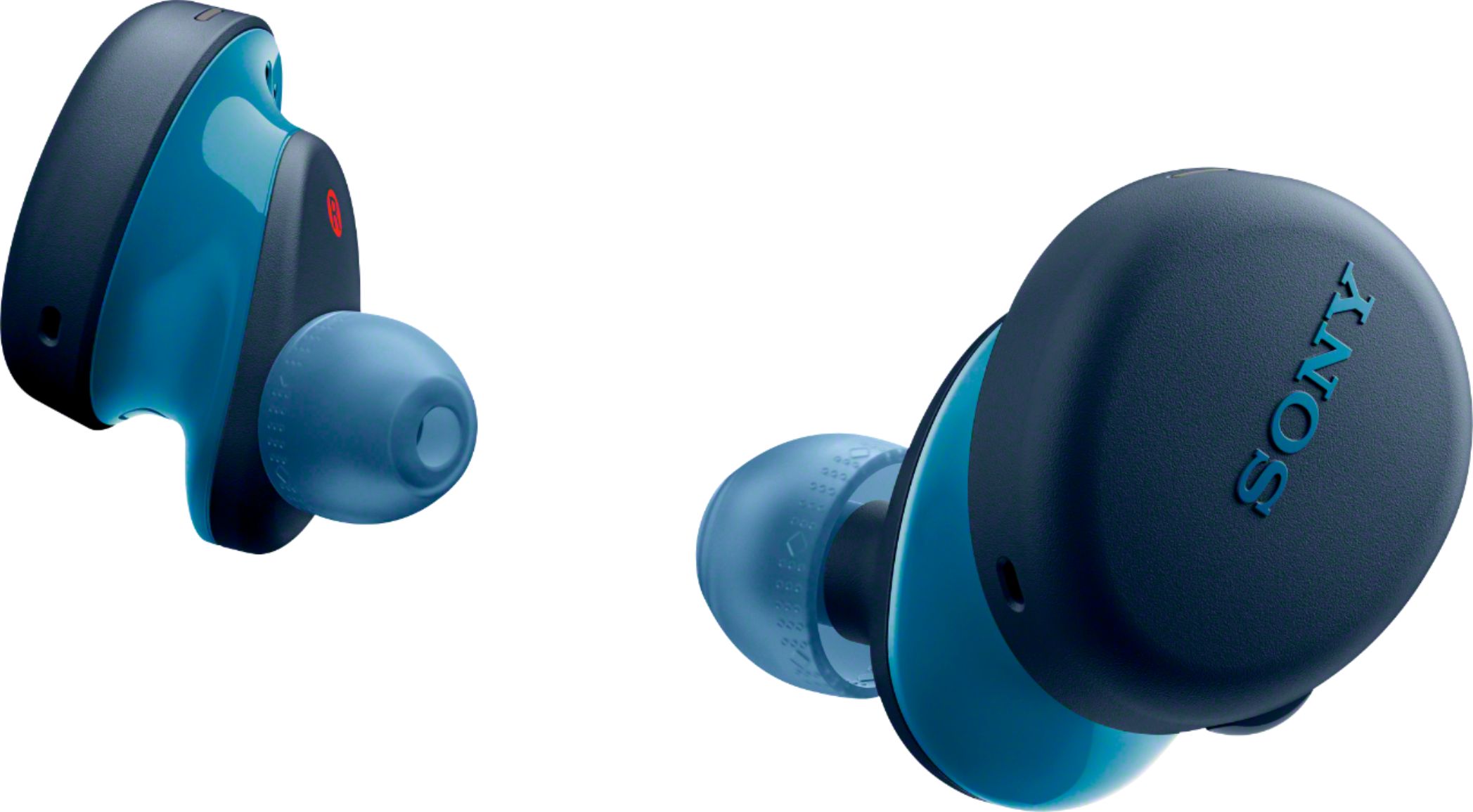
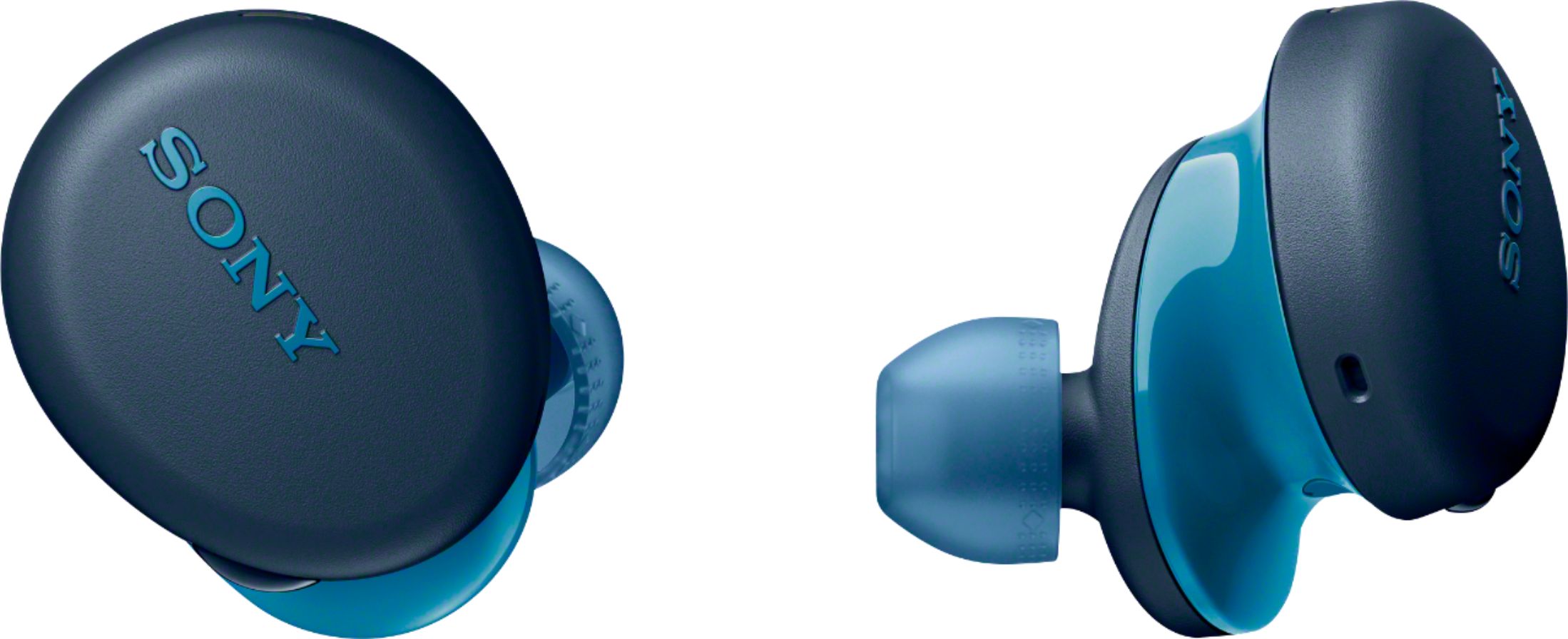
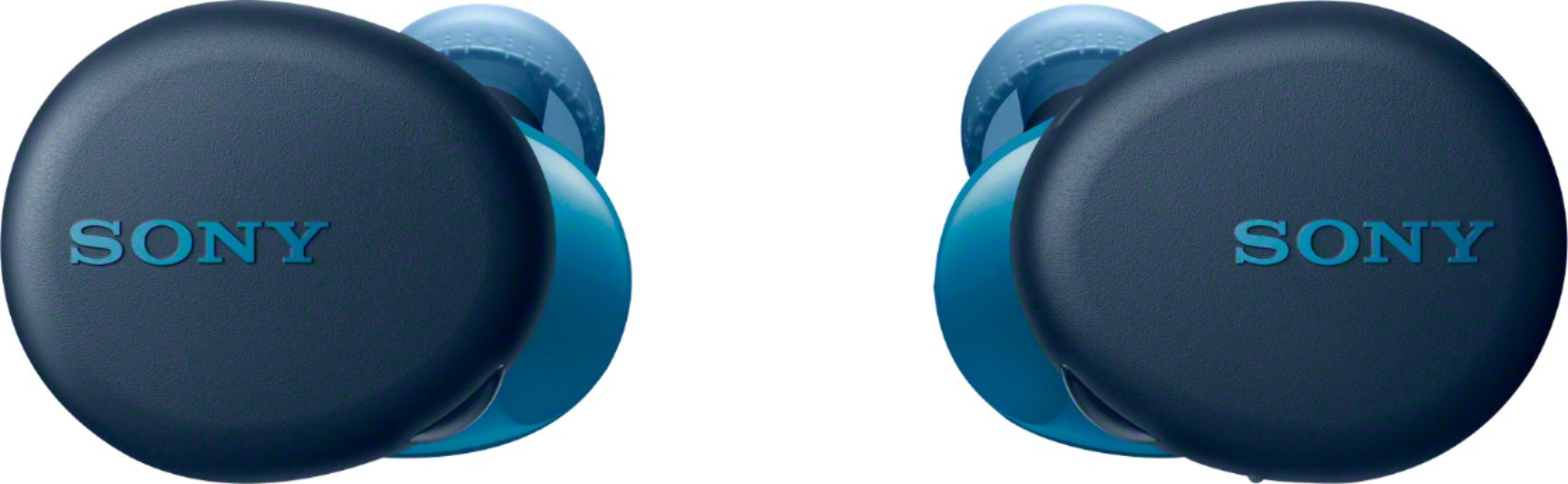
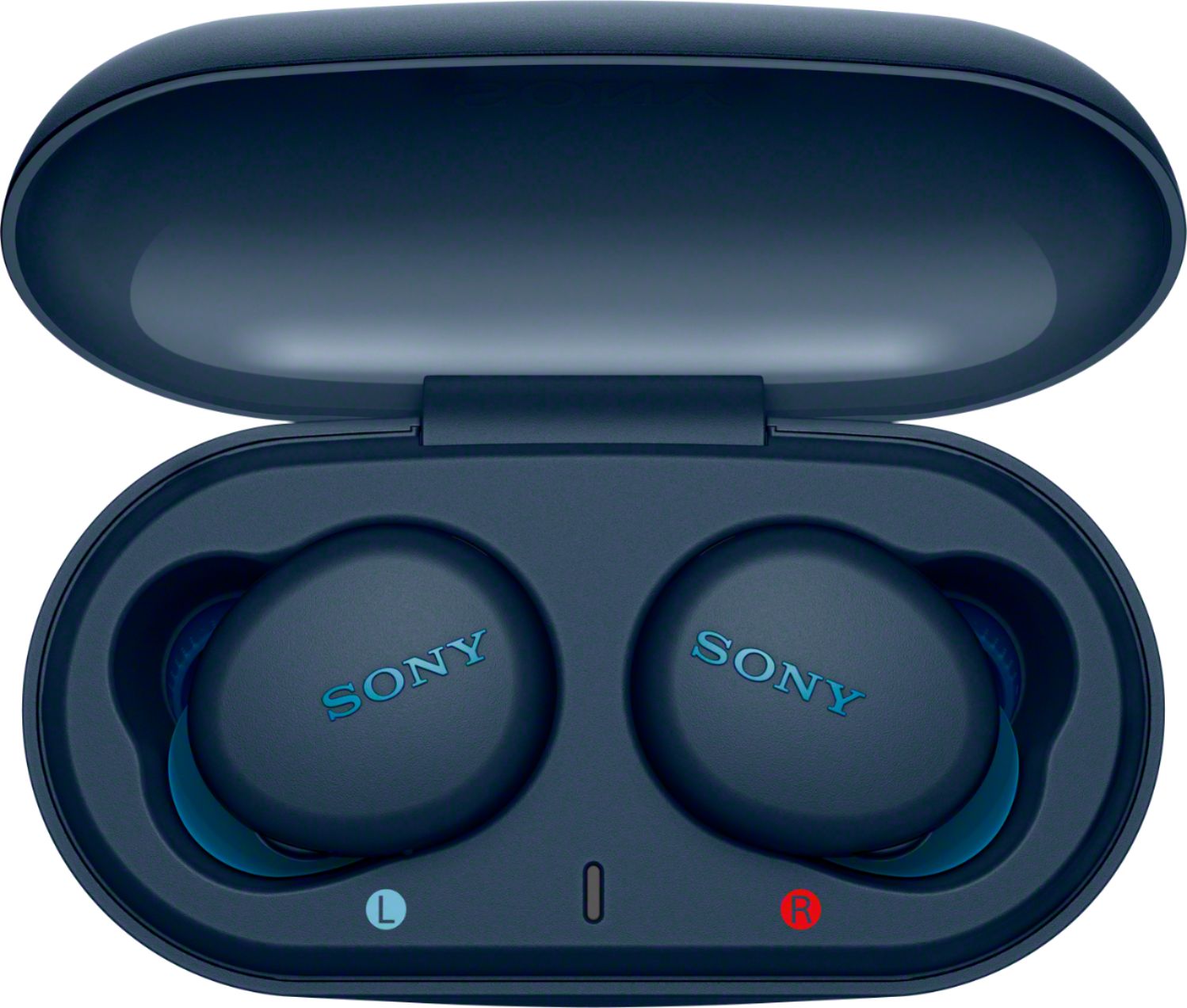
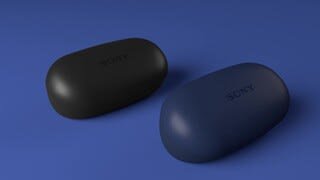
Customers express satisfaction with the WF-XB700 True Wireless In-ear Headphones, particularly praising the sound quality, battery life, bass, comfort, and price. Many customers find the sound quality to be great, with a perfect amount of bass. The battery life is also seen as a major pro, with many customers commenting on how long it lasts. Additionally, the headphones are considered comfortable to wear and are praised for their value for the price. On the downside, some customers have expressed concerns about the fit of the headphones, finding them to be a bit bulky. Others have mentioned that the volume could be louder.
This summary was generated by AI based on customer reviews.
- Pros mentioned:Sound quality
Not reliable one !!
||Posted . Owned for 4 months when reviewed.This reviewer received promo considerations or sweepstakes entry for writing a review.The sound quality was great. Unfortunately, the right earbud loses power after 3 months of usage. And it auto disconnects from the Bluetooth and I've to reconnect it again.
No, I would not recommend this to a friend Not very impressive
||Posted . Owned for 1 month when reviewed.This reviewer received promo considerations or sweepstakes entry for writing a review.Fit was pretty good but uncomfortable after about an hour. Bass was not strong enough to be marketed as bass headphones. I exchanged these for Jabra 75 and I am much more satisfied. Don't underestimate the lack of a good app for the Sonys.
No, I would not recommend this to a friendBrand response from SonyListens
Posted .Hi StillDatDude, we are sorry to hear that the headphones had to be returned. We take into consideration all feedback to improve the performance and quality of our products. Please ensure to select correct size of earbuds. Erin

- Pros mentioned:Sound quality

Very Good For Phone Talking
|Posted .This reviewer received promo considerations or sweepstakes entry for writing a review.Been using these new headphones for 2 weeks now and they really are exceptional for the telephone conversations I do. I can hear the other end clear and crisp. The other end can hear me without having to repeat and zero static or have no interference from other Bluetooth devices around me. They are also better then I expected for listening to music. Was easy to pair to my phone and they do automatically when removed from the carrying case and case recharges headset fast. Top notch product and I like that they are black.
I would recommend this to a friendBrand response from SonyListens
Posted .Hi greyresearcher, We are glad to hear you are enjoying your new WF-XB700 Truly Wireless Extra Bass Headphones. The WF-XB700s give you great deep and punchy sound in a bold distinctive look. The WF-XB700 headphones keep you going with up to 18 hours of battery life plus the ability to get 60 minutes of use from a 10 minute quick charge. The Ergonomic Tri-hold structure provides a secure fit, and the IPX4 design gives you long-lasting sound through rain and sweat. Erin
Not really a fan of this item
||Posted . Owned for 3 weeks when reviewed.This reviewer received promo considerations or sweepstakes entry for writing a review.I prefer the ear buds that hang around the neck and dont have to be in your ears all the time. Also the sound quality is mediocre on a phone call as I use it mostly for phone conversations.
No, I would not recommend this to a friendBrand response from SonyListens
Posted .Hi Iamsoko, we regret to hear that the WFXB700 failed to meet your expectations. Please be assured we take this very seriously and continuously strive to improve our products. The WFXB700 comes in various sizes of earpiece. Please select the earpiece that best fits. Thanks for sharing your feedback. Regards, Erin
- Cons mentioned:Fit
Unusable
||Posted . Owned for 2 months when reviewed.This reviewer received promo considerations or sweepstakes entry for writing a review.Very uncomfortable. Too big. Stick out too far. Getting knocked out of your ear too easily. Such a bad poor design
No, I would not recommend this to a friend - Cons mentioned:Fit
Don't stay on the ear
||Posted .This reviewer received promo considerations or sweepstakes entry for writing a review.These earphones are good but it's very difficult to keep it on ear. Keeps slipping out and has fallen down often.
No, I would not recommend this to a friendBrand response from SonyListens
Posted .Hi Legolas, We regret to hear that your Sony wireless in-ear headphones do not stay on your ears. Our WF-XB700 headphones come with different sizes of earbuds. Please make sure to use the right size of earbuds, or change the earbuds to another size to comfortably and snugly fit your left and right ears. We also recommend wearing the headset correctly to prevent them from falling. Insert the headset units into both ears. Put the unit with the (left) mark on your left ear and the unit with the (right) mark on your right ear. The left unit has a tactile dot. Twist the headset to slide the earbud deep into your ear. The earbud will be easier to slide deep into your ear if you pull up on the top of the ear lightly while twisting the headset.
Should you need further assistance, you can email us at socialsupport@am.sony.com with the following details:
Name:
Best Buy Username:
Model Number:
Issue:
Telephone Number:
Sincerely,
Vincent
Bad Sony wireless earbuds
||Posted . Owned for 3 weeks when reviewed.This reviewer received promo considerations or sweepstakes entry for writing a review.Horrible sound quality. These headphones are so horrible that I stopped using them and went out and purchased AirPods. Do not waste your money with the Sony wireless air buds.
No, I would not recommend this to a friendBrand response from SonyListens
Posted .Hi Bossman, thank you for purchasing WF-XB700 Truly Wireless Extra Bass Headphones. We regret that the sound quality did not meet your expectations. We appreciate all of your feedback as it helps improve the product.
To ensure you're getting the optimal audio experience, please follow the guidelines and steps below:
Turn up the volume of the connected device.
Try to adjust the equalizer accordingly on your Bluetooth device.
Switch the Bluetooth connection to A2DP with the connected device when the headset and the transmitting Bluetooth device are connected via an HFP or HSP Bluetooth connection.
Reference: https://helpguide.sony.net/mdr/wfxb700/v1/en/index.html
If this does not help, please email us at [email protected] with the following details:
Name:
Best Buy Username:
Model Number:
Issue:
Telephone Number:
Sincerely,
- Cons mentioned:Fit
Earbuds
||Posted .This reviewer received promo considerations or sweepstakes entry for writing a review.Was looking for a product that would not continuously fall out of my ear. This product did not stay in my ears.
I would recommend this to a friendBrand response from SonyListens
Posted .Hi Bonnie,
Thank you for the feedback on your experience with your WF-XB700 True Wireless Extra Bass Stereo Headphones.
We're sorry if our WF-XB700 Truly Wireless Headphones did not fit you well causing them to fall out. We value your input and appreciate the feedback. Please allow us to help you and turn this into a better experience.
For fit concern, the WF-XB700 features an Ergonomic Tri-hold structure design for a snugly and comfortably fitting. This does also come with an assortment of earbuds in various sizes to ensure there is a great fit for all ear sizes. To ensure optimal performance, as well as to obtain the best fit and prevent the headset from falling out, you will need to twist the headset to slide the earbud deep into your ear. For detailed instructions on how to wear these wireless headset, you may check out the Setup Guide for this unit.
https://helpguide.sony.net/mdr/wfxb700/v1/en/contents/TP0002755518.html
If you need further assistance, you can email us at socialsupport@am.sony.com with the following details:
Name:
Best Buy Username:
Model Number:
Issue:
Telephone Number:
We are sorry for the inconvenience and hope to speak to you to resolve this matter.
We appreciate you and thanks for shopping Sony!
Sincerely,
Jess
- Pros mentioned:Bass, Battery life
All about that bass
|Posted .This reviewer received promo considerations or sweepstakes entry for writing a review.Overall functionally these headphones are pretty reminiscent of most of the versions out there aka charging case, multiple ear tips, and overall pretty good battery life. The main thing that makes these things different is the bass and oh boy is it different (in a good way!) My favorite understated track for testing bass is Promises by Nero. There's a heavy bass drop about a minute in that has a warbled bass tone that you generally can't hear on wireless headphones. I am pleased to say you can absolutely hear it on these. The only other major difference I noticed was that the seal on the eartips was pretty tight due to the design of the earbuds so if you're one of those that suffer from hearing yourself walk when you have earbuds in, these will rank high on the hearing yourself scale. Benefit for everyone else is it provides a great passive noise barrier though!
I would recommend this to a friendBrand response from SonyListens
Posted .Hi Rivae, We are glad to hear you are enjoying your new WF-XB700 Truly Wireless Extra Bass Headphones. The WF-XB700s give you great deep and punchy sound in a bold distinctive look. The WF-XB700 headphones keep you going with up to 18 hours of battery life plus the ability to get 60 minutes of use from a 10 minute quick charge. The Ergonomic Tri-hold structure provides a secure fit, and the IPX4 design gives you long-lasting sound through rain and sweat. Erin
- Cons mentioned:Fit
Not so great wireless earbud
||Posted . Owned for 3 weeks when reviewed.This reviewer received promo considerations or sweepstakes entry for writing a review.The reason why I gave it one star I’m a female buds are too big keep falling on my ears Just to bulking
No, I would not recommend this to a friendBrand response from SonyListens
Posted .Hi Misschin, we regret to hear that the earbud size did not meet your expectations. We appreciate all of your feedback as it helps improve the product. If the earbuds tend to come off, please change the earbuds to another size to comfortably and snugly fit your left and right ears and wear the unit correctly.
The earbud will be easier to slide deep into your ear if you pull up on the top of the ear lightly while twisting the headset.
I hope this helps. Should you need further assistance, please email us at [email protected] with the following details:
Name:
Best Buy Username:
Model Number:
Issue:
Telephone Number:
Sincerely,
Erin
- Cons mentioned:Fit
Dully
||Posted . Owned for 1 month when reviewed.This reviewer received promo considerations or sweepstakes entry for writing a review.Not good. They fall off very easily. U need a big ear to get them stay.
No, I would not recommend this to a friendBrand response from SonyListens
Posted .Hi Abdulanver,
Thank you for the feedback on your experience with your WF-XB700 True Wireless Extra Bass Stereo Headphones. We're sorry if our WF-XB700 Truly Wireless Headphones did not fit you well causing them to fall out. We value your input and appreciate the feedback. Please allow us to help you and turn this into a better experience.
For fit concern, the WF-XB700 features an Ergonomic Tri-hold structure design for a snugly and comfortably fitting. This does also come with an assortment of earbuds in various sizes to ensure there is a great fit for all ear sizes. To ensure optimal performance, as well as to obtain the best fit and prevent the headset from falling out, please use the right size according to the size of your ears. When wearing them, please gently pull on the top of your ear as you twist the earbud into your ear. For detailed instructions on how to wear these wireless headset, please check out the link below.
https://www.sony.com/electronics/support/wireless-headphones-bluetooth-headphones/wf-xb700/articles/00245709
If you need further assistance or more information about the product, you can email us at socialsupport@am.sony.com with the following details:
Name:
Best Buy Username:
Model Number:
Issue:
Telephone Number:
Sincerely,
Jess
Satisfactory
||Posted . Owned for 3 weeks when reviewed.This reviewer received promo considerations or sweepstakes entry for writing a review.What I do not like about these headphones is you cannot use the right ear buds by itself you have to have the left one on as well
No, I would not recommend this to a friendBrand response from SonyListens
Posted .Hi EdLoy, we regret to hear that the headphones did not meet your expectations. Please be assured we take this very seriously and continuously strive to improve our products. Regards, Erin
unhappy
||Posted .This reviewer received promo considerations or sweepstakes entry for writing a review.Poor instructions on how to connect to other devices. Unable to complete by myself and have to find others to help.
No, I would not recommend this to a friendBrand response from SonyListens
Posted .Hi Unhappy,
Thank you for sharing your thoughts and experience using your WF-XB700 True Wireless Extra Bass Stereo Headphones.
We are sorry to hear you are having trouble pairing and connecting your WF-XB700 to Bluetooth device. We will surely take note of your feedback as we always strive to make this a better experience. Please allow us to help you and turn this into a better experience.
For pairing issue: Bring the headset and the Bluetooth device within 1 m (3 feet) from each other. When pairing for the first time after purchasing, initializing, or repairing the headset, the headset enters pairing mode automatically if you remove the headset from the charging case. To pair a second or subsequent device, press and hold the buttons on both the left and right units at the same time for about 7 seconds to enter pairing mode.
To pair and connect with a Bluetooth device
1. Remove both units of the headset from the charging case.
The headset turns on automatically. Check that the indicators (blue) flash.
2. Enter pairing mode on this headset.
Check that the indicator (blue) on the left unit of the headset repeatedly flashes twice in a row.
You will hear the voice guidance say, “Bluetooth pairing”, from the left unit of the headset.
3. Perform the pairing procedure on the Bluetooth device to search for this headset.
[WF-XB700] will be displayed on the list of detected devices on the screen of the Bluetooth device.
If it is not displayed, repeat from step 2.
4. Select [WF-XB700] displayed on the screen of the Bluetooth device for pairing.
5. Make the Bluetooth connection from the Bluetooth device.
Touch [WF-XB700]. Some devices automatically connect with the headset when the pairing is complete. You will hear the voice guidance say, “Bluetooth connected”, from the left unit of the headset.
If a Passkey input is required, refer to steps provided on the link here: https://helpguide.sony.net/mdr/wfxb700/v1/en/contents/TP0002757640.html
Note: If pairing is not established within 5 minutes, pairing mode is canceled, and the headset turns off. In this case, set the headset into the charging case, and start the operation again from step 1.
If you are still having the same issue, you can email us at socialsupport@am.sony.com with the following details:
Name:
Best Buy Username:
Model Number:
Issue:
Telephone Number:
We are sorry for the inconvenience and hope to speak to you to resolve this matter.
We appreciate you and thanks for shopping Sony!
Sincerely,
Jess
Not good at all
||Posted . Owned for 3 weeks when reviewed.This reviewer received promo considerations or sweepstakes entry for writing a review.This is not a good purchase at all for to connect with a Apple phone. I had a Best Buy employee to help me pick out a head set and this is what they said would work great and it hasn’t at all. I would love my money back but i know why won’t let me get something better. Don’t get this for a iPhone
No, I would not recommend this to a friendBrand response from SonyListens
Posted .Hi Betternexttime,
Thank you for sharing your thoughts and experience using your WF-XB700 True Wireless Extra Bass Stereo Headphones.
We are sorry to hear you are having an issue with your WF-XB700. We would like to know more about the situation that you faced with the wireless headphones. Please note we have a customer hotline that is happy to assist you and help troubleshoot any concerns you have, and your headphones has a 1-year warranty from the date of purchase. Allow us to help and turn this into a pleasant experience.
For pairing issue: Bring the headset and the iPhone within 1 m (3 feet) from each other. When pairing for the first time after purchasing, initializing, or repairing the headset, the headset enters pairing mode automatically if you remove the headset from the charging case. To pair a second or subsequent device, press and hold the buttons on both the left and right units at the same time for about 7 seconds to enter pairing mode.
To pair and connect with an iPhone.
1. Remove both units of the headset from the charging case.
The headset turns on automatically. Check that the indicators (blue) flash.
2. Enter pairing mode on this headset.
Check that the indicator (blue) on the left unit of the headset repeatedly flashes twice in a row.
You will hear the voice guidance say, “Bluetooth pairing”, from the left unit of the headset.
3. Unlock the screen of the iPhone if it is locked.
4. Find the headset on the iPhone.
- Select [Settings]. Touch [Bluetooth] then touch the switch to turn on the Bluetooth function.
5. Touch [WF-XB700].
The headset and iPhone are paired and connected with each other.
You will hear the voice guidance say, “Bluetooth connected”, from the left unit of the headset.
If a Passkey input is required, refer to steps provided on the link here: https://helpguide.sony.net/mdr/wfxb700/v1/en/contents/TP0002755802.html
We want to make sure you’re taken care of. If you are still having the same issue, you can email us at socialsupport@am.sony.com with the following details:
Name:
Best Buy Username:
Model Number:
Issue:
Telephone Number:
We are sorry for the inconvenience and hope to speak to you to resolve this matter.
We appreciate you and thanks for shopping Sony!
Sincerely,
Jess
- Cons mentioned:Fit
Too thick hurt my ears
||Posted . Owned for 1 year when reviewed.This reviewer received promo considerations or sweepstakes entry for writing a review.These ear buds hurt my ears. They are way to thick.
No, I would not recommend this to a friend not worth a penny.
||Posted . Owned for 2 months when reviewed.This reviewer received promo considerations or sweepstakes entry for writing a review.The headphones have crappy overall quality for sound, but for calls, FORGET IT. it has this high pitched crackling sound that is so uncomfortable for both people on the line, the conversation isn't worth it. I bought these so that my husband could still use his phone while he works, but they proved impossible to talk on and not worth it to listen to music with.
No, I would not recommend this to a friendBrand response from SonyListens
Posted .Hi mulysagu3,
Thank you for the feedback on your experience with your WFXB700. We regret to hear you're having call quality issues with the unit. This is usually not the case for our headphones nor the experience we want you to have. We'd love to help you troubleshoot your problem and turn this into a better experience.
To try and resolve this issue, please initialize the headset.
To initialize the headset, press and hold the buttons on both the left and right units of the headset for about 15 seconds. Release your fingers within 5 seconds after the indicators (red) of the headset starts flashing. Press the buttons on both the left and right units within 10 seconds after the indicators (red) of the headset light up. After a few seconds, the indicators (blue) flash 4 times, and the headset is initialized.
Reference: https://helpguide.sony.net/mdr/wfxb700/v1/en/index.html
Should you need further assistance, please email us at socialsupport@am.sony.com with the following details:
Name:
Best Buy Username:
Model Number:
Issue:
Telephone Number:
Sincerely,
Erin
I should’ve got something better
||Posted . Owned for 1 month when reviewed.This reviewer received promo considerations or sweepstakes entry for writing a review.Within a month one of them stop working.I tried to reset it and it only works the left side or disconnects
No, I would not recommend this to a friendBrand response from SonyListens
Posted .Hi Tina, we are sorry to hear that the WF-XB700 stopped working. This is definitely not the experience we'd like to hear from you. The WF-XB700 comes with 1-year manufacturer's warranty. Having said that, we'd love to help you troubleshoot the issue you are having and turn your experience around.
We'd love to help you troubleshoot the problem. Please email us at [email protected] with the following details:
Name:
Best Buy Username:
Model Number:
Issue:
Telephone Number:
Sincerely,
Erin
Disappointing.
||Posted . Owned for 1 month when reviewed.This reviewer received promo considerations or sweepstakes entry for writing a review.Mixed results. I cannot always get these to work. Often only one side pairs. Not a great experience so far.
No, I would not recommend this to a friendBrand response from SonyListens
Posted .Hi Eric, we are sorry to hear that you're having an issue with your headphones. This is definitely not the experience we want you to have. We’d love to help you troubleshoot your problem. Let's start by following the resetting the headphones.
• Press and hold the button on the left unit for about 20 seconds.
• Release your finger when the indicator (red) of the headset turns off after flashing.
• Then press and hold the button on the right unit for about 20 seconds.
• Release your finger when the indicator (red) of the headset turns off after flashing.
•The device registration (pairing) information and other settings are retained.
If the headset does not operate correctly even after resetting, initialize the headset to restore factory settings.
• Press and hold the buttons on both the left and right units of the headset for about 15 seconds. Release your fingers within 5 seconds after the indicators (red) of the headset starts flashing. Press the buttons on both the left and right units within 10 seconds after the indicators (red) of the headset light up. After a few seconds, the indicators (blue) flash 4 times, and the headset is initialized.
Reference:https://helpguide.sony.net/mdr/wfxb700/v1/en/contents/TP0002757649.html
Should you need further assistance, please email us at [email protected] with the following details:
Name:
Best Buy Username:
Model Number:
Issue:
Telephone Number:
Sincerely,
Erin
- Cons mentioned:Volume
low levels
||Posted . Owned for 3 weeks when reviewed.This reviewer received promo considerations or sweepstakes entry for writing a review.has a level low of volumen, don't like the performance
No, I would not recommend this to a friendBrand response from SonyListens
Posted .Hi JDQuintal,
Thank you for sharing your thoughts and experience using your WF-XB700 headset. We value your input and appreciate the feedback regarding the performance of the unit. To troubleshoot the issue, check the following.
For low sound level
- Turn up the volume of the headset and the connected device.
- You can adjust the volume on the headset during music playback.
• Increase the volume: Press the button on the left unit once during music playback to increase the volume by 1 step.
- You cannot adjust the volume during a call on the headset. Adjust the volume on the connected device.
- Connect the Bluetooth device to the headset once again.
- If the connected device has functions or modes, set them to the appropriate ones.
For more information on controlling the audio device (Bluetooth connection), you may check the link here: https://helpguide.sony.net/mdr/wfxb700/v1/en/contents/TP0002755783.html
If you need further assistance about our product, you can email us at socialsupport@am.sony.com with the following details:
Name:
Best Buy Username:
Model Number:
Issue:
Telephone Number:
We appreciate you and thanks again for your feedback.
Sincerely,
Jess
- Cons mentioned:Connection
Audífonos inalambricos
||Posted .This reviewer received promo considerations or sweepstakes entry for writing a review.No me gusto solo se conectaba un audifono y no se escuchaba muy claro
No, I would not recommend this to a friendBrand response from SonyListens
Posted .Hola Lizet, lamentamos saber que los auriculares no cumplieron con tus expectativas. Agradecemos todos sus comentarios, ya que ayudan a mejorar el producto. Permítanos ayudarlo a cambiar su experiencia. Podemos intentar restablecer los auriculares.
1. Mantenga pulsado el botón de la unidad izquierda durante unos 20 segundos. Suelte el dedo cuando el indicador (rojo) del auricular se apague después de parpadear.
2. Luego presione y mantenga presionado el botón de la unidad derecha durante unos 20 segundos. Suelte el dedo cuando el indicador (rojo) del auricular se apague después de parpadear.
La información de registro (emparejamiento) del dispositivo y otras configuraciones se conservan.
Si el auricular no funciona correctamente incluso después de reiniciarlo, inicialícelo para restaurar la configuración de fábrica.
https://helpguide.sony.net/mdr/wfxb700/v1/en/contents/TP0002755682.html
Espero que esto ayude, pero si aún necesita ayuda, no dude en enviarnos un correo electrónico a [email protected] con los siguientes detalles:
Nombre:
Nombre de usuario de Best Buy:
Número de modelo:
Problema:
Número de teléfono:
Atentamente – Erin