Customer Ratings & Reviews
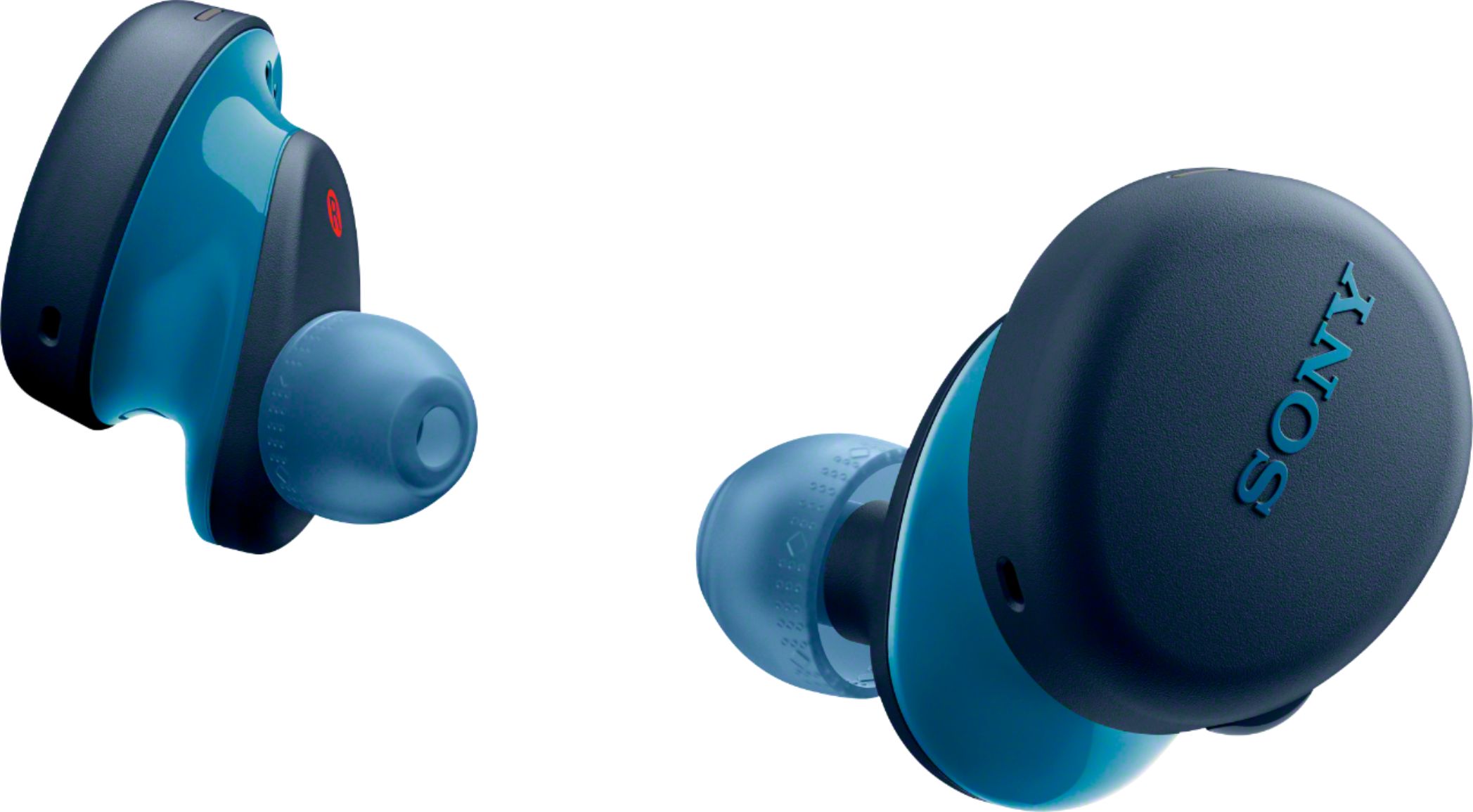
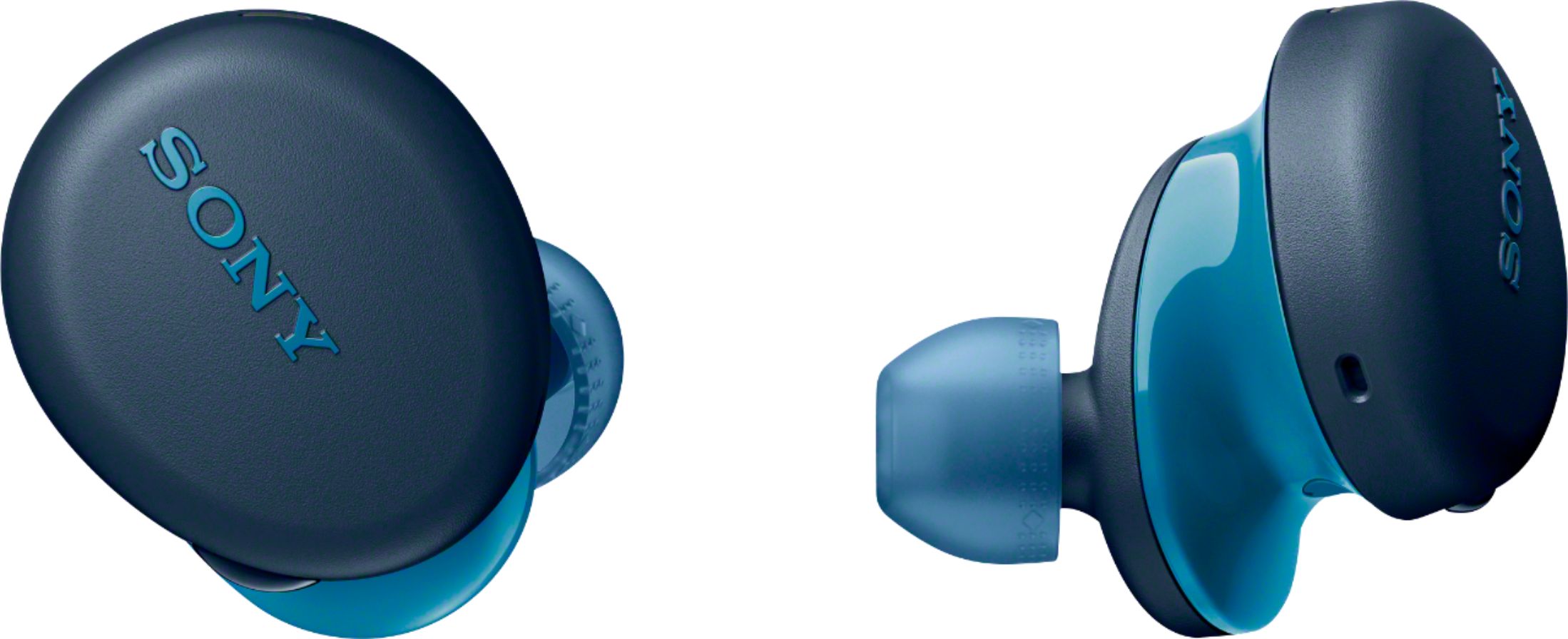
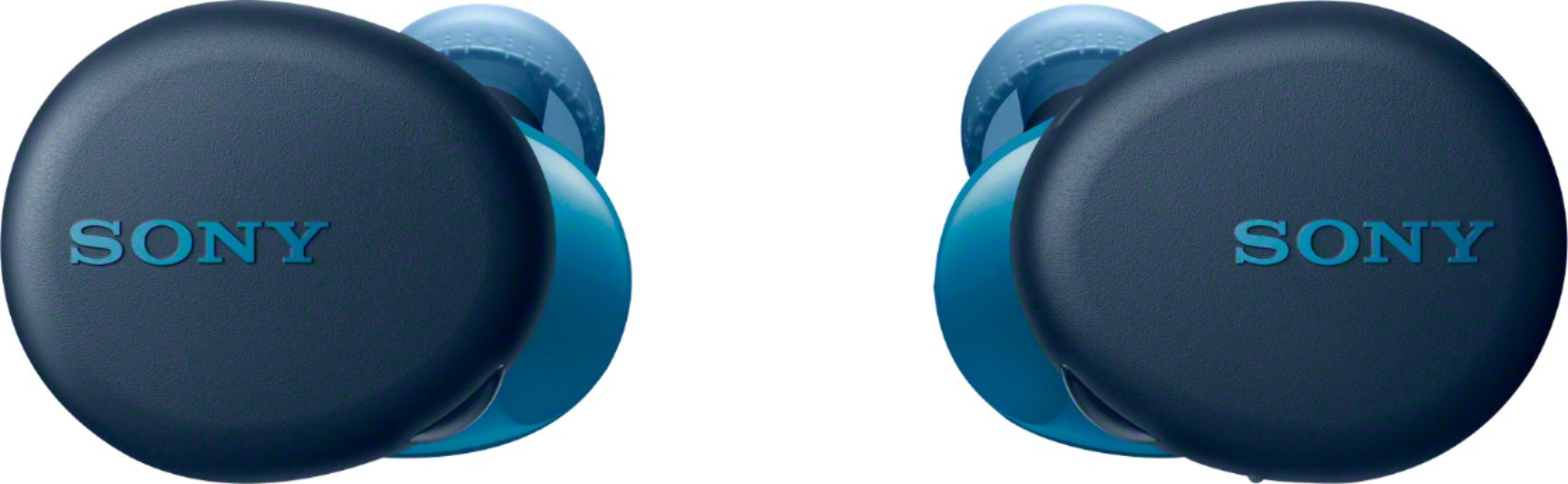
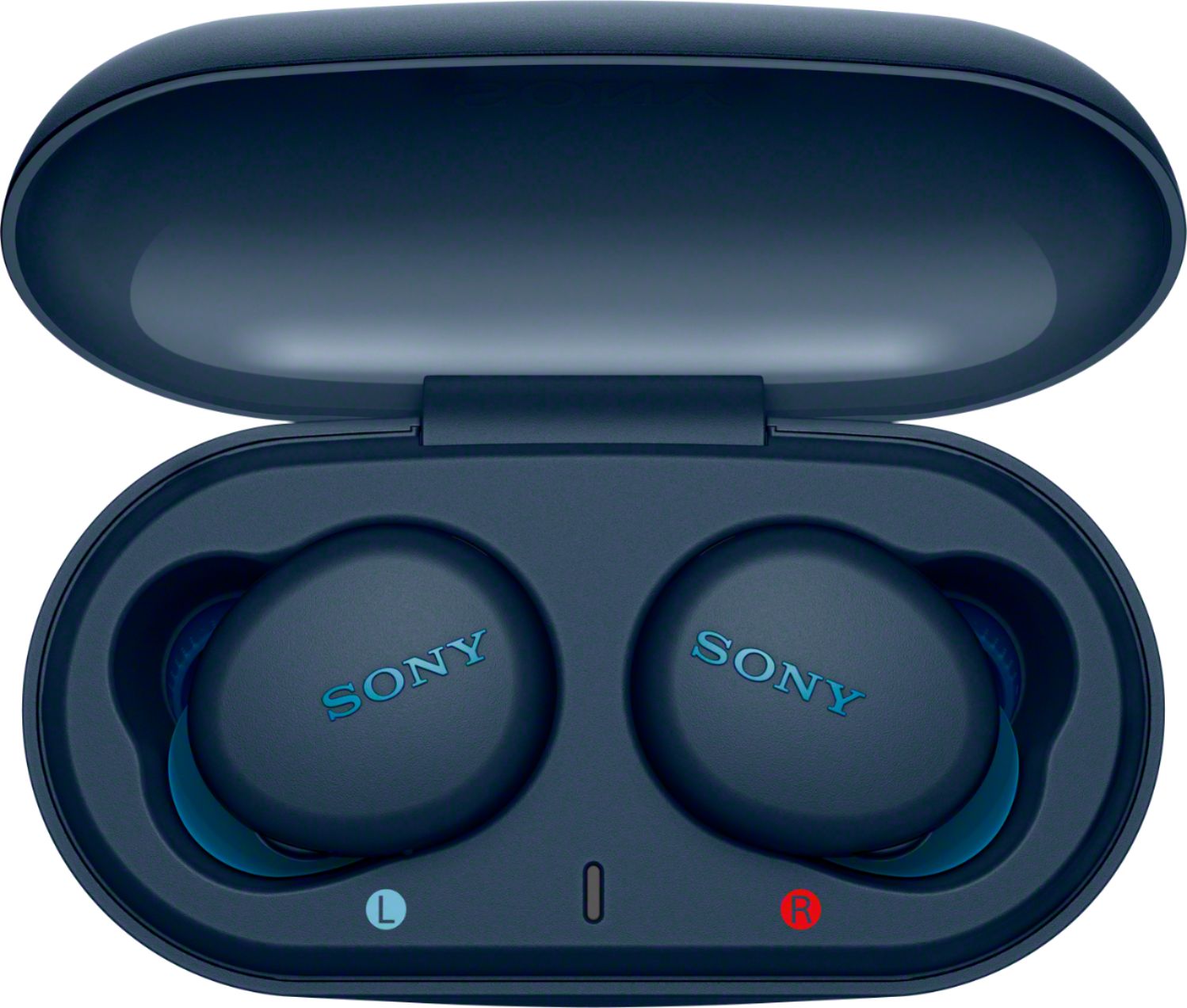




- Model:
- WFXB700/L
- SKU:
- 6408363
Rating by feature
- Sound Quality
Rating 4.6 out of 5 stars
- Battery Life
Rating 4.5 out of 5 stars
- Connectivity
Rating 4.5 out of 5 stars
Customers are saying
Customers express satisfaction with the WF-XB700 True Wireless In-ear Headphones, particularly praising the sound quality, battery life, bass, comfort, and price. Many customers find the sound quality to be great, with a perfect amount of bass. The battery life is also seen as a major pro, with many customers commenting on how long it lasts. Additionally, the headphones are considered comfortable to wear and are praised for their value for the price. On the downside, some customers have expressed concerns about the fit of the headphones, finding them to be a bit bulky. Others have mentioned that the volume could be louder.
This summary was generated by AI based on customer reviews.
Terrible
||Posted .This reviewer received promo considerations or sweepstakes entry for writing a review.I haven’t had them for a month yet and the right earbud already doesn’t work. Very disappointed.
No, I would not recommend this to a friendBrand response from SonyListens
Posted .Hi Free00,
Thank you for purchasing the WF-XB700 Truly Wireless Extra Bass Headphones.
We are sorry to hear that the right earbud doesn't work. We’d love to help you troubleshoot your problem. If the right earbud does not turn on and produce sound, your headphones may not be charging properly. Place the headphones in the charging case and check to see if the charging indicator light up. For more information, check here: https://www.sony.com/electronics/support/wireless-headphones-bluetooth-headphones/wf-xb700/articles/00204551?cpint=spt-mdr_triage_00204483_sound
Resetting and initializing the headset may help resolve the issue:
Resetting the headset
• Press and hold the button on the left unit for about 20 seconds.
• Release your finger when the indicator (red) of the headset turns off after flashing.
• Then press and hold the button on the right unit for about 20 seconds.
• Release your finger when the indicator (red) of the headset turns off after flashing.
•The device registration (pairing) information and other settings are retained.
If the headset does not operate correctly even after resetting, initialize the headset to restore factory settings.
• Press and hold the buttons on both the left and right units of the headset for about 15 seconds. Release your fingers within 5 seconds after the indicators (red) of the headset starts flashing. Press the buttons on both the left and right units within 10 seconds after the indicators (red) of the headset light up. After a few seconds, the indicators (blue) flash 4 times, and the headset is initialized.
You can also use this link for troubleshooting steps to isolate and resolve the issue: https://www.sony.com/electronics/support/wireless-headphones-bluetooth-headphones/wf-xb700/articles/00229323
If you are unable to resolve your concern, please follow the instruction below on how to contact us.
May we contact you to help? If so, please email the below information to socialsupport@am.sony.com.
Apologies if you disclosed some of this information in your review and to customer service, we just want to ensure that we have your accurate details at the time of communication.
Full Name:
Best Buy Username:
Telephone Number:
Sony Headphones Model Number:
Additional Information regarding your experience with the WF-XB700
We value you being a Sony customer. We are sorry for the inconvenience and hope to speak to you to resolve this matter.
Thank you for letting us help assist you.
Sincerely,
Jess
- Cons mentioned:Connection
NOT durable
||Posted .This reviewer received promo considerations or sweepstakes entry for writing a review.One small drop and would not reconnect to anything.
No, I would not recommend this to a friendBrand response from SonyListens
Posted .Hi Will,
Thank you for the feedback on your experience with your WF-XB700 True Wireless Extra Bass Stereo Headphones.
We value your opinion, and we are sorry to hear you are having an issue with your WF-XB700. We would like to discuss the situation that you faced with the wireless headphones further to assist you. In the meantime, follow the troubleshooting steps below to isolate the issue.
- Check that the Bluetooth device is turned on and the Bluetooth function is on.
- If the headset automatically connects to the last connected Bluetooth device, you may fail to connect the headset to other devices via Bluetooth connection. In that case, operate the last connected Bluetooth device and disconnect the Bluetooth connection.
- Check if the Bluetooth connection has been terminated. If terminated, make the Bluetooth connection again.
- If the pairing information for the headset has been deleted on the Bluetooth device, pair the headset with the device again.
If the issue still occurs, initialize the earbud headphones to restore factory settings then perform pairing again: https://helpguide.sony.net/mdr/wfxb700/v1/en/contents/TP0002755684.html
You may also find this link helpful: https://www.sony.com/electronics/support/wireless-headphones-bluetooth-headphones/wf-xb700/articles/00030345
Please allow us to help you and turn this into a better experience. If you need further assistance, you can email us at socialsupport@am.sony.com with the following details:
Name:
Best Buy Username:
Model Number:
Issue:
Telephone Number:
We are sorry for the inconvenience and hope to speak to you to resolve this matter.
We appreciate you and thanks for shopping Sony!
Sincerely,
Jess
Charging issues noticed after a month of use
||Posted . Owned for 8 months when reviewed.This reviewer received promo considerations or sweepstakes entry for writing a review.Purchased with great hopes but the product didnt seem to work! Charging issues
No, I would not recommend this to a friendBrand response from SonyListens
Posted .Hi SharathUlthoor, thank you for purchasing the WF-XB700 Truly Wireless Extra Bass Headphones. We are sorry to hear that you're having an issue charging the headphones. This is definitely not the experience we'd like you to have. Allow us to help and turn this into a pleasant experience.
Let's try troubleshooting the issue by following these steps:
Make sure that the headset is set into the charging case securely.
Be sure to use the supplied USB Type-C cable.
Check that the USB Type-C cable is firmly connected to the charging case and the USB AC adaptor or computer.
Make sure that the USB AC adaptor is firmly connected to the AC outlet.
Check that the computer is turned on.
Wake the computer up if the computer is in standby (sleep) or hibernation mode.
When using Windows 8.1, update using Windows Update.
Set the headset into the charging case and close the lid of the charging case.
You may be able to resolve some issues by setting the headset into the charging case.
Reset the headset.
Reference: https://helpguide.sony.net/mdr/wfxb700/v1/en/contents/TP0002755765.html
Should you need further assistance, please email us at socialsupport@am.sony.com with the following details:
Name:
Best Buy Username:
Model Number:
Issue:
Telephone Number:
Sincerely,
Erin
Not user friendly
||Posted . Owned for 8 months when reviewed.This reviewer received promo considerations or sweepstakes entry for writing a review.Disappointed on Sony sound quality and lack of user friendliness
No, I would not recommend this to a friendBrand response from SonyListens
Posted .Hi MaxG, We regret to hear about your experience with your new Sony wireless in-ear headphones. Make sure you are using the right size of earbuds according to the size of your ears. This will also affect the audio quality of your headphones: https://helpguide.sony.net/mdr/wfxb700/v1/en/contents/TP0002757649.html. The list here may also affect the audio quality of your headphones: https://helpguide.sony.net/mdr/wfxb700/v1/en/contents/TP0002755703.html. To know more, you can also check the whole Help Guide from this page: https://helpguide.sony.net/mdr/wfxb700/v1/en/contents/TP0002755703.html.
Should you need further assistance, you can email us at socialsupport@am.sony.com with the following details:
Name:
Best Buy Username:
Model Number:
Issue:
Telephone Number:
Sincerely,
Vincent
Disappointing!
||Posted .This reviewer received promo considerations or sweepstakes entry for writing a review.Just purchased these Sony-WFXB700 no less than an hour ago and as soon as I felt them in my hands I knew that they were cheaply made because when I test them out that's exactly how they sound!!! DISSAPPOINTED AND WOULDN'T RECOMMEND THESE TO ANYONE...
No, I would not recommend this to a friendBrand response from SonyListens
Posted .Hi Jas4218, Thank you for purchasing our WF-XB700 Truly Wireless Extra Bass Headphones. We apologize for the inconvenience that this has caused. This is not the experience we want you to have. We would like to know more about the issue that you are having with the Headphones. Please allow us to help you and turn this into a better experience. For sound issue: When connecting the headset to a Bluetooth device, use the headset at least 10 m (30 feet) away from the wireless LAN device. If this headset is used within 10 m (30 feet) of a wireless LAN device, turn off the wireless LAN device. Use this headset and the Bluetooth device as near to each other as possible. To try and resolve this issue, please reset and initialize the headset. Resetting the headset • Press and hold the button on the left unit for about 20 seconds. • Release your finger when the indicator (red) of the headset turns off after flashing. • Then press and hold the button on the right unit for about 20 seconds. • Release your finger when the indicator (red) of the headset turns off after flashing. •The device registration (pairing) information and other settings are retained. If the headset does not operate correctly even after resetting, initialize the headset to restore factory settings. To initialize the headset, press and hold the buttons on both the left and right units of the headset for about 15 seconds. Release your fingers within 5 seconds after the indicators (red) of the headset starts flashing. Press the buttons on both the left and right units within 10 seconds after the indicators (red) of the headset light up. After a few seconds, the indicators (blue) flash 4 times, and the headset is initialized. You can also use this link for troubleshooting steps to isolate and resolve the issue: https://www.sony.com/electronics/support/wireless-headphones-bluetooth-headphones/wf-xb700/articles/00204483 We appreciate all of your feedback as it helps improve the product. If you are unable to resolve your concern, please follow the instruction below on how to contact us. May we contact you to help? If so, please email the below information to [email protected]. Apologies if you disclosed some of this information in your review and to customer service, we just want to ensure that we have your accurate details at the time of communication. Full Name: Best Buy Username: Telephone Number: Sony Headphones Model Number: Additional Information regarding your experience with the WFXB700 We value you being a Sony customer. We are sorry for the inconvenience and hope to speak to you to resolve this matter. Thanks again for shopping Sony! Sincerely, Jess
Cheap for a reason
||Posted . Owned for 1 month when reviewed.This reviewer received promo considerations or sweepstakes entry for writing a review.I bought these for my mom who is not tech savvy and would listen to music through a tin can with a string attached but even she said that these headphones SUCKED. She went and exchanged them the next day.
No, I would not recommend this to a friendBrand response from SonyListens
Posted .Hi OtterChief,
Thank you for the feedback on your experience with your WF-XB700. We regret to hear that the headset had to be returned. We value your input and appreciate the feedback. We're uncertain of the issue that you faced with the headset, and would like to know more about the situation that caused you to return the headset. Please note we have a customer hotline that is happy to assist you and help troubleshoot any concerns you have.
We hope you will consider Sony again in a future purchase.
Sincerely,
Jess
Background Noise
||Posted .This reviewer received promo considerations or sweepstakes entry for writing a review.The ear bug has a lot of noise. Everyone I spoke to over the Phone heard loud background noise. There is no way to reduce it. I have to go to silent place to talk. I can only use them to listen to radio.
No, I would not recommend this to a friendBrand response from SonyListens
Posted .Hi SonyEarBuds, we are sorry to hear that the headphones has a lot of background noises. This is definitely not the experience we'd like you to have. Allow us to help you and make this into a better experience.
In the meantime, please check the Help Guide for troubleshooting steps to follow.
https://helpguide.sony.net/mdr/wfxb700/v1/en/index.html
Should you need further assistance, please email us at socialsupport@am.sony.com with the following details:
Name:
Username:
Model Number:
Issue:
Telephone Number:
Sincerely, Erin
Disappointing
||Posted . Owned for 1 month when reviewed.This reviewer received promo considerations or sweepstakes entry for writing a review.I have the wired very of the extra bass series and they sound better and actually have extra bass. These sound cheap for 126.00 dollars not worth it. Had to return and got the Jabra 75t and they are excellent with extra bass.
No, I would not recommend this to a friendBrand response from SonyListens
Posted .Hi Maldog, We regret to hear that the headphones did not meet your expectations and had to be returned. This is definitely not the experience we want you to have. Please be assured we take this very seriously and continuously strive to improve our products. Selecting the right eapiece is important for bass sound. Erin
Right ear bud wouldn't work
||Posted .This reviewer received promo considerations or sweepstakes entry for writing a review.Right ear bud wouldn't work straight out of box I tried charging them and the right one would not turn on. I was really hoping to enjoy these headphones if it wasn't for the fact the right ear bud won't turn on
No, I would not recommend this to a friendBrand response from SonyListens
Posted .Hi Alberto0821, thank you for purchasing the WF-XB700 Truly Wireless Extra Bass Headphones. We are sorry to hear that the right earbud never worked. We appreciate all of your feedback as it helps improve the product. We’d love to help you troubleshoot your problem. If the right earbud does not turn on and produce sound, your headphones may not be charging properly. Place the headphones in the charging case and check to see if the charging indicator light up. For more information, check here: https://www.sony.com/electronics/support/wireless-headphones-bluetooth-headphones/wf-xb700/articles/00204551?cpint=spt-mdr_triage_00204483_sound
Resetting and initializing the headset may help resolve the issue:
Resetting the headset
• Press and hold the button on the left unit for about 20 seconds.
• Release your finger when the indicator (red) of the headset turns off after flashing.
• Then press and hold the button on the right unit for about 20 seconds.
• Release your finger when the indicator (red) of the headset turns off after flashing.
•The device registration (pairing) information and other settings are retained.
If the headset does not operate correctly even after resetting, initialize the headset to restore factory settings.
• Press and hold the buttons on both the left and right units of the headset for about 15 seconds. Release your fingers within 5 seconds after the indicators (red) of the headset starts flashing. Press the buttons on both the left and right units within 10 seconds after the indicators (red) of the headset light up. After a few seconds, the indicators (blue) flash 4 times, and the headset is initialized.
You can also use this link for troubleshooting steps to isolate and resolve the issue: https://www.sony.com/electronics/support/wireless-headphones-bluetooth-headphones/wf-xb700/articles/00229323
If you are unable to resolve your concern, please follow the instruction below on how to contact us.
May we contact you to help? If so, please email the below information to [email protected].
Apologies if you disclosed some of this information in your review and to customer service, we just want to ensure that we have your accurate details at the time of communication.
Full Name:
BestBuy Username:
Model Number:
Issue:
Telephone Number:
We value you being a Sony customer. We are sorry for the inconvenience and hope to speak to you to resolve this matter.
Thank you for letting us help assist you.
Sincerely,
Jess
Cute but bad
||Posted . Owned for 2 weeks when reviewed.This reviewer received promo considerations or sweepstakes entry for writing a review.The sound was HORRIBLE!!! I tried to give them the benefit of the doubt because it was a Sony product but I just couldn’t suffer anymore so I returned them to the store.
No, I would not recommend this to a friendBrand response from SonyListens
Posted .Hi Lele, thank you for the feedback on your experience with your WFXB700. We value your opinion and we would like to apologize if our product did not meet your expectations. To ensure you're getting the optimal audio experience, please follow the guidelines and steps below:
Turn up the volume of the connected device.
Try to adjust the equalizer accordingly on your Bluetooth device.
Switch the Bluetooth connection to A2DP with the connected device when the headset and the transmitting Bluetooth device are connected via an HFP or HSP Bluetooth connection.
You may also check the Help Guide for additional steps to follow: https://helpguide.sony.net/mdr/wfxb700/v1/en/index.html
Should you need further assistance, please email us at [email protected] with the following details:
Name:
Best Buy Username:
Model Number:
Issue:
Telephone Number:
Sincerely,
Erin
.......
||Posted . Owned for 3 weeks when reviewed.This reviewer received promo considerations or sweepstakes entry for writing a review.I don't hate sony but on this purchase..... They have to figure out bad quality ,if you think get one of these go better to the dollar tree store .
No, I would not recommend this to a friendBrand response from SonyListens
Posted .Hi Calin,
Thank you for sharing your feedback on your experience using the WF-XB700. We are sorry to hear you are having an issue with your unit. We would like to know more about the situation that you faced with the wireless headphones. Allow us to help and turn this into a pleasant experience.
We want to make sure you’re taken care of. You can email us at socialsupport@am.sony.com with the following details:
Name:
Best Buy Username:
Model Number:
Issue:
Telephone Number:
We are sorry for the inconvenience and hope to speak to you to resolve this matter.
Regards,
Jess
Absolute garbage
||Posted . Owned for 2 weeks when reviewed.This reviewer received promo considerations or sweepstakes entry for writing a review.The audio keeps dropping out and battery life isn’t that great and muzzled mid/high because of that extra bass, made it not worth the money.
No, I would not recommend this to a friendBrand response from SonyListens
Posted .Hi 9to5,
Thank you for the feedback on your experience with your WF-XB700 True Wireless Extra Bass Stereo Headphones.
We're sorry to hear you are experiencing audio skipping issues. We’d love to help you troubleshoot your problem. We also value your input regarding the battery life and sound quality of the unit. To ensure you get the best Bluetooth connection, bring the headset closer to the Bluetooth device. Remove any obstacles between the headset and the Bluetooth device. Remove any obstacles between the antenna of the connecting Bluetooth device and the antennas built into the left and right units of the headset.
For low sound quality, please try to follow the troubleshooting steps and guidelines on the links below:
https://helpguide.sony.net/mdr/wfxb700/v1/en/contents/TP0002755703.html
- Try playing another source on the device. For example, try another music app to see if the issue is with a particular app.
- When you listen to music from a computer on the headset, sound quality may be poor for the first few seconds after a connection is made. This is caused by the computer transmitting music at sound quality for communications at first, and it is not a malfunction.
- Unfortunately, this unit doesn't support the Sony Headphones Connect app, you can't adjust the added bass in the frequency range, nor can you do any EQ customization.
For available operating time of the unit, the usage hours may be different depending on the conditions of use. (ref: https://helpguide.sony.net/mdr/wfxb700/v1/en/contents/TP0002757646.html?search=operating%20time).
If you need further assistance or more information about our product, you can email us at socialsupport@am.sony.com with the following details:
Name:
Best Buy Username:
Model Number:
Issue:
Telephone Number:
We are sorry for the inconvenience. We appreciate you and thanks for shopping Sony!
Sincerely,
Jess
Didnt like
||Posted . Owned for 1 month when reviewed.This reviewer received promo considerations or sweepstakes entry for writing a review.Didn't like they are very big and uncomfortable, sound quality was bad which for sony i was expecting a lot better
No, I would not recommend this to a friendBrand response from SonyListens
Posted .Hi Angie, thank you for your review.
We are so sorry if you feel uncomfortable wearing our WF-XB700 and if its sound quality didn't meet your expectations. This is definitely not the experience we wanted you to have on our premium headphones.
For fit concerns, the WF-XB700 features an Ergonomic Tri-hold structure design for snugly and comfortably fitting. This does also comes with an assortment of earbuds in various sizes to ensure there is a great fit for all ear sizes. You will need to twist the headset to slide the earbud deep into your ear for comfort fit. For detailed instructions, please refer to the link below:
https://www.sony.com/electronics/support/wireless-headphones-bluetooth-headphones/wf-xb700/articles/00245709
For the sound quality, please refer to the following article to further isolate the issue:
https://helpguide.sony.net/mdr/wfxb700/v1/en/contents/TP0002755703.html
You may also find different devices will perform better than others, as will different apps due to different types of audio compression and transmission.
If this does not help, please email us at socialsupport@am.sony.com with the following details so we can better assist you.
Name:
BestBuy Username:
Model Number:
Issue:
Telephone Number:
Sincerely,
Romeo
Sony Social Support
Background noise at all times
||Posted . Owned for 3 weeks when reviewed.This reviewer received promo considerations or sweepstakes entry for writing a review.Music and phone calls have some static noise in the background, no matter what you do to get it better.
No, I would not recommend this to a friendBrand response from SonyListens
Posted .Hi Gaby, Thank you for the feedback on your experience with your WFXB700. We regret to hear you're having an issues with the unit. This is usually not the case for our headphones nor the experience we want you to have.
To try and resolve this issue, please initialize the headset.
To initialize the headset, press and hold the buttons on both the left and right units of the headset for about 15 seconds. Release your fingers within 5 seconds after the indicators (red) of the headset starts flashing. Press the buttons on both the left and right units within 10 seconds after the indicators (red) of the headset light up. After a few seconds, the indicators (blue) flash 4 times, and the headset is initialized.
Should you need further assistance, please email us at socialsupport@am.sony.com with the following details:
Name:
Username:
Model Number:
Issue:
Telephone Number:
Sincerely,
Erin
In ear head phones
||Posted . Owned for 1 year when reviewed.This reviewer received promo considerations or sweepstakes entry for writing a review.Terrible quit working 9/22, will not hold charge they suck
No, I would not recommend this to a friendHad to return them.
||Posted . Owned for 4 months when reviewed.This reviewer received promo considerations or sweepstakes entry for writing a review.They kept disconnecting from my phone's bluetooth, I just returned them and never looked back.
No, I would not recommend this to a friendBrand response from SonyListens
Posted .Hi RVent, we're sorry to hear that you had returned your SONY unit. When connecting the headset to a Bluetooth device, it is recommended to use the headset at least 10 m (30 feet) away from the wireless LAN device. It is also advisable to use this unit and the Bluetooth device as near to each other as possible and remove any obstacles between the antenna of the connecting Bluetooth device and the antennas built into the left and right units of the headset.
We have our support team that always happy to assist if you need help. You may email us at socialsupport@am.sony.com with the following details: Name: Username: Model Number: Issue: Telephone Number:
We hope you reconsider SONY again. ~Earl
Garbage
||Posted .This reviewer received promo considerations or sweepstakes entry for writing a review.These are garbage they dont really work.good they dont use the speaker good
No, I would not recommend this to a friendBrand response from SonyListens
Posted .Hi Trip,
Thank you for taking the time to review the WF-XB700. We are sorry to hear you are having an issue with your WF-XB700. We would like to know more about the situation that you faced with the wireless headphones. Allow us to help and turn this into a pleasant experience.
We want to make sure you’re taken care of. You can email us at socialsupport@am.sony.com with the following details:
Name:
Best Buy Username:
Model Number:
Issue:
Telephone Number:
We are sorry for the inconvenience and hope to speak to you to resolve this matter.
Regards,
Jess
Not worth
||Posted . Owned for 3 weeks when reviewed.This reviewer received promo considerations or sweepstakes entry for writing a review.Getting complaints from the other callers that my voice sounds far away when using them .
No, I would not recommend this to a friendBrand response from SonyListens
Posted .Hi Pdrw,
We regret to hear that you're not having the best experience with the call quality of the headphones. Resetting and initializing the headset may help resolve the issue:
https://helpguide.sony.net/mdr/wfxb700/v1/en/contents/TP0002755682.html
https://helpguide.sony.net/mdr/wfxb700/v1/en/contents/TP0002755684.html
If still not resolved, please let us know so we can turn your experience around. May we contact you to help? If so, please email the below information to socialsupport@am.sony.com. Apologies if you disclosed some of this information in your review and to customer service, we just want to ensure that we have your accurate details at the time of communication.
Full Name:
Best Buy Username:
Telephone Number:
Sony Headphones Model Number:
Additional Information regarding your experience with the WFXB700.
We are sorry for the inconvenience and hope to speak to you to resolve this matter. We appreciate you and thanks again for shopping Sony!
Sincerely,
~Ralph
Sony Social Support
NO GOOD!!!!!
||Posted . Owned for 1 month when reviewed.This reviewer received promo considerations or sweepstakes entry for writing a review.I don’t like them! It’s poor quality in hearing and my volume on my phone is all the way up.
No, I would not recommend this to a friendBrand response from SonyListens
Posted .Hi Princess, we regret to hear that the headphones did not meet your expectations. Please be assured we take this very seriously and continuously strive to improve our products. Having said that, please allow us to help you and turn your experience around. Please email us at [email protected] with the following details:
Name:
Best Buy Username:
Model Number:
Issue:
Telephone Number:
Sincerely,
Erin
Don't work
||Posted . Owned for 2 months when reviewed.This reviewer received promo considerations or sweepstakes entry for writing a review.They do not work. Only one earbud works. I have reprogram them but still do not work.
No, I would not recommend this to a friendBrand response from SonyListens
Posted .Hi Naype,
Thank you for sharing your thoughts and experience using your WF-XB700 True Wireless Extra Bass Stereo Headphones.
We are sorry to hear you are having an issue with your WF-XB700. We would like to discuss this further to assist you.
Please email us at socialsupport@am.sony.com with the following details:
Name:
Best Buy Username:
Model Number:
Issue:
Telephone Number:
We are sorry for the inconvenience and hope to speak to you to resolve this matter.
We appreciate you and thanks for shopping Sony!
Sincerely,
Jess