Customer Ratings & Reviews
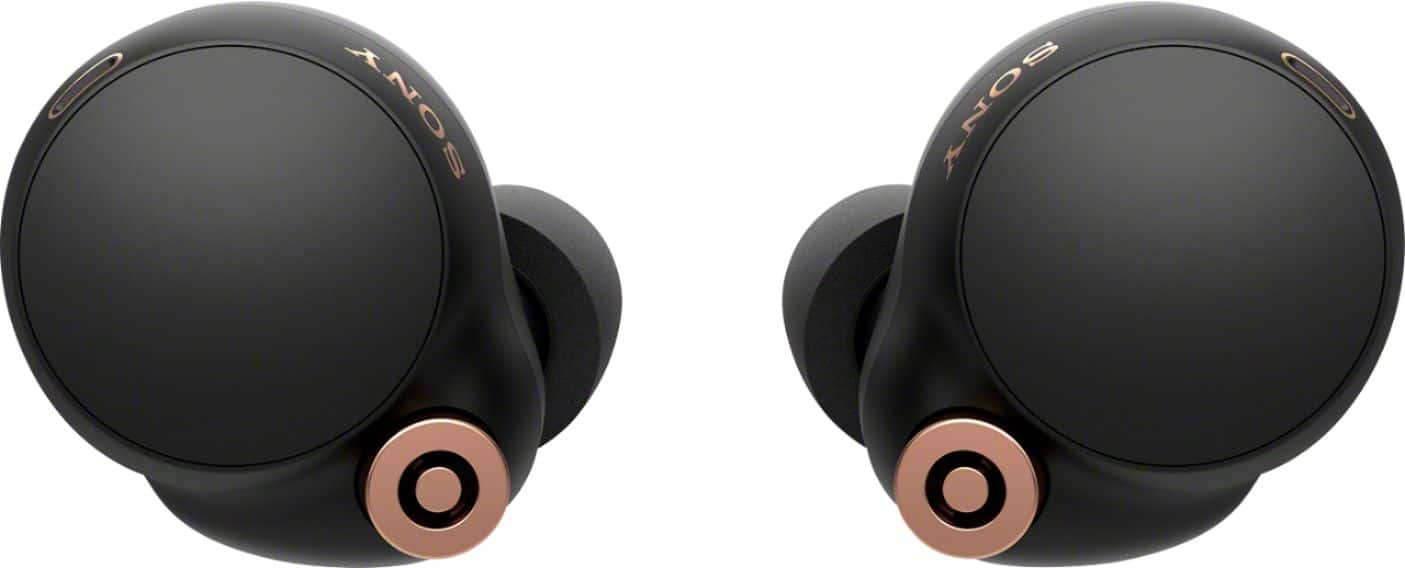
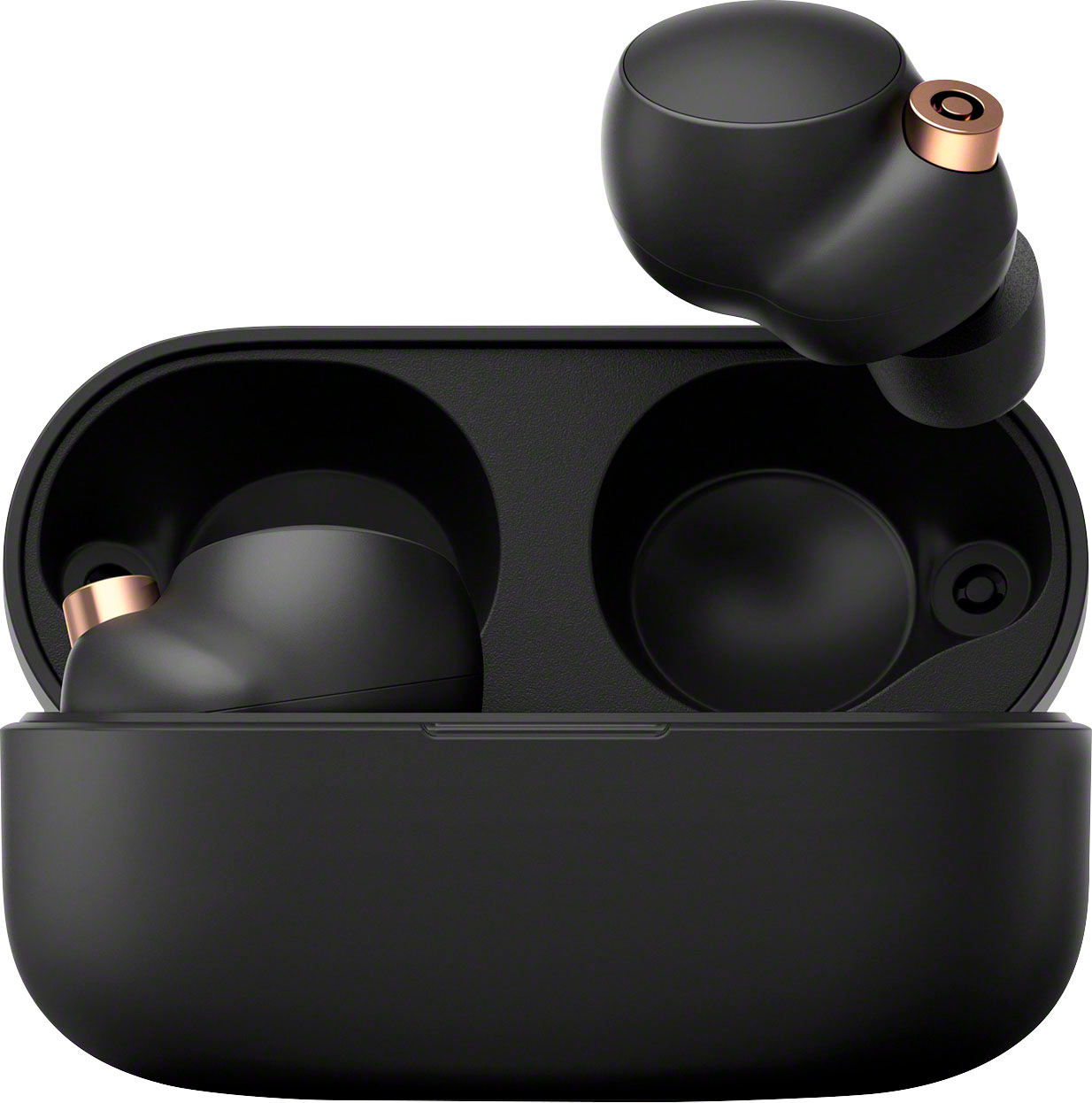
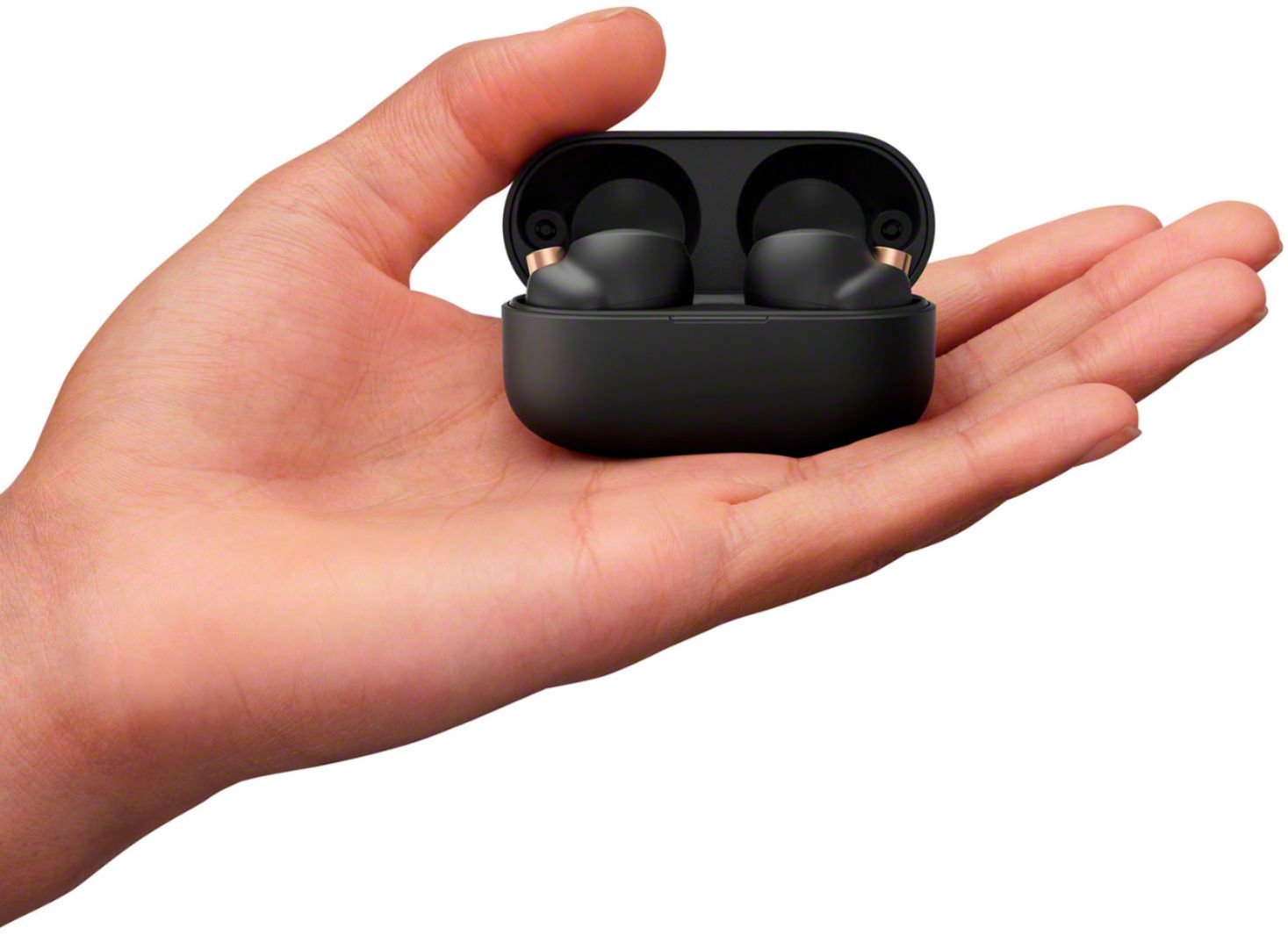
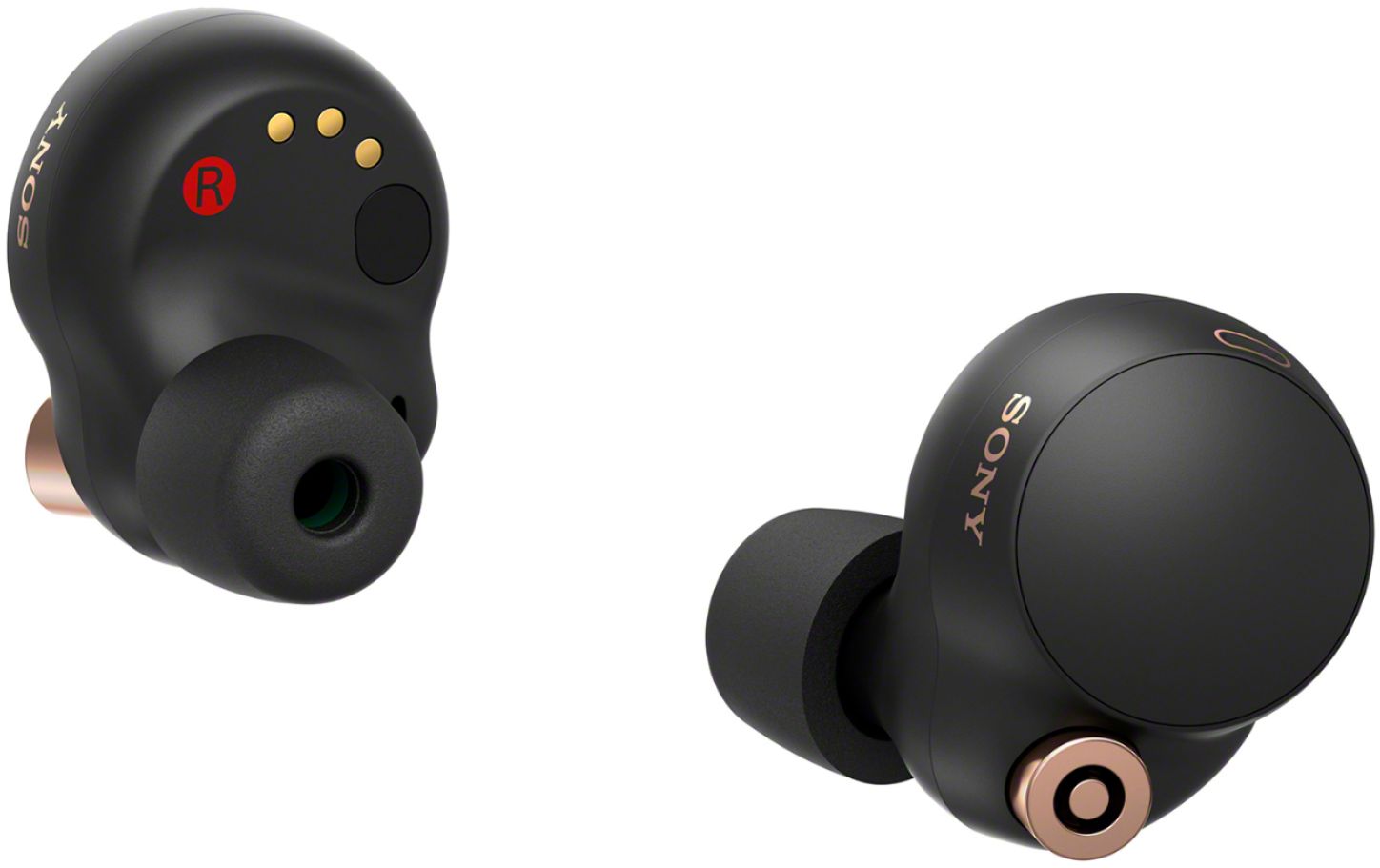
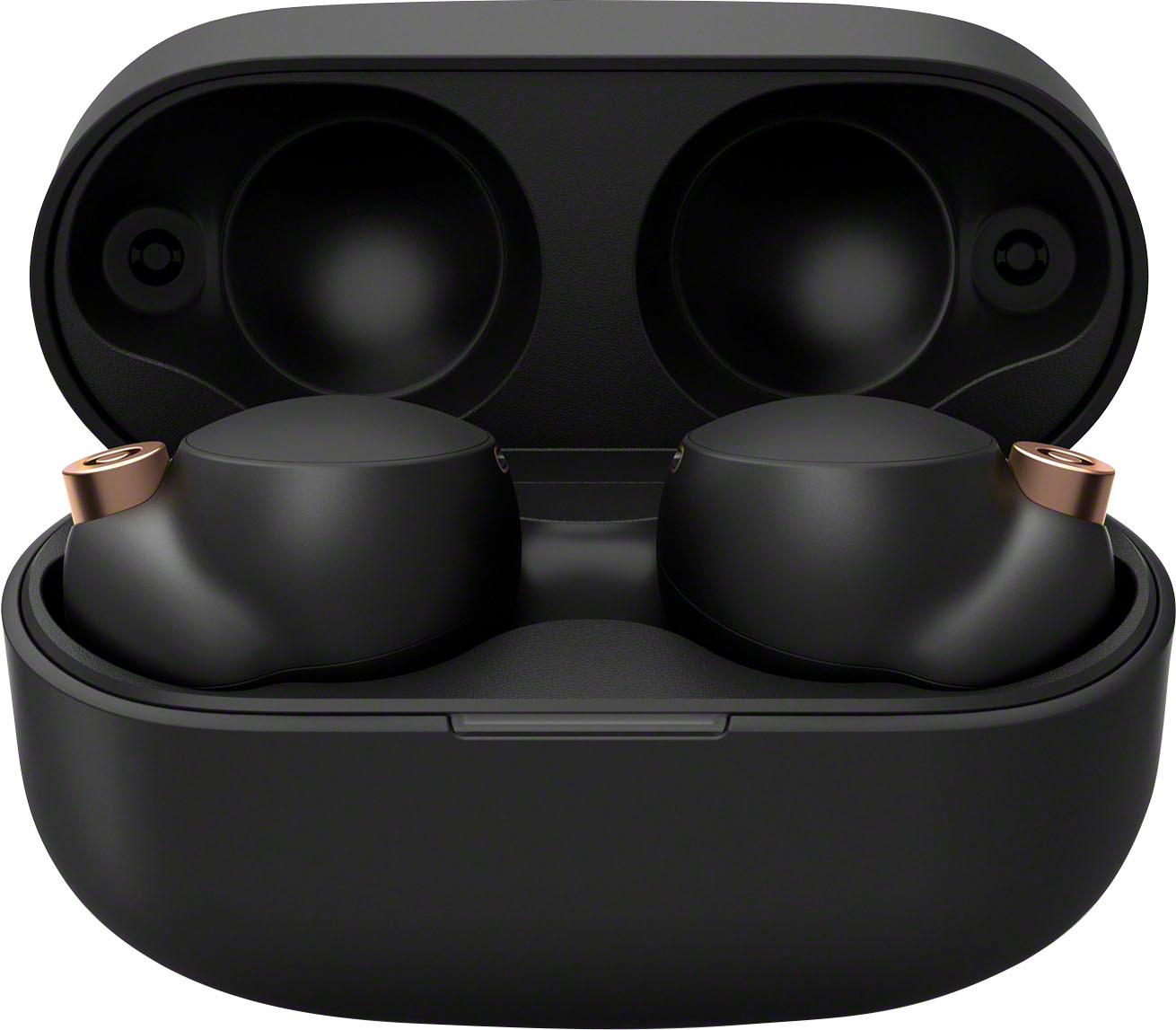
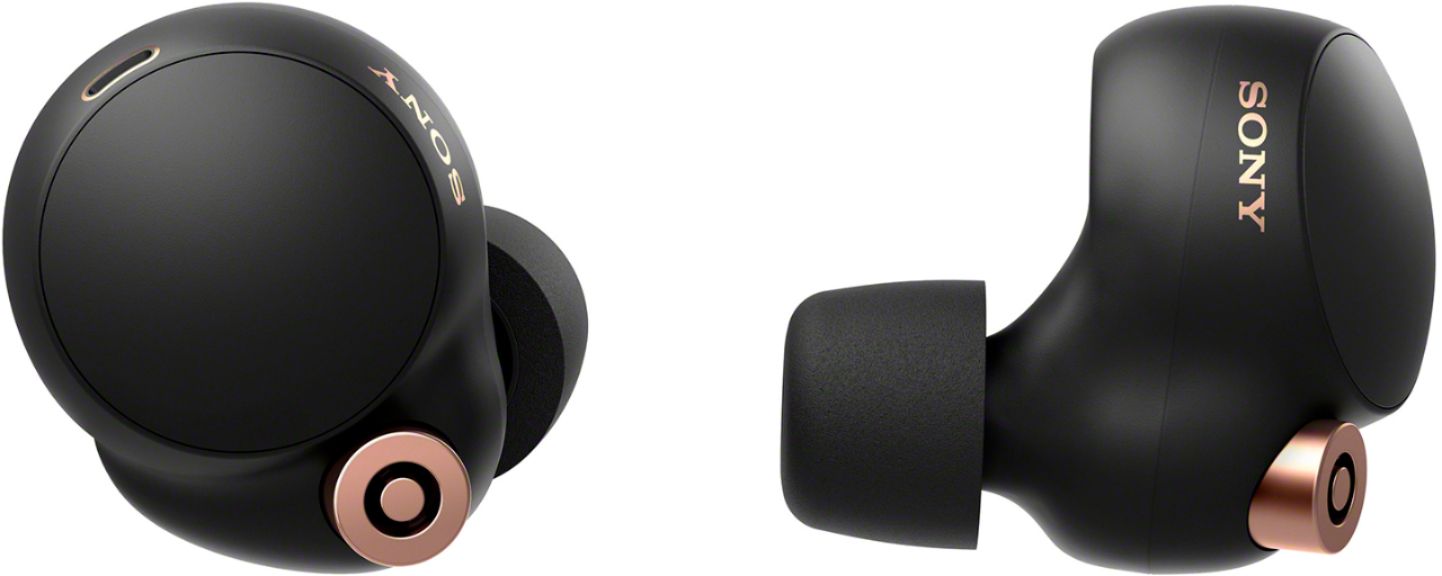
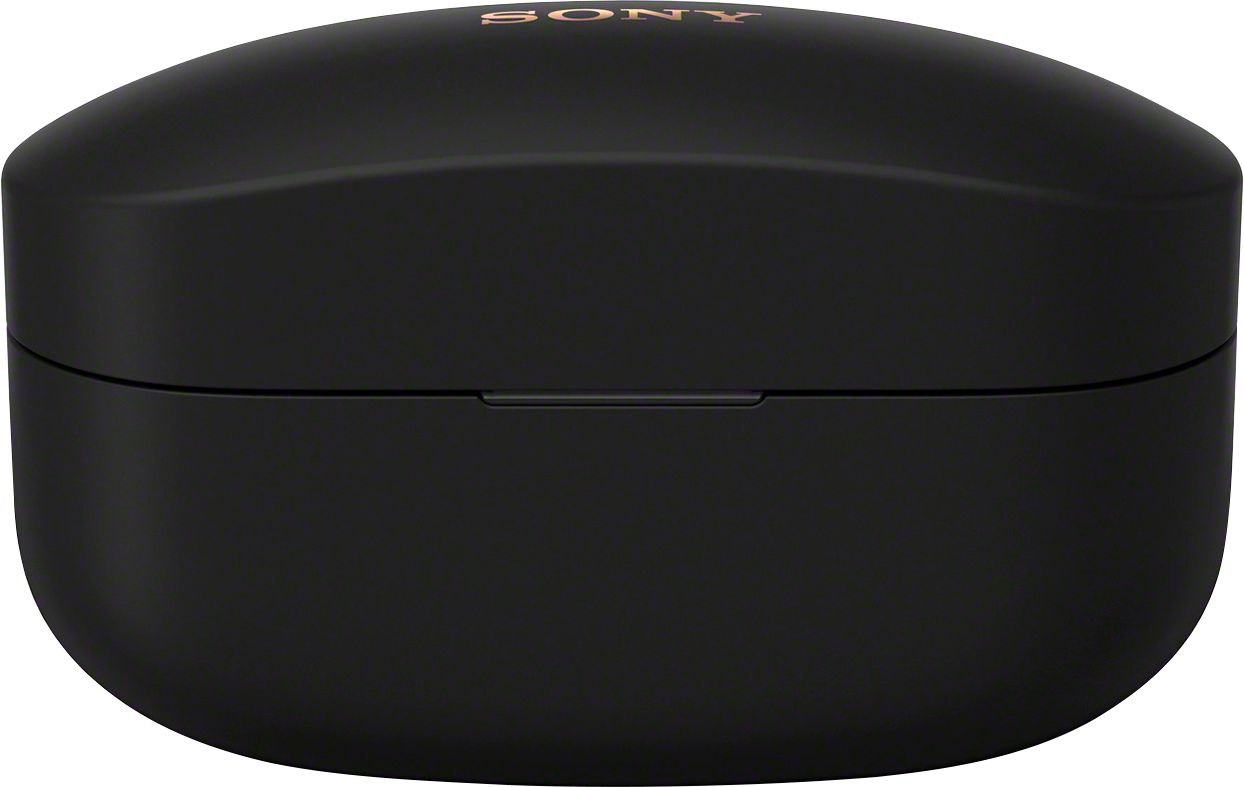


- Model:
- WF1000XM4/B
- SKU:
- 6462204
Rating by feature
- Sound Quality
Rating 4.6 out of 5 stars
- Battery Life
Rating 4.3 out of 5 stars
- Connectivity
Rating 4.5 out of 5 stars
Customers are saying
Customers value the WF1000XM4 True Wireless Noise Cancelling In-Ear Headphones for their exceptional sound quality, long battery life, and comfortable fit. They appreciate the excellent noise cancellation and sleek design. However, some users have concerns about the fit, price, connectivity issues, ear tips, and volume.
This summary was generated by AI based on customer reviews.
- Cons mentioned:Price
Cheap plastic, very light, sound like airpods pro
||Posted . Owned for less than 1 week when reviewed.This reviewer received promo considerations or sweepstakes entry for writing a review.For 250$ it is very expensive for such headphones, I would not give more than $100 for them
No, I would not recommend this to a friendBrand response from SonyListens
Posted .Hi Timkaldy, we thank you for your output and we are sorry if our WF-1000XM4 did not meet your expectations. This is definitely not the impression and experience we'd like you to have with our products. Allow us to help and turn this into a better experience.
You can make few adjustments to your headphones settings to suit your needs through the Sony Headphones Connect app. It has an Equalizer setting which can be customized to fine-tune your music. This will give you more control over your headphones and their performance.
You may also check the Help Guide below to troubleshoot sound related issue.
Reference: https://helpguide.sony.net/mdr/wf1000xm4/v1/en/contents/TP1000239120.html
Should you need further assistance, please email us at socialsupport@am.sony.com with the following details:
Name:
BBY Username:
Model Number:
Issue:
Telephone Number:
Sincerely,
Erin
Not worth the price
||Posted .This reviewer received promo considerations or sweepstakes entry for writing a review.Definitely the best Sony earbuds but for me I couldn’t stand the fit. Hurt my ears after 30 mins. Also for this price no multi pairing ?
No, I would not recommend this to a friendBrand response from SonyListens
Posted .Hi Cpsss,
Thank you for taking the time to write this review. We're sorry to hear that we were not able to meet your expectation with the price and the discomforts that you are having while wearing the headset. The WF-1000XM4 comes with different sizes of earbuds to ensure there is a great fit for all ear sizes and an optimal noise canceling experience. As a suggestion, to reduce discomfort while wearing the headphones, try to use the right size according to the size of your ears. The size of the left and right earbud tips may be different. When wearing them, please gently pull on the top of your ear as you twist the earbud into your ear. This should give you a firmer hold and better noise canceling experience.
Unfortunately, this headset does not support multipoint connection. However, the headset can be paired with multiple devices, but can only play music from 1 paired device at a time.
If you need assistance, please email us with this information below at socialsupport@am.sony.com:
Full Name:
Best Buy Username:
Telephone Number:
Model Number:
Issue:
Regards,
Kris
Don’t Waste a your Money
||Posted . Owned for less than 1 week when reviewed.This reviewer received promo considerations or sweepstakes entry for writing a review.Disappointed. I lots my Beats Buds so thought I would upgrade, these are not an upgrade. Looked at several “Best Headphones” lists and the Sonys were at the top of a couple so I figured they would be worth the cost. They are NOT! My Beats had better sound and better noise canceling.
No, I would not recommend this to a friendBrand response from SonyListens
Posted .Hi JetV, We are sorry to hear that the sound quality and noise canceling function did not meet your expectations. This is definitely not the experience we wanted you to have with our products. We'd love to help you troubleshoot your problem and turn your experience around.
You can make few adjustments to your headphones settings to suit your needs. Please ensure you've downloaded the Sony Headphones Connect app. It has an Equalizer setting which can be customized to fine-tune your music. This will give you more control over your headphones and their performance.
You may also try following the below steps if the noise canceling effect is not sufficient.
Make sure that the noise canceling function is turned on.
If the size of the earbud tips does not match the size of your ear canals or the headset is not properly worn on your ears, tap operations or the speech detection of Speak-to-Chat may not be successful, or you may not obtain proper sound qualities, noise canceling effects, or call performances. If any of this is the case, try the following.
- Change the earbud tips to ones that fit more snugly in your ears. When changing the earbud tips, try the earbud tip sizes in order from the larger ones to the smaller ones. The size of the left and right earbud tips may be different. The “Sony | Headphones Connect” app will help you to determine which earbud tips are most suitable for you to achieve the optimal noise cancellation effect.
- Check if the headset is properly worn on your ears. Wear the headset so that the earbud tip is comfortably situated as deep in the ear canal as possible.
The noise canceling function is effective in low frequency ranges such as airplanes, trains, offices, near air-conditioning, and is not as effective for higher frequencies, such as human voices.
When the Adaptive Sound Control on the “Sony | Headphones Connect” app is turned on, the wearer's actions, like walking or running, are detected. The noise canceling function is automatically adjusted and the Ambient Sound Mode may be activated according to these actions. To make the most of the noise canceling function, turn off the Adaptive Sound Control, and try to turn on the noise canceling function manually when you need it.
Please ensure the headphones software is updated. You can check the software version by launching Sony Headphones Connect app.
Lastly, resetting and initializing the headphones is also a recommendation. Please refer to this link on how to reset or initialize the WF-1000XM4 earbud headphones. Ref: https://www.sony.com/electronics/support/wireless-headphones-bluetooth-headphones/wf-1000xm4/articles/00264029
Should you need further assistance, please email us at socialsupport@am.sony.com with the following details:
Name:
Username:
Model Number:
Issue:
Telephone Number:
Sincerely,
Erin
Buyer Beware
||Posted . Owned for less than 1 week when reviewed.This reviewer received promo considerations or sweepstakes entry for writing a review.Super disappointing - Marketed as better sound and better microphone than the Bose QC buds - first trip out in moderate wind and basically non-functional for calls. Lots of wind noise in the ear as well. Sound is meh. Sony is crushing the over ear headphones but these are bottom of the barrel poor in terms of functionality and use. Returned after 2 days.
No, I would not recommend this to a friendBrand response from SonyListens
Posted .Hi Madray, we regret to hear that the headphones did not meet your expectations and had to be returned. This is definitely not the listening experience nor impression we'd like you to have with our premium headphones. Here at Sony, we always strive to deliver quality products that deliver an amazing customer experience.
You can make few adjustments to your headphones settings to suit your needs through the Sony Headphones Connect app. It has an Equalizer setting which can be customized to fine-tune your music. This will give you more control over your headphones and their performance. Resetting or initializing the headphones is also a recommendation which helps improve call quality.
We hope you'll consider Sony in your future purchases.
Sincerely,
Erin
Make ringing/metallic sounds on movement
||Posted . Owned for 2 months when reviewed.This reviewer received promo considerations or sweepstakes entry for writing a review.Make a ringing noise in Left earbud whenever I chew or walk quickly. Many others online have reported same issue. Returned my original pair and bought another, which had the ringing in both ears. Very annoying. Disappointed that Sony refuses to fix this.
No, I would not recommend this to a friendBrand response from SonyListens
Posted .Hi Bginger, We are sorry to hear about the issue you are having. This is usually not the case for our Noise Canceling Truly Wireless Earbuds nor the experience we want you to have. Updating the headphones software to the latest version may resolve the issue. You can update the headphones software by using the Sony | Headphones Connect app. Also, please set the Sound Quality Mode or Bluetooth Connection Quality to Priority on stable connection.
Launch the Sony | Headphones Connect app.
Set the Sound Quality Mode or Bluetooth Connection Quality to Priority on stable connection.
And let's try to further isolate this issue by following the troubleshooting steps on this link:
https://www.sony.com/electronics/support/wireless-headphones-bluetooth-headphones/wf-1000xm4/articles/00232102
If you are unable to resolve your concern, please email us at socialsupport@am.sony.com with the following details:
Name:
Username:
Model Number:
Issue:
Telephone Number:
Sincerely,
Sam
Junk
||Posted . Owned for 1 month when reviewed.This reviewer received promo considerations or sweepstakes entry for writing a review.I was going to give this a 2 star or 3 star max because it is worse than $20 earphones when exercising (putting up the volume makes a static sound) but I noticed that it randomly turns on iTunes by itself despite using a totally separate app and it now is somehow making RANDOM CALLS to people on my contact list when I briefly take them off to talk to someone. Unacceptable. 1 star.
No, I would not recommend this to a friendBrand response from SonyListens
Posted .Hi SonyIsBad,
Thank you for sharing your experience with us. We're sorry to hear the issues that you are having with the headset. Please make sure that the software is updated as it includes key features, applications, bug fixes, and feature improvements. You may check this link if you hear noise when doing an exercise: https://helpguide.sony.net/mdr/wf1000xm4/v1/en/contents/TP1000430930.html
If the headset is turning on your music and making calls, it is possible that the touch sensor on the headset is accidentally pressed. You may check the function assignments to the touch sensors with the “Sony | Headphones Connect” app. You can also change the function assignments to the touch sensors of both the left and right units using the app.
Resetting or initializing the headset may be performed if the headset is not working properly. For reference: https://helpguide.sony.net/mdr/wf1000xm4/v1/en/contents/TP1000428696.html
May we contact you to help? If so, please email the below information to socialsupport@am.sony.com.
Name:
Best Buy Username:
Telephone Number:
Model Number:
Issue:
We are sorry for the inconvenience and hope to speak to you to resolve this matter.
Regards,
Kris
- Cons mentioned:Fit
Not for me
||Posted . Owned for 3 weeks when reviewed.This reviewer received promo considerations or sweepstakes entry for writing a review.Unresponsive to voice commands, glitchy and the fit is uncomfortable
No, I would not recommend this to a friendBrand response from SonyListens
Posted .Hi Time4, We regret to hear you are having issues with your Sony wireless in-ear headphones. To isolate and hopefully resolve the performance issue, we highly recommend updating the firmware of your in-ear headphones. For more details, please visit this link: https://www.sony.com/electronics/support/wireless-headphones-bluetooth-headphones/wf-1000xm4/downloads.
To be more comfortable wearing your headphones, we suggest using the right size of earbud tips according to the size of your ears and wear them correctly. These will also prevent the unit from falling off. The links below will explain these further:
- https://helpguide.sony.net/mdr/wf1000xm4/v1/en/contents/TP1000237901.html
- https://helpguide.sony.net/mdr/wf1000xm4/v1/en/contents/TP1000241097.html
Should you need further assistance, you can email us at socialsupport@am.sony.com with the following details:
Name:
Best Buy Username:
Model Number:
Issue:
Telephone Number:
Sincerely,
Vincent
Not good for phone calls.
||Posted . Owned for 1 month when reviewed.This reviewer received promo considerations or sweepstakes entry for writing a review.I use these primarily for phone calls & conference calls. Other people are unable to hear me during these calls. I have stoped using these for phone calls. Sound quality is good for listening to music but not worth the price. Wish I could return these & get my money back.
No, I would not recommend this to a friendBrand response from SonyListens
Posted .Hi SamB, we are sorry to hear you're having an issue with your headphones when used for calls. This is definitely not the experience we'd like you to have. Allow us to help and turn this into a better experience.
To troubleshoot the problem, please follow these steps to troubleshoot this issue when using the WF-1000XM4 earbud headphones:
https://www.sony.com/electronics/support/wireless-headphones-bluetooth-headphones/wf-1000xm4/articles/00265206
We also recommend to make sure the software is updated. You can check the software version using the Headphones Connect app.
Should you need further assistance, please email us at socialsupport@am.sony.com with the following details:
Name:
BBY Username:
Model Number:
Issue:
Telephone Number:
Sincerely,
Erin
- Cons mentioned:Volume
Budsssss
||Posted .This reviewer received promo considerations or sweepstakes entry for writing a review.Low volume compared to other brandsssssssssssssssss
No, I would not recommend this to a friendBrand response from SonyListens
Posted .Hi Budsss, we regret that the XM4 has low sound. We'd love to help you troubleshoot your problem and turn your experience around.
Please try following the steps below to troubleshoot low sound level: https://helpguide.sony.net/mdr/wf1000xm4/v1/en/contents/TP1000239120.html
Kindly ensure the software is also updated. You can launch the Headphones Connect app to verify the software.
I hope this helps but if you still need assistance, do not hesitate to drop us an email at socialsupport@am.sony.com with the following details:
Name:
Username:
Model Number:
Issue:
Telephone Number:
Sincerely,
Erin
- Cons mentioned:Fit
Will fall of ears very easy
||Posted . Owned for 6 months when reviewed.This reviewer received promo considerations or sweepstakes entry for writing a review.Fall of ears easily, not recommended for going tu run or workouts.
No, I would not recommend this to a friendBrand response from SonyListens
Posted .Hello Yadi,
Thank you for your review.
We are sorry if our WF-1000XM4 did not fit you well. This is usually not the case, and definitely not the experience we wanted you to have on our premium headphones.
Let's try to isolate and fix the problem by following the steps below:
• If you feel earbud tips are difficult to put into your ears, change the size of earbud tips or squeeze earbud tips lightly before wearing the headset.
• Change the earbud tips to ones that fit more snugly in your ears. When changing the earbud tips, try the earbud tip sizes in order from the larger ones to the smaller ones. The size of the left and right earbud tips may be different.
• The “Sony | Headphones Connect” app will help you to determine which earbud tips are most suitable for you to achieve the optimal noise cancelation effect.
For more details, check out the following links:
https://www.sony.com/electronics/support/wireless-headphones-bluetooth-headphones/wf-1000xm4/articles/00262839
https://helpguide.sony.net/mdr/wf1000xm4/v1/en/contents/TP1000237901.html?search=Fit
https://helpguide.sony.net/mdr/wf1000xm4/v1/en/contents/TP1000241097.html
If this does not help, please email us at socialsupport@am.sony.com with the following details so we can best assist you.
Name:
BestBuy Username:
Model Number:
Issue:
Telephone Number:
We appreciate you, and thank you for choosing Sony.
Sincerely,
Romeo
Sony Social Support
Too large for my ears
||Posted . Owned for 1 month when reviewed.This reviewer received promo considerations or sweepstakes entry for writing a review.They were uncomfortable in my ears and there was a lot of wind noise.
No, I would not recommend this to a friendBrand response from SonyListens
Posted .Hi Garrett,
We are really sorry if our WF-1000XM4 didn't you well and if you are encountering a wind noise issue with these headphones. This is definitely not the news that we would like to hear. Please allow us to help you and turn this into a better experience.
For optimum fit, comfort and to keep the headphones from falling out, we always recommend performing the steps on this link:
https://www.sony.com/electronics/support/wireless-headphones-bluetooth-headphones/wf-1000xm4/articles/00262839
For the wind noise issue, when the Noise Canceling function or Ambient Sound Mode is turned on, the ambient environment may increase the wind noise. If this is the case, please check the following article:
https://www.sony.com/electronics/support/wireless-headphones-bluetooth-headphones/wf-1000xm4/articles/00229342
And lastly, as a general recommendation, if you haven't tried yet, we recommend updating the firmware of your headphones to the latest version. The firmware update improves the functionality and features of the headphones. It also provides fixes to any performance issues that you are encountering.
https://www.sony.com/electronics/support/wireless-headphones-bluetooth-headphones/wf-1000xm4/downloads
Should you need more assistance/information, please feel free to contact us and we'll be more than happy to assist you. You may send us an email socialsupport@am.sony.com with the following:
Name:
BestBuy Username:
Model Number:
Issue:
Telephone Number:
I hope this helps.
Sincerely,
Romeo
Sony Social Support
5STAR EXCELLENT EXCEPT
||Posted . Owned for 3 months when reviewed.This reviewer received promo considerations or sweepstakes entry for writing a review.RIGHT EARBUD ONLY CHARGES TO 30% THEN HAS TO BE REPAIRED EVERYTIME EARBUD ONLY CHARGES TO 30% THEN HAS TO BE REPAIRED EVERYTIME TAKE IT OUT OF THE CASE. FANTASTIC EXCEPT FOR THAT HUGE PROBLEM. THESE WERE THE BEST EARBUDS I HAVE EVER HAD AND NOW RIGHT EARBUD ONLY CHARGES TO 30% THEN HAS TO BE REPAIRED EVERYTIME
No, I would not recommend this to a friendBrand response from SonyListens
Posted .Hi ROBSOB, we are sorry to hear about this. This is definitely not the experience we'd like you to have. We'd love to help you and turn your experience around.
The rate of battery consumption may vary between the left and right earbuds depending on the settings of various functions and the conditions of use. This is not a malfunction. Ref: https://www.sony.com/electronics/support/wireless-headphones-bluetooth-headphones/wf-1000xm4/articles/00266785
If this isn't the case, we also recommend ensuring the software is updated. You can verify the software by launching Sony Headphones Connect app.
Resetting and initializing the headphones is also a recommendation. Please refer to this link on how to reset or initialize the WF-1000XM4 earbud headphones.
https://www.sony.com/electronics/support/wireless-headphones-bluetooth-headphones/wf-1000xm4/articles/00264029
I hope this helps. Should you need further assistance, please email us at socialsupport@am.sony.com with the following details:
Name:
Username:
Model Number:
Issue:
Telephone Number:
Sincerely,
Erin
- Cons mentioned:Fit
Falling out from the ear.
||Posted . Owned for 1 week when reviewed.This reviewer received promo considerations or sweepstakes entry for writing a review.Doesn't stick in the ears keep falling out. Very inconvenience.
No, I would not recommend this to a friendBrand response from SonyListens
Posted .Hi 1hourused,
Thank you for purchasing our industry-leading noise-canceling Truly Wireless headphones.
We are sorry to hear that the headphones keep falling out. This is definitely not the experience we wanted you to have. We'd love to help you troubleshoot your problem and turn this into a better experience.
Different sizes of earbud tips are supplied so that you can achieve the maximum effects of the earbuds. Ear canals vary in size from person to person, and can also vary in size from the left to the right sides. To keep the headphones from falling out, please select the right size earbud tips. We also recommend wearing the earbuds properly.
Gently pull up on the top of your ears, put the earbud tips in your ear canal, and then twist the earbuds into place. This makes sure the earbuds are firmly in the ear canal.
We hope you'll find this helpful. Should you need further assistance, please drop us an email at socialsupport@am.sony.com with the following details:
Name:
BBY Username:
Model Number:
Issue:
Telephone Number:
Sincerely,
Erin
Do not buy
||Posted .This reviewer received promo considerations or sweepstakes entry for writing a review.Not good quality. Purchased a little over a year ago and need to replace.
No, I would not recommend this to a friendBrand response from SonyListens
Posted .Hi Julz, We are sorry to hear that the WF-1000XM4 did not meet all of your expectations. We'd love to help out and provide assistance regarding your headphones and make this a better experience for you. May we contact you to help? If so, please email the below information to socialsupport@am.sony.com
Apologies if you disclosed some of this information in your review and to customer service, we just want to ensure that we have your accurate details at the time of communication.
Full Name:
Best Buy Username:
Telephone Number:
Model Number:
Issue:
Regards,
Carl
Echoing/delayed left earbud
||Posted .This reviewer received promo considerations or sweepstakes entry for writing a review.Ended up returning due to an echo in left earbud. Best Buy wanted more characters.
No, I would not recommend this to a friendBrand response from SonyListens
Posted .Hi Nateo, we are sorry to hear that the headphones had to be returned due to having an echo in the left bud. This is definitely not the experience we'd like you to have with our products. Your feedback matters to us as it helps us improve our products.
We do have troubleshooting steps that can help fix the issue. For future reference, please check the article below.
https://www.sony.com/electronics/support/wireless-headphones-bluetooth-headphones/wf-1000xm4/articles/00265211
We are sorry for the inconvenience and we hope that you'll consider Sony in your future purchase.
Regards,
Erin
- Pros mentioned:Sound quality
They sound great but didn’t fit my ears!
||Posted . Owned for 1 month when reviewed.This reviewer received promo considerations or sweepstakes entry for writing a review.Sounded great but painful on the ears. I returned them.
No, I would not recommend this to a friendBrand response from SonyListens
Posted .Hi Headphonegeek, we appreciate sharing your experience with your WF-1000XM4. While we are glad that you like the sound quality, we regret to hear that it is painful on the ears and had to be returned. This is definitely not the experience we wanted you to have.
The WF-1000XM4 comes in various sizes of earbuds. To keep the headphones from falling out, please select the earbuds that best fit and wear them correctly for a comfortable listening experience.
You may also be experiencing a symptom called listener fatigue. That is where your eardrums work hard to manage the volume that flows through your ear canal. The louder the volume, the bigger the strain on your eardrums, which then causes the feeling of fatigue. Lowering the volume or take a break from wearing them for a while helps fix this issue.
Reference: https://www.sony.com/electronics/support/wireless-headphones-bluetooth-headphones/wh-ch500/articles/00015243
You may want to consider checking our other wireless headphones that may suit your needs like the WF-SP800N. These come with a soft-cushioned arc supporter and three-dimensional curved design ensure a secure, comfortable fit. So while you move, your headphones don’t.
We hope you'll consider Sony in your future purchase.
Sincerely,
Erin
- Cons mentioned:Fit
Not happy
||Posted . Owned for 1 month when reviewed.This reviewer received promo considerations or sweepstakes entry for writing a review.Too heavy They do not stay in your ear Not the best
No, I would not recommend this to a friendBrand response from SonyListens
Posted .Hi Tutti, We regret to hear you are having issues with your new Sony wireless in-ear noise canceling headphones. We highly recommend changing the earbud tips of your in-ear headphones to ones that fit more snugly in your ears. When changing the earbud tips, try the earbud tip sizes in order from the larger ones to the smaller ones. The size of the left and right earbud tips may be different. Wearing the headphones the right way will also prevent the units from falling off. For more details, please visit the links below:
-https://helpguide.sony.net/mdr/wf1000xm4/v1/en/contents/TP1000241097.html
-https://helpguide.sony.net/mdr/wf1000xm4/v1/en/contents/TP1000237901.html
Should you need further assistance, you can email us at socialsupport@am.sony.com with the following details:
Name:
Best Buy Username:
Model Number:
Issue:
Telephone Number:
Sincerely,
Vincent
- Pros mentioned:Battery life, Sound qualityCons mentioned:Fit
Best sound, bigger than I expected
Posted .This reviewer received promo considerations or sweepstakes entry for writing a review.really good sound and battery life, but the size is not for my ears, although I didn’t drop it yet
I would recommend this to a friend Expensive earbuds that don’t last
||Posted . Owned for 1 year when reviewed.This reviewer received promo considerations or sweepstakes entry for writing a review.Fine while they lasted. 13 months in with light use and the earbud batteries drain within 10 minutes. Tried all the troubleshooting but nothing worked. Sony support told me to send them to United Radio for repair but the cost of replacement isn’t economical. Won’t buy from Sony again.
No, I would not recommend this to a friendBrand response from SonyListens
Posted .Hi Disappointed, we are sorry to hear that the batteries drain within 10 minutes. This is definitely not the experience we'd like you to have. We'd love to know more details from you and help you out.
May we contact you to help and get more information? If, please email us at socialsupport@am.sony.com with the following details:
Name:
Username:
Model Number:
Case number:
Issue:
Telephone Number:
Sincerely,
Erin
When working
||Posted . Owned for 2 months when reviewed.This reviewer received promo considerations or sweepstakes entry for writing a review.They are great when working. I need to return them because the left headphone just make a loud noise in your and then it will go back to like a quiet low volume . You can barely hear it or turn it up. The right head phone is working. I did notice when im talking i will lose bluetooth connection now
I would recommend this to a friendBrand response from SonyListens
Posted .Hi Jhipps29, We regret to hear about your experience with your Sony wireless in-ear headphones. If the headphones are still with you, we suggest resetting the initializing them to factory settings to further isolate the issue. Please visit the links below for more details:
-https://helpguide.sony.net/mdr/wf1000xm4/v1/en/contents/TP1000428696.html
-https://helpguide.sony.net/mdr/wf1000xm4/v1/en/contents/TP1000428697.html
Should you need further assistance, you can email us at socialsupport@am.sony.com with the following details:
Name:
Best Buy Username:
Model Number:
Issue:
Telephone Number:
Sincerely,
Vincent