Customer Ratings & Reviews

- Model:
- M001ORW
- SKU:
- 5859513
Rating by feature
- Value
Rating 4.2 out of 5 stars
- Quality
Rating 4.6 out of 5 stars
- Ease of Use
Rating 4.4 out of 5 stars
Customers are saying
Customers have good things to say about the Mini App Enabled Robotic Ball, particularly its ease of use, size, and programming capabilities. The app is user-friendly, and users find the ball fun and appreciate its battery life and compatibility. Some concerns were raised about the price, control, connectivity, and charging.
This summary was generated by AI based on customer reviews.
Fun little toy
||Posted .This reviewer received promo considerations or sweepstakes entry for writing a review.Works great with iPhone, kids love playing with the app
I would recommend this to a friend- Pros mentioned:Ease of useCons mentioned:Price

Fun experience out of the box
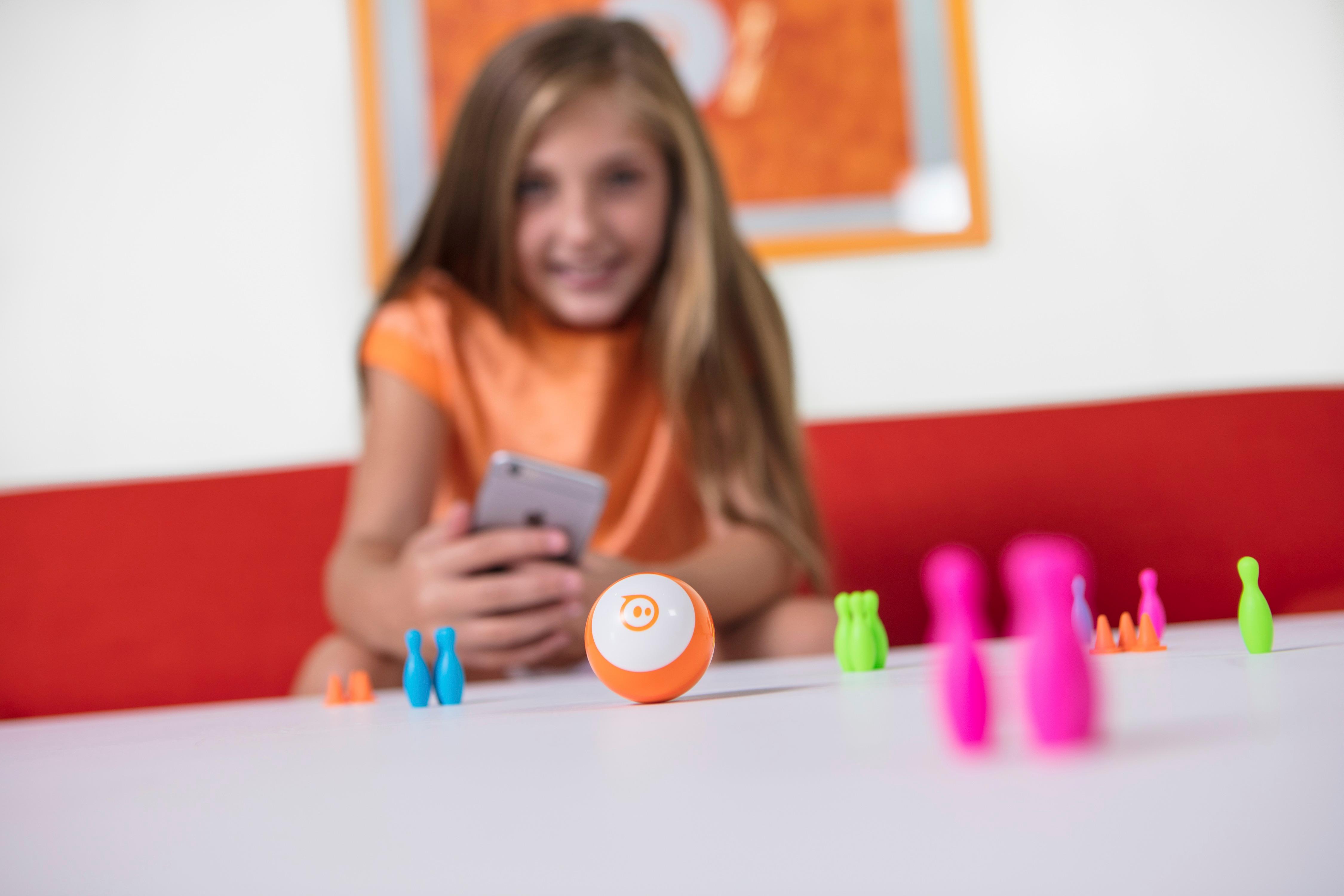
|Posted .This reviewer received promo considerations or sweepstakes entry for writing a review.I had my 10-y/o son open and set this up (my 12-y/o son was not interested). The quick start picture guide was pretty self-explanatory as was the app download needed to be able to control the Sphero. There were a couple of initial hiccups getting the Sphero calibrated correctly but, once that was done, it worked well. I'm sure there is a learning curve in terms of being able to control it well, but my son had no major problems. It comes with a few mini rubber bowling pins and mini traffic cones that you can set up and either bowl or create an obstacle course. The app allows you to customize the colors and sounds, which my son thought was pretty cool. The app also has some built in games to try with the Sphero. All in all, it was a fun initial experience. My only concern is how long it will hold one's interest. It seems like it could be a toy that my son will play with a few days (weeks), but then put it away and forget it. $50 is a bit steep if that turns out to be true. I think a $30 price point is better for something that could potentially be played for a weekend and then forgotten.
No, I would not recommend this to a friend - Pros mentioned:App, Programming
Engaging and Fun with Interesting Potential
|Posted .This reviewer received promo considerations or sweepstakes entry for writing a review.The Sphero Mini is a great toy that was more engaging than I expected. In addition, after just a day of experimenting with it, I found myself thinking of creative ways to put it to use. Actually, I have 2 - a white and a pink one - so I'm planning on building an obstacle course for an event my church hosts. Can't wait to watch the kids (and adults) put the Spheros through their paces. The app gives you multiple ways of controlling the unit and includes some games (and bowling balls). I wasn't, personally, that drawn to the games, but I noticed that the Sphere Mini will be included in the units accessible by the Sphere Edu app which allows for programming actions. According to the literature, that feature should be available by the end of this month (Oct. 2017). All-in-all, the Sphere Mini is a fun toy with multiple applications and uses.
I would recommend this to a friend - Cons mentioned:Control
Not happy
||Posted .This reviewer received promo considerations or sweepstakes entry for writing a review.It was hard to control wouldn’t Recommend this to anyone don’t buy this it’s garbage
No, I would not recommend this to a friend - Pros mentioned:Battery life
Creep At A Crawl or Zoom At A Pretty Good Clip.
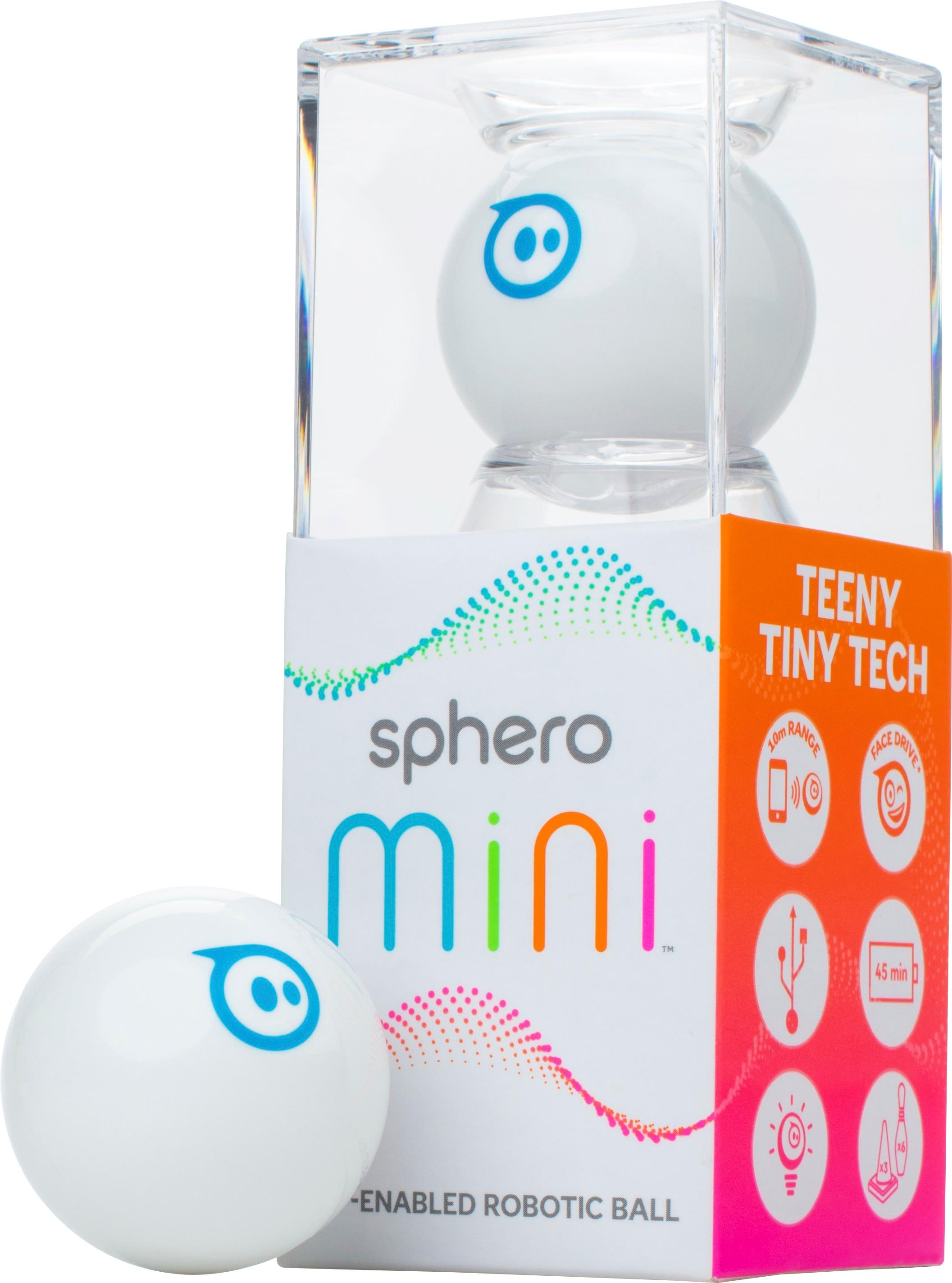
|Posted .This reviewer received promo considerations or sweepstakes entry for writing a review.This simple robot can provide hours of fun. Once connected to a bluetooth device, let the racing begin, and you can also set up an obstacle course with the included bowling pins and traffic cones, when you're done controlling the sphero pick it up and use it as a controller in the app included games. I am taken back at how well these little robots are made. While controlling them, notice that they have absolute variable speed. So you can creep at a crawl or zoom at a pretty good clip. They were super easy to connect. They are just slightly bigger than a ping pong ball. Mine charged in just under 15 minutes and gave me almost 45 minutes of run time. These are simply fun!!
I would recommend this to a friend Not so fun
||Posted .This reviewer received promo considerations or sweepstakes entry for writing a review.Never worked correctly, bought one as a gift after seeing a friends. Returned it and did not buy another.
No, I would not recommend this to a friend- Pros mentioned:Ease of use
FUn! While the battery lasts.....
|Posted .This reviewer received promo considerations or sweepstakes entry for writing a review.Overall, this is a nice time-killer, but not very much time though. Very simple to set-up, as everything is based in the Sphero Mini app (do not search the app on the app store; go to the web site given in the instructions, to get the correct app). Everything can be controlled, from directing the Sphero to changing the color illumination of it. There is a way to get it to gradually learn as you go along, but I did not venture past the basic types of movements. You can also learn to do different types of tricks through a program within the app. All of that said, the battery life is about 45 min. on a full charge, so you pretty much have to pace yourself and remember to charge it immediately every time you use it. I've never owned a device of this type, so not sure how standard of a charge 45 min. is, but from the perspective of enjoying the device, 45 min. did not feel like much (it didn't seem to last a full 45 min.) Bottom line, the Sphero was very entertaining to use, and easy to control through the app, but battery life impedes on the fun, especially trying to learn the tricks within the app. I would still recommend it to others, as it seems to be a good intro device of this type.
I would recommend this to a friend Definitely novelty. Waste of money!
||Posted .This reviewer received promo considerations or sweepstakes entry for writing a review.Even my dog stopped playing with it after a few session.. Pretty useless
No, I would not recommend this to a friendFun little robotic toy
|Posted .This reviewer received promo considerations or sweepstakes entry for writing a review.These little Sphero Mini's are the size of a golf ball. They set up easily to work with both Android and IOS. My daughter and I each had one and played tab with them, it was a fun and somewhat challenging time. There are multiple ways to control these, but we bother prefer the Joystick control by far. You can control the LED colors, play games and even program these to make it do and go where you like. I think this programming aspect is a great way to introduce kids to programming and feel schools or clubs could use these is a fun way. For the older kid who does not want to do programming, they may get bored with it after awhile. With that said, I feel this would make a fun Christmas gift for kids this year. The material of the outer shell and the way it opens reminds me of the Easter egg shell that you would hide candy in for the kids. Not sure how durable it is for the long term, but probably very easy and cheap to replace anyway. Bottom line, fun little robot/toy that most kids (and adults) will get a kick out of.
I would recommend this to a friend- Cons mentioned:Price
Fun toy ball
|Posted .This reviewer received promo considerations or sweepstakes entry for writing a review.So I gave it 4 stars for a couple reasons that I'll explain later. It's a ball about the size of a ping pong. Fun to play around with it for all ages and I like that the app allows to customize it a little. It also has a couple different ways of controlling it. Either tilting your device, slingshot, facial expressions or a joystick. It comes with some bowling pins and a few items that you can set up. The slingshot can be fun to use and set up courses or games with. You can customize the light color some as well. Why I gave it 4 stars. You have to have a smart phone or tablet that supports the app to use. Would have been nice to have that as an option and still provide a controller to use for those that don't have a smart phone or tablet compatible with the app. The charging cord is very short and a USB on one side. So will need to get a wall adapter or have a Pc to charge. And for those, it also just seems a bit pricey for what you get. It has a 2 piece shell that just snaps together. Was afraid I was going to break getting apart to get to the charging port. Though it was a twist type or screw type. But instead it's like the plastic eggs you get around Easter time. The range is expected. Not to far but enough to have a little fun if sitting in a living room. It does well on carpet (not sure about a super thick carpet) and also great and wooden floors or flat surfaces. Again it's a fun remote control ball but just seems a bit high on the price. Especially when you can get a fully functioning remote car even a mini remote car for 20-25$ and they come with a controller. But I still recommend if you want a fun ball to control. If you have a phone that is compatible and don't mind the price for what you get. Also has games that you play thru the app.
I would recommend this to a friend Too Much Fun!
|Posted .This reviewer received promo considerations or sweepstakes entry for writing a review.First off, make sure you read the little instructions they give you. Second, forget those instructions and download the manual online. make sure you download the correct app from your phone store and you are 90% done. Setting up was easy after initial charging time (1 hour charge for 45 mins of play). Connected this little hellion and the fun ensued. Love it can change colors and it is easy to control. Not so good on high carpet, but that is to be expected. I was able to align the steering fast and then took off around the house. this sucker is fast so be warned. Played the included games (flight, maze, and block) all use the gyro inside the sphero. All I can say is 45 mins went fast as I was having so much fun teasing the dog and bugging the wife. Contents: Sphero charging cable (no wall adaptor) bag of cones and "bowling pins" instructions (in too many languages) display case. When you get it all charged and ready to sync, The instructions tell you to find unit. It come up as SM (sphero mini) and the unique unit number (like sm1234) so be on the look out for that. Unit can be turned off through app (but you will have to plug in to turn on) or you can let it "sleep" and to wake it up you tap the outer shell. In order to charge it you must open the casing. To do this, place slight pressure on seam and crack like a plastic egg. Highly recommend to all and everyone. Getting some for gifts right away.
I would recommend this to a friendWaste of Money
||Posted .This reviewer received promo considerations or sweepstakes entry for writing a review.Was fun for about 25 minutes, which equates to about $2 per minute of fun. If this is a good return to you, great, but we should have gone to the movies (closer to .10/minute of fun)
No, I would not recommend this to a friendHorrible
||Posted .This reviewer received promo considerations or sweepstakes entry for writing a review.This was a horrible present for my kids. It never hooked up to the iPod or iPad, so it never worked. Waste of $50. Glad I kept the receipt. I returned it 3 days after Christmas.
No, I would not recommend this to a friendHorrible
||Posted .This reviewer received promo considerations or sweepstakes entry for writing a review.Bought this for my daughter and she never got to use it. It wouldn't hook up with her iPod or iPad. I returned it about 3 days after Christmas.
No, I would not recommend this to a friend- Pros mentioned:Programming
Great deal of fun - cat not included
|Posted .This reviewer received promo considerations or sweepstakes entry for writing a review.I have had a great del of fun with this little ball. The application is a little too weird for my taste, but it is easy enough to eliminate the noises that it wants to play. The device is very responsive to the controller, at least on my iPhone. The app also has a mode where you roll the ball around and it interacts with the image on the screen. I wasn’t very good at that. Just as I was getting a little bored with it, I discovered another app you can download for free that lets you program the ball to move in predictable ways. That should really increase my enjoyment of this little fun ball. This coul be a very good teaching device for a young programmer to be. Like the title says, everything included but a cat to really have fun with this.
I would recommend this to a friend - Cons mentioned:Control
Kids will like it, but not for long
|Posted .This reviewer received promo considerations or sweepstakes entry for writing a review.This is my first experience with any of the Sphero products. Honestly, it is just an ok product for me. The lights are cool. I think the kids will like it because of how you can control it from your phone but I think they will put this down quickly. It's only so much you can do with it. Pets will have a good time with it also. The joystick control is awkward at times. It's kind of cool that you can control it with your face. Like I said, kids will like it. This could be a gift for anyone under the age of 6. Older kids may quickly get bored with it.
No, I would not recommend this to a friend Cute Toy
|Posted .This reviewer received promo considerations or sweepstakes entry for writing a review.When I opened the box, the instructions were listed on the flaps of the box.First you need to charge the ball, and to do that you have to take apart the outer shell to get to the mechanics, if you will. The shell feels fragile, similar to a toy Easter Egg. Then you need to charge the unit for at least an hour, using the enclosed small USB charger. The color changes to green when it is ready. My challenge was setting it up with my Android phone. You need to pair it with your phone's Bluetooth first, then with the app. I downloaded the Sphero app and tried to get the unit to sync. It couldn't read it. I kept trying and trying with no luck. I found troubleshooting online and tried again. Come to find out, after much frustration, that you need to down load the Sphero MINI app, as opposed to the Sphero app, which is what I tried first. The illustrated instructions on the box showed "Sphero" on the image of the phone, and it was the first app that came up in the Play Store, so I thought that was it. Once I downloaded the correct app, set up was easy. Then, you get to play. You can set up the Aim by tracking the blue light on the ball toward you, then you get to the joystick function. There are different games you can play. You can change the colors of the ball's light, or zoom it around the room. It reminded me of an electronic Slinky. To me, this would be a good fidget toy to have on your desk to break up the day. The Sphero Mini is a cute little gadget.
I would recommend this to a friendLots Of Fun
|Posted .This reviewer received promo considerations or sweepstakes entry for writing a review.My family had a blast. I downloaded the 2 apps to control my mini. Very cool Tech item. The joystick control would sometimes get stuck or seem to roll off my screen at times, But I persistently kept going with the fun. I really like this techno/robotic Toy. Should bring lots of entertainment.
I would recommend this to a friend- Cons mentioned:Connectivity
So much for a cool cat toy
|Posted .This reviewer received promo considerations or sweepstakes entry for writing a review.First- Box was difficult to get into, but it was packed well. Second- instruction SUCKED. mostly had to figure things out for ourselves. Third- Save the tall plastic container- holds the sphere nicely when charging. Fourth- I downloaded the incorrect app and was lost. Fifth- finally got correct app and they want access to EVERYTHING...immediate distrust. T &C are a mile long- good luck trying to read them. Sixth- FINALLY got app and shero set...bluetooth (a MUST) and WIFI on...ready to go...but...with the shero next to the phone, it would not recognize it. Tried three times and got it to work and tried to engage cats...they preferred the cardboard box it came in. Seventh- tried to get second one hooked up...would NOT connect and my house-mate could not get either one to connect- the app would not connect to the robots(it did not see them) but the phones bluetooth did see them. Entire experience...FAIL, I guess I'll wait for better technology Oh, and the outside ball looks and feels very cheep.
No, I would not recommend this to a friend - Cons mentioned:Connectivity
Not ready for prime time.
|Posted .This reviewer received promo considerations or sweepstakes entry for writing a review.I received two Mini Sphero’s about a week ago. They are mini but built relatively solid. The problem is they do not work. They light up nicely but that is about it. I first charged the Spheros fully, installed the software on my Google Pixel XL , ran the software , unplugged the Sphero and gave it two taps. It appeared to go into pairing mode and apparantly paired with my phone. I was running the app at the time and it could not connect to the Sphero. The app just kept searching for it even though the Sphero Mini was connected to my phone. I made multiple attempts. After doing some research on troubleshooting on the Sphero website, I uninstalled the software forgot the device in bluetooth settings, restarted my phone and reset the Sphero by putting it back in the charger. I repeated the whole process and still could not get Sphero Mini to connect. I thought there was something wrong with the Sphero Mini itself so I tried the second Sphero Mini that was sent to me, same result. Then I thought there was something up with phone so I uninstalled the app again, forgot the devices in bluetooth settings and decided to try on my 2017 Ipad Pro. The devices would not go into pairing mode and my Ipad did not even see them in the bluetooth setting. I repeated the process mutltiple times on both devices and still had no luck. This should not be difficult, I followed the instructions to the letter and both devices are fully compatible with Spheros. The only thing the Spheros do when unplugged is is glow red and eventually time out and shut down. When they shut down, they do not wake back up. Sorry Sphero, this was not a good experience and I should not have to open a service ticket on a toy.
No, I would not recommend this to a friend