Customer Ratings & Reviews
- Model:
- 64660
- |
- SKU:
- 10783254
Customer reviews
Rating 4.8 out of 5 stars with 179 reviews
(179 customer reviews)Rating by feature
- Value4.6
Rating 4.6 out of 5 stars
- Quality4.9
Rating 4.9 out of 5 stars
- Ease of Use4.8
Rating 4.8 out of 5 stars
to a friend
Rated 3 out of 5 stars
Solid gaming kb with lots of options. Bit pricey.
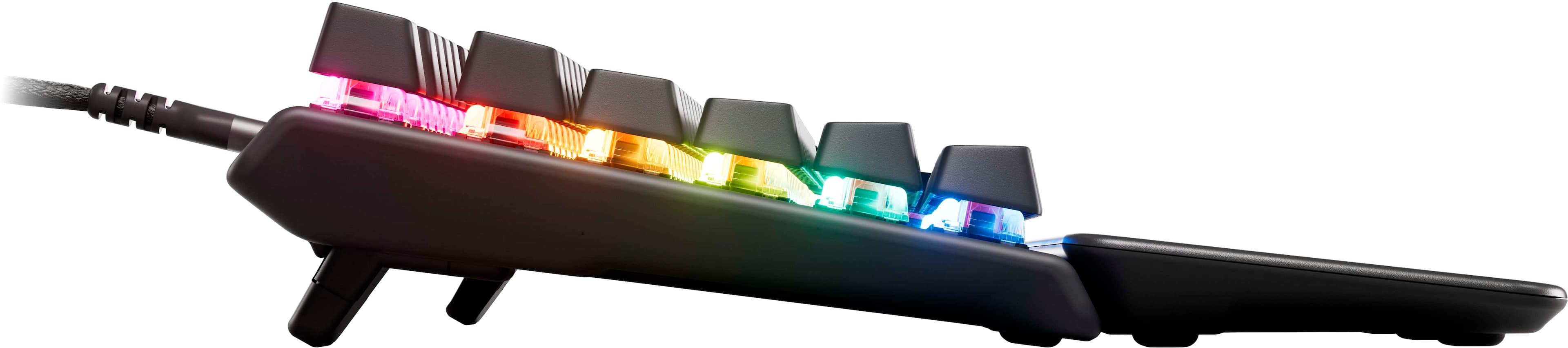
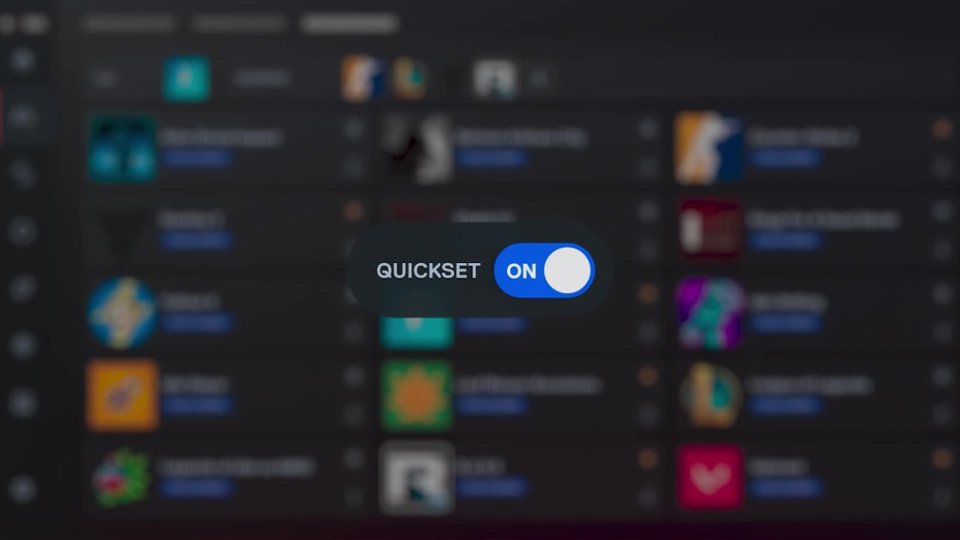
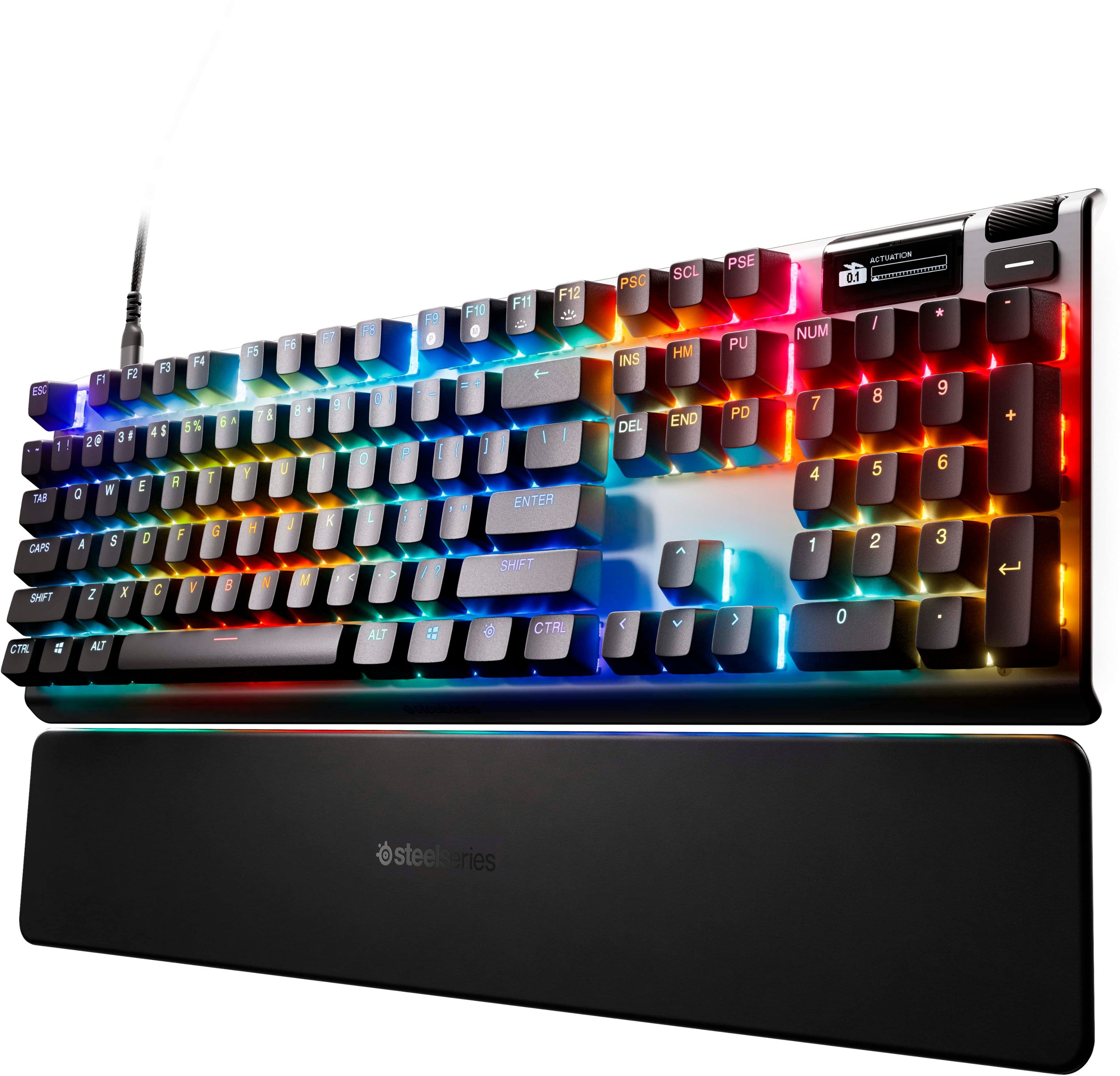
|Posted .This reviewer received promo considerations or sweepstakes entry for writing a review.The SteelSeries Apex Pro Gen 3 Full Gaming Keyboard is a solid gaming keyboard with lots of configurable options. It is a bit pricey imho. The metal casing gives this keyboard a very solid feel and it is pretty heavy compared to a lot of keyboards I've owned or used. Once it's in place it's not going to move around without some effort, especially with the magnetic wrist rest attached. The wrist rest has a soft rubber feel to it and is pretty comfortable even though it's not padded. Just a note it tends to pick up pet fur / hair and little bits of small particles get stuck to it pretty easy. I found a damp paper towel works pretty good to clean off the debris. Hoping this debris catching propensity diminishes over time as I have 2 cats that are always on my desk wandering around. This keyboard doesn't have the traditional mechanical keyboard tactile click that I'm used to, so that is going to take a little getting used to. The sound you hear while typing is the keys hitting the pad underneath the keys. It's not nearly as loud as traditional mechanical keyboards and that is by design. Steel Series tried to make the keyboard less noisy by adding a pad underneath the keys. It's kind of a muted thump sound with a touch of click sound. They keys have a decent amount of resistance but not as much as some keyboards I've used. One nice feature it the ability to dynamically change the actuation level by either using the Steel Series software or using the combo keys on the keyboard. You can change it so the key press registers with barely any movement to all the way fully pressed before registering. My only issue with this feature is it only applies to the QWERTY keys and numeric keys, so the numpad, function keys and the keys in-between the QWERTY keys and numpad stay at the default actuation. The default actuation is very sensitive, so I end up getting typo issues when using the numpad in particular. Lots of accidental keypresses resulting in extra digits being entered. The keyboard uses a detachable USB-C cord to connect the keyboard to the computer, and I'm not sure why. I don't really care for the placement of the plug-in port and I would've preferred it being under the keyboard somewhere. I can see this becoming a point of failure as that port gets wiggled around over time. The port has a little wiggle to it already and the cord is on the firm side. Might've been a better choice to use the larger regular USB to plug into the keyboard. I think it would offer better stability. The cord sticks straight out of the left rear of the keyboard and is elevated like an inch above the desk. Just seems odd and out of place to me. There are cord guides on the underside of the keyboard but the provided cable doesn't seem to be sized properly to stay in the channel at least when I attempted it. The little digital display is kinda neat. You can download little apps that do different things or configure images to display on it. The height of the keys actually do a good job of hiding most of the display so it's not as useful as it could be in it's current placement. Have to lean forward most times to actually see what is displaying on the little screen. I run a little app that displays system info like CPU %, GPU%, CPU temp and GPU temp, and mem usage. Pretty useful info, but again kinda bad placement with the height of the numpad keys. The little scroll wheel is useful for quickly raising and lowering the volume and can be configured to do different things. The Steel Series software allows you to change all sorts of settings on the keyboard, along with any other Steel Series accessories you might have attached. I have the Aerox 5 wireless mouse from Steel Series, so I can set the RGB effects to sync between the 2 devices which is nice or configure them individually. It comes with about 20 presets of cool RGB effects to choose from. The software allows you to adjust the Key Bindings, Meta Bindings, Actuation, Dual Bindings, Dual Actuation, and the OLED settings. There is also a macro editor. You can also create macros on the fly using the Steel Series button + the special macro key on the function keys. You can save and create configs and switch between them on the fly as well. There is a QuickSet app in the software that is in Early Access that automatically switches the settings of the keyboard when you load a game or app. I've had the keyboard become unresponsive a few times and had to unplug the cable to get the keys to start registering clicks again. Not sure yet what might've caused that. As long as it doesn't become a regular thing it shouldn't be an issue.
This review is from SteelSeries - Apex Pro Gen 3 Full Size Wired Mechanical OmniPoint Adjustable Gaming Keyboard with Rapid Tap - Black
No, I would not recommend this to a friendRated 5 out of 5 stars
Comfortable to use, customizable, good key feel
|Posted .This reviewer received promo considerations or sweepstakes entry for writing a review.I’ve been using this keyboard in all kinds of situations (gaming, regular day-to-day typing, etc.) for about a week now, and I find it to be highly satisfactory. It was easy to set up, and it feels very solid and of high quality. It feels heavy. The included wrist pad makes for a comfortable hand rest. The keyboard connects via the included USB-C cable, which can be detached from the keyboard. The keys have a nice, tactile feedback feel. Some people call this key feel “punchy.” The keyboard comes with a key picker tool to enable removal of the keycaps should you want to replace them with different “designer” keycaps available from the manufacturer. The keyboard has a small LED screen that displays the selected menu item as you scroll through the various options for keyboard background color, adjustable actuation, rapid tap, and other features. There is also downloadable software that allows a great amount of customization, and the software can detect the game you’re playing and load “presets” for the keyboard appropriate to that game. Overall, as I say, this is a fine keyboard in every respect, and I expect to get much good use out of it.
This review is from SteelSeries - Apex Pro Gen 3 Full Size Wired Mechanical OmniPoint Adjustable Gaming Keyboard with Rapid Tap - Black
I would recommend this to a friendRated 4 out of 5 stars
It's Serious Business
|Posted .This reviewer received promo considerations or sweepstakes entry for writing a review.[PROS] Construction: The keyboard feels heavy, but that is definitely a sign of decent materials being used. I'm a fan of the build quality as the frame and base of the device is very solid. Furthermore, the wrist rest is comfortable even without an added cushion. Rapid Response: Gaming reaction is as instantaneous as it can be. I tweaked actuation settings of some keys while others remained in their default state, and it felt unreal in some instances. It seems like cheating with how quickly my input selections registered on the screen. As a bonus, they are Streamlined App: Adjusting actuation and key bindings is as straightforward very easy with the Engine app. The interface is organized and most sections self-explanatory. I'm used to clunky experiences and glitches in the implementation. Fortunately, all desired instructions were carried out without issue. Acceptable Sound and Feel: Keys are "clicky" as expected, but not in the annoying sense. The sound levels are appropriate, and are definitely fine when gaming with a headset. Keystrokes are smooth when pressed, and the fingers are returned back to base. [CONS] Wired Only: Its obvious that wired connections are more consistent and have reduced interference. Personally, I would have preferred a keyboard capable of having a wired connection via Bluetooth or dongle for versatility. Switch Swap Limitation: The red switches are nonremovable and apply to the keypad and other outside keys. I'm not that disappointed because I rarely use them for gaming, but they could be an issue for someone else. [CONCLUSION] The Apex Pro Gen 3 is a keyboard worth having. I'm in the lower tier of eSports gamer rankings with my skillset, but I noticed a moderate improvement in the amount of enemy targets I struck with accuracy and even greater speed. As a wired keyboard, it gets the job done and is a very worth eSports candidate.
This review is from SteelSeries - Apex Pro Gen 3 Full Size Wired Mechanical OmniPoint Adjustable Gaming Keyboard with Rapid Tap - Black
I would recommend this to a friendRated 5 out of 5 stars
Best Keyboard I've Ever Owned.
Posted .This reviewer received promo considerations or sweepstakes entry for writing a review.High quality keyboard that doesn't have the high-pitched click of traditional mechanical keyboards. Easy to clean & great RGB features using the SteelSeries GG software. I would highly recommend getting a full SteelSeries suite (Keyboard, Mouse, Headset) to keep things unified.
This review is from SteelSeries - Apex Pro Gen 3 Full Size Wired Mechanical OmniPoint Adjustable Gaming Keyboard with Rapid Tap - Black
I would recommend this to a friendRated 5 out of 5 stars
Still One of the Best
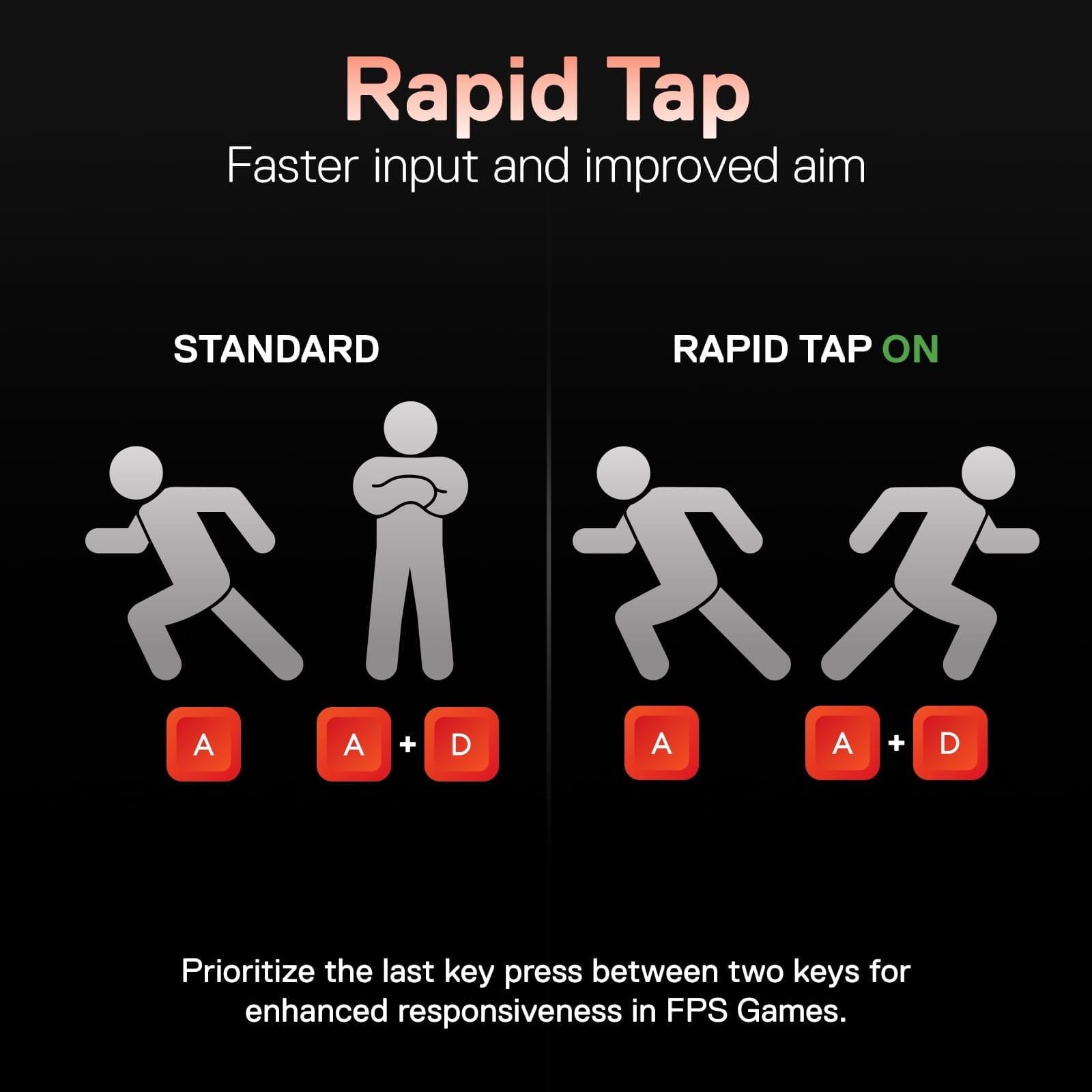
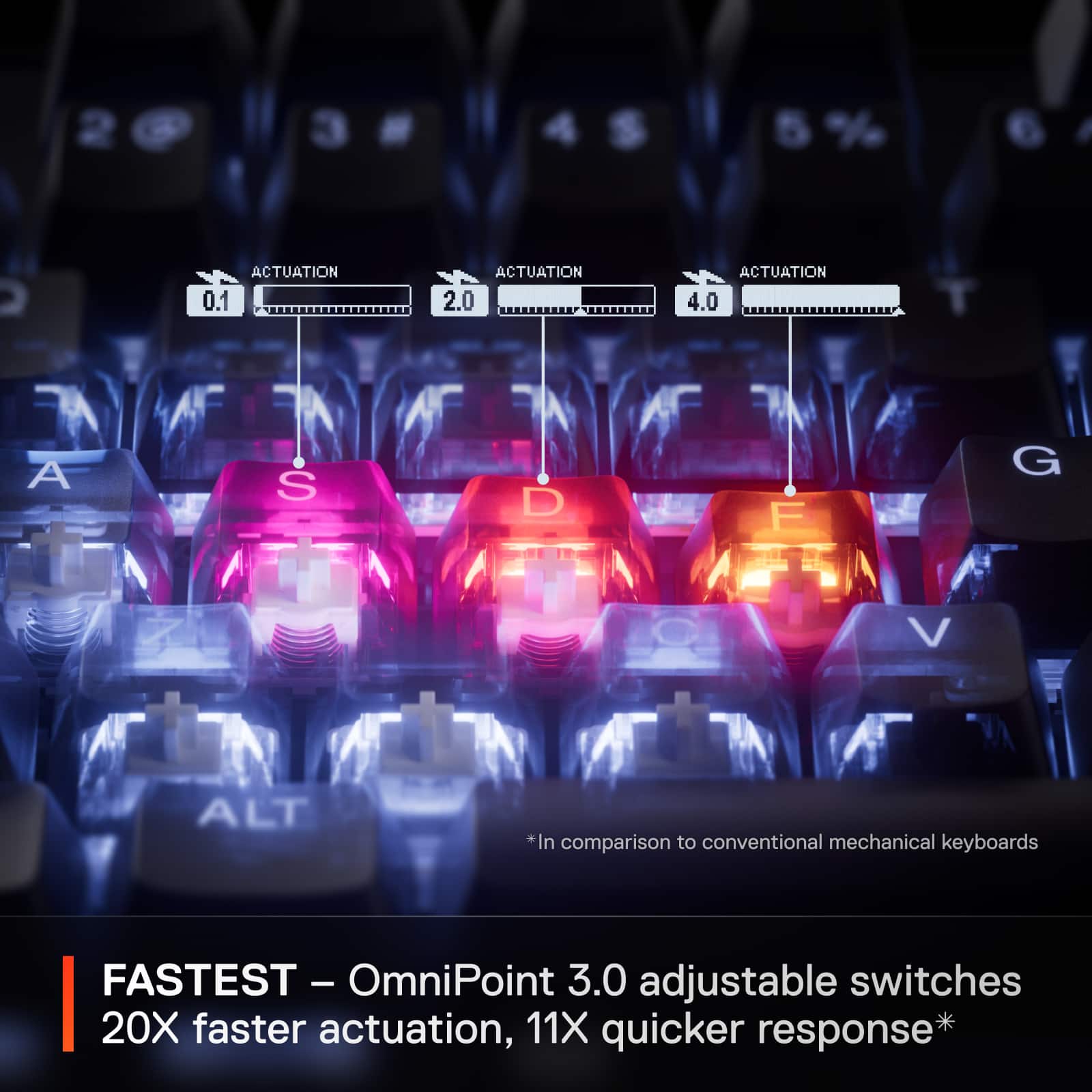
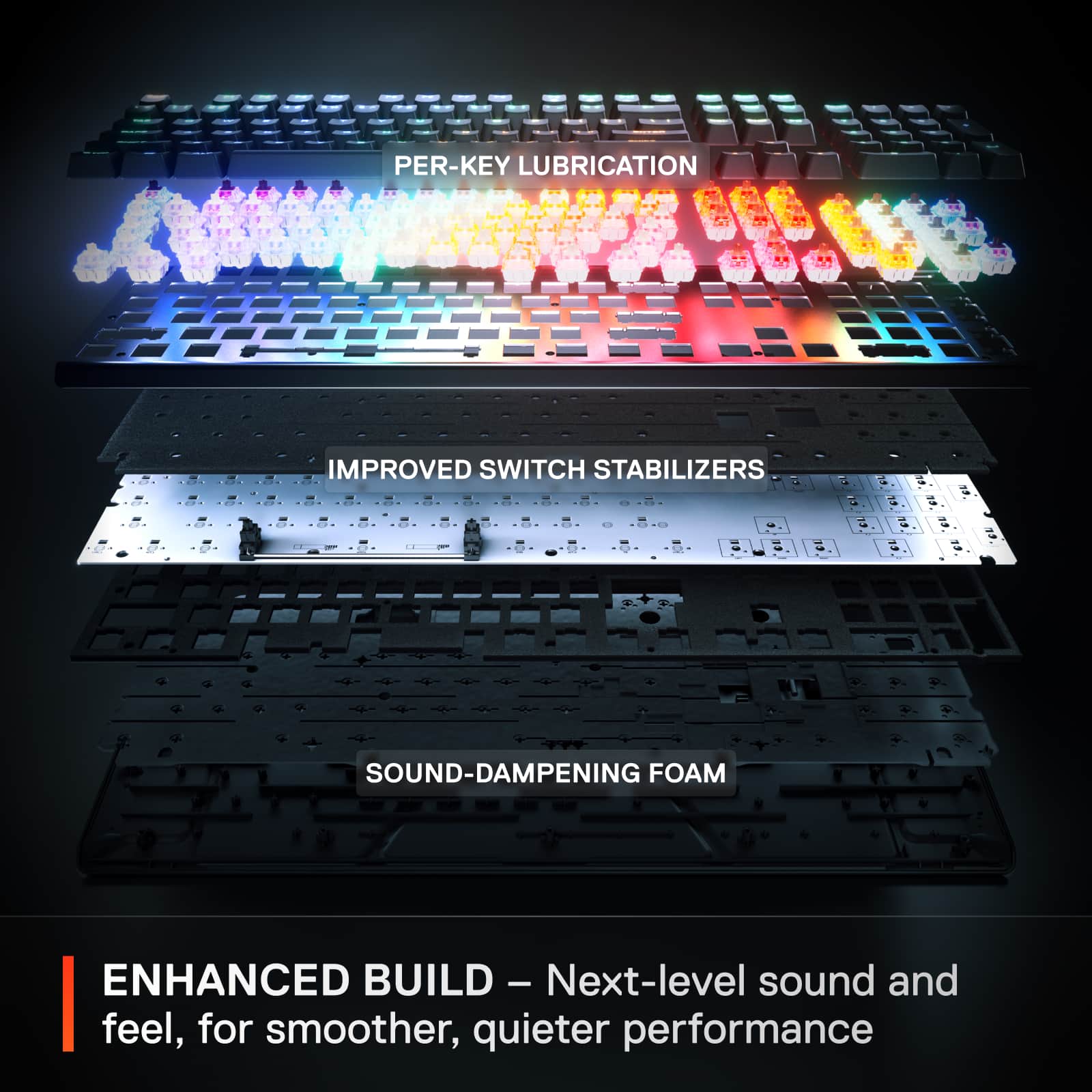
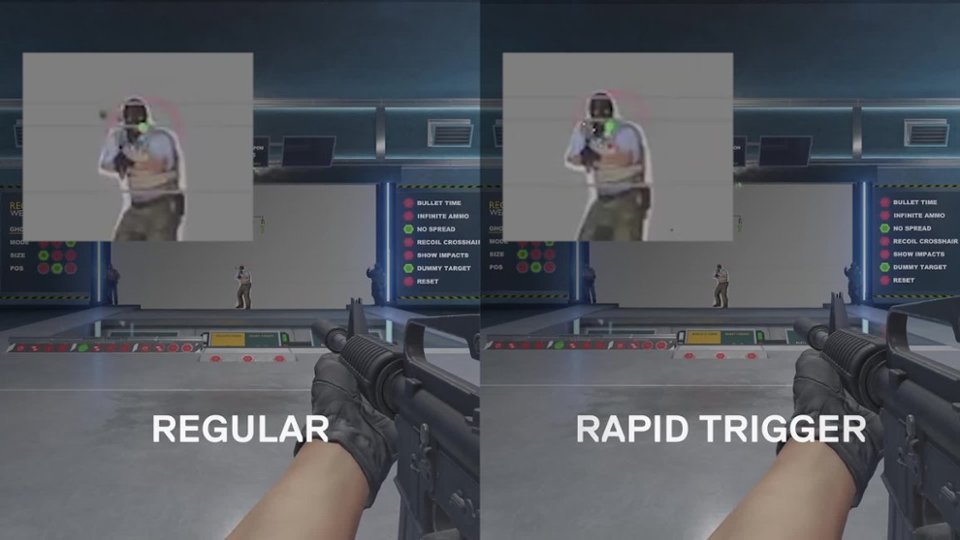
|Posted .This reviewer received promo considerations or sweepstakes entry for writing a review.My time with the Apex Pro Gen 3 thus far has been great. My previous board for nearly 3 years was the original Apex Pro keyboard, which I bought primarily for the huge flexibility afforded by the adjustable actuation settings on the board. SteelSeries has obviously carried that forward as a hallmark feature of the Gen 3, but they've also included some additional enhancements that make this a strong competitor in the current late 2024 keyboard market. One immediate and huge difference I've noticed is in the day to day typing experience with the Apex Pro Gen 3. Compared to my og Apex Pro, typing is significantly quieter and more refined. Those looking for the MX Blue style clicky experience won't get it here, but anyone that likes the MX Cherry or Brown typing experience will be at home with the Apex Pro G3 magnetic switches. As a developer by trade, I use this board for many hours per day, and am happy to report for the most part, it's a joy to type on; not many mistypes, and given the adjustable actuation, you can tailor the experience to your desired level of keypress. The features that seem to apply here are the improved switch stabilizers, the added sound dampening foam, and the per-key lubrication they've employed. I can confirm that these upgrades have tangibly improved my day to day typing experience overall with the Apex Pro Gen 3. Beyond typing, gaming is where the board excels, though. The adjustable actuation goes down to an insane 0.1 mm for those looking to truly tweak out. The great thing about this adjustable actuation is that not only can you have different profiles taylored to different uses (microscopic level 0.1mm for gaming while retaining a more reasonable 2 or 4mm level for day to day typing), you can also set these actuations on a PER KEY basis. Those who heavily utilize the WASD zone for game movement will likely appreciate being able to set these primary movement keys to a shallower actuation point while leaving secondary movement buttons on a higher actuation to avoid accidental presses. This was all available on previous models of the Apex Pro, including the OG (which is a primary reason I went for it in the first place). Where things get dialed up to 11 is with a few of the newly introduced features with the Gen 3; rapid tap, rapid trigger, and 2-in-1 action keys. Rapid tap allows you to set the keyboard to prioritize the last key pressed, so for those that employ sweat-level strafing maneuvers, you can now set the board to not "lock up" when you have D pressed and down while then pressing A, for instance. Rapid trigger and 2-in-1 action keys work on the same principal; different actions depending on how far the key is pressed. Rapid trigger, on one hand, allows you to set the keyboard to completely eliminate latency when deactivating a key. For instance, if you're moving forward via W, as soon as you being to let off the key (but while it's still slightly depressed), you can tell the keyboard to immediately deactivate the press. 2-in-1 action keys works somewhat in reverse, allowing you to specify that a half press of W is a slow walk forward, while a full press is a fast walk forward. Of the 3, I've found that Rapid Tap and Rapid trigger have offered the greatest update to the gaming experience, especially with FPS games. I have a couple of downsides that I feel are worth mentioning. Firstly, the LEDs on this board feel unexpectedly dim. As compared to the first gen Apex Pro, they feel anywhere from 10 to 20 percent dimmer at full brightness. This is a bit of a head scratcher, and perhaps is due to the reconfigured connection points and noise dampening layer now present that wasn't there in the first generation board. The other downside related to the Gen 3 for me is the display and extra controls in the upper right. While I like the wheel employed here a lot, the button in the upper right feels a bit less quality than the first gen. Additionally, the screen and menus appear to be identical to the first gen; in other words, they feel dated compared to contemporary options at this point. One noticeable difference is that they've greatly upped the frame rate of the screen, so scrolling text appears a bit smoother now. While I genuinely love the use of space here (they've added the screen and buttons/wheel inside the confines of a regular sized keyboard which is awesome), the OLED screen and menu system could've used an overhaul to bring it into the modern era. Another area that SteelSeries has seemingly gone backwards on is the removal of the extra USB port that existed on the OG Apex Pro. They've opted to streamline the connection a bit, relying on a single USB C output, which made the cord thinner and less bulky, but again, removed the ability to have an additional device plugged in. I used this on the regular with my previous board, with my wireless mouse transmitter being plugged into this additional port. One final note here that doesn't specifically relate to the Apex Pro Gen 3, but to my first generation Apex Pro. After a little more than a year with that board, a number of the blue LEDs on the keys begin to inexplicably fail and stop working. This greatly hampered the lighting functionality of the board, and I very much hope SteelSeries has worked out this issue. Time will tell on that, but be aware, this series has a track record of failing blue LED lights. Overall, my experience with the Apex Pro Gen 3 has been as expected based on my previous experience with the OG Apex Pro; that is to say, it's been a great experience. This is a dynamic and versatile keyboard that can fit many needs, primarily being a gaming keyboard, but also being surprisingly great to type on as a developer. The wealth of features here makes it totally competitive in the market, and anyone looking for the latest and greatest, that doesn't need wireless, would be well served considering the Apex Pro Gen 3 as a strong candidate.
This review is from SteelSeries - Apex Pro Gen 3 Full Size Wired Mechanical OmniPoint Adjustable Gaming Keyboard with Rapid Tap - Black
I would recommend this to a friendRated 1 out of 5 stars
Cool in theory... bad in execution.
||Posted . Owned for 3 months when reviewed.This reviewer received promo considerations or sweepstakes entry for writing a review.Terrible experience. Software would casue my computer to freak out and have phantom keys pressed. Returned it and went back to my custom glorious gmmk pro.
This review is from SteelSeries - Apex Pro Gen 3 Full Size Wired Mechanical OmniPoint Adjustable Gaming Keyboard with Rapid Tap - Black
No, I would not recommend this to a friendRated 5 out of 5 stars
Thacking Great
|Posted .This reviewer received promo considerations or sweepstakes entry for writing a review.The SteelSeries Apex Pro Gen 3 is about as perfect a keyboard as I have ever used, gaming or otherwise. On the gaming front you get OmniPoint 3.0 key switches which promote 20x faster actuation and 11x faster response time. While I can’t confirm the exact response time of the switches, I can say they are incredibly fast and more than up to the task for gaming. Keyboards these days are getting so good that by the time you think about latency, the switch has already responded, and the result has already been presented on the screen. In this case, you have SteelSeries GG presets which takes things even further by allowing you to customize things like actuation, game-ready presets, rapid tap, and more. What I really like though is that while the software does let you customize a lot, you can use the built-in OLED display and scroll-wheel to control quick functions/settings without needing to fully go into the software. Even out-of-the-box, without any other adjustments, this keyboard is more than up to the task. I actually started using it for my daily work before I even touched gaming, and it was immediately noticeable how quality it is. With a single detachable USB-A to USB-C cable, you can connect the keyboard to your PC and use it without any other additional software/configurations. You get default tasteful RGB which responds to your keyboard presses, a hefty feeling keyboard, an included magnetic wrist rest, and some of the best sounding key presses I have heard on any keyboard I have owned. Seriously, they make this super satisfying “thacking” sound that is distinctly mechanical but without the “clickiness” you get from many mechanical keyboards. It is hard to describe, but it feels heavy and satisfying without the keys themselves actually feeling like they are bottoming out. If you do a lot of typing like I do, I think you’ll enjoy the sound these make for a long time. I actually did a typing test, and found on my first try I was able to beat the speed of my previous mechanical keyboard by a noticeable margin, without even practicing first. It just feels really natural to type and use for productivity. If I had one complaint, it would be that I am not a huge fan of the wrist rest. It is magnetic and well positioned for wrist support, but I am not a fan of the rubber texture and overall angle for my wrists. It just feels like it could use a bit more support. I have a separate softer wrist rest I use with a bit more raised cushion that is more comfortable for longer sessions, but honestly, this is a big nitpick, as the included wrist rest is still plenty good for an included one, and will likely be good enough for many folks. For gaming, I honestly had no complaints either. Games were responsive, felt natural, and I really didn’t need to do a lot of adjusting from the default presets to have a great experience in my single player games. If you like to tune your keyboard a lot, you can. If you want to build custom RGB profiles, you can. But for me, as someone who spends more of their time playing single player games nowadays, I found this keyboard to be just about perfect. I love the included display on the keyboard, the functionality of it, and the customization options. All around just a fantastic keyboard, and shows you really get what you pay for. Highly Recommended.
This review is from SteelSeries - Apex Pro Gen 3 Full Size Wired Mechanical OmniPoint Adjustable Gaming Keyboard with Rapid Tap - Black
I would recommend this to a friendRated 5 out of 5 stars
High tech Keyboard with Super low Latency
|Posted .This reviewer received promo considerations or sweepstakes entry for writing a review.The best keyboard just got better. I have the multiple SteelSeries Apex keyboards and I was excited to get this Apex Pro Gen 3 Keyboard to test in my gaming marathons. Pros: Presets for Popular Games (Actuation levels- Rapid tap etc.) Individual Key RGB On the fly Actuation level change USB-C Cons: Accuracy- Actuation? Overall this Keyboard is what you come to expect for a high quality gaming keyboard. It has tons of technology in it that makes this keyboard have excellent latency performance in game. When i played COD I was able to quickly see and measure the latency of key press to action in game ( I measured around 2.5-2.8ms latency. Additionally, the loudness from the constant presses were noticeably dampened thanks to the under PCB foam added. The build quality is excellent as you have plastic over an aluminum body which makes this a little heavier around 2.4 lbs. This thing doesn't move when I was gaming in intense sessions. The legs have little rubber pads which helped in its non movement. The keys the Omnipoint 3.0 Hall effect switches which is why you get the highly customizable actuation features. The downside is the Number pad area and the top row are using the Mechanical switch's which you cant customize. Just the main segment or 61 one keys total. The actuation when trying to customize on my own seemed to be off at times, but when I used profiles it was perfect. Overall this keyboard will be more than enough for any gamer looking for a series keyboard to use while gaming. That's where this keyboard excels and does other duties perfectly fine.
This review is from SteelSeries - Apex Pro Gen 3 Full Size Wired Mechanical OmniPoint Adjustable Gaming Keyboard with Rapid Tap - Black
I would recommend this to a friendRated 5 out of 5 stars
Silky Smooth Keys, Advanced Features
|Posted .This reviewer received promo considerations or sweepstakes entry for writing a review.The keyboard feels very solid, stiff, and well-built. The keycaps provide a nice tactile feel, but the spacebar has some extra wobble to it. There is some sound deadening, its much quieter than other gaming keyboards. I traditionally liked loud keyboards, but I’m starting to appreciate the quiet. The removable wrist rest is not padded, it has a rubberized top. There are two strong magnets that secure it to the keyboard. The design is clean, simple, and attractive. Performance features that help elevate your gaming response include: • Adjustable HyperMagnetic switches let you adjust the actuation point for each key. However, only the alphanumeric keys are adjustable. The other keys use standard mechanical switches which do not seem to be removable. • The Protection Mode feature protects your intended keypresses by limiting the sensitivity of surrounding keys helping to prevent accidental keypresses on nearby keys. I wish my previous keyboards had this. • The Rapid Trigger feature eliminates the latency from deactivating a key, making it active as soon as it’s pressed or released. Hyper speed. • Rapid Tap allows prioritization of the last key pressed in a pair without needing to release the previous key, thus faster input. • There is a small OLED display with a scroll wheel on the keyboard corner where you can adjust settings on the fly without having to switch out of a game to use the software app. I appreciated this, especially at the start while finding the settings that worked best for me. The SteelSeries Apex Pro Gen 3 Full Size Wired HyperMagnetic Gaming Keyboard provides high performance with next level features that let you highly customize it to your needs. Add the solid build quality and I feel it’s value over less expensive keyboards justify the price.
This review is from SteelSeries - Apex Pro Gen 3 Full Size Wired Mechanical OmniPoint Adjustable Gaming Keyboard with Rapid Tap - Black
I would recommend this to a friendRated 5 out of 5 stars
Solidly built gaming keyboard
|Posted .This reviewer received promo considerations or sweepstakes entry for writing a review.The SteelSeries - Apex Pro Gen 3 Full Size Wired HyperMagnetic Gaming Keyboard – With Rapid Tap has proven to be a highly capable, very durable, customizable keyboard. It's kinda funny how back in the day keyboards were really a dime a dozen. My first keyboard was mechanical like this and gave off that very audible click when the key was depressed. Then along came the smoother more quiet keys. Now, as far as the gaming community is concerned, that audible click of a mechanical keyboard is a must have. This keyboard offers that mechanical click, with a very durable feel. The elevated keycaps give the capability of being finely adjusted to which depress depth causes actuation. This is kinda handy if you're looking to really squeeze every millisecond out of your reaction times for first person shooters and the like. The mechanical click isn't overly intense, but enough that you're made aware you've used a key. The RGB illumination is highly customizable, and each key's lighting can be adjusted independently. The raised keycap really helps that light shine through and gives the keyboard a really stylish aura when illuminated. The included wrist rest is quite nice. I find I can't us a keyboard these days without one. It clicks to the keyboard with a small magnet to help keep it in place. The usb-c cord is a high quality braided cable that is completely detachable from the keyboard. The included software allows for full customization, but also provides you with several ready to go profiles for many popular game titles. It's a solidly built gaming keyboard that I would recommend to others.
This review is from SteelSeries - Apex Pro Gen 3 Full Size Wired Mechanical OmniPoint Adjustable Gaming Keyboard with Rapid Tap - Black
I would recommend this to a friendRated 5 out of 5 stars
Worth the money for serious gamers
|Posted .This reviewer received promo considerations or sweepstakes entry for writing a review.The SteelSeries Apex Pro is a great hall-effect keyboard that stands out with its unique adjustable actuation points for most keys. This innovative feature allows users to fine-tune the sensitivity of each keystroke, offering a level of personalization not found in most keyboards. The keyboard itself boasts excellent build quality with a sturdy aluminum top frame, giving it a nice sturdy feel. The OmniPoint switches provide a smooth and responsive typing experience, and the adjustable actuation points significantly enhance responsiveness in fast-paced games. It also has a display for quick access to settings and extensive customization options for macros on-the-fly. During testing, the keyboard performed exceptionally well with good key registration and no instances of ghosting. While the price point is high, the innovative technology, premium build quality, and exceptional performance justify the investment for serious users who demand the highest levels of performance and customization from their keyboard.
This review is from SteelSeries - Apex Pro Gen 3 Full Size Wired Mechanical OmniPoint Adjustable Gaming Keyboard with Rapid Tap - Black
I would recommend this to a friendRated 4 out of 5 stars
Great customization and game-ready presets
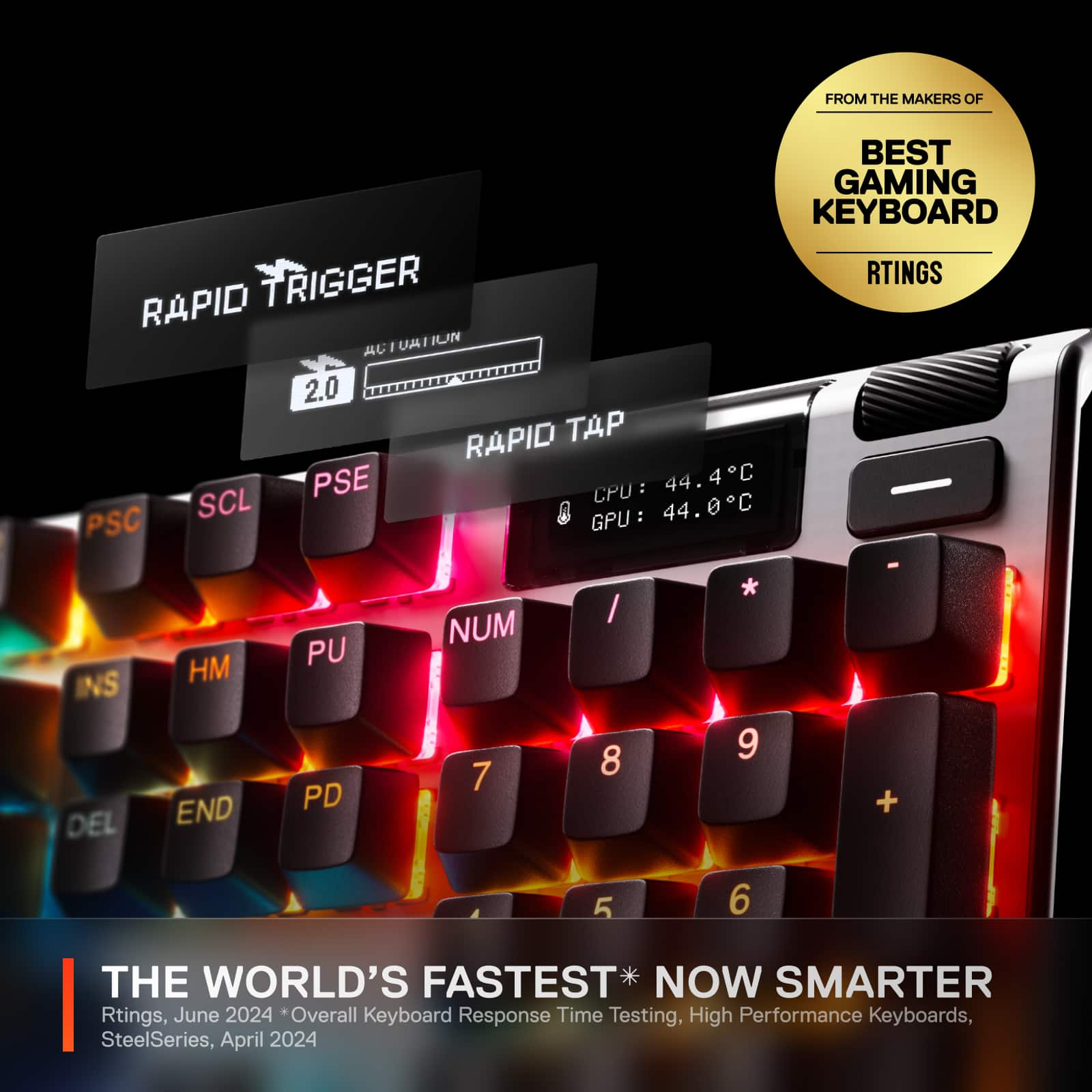
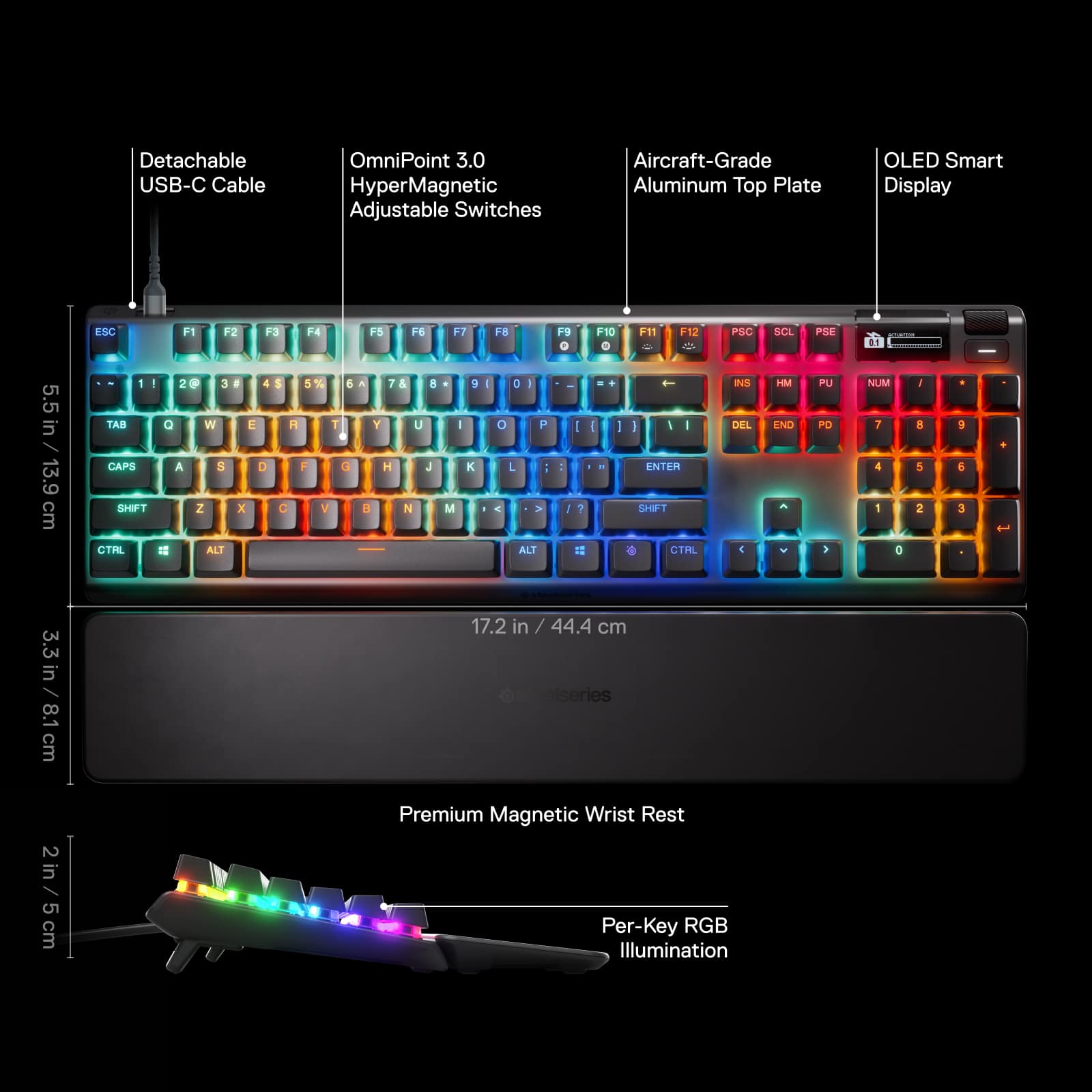
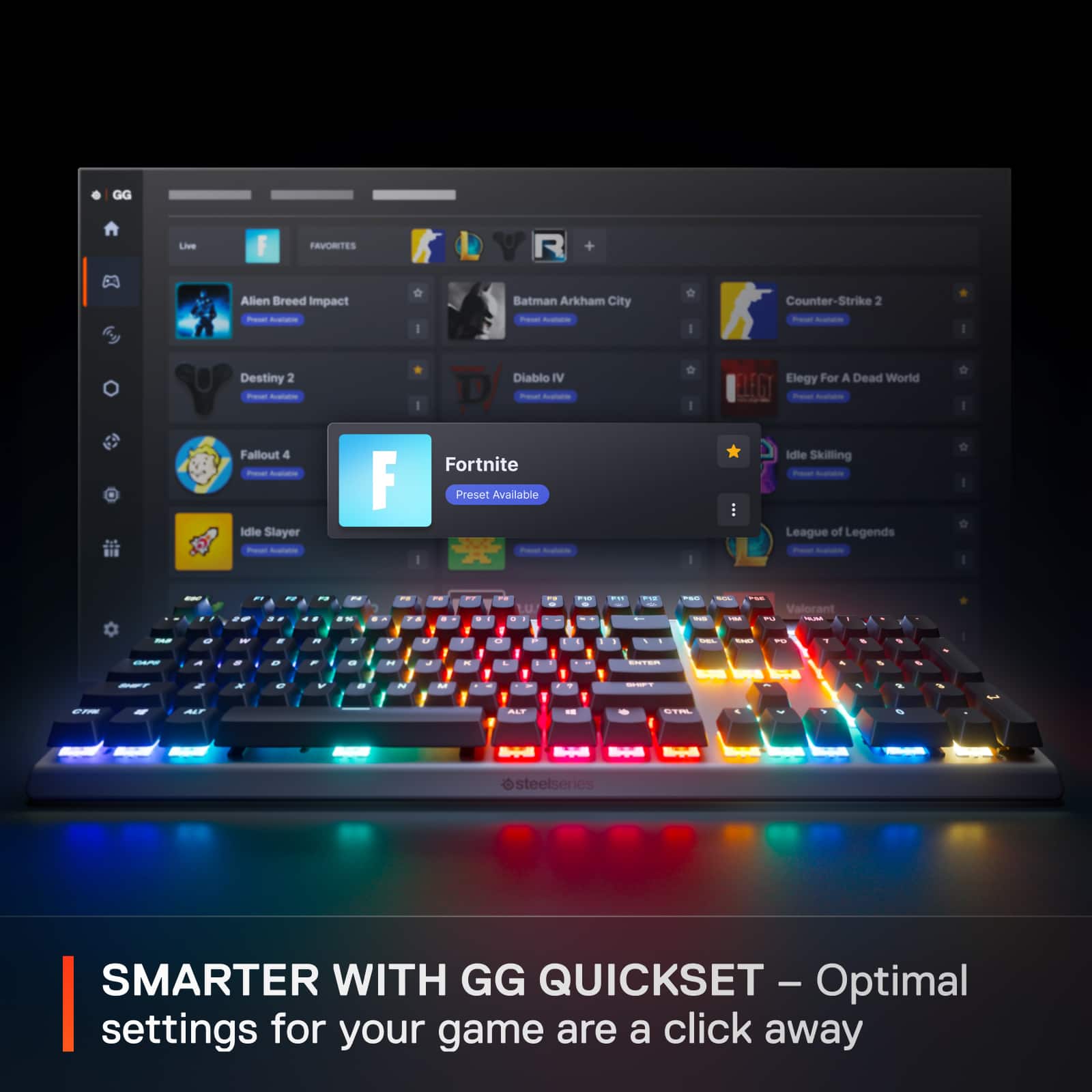
|Posted .This reviewer received promo considerations or sweepstakes entry for writing a review.There is a lot to like about the SteelSeries Apex Pro Gen 3 keyboard and I look forward to using it more to really see the ongoing benefit of some key features. It is described on Best Buy’s website as the world’s fastest keyboard given its OmniPoint 3.0 adjustable, HyperMagnetic switches with Rapid Trigger, Protection Mode, Rapid Tap and 40 levels of adjustable actuation. It is noted to deliver 20 times quicker actuation and 11 times faster response time. Consider though that Valve has chosen to detect and ban keyboard automation in games such as Counter-Strike 2 so some players may welcome this but impactful for those wanting to use Rapid Trigger. The keyboard has a solid feel and decent weight to it, but it is a bit surprising that the housing is mostly plastic with an aircraft-grade, aluminum top plate. Like some of my other keyboards I expected the housing to include more aluminum. The magnetic wrist pad fits well, but I’d like the material to be a bit softer. One interesting feature is the OLED smart display that has a nice screen and some may find the displayed computer, app and game information useful; yet others might feel this a bit gimmicky. I find the key press to be good and sound levels to be quite acceptable with SteelSeries enhanced sound dampening foam, improved switch stabilizers and per-key lubrication. The customization of this keyboard is outstanding with automatic profiles loaded at game open. The SteelSeries GG software is easy to use and offers ready-made presets to popular games in the GG Quickset menu. The RGB is also very customizable for reaction to keyboard presses and synchronization with compatible SteelSeries devices. Gamers should find an edge with the features and customization that the Apex Pro Gen 3 offers. I’d recommend this, especially if the price might improve on sale given the housing material and marginal, wrist pad comfort level.
This review is from SteelSeries - Apex Pro Gen 3 Full Size Wired Mechanical OmniPoint Adjustable Gaming Keyboard with Rapid Tap - Black
I would recommend this to a friendRated 4 out of 5 stars
Great keyboard. The software isn't the best
Posted .This reviewer received promo considerations or sweepstakes entry for writing a review.I was upgrading from a Razer black widow keyboard that I purchased in 2018/2019. That keyboard was having issues so it was time to upgrade. I saw that this keyboard was on sale for $208, and I had some points, so I ended up paying $160 for this keyboard. I feel like for that price point, this keyboard is great. I can't recommend paying the full price for it. I like that you can customize the actuation of each key (for now, I have left it on default). The keys are not super loud, which my co-workers will appreciate when I am typing and talking during a teams call. The keyboard itself is amazing, but I'm not a fan of the software. I've installed apps to control the OLED screen, but even though I have them enabled, the screen is still showing the default screen. For $160 I am willing to forgive the software issues, but if you're dropping $250 on a keyboard (msrp) then I would look elsewhere.
This review is from SteelSeries - Apex Pro Gen 3 Full Size Wired Mechanical OmniPoint Adjustable Gaming Keyboard with Rapid Tap - Black
I would recommend this to a friendRated 4 out of 5 stars
Really nice keyboard with a unique twist.
|Posted .This reviewer received promo considerations or sweepstakes entry for writing a review.To begin, I would probably give this keyboard a 4.5 rating if half stars were allowed. As it is, though, there are just a few things that convinced me to round down as opposed to up in this case. First off, the keyboard is very well made. It is sturdy and built like a tank, so to speak. The wrist rest is magnetic and "snaps" onto the keyboard magnetically (and stays put). It is a mechanical keyboard with lettering that is backlit and easy to see. There is also a mini display on the top right with a rotating "select" wheel that allows you to modify different keyboard settings intuitively (without having to memorize or guess different key combinations). The backlighting is crisp and bright (and the illumination can be customized). One of the features that is marketed as being unique for this keyboard is the ability to switch the activation depth for the keys. At the "lightest" setting, even the slightest "brush" against the keys would register a keystroke. At the "heaviest" setting, you pretty much have to bottom out the key travel for the keystroke to be captured. Settings are between 1 and 4 with 0.1 graduations in-between, so there is quite a bit of customization allowed for anyone to find their preferred activation depth. With that feature being inherent in this keyboard, however, one thing that is obviously lacking is that satisfying "click" or engagement when the resistance on the key changes mid-travel and clicks with the activation of the key. This is what I would call a "soft" keyboard and for a touch typist like myself, is not ideal for a mechanical keyboard. Regardless of the activation depth, the keys travel the same distance and there is no tactile feedback for that activation. (You know the key activates when you see the letter pop up on your computer screen.) Another minor issue I have is that the keyboard is marketed as being Mac compatible. While you can definitely plug the keyboard into a Mac and use it, and the company even makes a Mac version of its Engine software, neither the keyboard nor the software has any settings that allow you to use the function keys as standard Mac function keys (that allow for the control of screen brightness, Mission Control, volume control, playback control, etc.) The rotating knob for the on-screen, on-keyboard menu that I mentioned before also serves as a volume control that worked seamlessly with both a Mac as well as a Windows-based PC. The keyboard does include a keycap puller, in case you want to switch your keycaps. The keyboard switches are not interchangeable (to my knowledge), however. So, my final verdict? This is a very nice keyboard and the adjustable activation depth is a very unique feature that allows for customization without having to change your key switches. On the other hand, that is also one of the shortcomings of the keyboard in that there is no option for a "clicky" or other tactile switch for your keys, which makes the keyboard feel "soft." While it will work with a Mac, I would not consider it to be a reasonable option for any Mac user who likes to use the built-in function keys that are programmed to work with a Mac. Thus, this is definitely a PC gamer (not a Mac or a touch typist) keyboard. If I could give a 4.5 rating, I would. As it is, the "softness" of the keys without tactile feedback and the lack of Mac functionality is enough for me to give a 4 star (as opposed to a 5 star) rating.
This review is from SteelSeries - Apex Pro Gen 3 Full Size Wired Mechanical OmniPoint Adjustable Gaming Keyboard with Rapid Tap - Black
I would recommend this to a friendRated 5 out of 5 stars
Responsive, beautiful, lightning fast
|Posted .This reviewer received promo considerations or sweepstakes entry for writing a review.I have a good amount of experience with gaming keyboards of various calibers and this is right up there with the best. Packaging: To start, it's packed like most Steelseries stuff, orange box, picture on the front, standard stuff. You will note that it's fairly heavy for a keyboard, it's very solidly constructed. Comes with a wrist rest, a USB-A to C cable and a keycap puller. Use: It uses the Steelseries engine for settings, colors, profiles, etc. The keyboard itself has a small screen in the corner that keeps tabs on what profile is being used, adjust settings, very unique for a keyboard, I havent seen a keyboard with a screen on it since a much older one of another brand. The top of the keyboard is aluminum, so there's no plasic where it will take the most of the beating. There are settings to adjust the actuation point for the keys, although not having come from any keyboards with this capability before, I'm still messing with it to see what is good for me. Overall this is an excellent gaming keyboard, their claims of best upper-midrange can be believed, it doesnt have the fully modular aspects of some of the super-high end gaming keyboards, but I feel like it's well down the road towards the capabilities of those models. So if you're in the market for a better-than-decent gaming keyboard, this is a strong contender.
This review is from SteelSeries - Apex Pro Gen 3 Full Size Wired Mechanical OmniPoint Adjustable Gaming Keyboard with Rapid Tap - Black
I would recommend this to a friendBrand response from Paul
Posted .Hey there!
Just wanted to drop a quick message to say thanks for the awesome feedback! We're thrilled that you're enjoying our products and being a part of the SteelSeries family and community.
Your comments mean a lot to us and we're always striving to improve and provide the best possible gaming experience for our users.
So, without further ado, let's get back to what we all love - gaming! Good luck and have fun!
-GLHF!
Rated 5 out of 5 stars
SteelSeries - Apex Pro Gen 3 Keyboard
|Posted .This reviewer received promo considerations or sweepstakes entry for writing a review.So far out of all the keyboards I have had this one is actually the quitest one I have come across and by that I mean no clicking of the keys when typing or gaming that is one of the biggest pros of this keyboard even while comparing it to the others companies. I very impressed with this keyboard that StealSeries has come out with I have only ever owned one StealSeries keyboard before and it was noisy I could be in discord gaming with friends and chatting at the same time and they would ask what the clicking sound was then laugh when I told them the keys now with this one I have had no complaints about it. The cons and issues that I have with it so far is the RGB even when fully turned up is not very bright at all, the wrist pad that comes with it could stand to be softer, the software itself could use a better tutorial for it as well as how to set the speed for the keys there is very little info in the manual that comes with it and lastly they do not send you any spare key caps like the other companies do. Other than those cons for this Keyboard it's an outstanding keyboard that if your looking for quite keys then it's a get it
This review is from SteelSeries - Apex Pro Gen 3 Full Size Wired Mechanical OmniPoint Adjustable Gaming Keyboard with Rapid Tap - Black
I would recommend this to a friendRated 5 out of 5 stars
Outstanding Keyboard
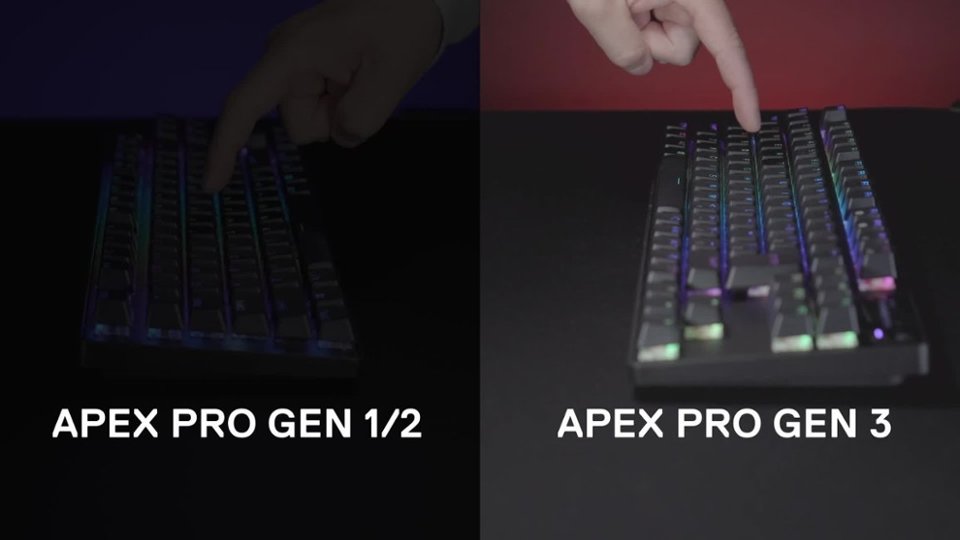
Posted .This reviewer received promo considerations or sweepstakes entry for writing a review.What an improvement over gen 1 and 2. Performance wise, it reallt isnt different but the sound dampening makes a massive difference in feel and sound. I personally think this is the best keyboard money can buy in terms of performance AND bells/whistles. I did buy this directly from steelseries though. The software is good and fairly simple to use.
This review is from SteelSeries - Apex Pro Gen 3 Full Size Wired Mechanical OmniPoint Adjustable Gaming Keyboard with Rapid Tap - Black
I would recommend this to a friendRated 5 out of 5 stars
Good product
Posted .This reviewer received promo considerations or sweepstakes entry for writing a review.Very comfortable and enjoy that it is adjustable, silent and smooth keys, and nice lighting
This review is from SteelSeries - Apex Pro Gen 3 Full Size Wired Mechanical OmniPoint Adjustable Gaming Keyboard with Rapid Tap - Black
I would recommend this to a friendRated 3 out of 5 stars
Nice Keyboard, but I wasnt blown away
|Posted .This reviewer received promo considerations or sweepstakes entry for writing a review.I have been using the Steel Series Apex Pro Gen 2 for awhile now, and really liked everything about it; its size, its heft, the key response, and the over all lighting effects on it, so I was excited to see that a gen 3 had been released and was anxious to try it. Needless to say, after using it for awhile, I decided to go back to the gen 2 for a few reasons. the keys do not feel the same on the gen 3 as the gen 2, there is some wobble and the feel is not the same. When hooking up the gen 3, the first thing I was concerned with was the gen 3 connected witha single, flimsy USB C cable, versus the dual USB -A cable that was on the Gen 2. Obviously, removing the ability to use/implement an external USB port on the Gen 3 was deemed not necessary, so a single, USB C was the only thing included. After installing the gen 3 board, an immediate firmware update was required, and, for some reason, after installing this update, and rebooting my computer, I was unable to make any RGB lighting adjustments to the gen 3 board. I uninstalled, and reinstalled the software, and was still unable to change and keep any RGB light adjustments, so that was very disappointing, especially for a board costing 240 bucks! the sound of the keystrokes was pretty weird to me, not "clacky" like the V2 is, sort of a muffled, hollow sound, that I didnt expect. Definitely noticed some keys wobbling, and the larger bars and space bar as well, has a unusual noise to them when struck firmly. there are a couple of other bothersome quirks as well, and, frankly, at this price point, I wouldn't expect any of those things. Its a decent board, but at 200 dollars+, you might want to take a look at some other options.
This review is from SteelSeries - Apex Pro Gen 3 Full Size Wired Mechanical OmniPoint Adjustable Gaming Keyboard with Rapid Tap - Black
No, I would not recommend this to a friend