Customer Ratings & Reviews


- Model:
- 61706
- SKU:
- 6594151
Rating by feature
- Value
Rating 4.1 out of 5 stars
- Quality
Rating 4.3 out of 5 stars
- Ease of Use
Rating 4.2 out of 5 stars
Customers are saying
Customers often highlight the excellent sound quality, decent battery life, and comfortable fit of the Arctis GameBuds. Some appreciate the strong bass and effective active noise cancellation. However, some customers have noted concerns regarding the volume and connection stability. Additionally, a few users have expressed dissatisfaction with the software.
This summary was generated by AI based on customer reviews.
E-Waste
||Posted . Owned for 4 months when reviewed.This reviewer received promo considerations or sweepstakes entry for writing a review.Sound quality is horrible. Took me hours to set up an EQ that had any sort of character. But then, the buds started crackling. ANC is close to useless. Build quality is cheap.
No, I would not recommend this to a friend- Pros mentioned:Battery life, Comfort, Sound quality

Worth Checking Out, Tarkov Here I Come!
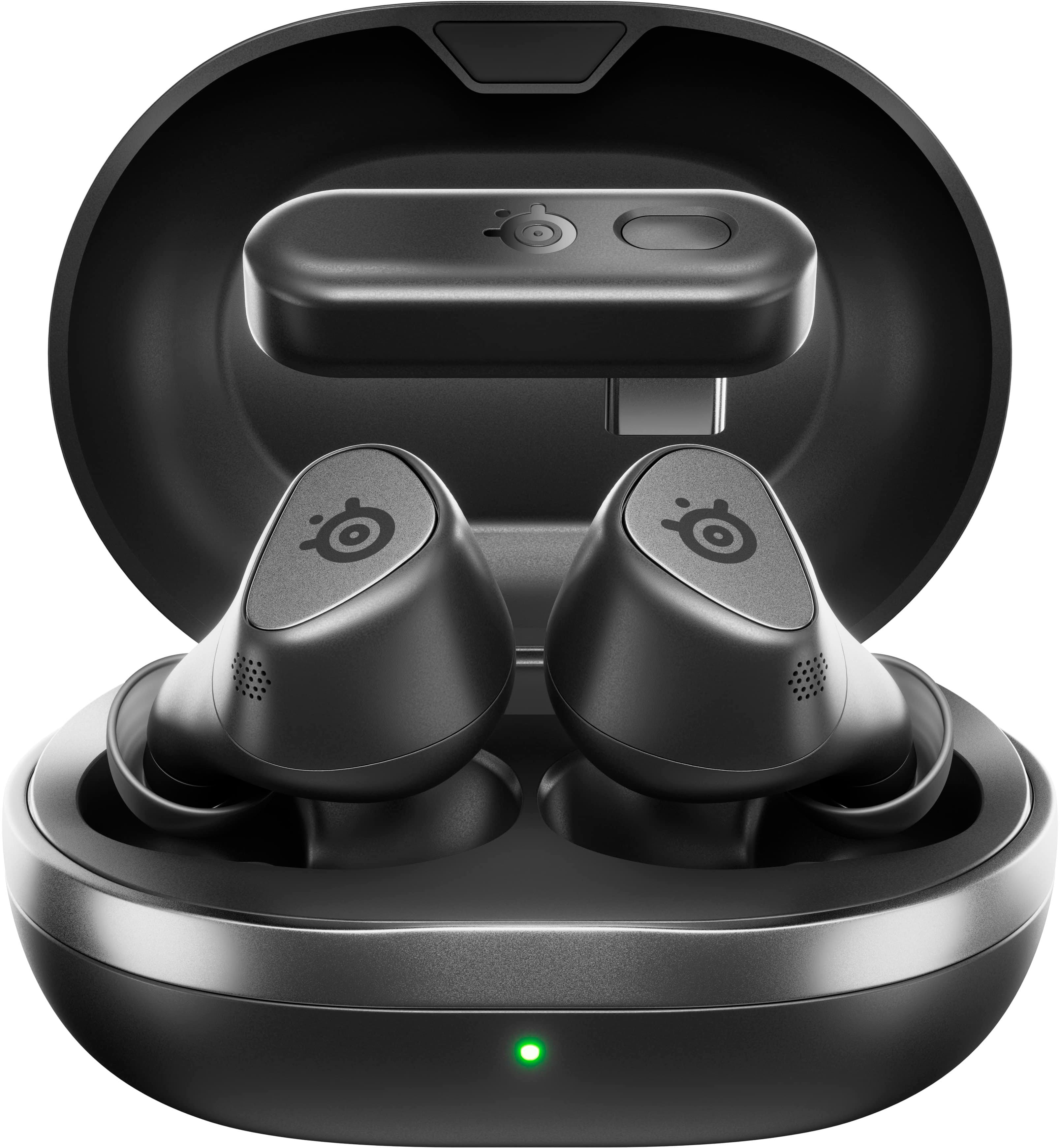
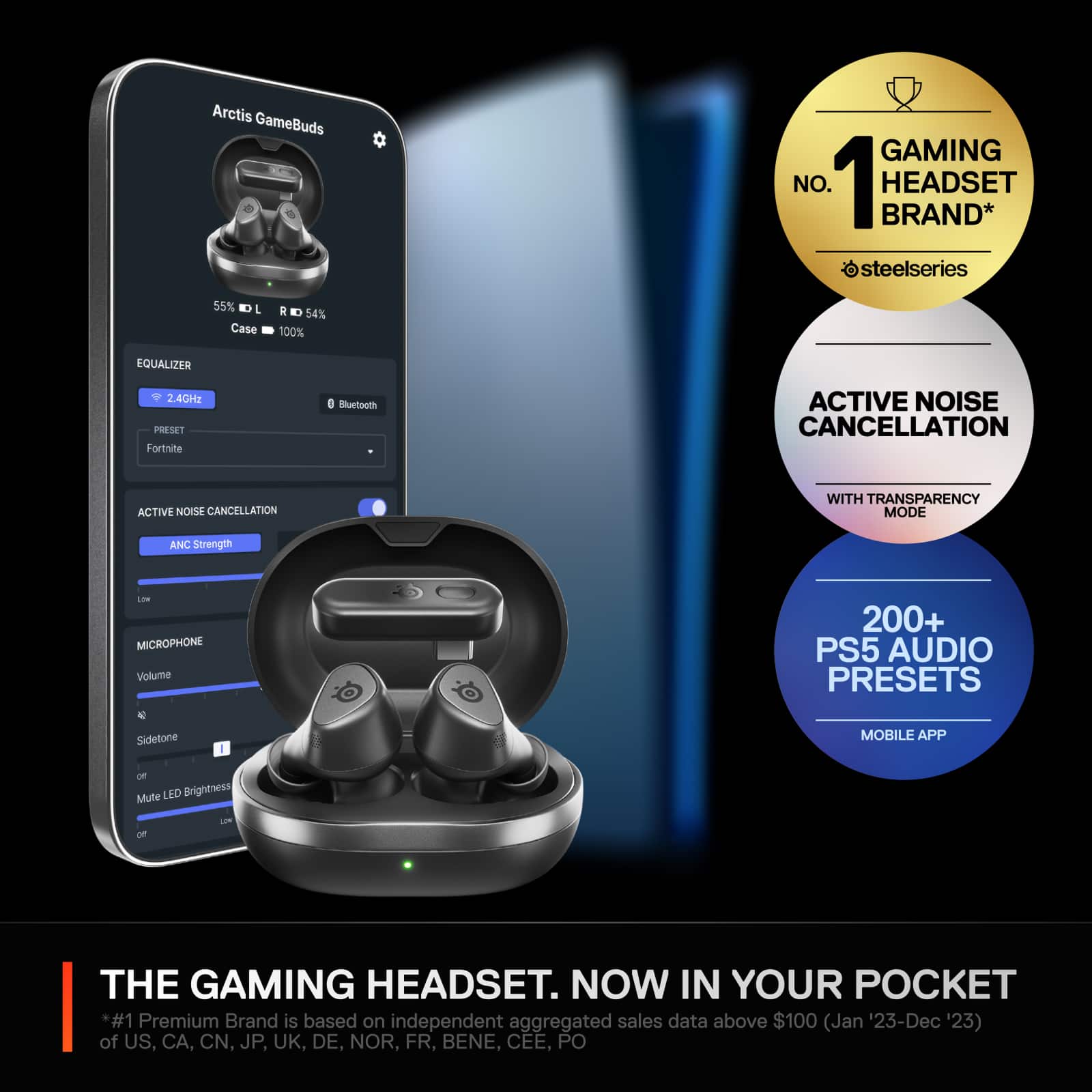
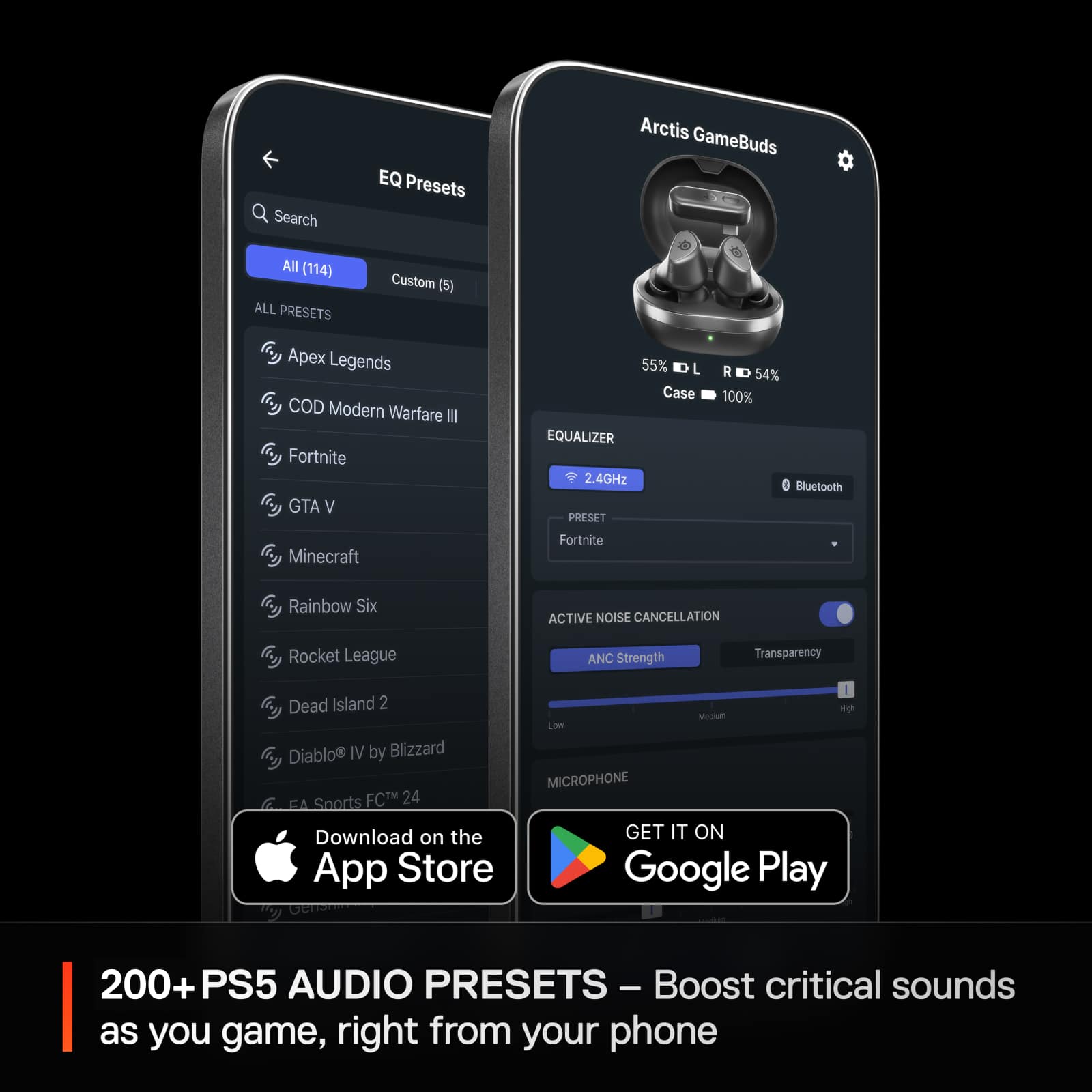
|Posted .This reviewer received promo considerations or sweepstakes entry for writing a review.Overall, I quite like these. I will be using them anytime I play Tarkov. Or just in general want something that is comfortable that I can wear for a long time and don’t want to mess up my hair. Or want some OK noise cancelling to get work done. SOUND 9/10: Sound to me is the most important part of any headset/earbud. These are incredibly sensitive to EQ where it is make or break for these guys. It comes with 100+ premade EQ’s. Which work great. You can make your own EQ but you have to do it through the Steelseries GG Desktop App and then import it in to the App. Which is cumbersome. If what I was playing had a preset EQ these sounded great. If not, it was hit or miss. I would classify them more as surgical immersive. Where I can easily tell everything apart and location over it all blending together. Which is exactly what I like. But for others comes across as a bit too clinical. I mostly tested them on Escape From Tarkov and I’ve never heard the game sound so good before. I was able to have pinpoint accuracy of where people were at, was hearing things I’ve never heard before, and weapons sounded great. Music was solid on “Movie: Immersive” mode. Where I really have no complaints. Bass isn’t as impactful as I think most are used to. More mid and treble focused. But again, could pull apart the different parts of songs, location of instruments, etc. Movies followed a similar trend. Again, “Movie: Immersive” preset. I could hear all the different parts. Bass was present and satisfying enough but wasn’t jaw dropping. Directional audio was superb. Vocals were clear making it easy to hear people. I could pull apart all the different sounds during action. And in general constantly felt quite immersed in all there categories. I do not recommend using “Volume Limited” as it dramatically changes the sound by limiting dynamics. Meaning if there is a loud explosion vs a quiet brush of leaves both will be similar in sound. Making everything sound a bit cloudy. Also, made adjustments in volume less impactful. But does help in competitive situations. TLDR: In general had great imaging (could hear how close/far a sound was), layering (pick apart a bunch of different sounds), and directional (pinpoint accuracy where a sound was coming from). Good dynamics. Fantastic for competitive gaming, great for immersion/causal gaming, music, and movies. But more surgical/clinical in sound. CONNECTION 5/10: Connection results were all over the place for me. 1. Triple pressing the right earcup will switch between Bluetooth 5.3 and 2.4 GHz mode. Appreciated. Would have preferred to see dual mode where I could get audio from both at the same time. 2. Hit and miss where sometimes both earbuds wouldn’t connect correctly making me have to put one or both back into the case for them to pair correctly. Often would hear one connect followed by 1 – 3 seconds for the second to connect. 3. Often on my iPhone 14 Pro Max they would not play, despite being connected via Bluetooth, on Bluetooth, and connected in the Steelseries App. 4. When connected to a laptop/PC via 2.4 GHz it wouldn’t always play like my iPhone but happened a lot less often. But often did require manually going into sound settings to switch them to the correct device (would not happen automatically). 5. Did have several occasions of drop outs. My environment is saturated. But clear line of site. Milage will vary here. 6. They do connect to the dongle/Bluetooth quickly when you first take them out of the case. With the exception of left/right pairing separately. Which I haven’t seen in wireless earbuds since they originally came out. 7. Latency is solid with 2.4 GHz where you can easily play games with it. Much faster than Bluetooth. Even Bluetooth didn’t have issues when watching media on Bluetooth mode. 8. 2.4 Wireless dongle can cover up other USB ports. COMFORT/CONTROLS 9/10: 1. Excellent fit and comfort. Can wear for long periods of time without any issues. Very similar to the shape/design/comfort as Jabra’s. 2. Physical buttons for control. Left earbud you have your transparency, off, and noise cancelling via single press. On the right play/pause single press, double press for skip forward, triple press for 2.4/Bluetooth mode. Quite responsive with minimal delay (maybe 200 – 500 ms). ACTIVE NOISE CANCELLING/TRANSPARENCY 7/10: 1. It’s solid. You get some passive noise isolation from them being earbuds. Then the active part helps eliminate say fan noise from a PC or air conditioner or any other similar sound which is constant. Along with lowering the overall noise floor of an environment. It isn’t the best I’ve heard and doesn’t compete with say dedicated noise cancelling earbuds. But is great for a gaming environment where you just want to focus on the game/media/music. 2. Transparency mode is similar. Solid. I can hear a lot more of what is going on around me. But isn’t to the same level as AirPods Pro. But equal to other companies that aren’t Apple. 3. Did not notice a difference in sound with it on/off. 4. Like how it announces the setting to you so you know exactly what it is. Voice sounds pretty good but still slightly robotic. CASE 8/10: 1. Is on the larger end but not terrible. Can easily fit in pocket. 2. Houses the earbuds that are held in via magnets. Along with housing the 2.4 GHz dongle. Also, magnetic shutting cover. 3. Plastic top with plastic hinge. Which feels cheap and not very satisfying to open/close. As there is a lip that you have to force past to get it to stay open. 4. USB-C Charging. 15 minute quite charge for 3 hours of gameplay. 5. Also supports qi-charging. 6. LED light on the front to notify you of stuff. Such as current battery level. 7. Comes with a nice USB-A to USB-C connector. Steelseries Phone App 10/10: 1. Used on iPhone 14 Pro Max. Basic utility that is easy to navigate. Similar to any other Steelseries software. 2. From top to bottom. Shows the earbuds, left, right, and case battery percentage left. Then you can select audio modes. What equalizer. The noise control and strength of said noise control. Microphone volume, and sidetone. Which I didn’t notice much of a difference with. And last volume limiter. 3. I has wear sense which worked alright. With about a second or two delay. 4. Do have some controls of what the buttons do (mute/unmute mic, volume down, volume up, cycle noise control, toggle audio mode, mobile voice assistant, play/pause, next tract, previous track).
I would recommend this to a friend - Pros mentioned:Battery life, Sound qualityCons mentioned:Anc
Sound great, but I think Gen 2 will be way better!
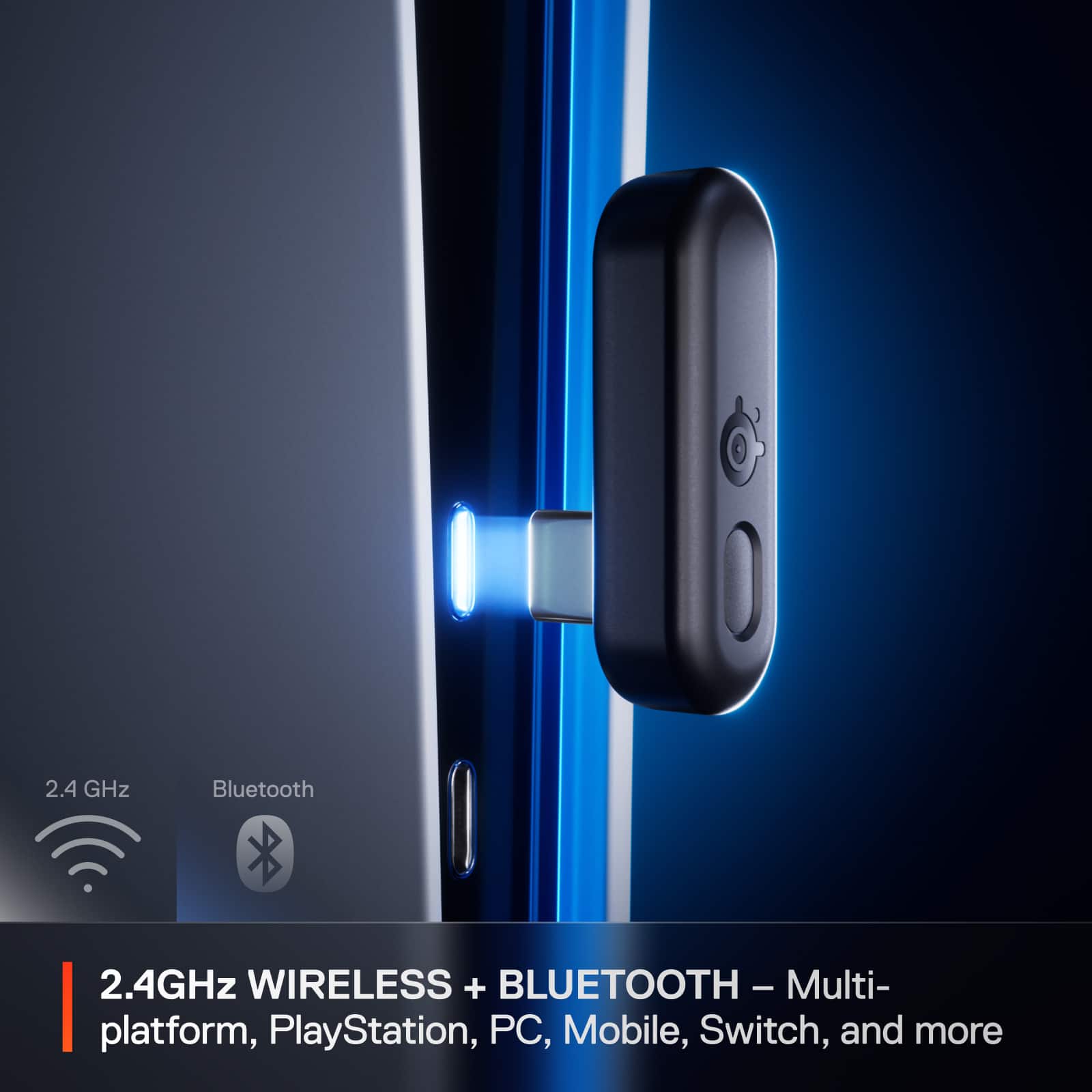
|Posted .This reviewer received promo considerations or sweepstakes entry for writing a review.I had a hard time with these! Not because it sounded bad or anything like that… long story short I guess I’m looking forward to the second or third generation of these. I was disappointed in some things, yet impressed and happy at the same time while still wishing for more! If that makes any sense. It was almost there I guess. First and foremost, the sound was great for its size, especially in 2.4 Ghz mode. During Call of Duty Black Ops 6, great, during Fortnite and . It sounds fantastic minus ANC. ANC isn’t bad, just not as good as you may be expecting. The bass is good enough, but I wish it hit a little harder. The positional audio is surprisingly good, but I wish it had a little more accuracy. The battery life was decent as well. The case was kind of cheap feeling as well as the button on the headset itself. The 2.4 Ghz USB dongle has a pairing button that’s in the way of pushing the dongle in a device! For example when I tried to put it in my PS5, it pressed the pairing button. It shouldn’t be an issue since you have to hold it for 3 seconds, but at the same time, I’d hate for it to enter pairing mode on accident. I’d recommend in the next iteration they move it to another location. Speaking of the dongle, there’s a tiny switch button on it that allows the switch to PC or Xbox. If you don’t notice this, then plugging it into you Tablet, Phone, PC or PS5 it’ll not be recognized. I struggled with this and thought it only worked over BT on the other systems and USB over Xbox. After reading the manual online I still couldn’t figure out why it kept saying it works on PS5, PC, Android, iOS, etc., over USB. I eventually noticed the tiny little switch on the dongle and it all became clear. All that said, it’s super easy to just quickly hook it up to a PC, Tablet, etc. with the USB-C dongle vs, pairing over BT, waiting, then repeating it on another device, and so on! It is basically like the old 3.5mm headphone jack. Plug the sucker in and you’re off to the races! LOVE this, absolutely LOVE this! On PS5, it has great audio and positioning. 3D audio seems to be working, but I can’t say if it’s Tempest Audio or not. There’s a lot of EQ presets and I honestly think it’s overkill. I ended up settling with the COD preset and sounds fine. I also use Bass Boost and Music presets. On Xbox Series X it sounds great too, and I have no complaints. The only thing I hate about using it on my Xbox is the USB C Dongle adapter. I think instead of a 10 inch wired adapter, they should have just given their customers a small dongle that’s just a USB A to USB-C adapter. You can get one yourself, mine worked just fine, but it still kind of a bummer. Lastly I want to talk about the bluetooth switcher. It’s honestly super convenient. It’s nice to be able to quickly swap it to my phone to my console. I love the size of this and how it’s easy to bring over to a buddies house and play some games and still have transparency mode on and hear them rather than an over the ear headset. I love these overall and highly recommend them. However I really do think with some iterations and improvements these can become significantly better!
I would recommend this to a friend Best gaming buds
||Posted . Owned for 2 weeks when reviewed.This reviewer received promo considerations or sweepstakes entry for writing a review.Best earbuds for gaming noise canceling is so good. I give it a 10
I would recommend this to a friend- Pros mentioned:Battery life, Sound qualityCons mentioned:Anc, Volume
Promising concept, but too many minor issues
|Posted .This reviewer received promo considerations or sweepstakes entry for writing a review.I was excited to try these new Steelseries Artic wireless buds. The only gaming buds I currently use are wired. However, several minor issues quickly tempered my excitement. The Steelseries buds ship with a charging case, USB C dongle, and USB A conversion cable for devices without a USB C port. The case charges the buds and stores the USB receiver when not in use. Battery strength for the buds and case can be monitored in the Arctic companion app. At the time of writing this review, the QR code printed on the box is supposed to open a link to the Arctic companion app. However, it instead leads to a 500 internal server error. The QR code printed on the band around the case works fine and leads to the Steelseries Arctic companion app download. I installed the app and the buds were immediately detected in app, allowing me to manage settings and sound profiles. However, an annoying issue I keep encountering with the app is that the buds keep randomly powering off and disconnecting from my phone while I’m managing settings. They do not disconnect when gaming, only when in the app. I checked and verified the power saving auto power off is set to 30 minutes. But they power off after only a few minutes of inactivity. The buds also won’t play streaming audio from the phone despite being connected via Bluetooth. I fiddled with the settings for a while before abandoning the idea of phone use. I primarily ordered these for console use anyhow. It just seems odd that these buds have a smartphone companion app, yet don’t work with my smartphone. The buds connect to gaming devices via USB dongle or Bluetooth. I have to go into the app to manually switch between Bluetooth to 2.4Ghz mode. It does not switch dynamically when alternating between the receiver and Bluetooth. The dongle is USB C with a USB A converter cable included. There is a switch on the dongle to select PC or Series X compatibility. Another odd issue I’m experiencing is that the buds stay connected to devices even when stored inside the case. Oddly, I can’t detect or manage the buds with the Arctic app while they’re inside the case, but my laptop stays connected to them and sends all audio to them inside the case. Sound quality is acceptably good, although these buds are no match for a decent quality full-sized headset. However, they excel at portability and they sound good enough for occasional use. Primary and foreground sounds are clear and easily decipherable. Background sounds are well executed most times, but frequently sound too quiet or muffled. It has good sound effects isolation and positioning, but again not great. Sound reproduction is true and generated sounds are realistic and lifelike at times. Music sounds okay, but somewhat flat and lacks any oomph. The biggest issue with these buds is low volume. Even with volume maxed out, these buds sound much quieter than my headsets or even my music focused buds. The mic is okay. I haven’t used it a lot because I prefer the boom mic of a regular headset. It does reproduce my voice faithfully and I haven’t received any complaints from the remote gamers I chat with. The Arctic app contains dozens of presets for popular games. Most of the games I currently play are in there but a few aren’t. The presets are helpful for emphasizing the main sounds of certain games. There is also a customizable graphic equalizer for creating personalized presets. unfortunately, the only way to currently use it is to create an EQ preset in the SteelSeries GG desktop app and import it into the Arctic app. ANC is somewhat weak. There is a barely noticeable difference in moderate or loud background noise when toggled on or off. I’ve tried experimenting with different tips trying to get a tighter seal, but had no luck getting ANC to perform better. Overall, the biggest advantage of these buds is portability. I also like that they work well with the notoriously finicky Series X. However, the frequent random disconnects, failure to work with my phone, less than stellar sound quality, and weak ANC will likely keep these buds sidelined for now. I’ll try again after a few firmware updates which hopefully will address some of these issues.
No, I would not recommend this to a friend ANC on causes popping, crackling
||Posted . Owned for 1 week when reviewed.This reviewer received promo considerations or sweepstakes entry for writing a review.I tried two of these headphones, the Xbox version and the blue box version for PlayStation and PC. If you listen to loud music and activate active noise cancellation, you will hear clicks, crackles, and distortion in the music. Hundreds of people already have this, and it will be more noticeable if you activate the bass a little deeper or for music that has bass. I recommend returning them and looking for another brand that knows how to do things.
No, I would not recommend this to a friend- Pros mentioned:Comfort, Sound qualityCons mentioned:Volume
Good ear buds, but not sure who they're for
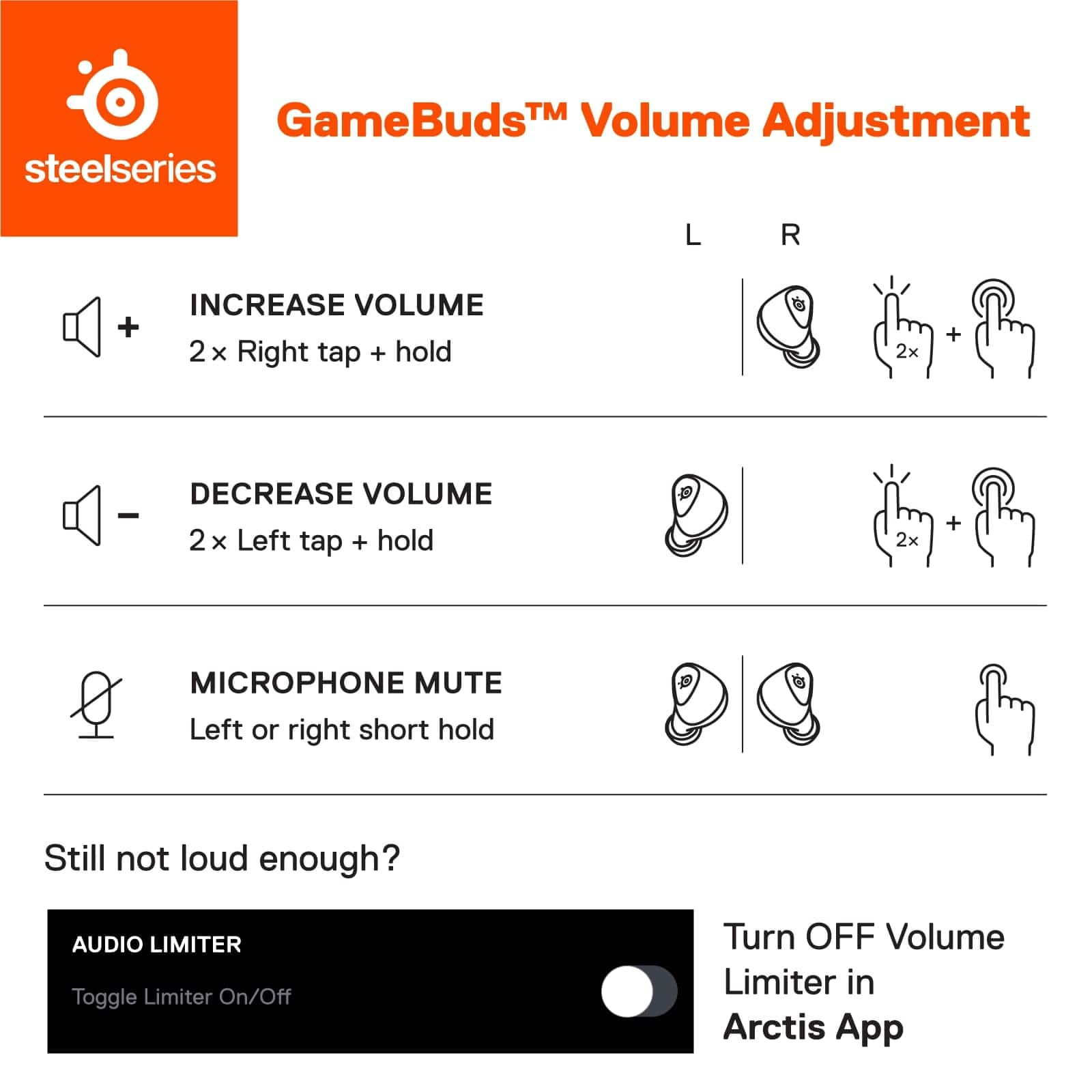
|Posted .This reviewer received promo considerations or sweepstakes entry for writing a review.I play PS5 with my friends several times a week. So audio quality and microphone quality are a big deal to me. While there’s a lot to like about these earbuds, but for me, I just can’t recommend them over a solid pair of over the ear headset. IN THE BOX It comes in a small box, you get the earbuds in the case along with a USB-C dongle, a USB-C cable for charging, a USB-C to USB-A adapter, and large and small ear tips (the medium ones come preinstalled on the ear buds). DESIGN I like the color scheme as it matches the Playstation 5’s white vibe. The case is light and pretty small (as you’d expect). At first I was bummed that the lid wouldn’t stay open, then I realized it kind of clicks into place while open. Inside the case are the earbuds and the USB-C dongle for your PS5. The earbuds themselves look pretty good, they’re light, and I found them to be pretty comfortable for ear buds. I don’t plan on exercising in them, but they seemed secure enough that I could if I wanted to. Of course, fit with earbuds is entirely subjective and always depends on your own anatomy (not to mention the different size earbuds). SETUP Now, there’s not much to say anymore about setting up Bluetooth headphones or using a dongle, as we’ve all by now paired something to our phone. But here you’ll want to download the Arctic app on your phone (that’s where you’ll make any adjustments). I couldn’t pair the earbuds through the app, it couldn’t find them, but I was able to easily pair them through my phones settings and then the app found them. The first thing I was told to do - no surprise - was to update the firmware. It took me a minute to realize that you can’t update the firmware from your phone. You actually have to download the Arctic app on your computer and then update the firmware that way. Luckily the program shows you exactly what to do, but it requires plugging the case into your PC, as well as the USB-C dongle for the PS5 and leaving the case open. The update process took about 10 minutes. I wouldn’t expect to have to do this very often, but it was a tad bit inconvenient. If you’re using these on PC it’s a little less of an inconvenience. But once the firmware was updated and the earbuds paired, everything is set up and good to go. CONTROLS A few comments about the controls. With earbuds, there’s not a lot of space for buttons, so you have to navigate the controls by clicking the buttons on either ear bud. The important ones are turning on and off active noise cancellation and switching between Bluetooth mode and “wireless” mode (which connects to the dongle in your PS5). You have to click the right earbud 3 times to switch modes, and pushing once on the left earbud will switch between ANC and transparency. The sides of the earbuds aren’t touch sensitive, so you don’t swipe up or down to adjust the volume (like some earbuds like my Pixel Buds Pro). So to increase the volume you click and hold the right earbud button and to lower you click and hold the left. Of course, on your phone listening to music or on a call, you can adjust the volume with your volume rocker. Muting the microphone was a little dicier as it’s similar to adjusting the volume, you just don’t hold the button in as long. When paired to your PS5, you adjust the settings in your quick menu. If you’re like me, when it comes to the PS5 you don’t really mess with the settings once you find the right one. Meaning once I had the volume and microphone sensitivity right, I just left it there. But I have to admit, I very much prefer turning the wheel on the earcup of my Turtle Beach headset when I need to adjust the volume. But that’s just a matter of practicality, so I’m not complaining. SOUND QUALITY I use my Google Pixel Pro buds a lot. I’m very fond of them. I found the audio quality of the Arctic gamebuds to be on par for listening to music and podcasts. The bass wasn’t as deep as the Pixel Buds, but all-in-all, I found the sound to be pretty good. Some of it was probably due to a better seal in my ears than with the Arctic Gamebuds. I took a phone call and heard no complaints about the sound from the other caller. To me, the call sounded good. In short, it works well as earbuds for your phone. Video games, however, was a little bit more nuanced. In terms of sound quality, I found these earbuds to be close to my Turtle Beach headset. I mean that in terms of spatial surroundings and clarity. But the volume doesn’t get particularly loud. At first, I was disappointed, trying to turn it up as loud as I could. It seemed like the volume didn’t get close to what my Turtle Beach gets to - at least in terms of menu sounds. But when I was actually playing a game, I forgot about the volume. In other words, I was engrossed in the game with the sound and the volume issue I thought I had, was of no concern. Playing Call of Duty and College Football, I thought the spatial sound and recognizing sounds behind you, for example, was pretty good. Now, the microphone was a different story. My friends described me as sounding like I was in a “tin can.” I’m told the Turtle Beach headphones (from the other person’s perspective) sounded more full and balanced. They could hear me and I could hear them, but I was a bit disappointed they could tell I swapped headsets (I was hoping they couldn’t tell the difference). There is side tone, which I love and almost need in my headsets. That’s hearing you talk in the ear buds. You can adjust sidetone and turn it on within the app. It’s not terribly loud, but it’s enough to get a sense of how loud you’re talking (for those that don’t know, not being able to hear yourself chat is a bit annoying as you can’t regulate how loud you’re talking). I have to say that there’s many automatic EQ adjustment for games, but I’m a person that doesn’t typically fiddle with EQs (it’s just an extra step to take when I finally get time to sit down and play a game). So with all my headsets, I typically set it and forget it. I did go into the app and manually change my EQ settings for College Football, but I couldn’t tell any difference between it and the default. That could just be me, maybe I’m not that sensitive to it, but overall I think it’s nice to have EQ adjustments for those that really care about it. CONCLUSION All in all these are really good earbuds. I just don’t know who they’re for. I don’t mind wearing earbuds and carry them with me everyday, but I carry them because they’re small. I always prefer the cushion of ear cups in over the ear headsets. The advantage of these earbuds to me is the convenience of travel, but I rarely travel (if ever) with my PS5. So they end up sitting next to my PS5 where I game. And like I said, in terms of comfort, I’m going for my over the ear headset over earbuds every time. But that’s personal preference. But the microphone quality as told to me by my friends was a bummer; I don’t think it’s a dealbreaker, but it’s one less reason for me to use them while I game.
No, I would not recommend this to a friend - Pros mentioned:Battery life, Comfort, Sound quality
Awesome multipurpose gaming earbuds!
|Posted .This reviewer received promo considerations or sweepstakes entry for writing a review.The Steel Series Arctis Gamebuds are some of the best earbuds I have and the only ones designed for gaming on the PlayStation, PC’s and Nintendo Switch. First of all these earbuds are very comfortable. They fit perfect in my ears like they were made with a mold of my ears. I like that you can easily switch between Bluetooth and 2.4ghz mode in the app but it seems like it would be possible for them to do it seamlessly. I think some of my gaming headphones do that. However, I am still happy they have the dual mode regardless. When it comes to sound quality in games listening to music or even phone calls they are really good. The have pretty good low end bass for earbuds but they will break up a little if you feed to much bass with thy volume way up. They have three modes anc, transparent mode and everything off. The transparent mode sounds like you are talking to someone as usual with maybe a little less volume but it works pretty good. I don't feel like the mic applies the sound very much when compared to other earbuds I have but the sound is very clean. I do notice a pretty significant difference between anc and non anc though. I really enjoy these earbuds for all of the use cases they serve. They are very nice to have for times when you do not feel like wearing over the ear headphones. The definitely rank on the higher end of all of the other earbuds I have for sound quality and they are the most comfortable earbuds I have just amazing in that regard. It actually makes me want to wear them all of the time and they enable me to use them in long gaming sessions without issue. They have equalizer settings for a very large library of games as well which is really cool and something I have not seen before. It's also nice that the case has a spot for the USB-C 2.4ghz dongel for easy transport without worrying about losing it. I really enjoy using the Steel Series Arctis Gamebuds and get a little excited every time I an about to use them. They are really nice and I am glad I got them.
I would recommend this to a friend Unfortunately they broke the first week.
||Posted . Owned for less than 1 week when reviewed.This reviewer received promo considerations or sweepstakes entry for writing a review.Bought these a day or two ago, two pair of them. Haven’t even gone through a whole charge yet. My set literally only plays bass and not even the bass with the song or show, random loud bass out of the left earbud, and my wife’s just crackle and disconnect on and off. I’ve tried other phones and consoles but it’s all the same, I’m so disappointed because my other steel series stuff is wonderful.
No, I would not recommend this to a friend- Pros mentioned:Battery life, Comfort, Sound quality
Fantastic Gaming Earbuds
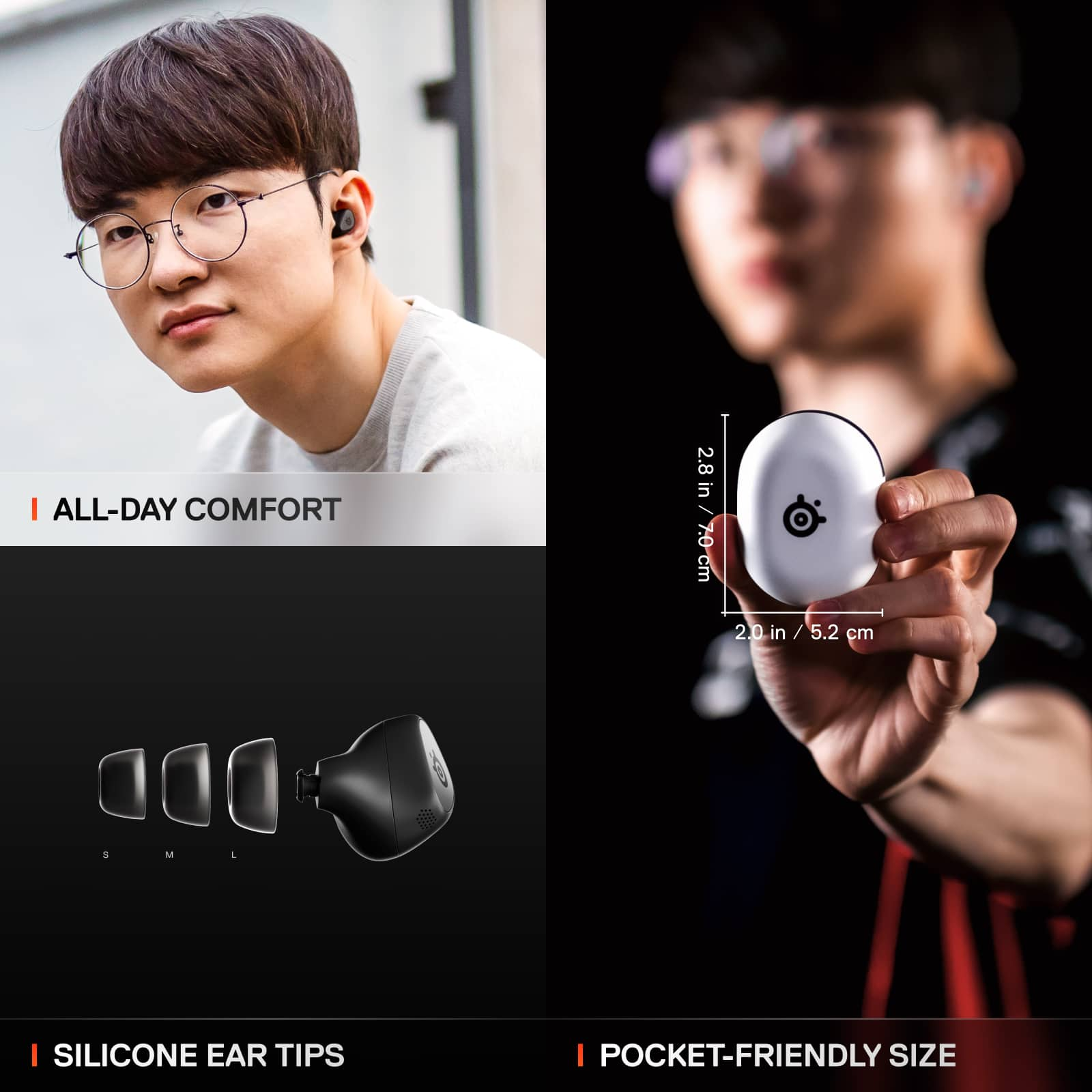
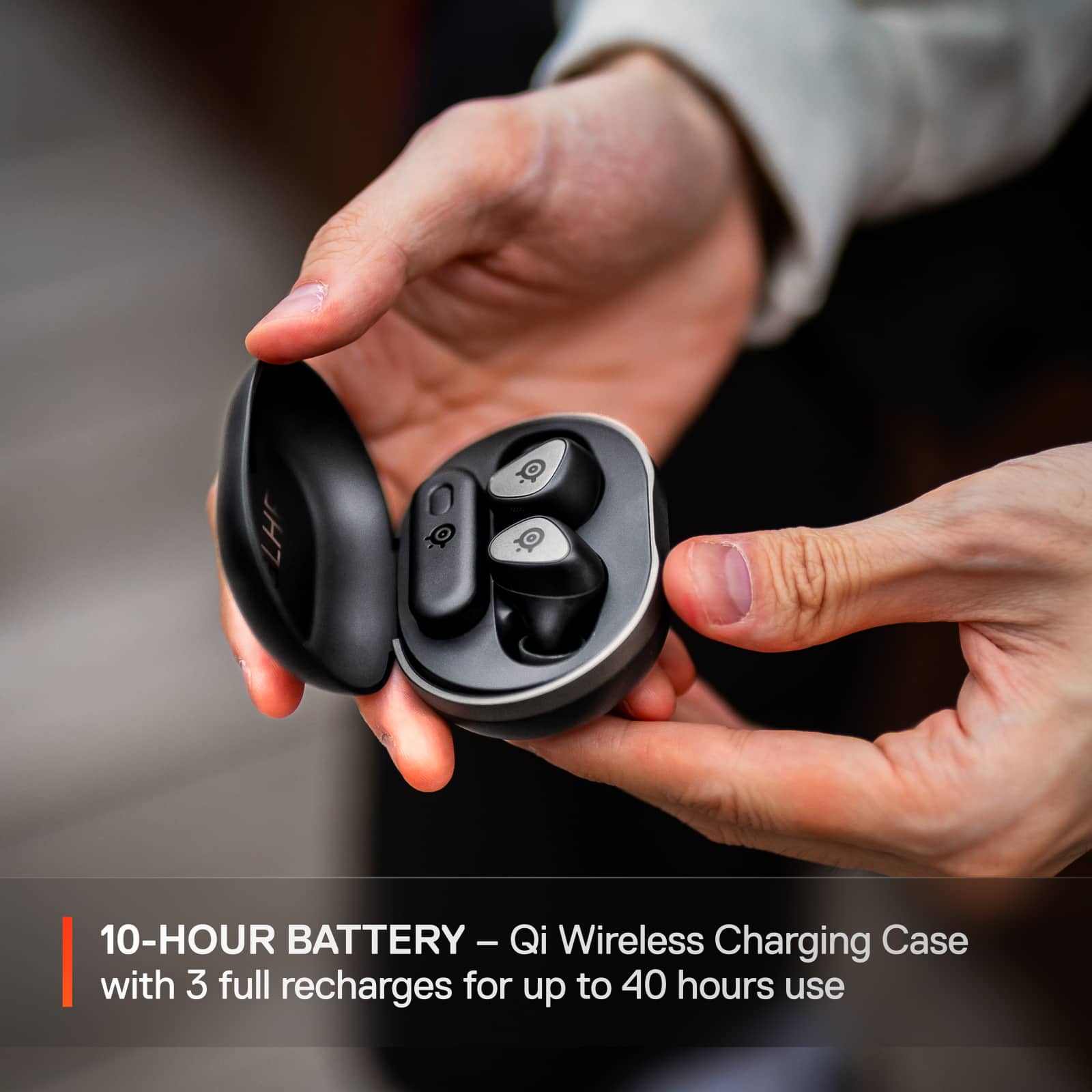
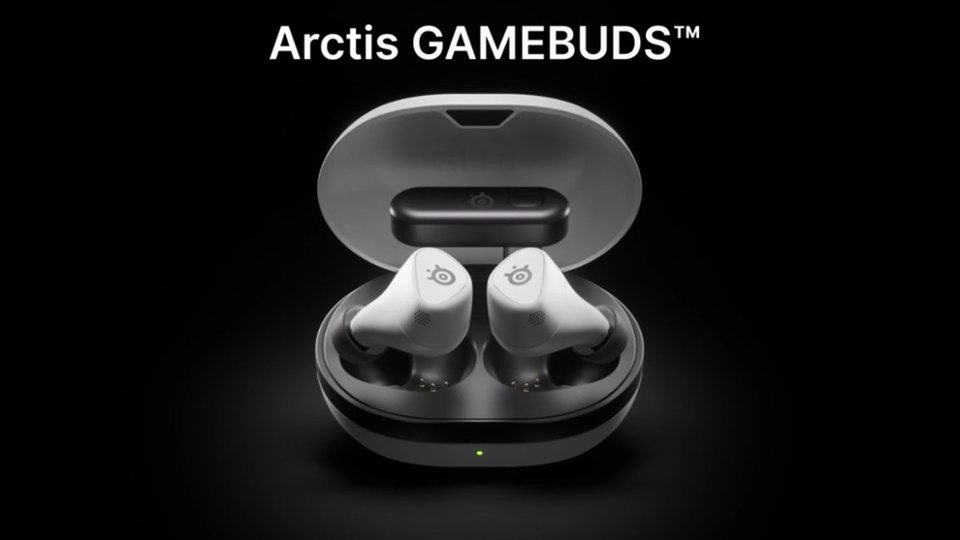
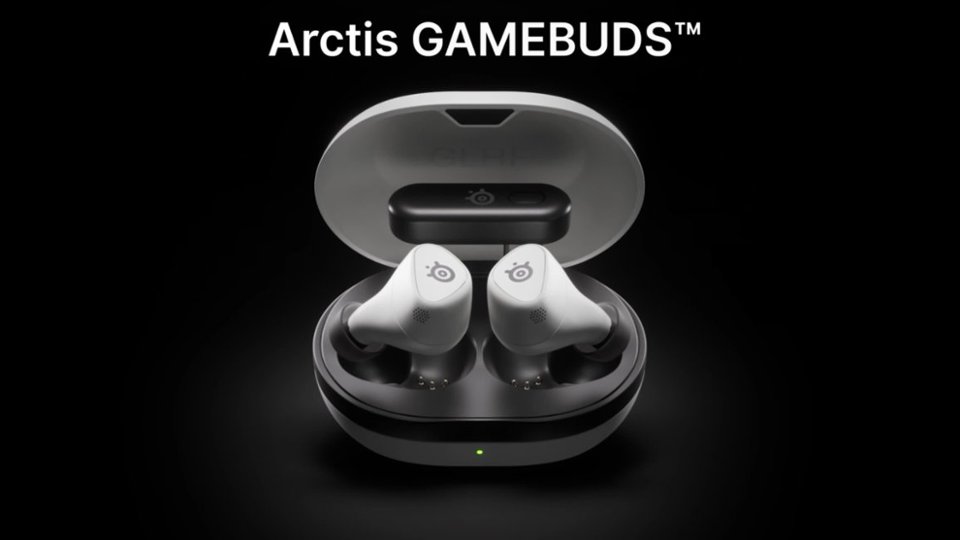
|Posted .This reviewer received promo considerations or sweepstakes entry for writing a review.I haven’t had much luck using earbuds for gaming in the past. All of the Bluetooth earbuds I’ve had have had noticeable latency that really didn’t allow for a very good experience and the only other gaming earbuds I’ve used in the past had subpar comfort and sound quality (though these were admittedly in a lower price bracket). Especially for portable devices like my ROG Ally I’ve really been wanting a good solution that isn’t a full size or wired headset and the Arctis GameBuds are feeling like the answer. They sound great, they’re comfortable to wear for long periods of time, and with the 2.4GHz receiver I got a flawless wireless connection. They’re well worth the price for a great portable gaming experience. The box includes the earbuds, a USB-C dongle, charging case, 3 sizes of eartips, a USB-C to A charging cable, and a USB-C to USB-A adapter cable for using the dongle with an Xbox or a PC that doesn’t have USB-C. The dongle lives in the charging case with the earbuds and though this does add some extra size to the case, it still easily fits in my jeans pocket. The dongle has its USB-C connection offset to one side and has a switch to toggle between Xbox and PC on the bottom - the Xbox setting is obviously meant for Xbox and the PC setting is meant for everything else, including PlayStation. There is a PlayStation version of the GameBuds that don’t include the Xbox functionality, but besides that version being available in a white color I don’t know why you’d go with it since it costs the same as the Xbox version and has the same functionality besides not being compatible with the Xbox. The dongle is pretty compact, but it does have the potential to cover up neighboring USB-C ports if you are connecting it directly to a PC. I found this to be the case with my ROG Ally X where it would either cover the adjacent USB-C port or cover the volume controls. You have to put those electronics somewhere though, so I don’t fault SteelSeries for designing this the way it did and in general I think it’s pretty unobtrusive. The earbuds are quite comfortable and I had them on continuously for a 4+ hour gaming session and I basically forgot they were there. The silicone eartips are soft and the shape of the buds nestled them in my ears in a way that felt secure, but not too tight. The earbuds are controlled via buttons on each bud and I caught on to all the different button press combinations pretty quickly. I like that way the volume adjustment is done with a tap and then a hold on either side for volume up and down. You can swap between listening modes with a single tap on the left bud and between 2.4GHz/Bluetooth but doing a triple-tap on the same bud. I tried these on my Xbox Series X and my ROG Ally X and they sounded great on both without setting any EQ profiles (I ran with the default Flat profile). I picked up a game I had put down a while ago called Still Wakes the Deep that I only meant to play it for about 20 or 30 minutes to get a feel for how these sound, but I ended up finishing the whole game because I was completely drawn into it, which I attribute to the game but also the GameBuds as the audio is a bit part of the game and I just felt completely enveloped in it. The sound is full and clear with a surprising amount of space to it. There were moments when I was playing where I’d hear something and swear it was coming from somewhere in my house. In most cases when I’m gaming I tend to prefer a full size set of headphones for the ‘real’ experience, but I didn’t feel like I was missing anything with these at all. With the 2.4GHz dongle, I didn’t experience any perceptible audio latency and the connection was flawless as far as I could tell. Bluetooth is a different story unfortunately. The GameBuds only support the SBC audio codec over Bluetooth and the latency is very noticeable while gaming. If you are primarily going to be using these over Bluetooth there are better options available. The ANC is good, but doesn’t quite match that of some higher-end earbuds; it’s more than adequate for blocking out ambient sounds like hums and fan noise though. The transparency mode is very good and I didn’t have a problem hearing someone next to me talking while I was playing, but talking with the earbuds on gives me that plugged ear feeling that I didn’t like. The microphone quality is pretty good for earbuds. The test recordings I made were clear and easy to hear, but it’s not going to come close to most full-size headsets with dedicated boom mics. It’ll definitely do the job, though you may want to consider an external solution if you’re going to be doing a lot of chatting on these. On Xbox, you can adjust the settings with the Arctis companion app and it puts all the basic stuff front and center. On PC you have access to the SteelSeries GG app, which gives you access to Sonar and more advanced audio mixing but is unfortunately the only way to update the firmware, which I did have to do when I first unboxed these. Both the app and GG work well enough, though I tended to prefer the app over GG as it was much easier to use. For battery life, SteelSeries advertises 10 hours using the USB-C dongle with ANC off. In the 4-hour session I played on my Xbox with ANC on, I drained the batteries by about 50%, which I think is pretty good and more than enough to get me through any single gaming session. The case can fully recharge the buds 3 times too before needing to recharge that and can be charged via USB-C or Qi wireless charging. Overall I’d highly recommend the Arctis GameBuds for portable gaming or even if you’re the type of person who just doesn’t appreciate the bulkiness of a full-size gaming headset. These are the first earbuds I’d consider using in place of any of my headsets.
I would recommend this to a friend - Pros mentioned:Comfort, Connectivity, Sound quality
Outstanding earbuds for gamers--or anyone
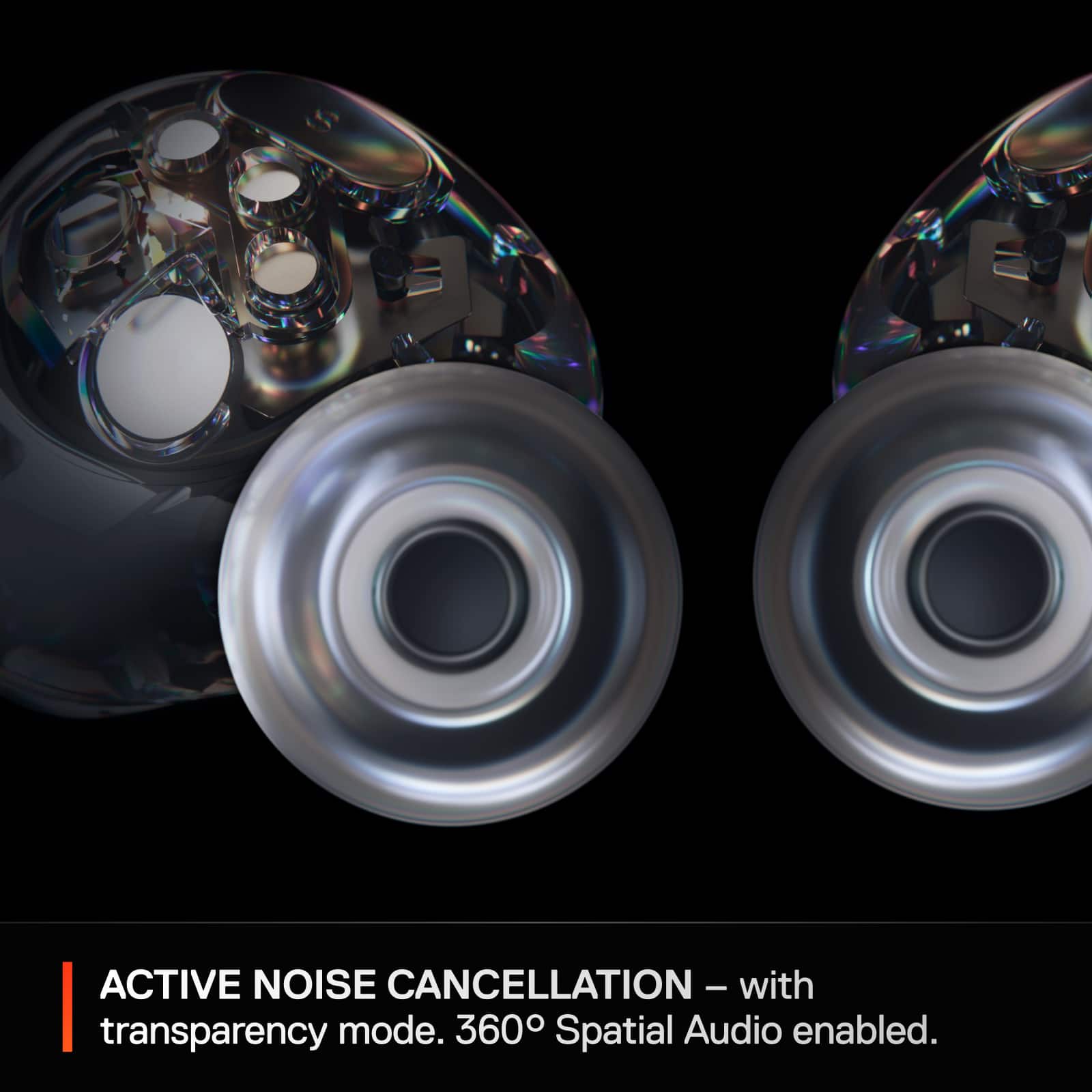
|Posted .This reviewer received promo considerations or sweepstakes entry for writing a review.The Arctis GameBuds from SteelSeries are a fantastic set of wireless earbuds. Aimed at gamers in particular, they nonetheless represent all around excellence for just about any use. Even casual gamers should strongly consider these, given the features and performance. The headphones are loaded with features: 2.4Ghz wireless support for low latency, Bluetooth, active noise canceling with a transparency feature, loads of audio presets and the ability to create more, IP55 water resistance, and wireless charging. All great–but do they sound good? Yes, they do. Setup can be done via the Arctis companion app on a mobile device, or you can download the SteelSeries GG PC app. The latter has the ability to create presets via Sonar, and is the only way to update the firmware unfortunately. The app does give plenty of other options though–179 total presets, with music and movie presets along with an enormous list of presets for popular games. ANC and transparency settings can be toggled here along with mic levels. The app will also show whether the earbuds are connected via Bluetooth or wireless. Thankfully the app still communicates with the earbuds over Bluetooth while in wireless mode, so you can adjust settings in the app regardless. The initial setup with my Galaxy S23 Ultra was rocky (but that’s par for the course with this phone and doesn’t reflect upon these), but after a few tries they finally synced up and worked fine. One thing to note: when using the earbuds with a Bluetooth device, the volume control is integrated. If you adjust the volume via your mobile device, it’ll control the volume. But when you are using the 2.4Ghz wireless dongle with the device, there are two independent volume levels: the device and the earbuds themselves. So you’ll want to adjust both your device volume (console, PC) and your earbuds (a tap and hold–right for increase, left for decrease). In use, I found these comfortable to wear for extended periods, which isn’t always true for earbuds for me. There are multiple tips to adjust for ear size, and I found the default ones to be perfect for me.The fit is snug and they don’t feel like they’ll fall out, and the seal is tight enough for a good ANC experience. These definitely aren’t the best with noise canceling I’ve ever heard, but they do a very good job. Overall audio performance was really good–I was surprised by how much I enjoyed listening to them. For music playback testing I used Spotify over Bluetooth and found that I really like the Music:Punchy preset for most popular music. Everything from Andre Rieu to AC/DC sounded excellent and lively. For gaming, you use the included Type-C wireless dongle. You tap the earbuds three times to quickly alternate between wireless and Bluetooth and the switch is very fast. For devices that don’t have a Type-C port, a Type-C to Type-A adapter was helpfully included. For both the PS5 and my gaming PC they were instantly recognized. In reading some of the documentation, I saw that some audio enhancement settings on a device might interfere with the earbuds’ own settings, so I made sure to disable those. I tested games that were included among the 179 included presets: Horizon Forbidden West on PS5 and Forza Horizon 5 on PC. I thought for wireless earbuds they sounded excellent and offered great clarity. Are you going to mistake it for a dedicated 7.1 channel audio system? No, but I came away impressed, particularly in Forza Horizon 5. Mic quality in testing worked well and should be good for most people. My final judgment? These are great earbuds, period, and for gamers who want a more compact audio solution than a large headset, these are a slam dunk. They sound fantastic, have just about every feature you’d want, and offer the versatility of low latency wireless or Bluetooth connectivity along with excellent ergonomics. I’d actually say that even if you had zero interest in gaming that these are worth looking at, just because they sound good. Highly recommended
I would recommend this to a friend - Pros mentioned:Battery life, Comfort, Sound quality
The Tiny Almighty Gaming Earbuds
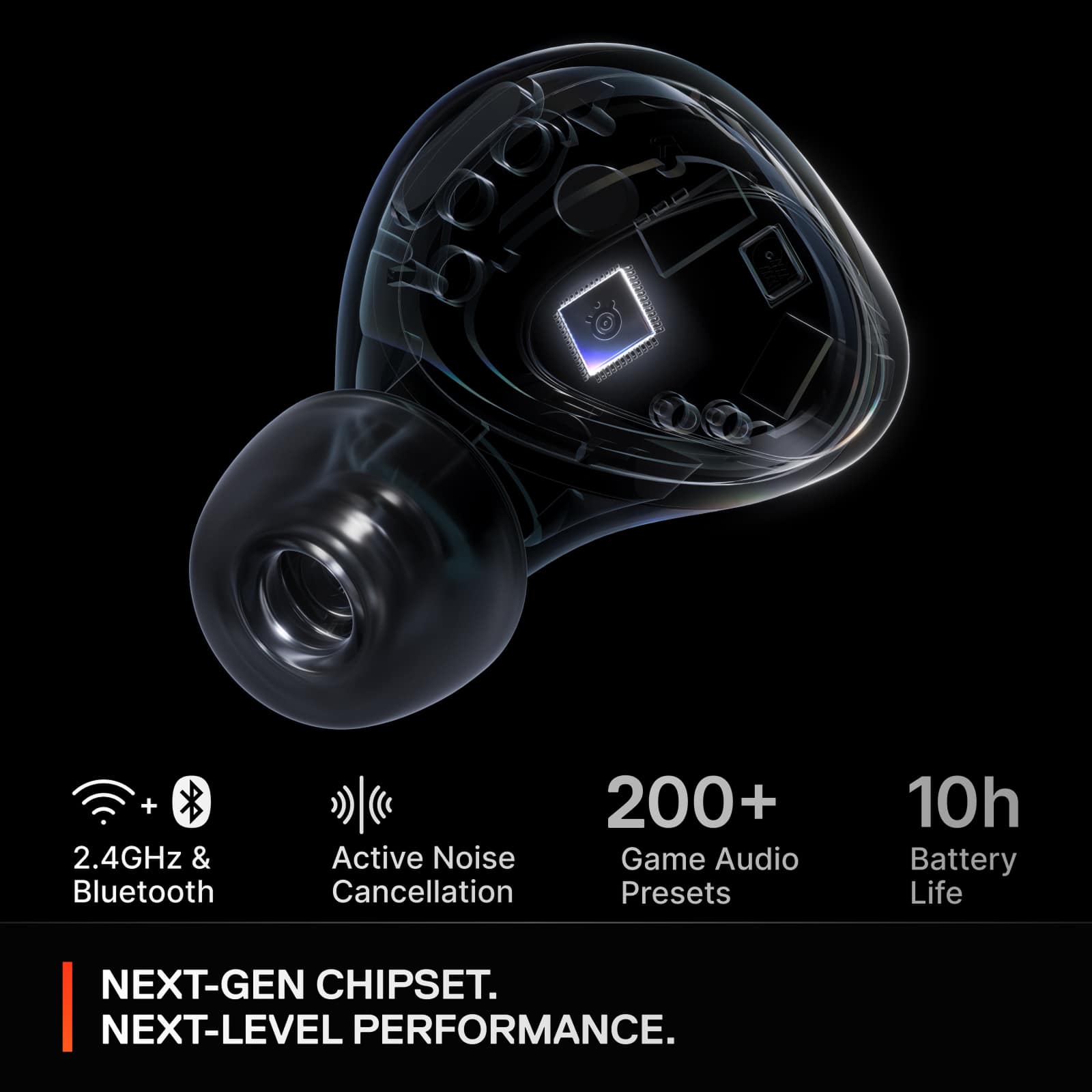
|Posted .This reviewer received promo considerations or sweepstakes entry for writing a review.Who would’ve thought such tiny earbuds could deliver such incredible performance? The Arctis Steelseries Gamebuds, the tiny almighty. These are my first pair of Artics gaming peripherals and now I experienced what the hype is all about. These earbuds not only look sleek with their black-and-white trim and SteelSeries logo, but they’re also built for comfort and durability. Features like 360 spatial audio and active noise cancelation (ANC) take the audio experience to the next level. With 10 hours of battery life and an additional 30 hours from the wireless charging case, they’re designed for extended use. Charging is easy, with support for both USB-C and wireless charging. Setting them up couldn’t be easier, just pair them via Bluetooth on your device, or plug in the included wireless receiver for automatic connection. SteelSeries also offers an accompanying app available for PC, Android, and iOS. The app allows for extensive customization, from adjusting audio settings. While the mobile app is straightforward, the PC version offers advanced customization options for users who want more control like tweaking spatial audio positioning. When it comes to sound quality, these earbuds excel. The audio is well balanced, delivering impressive bass for their size. Using the Sonar setting on my PC, I found the sound quality to rival that of traditional over-ear headphones. The microphone also exceeded my expectations, providing clear communication during online gaming sessions and even phone calls. What really surprised me was the earbuds’ ability to seamlessly switch connections while gaming on my PC. I received a phone call, and the earbuds automatically switched over to my phone. When done it switches back to the game. It’s a convenient feature, even if it temporarily interrupts game audio. These GameBuds aren’t just for gaming, they’re versatile enough for music and phone calls, too. They’re incredibly lightweight and comfortable, sitting snugly without creating a “clogged” feeling. I didn’t need to swap out the default ear tips, which fit perfectly. The noise-canceling feature effectively blocks out external sounds, and the transparency mode lets you carry on conversations without removing the earbuds. The only drawback I found was the design of the wireless receiver dongle. While it conveniently fits into the case with the earbuds, its shape can be impractical. When plugged in, it tends to block adjacent ports unless you use a corner USB-C port. Fortunately, SteelSeries includes a USB-C to USB-A adapter, which offers some flexibility. However, a straight dongle design would have been more practical. I included a picture in my review to show how the dongle was blocking my HDMI port. While I do have a USB-C port in the corner, the design of my Alienware makes it impractical to use that spot. Flipping the dongle to place it there would have blocked another USB port. Fortunately, I use a docking station, so it’s not a major issue, but it’s worth noting. Overall, the Arctis SteelSeries GameBuds are outstanding. They offer excellent build quality, sleek aesthetics, and fantastic sound performance. Packed with features like spatial audio, ANC, and impressive battery life, they’re a great choice not just for gamers but for anyone looking for versatile, high-quality earbuds. In the box, you’ll find the earbuds, a charging case, a USB-C wireless receiver, a USB-C to USB-A adapter, a USB-C charging cable, spare ear tips, and a regulatory information manual.
I would recommend this to a friend - Pros mentioned:Battery life, Comfort, Sound quality
Good sound, all day comfort and battery life.
|Posted .This reviewer received promo considerations or sweepstakes entry for writing a review.Good sounding ANC earbuds with almost all the right features. They’re light, compact, and comfortable enough to wear all day without irritation. The sound quality is good, but nothing really remarkable. Bass response is clean, but doesn’t thump. Vocals and dialogue are clear with a seemingly neutral response. The Active Noise Canceling is a bit underwhelming. It does well eliminating fan noise, but everything else is audible, just at a lower volume. It’s not really that noticeable when you’re playing media, but don’t count on it to totally block out noises when nothing is playing (except fans). Connecting to the SteelSeries GG app opens up a plethora of tuning options with a customizable EQ, spatial audio, mic tuning, and over 100 presets which range from specific games, music, and movies. I’ve honestly been living on the presets, so I can’t comment on the manual EQ tuning, but it offers a good experience all around. They’re designed to be used as both gaming and daily use earbuds, which is a great thing if you intend to use up all 10 hours of battery life in the earbuds. There’s supposedly another 30 hours of recharge power in the case, which itself can charge wirelessly or through the USB-C port. Earbud connection comes by way of a 2.4GHz USB-C wireless dongle or bluetooth 5.3, both of which provide a reliable experience without any noticeable delay. The button controls are responsive with good tactile feedback. Their operation is slightly customizable, but pretty standard for wireless earbuds. I’m surprised that with a wireless USB dongle and bluetooth that I can’t use both connections at the same time. I’m forced to switch between my phone or PC, which I don’t have to do with my other gaming headphones. This means no streaming music from my phone while running around Night City or racing Laguna Seca. Not that big of a deal, I can just stream from my PC instead, or connect my phone to my PC, but it would be nicer if each device could maintain their own autonomy. The case plastic also feels a bit thin, but it’s been holding up well with regular abuse. Overall, the SteelSeries Arctis gamebuds are a solid set of gaming and day to day headphones. The sound quality is good with a 2.4GHz and bluetooth connection and a ton of presets. Unfortunately the noise cancelling is only ok. It blocks fan noise well, but mostly just reduces everything else. However, with 10 hours of usage time and a comfortable fit, it’s easy to enjoy these earbuds all day. PROS - Good sound quality - Decent bass response - Clear dialogue - Over 100 EQ presets - Buttons and controls work well - Earbuds are compact and look good - Comfortable for long hours - Works well as daily and gaming headphones - GG Sonar works well - Spatial audio with GG app - SteelSeries GG app has neat features - 10+ hours playtime in earbuds - 30+ hours of recharge time in case - Case holds USBC receiver too - Compact case - Wireless Q case charging - Includes 4 sizes of ear cushions CONS - Can’t play both bluetooth and 2.4 source at same time - Active Noise Cancelling doesn’t block loudest sounds - Case plastic feels a little cheap - A little confusing setting up between Sonar and EQ - Not audiophile sound quality
I would recommend this to a friend - Pros mentioned:Battery life, ComfortCons mentioned:Anc
Comfy for Long GamePlay
|Posted .This reviewer received promo considerations or sweepstakes entry for writing a review.--- SETUP --- The Arctic SteelSeries Gamebuds are easy to set up. They come slightly pre-charged, but you can also charge them to full before use. Plug in the adapter to the Xbox Series X or PC and begin hearing your gaming closer. --- FEATURES --- Active Noise Cancellation (ANC), Surround 7.1, Wireless, Bluetooth and Radio Frequency (2.4 Ghz/Low Latency), 20 feet maximum range, chargeable case, 1.5 hours of charging time, 10 hours of full charge use, 40 hours of recharge from case alone, case can be charged with iQ. --- EXPECTATIONS and PERFORMANCE --- Upon opening the box, I read that the case can be charged with an iQ charger. I left them charging on my generic charging pad I use for my Airpods and they began to charge right away. The charging case holds the two earbuds and the dongle you need to plug into a PC or the Xbox Series X. Since these are specifically marketed for the Xbox Series X, I was surprised that the dongle only has a USB-C type connection. The Xbox doesn't have a USB-C port, but the SteelSeries did include an adapter for it. Unfortunately, it means that you’ll have a short cable hanging from your Xbox for you to use it, which means it’s not aesthetically pleasing. The earbuds themselves are comfortable with the right ear tip size. I had to switch to the smaller size tips for the best comfortable fit. After long day sessions of upwards of 6 hours, I didn’t feel discomfort nor did they fall off. The ANC works, but not as well as I would hope. I can still hear environmental noise if my gaming is quiet enough. The microphone, when talking on the phone and chatting with my gaming friends, was not always clear, but it did the job for the time required to use. The app has a lot of features that you can preload to the earbuds. There are over 100 games to choose preset audio profiles for, and you can favorite your most used games. I tested them with Starfield, and I really could tell the difference, but maybe that’s because the audio is closer to my ears than from my home theatre. The app wouldn’t recognize the earbuds at first when pairing. I had to try multiple times before they recognized the earbuds. --- APPROVAL --- Overall, these earbuds are comfy and a great addition and gift to any Xbox or PC gamer. If you don’t mind a little aesthetic unpleasantness, then I say get these!
I would recommend this to a friend - Pros mentioned:Comfort, Sound quality
Good gaming experience, versatility, and comfort.
|Posted .This reviewer received promo considerations or sweepstakes entry for writing a review.When it comes to design, I really like these buds. They fit my overall PS5 accessories well. The case does not feel cheap and houses the buds and the 2.4GHz adapter securely. It is also quite portable. The buds are unexpectedly comfortable and light. I usually can’t wear in-ear buds for more than a couple of hours, but I was able to keep them on for much longer while testing. They stayed on while running as well. They are rated IP55 so a bit of sweat, rain, and dust won’t be an issue. The earbuds feature tactile buttons instead of touch pads which I prefer, especially in the winter. The buttons are responsive and light enough to avoid jamming them deep in the ear when pressing. I hooked them up to all possible platforms, from PS5, PC, PC handheld, Switch, tablet, and mobile with no problems. I used both Bluetooth and the RF adapter. The dual-connect feature is not the best experience, as I have to triple-tap on the buds when answering a call or switching audio. There is no synchronous audio. The microphone is just OK. On 2.4GHz, it is passable. I was heard clearly but people said I sounded tinny and far away. It was better on Bluetooth, but not by much. There are options for customizing the mics through the GG app, but not by much. While I’d rather use a dedicated mic, these will be fine in a pinch. The sound quality is decent at default settings. The bass is punchy, the midrange comes through nicely, and the treble is a bit on the sibilant side, but not harsh. I noticed that sound volume changed dramatically depending on the device or console, as well as connection mode. The sound signature also depends on the device’s own sound options, such as Dolby, Sonic, or PS5 360 sound. They are not audiophile-grade for sure, but enjoyable enough for music listening. The gaming experience, especially on a PS5, was rather pleasant. At the beginning the buds weren’t loud enough, but after tinkling with the software, it got much better. The sound is exciting with all genres, but best for adventure games. FPS games require a wider soundstage and imaging which unfortunately these buds do not provide. The noise cancellation is quite good. It will not block all noise such as keystrokes and loud ambient noise but helps with isolation. The ambient mode provides awareness without sounding too artificial. The GG app provides two completely separate experiences depending on the device. On PC, the app provides ample options and customization, including plenty of audio presents and a full EQ. You can also choose mic options and button controls. These can be assigned to profiles and mode (BT or RF) and they are remembered by the buds. Overall, it’s intuitive and very useful. The mobile companion app, on the other hand, is one of the most frustrating experiences I’ve had with an app. The buds were recognized 1 out of 10 times, and glitched severely when navigating. The headset must be put on BT mode, even if it’s already synced for the buds to be recognized. It’s very inconvenient to switch to BT when in a game to change the setting. I will not be using the mobile app and simply do all changes through the PC. There were a couple of annoying sound glitches here and there, such as volume suddenly going to 100% when changing from console to PC, and sync issues with the left-right channels. I am hoping that Steelseries quickly provides fixes and updates to improve the experience. In the end, considering the premium price, I still consider these gaming buds a good value. They provide so many features, versatility, and convenience that significantly outweigh the shortcomings and glitches (which can be fixed with updates). I definitely recommend checking them out and see for yourself.
I would recommend this to a friend - Pros mentioned:Comfort, Sound qualityCons mentioned:Anc
Great concept, less than stellar execution
|Posted .This reviewer received promo considerations or sweepstakes entry for writing a review.I’ve been a fan of SteelSeries products for many years and as I’ve dived into mobile gaming, I’ve searched and searched for headphones that will work as I need them to for a FPS game. I’m an avid COD: Mobile player and I’ve tried many different types of earbuds and over-the-hear headset and just haven’t found that ‘sweet spot’ when it comes to gaming-on-the-go. The SteelSeries Arctis series headphones have been a good fit, but when I’m traveling, I would prefer to have earbuds. That’s why I was super excited to get these SteelSeries Arctis Gamebuds. Like most tech product experiences, there are many ups and downs for these earbuds. TLDR: The earbuds provide an above-average sound quality, but the features are quirky and there might be some Bluetooth connectivity consistency issue. INCLUDED ACCESSORIES: The Gamebuds come in a compact charging case. The case contains the earbuds as well as the 2.4 Ghz USB-C dongle. I like this because it means that you always have a place for your dongle to live. I wish that more over-ear headphones would provide something like this on the headset so you don’t chance losing it. The earbuds come with a USB-C to USB-A charging cable and an extension connector. This is intended for the adapter so that it can connect to USB ports easily. The earbuds also come with three sets of ear gels. I found that the set that was pre-installed was a good fit for me. You want to make sure that there is a firm fit inside your ear otherwise you will get an audio leak and the sound quality will suffer. The medium size was good for me and I didn’t notice any major sound issues. SETUP: I was able to get the earbuds setup quickly and easily. My initial devices (iPhone 16 Pro) detected the Bluetooth connection right away and the app detected them as well. I had the same experience with my iPad Pro (FYI - the companion app is not optimized for iPad). There are lots of presets available in the mobile app (SteelSeries Arctis Companion) but in order to customize your own preset you need to connect to the SteelSeries GG Client (available for macOS and Windows). I found that the same was true for Firmware updates. While the companion app does seem to give you a lot of features, there is still a lot that can’t be controlled without the desktop studio app. One thing I was particularly disappointed with — aside from having to use a desktop app to customize my experience — was the fact that I couldn’t simply connect the earbuds using the companion app or the device’s Bluetooth settings. I had to do both. In addition, it was disappointing to find that the Quick-Switch feature only applied to switching between the 2.4 Ghz dongle and Bluetooth — not between two Bluetooth devices. Another small annoyance I had was that the app didn’t stay connected to the earbuds/case when they weren’t in use. I’m sure this is a power-saving feature but I would have liked to at least see a charging status/battery level on them, but nothing was available until the earbuds were actively in use. COMFORT: I sometimes have trouble with the ‘fit’ of earbuds. They seem to cause too much pressure or cause me to have headaches. Fortunately, the Arctis Gamebuds didn’t have that effect on me. They were comfortable and easy to set directly in my ear. I wore them for longer listening sessions and was very happy with how I felt after wearing them. They were easy to pull out of my ears, too. NOISE-CANCELLATION FEATURE: Because I had a good fit with the Gamebuds, I didn’t perceive any ambient noise leak and there was a fair amount of noise isolation without any ANC enabled. When I enabled ANC, I could tell that some of the room noise was deadened, but it wasn’t the same ANC experience I get with other headsets. The Transparency mode was a feature I was particularly interested in and it was a disappointment, too. SOUND QUALITY: I did find the sound quality to be above average. I listened to music and played a few rounds of Call of Duty: Mobile and thought everything was crisp and there was good overall depth to the sound experience. The voice prompts, however, sounded as if they were recorded using an analog telephone. I tested this before and after my firmware update and there was no change. I also found that there was some digital interference when listening to music on Bluetooth mode. This issue seemed to resolve when I quit the SteelSeries companion app and just let the device do the audio processing. There was an FAQ on steelseries.com that addressed audio distortion, but the directions were to us the ‘flat’ EQ setting and I experienced my digital glitches while the EQ was flat and I was only listening to music. The only way I got the distortion to stop was to quit the app completely. FINAL THOUGHTS: So many of my headset experiences claim to ‘mobile compatible’ but those devices end up just connecting to mobile devices via Bluetooth and many of the features are not available unless you connect to a desktop computer or console gaming device. I was looking forward to these earbuds being mobile first but it seems as though SteelSeries only adapted their over-ear headset experience to a smaller listening devices. I was happy with the sound quality (minus the digital distortion) and appreciate the feature set that should be available. I was disappointed, however, with the execution of these earbuds since I feel there is a certain expectation to be met at the mid-to-premium level earbud experience.
No, I would not recommend this to a friend - Pros mentioned:Battery life, Fit, Sound quality
Super handy quick switch earbuds!
|Posted .This reviewer received promo considerations or sweepstakes entry for writing a review.On the whole, these are pretty nice earbuds from a known great "gaming accessory" brand in SteelSeries (if you haven't checked them out, they also make really nice full sized headsets and GREAT gaming controllers among other products). The basic functions are all there - the headset is a bit bulky but feels really good in the ear with solid fit that stays in place (they come with three different sized tips, but I tend to be a medium in most things and here the default / middle option did prove to be the best as well) and the headset / case are solid and seem durable but are not too heavy. The battery life in the earbuds seems to be solid with even more from the charging case and pairing via bluetooth was quite easy. I like that there are actual physical buttons instead of the now common tap points that are too easy to accidentally hit. And, most importantly, the sound is solid with noise cancelling helping to bring out fainter sounds / quieter sounds in your content and the microphones / outgoing sound seem to be solid as well. So the basics are being done well here and that alone would likely early my recommendation. BUT that's just the start of the show here. No, the real attraction here is the "quick switch" mechanism that lets your switch from a Bluetooth connection to a connection using a USB-C dongle to either a PC or Xbox (I tried them on an iPad Pro and it works fine under the "PC" swtich setting).. You simply triple press the left earpience button and the headset swaps to the other source, quickly and seamlessly. It's a brilliant function and is really well integrated / works well as there's even a place for the dongle to be stored INSIDE the carrying case, so you don't have to worry as much about losing it. Love love love this feature and how thought out it is. So there you have it. If you want a solid headset experience for gaming or every day use / content consumption / etc., this is a solid option. If you ALSO want to work across two devices quickly and easily with the same headset, this is THE option to get. Give these Arctis GameBuds a try today!
I would recommend this to a friend - Pros mentioned:Battery life, Comfort, Sound qualityCons mentioned:Anc
SteelSeries Arctis GameBud
||Posted . Owned for 1 week when reviewed.This reviewer received promo considerations or sweepstakes entry for writing a review.The SteelSeries Arctis GameBuds bring a convenient, high-performance audio solution to gamers who want immersive sound without the bulk of traditional headsets. These true wireless earbuds are designed specifically for gaming and are compatible across a wide range of platforms, including Xbox, PS5, PS4, PC, and the Nintendo Switch, making them highly versatile. They feature low-latency connectivity, which is essential for fast-paced gaming, ensuring audio stays in sync with on-screen action. One of the standout features of the Arctis GameBuds is the active noise cancellation (ANC) technology, which blocks out ambient sounds for a more immersive experience. Whether you're in a noisy environment or simply want to focus on the game, the ANC does a solid job of reducing background noise, allowing you to concentrate on the audio details in the game. Additionally, the transparency mode is a great touch for when you need to stay aware of your surroundings without removing the earbuds. Sound quality is another highlight. The GameBuds deliver clear, well-balanced audio with deep bass and sharp highs, giving a rich experience for both in-game audio and music. The built-in microphones also perform well, ensuring clear communication with teammates or friends without the need for an external mic. The ergonomic design of the earbuds makes them comfortable for long sessions, and they come with multiple ear tip sizes to ensure a good fit. Battery life is respectable for wireless earbuds in this category, offering up to 5.5 hours on a single charge, with the charging case extending playback up to 18 hours. This gives you ample power for extended gaming sessions or casual listening throughout the day. On the downside, the earbuds use Bluetooth, which, while convenient, can sometimes introduce minor latency compared to dedicated 2.4GHz wireless connections on certain platforms, though this may only be noticeable in competitive scenarios. Another minor drawback is that the ANC is not as powerful as some high-end noise-canceling headphones, though it is still effective for typical gaming environments. Overall, the SteelSeries Arctis GameBuds are a solid option for gamers who want a portable and versatile audio solution. With their cross-platform compatibility, clear sound, and effective noise-canceling features, they provide great value for gaming and everyday use. The minor latency from Bluetooth and mid-level ANC performance are worth considering, but they don’t overshadow the many positives that make these earbuds a top choice for gamers.
I would recommend this to a friend - Pros mentioned:Connectivity, Sound quality
These Are AWESOME!
|Posted .This reviewer received promo considerations or sweepstakes entry for writing a review.I admit this is my first pair of "gamebuds" but I am an Ear Buds Person. I work long days running a business and the only way I function is with earbuds in my ears all day for taking calls and listening to music or podcasts while I work. I am really used to earbuds and the freedom they provide. So when I saw these I knew I needed to give them a try. These are a great option for gaming if you are like me and a headset becomes just annoying to wear and deal with during gaming sessions. Don't get me wrong, my headset is still my best sounding and best feature access arrangement device but these are right behind. No these do no sound as good as my Corsair Virtuoso MAX headset BUT, they do sound better than my Razer Kraken V4 headset by miles in my opinion. Also, the mobile app and PC software has a ton of options for customization but is also VERY Easy to Use and doesn't do weird stuff to the ear buds or the PC like what happens with my Razer software. These are also lightweight in the ear, which initially had me concerned about battery life claims and durability but I have not had an issue with either of those concerns. I like how the dongle is oriented at a right angle and sits neatly along the side of the USB C port and doesn't stick out like regular straight dongles do that look like a flash drive. I also like that it is USB C and I can use it in USB C or Thunderbolt ports. It does come with a wire adaptor that will adapt it to standard USB A if needed and I thought that was a nice addition to include. I like that the dongle fits in the charge case so it doesn't even get the chance to get lost. These have a ton of channel options like chat, game, aux, media etc so setting these up to do specific tasks on those is simple to do to keep certain audio streams isolated. The buds have a button to control them and not a touch which is AWESOME! The button press is easy and satisfying and it is a "sure press" that leaves no guesswork about the button presses you are doing to them. Also, the button presses are customizable EASILY in the software. Even the firmware update was simple to do. The sound and volume on these is FAN-TAS-TIC. I am getting older and have had hearing issues my entire life and I usually always wish I had a little more volume on my ear buds but these are perfect! In fact they are so good that I do not have to have them maxed out and halfway to 3/4 up is more than enough for me. The bass is pretty good too. They are not the best sounding earbuds that I own but I do not sit here and wish they were better the entire time I am using them. I am perfectly content with how they are and I love that I can customize the EQ range on them extensively and save my presets. Here's the kicker. People I play online with have told me my mic sounds BETTER on these than my super expensive Virtuoso Max headset! I was floored when the send person told me but then the 3rd, 4th and 5th people made comments about it and I was astounded. To get a great sounding mic in a set of tiny buds like this with the comfort and convenience of buds while gaming and a good sounding set of buds all together is fantastic. Not to mention these were more affordable than my Kraken V4 headset was and the audio sounds better, the software is WAY BETTER and these have more channel options. Overall, I would absolutely recommend these! Especially to those in the market for a headset but they already know they like buds better than wearing weight on their head or having the feeling of their ears being trapped for long periods of time. The only thing that didn't impress me with these was the ANC mode for pass through sound. I cannot hear my environment around me the way I would prefer to hear it but that is not a deal breaker because of all the other benefits that these provide and how good they work and sound. Also...I have had ZERO connection issues with these and that cannot be said for more expensive headsets that I have here. The range is really good also, I can walk pretty far away from the dongle and stay connected. In the event that I go too far, when I turn around and close the distance, they immediately reconnect without a hiccup and without messing around with them, the software, the settings or the dongle. They just work and they work well. I like them and I think anyone looking for an alternative to a bulky headset will enjoy them also. I am not just saying this. I like these enough that if I lost them today, I would go out tomorrow and buy a replacement set instead of "trying something else out." These are the juice!
I would recommend this to a friend - Pros mentioned:Connectivity, Sound quality
Great sounding buds with a lot of uses
|Posted .This reviewer received promo considerations or sweepstakes entry for writing a review.The SteelSeries Arctis GameBuds are sleek in ear buds designed for gaming. The one thing that caught my interest with the Arctis Game Buds is the fact that they are multi-platform, they work for Xbox, PS5, PS4, PC, Switch plus your Mobile Phone. There is a little toggle on the receiver to change from "PC - Xbox". In the Box you get the Arctis Gamebuds, they sit in the Charging Case along with the USB-C 2.4Ghz receiver. A USB cable for the receiver to plug into a USB-A port, a charging cable. The small and large ear tips are in the box while the medium is on the gamebuds out of the box. You have some informational documents included also. On the packaging there is a QR Code to install the SteelSeries Arctis Companion App, I preinstalled this and turned on the GameBuds. By default they were in the bluetooth mode so I went through the process to pair these with my phone. The Companion app allows you to view the battery status, equalizer presets and more audio and microphone options. You can click on the gear to check the firmware, modify settings and change button mapping. There are a lot of button mapping presets at different click they got, single - double - triple press, short hold, single press then hold, 3 second hold and 3 second hold in case. There are a bunch of presets, but you are able to modify single and double tap on the left and right GameBud individually. Sound is definitely really good! I have another pair of buds that I usually keep in my bag for work, but would like to use them for projects at home from time to time, and it was always a bummer if I forgot to put them back. The wireless qi charging is appreciated as that is the main method I charge, there is a USB-C port for charging. The Equalizers i've played with are really well tunes, I usually have it on the Music: Punchy while connected to my phone (Using them now as I review them). There are also a bunch of EQ Presets for a ton of games, from Call of Duty, Apex Legends, Destiny 2, Remnant 2, Diablo IV, those are some of the ones I have favorited and tried. ANC works well in my experience, typically what I keep it on while I focus, but you can change to transparency or simply turn it off. The Mic works well enough in my experience, it was cranked by default so I was much louder when first joining voice chat on the Xbox but adjusted it to a good level with the friend I play with quite a bit. The one thing I am not sure what to do is adjust the game volume and the chat volume balance as that is grayed out in the audio settings and don't see a preset for that on the different button presses. Since I use discord mostly I just adjust the volume of those in voice chat to make it a so I can hear them over the game volume. Overall the Arctis GameBuds have worked well, nothing odd just a couple things that I think would make them a better experience. Some Chat/Game balance option. A way to use bluetooth along side of 2.4Ghz would be nice, since 2.4 can stop you from connecting to the mobile app, if changing games you will need to triple press to change mode, change any EQ or levels/settings you need to adjust them switch back to 2.4 for the receiver. It can occasionally connect to the phone at the same time, but I notice it work less often while in chat. Plus being able to have the audio from you phone play through your GameBuds while doom scrolling between matches would be nice for late night gaming. These are a great option otherwise, if you prefer Buds and want them to connect between your multiple devices saving you from needing a dedicated set for each.
I would recommend this to a friend