Last Chance 48-Hour Flash SaleEnds Dec. 24. Limited quantities.Shop now

Skip to content
Gift Ideas
Main Content

Customer Ratings & Reviews
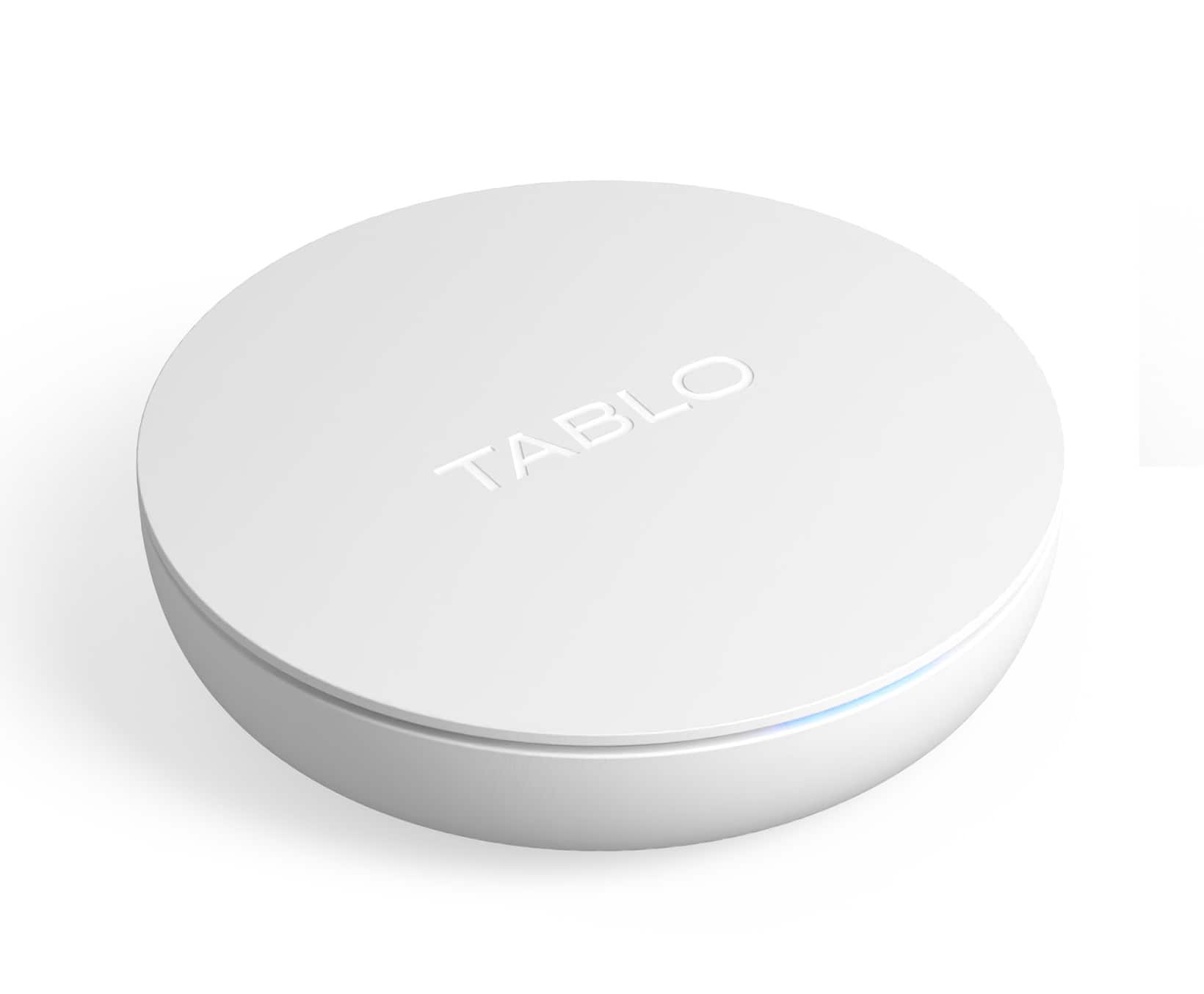
Your price for this item is $79.99
The comparable value price is $99.99

Customer reviews

Rating 3.6 out of 5 stars with 999 reviews

Rating Filter

Rating by feature

  • Value

    Rating 3.9 out of 5 stars

  • Quality

    Rating 3.7 out of 5 stars

  • Ease of Use

    Rating 3.7 out of 5 stars

Pros mentioned filter

Cons mentioned filter

68%would recommend to a friend

Customers are saying

Customers have good things to say about the ease of use and setup of the 4th Gen, 2-Tuner, 128GB Over-The-Air DVR & Streaming Player, praising its recording capabilities, ample storage, and generally positive picture quality. Many appreciate the built-in DVR functionality and the ability to stream content. However, some users experienced issues with compatibility, app performance, and signal reception.

This summary was generated by AI based on customer reviews.

The vast majority of our reviews come from verified purchases. Reviews from customers may include My Best Buy members, employees, and Tech Insider Network members (as tagged). Select reviewers may receive discounted products, promotional considerations or entries into drawings for honest, helpful reviews.
Page 44 Showing 861-880 of 999 reviews
  • Rated 1 out of 5 stars

    Bad for samsung tv

    |
    |
    Posted . Owned for 1 week when reviewed.
    This reviewer received promo considerations or sweepstakes entry for writing a review.

    Wont work with samsung tv! But its a good value. Sad

    No, I would not recommend this to a friend
  • Rated 1 out of 5 stars

    Not for me.

    |
    |
    Posted . Owned for 3 weeks when reviewed.
    This reviewer received promo considerations or sweepstakes entry for writing a review.

    Difficult to use, you have to download an app. Might be fine for some people but not me.

    No, I would not recommend this to a friend
  • Rated 1 out of 5 stars

    Tablo

    |
    |
    Posted . Owned for 1 month when reviewed.
    This reviewer received promo considerations or sweepstakes entry for writing a review.

    I can't even get this set-up correctly. Website is no help. Taking them back to the store.

    No, I would not recommend this to a friend
    • Brand response from Tablo TV
      Posted .

      So sorry to hear that! You can always reach out to our support team on our website for help. They'd be happy to assist :) TabloTV

  • Rated 1 out of 5 stars

    Tabo

    |
    |
    Posted . Owned for 3 weeks when reviewed.
    This reviewer received promo considerations or sweepstakes entry for writing a review.

    Doesn’t work on a 5 year old tv and would not buy a new one

    No, I would not recommend this to a friend
  • Rated 1 out of 5 stars

    tablo

    |
    |
    Posted . Owned for 1 week when reviewed.
    This reviewer received promo considerations or sweepstakes entry for writing a review.

    Going to return this item' doesn't work right on or tv

    No, I would not recommend this to a friend
  • Pros mentioned:
    Overall performance, Storage

    Rated 5 out of 5 stars

    Works really well if you have the signal for it.

    Posted .
    This reviewer received promo considerations or sweepstakes entry for writing a review.

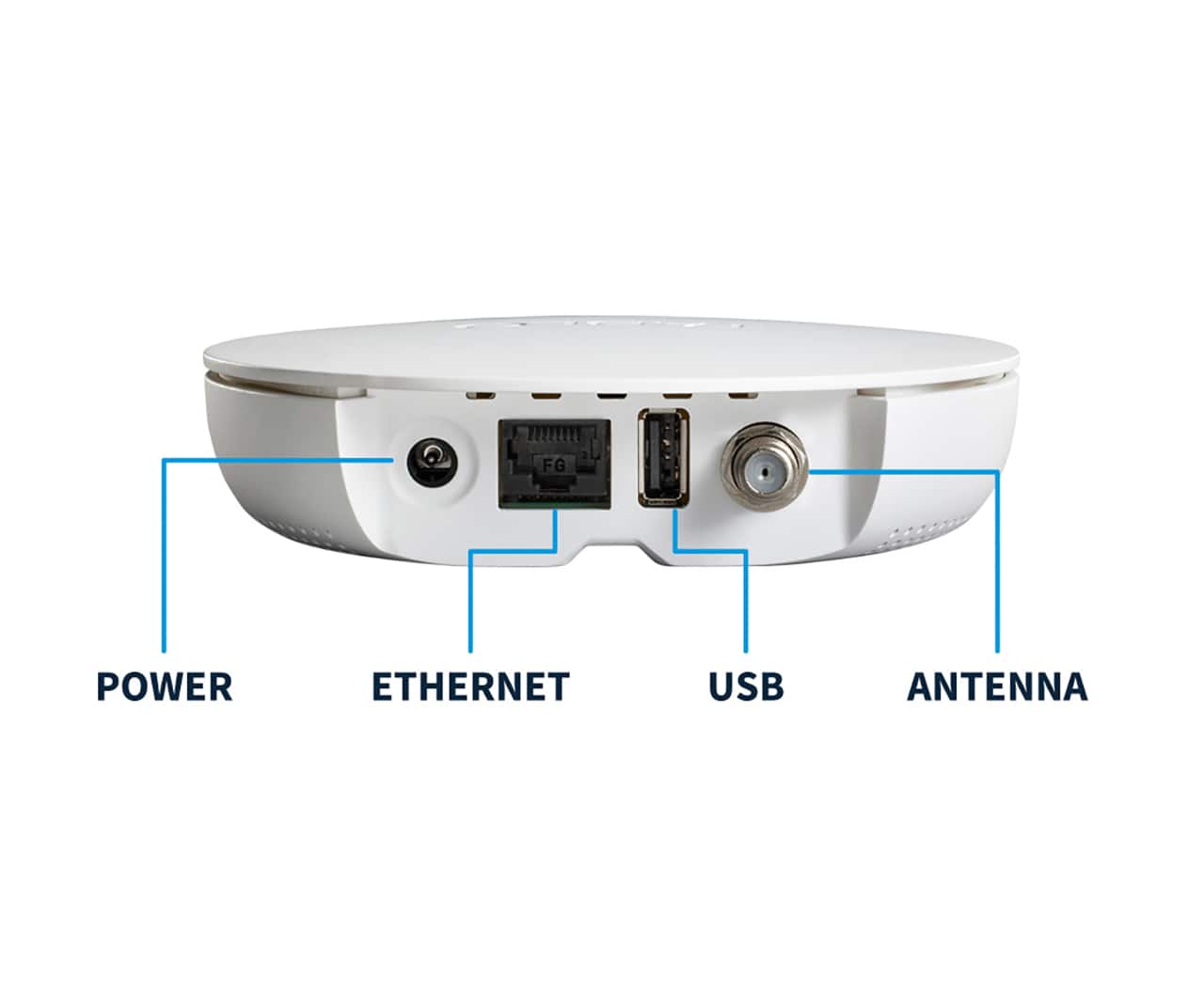
    This was the second of these that I purchased. I actually got it as a gift for someone else, but where they lived it did not work as they couldn't get a lot of over the air channels where they lived. Even without over the air channels, if you have an internet connection, it still offers a lot to watch. I have had one myself for a couple of months now, and use it to record over the air channels. It works, essentially, just like any online stream service. You can set it to record a show any time it airs, only new episodes, etc. It has built in storage and you can also expand it with external storage. One important thing to know is, unlike a VCR, it can not be used out of the box by itself. There is no way to physically connect this device to your tv. There is no HDMI port to connect it to your TV. There is no remote control to control it. In order to use this you have to have a smart TV that supports it or a media player device. I use a FireTV stick. This also means you need a way to connect the device to the media player. It has an Ethernet port so you can connected it to a switch or a router, or you can connect it wirelessly. You also need a smart phone. You can't get through the installation process without one. So, it has a lot of dependencies. It is not a stand alone device. It can also record only two channels at a time, or record something while still letting you watch something. Once set up though, it works great. I still haven't cancelled my online streaming services that I use for the major networks, but I certainly could. The picture quality is great. It totally eliminates having to watch commercials, because you can quickly skip past them. Another great thing about it is you can put it where you get the best signal, like up high in your house, but can watch it from anywhere in your house. Not only that, but it just shows up on your media player like any other app. Someone who was not aware what this was wouldn't even realize it wasn't just another streaming service. It has a nice grid based TV guide and a user interface as good as many streaming services. The person I bought this for lives in the Palm Coast, Fl area, and from there, without an outdoor antenna, it could pick up very few channels. I didn't have time to look into or purchase an external antenna while I was there. I think it would be worth it to do so though. Where I live, it picks up all the major networks. With the OTA and online channels, it has over 90 channels. It 100% eliminated the need to subscribe to cable or a streaming service to watch the major networks forever, for the price of one month of one of those services. I am going to keep this second one anyway, because there are two people living in our house. One of the things I wish it had that it didn't, is the ability to set up user profiles so with a single device, multiple users in a house could have their own recordings and such. Since I have a second one now, I am just going to achieve this by having each person in the house have their own device.

    I would recommend this to a friend
  • Rated 1 out of 5 stars

    Tablo rating

    |
    |
    Posted . Owned for 2 months when reviewed.
    This reviewer received promo considerations or sweepstakes entry for writing a review.

    Would not install even with following the directions

    I would recommend this to a friend
    • Brand response from Tablo TV
      Posted .

      Hi IrvinW- Sorry you had such a frustrating time setting up your Tablo! Please reach out to support on the Tablo TV website and we can walk you through step by step getting your Tablo set up. TabloTV

  • Rated 1 out of 5 stars

    Review

    |
    |
    Posted . Owned for 3 weeks when reviewed.
    This reviewer received promo considerations or sweepstakes entry for writing a review.

    Couldn’t get it to work. Had to return it for a refund.

    I would recommend this to a friend
  • Rated 1 out of 5 stars

    Useless

    |
    |
    Posted . Owned for 1 week when reviewed.
    This reviewer received promo considerations or sweepstakes entry for writing a review.

    Very slow needs a lot of work functionality is terrible

    No, I would not recommend this to a friend
  • Rated 1 out of 5 stars

    Blabla

    |
    |
    Posted . Owned for 3 weeks when reviewed.
    This reviewer received promo considerations or sweepstakes entry for writing a review.

    I had difficulty in connecting to my WiFi. I spent quite a lot of time to connect to the WiFi

    No, I would not recommend this to a friend
  • Rated 1 out of 5 stars

    Tablo

    |
    |
    Posted . Owned for 3 weeks when reviewed.
    This reviewer received promo considerations or sweepstakes entry for writing a review.

    Looses connection at least once a week. Does not work that well.

    No, I would not recommend this to a friend
    • Brand response from Tablo TV
      Posted .

      Oh no! Our support team would be happy to look into that for you. You can reach out to them directly by opening a ticket on the TabloTV website. TabloTV

  • Rated 1 out of 5 stars

    Bad One

    |
    |
    Posted . Owned for 1 month when reviewed.
    This reviewer received promo considerations or sweepstakes entry for writing a review.

    It has not work for me maybe I got a Defected unit

    No, I would not recommend this to a friend
    • Brand response from Tablo TV
      Posted .

      Hi majj! If you need help setting up your Tablo please reach out to our support team on the Tablo website. We would be more than happy to help you get your Tablo up and running. If you do have a defective unit, then we would be more than happy to replace under our one year warranty program. TabloTV

  • Pros mentioned:
    Storage
    Cons mentioned:
    App support
    Tech Insider Network Member

    Rated 4 out of 5 stars

    Finally, a DVR for OTA at a reasonable price

    |
    Tech Insider Network Member
    Posted .
    This reviewer received promo considerations or sweepstakes entry for writing a review.

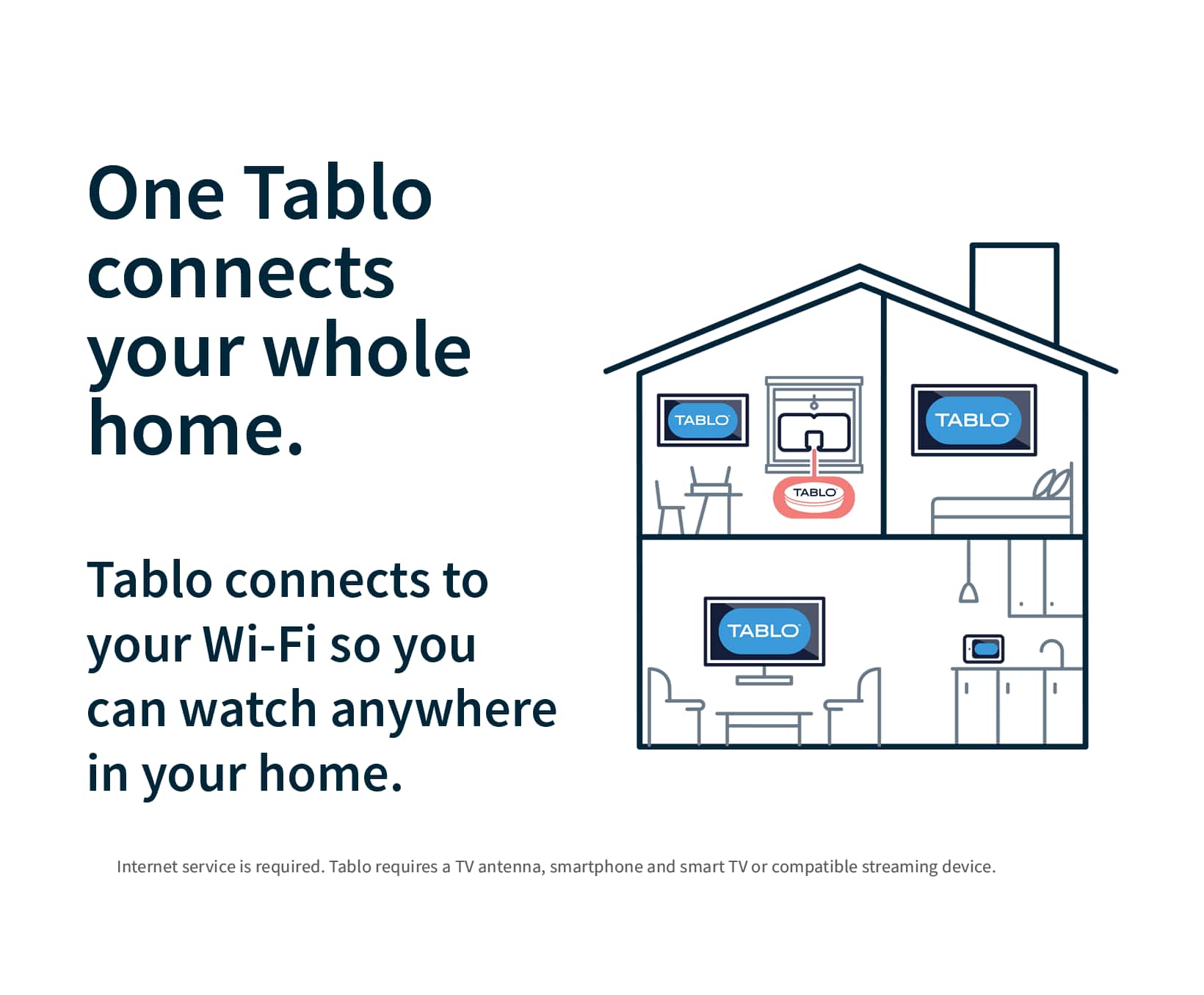
    I’ve been a “cord cutter” for many years, and while I subscribe to several streaming services, I’ve always had to get my local channels over the air. I’ve tried devices that claim to let me utilize my antenna’s signal on all my devices and recorded OTA broadcasts, but these have always been big disappointments, and I’ve never kept any of them. Tablo has a new offering with an affordable price, so I decided to try again to see if the technology is good enough yet. Setup should have been easy, and I thought it was going to be, but it definitely was not. The first step is to download the Tablo app for your phone. The latest Tablo hardware does not work with their legacy apps, so you’ll need to make sure you download the latest version. The Tablo quick start guide includes a QR code to take you right to it, and I suggest you use it. Next, the Tablo sets up its own local Wi-Fi network, just to allow you to connect to the device, since it doesn’t have a screen. Once connected, it will guide you through connecting the device to your home Wi-Fi network. My first attempt at connecting to Wi-Fi seemed to work right away, but then suddenly it said it could not find the Wi-Fi network. No problem, I’ll just try again. Unfortunately, the device seemed to think it was connected to Wi-Fi (according to its lights), but it wasn’t, so it put me into a loop to try to manually connect. At this point, it was trying to get me to manually connect my phone to the internal Wi-Fi network of the device (back to step 1), but that Wi-Fi network was not actually running and couldn’t be found by the phone, so I was dead in the water. Multiple resets made no difference. I talked to a very nice guy at tech support, but he wasn’t sure what to do either. He instructed me to try to connect and set up using an Ethernet connection and then switch to wifi. So, I tried that. Using a wired connection did allow me to set things up, but I still had the wifi problem. At that point, I got an idea: what if I held down the reset button for a longer time? I did that, and it triggered a hard reset, which is what I wanted all along! Turns out that a quick press of the reset button is a restart, not a reset. Now that I could redo the wifi setup again, it correctly connected and allowed me to set it up via wifi. Finally, I was in business! Once the setup was complete, the next step is to connect an antenna and scan for channels. The positioning of the antenna matters here. One nice thing about using a device like the Tablo is that you aren’t constrained to keep it near the TV, since you’re using your home’s wifi signal and not the physical wire from the antenna. Mine picked up about 34 channels in the attic, but unfortunately the attic is too hot to leave it there, and here’s where I ran into a limitation that I’ve experienced with other devices like this: the device’s tuner is not as good as the tuner in the TV. In my normal spot, using my normal antenna (which gets all 34 channels), I could only get 6 channels. Obviously the old maxim is true here as well: location, location, location! After finding a suitable location in the house, I’m able to view my live channels on any device that can support the app. That means that instead of only being able to view my local channels on the TV where the reception is best, I can now view programming on my phone, tablet and any TV that has its own Roku, Fire Stick or Apple TV. The heart of the Tablo system is the Tablo app, which uses a third-party channel guide to make it all work. One thing about this new 4th gen Tablo is that it includes the channel guide at no additional cost! I don’t have an older Tablo, but my understanding is that you have to have a subscription to get more than a day of guide information, but on this new one, it includes a week of guide info at no cost. It takes a few minutes for all of the guide data to load, but once it does, you can select a show and then choose to watch it live or record it. The guide is nicely laid out, and it was very intuitive to use. It includes a Home Screen which highlights some of the top upcoming shows, and this is very nice, as it brings a modern touch to your OTA channels. I did experience a small glitch with the guide. All the channels except one loaded up without issue, but no guide information was included for my local CBS affiliate. Without the guide information, you really don’t have that channel, as you cannot select any programs for viewing or recording. The app on my phone did allow me to watch that channel live, but not the Roku app. I worked with tech support via email, and I must say that they were very responsive and great to work with. It took a few days, but they finally got the situation resolved, and now my Tablo is fully working. What about recording? The Tablo comes with 128 GB of storage built in, which the company says will provide up to 50 hours of recording. With the guide, it’s easy to select a show for recording and not have to put in start/stop times like an old-fashioned VCR. The user interface is nice, and fast-forwarding is easy and better than any of the DVRs that I have on my streaming services. Recording and watching recorded content was easy and flawless, and I’m really enjoying finally being able to record network TV broadcasts. Tablo also includes a good selection of free TV channels, and this is a nice touch. These channels are often included in smart TV packages, but it’s nice to have them here, and with the ability to record. While it’s not perfect, I really like the Tablo app. It does have some quirks, especially the Roku version, but hopefully these will smooth out over time with future updates. One thing to be aware of is that this version does not support viewing your content outside of your home. I think older versions support that, but it doesn’t work for this one. That’s probably a decision that was made to differentiate the different models. I’m not bothered by that, but it’s good to know about this up front. I’m very pleased with my new Tablo, and looking forward especially to being able to record live sporting events, which I haven’t been able to do for years. It’s a nice solution, and best of all, it works! I’m deducting a star for the setup experience, which definitely could have been better. I’m a “techie” person, so I’m willing to put up with troubleshooting problems, but I can see how many people would just box it up and return it. A more in-depth installation guide might have helped here, especially explaining the difference between a single press and a long press of the reset button. At $99, this is a great way to enhance and extend your local stations. It doesn’t have all the bells and whistles of the higher-priced legacy models, but if you don’t need those things, this will work just fine.

    I would recommend this to a friend
  • Rated 1 out of 5 stars

    Waste of money

    |
    |
    Posted . Owned for 1 week when reviewed.
    This reviewer received promo considerations or sweepstakes entry for writing a review.

    Could not set it up, will not even connect to the app

    No, I would not recommend this to a friend
  • Pros mentioned:
    Storage
    Cons mentioned:
    App support
    Tech Insider Network Member

    Rated 4 out of 5 stars

    Simple DVR with free monthly service

    |
    Tech Insider Network Member
    Posted .
    This reviewer received promo considerations or sweepstakes entry for writing a review.

    The Tablo DVR is now available in the 4th generation with free guide service. That means there are no monthly fees at all. That’s probably is the best part except for the low purchase price for a 2 tuner DVR with 128GB storage. You must use your phone or tablet to perform the initial setup. After scanning the QR code in the quick start guide, you connect your TV antenna connector to the Tablo and plug in the power adapter then you’re ready to scan for channels and connect to your WiFi. It’s all rather simple. The service works rather well. The channel scan not only quickly picks up all available local channels you can get but also some free streaming channels and then lets you select which ones you want to show in the guide. In my case I found the tuner sensitivity to be a little weaker than the other DVR I have used so a few of my channels that are over 40 miles away could not be pulled in. If you live in an area closer to the broadcast towers then you won’t experience any problems. The guide is pleasant to use and the scheduling of recordings works well. It’s a little annoying that you can’t just click on a program on the guide and it comes up but you have to click on a watch now in first. You also can push the up and down buttons to change channels up and down. When I really thought about it, though, I rarely do flip channels like that any more. I usually pick something to watch off the guide or more often watch a show I’ve already recorded. The programs come up fairly quickly but seem to lag sometimes depending on the platform and how new it is. My iPhone brings them up fastest. The Apple TV and Samsung TV apps aren’t available yet but are supposed to be ready at some point in the future. I tried using my Fire Stick, Fire TV, Fire Cube, Roku, Google TV and iPhone and all worked. Every once in a while the app would not come up at first and then when I tried to exit it would work. Overall it seems pretty solid with a few bugs at first.

    I would recommend this to a friend
  • Pros mentioned:
    Recording, Storage
    Cons mentioned:
    App support

    Rated 5 out of 5 stars

    The best $100 I've spent for TV.

    Posted .
    This reviewer received promo considerations or sweepstakes entry for writing a review.

    Great purchase, able to record OTA channels for free in HD. Installed on our two smart TV's. The Roku App buffers slightly when you select channels the Fire Stick App works quite differently as it is seamless and there is no lag. I ordered another Fire Stick to replace the Roku. The Tablo App installed easily you have to use the newest Tablo App, the Black App just scan the App from the Tablo box. The Black app is in Roku and the Fire Stick. We already pay for all the major entertainment Apps and with the Tablo we are able to eliminate the $80 dollar Live TV streaming service. Two weeks of guide and easy to manage recordings. I think the internal 50 hours of storage is enough as long as you delete after watching if we end up needing more you can add more externally with the USB port. No extra subscriptions needed.

    I would recommend this to a friend
  • Cons mentioned:
    App support

    Rated 4 out of 5 stars

    YMMV - As Good As Your Antenna Situation

    Posted .
    This reviewer received promo considerations or sweepstakes entry for writing a review.

    This device is wonderful - provided you have a good antenna situation at home. If you struggle to get good reception, that will show through the Tablo. For me, my antenna mostly works without issue, until there's a sporting event I'd actually like to watch - then the signal gets weak for whatever reason.... I'm using the Tablo with a Roku TV and Roku Streaming Stick 4K. Setup is fairly straightforward. Most of my issues have been with the app/UI/presentation. Having a full 14 day TV guide is great, but you have to stop watching TV to look at the guide. Not sure if this is a Tablo limitation or not, but it would be great to pull up a TV guide overlay over the live TV instead of either/or. As it is, you either watch live TV or look through the guide, but not both at once. Using the Roku app, you cannot change channels without going to the TV guide. Just a simple "up button/down button" to go up and down a channel would be a godsend, instead of using the "back button" to go back to the guide. So its either watch live TV or go back to the guide, not both at once. I've had the app not load when selected - not on Roku or Android app - and just had to wait an hour or so for the Tablo to sort itself out... I've had the picture freeze while audio continues live, and have to pause/fast forward to catch up/sync. Not sure if that's an antenna issue or Tablo. I've had the live TV rewind 10-15 seconds - mostly during commercials, it would be in one commercial then back up 10 seconds into the previous commercial - not sure if it's a buffering issue, antenna issue, or what. I've had the screen go white/static, and the entire Roku had to re-boot because the whole system locked up. Not sure if that is a Tablo issue or a Roku issue. These issues aren't constant or common, so it's notable when it happens, it catches your attention. So that's a good thing. And I would still largely recommend it. Tablo has a ton of potential to be great, and I hope they continue to work out the kinks. Being able to use one antenna and pull the feed across multiple devices is fantastic. Haven't used the DVR features yet, but having 50 hours built in plus expandable storage is fantastic. Including streaming channels alongside the antenna channels is fantastic, even if it's some of the same channels found in the Roku Channel app or Vizio's WatchFree+ selection (which offers live TV/streaming in the same package - BUT you'll need an antenna per TV...). It's definitely work looking into for cord cutting.

    I would recommend this to a friend
  • Pros mentioned:
    Recording

    Rated 4 out of 5 stars

    Nice OTA DVR

    Posted .
    This reviewer received promo considerations or sweepstakes entry for writing a review.

    This is a nice little OTA DVR. It has a guide to see everything on over the air plus free streaming contebt. This device offers the ability to record both over-the-air contebt and from the included free streaning channels. You can set to record entire series with an essy one-touch button. With thumbnails, it’s eady to skip over commercials. The option for automatic commercial skipping would be a nice feature that hopefully there will add at some point. While this is only ATSC 1,0, the FCC mandate ensures this device still be iusable until at least July 2027. It would be nice if they offered this in a ATSC 3.0 model with 4 tuners.

    I would recommend this to a friend
  • Pros mentioned:
    Setup
    Tech Insider Network Member

    Rated 4 out of 5 stars

    Neat item

    |
    Tech Insider Network Member
    Posted .
    This reviewer received promo considerations or sweepstakes entry for writing a review.

    I decided to try out the Tablo DVR and streaming player as my weekends can be busy and I'll miss my favorite football or basketball games when I'm out doing activities. I like that it has the DVR option so I can record things when I'm away. It also has the capability to give you cable channels without having to pay for a cable subscription. Keep in mind you do need a TV antenna to get all of the options. The setup is quick and easy through the provided app. Once you download the app and plug in the Tablo, it walks you through the setup process. You can connect via wifi or directly to your modem for a wired connection. I connected my Tablo to my cable through the wall as I already have spectrum service through my apartment complex. My dislike is that it only gives me about 45 channels and they're rather niche ones, not the basic news and sports channels. I plan to try with an actual TV antenna to get access to the basic channels so I can record Saturday and Sunday football games. The app is super convenient and all features are accessible through it. So far, I really like the concept, I just wish it would access more of the channels I already have with my cable.

    I would recommend this to a friend
  • Pros mentioned:
    Overall performance, Setup
    Tech Insider Network Member

    Rated 5 out of 5 stars

    Wish I would of purchased a Tablo years ago

    |
    Tech Insider Network Member
    Posted .
    This reviewer received promo considerations or sweepstakes entry for writing a review.

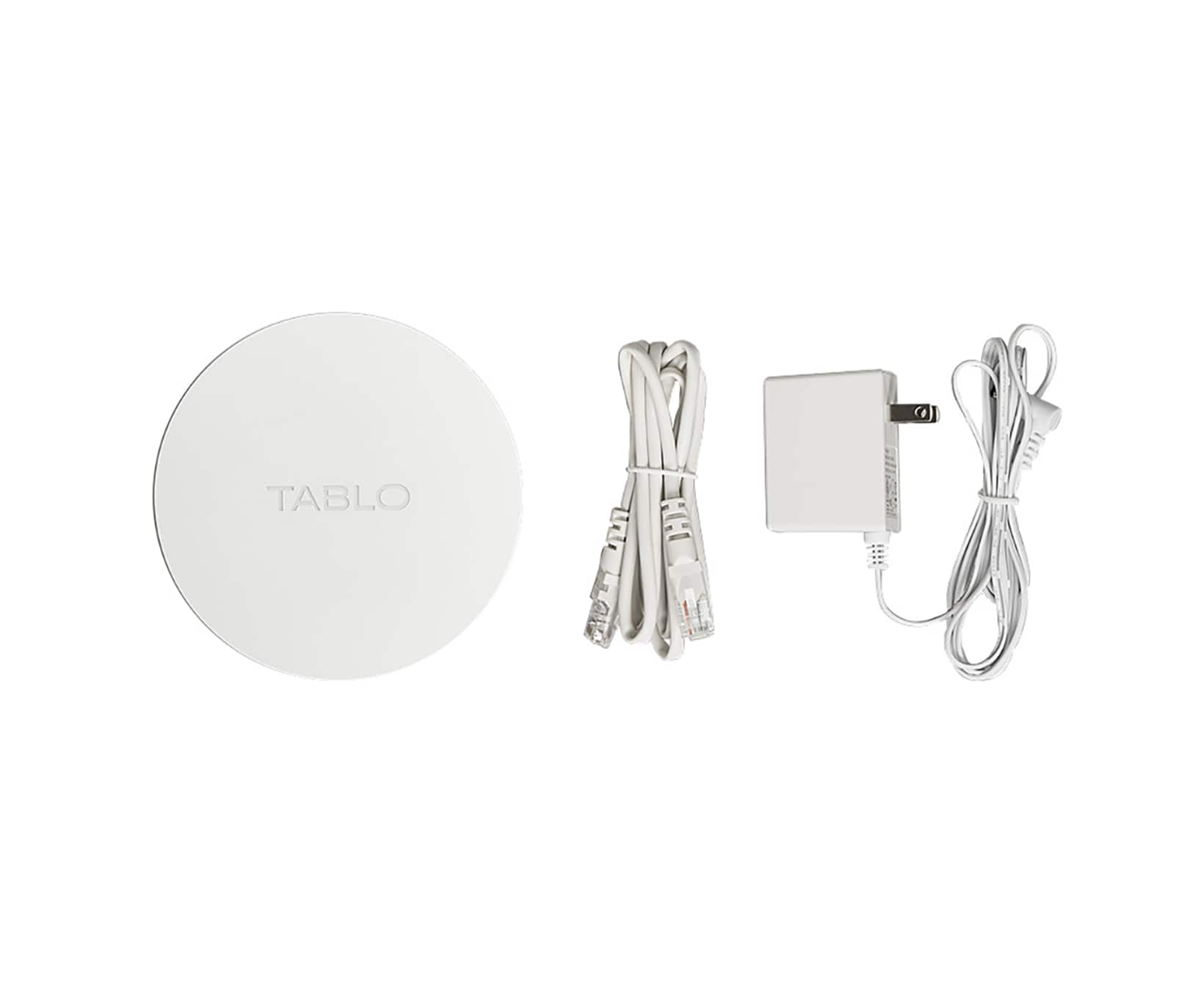
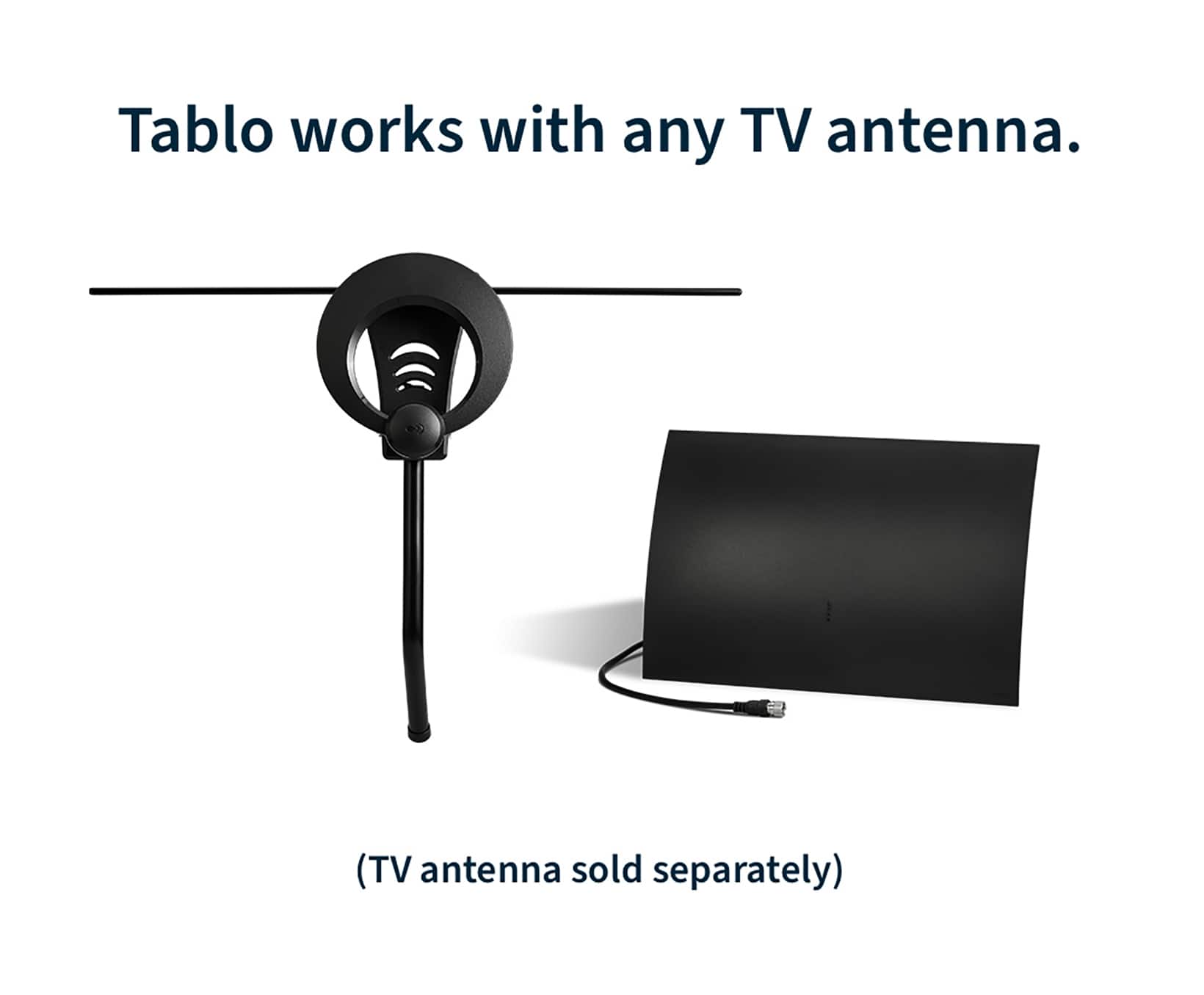
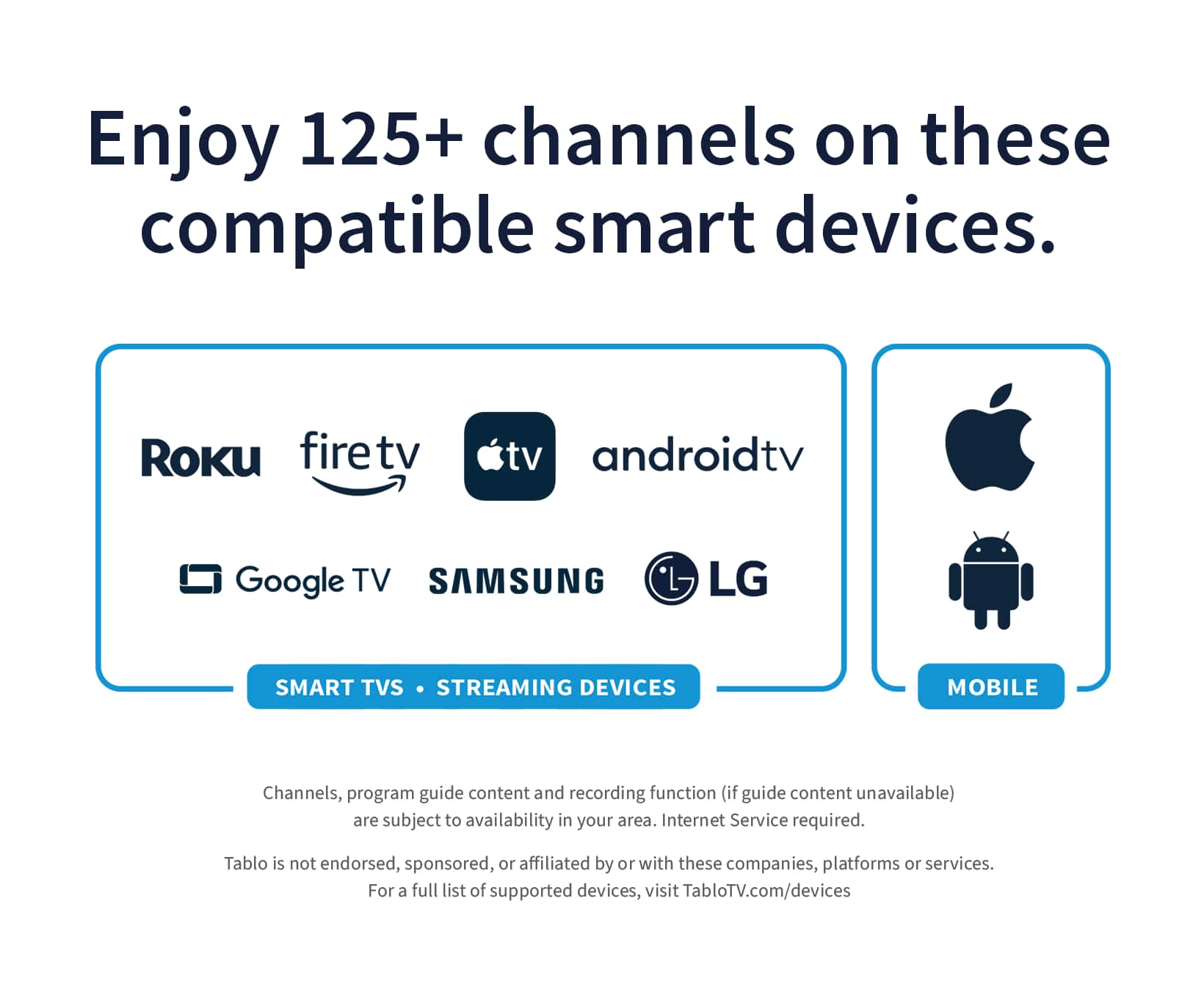
    If you're looking to capitalize on the cord cutting movement, by utilizing OTA (over the air) HD Television. This is definitely something you are going to want to include into your media eco system. This is a 4th gen Tablo TV DVR and it provides great little features and the ability to stream throughout your home on multiple devices. The internal hard drive space gives you approximately 150 hours of recording space, but you are not limited to this as you can extend the recording space with an external portable usb drive up to 8TB for an additional 1000hrs of recording time which makes this a very expandable device and worth the price tag in my opinion. Pros: Small compact design. WI/FI or Ethernet connection, with ethernet being the prime of the two. Easy to setup and download the app that controls it. Compatible with many other devices in your home, according to the tablo website this device is compatible with streaming devices (sticks and boxes) and smart TVs from Roku, Amazon Fire TV, Android TV/Google TV, Apple TV, Samsung, LG and Vizio, as well as smartphones and tablets running iOS and Android. I was able to verify this on my android and iphone as well as my fire sticks, fire box, fire tv and my alexa show 15 devices, all worked flawlessly with the updated tablo tv app. I really like this device and i do believe we will be using this for years to come. The unit is nicely constructed and came with everything but an hd-antenna to get started, though i believe from reading up on their website an additional option for the purchase will include a 30 mile antenna for an additional small fee, quite a good deal if you ask me. Overall i would recommend this OTA-DVR to anyone looking to keep up their favorite ota shows and sports, that they can receive in their area of service.

    I would recommend this to a friend