Customer Ratings & Reviews

- Model:
- 75X11L
- SKU:
- 6668234
to a friend
- Pros mentioned:Brightness, Build quality

TCL's Ultra Premium offering
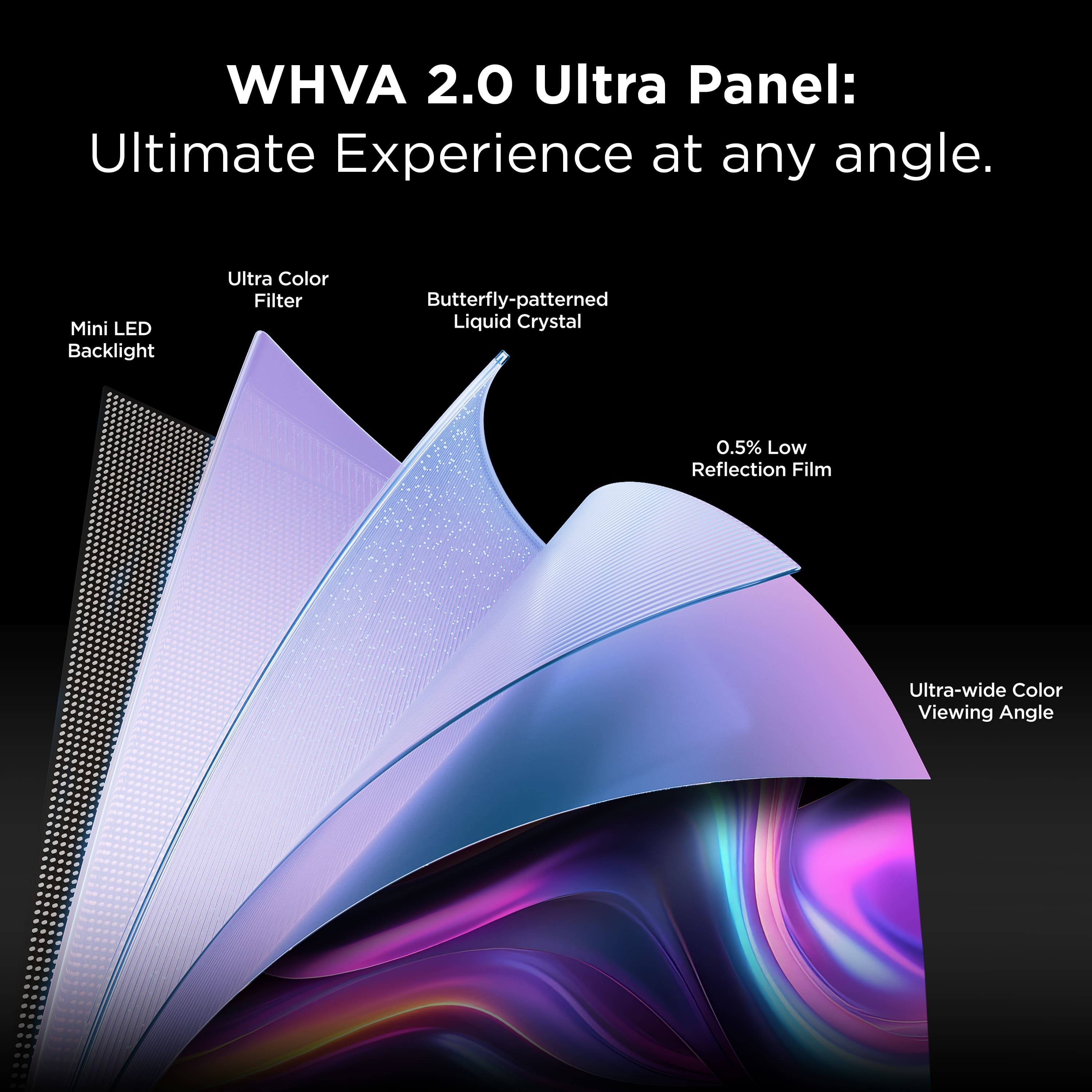
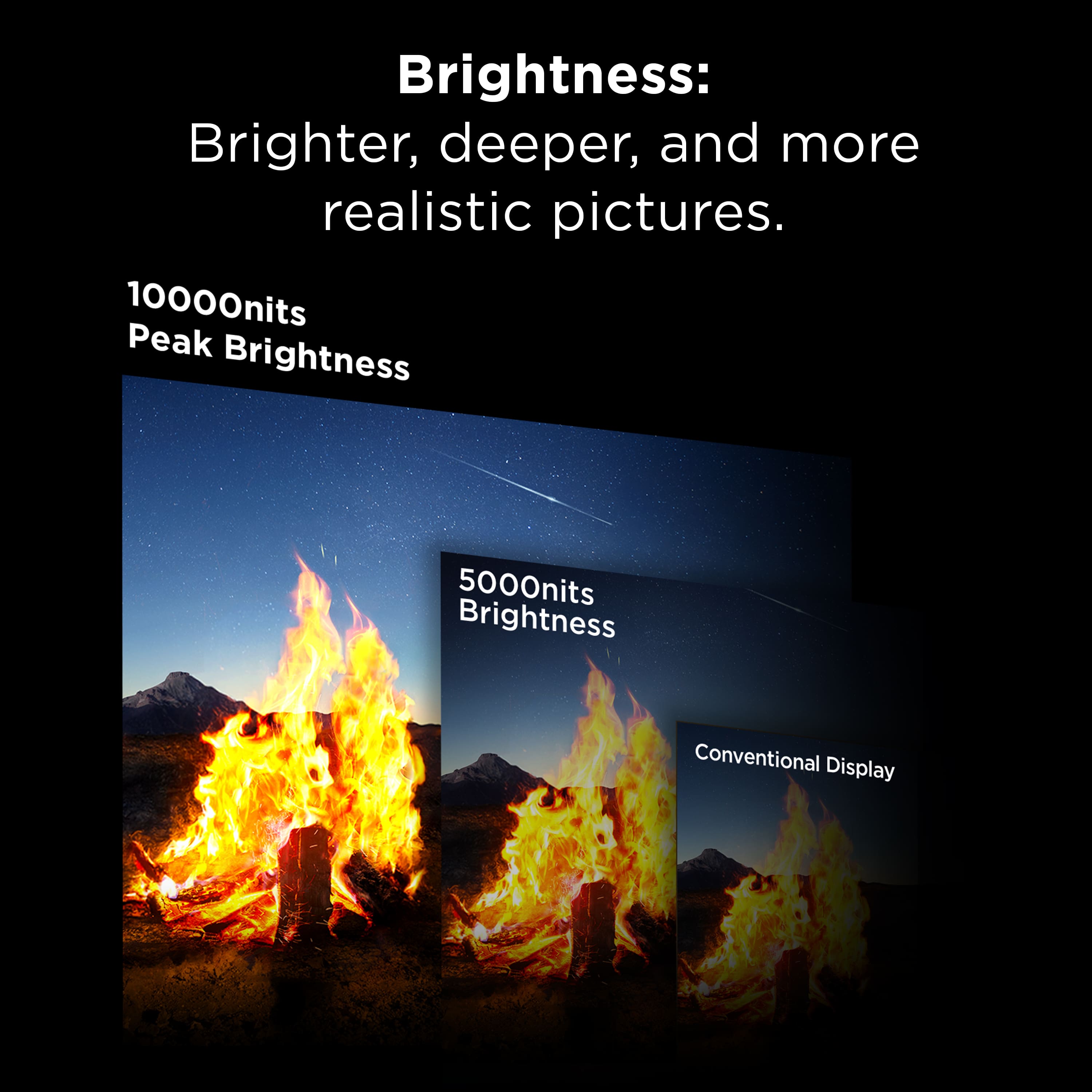
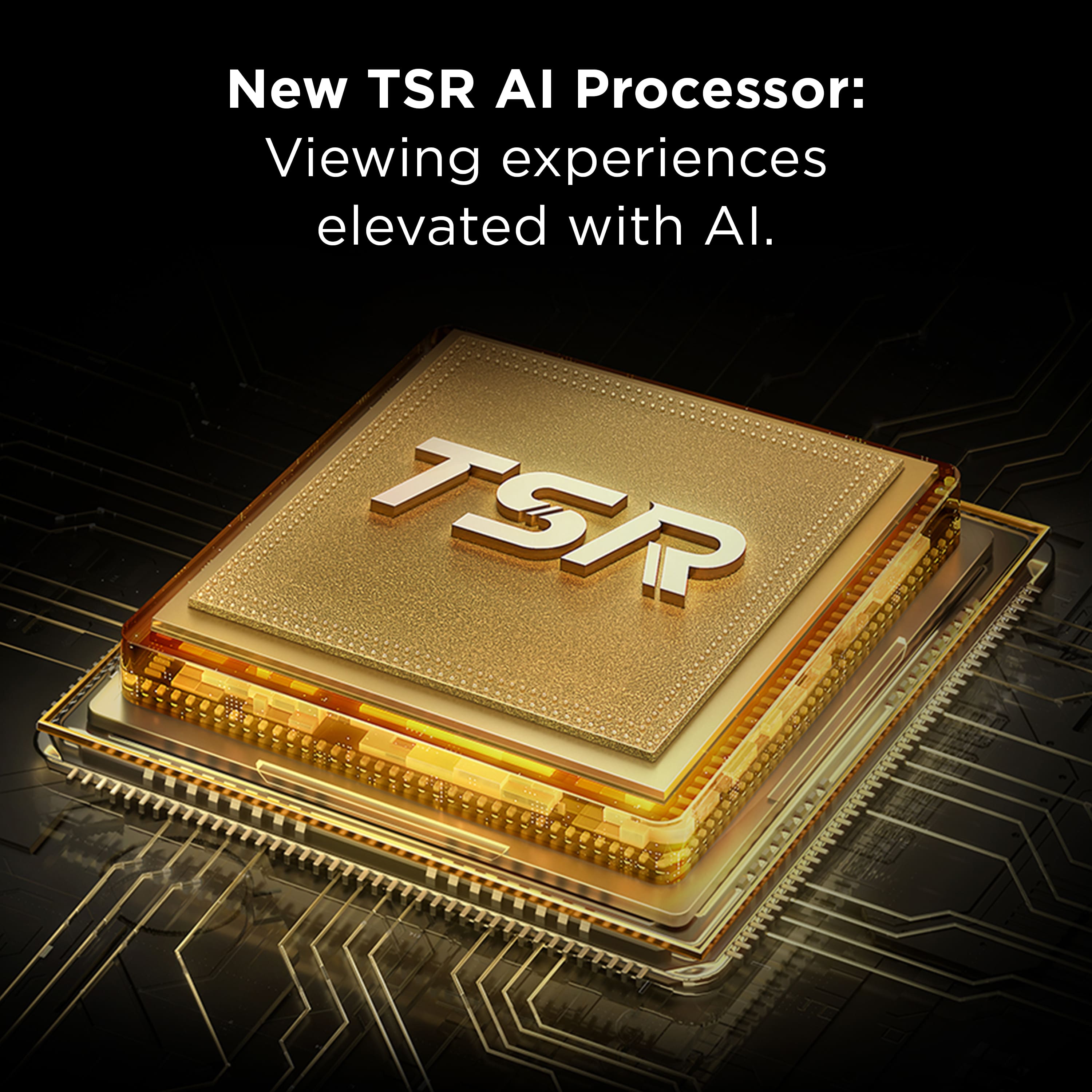
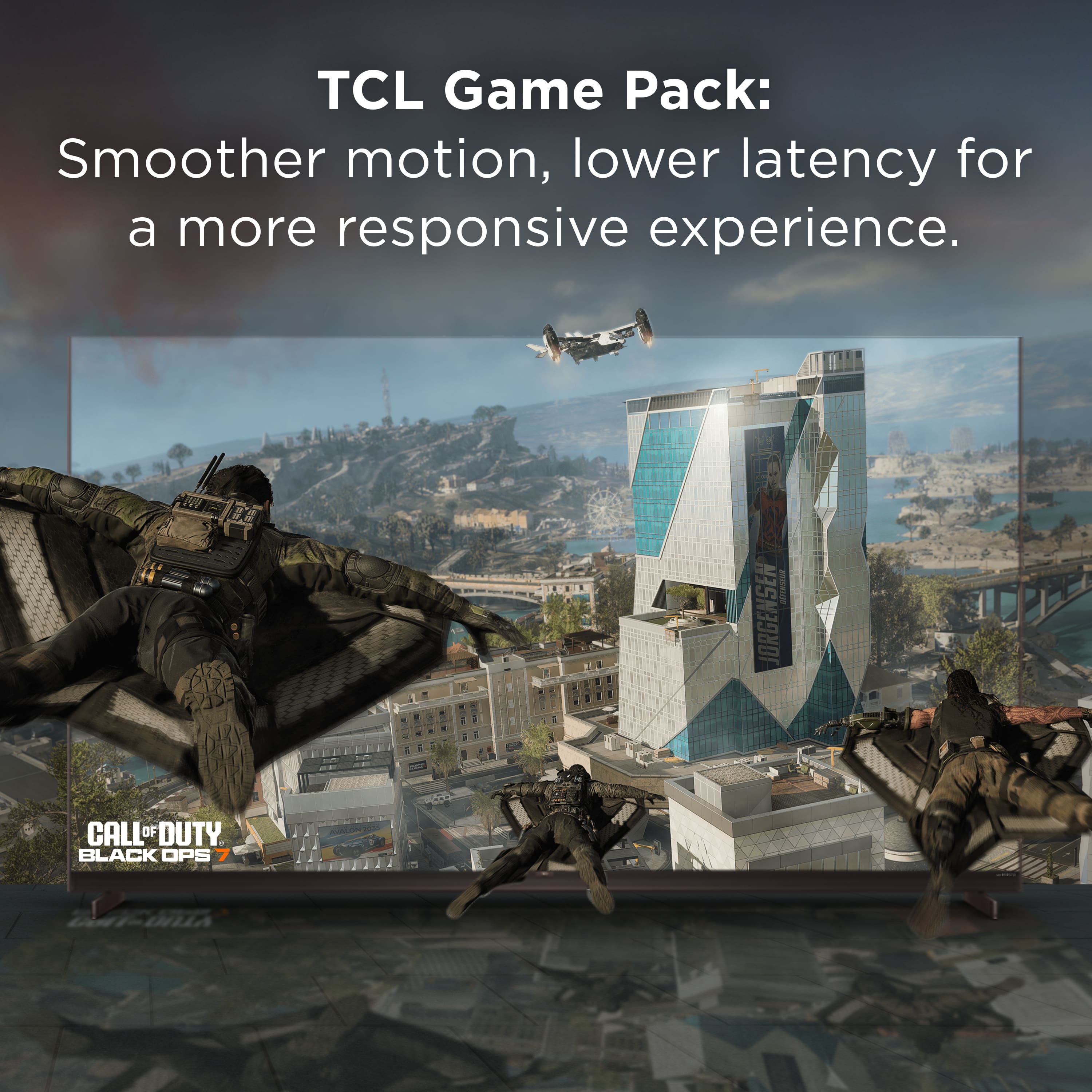
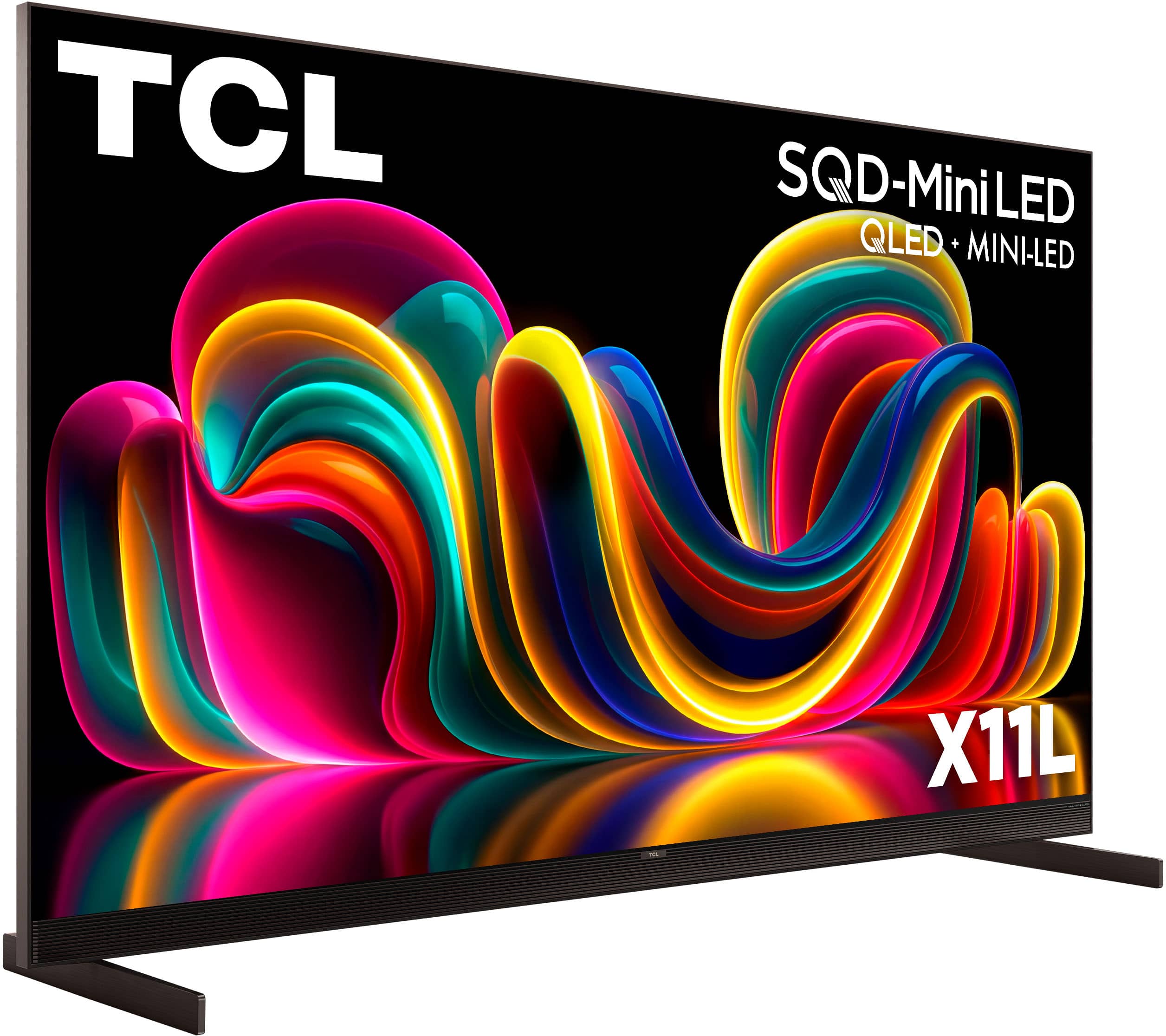
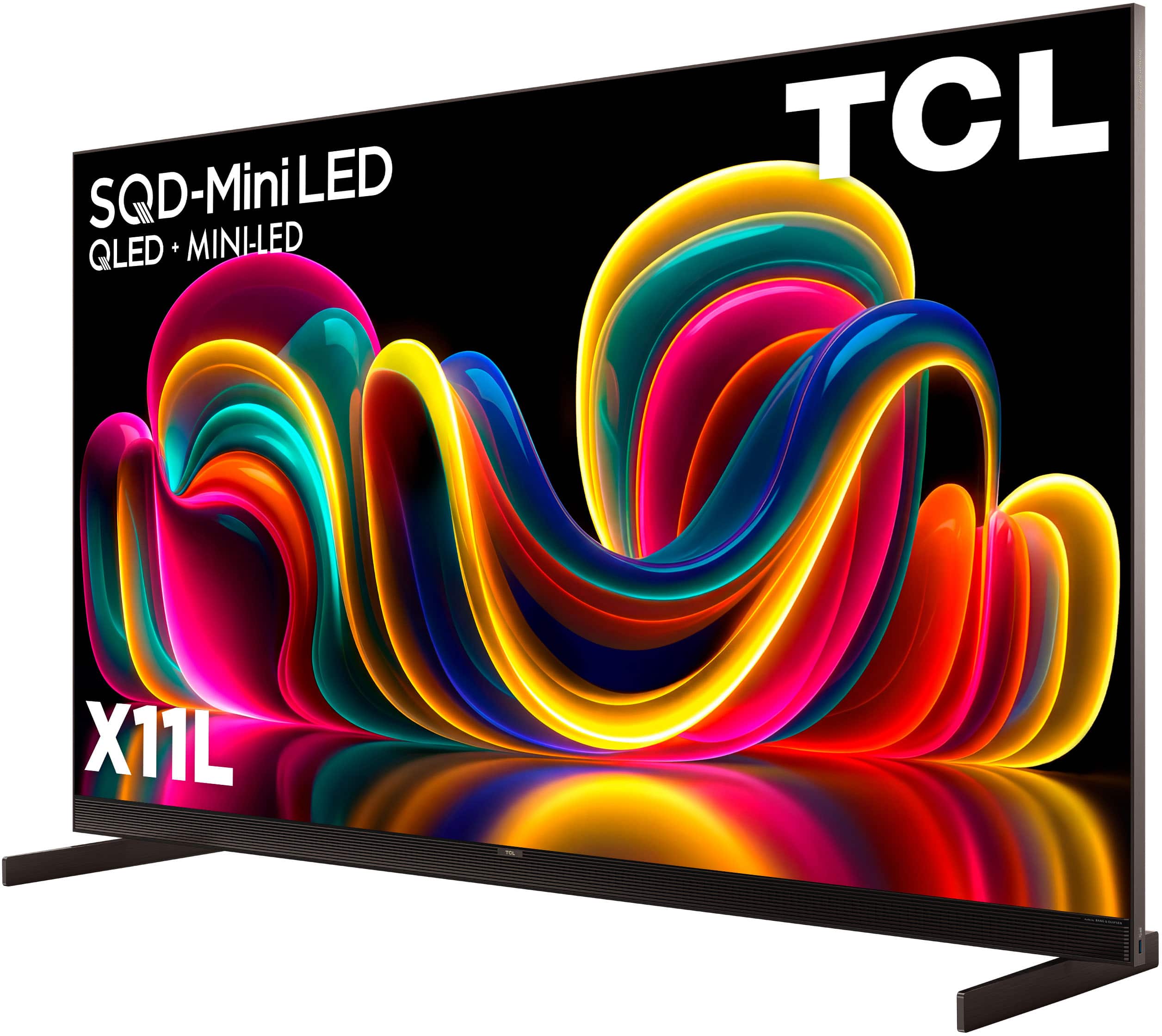
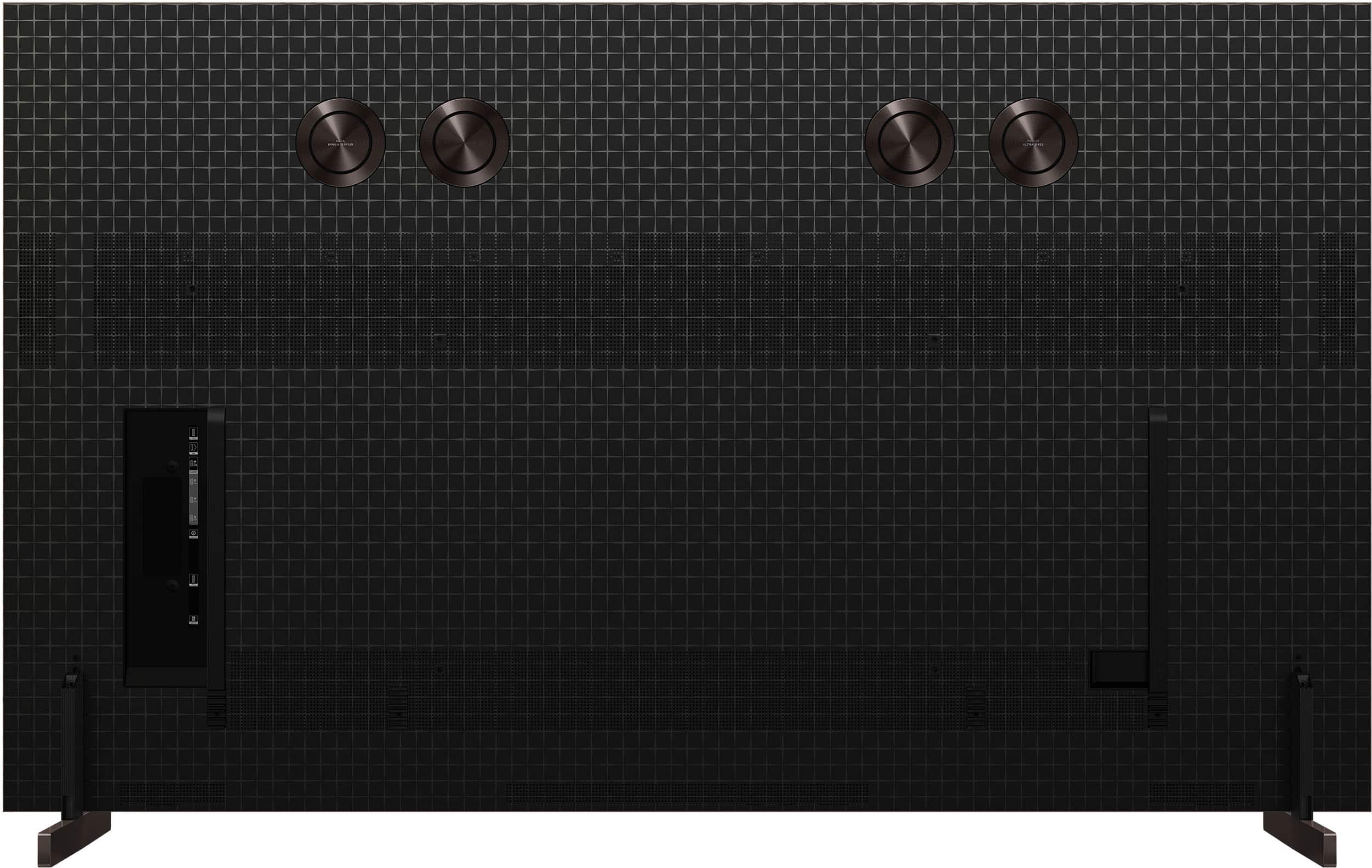
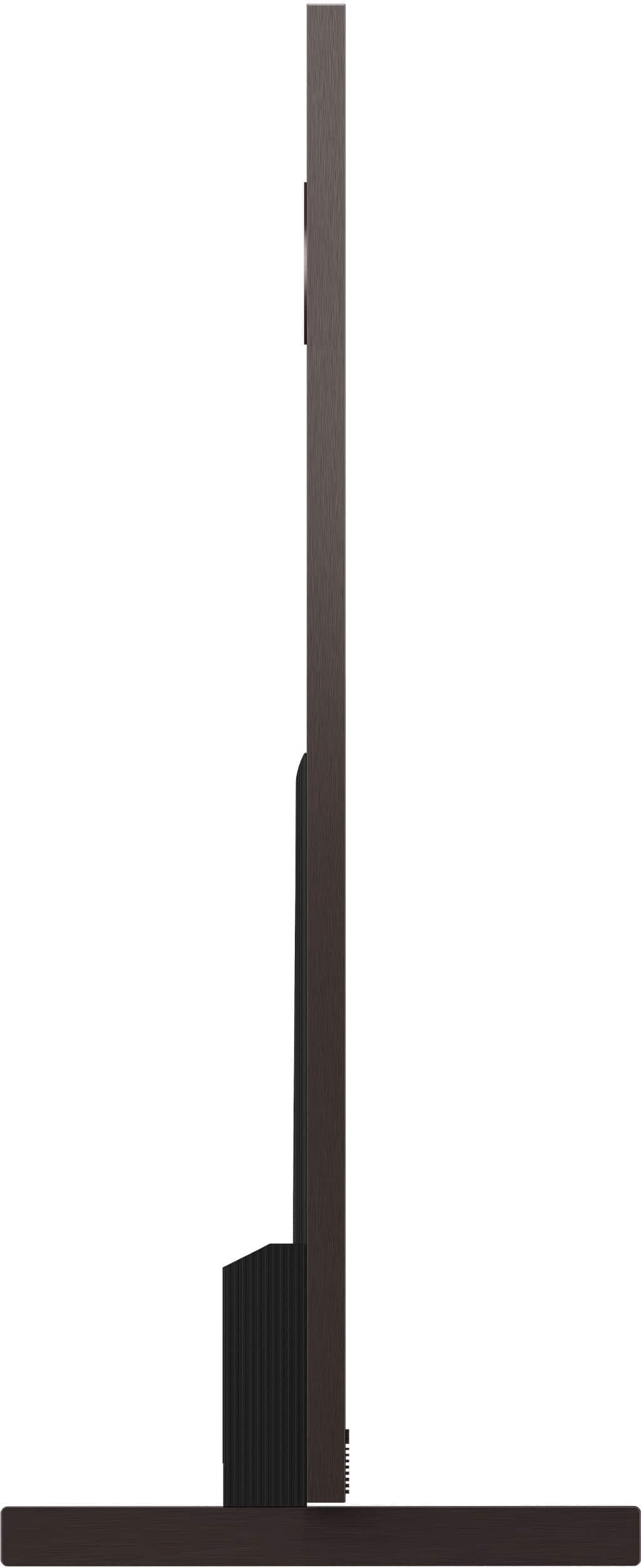
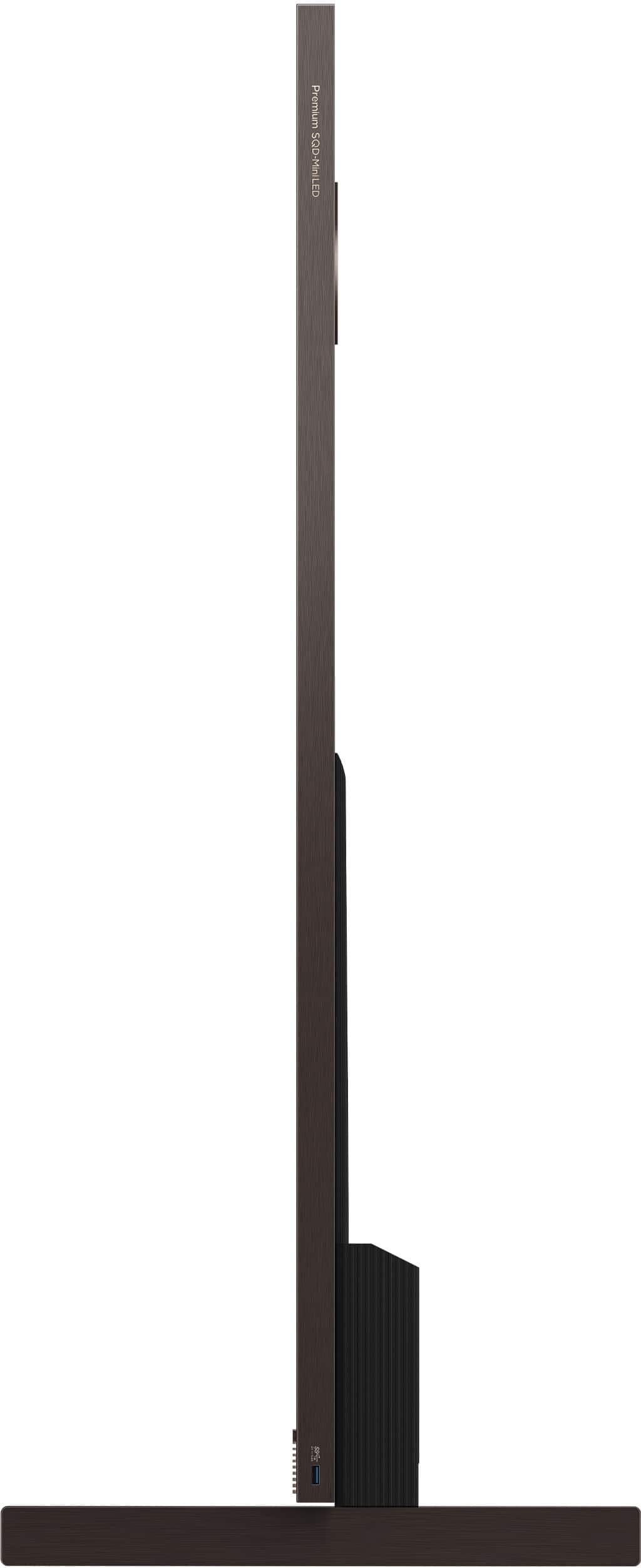
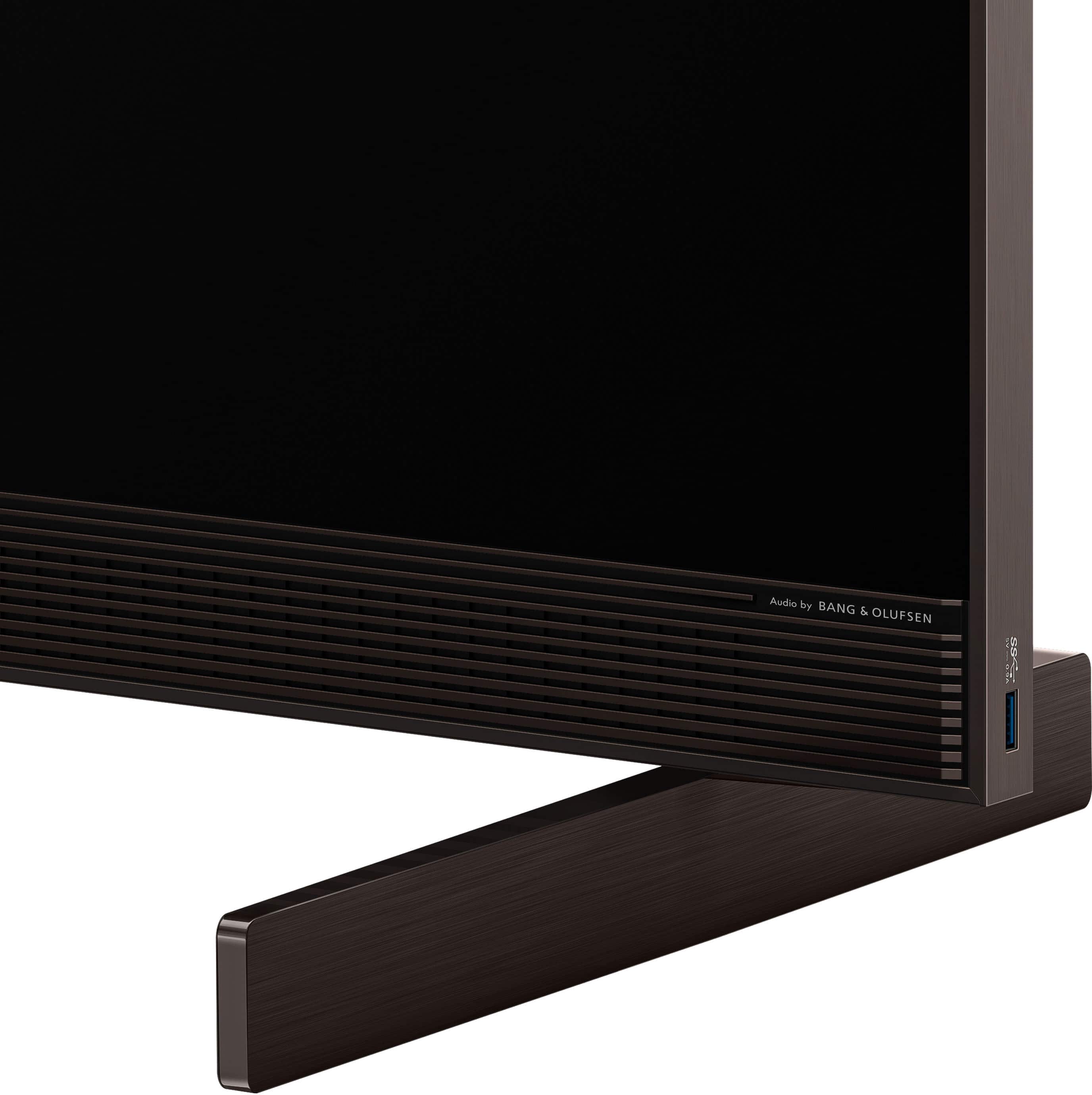
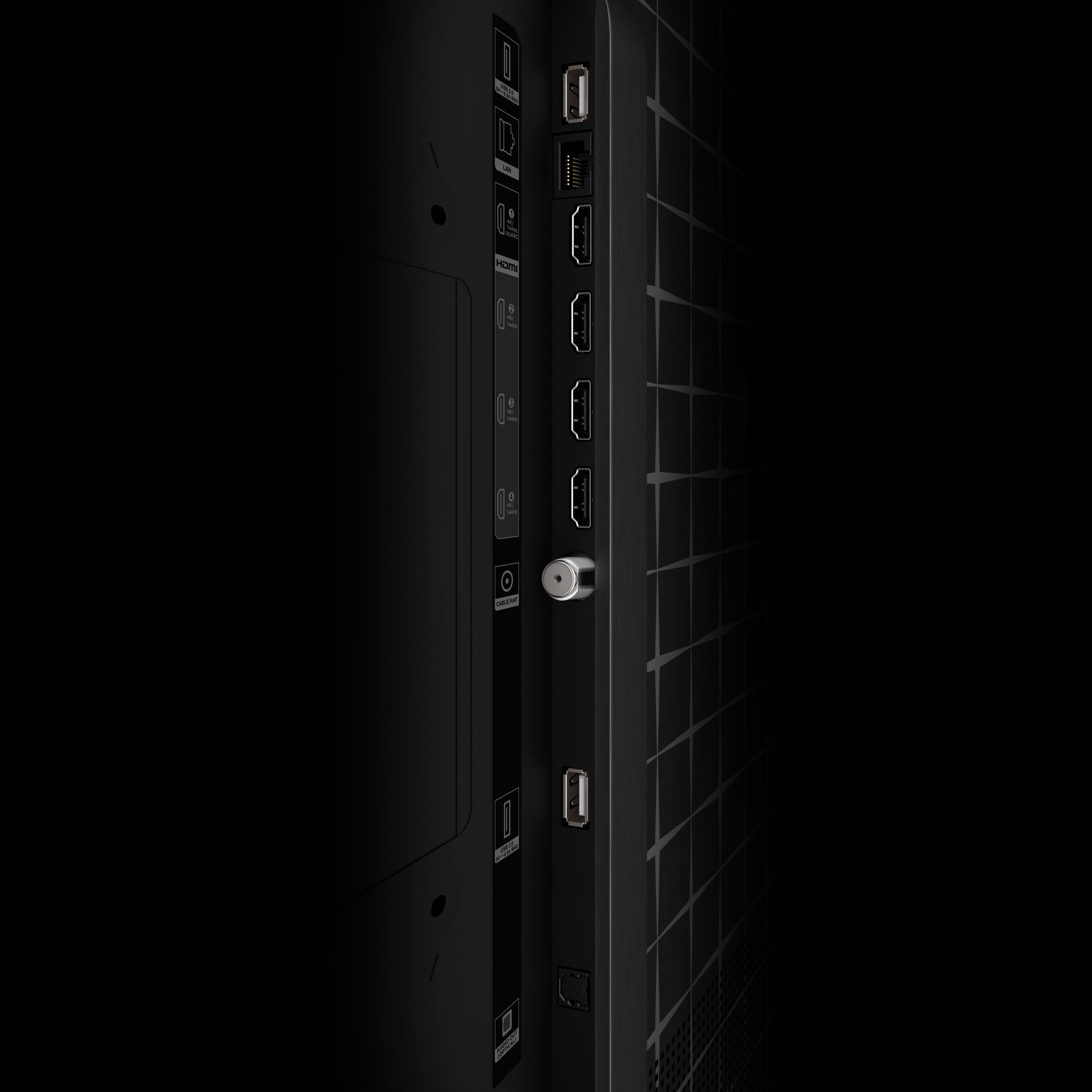
|Posted .This reviewer received promo considerations or sweepstakes entry for writing a review.The TCL X11L 75 inch TV is a premium proposition for anyone looking to seriously upgrade their theatre and gaming experience which delivers a pretty stunning visual and audio environment. I was moving on from a same sized flatscreen in my basement that (at the time) was more of a value purchase, so there was no meaningful difference in the spatial environment and allowed me to compare like to like in terms of size and space. Out of the box, the very first thing you will note is the heft of it…unlike the last ‘value’ TV at almost half that weight and with a razor thin enclosure, the X11L required more than just me to get it unboxed and on the wall. It weighs just shy of 90 lbs., so if you are wall mounting it so you will want to ensure your wall mount is rated for that kind of weight, and that it is anchored directly into studs or concrete if possible. The television basically has an integrated sound bar mounted to the bottom, along with additional speakers firing out of the rear, and as such runs almost an inch thick in depth without the legs. It is very sturdy unit with a very premium feel, utilizing very thin bezels on three sides with a bronzed metal finish at the edges and on the sound grille at the chin. The rear of the unit is a patterned matte black plastic with inputs on the left side and a power jack on the right, and 4 small round speakers side by side on the top third of the panel. It has a pretty nice array of I/O jacks, with an ethernet connection, 1 USB 3.0, 2 USB 2.0 and 4 HDMI 2.1 connects @ 4K/144hz and 1 HDMI eARC connect should you decide that the onboard sound isn’t enough (it is). One thing I loved with something as drab as connects is that one of the USB ports is actually on the side/edge of the TV, which is super convenient considering it is hard to navigate a 70-inch screen weighing 90 lbs. to plug something in the rear on a whim. Lastly, and probably one of my only real ‘cons’ for the TV, is the remote. It is pretty spartan and cheap feeling compared to the TV itself, some effort could have been put into making it more premium feeling to match. I do, however, like the addition of the mode and brighness buttons to the side of the remote. Connectivity – the versatility of the TV provided by the Google OS was an equally large part of what allows the unit to shine for us. We as a family have cut the cable cord, so we are all-streaming, all the time. Living off of various apps like DirectTV, Netflix and Amazon Prime among other streaming apps, having a pretty robust app store is a huge plus. The interface is attractive and really easy to navigate, and the Google Store ecosystem is packed with a variety of apps and games to fill whatever need we have. My wife is a runner, and has a nice treadmill with a small screen and an app called iFit that provides live or on-demand workouts, which is in the Google store. She loves to run watching on a 75 inch screen instead of the 7 inch one on the treadmill. While the TV does have WiFi-6 capabilities which work well (we tested wireless with zero noticeable lag), I utilized the CAT ethernet connection on the back to integrate the TV into my home network. Having the hard connection is great, and you can navigate in and around the IOS and store with speed and ease. Setting the TV up using my Google credentials gave direct access to my personal Youtube channel, and the Chrome casting and Apple Airplay capabilities are awesome. My daughter does all of her school work (and spends her downtime browsing) using her Chromebook, now she casts her homework or presentation work to the big screen when it benefits her, or play some games with friends in the basement on the browser while running some music on Spotify in the background. The TCL TSR AI processor is blazing fast over a chip only a few years older, and all of the UI interactions are pretty instantaneous with no noticeable lag. I tend to watch the TV myself primarily in the evening, be it sports or some of the Marvel Universe. The SQLED screen technology is a game-changer of an upgrade over what we had before. The min-LED technology increases the LED backlighting from dozens to thousands, with TCL noting up to 10,000 nits of brightness and 20,000 dimming zones combined with high contrast ratios to provide more precise control over brightness resulting in bright whites and deep true blacks. In researching more deeply, I’ve seen specs for the 75 inch version to be closer to 9000 nits brightness and 11,000 dimming zones, but both values are superior standards with this technology, and this may be one of the brightest TVs I’ve ever seen (should you dial it that high). It defeats glare easily in most environments. The absolute crispness of the picture is outstanding, with an awestriking color gamut that spans over a billion colors. I could honestly sit and watch screensavers for an hour and just get lost in how vivid and alive the presentation is. We ran a family movie and streamed the 4K version of Avengers Endgame with Dolby Vision IQ picture mode and it was like my private IMAX theater, you were utterly immersed in the movie environment as if you were standing in the scene. There are numerous settings to manipulate the contrast, clarity and color, along with the normal array of screen presets. Outside of sports where that mode is pretty spot on, I find leaving it on Filmmaker picture mode to be pretty rewarding for most media types that are not Dolby format sourced. There are options for those that like cooler/crisper color profiles as well. I’ve reviewed a few resources and it is worth the time to properly calibrate the color on a TV with this level of technology, and more than a few folks noted that you should find the brightness you are happy with prior to dialing in the other values. There is an intelligent picture mode that will auto-calibrate for you based on content and your immediate environment, but you may not prefer this if you do not like variable brightness over fixed. As to the sound, TCL partnered with Bang & Olufsen to provide a robust internal sound system consisting of the soundbar at the bottom and 4 round rear-firing speakers on the back. Important to know if you intend to put the TV in the open or in a corner as that will affect sound quality. My older TV was hooked up to a 5.1.2 channel Dolby Atmos soundbar and speaker setup, and while I thought that rig sounded amazing through the eARC HDMI port on the back, when comparted to this internal system I had to disconnect it. The sound the B&O setup provides is deep and rich, with the right level of bass that does not distract me from the whole audio presentation. I am not an audiophile by any means, but the sound system/audio also can be tuned and calibrated with the onboard settings to dial in on your personal preferences. Lastly, if you’re a gamer and are in the market for a large format screen, TCL provides the hardware and software to cater well to those needs. Alongside the 4 HDMI 2.1 inputs to get you connected, it has Dolby vision gaming mode where audio and viewing mode change to align with game. It provides a photorealistic gaming environment and a completely immersive environment you get sucked into. It supports 144hz at 4k, but you can also game at 288hz at 1080p or 1440p should your hardware support that. It supports Nvidia G-SYNC, AMD FreeSync and HDMI Forum VRR which provides broad gamer coverage regardless of the gaming system that you own. The game bar provides additional tools to dial in video and audio customization to your liking, we plugged in Horizon Forbidden West as well as Hogwarts Legacy (my favorite for graphic environment) and the HDR (High Dynamic Range) experience is definitely noticeable – really expressive details in the contrast ranges between the brights and darks, as well as super-immersive and vivid color experiences. It was like watching a movie during some of the game scenes. There was no noticeable artifacting or tearing at all…..gameplay was crisp and responsive with no noticeable lag. All in, there is definitely a heigh ceiling of value here for the screen size, higher-end technology and pretty abundant features that you receive at this price point. You are getting an amazingly versatile 4K capable screen with otherworldly levels of brightness, color depth and movement that translates into a lux movie viewing and gaming experience. Definitely recommended if you are looking for a high-end visual, audio and gaming experience packed into one very premium-feeling offerng.
I would recommend this to a friendBrand response from TCLExpert
Posted .Hi jestro88, We appreciate your thoughtful feedback. Please enjoy the great size and quality of this TV. Thank you for choosing TCL to be part of your family! Thank you, Alison TCL Customer Support
It's Got It All
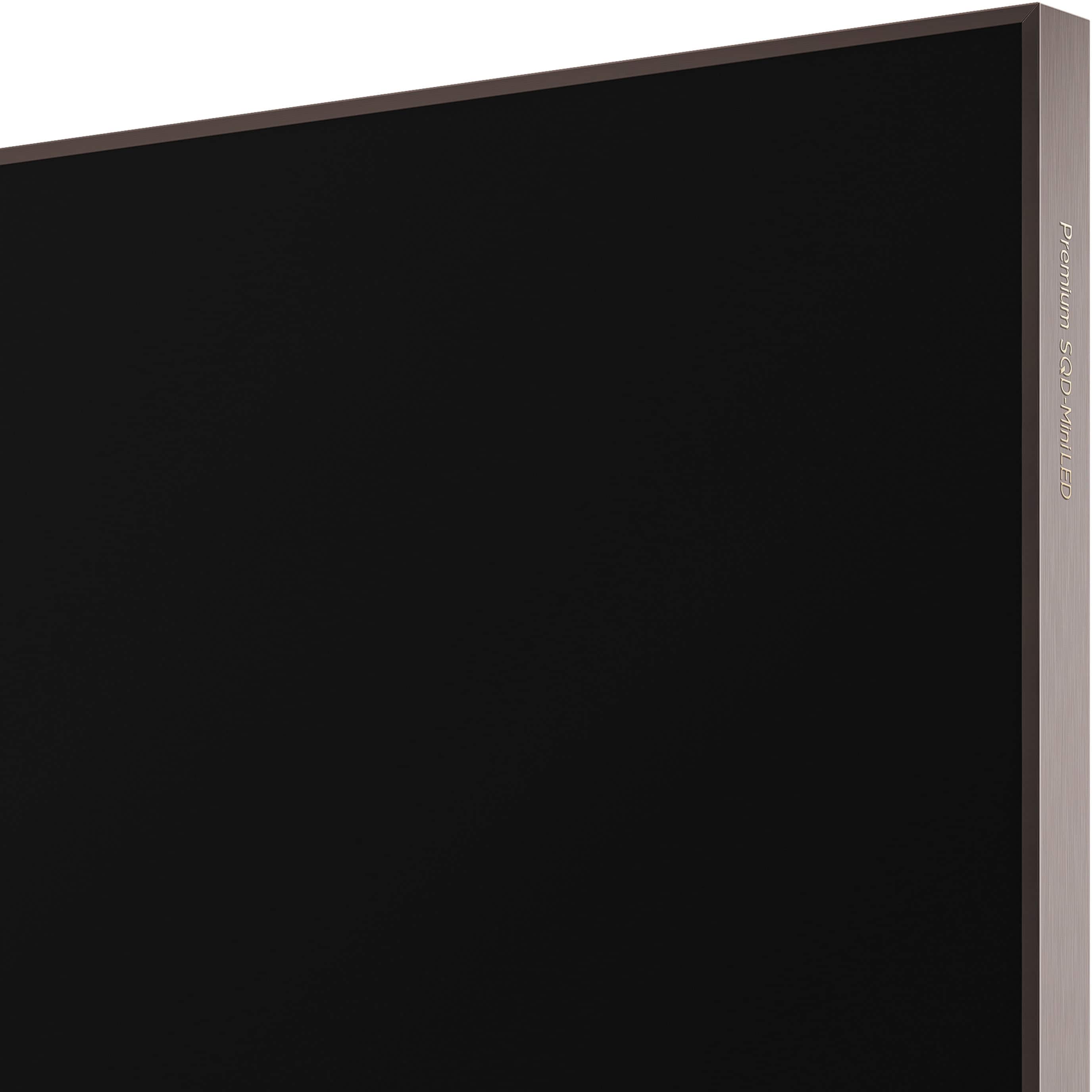
|Posted .This reviewer received promo considerations or sweepstakes entry for writing a review.The X11L is a fantastic TV. It gets brighter than you’d ever need it to, it packs a ton of dimming zones, and it uses TCL’s new Super Quantum Dot technology. Content looks great from a variety of sources, but it really shines for me with Blu-rays, higher resolution streaming, and gaming. My only critique really is that more value-oriented models like the QM8L exist that offer a lot of what the X11L does, but for the very best TCL has to offer this is it. The X11L has a nice upscale look on both the front and back. The front has thin bezels on 3 sides and the screen goes all the way to the edges. The built-in front-facing speakers are covered by a nice looking grill with a bronze-ish finish. It’s also pretty thin for a 75” TV at less than an inch thick. It comes with a set of 2 legs for placing it on a stand - my unit is wall mounted and I did not get a chance to use these, but they feel sturdy. The legs do mount close to the edges of the TV though, so if you have a stand that’s not wide enough to accommodate a 75” TV like the one I have this could present an issue. The remote is plastic with a faux-metal finish and feels nice enough, though I would have expected something a little nicer for TCL’s highest-end TV. The back of the TV has a checkerboard pattern and the ports are recessed in and faced out to the side in a way that makes them somewhat accessible still when the TV is wall-mounted. There are also built-in clips to route cables so everything looks clean. For ports there are 4 HDMI, 2 USB 2.0, 1 USB 3.0, Ethernet, an ATSC 3.0 tuner, and an SPDIF output. The HDMI ports all support the full HDMI 2.1 spec, so no tough decisions about which device gets plugged in where. The first HDMI port also supports eARC for external audio. The USB 2.0 ports should be useful for powering small devices and the USB 3.0 actually lives on the outer edge of the TV frame for easy access. Overall it's a pretty good selection of ports, though I would have liked to maybe have seen a mini plug for analog video sources. The X11L runs the Google TV platform and that’s been my platform of choice for a long time. I may be a little biased in saying this, but I don’t think there’s a better built-in smart platform, so I’m glad to see it here. The setup process is fairly straightforward and even more so if you have the Google Home app. It will run you through the basic setup of signing into your accounts and suggesting some apps to download. TCL does preload some apps on there, but for the most part you can either remove them or shove them to the end of your home screen. My first impression of the interface compared to other Google TV’s I’ve used was that it was snappy and apps are very fast to load, probably due to the new MediaTek processor it’s using to power its various functions. Once I got through the initial setup, I started watching with the picture setup in filmmaker mode. To say that this TV can get bright is an understatement. According to TCL the 75” model is capable of up to 9000 nits of peak brightness, which is just ridiculous. It absolutely blasts your eyeballs and on our main floor where it is mostly surrounded by windows we never had to push the brightness past 40. A super bright TV only goes so far though and being able to deliver bright highlights and dark lows is where the best TV’s shine and the X11L certainly does shine. The 75” model has 11,520 local dimming zones, which is 4x what you see on many other high-end LCD TV’s. It’s not quite at the per pixel level of OLED’s but you’d be hard pressed to spot it most of the time. I didn’t notice any haloing around subtitles or menus and content looked pin sharp. It’s a glossy panel and it does a pretty job of handling glare and the rest of that can be brute forced with brightness. The X11L uses a new technology from TCL called Super Quantum Dots, which is supposed to provide better color filtering and brightness compared to the standard Quantum Dot technology. I haven’t calibrated this display and I’m no color expert, but I can say compared to my 2023 QM8 TCL that colors do indeed look a lot better on the X11L. I did a mix of YouTube TV, Blu-ray discs, streaming, and gaming on the X11L. Standard TV as expected fairs the worst just due to the bad source quality, but it does a pretty good job of cleaning it up and making it look good on such a large display. 4K HDR streams look fantastic on X11L and Blu-rays look even better. The X11L supports all the major HDR formats, including Dolby Vision IQ, HDR10+, and HLG. It will even support Dolby Vision 2 with a future update. It handles motion pretty good as well and I didn’t notice any judder while watching most content. I’ve been gaming on the X11L using my laptop’s HDMI 2.1 port. The X11L can do 4K up to 144Hz with VRR and ALLM. It can even do 1080p at 288Hz, though I did not try that mode. It should detect consoles like Xbox and PlayStation automatically, though for my PC I did have to manually enable the ‘Game Master’ mode, which prioritizes input latency. The Game Master mode also provides streamlined access to features like VRR and even has things like virtual crosshairs. I’ve been playing a lot of Forza Horizon 6 and I’d say the gaming experience with that on the X11L has been mostly flawless. I’ve had some issues connecting my PC’s to other TV’s before and the X11L seems to be handling it the best. The onte thing that really surprised me about the X11L was its sound. Normally, I’d just go straight to my soundbar, but I left it disconnected for the initial setup. I don’t think anyone going for a TV of this caliber would even think about sticking with the built-in sound, but it’s clear, loud, and even has a bit of low-end in it. I think you could easily watch sports or regular TV shows with nothing at all hooked up and you wouldn’t be missing out on anything. I don’t think it cuts the mustard for a real cinematic experience, but I was genuinely impressed. Overall, I’m pretty floored by the X11L, but I think for the price you should be. I think, like almost anything else, when you reach this level of product you start to see diminishing returns. I suspect a step-down model like the QM8L, which also has the new Super Quantum Dot Technology, might be worth considering if you don’t need the absolute bleeding edge. But if you want it all, at least when it comes to LCD TV’s, this is it.
I would recommend this to a friendBrand response from TCLExpert
Posted .Hi SamG, Thank you for taking the time to provide your feedback. We're thrilled that you are enjoying your TV thus far! At TCL, we are committed to delivering premium products with world-class customer experience. We hope you continue to have a great experience and explore more of the great features our TVs have to offer. Enjoy! Thank you, Alison TCL Customer Support
- Pros mentioned:Brightness, Build quality
Outstanding TV with an Outstanding Price
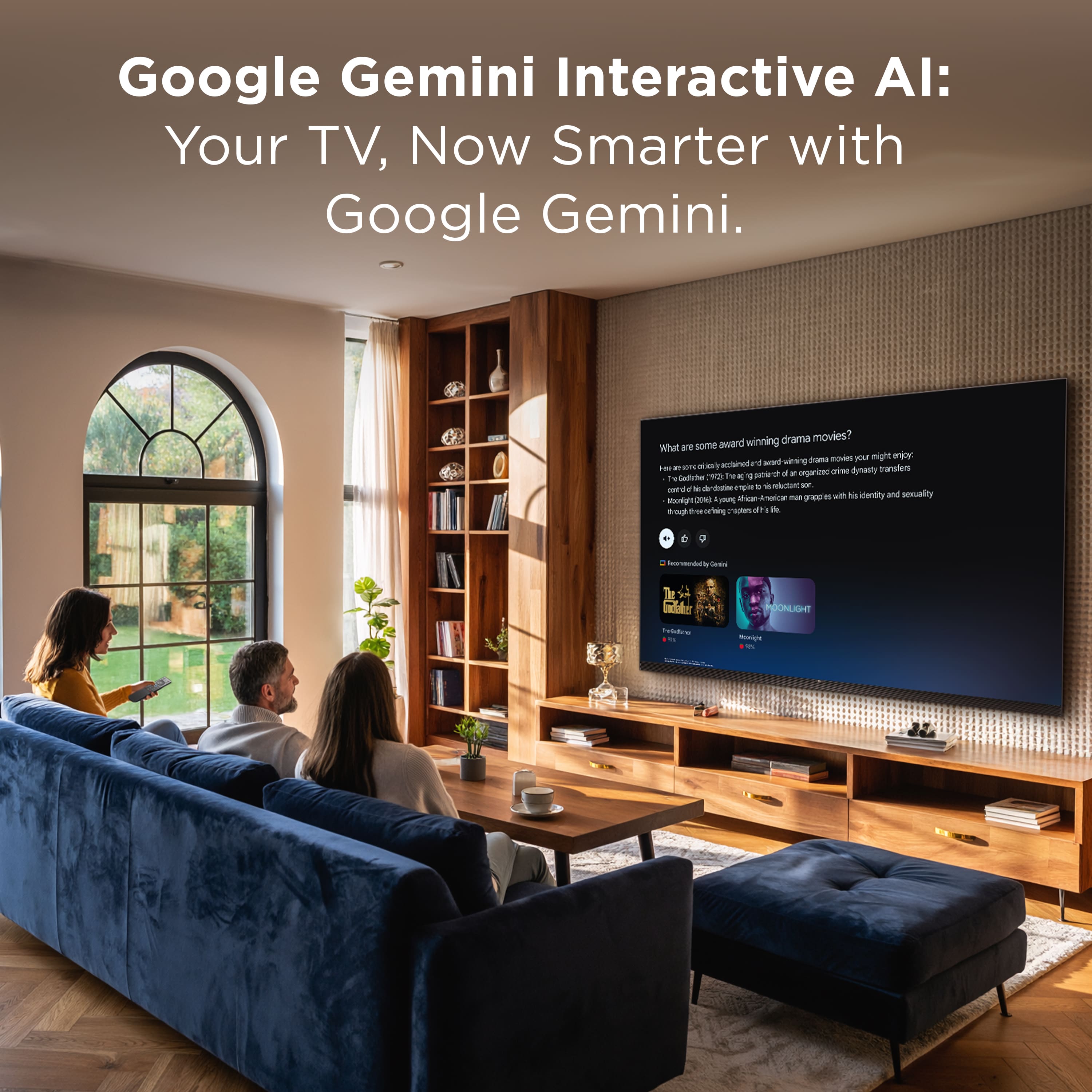
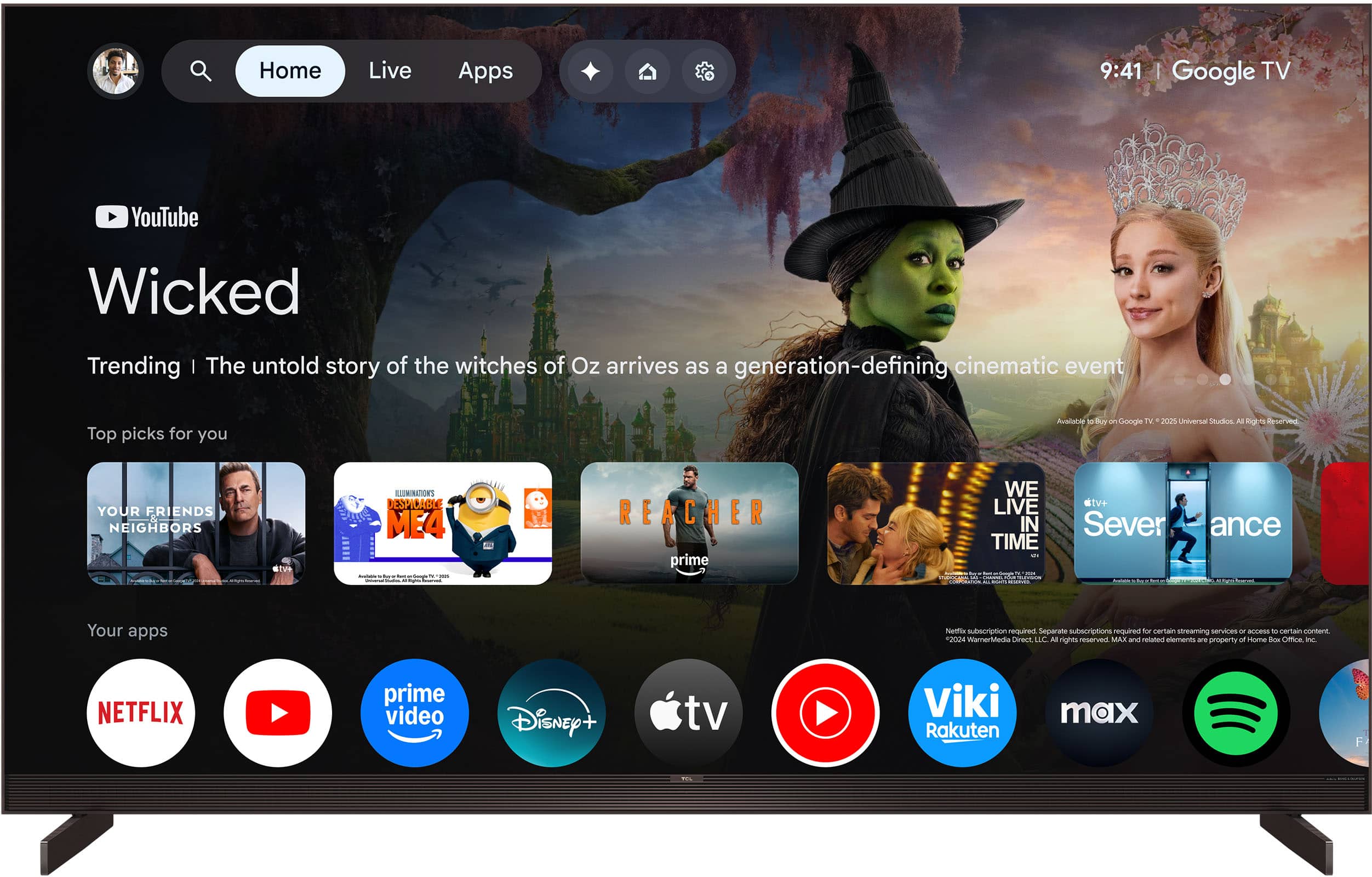
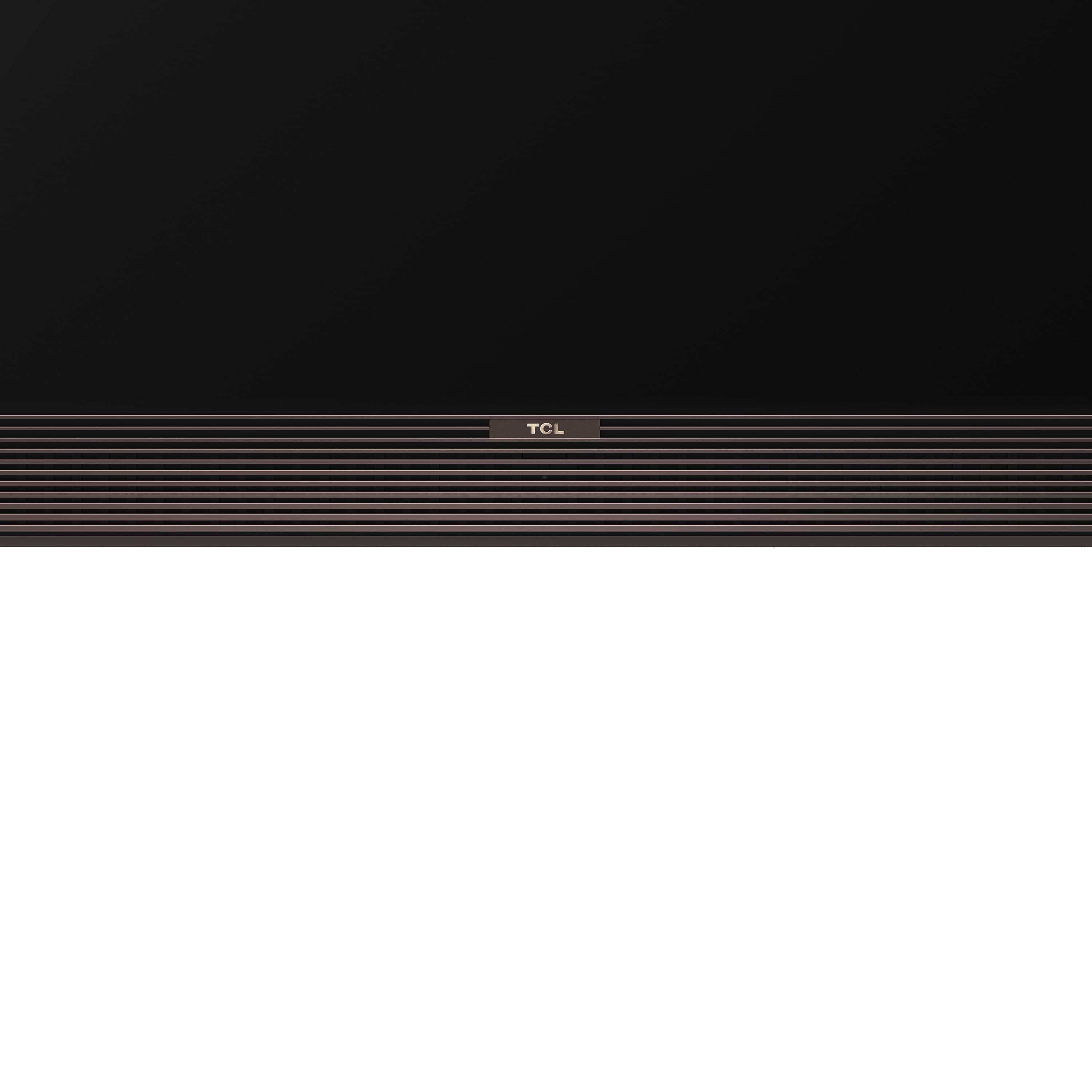
|Posted .This reviewer received promo considerations or sweepstakes entry for writing a review.Introduction: This review is based on the fact that this is a premium TV with a very premium price. To summarize, this is a great TV in every way but in my opinion, it is no better than a lower priced mini-LED (important) one. Picture: There is a huge difference between the included streaming apps, 4K HDR Blu-ray player, and PlayStation 5. And as mentioned before, while it is great, it really doesn’t justify the high price. • Brightness: This has it and it is bright. And I mean bright. It is great regardless of the source. This is also true when the sun is shining on it with absolutely no glare. • Contrast: It is great on this TV, and you can really see the difference between whites and blacks. It is great regardless of the source. The mini-LED technology used here really works and shines here. • Clarity and sharpness: In the case of the streaming apps (Hulu, Apple, Amazon, YouTube), the pictures appear slightly grainy, and lacking sharpness. This is a bit of a disappointment since streaming is what I watch 90% of the time. In the case of 4K Blu-rays and the PlayStation, the picture is significantly better with a sharper and clearer picture. • HDR: When using HDR discs, it is very good and noticeable making the picture quality noticeably better. Now that being said, for the price of this TV, I would expect the HDR to be amazing, not just very good. It does make a difference in improving the picture quality. • Glare: There is none, even when the sun is shining on it. • Color: The color accuracy looks perfect. Sound: On most TVs, the internal speakers are pretty much lousy and the only way to make it sound decent is to add any kind of sound bar. In this case, the internal speakers are significantly better and much clearer, and you are not forced to buy a sound bar. The volume is loud. The only caveat is the bass is lacking so that would be the only reason to consider a sound bar with a subwoofer. So basically, how important is strong bass drives if you want a sound bar or not and this is worth the higher price. This is all true regardless of whether you are using a streaming service or external component. Looks: This is a beautiful TV with hardly any borders The speakers are on the bottom front and it has a beautiful grill. The TCL logo is very small and unobtrusive and there is a small Bang and Olufsen logo on the bottom right. Again, it is unobtrusive. There is an LED on the front middle that is on when the TV is off, and off when the TV is on. Not sure why that is, or even why it exists. I suppose it tells you that it is plugged in. Stands: The stands are common. It is the type on the ends of the TV and not the center kinds. Both get the job done so it depends on what you prefer. Make sure you check the measurements on the TV and stand and measure your TV furniture and be sure it will fit. The stands are very close to the edges. The color matches the frame of the TV. For some reason, the TV tilts slightly backwards, but I’m sure it is not going anywhere. Just something noticeable. Remote: The remote is rich looking when the appearance of aluminum even though it is plastic. It is a lighted remote with your common TV remote buttons. There are the following buttons: • Circle direction and center ok button in the middle • Power: Turns TV on and off • Mute: Turns sound on and off • Input: Brings up the menu to select the HDMI input or streaming service • Back: Goes back to the previous screen • Home: Bring you to the home screen • Mic: Use voice for search • Gear: Brings up the settings screen • Volume: Increases or decreases volume • Numbers: Virtual remote • TV icon: Selects between analog digital input and digital and analog input • Streaming apps shortcut: Pressing brings you right to the stream app that is set for. You can change them. On the remote I have, they are Netflix, Amazon prime, Free TV, TCL+, Star (programmable app) Google Mic: This TV has Google mic to use as a search. You hold down the button and speak, and it searches for what you are looking for. It is always accurate with my voice and has never misinterpreted what I am saying. This is one of my favorite features since I never have to type in searches which can be a real pain. So far, it has worked with every app I have tried it with. Gaming: There are gaming settings that allow for 144Hz refresh rate, low latency, and variable refresh rate. No problems when I am gaming with my PlayStation. Home Screen Interface: This has your standard Google TV home screen interface. First off are the selections for: • Gemini: I place where you can ask about moves and shows, Learn by asking questions, Briefs for sports and news, and Create images and videos • Home screen: Where al of the suggested videos and apps are • Live: Where recommended live channels are • Apps: Where you can select available streaming apps • TCL: Where you can select free available TCL channels, movies, and shows • Screen saver: Turns on screen saver which shows random photos from your Google account • Quick settings: Shows the most common TV settings. You can also see all the other settings from here Other items on the home screen: • Top picks for you. I don’t understand how they select these since they have nothing to do with what I have watched • Available apps • Continue watching. Again, don’t know where this comes from because the videos shown have nothing to do with anything I have watched before • Live channels or movies either free or with ads • New to you YouTube videos. Don’t know where these suggestions come from • Top selling movies • Recommended YouTube videos. These seem more appropriate based on my viewing history • Suggested movies and shows based on genre, free, and new releases Settings: There are a ton of settings available on the TV from the settings screen. • Screen saver: Allows you to select where the screen saver photos are located • Display o Picture Mode o Brightness o Color o Clarity o Motion o Eye Health Protection o Automatic Content Recognition • Wi-Fi settings • Accessibility o Talk back o Text to speech o Text scaling o Bold text o Color correction o Time to take action o Switch action o Audio description o Captions o High contrast text o Text magnifier • Inputs: Allows you to select which input or streaming service you want to use. • Sound o Sound mode o TV placement o Dolby Atmos o DTS DRC o Audio only mode • Bluetooth o Pairing setting • Channels and inputs o Channel settings and scan for channels o Adjust input settings • Display and sound o Brightness, color, contrast o Network and internet • Google accounts and profiles • Privacy o Location o Microphone o Camera o Usage and diagnostics o Ads o Voice assist o Payment and purchases o Manage updates o App permissions o Special app access o Security • App settings • System o Ambient screensaver o Power and energy o Date and time o Language o Keyboard o Storage o Control casting o System sounds o AirPlay and HomeKit settings o TCL account and sign in o Parental controls o Game master o Interactive service o Emergency alert • Pairing remotes and accessories So, what is my overall opinion? This is an outstanding mini-LED TV with high end mini-LED contrast and sound, but other than the better sound, there is really nothing better than I can see over a great mini-LED TV that is half the price. While I do recommend this if you are looking for a mini-LED in its price range, I would also consider a high-end, mid-range mini-LED TV that would probably get the job done almost as well.
I would recommend this to a friendBrand response from TCLExpert
Posted .Hi Dalton, We appreciate you posting your thoughtful review. We hope that your new TCL TV helps you immerse yourself in whatever content you choose to watch or play! Please enjoy your TV! Thank you, Alison TCL Customer Support
- Pros mentioned:Brightness, Build quality
Excellent picture, slightly frustrating software
|Posted .This reviewer received promo considerations or sweepstakes entry for writing a review.There are a few key features that make this TV a standout. First that it's a Mini-LED TV. This is reference to the backlighting technology, paired with quantum-dot LCD (SQD in TLC terms). What this lets this TV is provide very vibrant colors, with very specific and targeted backlighting. So black and dark colors it can dim or turn off the LED backlighting behind just the narrow range of pixels that are dark or off. This creates a deep contrast that rivals OLED displays, but brighter, and without the risk of burn-in. So, it's basically the best of both worlds. The only "downside" to all this tech packed into this set, is that is heavier than traditional televisions of this size. Make sure to note the weight of this TV and where you plan on mounting or placing this TV. It can get so bright, my brother joked that while playing video games bright flashes of light might feel like we're actually getting flash banged (exaggerated of course). To get this dramatic effect though, I implore you, with any external device you connect to this TV, be sure to do HDR calibration to get the best picture from this TV. You won't regret it. After you've gotten this TV plugged in, prepare for it to update before you can use it. It forces software updates that clocked in at about 2.5gb of downloading. During this time, the TV could not be used, and how long that is depends on your internet connection speed. It then requires time to install. Overall, it was 20-30 mins before I could even use the TV. It is a Google TV, so it will demand you log into a Google account. This wasn't a problem for me since I have an Android phone, but if you don't, there may be extra hurdles to clear here. Once setup and updated, one of the things I noticed was the color seemed very warm. Going into the picture settings I found it defaulted to a warm picture. This setting needed to be applied to every input separately, though I noticed after I had done that there was a option to apply the picture settings to all inputs, but I wonder if that was added after a software update. It does feel like there are two different experiences on this TV. What I mean is... there are the basic TV settings, for picture and sound and whatnot, then Google TV settings. This can be a bit confusing at times. Though, it seems if you are toying with Google settings, or in a Google menu, it seems to interrupt what you are watching (will pause the stream) even though it doesn't take the whole screen. If using an external input (e.g. game console), some settings or menus will take over the whole display and interrupt what you were doing. So, overall, I've found the TV software experience to be a bit frustrating, and the key reason I've dropped it down to 4 stars. Also, important to note, since it is a Google TV, I have been unable to find a way to integrate it into Alexa so I can use Alexa to turn the TV on and off, which I use primarily for my home automations. This is strictly a software limitation imposed by Google (works fine with Google Home). Now, back to the image and picture. This TV does have a few "AI" features to improve the picture. This includes motion enhancement and compression artifact reduction. Almost every TV I've used, those features have been terrible, and introduced artifacts or actually reduced picture quality. This TV does it amazingly well, especially for animated content. There are some scenarios where there is a bit of artifact-ing, but I did not find it to be distracting. This TV also frustratingly defaults to HDMI 1.4, so external devices can't leverage the TV's 144hz refresh rate. You have to go into settings, Channels and Inputs, external inputs, and change the HDMI mode to 2.1 and enable high refresh rate. Throwing a name like B&O for the sound sets expectations really high. The sounds IS better than average, but it has speakers at the back of the TV as well as the front. The back speakers are more intended as either subwoofer or surround effects, but their effectiveness seems to depend a lot on what's behind the TV. I'm a bit disappointed there is no tool to have it use a mic and adjust the sound based on your room. So, I think your sound experience will vary wildly, but it's probably going to be above-average at least for built-in TV sound.
I would recommend this to a friendBrand response from TCLExpert
Posted .Hi ILikeVideoGames, Thank you for taking the time to provide your feedback. We hope that you are enjoying your TV thus far! We are always looking for ways to improve, and your feedback is greatly appreciated! This TCL TV is compatible with Amazon Alexa. If you need any assistance, please contact us at tclsocial@tcl.com with your contact information and a description of what you need help with. Someone will get back to you as soon as they can. Enjoy! Thank you, Alison TCL Customer Support
Simply excellent
|Posted .This reviewer received promo considerations or sweepstakes entry for writing a review.I spent plenty of time researching this model and read probably every review on the internet. It can be tough to get an idea of how good a TV may be from experts since they’re seeing the best and the worst every day vs us consumers who don't live and breath TVs but after seeing this with my own eyes, I’m impressed. I’m upgrading from a 65” Sony to this 75” panel and it’s actually a substantial difference. I have a medium sized living room viewing from about 11 feet away and I think it’s about the appropriate size (big, which is great :) ) I wasn’t sure what I’d think about the bronze bezel and bottom border but it isn’t really distracting. It’s certainly not as stealth as all black which probably would have been the better overall choice but I don’t find it gaudy - it’s still classy and doesn’t detract. One of my favorite features isn’t even on the TV itself - there’s a brightness adjustment on the side of the remote which allows for adjustments without having to dive into settings. It’s incredibly convenient. I can’t believe more manufacturers don’t include this sort of feature on their remotes. Alongside the brightness rocker is a quick access button for picture profiles with a vivid profile, Dolby Vision IQ, Dolby Vision Bright, Filmmaker Mode, and Dolby Vision Game. Vivid is truly that but the color saturation is over the top in that mode for me. I like the default Dolby Vision IQ profile for most viewing but it can feel a bit heavy with contrast. For movies I prefer the Filmmaker mode which flattens the image a bit and brings down the saturation to what I think would be a filmmaker’s intention. Off angle viewing is great up to about 50 degrees off center which is fantastic but the image degrades after that point, but that’s pretty far off at that point. It also handles reflections well but that could very well just be due to how bright it is. When it comes to the highlight feature of the X11L series, yup, it’s bright. VERY bright. Do we need that much brightness? Probably not for evening time viewing where I tend to turn down the brightness to around 50% or lower. The insane brightness levels can however make a huge difference for daytime viewing or viewing in a brightly lit room. But being able to dim the TV easily with the brightness rocker on the remote is incredible to have late at night. Contrast is incredible with super deep blacks and of course the brightest of brights. Color accuracy may be the most debated topic on this unit but I think that may just go for the default profile, the Bright profile, as well as the vivid profile which all seem too saturated - the filmmaker profile seems to bring it back to more realistic tones. Sound quality is surprisingly good. It’s hard to expect much by cramming speakers into a slim case but I’m pleasantly surprised. A good amount of depth, it can handle lows fairly well, and it’s immersive for sound just coming from front firing speakers. The lows won’t compare to having a subwoofer of course but it’s balanced and crystal clear. It’s not just acceptable sound but actually quite good for built in speakers - tv and movies sound good and I even tested it for music which was pleasant. I’ve seen debates on if this level of TV should even have good speakers since I’d guess the majority of people purchasing this would have a dedicated sound system. I’m one of those people with a dedicated sound system so I can’t benefit from the built in speakers but my curiosity is how much lower the price would be without investing in the Bang & Olufsen collaboration. Again though, they did a great job with sound. My previous Sony used Android TV so I’m accustomed to Google TV so this was an easy transition for me. It has Gemini built in but to be perfectly honest I’m not sure how I’d personally utilize that feature but it’s there. Overall, this display is simply excellent. With a new technology and yet another new acronym, there’s likely to be a lot of marketing behind it but this is an impressive panel with fantastic picture quality along with some handy quality of life features like additional controls on the remote.
I would recommend this to a friendBrand response from TCLExpert
Posted .Hi gwtbike, We appreciate your thoughtful feedback. Please enjoy the great size and quality of this TV. Thank you for choosing TCL to be part of your family! Thank you, Alison TCL Customer Support
STUNNING
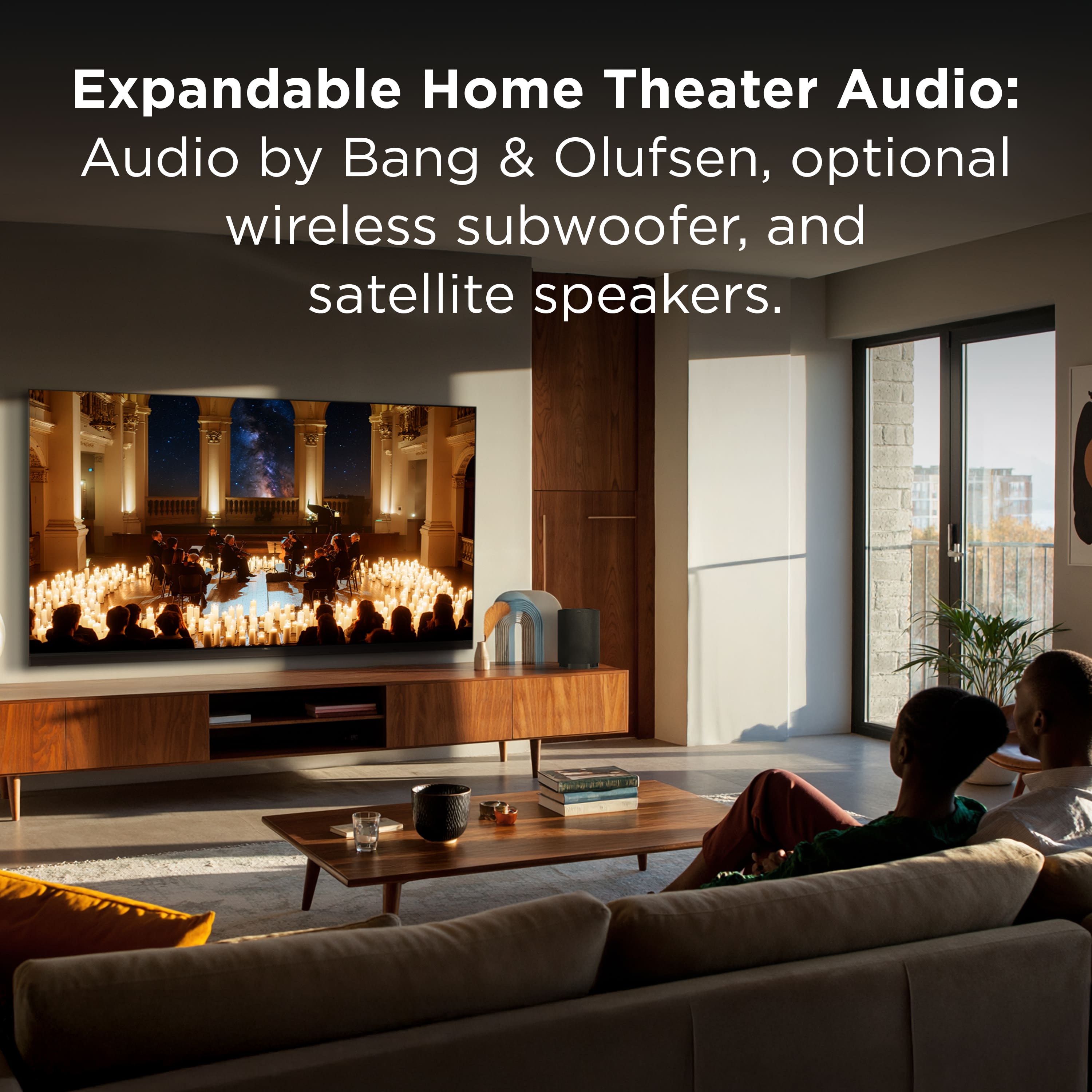
|Posted .This reviewer received promo considerations or sweepstakes entry for writing a review.I have the absolute pleasure to review this new offering from TXL – the TCL x11L – 75 inch – and this Mini LED is simply phenomenal. I have owned many high-end larger format TVs in the 4000 to 5000 dollar range and this holds up to my 77 inch OLED from a major brand. Unboxing – The TV came packaged extremely well with plenty of hard cardboard (almost wood feel) protecting all the corners of the product. Of course, as with most, lots of Styrofoam to unpack and dispose of. Please know that the TV is HEAVY. You will most definitely need 2 people; some may need 3. It comes in at roughly 90 pounds (after setting it up on the stand) so please plan accordingly if wall mounting (400 x 400 compatible). I set this up on its stand and is very stable. Visual appearance is appealing with and edge to edge glass ZeroBorder panel that delivers as stated. Along with the weight, please know this is not a thin TV. It is just slightly under 1 inch in depth so if you are looking for a thin TV this may not be for you. This is not a problem for me as the depth is acceptable to me. The remote is a remote and backlit. 4 HDMI 2.1, 2 USB A, LAN port – pretty standard. Now for the best part – the SQD Mini LED is ridiculous. Right out of the box the picture is stunning with deep blacks (comparable to my 77-inch OLED from another brand) and the colors are simply stunning. As with all my TVs, I take a couple hours to tweak the picture, sound, all settings to my liking. This is very subjective but I do recommend taking some time to change the settings and dial in how the picture looks. I could not be more pleased with this picture quality and the anti-reflective feature allows for viewing from off angles.. The sound through the Bang and Olufsen speakers built in was exceptional for a TV but I feel most who buy this level of TV will also want a surround speaker system with subwoofer and soundbar or more. Bang and Olufsen has an optional wireless subwoofer and satellite speakers in case one wants to upgrade. I set this up with a Sonos Arc Ultra soundbar, subwoofer, and satellites and the sound is wonderful. The software is well thought out and the Google TV platform is familiar and functions well. The Google Gemini AI feature works surprisingly well and for those with an android phone will be quite intuitive to use. All in all, I cannot recommend this TV highly enough – it is STELLAR!
I would recommend this to a friendBrand response from TCLExpert
Posted .Hi JediJeff, We appreciate your thoughtful feedback. Please enjoy the great size and quality of this TV. Thank you for choosing TCL to be part of your family! Thank you, Alison TCL Customer Support
As close to OLED as you can get
|Posted .This reviewer received promo considerations or sweepstakes entry for writing a review.I'm glad I spent some time with this TV before writing this review. The first day or two I was not impressed with the TV, but after getting everything logged in, tv settings adjusted, mounting it at a better angle, I became more impressed with this TV. This for sure requires two to three people to get it setup. This TV is heavy and big, do not try to wall mount or put the legs on by yourself as you will damage the unit. The tv was a little difficult to wall mount just because of the weight and the height. Once mounted I plugged it in and walked through the google TV setup. The TV required an update which took a little while to complete and while this was happening, I could not use the TV. Thankfully since I already use google TV logging in was pretty simple and most of my used apps where already ready to go. I just had to download a couple other ones and finalize logins for others, still pretty straight forward and easy to get going. First thing I noticed that out of the box the tv is not calibrated at all. Like the image was so bright that everything had a grayish tint to it. I played around with the settings but struggled to get something that looked good. I'm coming from a two-year-old high end OLED TV, so I knew this would be a little downgrade, but I honestly felt like I was watching a 1080P $100 display instead of a UHD 4k expensive TV. I did some research and found a few other reviewers who gave some instructions on what settings to adjust. After doing those changes the TV looked significantly better and in a bright sunny room this TV looked fantastic because of the brightness levels. It is still not as good as OLED but it is pretty close, so close that I will not be missing my OLED TV. This TV has built in subwoofers and sound bar. I have another tv with a similar setup and while it does sound better it still wasn't great. TCL however nailed it! I almost did not setup my soundbar because it sounds good. If you have a cheap to midlevel sound bar you may no longer need it. Most times I would just skip over the built-in speakers without even giving them a change, but on this TCL model I would recommend giving them a chance. I really like the TV remote as it fits nicely in my hands and the buttons are easy to use, plus it lights up. TCL was smart and even added side buttons to adjust the screen brightness or picture modes. This really comes in handy because this TV can get very bright and its nice having a quick and easy way to adjust the brightness without having to pause what you're watching or digging through a menu. This TV just looks expensive. The front speaker bar has a nice look and color of the cabinet is a nice rose gold but more brown look. The back of the tv has four subwoofers, a cable management system, and all the hookups you need. All of the HDMI ports are the same so no need to pick which one to use for gaming, computer, etc, just plug and go. Overall, this is a great TV and TCL really put some thought into it to make it a good investment. I really wish that they would have better calibrated the set before shipping. I was in shock when first using that I almost regretted getting this TV and better from the factory calibrating would have made a difference. I'm still happy to have this TV now that it's all dialed in and feel it's a worthy replacement for my smaller OLED.
Brand response from TCLExpert
Posted .Hi apalmo, We appreciate you posting your thoughtful review. We hope that your new TCL TV helps you immerse yourself in whatever content you choose to watch or play! Please enjoy your TV! Thank you, Alison TCL Customer Support