Customer Ratings & Reviews
- Model:
- 4169085
- SKU:
- 6291616
Rating by feature
- Value
Rating 4.4 out of 5 stars
- Quality
Rating 4.3 out of 5 stars
- Ease of Use
Rating 4.4 out of 5 stars
Customers are saying
Customers express satisfaction with the product's overall performance, ease of use, and PC compatibility. Many also appreciate its good price, full control, enhanced immersion, and easy setup, with specific praise for the joystick and flight stick. However, some users have noted concerns regarding the throttle being loose, the cord length between components, and the device's weight.
This summary was generated by AI based on customer reviews.
- Pros mentioned:Overall performance
The best
||Posted . Owned for 1 month when reviewed.This reviewer received promo considerations or sweepstakes entry for writing a review.First time playing a flight simulator using the latest Microsoft Flight Simulator 2024, I was very surprised to use this flight joystick. I’m flying like a real airplane. The joystick is very responsive. Although I still have to memorize or familiarize the button, I'm still enjoying playing the game. The joystick is very well-built. Superb quality. Playing for 5 straight days, I did not notice any problems. I would recommend this to anybody who's new to flying simulators.
I would recommend this to a friend Incredible Flight Experience on PS5 – A Must-Have
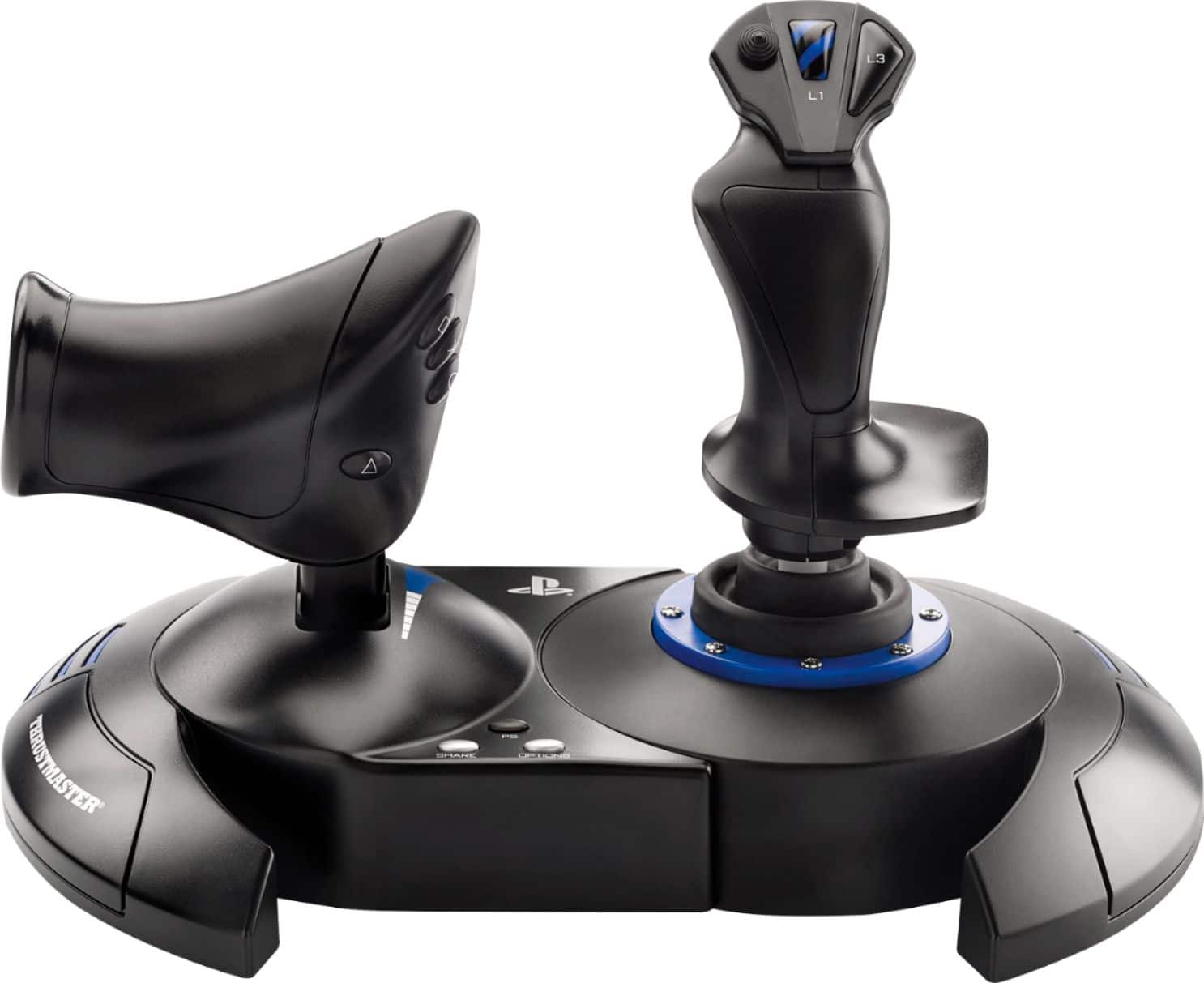
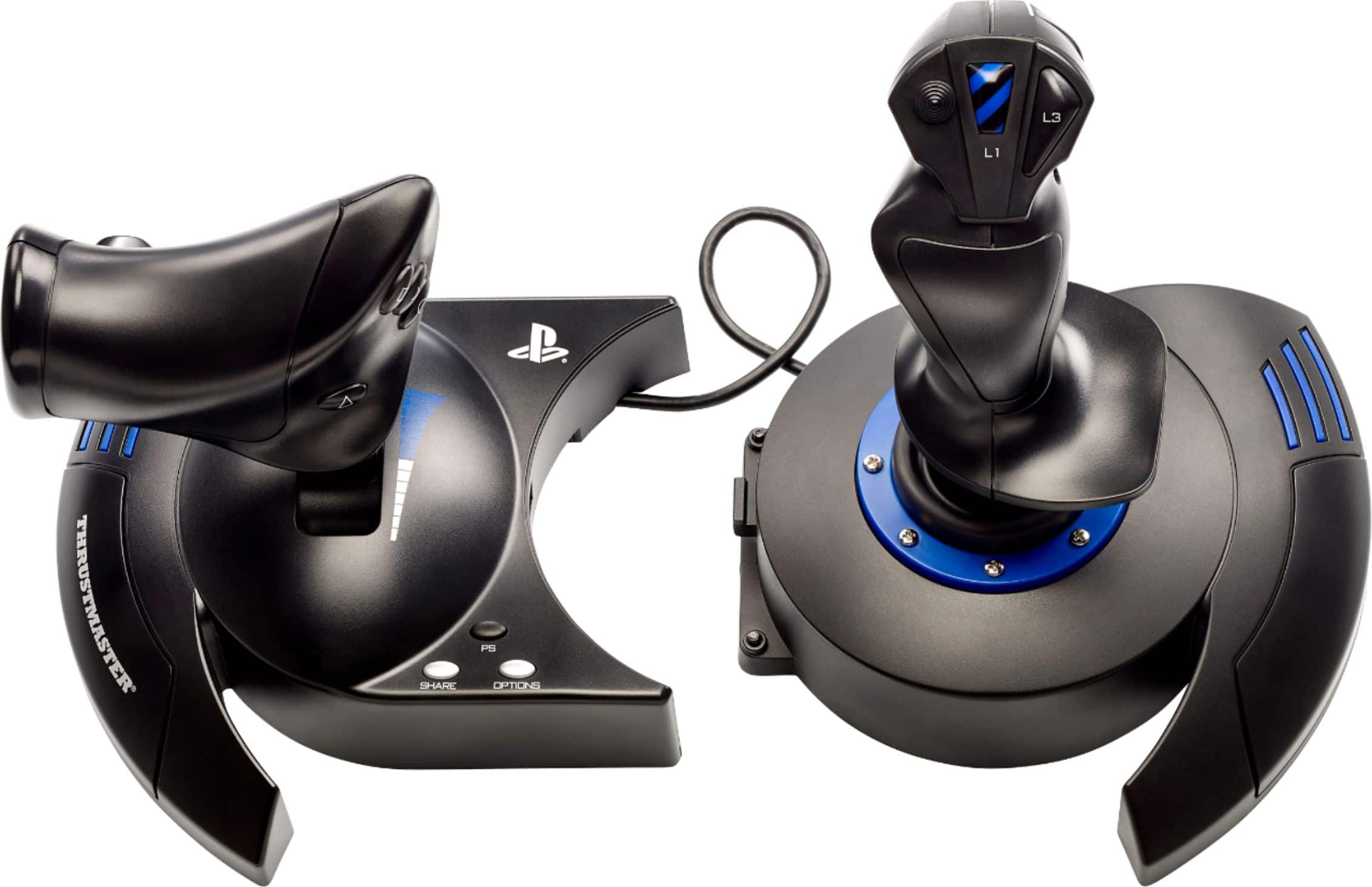
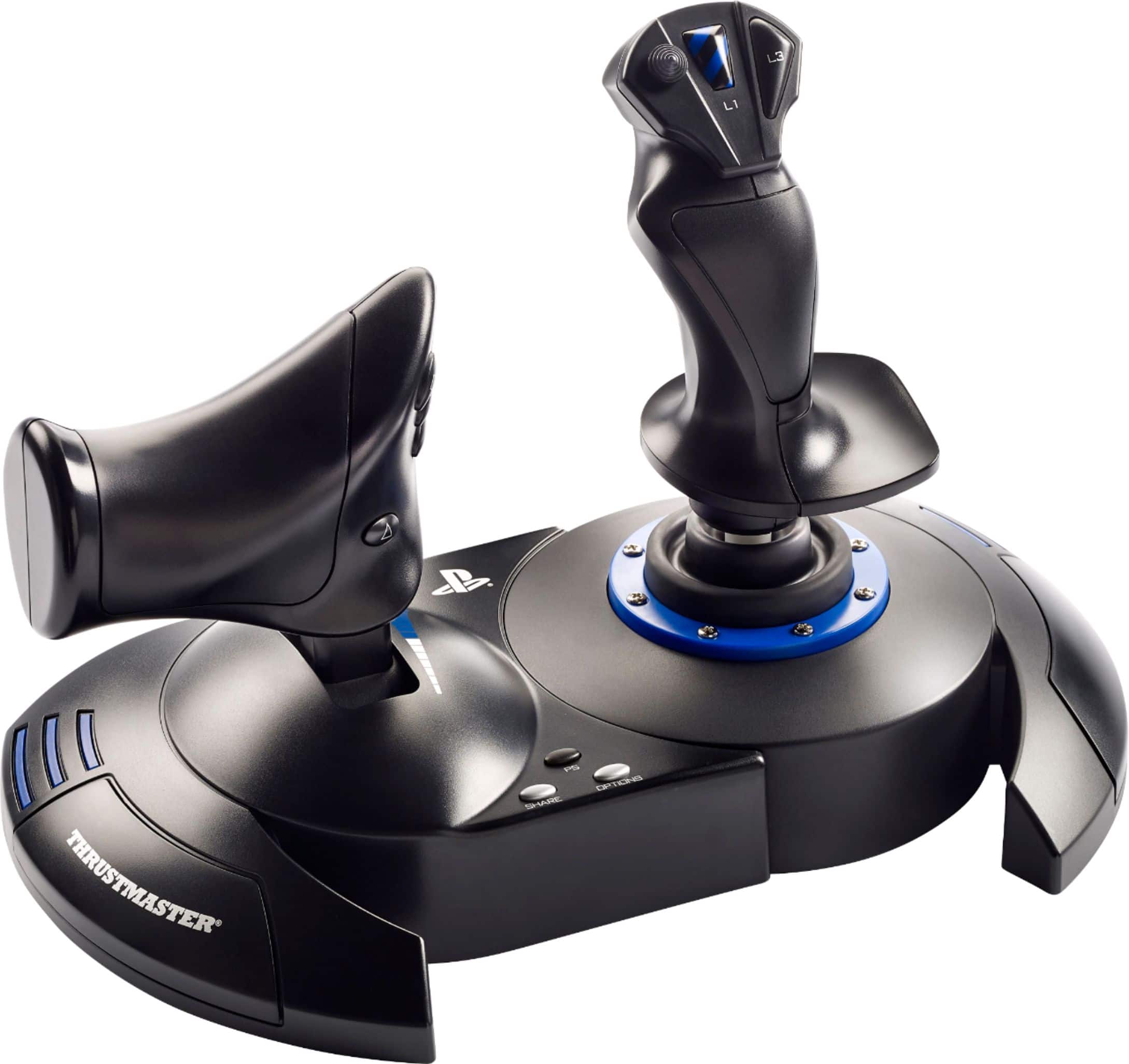
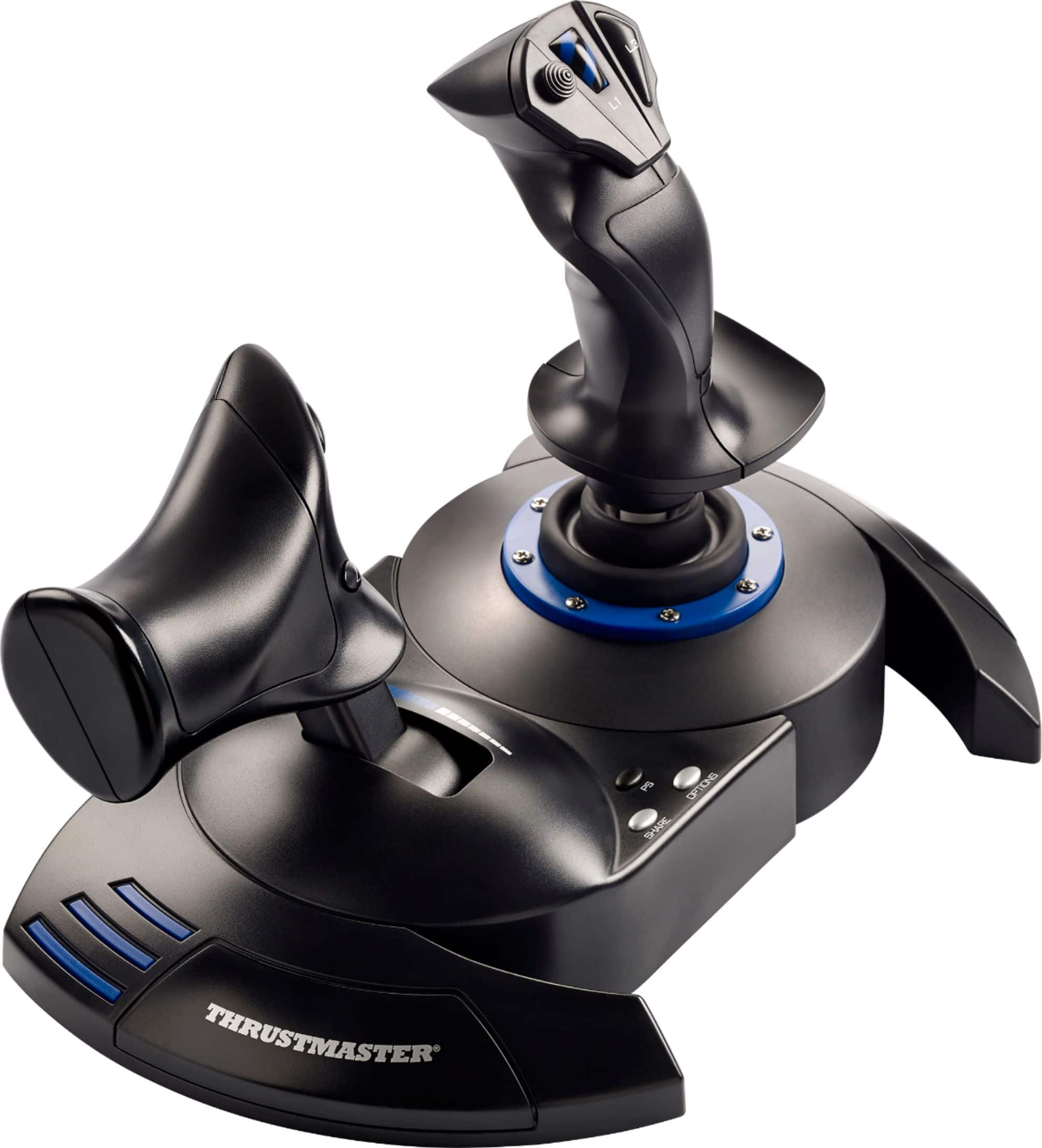
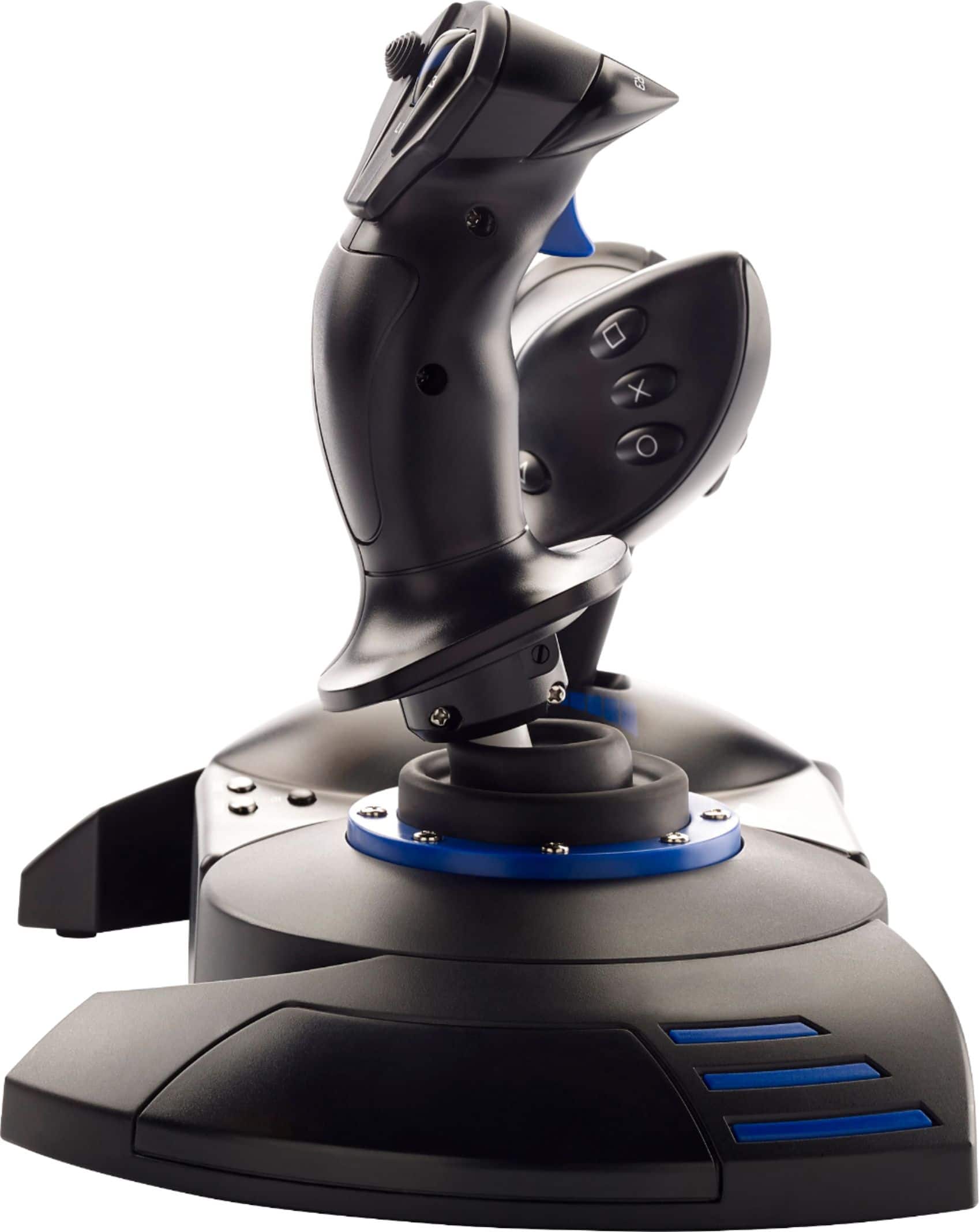
||Posted .This reviewer received promo considerations or sweepstakes entry for writing a review.The Thrustmaster T.Flight HOTAS 4 is absolutely amazing and has taken my flight sim experience on PS5 to the next level. From the moment I plugged it in, everything worked seamlessly — no complicated setup, just plug and play. The build quality is fantastic for the price, with a sturdy feel and responsive controls. The joystick has just the right amount of resistance for precise movement, and the throttle is smooth and realistic. I love that they can be used together as one unit or separated for a more immersive cockpit feel. I’ve used it for games like Ace Combat 7 and I’m excited to use it for Aces of Thunder when it launches — this HOTAS makes flying so much more immersive than using a regular controller. It truly changes the whole experience. If you’re even slightly interested in flight games or space sims on PlayStation, this is the controller you need. Thrustmaster nailed it with the HOTAS 4. Highly recommend it to any PS5 gamer looking to level up their realism and fun!
I would recommend this to a friendBrand response from Thrustmaster Expert
Posted .Hello, thank you for your feedback! We appreciate your feedback, and we're delighted that you like the product. If you have any questions about your product, please don't hesitate to contact our technical support team. We'll be happy to help ! Sébastien from the Technical Support team.

- Pros mentioned:Ease of use
Great product for simmers
||Posted . Owned for 2 weeks when reviewed.This reviewer received promo considerations or sweepstakes entry for writing a review.Bought this yoke as an emergency purchase due to no availability of yokes for the release of Flight Simulator 2020. I have enjoyed using it. Great product for beginners. Had some minor issues getting it to work due to updates and instructions were not very specific. But I got it to work and works just fine
I would recommend this to a friend - Pros mentioned:Overall performance
Great Beginner Flight Stick
||Posted . Owned for 2 months when reviewed.This reviewer received promo considerations or sweepstakes entry for writing a review.Great beginner flight stick. I have no complaints so far.
I would recommend this to a friend - Pros mentioned:Overall performance
Horrible company practices
||Posted . Owned for 4 months when reviewed.This reviewer received promo considerations or sweepstakes entry for writing a review.To say I’m not thrilled would be an understatement. I bought these in October because they’re they only HOTAS available for the PS5 and in anticipation for the release of Microsoft Flight Sim 24. I was happy to see they’d fixed the issue of the loose throttle slider that would drop to 100% without being touched. I was pleased with their overall performance. After 40 hours of use, the square button stopped working. I submitted a warranty claim and they sent me a replacement. When I opened the replacement I immediately knew they sent me on OLD model. I knew because when I moved the throttle it dropped from 55% all the way to 100% with gravity alone. A hallmark of their old HOTAS 4 models. I’m so angry that I bought a brand new iteration of the HOTAS 4 in 2025 and ended up with a set produced in 2020. Never again will I use thrustmaster. 1 is the original. 2 is the replacement they sent.
No, I would not recommend this to a friend Excellent Add On
||Posted . Owned for 2 weeks when reviewed.This reviewer received promo considerations or sweepstakes entry for writing a review.Very nice set up, makes the games feel real….. Easy to hook up and use
I would recommend this to a friendJoystick
||Posted . Owned for 3 weeks when reviewed.This reviewer received promo considerations or sweepstakes entry for writing a review.Great I can use it together or separate easy set up
I would recommend this to a friendThe happiest day of my husband life
||Posted . Owned for 3 weeks when reviewed.This reviewer received promo considerations or sweepstakes entry for writing a review.Very good product, delivered on time , my husband is so happy now.
I would recommend this to a friendDo your research
||Posted .This reviewer received promo considerations or sweepstakes entry for writing a review.The only reason i got this was for elite dangerous. It works great with it. I know this is not compatible with some games but thats where you have to do your own research. Alot of people buy it and expect to work with all. Do your reseach before buying. Worth buying yes but depends on what game you want it for and compatibility.
I would recommend this to a friendWell made, but Hota One is better choice for PC.
||Posted . Owned for 1 month when reviewed.This reviewer received promo considerations or sweepstakes entry for writing a review.I got this for my boys to use with MS Flight Sim and thought that the T.Flight Hotas 4 was a newer version of the T.Flight Hotas One; in reality, while both models work with a PC, the Hota 4 is not a newer model, but one that works with PlayStation vs. the Hotas One with XBox. If I purchased again, I would have gotten the Hotas One as MS Flight Sim identifies the buttons more clearly for the Hotas One. Aside from the button labeling not being clear in MSFS, I have no complaints - build quality seems good and has made flying much easier!
No, I would not recommend this to a friend- Pros mentioned:Overall performance
Great value
||Posted . Owned for 1 year when reviewed.This reviewer received promo considerations or sweepstakes entry for writing a review.I love thrustmaster. Great quality. Supports all the flight games on PlayStation and PSVR. Only problem is if you have an XBox too you need to buy another flight stick for it.
I would recommend this to a friend Great joystick for Star Wars
||Posted . Owned for 4 months when reviewed.This reviewer received promo considerations or sweepstakes entry for writing a review.Great joystick! I enjoyed Star Wars squadrons better.
I would recommend this to a friendIt's ALOT of Fun
||Posted . Owned for 1 month when reviewed.This reviewer received promo considerations or sweepstakes entry for writing a review.I have test it out after weeks of watching reviews and comments and ALL I have to say that even though the feel of the whole set can be better it still is fun to play with!
I would recommend this to a friendFlying
||Posted . Owned for 1 month when reviewed.This reviewer received promo considerations or sweepstakes entry for writing a review.Excellent controller for flying airplanes ! Specially while playing on the VR it gives you the experience of flying for real! Highly recommended
I would recommend this to a friendGood beginner gear for flight sim
||Posted . Owned for 1 year when reviewed.This reviewer received promo considerations or sweepstakes entry for writing a review.Super good intro gear for flight sim. Way more realistic than controller
I would recommend this to a friend- Pros mentioned:Ease of use
Great for Flight Simulator
||Posted . Owned for 3 weeks when reviewed.This reviewer received promo considerations or sweepstakes entry for writing a review.Works great for flight simulator easy to set up on pc
I would recommend this to a friend Do not buy for PC
||Posted .This reviewer received promo considerations or sweepstakes entry for writing a review.I tried to like it, I really did. It was the last one in the store. The base is sturdy but it feels really really cheaply made and cumbersome, unless you have giant hands like Braun Stroman. I attached this to my pc because I don't have a ps4. I really do hate it, it took me an hour just to get firmware right. At 70 dollars, avoid. I'm returning it tomorrow.
No, I would not recommend this to a friend- Pros mentioned:CompatibilityCons mentioned:Cord length, Weight
Experience varies by games
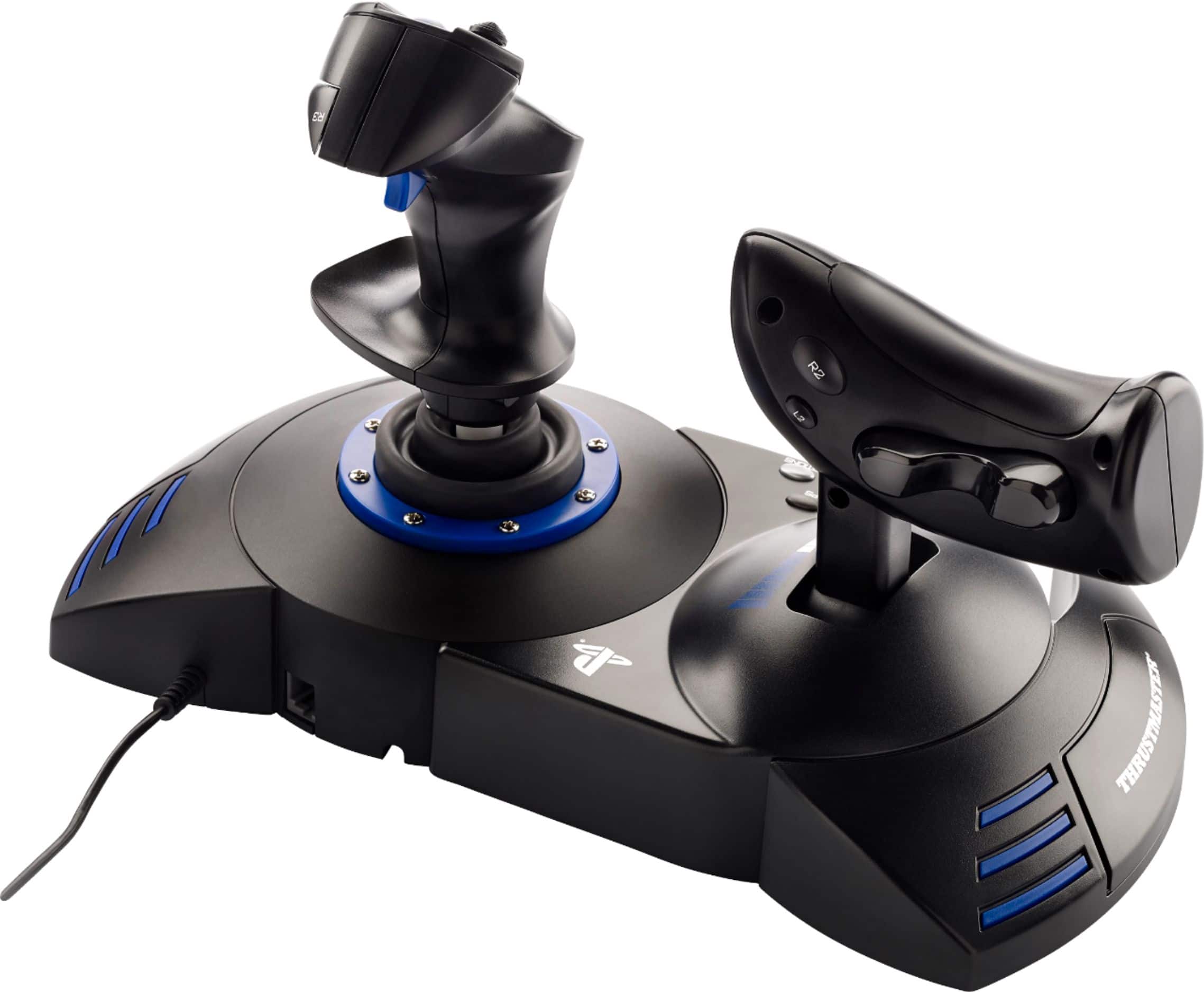
||Posted . Owned for 3 weeks when reviewed.This reviewer received promo considerations or sweepstakes entry for writing a review.I've been wanting to get Flight Sticks to use in various games. This was on sale and I decided to give it a try. After using it for a couple of weeks, I can say my experience has varied from game to game. This device is not too heavy, can separate in two for better ergonomics but the cable is too short. I've seen multiple reviews cutting the wire and extending it with 2 ethernet CAT cords. I'm not ready to void my warranty yet so I've been playing with the sticks attached together. There are mounting points underneath for attaching them to a chair, which is neat. Make sure to download the drivers if you intend to use them on PC. I haven't tried it on PlayStation as I don't have any games on that platform that could benefit from this controller. The best game it has worked with so far is Star Wars Squadron. It picked it up immediately and I could play without any configuring. The game also supports VR, which I tried with the Oculus Quest but be wary that it could make you motion sick any time you look around your cockpit. War Thunder worked once you figure out how to select the brand and model of HOTAS you are using. After that I was able to play a few missions. DCS so far has not worked too great but I have a friend who's working with me on getting this setup. I think it'll work great once it's setup properly. Battlefield 2042 is the worst game to date. Flight sticks don't work at all. My character was stuck looking down at the ground for as long as the flight sticks were plugged in. Looking online, there is no support at all for HOTAS controls. Another reason to avoid that game. I'm sure there are other games to try and I will find them. Maybe in the future I'll get something fancier but for now I am satisfied with this.
I would recommend this to a friend Thrustmaster
||Posted .This reviewer received promo considerations or sweepstakes entry for writing a review.there are only a few games you can use this with it not worth buying had I known the before i purchased it I would not have purchased it, and the 2 games that i have that it works on it's not very good
No, I would not recommend this to a friend- Pros mentioned:Compatibility
Pretty much Playstation5 owners only option
||Posted . Owned for 1 month when reviewed.This reviewer received promo considerations or sweepstakes entry for writing a review.If you're looking for a flight stick to play MSFS2024 or Aces of thunder, along with say a PSVR2 headset, this is your ONLY option. They are releasing a MSFS2024 branded white version of this very soon as well. It was a hard to find joystick due to demand, but don't be fooled - there ARE better flight sticks out there.. just not for the PlayStation 5. And that's the rub. There are a bunch for XBOX from multiple vendors, many of them SOicy better than this. This will get the job done, but it's an old joystick that was originally made for the PlayStation 4. Yep, that's right, last gen. So with current gen consoles, it leaves a lot to be desired when other consoles and PC get awesome Airbus and Boeing collab controllers or controllers from Turtle Beach which are fantastic and have LED screens in them, are better made (and higher priced - but worth it). So that brings us here. The joystick does work and can be split in two, but it stays connected via a cable that is nearly tucked away under the controller itself It also has a port where you can add rudder pedals as well. Plus spots for you to mount it on some flight chairs and mounts available from thrustmaster. It'll get the job done, but it leaves a lot to be desired and really there should be more flight sticks available. Maybe it's a licensing issue or brands just need more time, but there have been flight games on the ps5 for years now, and this still is the only option So if you must have a flight stick, this will have to do. Just be aware of the caveats and the fact that in the gaming world it's antiquated now since it absolutely is last gen and looks it. After buying it and putting it to use along with the psvr2 headset on both MSFS 2024 and Aces of thunder, I actually went back to the PlayStation 5s original controller (and just used one of the psvr2s joysticks for buttons in the cockpit for msfs2024). It just was a cleaner setup, and this just overall scratch that itch for a good flight stick. I have a turtle beach velocityOne flight stick for my Xbox series x that I used for msfs2020 and was going to for 2024, until they announced the game for the more powerful (and VR capable) PlayStation5. My PlayStation 5 Pro just runs the game better and has VR so that's what console I chose to play the game on. It's just a shame they don't have at least 2 or 3 different flight sticks by now that are made for this gen and these games at varying price levels and performance tiers. Really just missing a HUGE user base who have money that are all waving around asking where are all the great controllers? Bottom line is that it works and is supported, it's just old and a very basic setup that isn't premium in any way, but gets the job done. I'd only recommend this product to someone who is thirsting for a flight controller for the PS5 and it being the only one available, it's really this or nothing as of this review.
No, I would not recommend this to a friend