Customer Ratings & Reviews
- Model:
- TBS-2103-05
- |
- SKU:
- 6577936
Customer reviews
Rating 4.6 out of 5 stars with 244 reviews
(244 customer reviews)Rating by feature
- Value4.6
Rating 4.6 out of 5 stars
- Quality4.6
Rating 4.6 out of 5 stars
- Ease of Use4.6
Rating 4.6 out of 5 stars
Customers are saying
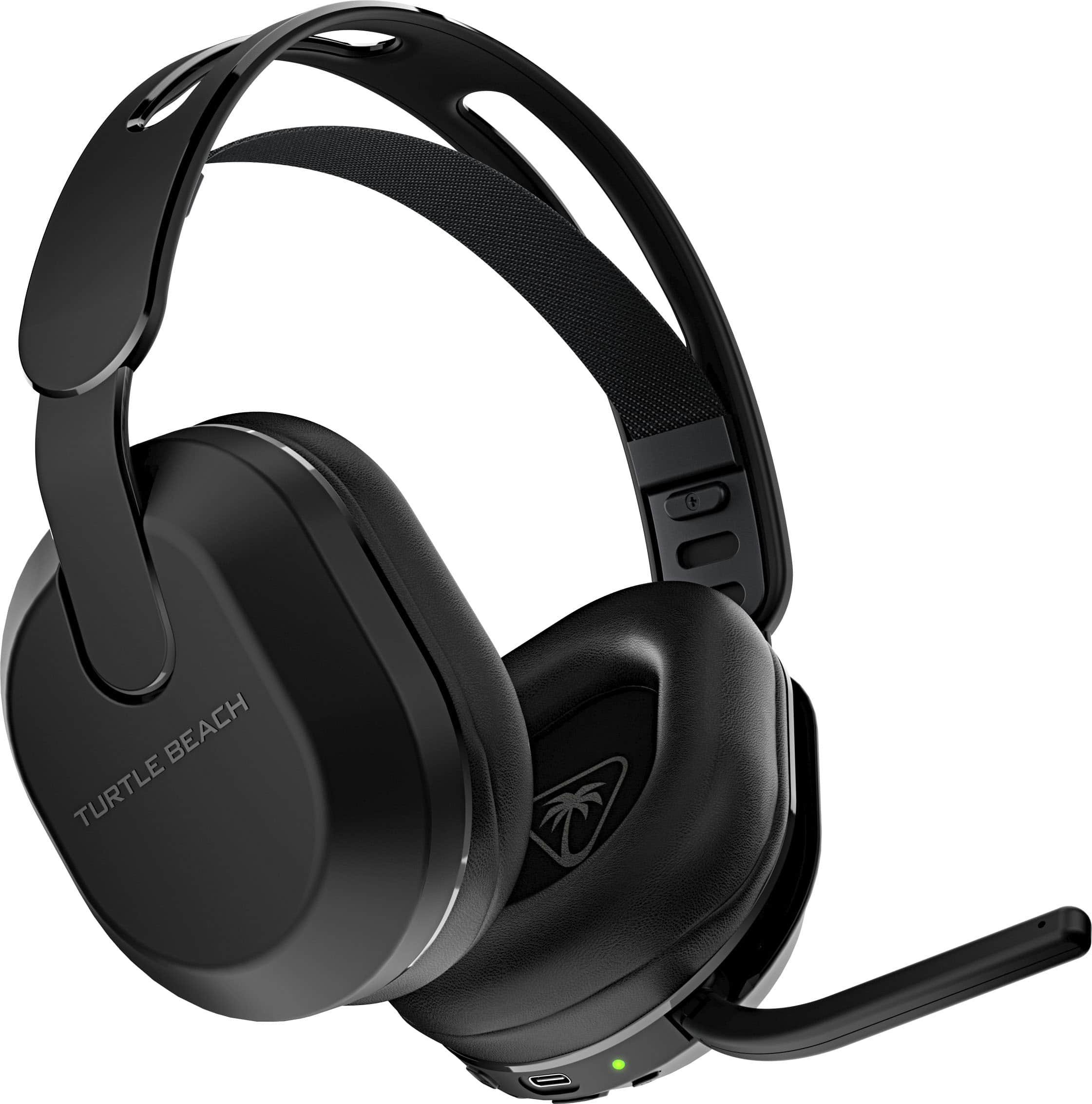
Customers are satisfied with the Stealth 500 Wireless Over-Ear Gaming Headset's sound quality, comfort, and battery life. Many users appreciate its wireless connectivity and lightweight design. Some customers have noted that the software could be improved and the bass is lacking. Overall, the headset is considered a great product for the price and offers an easy setup.
This summary was generated by AI based on customer reviews.
Rated 3 out of 5 stars
We want to win
||Posted . Owned for 3 weeks when reviewed.This reviewer received promo considerations or sweepstakes entry for writing a review.My wife said I should rate them myself even though they are her headphones and she says they’re average
I would recommend this to a friend- Pros mentioned:Battery life, Comfort, Sound quality
Rated 4 out of 5 stars
Good Pair Of Cans
|Posted .This reviewer received promo considerations or sweepstakes entry for writing a review.These are an above average pair of gaming headphones. Build quality feels very well made and feel solid in the hand and on your head. Fit feels rather comfy and feel nice on the ears. Wearing these for several hours does not feel uncomfortable at all. The mic does an excellent job of picking you up and according to others I came through clearly to them. Sound quality likewise is above average and voices come through clear and understandable. Music and game sounds are clear and sharp. Using the headphones for movie watching did not disappoint and provided a pleasant experience. The battery gives several hours of use between uses and charges back to full in a fairly reasonable time. The weight of the headphones is no too heavy and do not feel like they are weighing down on your head and neck. in fact when your are wearing them for a length of time you do not feel fatigued after the fact. Your ears will probably feel a little sweaty but no where near as much from other headphones I've used in th past. Over all these Turtle Beach headphones are an above average sets up gaming headphones.
I would recommend this to a friend - Pros mentioned:Comfort, Connectivity, Sound quality
Rated 4 out of 5 stars
Works great with the xBox
|Posted .This reviewer received promo considerations or sweepstakes entry for writing a review.This headset is light and extremely comfortable. With the lightweight, it still very durable and the mic is completely hidden when in the mute position. Charge time was only about an hour out of the box and the charge cable is included. No additional software is needed, and all that is required is to connect the dongle to a USB port. The headset connects automatically with the dongle. There is a mode button if you want to use with another device using Bluetooth. There is a separate volume scroll button for the master volume and separate one for the mic. This is nice when you want to turn down the game volume and concentrate on team members. Sound quality is very good and consistent. The headband provides good support and feels great even after a long gaming session. The mic stays out of the way well even when in the down and unmuted position. Position of the earcups provides a good fit and yet does not feel too tight. Adjustment is easy and the headband stays in place firmly. This provides a good economical gaming option that should last a long time.
I would recommend this to a friend Rated 1 out of 5 stars
Save your money
||Posted . Owned for 4 months when reviewed.This reviewer received promo considerations or sweepstakes entry for writing a review.Really poor sound quality and mic. My friends teased me. Started to popcorn within the first couple days so I returned them.
No, I would not recommend this to a friendBrand response from Turtle Beach Support
Posted .Hello Nicole! We are sorry to hear about the experience you've had with your Turtle Beach Product. Our products are each sold with a manufacturer's warranty, and we have a dedicated Support Team available to provide assistance as needed. In the future, if you have an issue with a Turtle Beach product, please reach out directly to our dedicated Support Team so they can lend a hand. They’re always happy to help and can be reached right from the support section of the Turtle Beach website. Thank you and have a great day!
- Pros mentioned:Battery life, Sound qualityCons mentioned:Software
Rated 5 out of 5 stars
Feature laden, but lightweight headphones
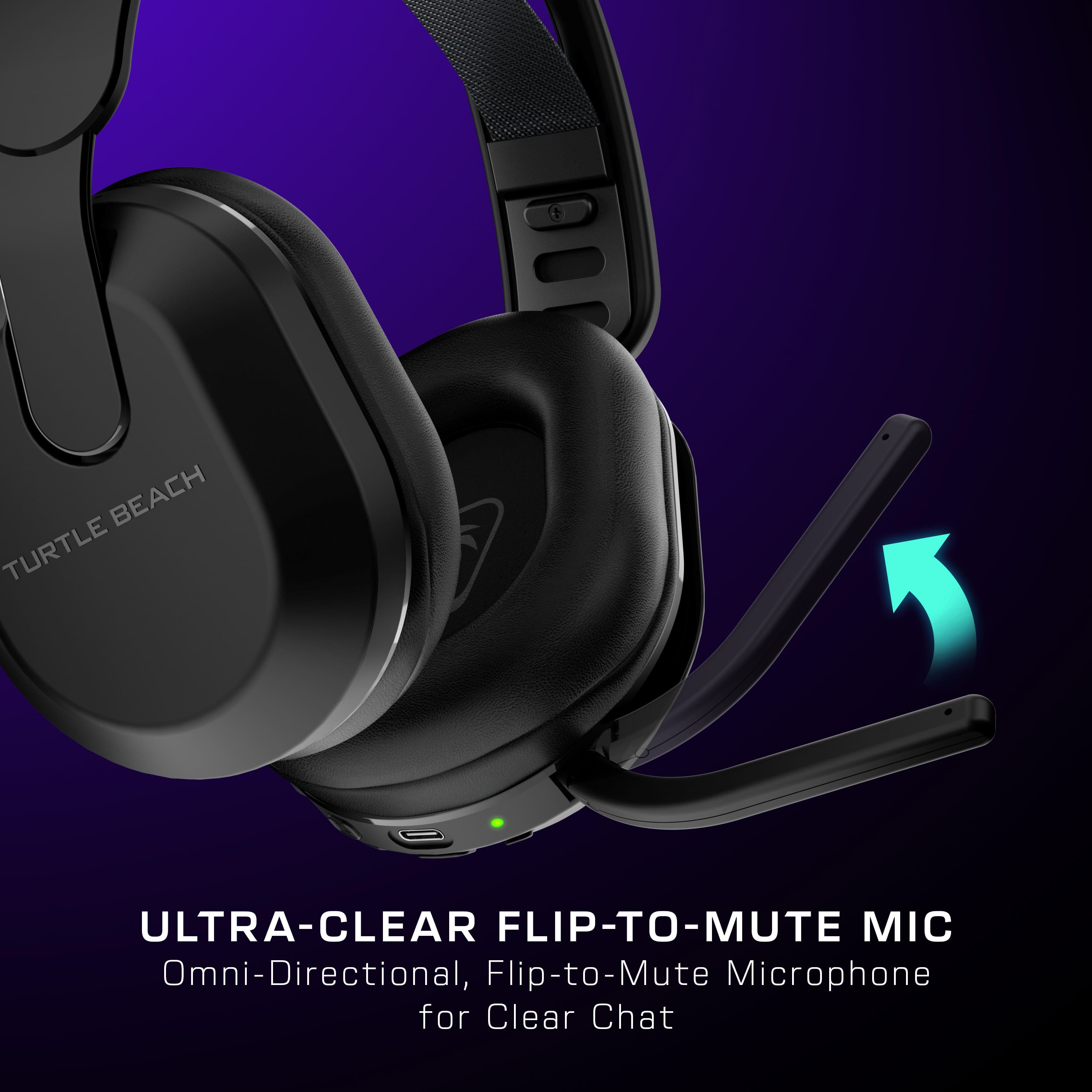
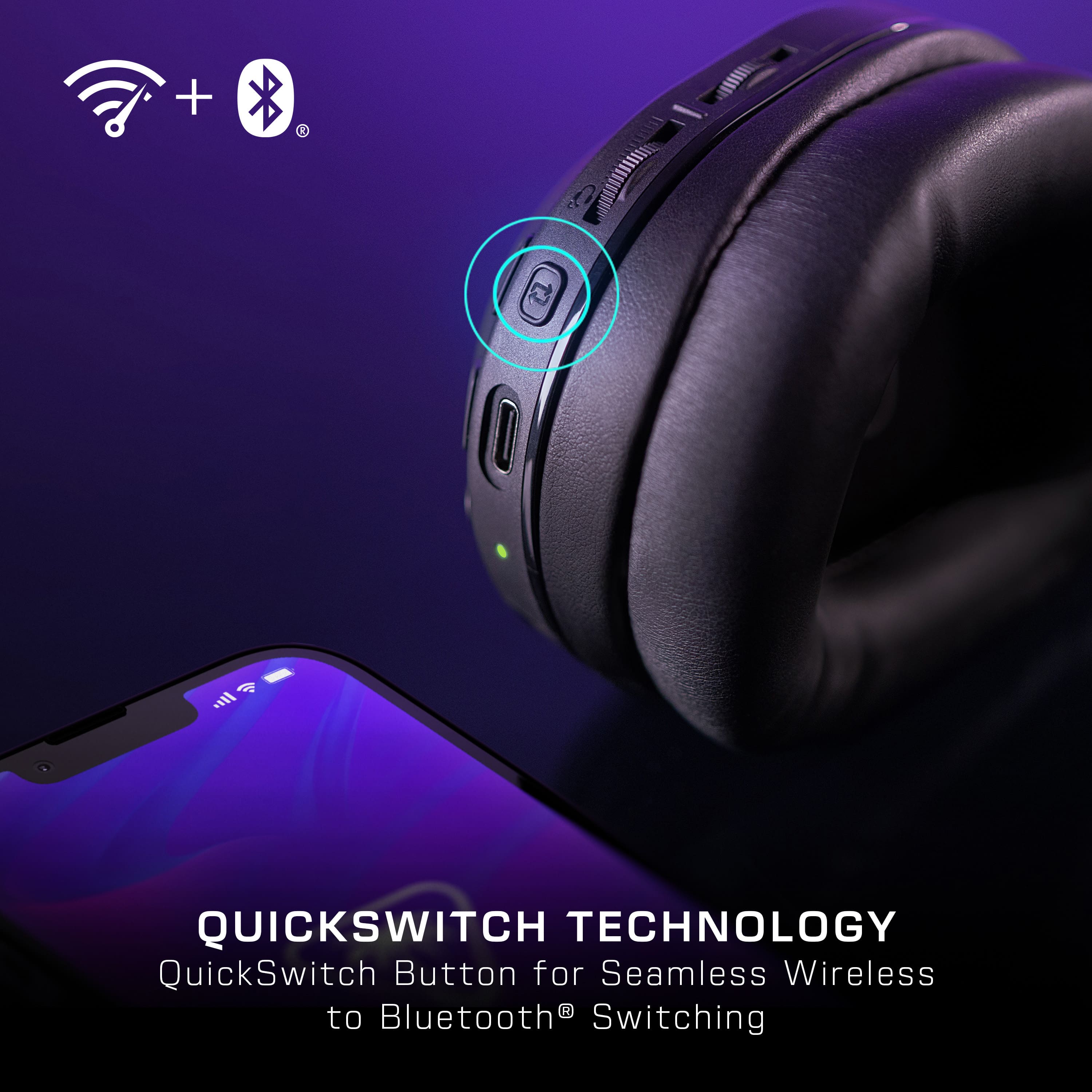
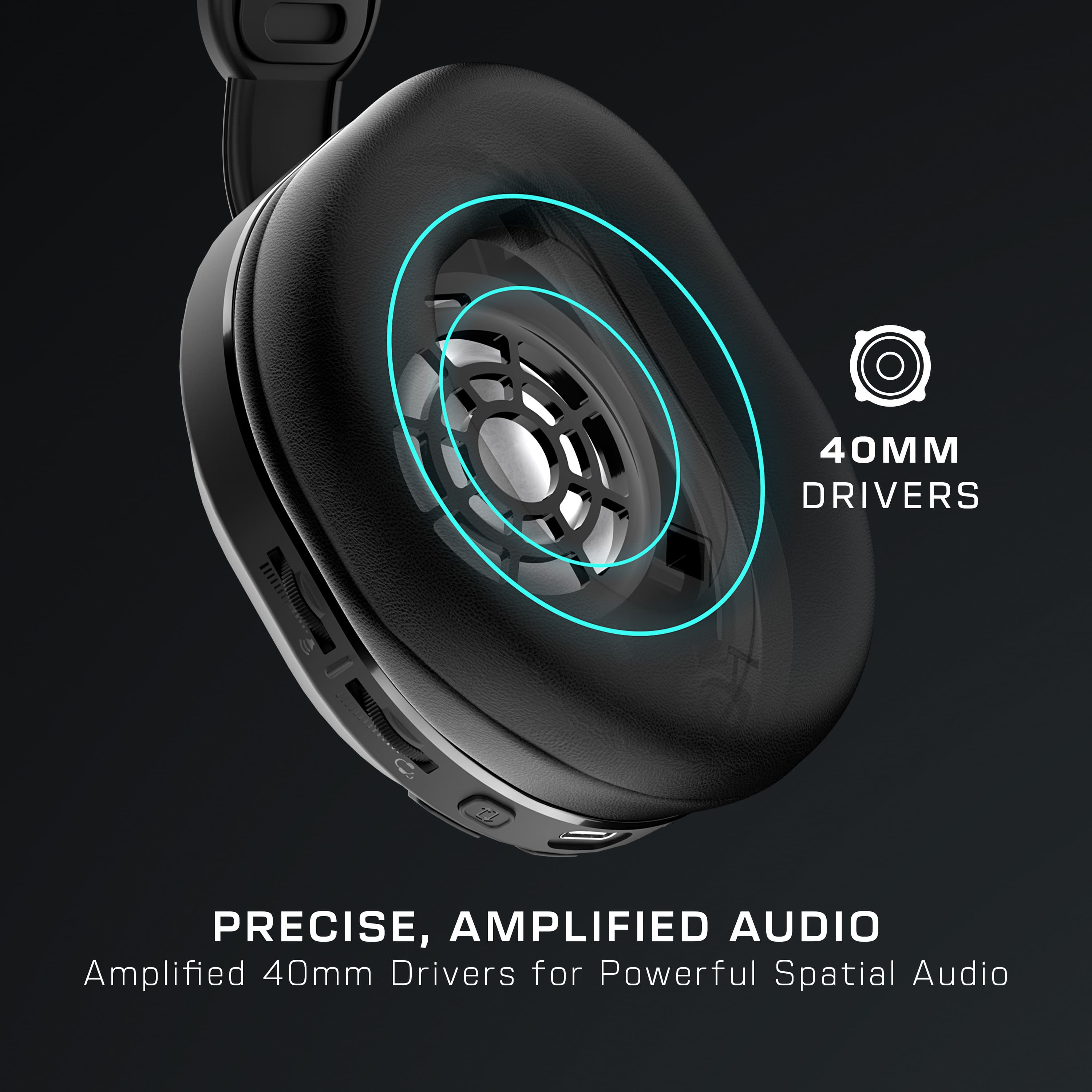
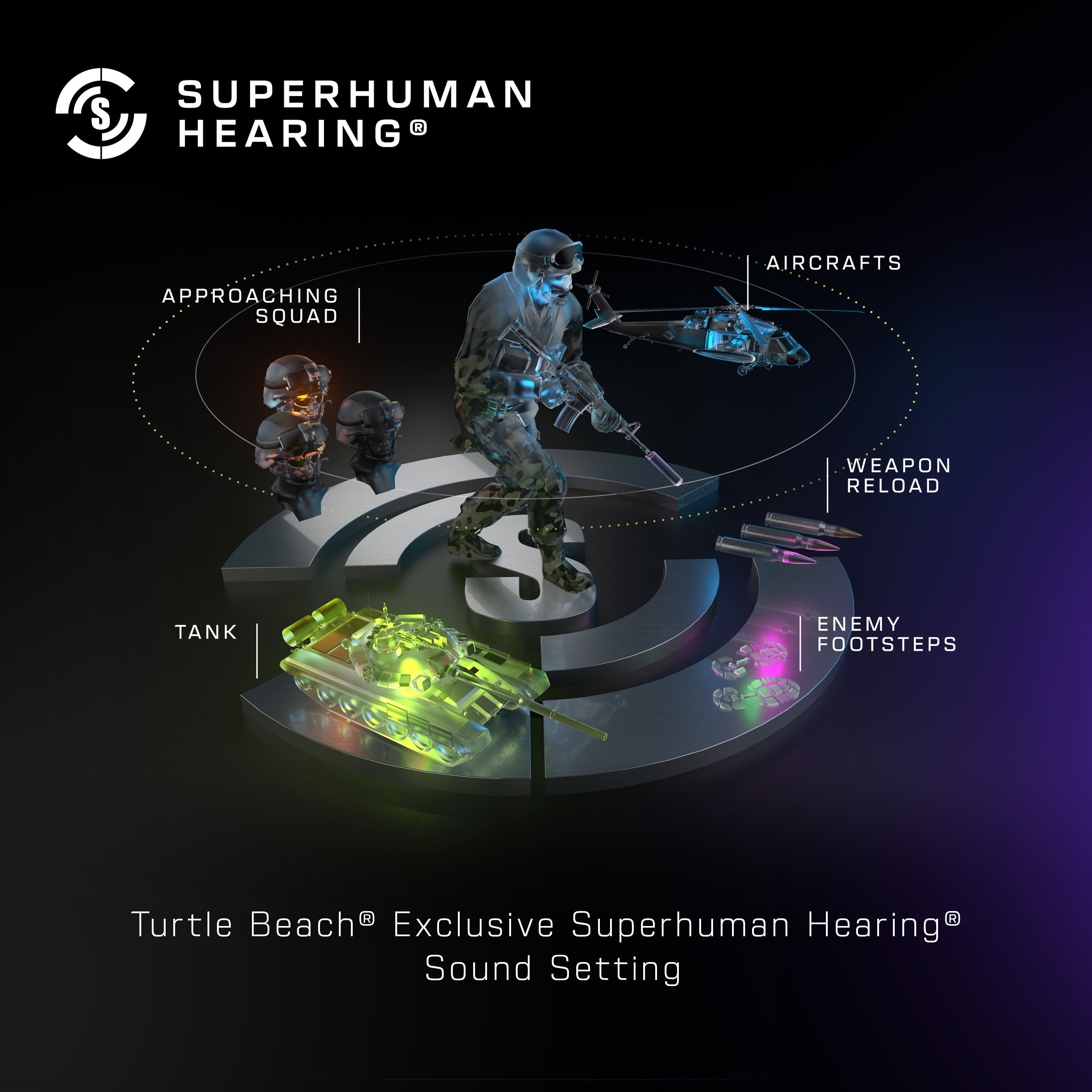
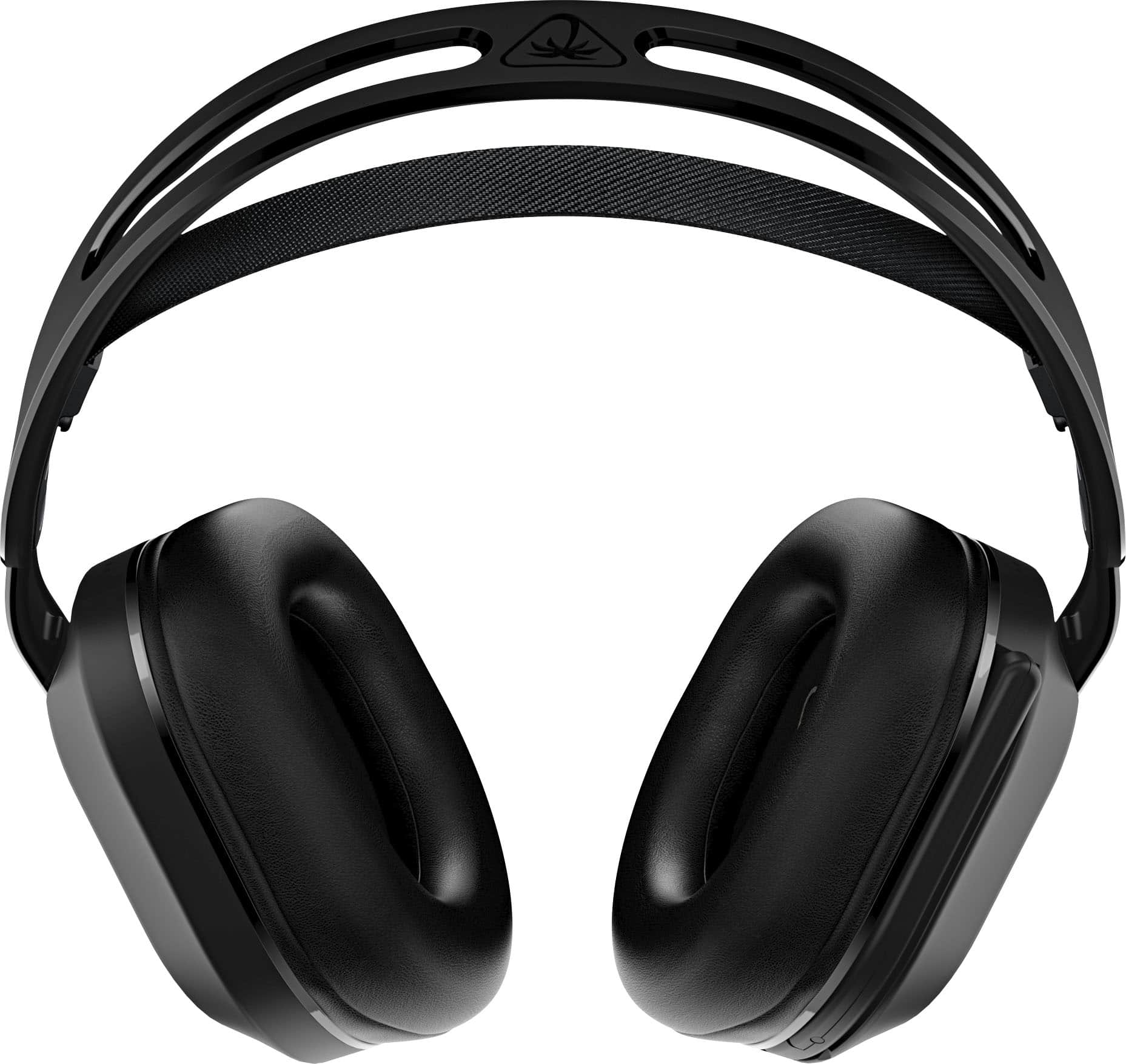
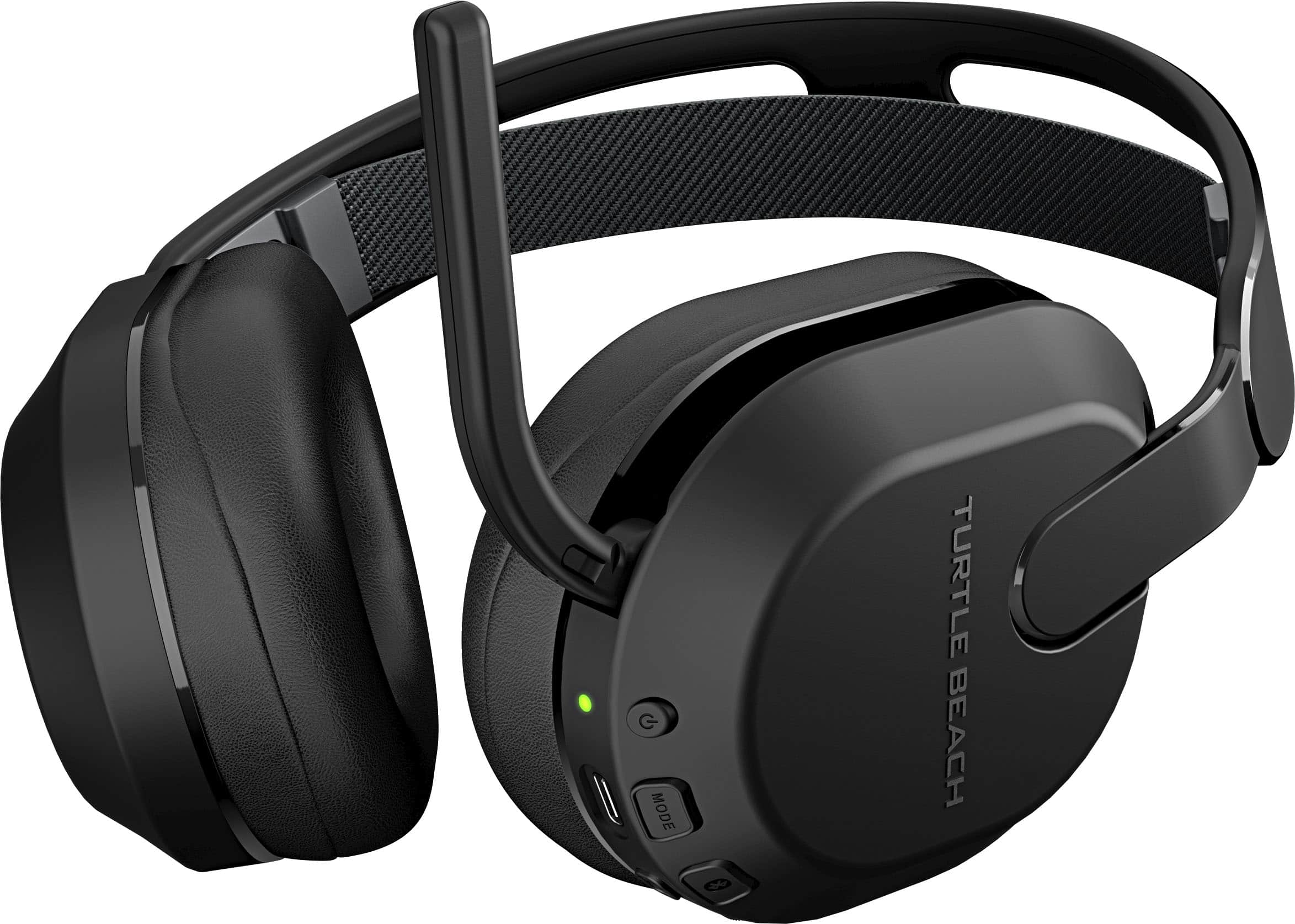
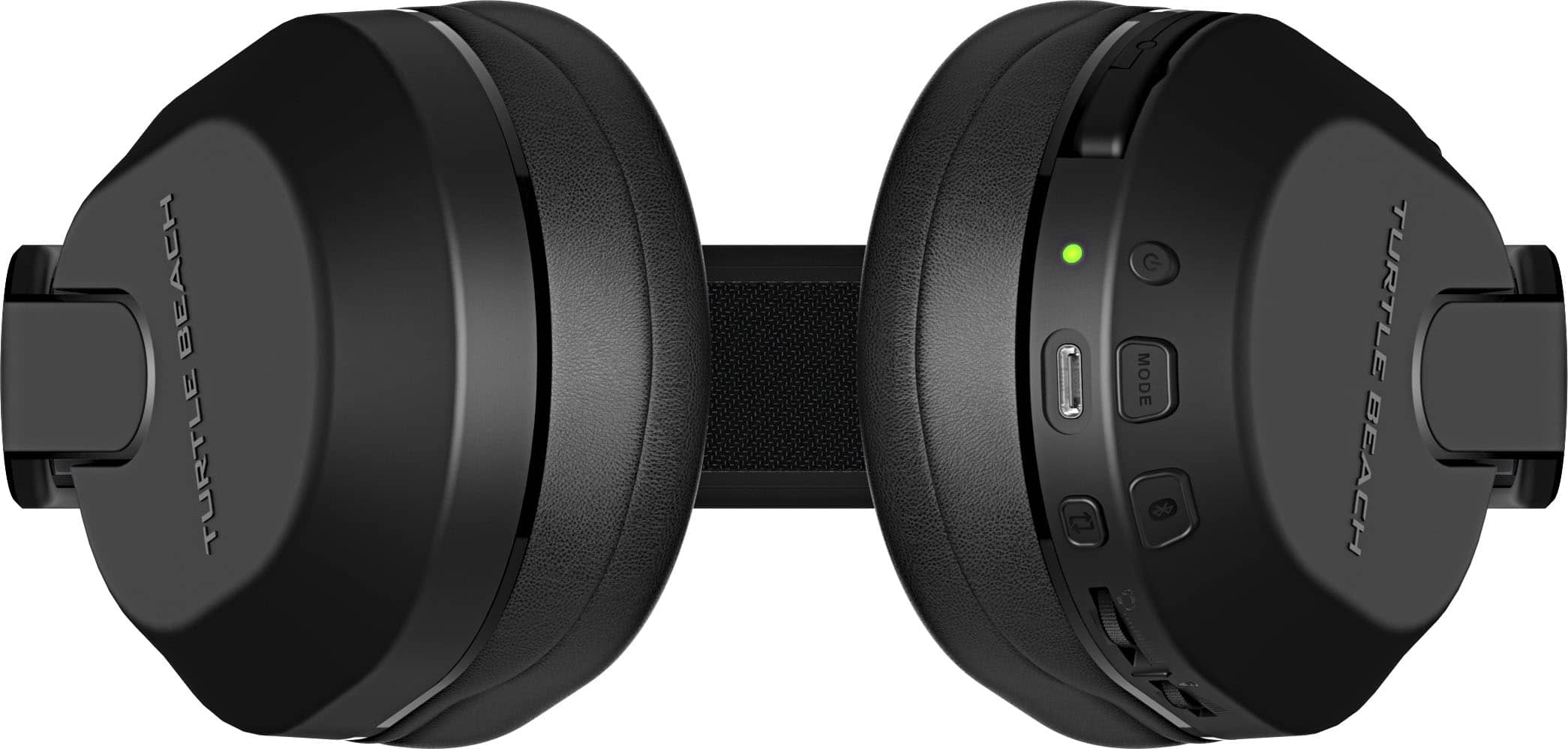
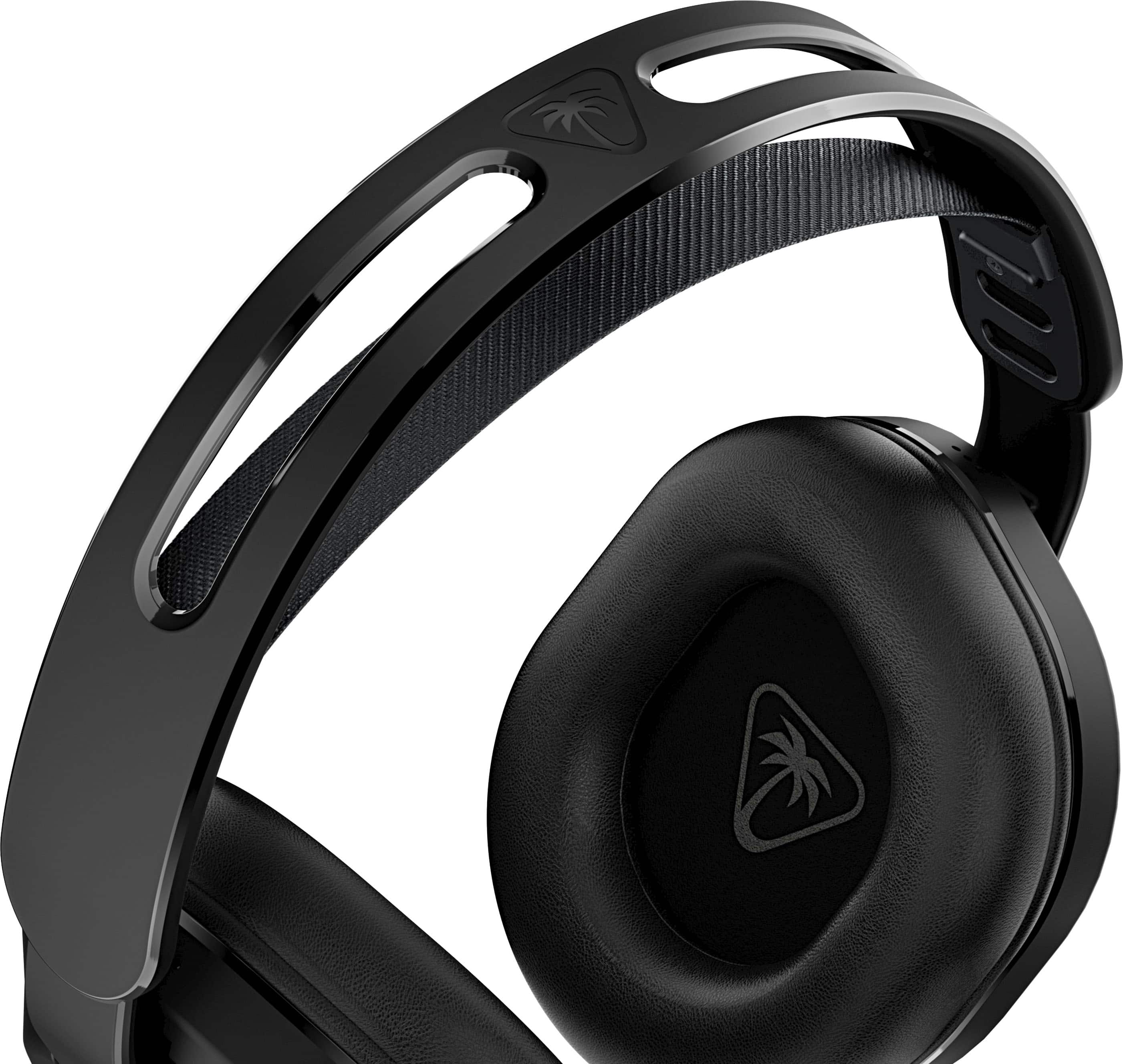
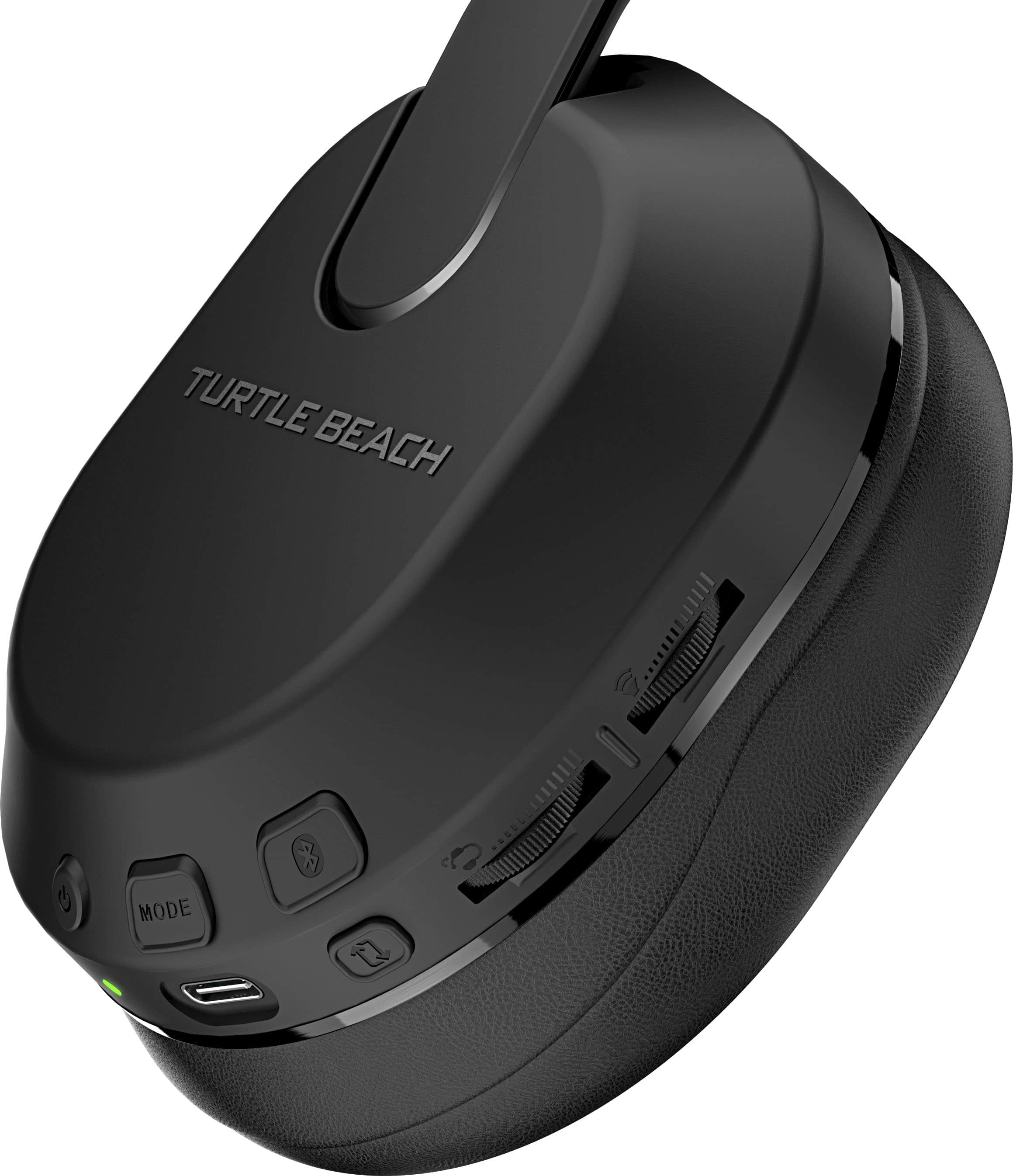
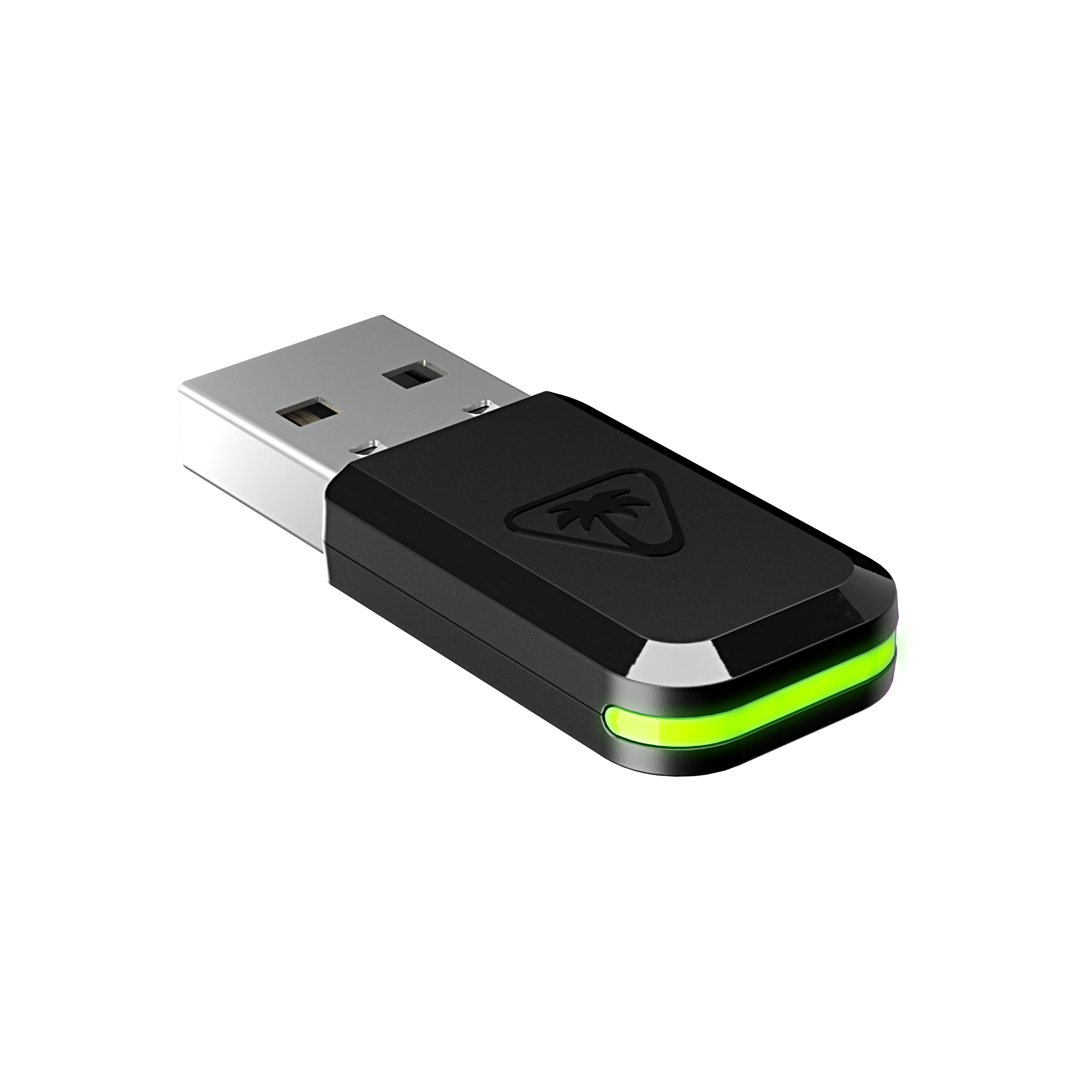
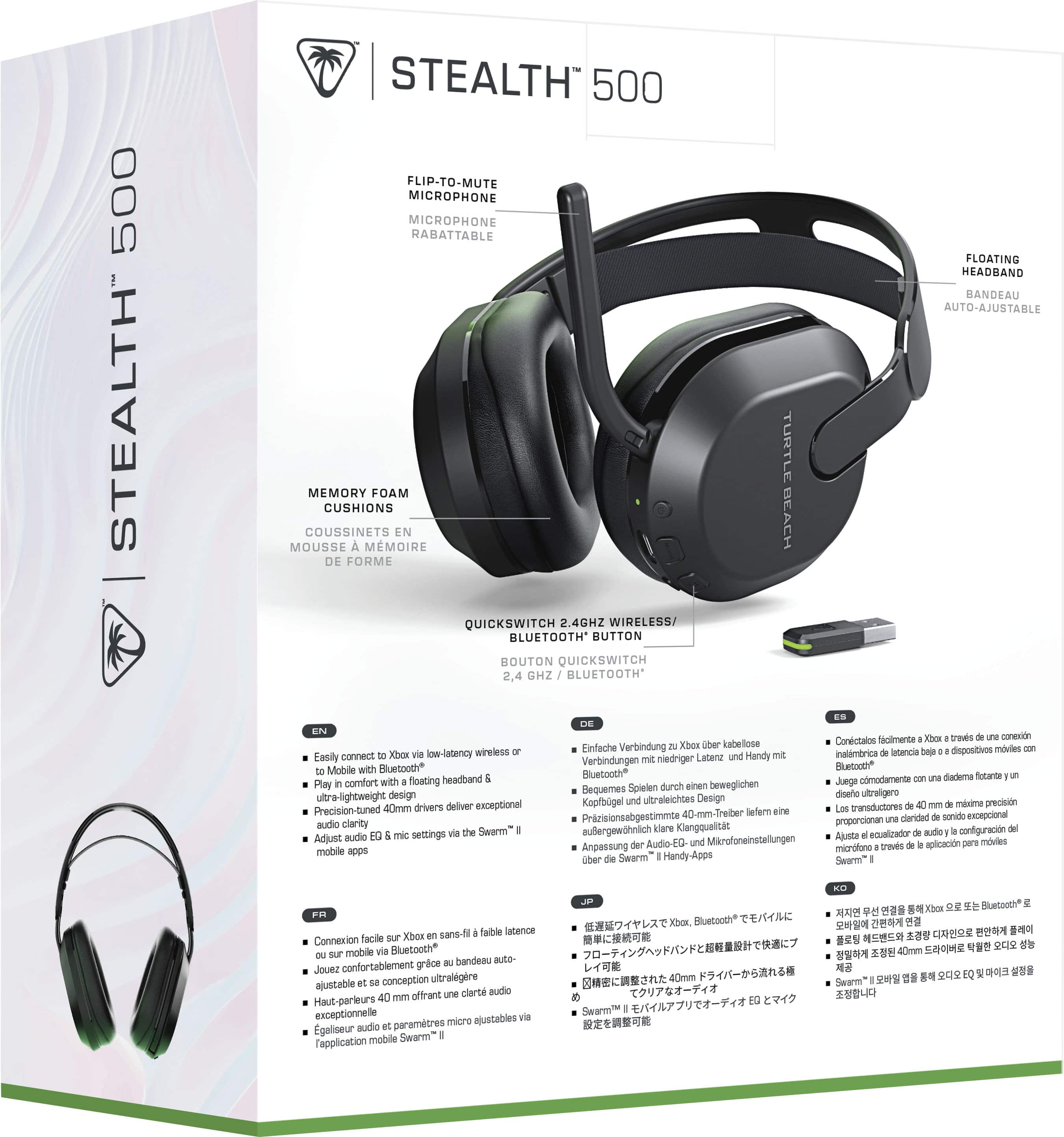
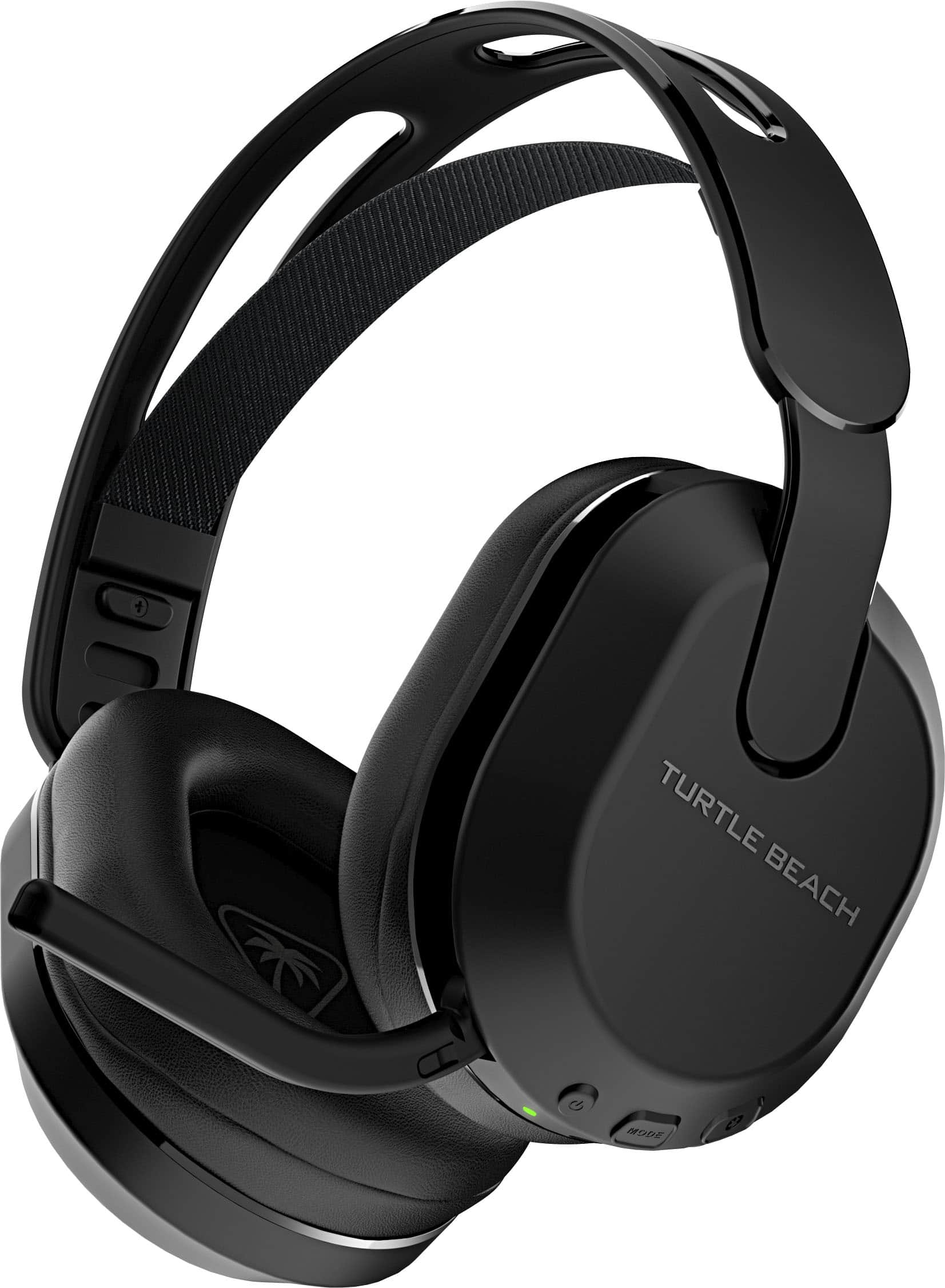
|Posted .This reviewer received promo considerations or sweepstakes entry for writing a review.I have a pair of Anker Soundcore for my daily use and I was disappointed that the earcup material's seams were splitting apart. This Turtle Beach Stealth 500 headphone came at the right time to replace my Anker Soundcore headphone. The packaging for this Turtle Beach Stealth 500 is very minimal. It comes in a basic cardboard box, which includes the headset itself, a USB dongle to connect when you're not using Bluetooth, a short charging cable and a quick start guide. The quick start guide starts off with getting the latest firmware updates. I've been accustomed to downloading manufacturers apps for my PC to create a stable connection for firmware updates. I was surprised to learn that the firmware updates using a USB cable did not go well. I rebooted my PC, I rebooted the headphones, I just couldn't get them to connect properly in order to install the firmware. Instead, I downloaded the Swarm II App on my phone and was able to update the firmware very easily using my phone over Bluetooth. It does take a while to install the firmware. What struck me very quickly is that the headphones do not slide to expand like so many other headphones do. This initially worried me since I have a big noggin. Instead, there is nice elastic strap that is tied inside of the top arch of the headband. It appears to be adjustable in 3 positions on either side. Everything is controlled by the left ear cup. There are no controls nor microphone on the right ear cup. The boom microphone tucks nicely into a groove. In the tucked position, it also mutes the microphone. When you bring it down, it automatically un-mutes. In addition to flipping down, it also pivots slightly towards your mouth. Along the bottom of the left ear cup is an indicator light, USB-C charge and update port, a quick switch button to flip between Bluetooth or Wireless via dongle, and two dials, the first to control the mix between Game and Chat, the second is the master volume. Just above these controls, there are three more buttons, the on/off button, an equalizer preset mode button (toggles between 4 modes) and a Bluetooth multi-function button. This setup takes some getting used to. I would have preferred some of the controls on the right ear cup just to split some controls up. Connecting to a phone or a PC via Bluetooth is really straightforward. I was curious how it would connect to my Xbox. The quick start guide threw me for a loop though. There is one page for the Xbox setup, there is a second page for the Playstation, PC and Nintendo Switch. As far as I can tell though, the instructions are identical. This particular headset I have it the Xbox compatible version. I feel that both pages should be marked for compatibility for PC and Nintendo Switch so that it's clear. Connecting to my Xbox was quick and painless. Plug in the dongle and then power on the headphones and it's connected in seconds. Shortly after, I was playing games trying out the various features. Microphone pickup is great, others could hear me clearly, but I will say that it sometimes projects some of the ambient noise a little strangely. I had to scratch my head and the microphone picked up on the sound and I could hear it like projected ambient noise. The Turtle Beach Stealth 500 is very light. I guess it's because they can lighten the headband without all the mechanics of the telescoping band. One of the nice things about this headset is that it powers off after 30 minutes. This is a time that can be changed in the App. Battery life is also very nice at 40 hours. However, there are a few things that I picked up in my first few days of use. Connecting to my PC takes a little bit longer to detect and for Windows to flip to the headset as the sound output device. After a few days with this headset, I am still having problems keeping a stable connection to the Swarm II app on my PC using either Bluetooth or the Wireless dongle. However, with the mobile app, it has more features and doesn't have any problems keeping a connection. It's best to modify your settings through the Swarm II app on your mobile device. The command tones are somewhat loud. Power On/Off, volume changes, equalizer preset changes all produce different tones and they're all somewhat loud to me. I can't seem to find a way to reduce the volume on these. The dongle glows pretty bright, so I was pleased when I found I could turn it down. However, it doesn't turn down far enough, it still is somewhat bright at the lowest App setting. I would like to see a future firmware allow us to turn it off. Sound from these headphones is pretty good. It's relatively flat by default, but the equalizer helps a lot with that. One of the features I was interested in learning more about is the Superhuman Hearing. This seems to bring up the levels of the mid to bass frequencies so you can hear footsteps a little better. Very handy in a game. Overall, for this price, the Turtle Beach Stealth 500 is a good bargain for those looking for a solid feature set without paying over $100. There are a handful of things that picked up in my first few days of use, but I feel like some of those things can be taken care of in future firmware updates, or I will quickly adapt my routine where needed.
I would recommend this to a friend - Pros mentioned:Battery life, Comfort, Sound quality
Rated 5 out of 5 stars
More than expected from an entry-level headset
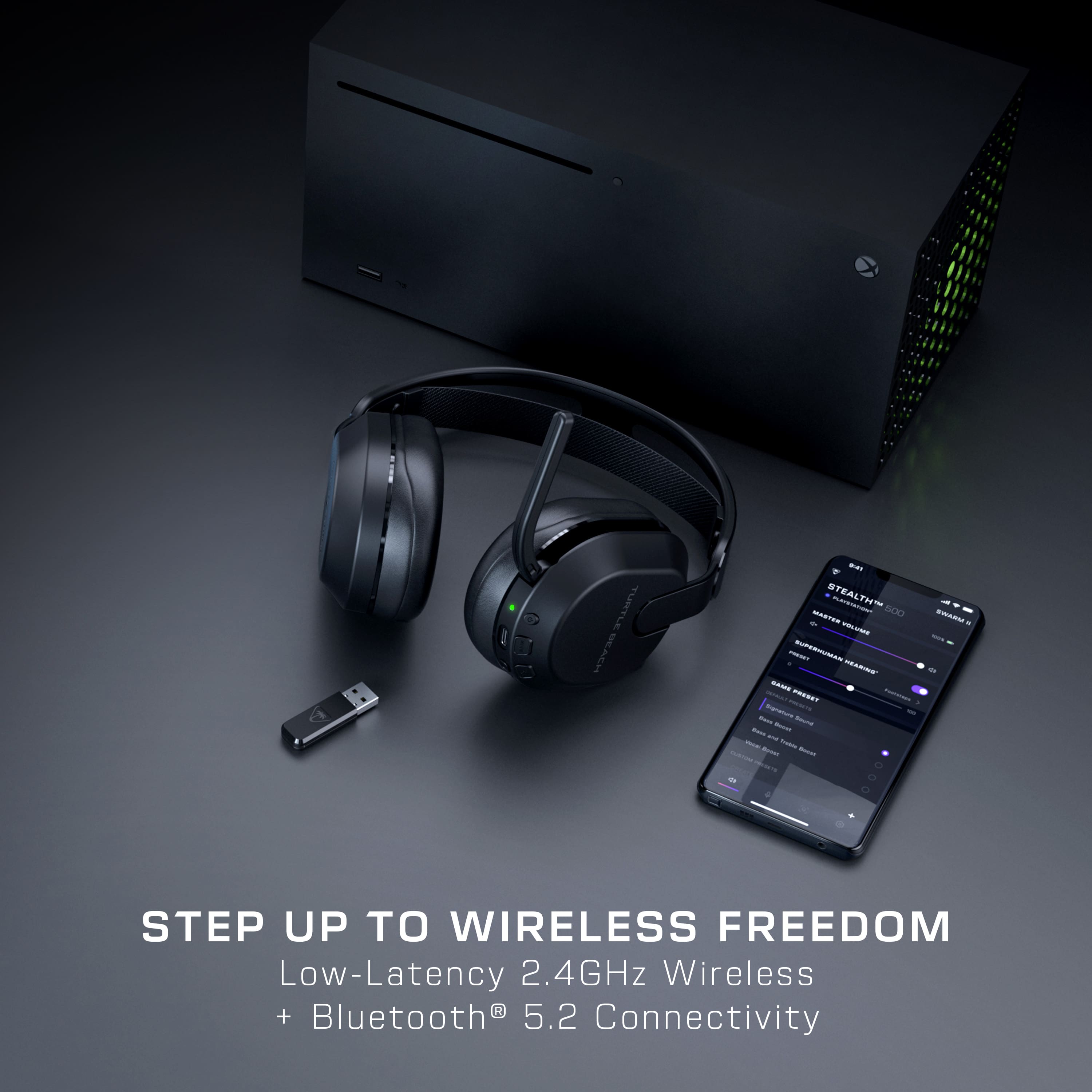
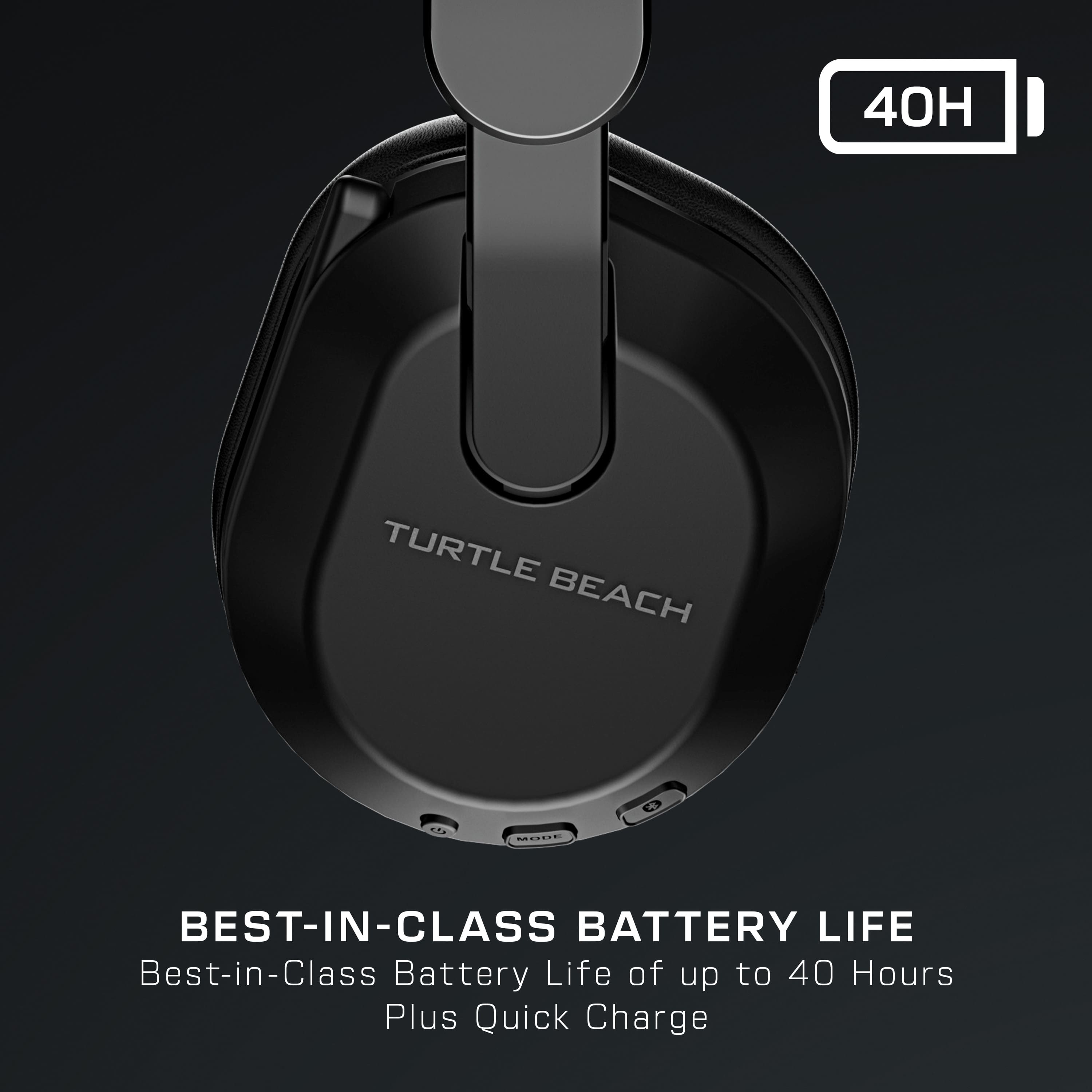
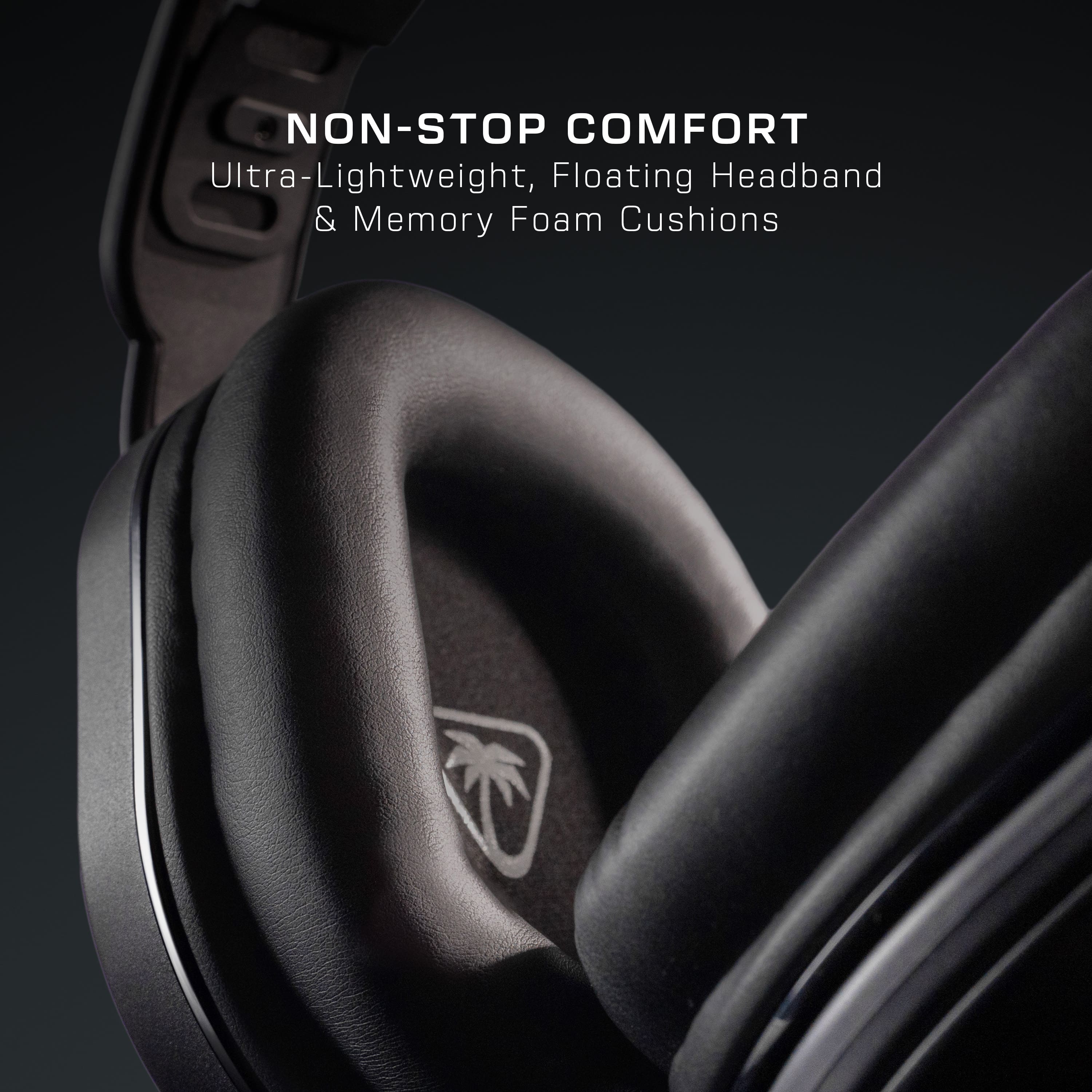
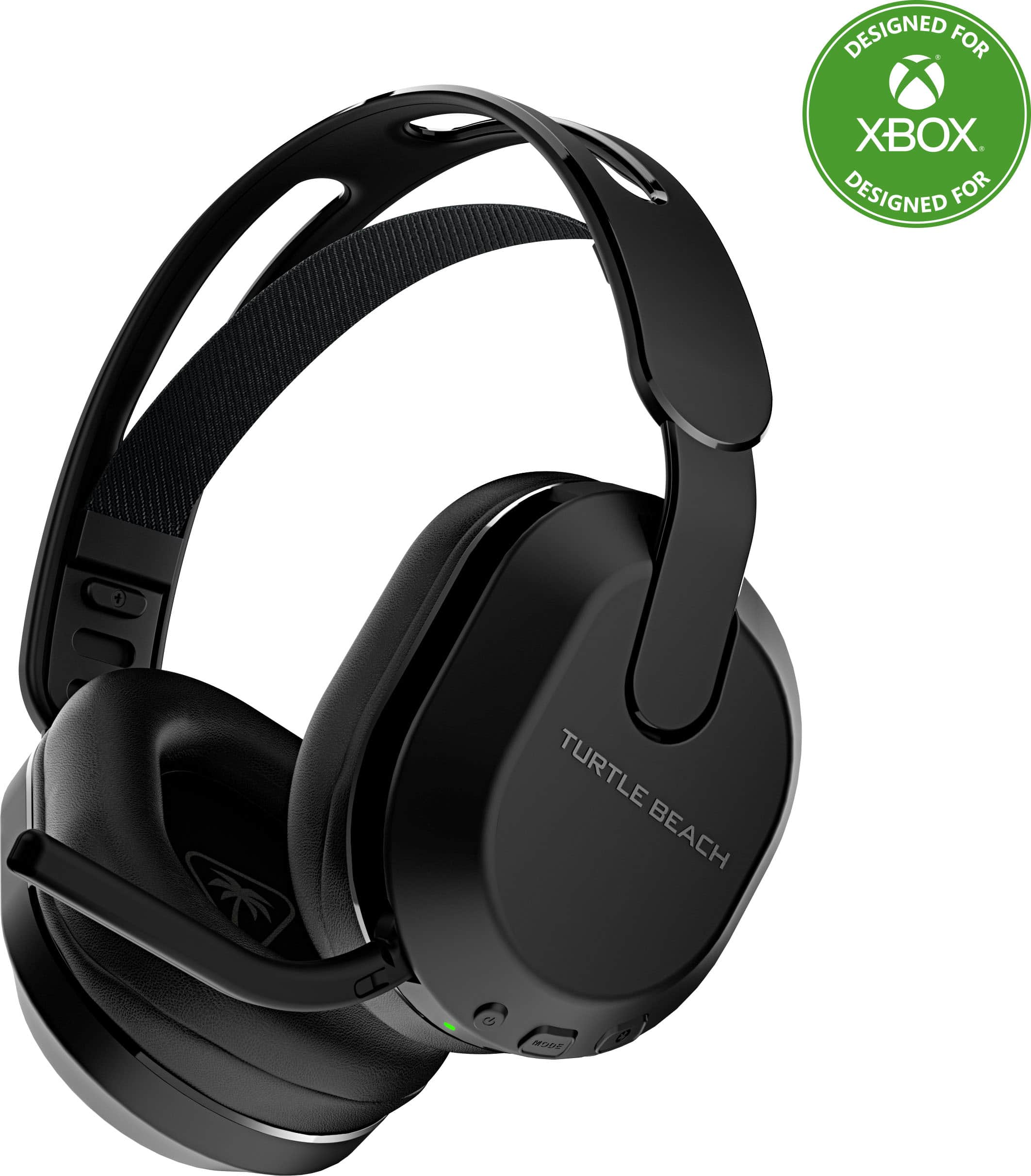
|Posted .This reviewer received promo considerations or sweepstakes entry for writing a review.The Turtle Beach - Stealth 500 Wireless Gaming Headset is a basic, entry-level headset. While it does not come with all of the bells and whistles of more expensive models, it comes well equipped for the price. This model is compatible with the Xbox Series X/S and Xbox One in addition to PCs, Nintendo Switch, and mobile devices equipped with Bluetooth technology. Other available models are compatible with PlayStation 4 & 5 and with PCs. It connects via plug-n-go technology when you use the USB wireless transmitter or dongle. Connecting the Stealth 500 to my Xbox Series S only required me plugging the dongle into the USB port on the Xbox, powering on the headset and then allowing the two to pair, which took seconds. All controls are on the left earpiece. In order they are: the master volume control, a dial to adjust the game/chat mix and allow for mic monitoring, a Bluetooth quick switch button that lets you switch between the 2.4 GHz wireless connection and Bluetooth mode for using the headset to take calls and listen to music, the USB-C charging port is next, and then the LED Status indicator that shows the level of your charge. Located on the outside edge of the left earpiece are the Bluetooth pairing button, the EQ mode button, and the power button (push twice to power off and once to enable Superhuman Hearing mode). Turtle Beach advertises up to 40 hours of gameplay on a charge dependent on usage conditions. I have only spent about ten hours using these but it looks promising. This headset more closely resembles a regular set of headphones and looks a lot less like a gaming headset than most previous Turtle Beach releases. The floating headband is a strap on the headset that is soft and stretchy and allows for custom fit and sizing. The earpieces are very soft, well padded and made of memory foam. This makes the headset super lightweight, which accommodates long periods of comfortable game play, so much so that you can forget that you are wearing them. Solidly built nothing wobbles or rattles when you shake them. The microphone is sturdy and clicks into several different positions in addition to flipping up to mute. Chat is very clear while still allowing you to hear some background noise in the room. These are not noise canceling headphones but do block out the majority of background noise. Downloading the Swarm II app (available in the App Store for both Android and iOS) makes the settings customizable allowing for the adjustment of the gaming and chat audio and the mic’s settings. It also allows you to update the firmware for the headset. The headset did require a firmware update prior to being able to use it. While not top-of-the-line, this headset offers more than you would expect from a basic, entry-level headset and is a great option for entry-level gamers and for use as a mainstream headset by anyone because it’s extremely light weight and comfortable to wear.
I would recommend this to a friend - Pros mentioned:Comfort, Sound quality, Weight
Rated 5 out of 5 stars
Hits the mark
|Posted .This reviewer received promo considerations or sweepstakes entry for writing a review.I have 4 other headsets currently that I interchange with quite a bit, some I like the bass more, or the feel more, some I like for gaming and others listening to music. So with that said, I'd have to start off saying that this headset is very lightweight, and feels good on my ears; and to be honest; I have pretty much worn these nonstop since they arrived,.... my other 4 headsets are gonna be on the shelf for awhile i'm afraid. For me these Turtle Beach Stealth 500's are probably the most comfortable out of all of the headsets I own. I am not sure if this is due to them being very lightweight or the fact that they have oddly shaped earpads (oddly in the sense that my other headsets are all of a circle or egg type shape, these are more shaped to match an actual ear). The good: The audio quality is pretty good They are a noise cancelling style and honestly do it very well, - it also features mic monitoring so you're able to control your own voice volume a little while talking into it if the noise cancelling gets to be a little too much The unit connects quickly with wireless mode: (this model can be used on xbox, pc, nintendo switch) The design is the style you come to expect from turtle beach, nice & compact, slick looking The feel of this headset for me, feels great, it's tight around my ears, but not suffocating, or pulling down on my skull with the frame of it The unit has a good set of on device buttons (volume, audio presets , quick wireless/bluetooth switching etc The mic on it is an Omni-Direction, Flip to Mute type A nice feature for this one is, you can download a decent phone app to control aspects of the headset for :: - firmware updates - set up/enable predefined eq's ('superhuman hearing', chad boost, bass/treble/vocal boosts) - auto shut off toggle (5, 10, 20, 30 minute choices) - mic control on/off toggle, as well as sensitivity, noise gate, and mic monitoring volume the strange:bad:: I personally didn't experience anything negative with this headset, it connected quickly, everything works as advertised, for the price point even that is great. Overall this is a really well built, good audio sounding, and affordable headset. Fits nicely on my head, weighs close to nothing, yet feels well constructed and seems like it will last some time into the future.
I would recommend this to a friend - Pros mentioned:Battery life, Connectivity, Sound quality
Rated 4 out of 5 stars
Easy to Use
|Posted .This reviewer received promo considerations or sweepstakes entry for writing a review.The Turtle Beach wireless Stealth 500 gaming headset works well with my Xbox Series X. The audio quality is good considering it's an entry-level headset. I found some pros and cons but will continue to use this headset to communicate with my gaming party. My husband uses them the most and this is the feedback I got. Connectivity The wireless connection was easy to establish and the instructions were very clear. There were no connectivity issues communicating with a party of 4. The headset even worked from a far distance away from the console like from my kitchen and even from my backyard when the console is in the living room. Comfort The ear cups are comfortable and soft but there are other comfort aspects that I wish were different. The headset technically fits, but it would be more comfortable if the headband accommodated a bigger size. The floating headband that sits on the head is elastic and I would much prefer it to be a cushion. Battery Life I gave this headset an initial charge about 4 days ago and they've been used up to 2 hours each day since. I can see the 40-hour battery life lasting me a month or so. When the console is turned off, the headset automatically turns off too so there’s no worry about accidentally leaving it on and draining the battery. Microphone and Volume Controls This particular headset mutes the microphone by flipping it all the way up. The mic sits on the left and can hinge to be closer to your mouth which is a nice adjustment to have access to. Aside from the mic being flipped down (active) or flipped up (mute mode), there’s also a light on the Xbox console to indicate the status of the mic - static green light means the microphone is on and it flashes red when you flip it up to mute it. The volume controls are also on the left side on the back of the ear piece; they’re easy to access and use with my thumb. The buttons on the bottom of the earpiece are also easy to access, you just have to memorize which buttons do what. Overall I think these are cool headphones. I’m mostly happy with them and they get used anywhere from 30 minutes to 2 hours at a time, sometimes more depending on the day. I would have liked them to have a bigger sizing option, but they work fine enough for my gaming sessions.
I would recommend this to a friend - Pros mentioned:Battery life, Comfort, Sound quality
Rated 5 out of 5 stars
Great Fit
|Posted .This reviewer received promo considerations or sweepstakes entry for writing a review.The Turtle Beach-Stealth 500 Wireless Gaming Headset, are one of the most comfortable headsets i have used. The sound quality is like no other and best of all when not using the microphone is just hides away. Turtle Beach has really put some thought on this design. The wireless connection is done through a small enough usb drive . The battery life is great i have used it all day and have not had any issues. The buttons are very responsive and have not had any issues with it. The build quality feels solid and it is a very well built headset. The charging option is up to date with a USB-C connection. The headset does have a floating headband that does not get in the way and it is almost as if it was not even there. Overall very satisfied with this product Turtle Beach has released. The look and design is great. The Pros: Comfortable Fit Sound Quality is Amazing Set up is very simple I have no cons as this does block out many outside noises and the quality is great. I would really recommend you add this headset to your arsenal.
I would recommend this to a friend - Pros mentioned:Battery life, Sound quality
Rated 5 out of 5 stars
Lightweight and very comfortable
|Posted .This reviewer received promo considerations or sweepstakes entry for writing a review.Product was packed well, easy enough to open. I had the receiver plugged into my new ROG Asus Strix gaming laptop when I charged and powered on the headset, and the computer noted it right away. The quick switch button let me turn it over to bluetooth so that I could check for the firmware update after connecting it to my iPhone and installing the app via the QR code on the instruction sheet. It found updates for both the headset and the receiver, and told me that it could take a while so I should go get a big cup of coffee. Ultimately it was only a few minutes before it completed, and then I was able to start testing. This testing was all exclusively done on my ROG laptop. I've been transitioning things to it from my Xbox Series X and my PS5 so this was where I put my focus. My first concern was the material of the cups. I shave my head, so these will be in direct contact with my skin. Usually, a non-fabric type of ear piece ends up with moisture buildup where it presses on the skin and there is no airflow. I don't need to be hot; it just happens. While I didn't get into any extended gaming so far, I did far exceed where I'd normally start to get moisture, and so far, I've had none. So my concern seems to be needless. These work well with my bare skin around my ears. And they're LARGE enough to fit OVER the entire outer ear without pressing anything. Nothing is more annoying than a headset that you really like all the features of, but it's uncomfortable after a while because the openings just weren't big enough to get your entire ear inside, and you end up with something pressed on or bent. Not these. Ears went inside comfortably. Sound is good. I've got a few B&O headsets for gaming, including their Portal that I usually use for the Xbox and PC, so yeah, I've got better sounding cans to use if I really wanted to. But even having those high-end headsets to compare to, I find no fault with these. For the price, they are stellar performers. The only downside so far was the lack of noise cancelling, since I often have some fans running in the gaming area, which the other sets I have can negate. But once I was in a game, the quality of the sound was such that I never noticed the fans after I got into the session. They may not be noise cancelling, but with these on my bare skin, they seal great and really cut out almost all the noise out there in my environment. The superhuman thing - I may just have too much damage to my ears (tinnitus from my time with jet aircraft in the military) to really take advantage of it. I can tell a difference with it, but for my ears and the frequency issues they have already, I just think I'm too impaired for that to make a game changing difference for me, unfortunately. They are a fantastic weight. Once they're on, I pretty much forget they're there. And so far the batteries have lasted well. Three days of random gaming, sometimes for 5 or 6 hours, and I'm still on my initial charge. Absolutely pleased with the battery life. Using the receiver, I had no issues with lag. Definitely is transmitting sounds in a timely fashion. Good location for the knobs for volume and the sound / chat mixing. Some have awkward locations, but these are easy to hit. And I like that the buttons are definitive. The one to swap between the Bluetooth and dongle is the ONLY one on the bottom edge. So you won't hit something else by accident. The microphone worked well for me in game sessions. People could hear me clearly. Boom mike is easy to deploy and put up again, but it goes up and comes down with some pretty serious friction points. What this means is that, when these are on my head, it's a loud, solid BOOM I hear at each detent point. And if I actually push the mic all the way up into the recessed position, it makes such a loud noise my left ear rings for a bit on TOP of the tinnitus. I'll need to remember to hold it and slowly put it in place if I am using it in the future. I've had some gaming headsets with boom mics you could easily bend to get right where you wanted them. This one only comes down, and then has a slight tilt you can give it. It's not bending, simply pivoting slightly to the side to the microphone moves closer to the mouth. This has shown to be more than sufficient for my use. As I said, I was heard clearly regardless. Fitting is just a bit different. Not because they feel BAD - just that they lack the normal extending / sliding bit out of the headpiece. The floating band is where it helps get the feeling of adjusting, not actually making the ear pieces longer or shorter. So this may impact some people depending on the size of their head. I have a big melon though and they fit great. I actually LIKE the lack of sliding for adjustment, since that's just one less bit of movement prone plastic to make noise while you game and move around. These fit beautifully and other than if I'm playing with the boom, there is absolutely no noise from them even as I move around or walk to another room. Some other sets would rattle some as the plastics moved and wiggled where they would slide to adjust. My final evaluation is that these feel VERY comfy, and are absolutely silent with nothing that moves other than the pivoting cups. Toss in the light weight, good battery life, and you just get an all-around great headset. Especially at this price point.
I would recommend this to a friend - Pros mentioned:Comfort, Sound quality
Rated 4 out of 5 stars
Connects via dongle, otherwise great headphones
|Posted .This reviewer received promo considerations or sweepstakes entry for writing a review.The Turtle Beach Stealth 500 wireless headphones are far more finicky than I expected. These are my first pair of wireless Turtle Beach headphones, and I was curious to see how they’d measure up against a wired pair that I used to own and love. When I saw that these were both wireless and compatible with Xbox, PC, and Switch; I hopped on them. I have all three of these devices, and I was in the market for a single headset that I could easily swap between all of these devices. Unfortunately, it wasn’t as simple as that. Even though they supposedly have Bluetooth, the headphones actually connect to Xbox, PC, and Switch via an included dongle. Try as I might, I couldn’t get the headphones to connect using just Bluetooth (the instructions indicate that Bluetooth is only for connecting to one’s phone - I guess this is for taking calls during gaming sessions?). This is disappointing as physically moving a dongle between devices is a lot more cumbersome than just connecting via Bluetooth. The dongle is also quite large (a little smaller than a standard flash drive), and I can’t see myself just leaving it plugged into my gaming laptop. Now that being said, I can’t complain about the quality of the connection using the dongle. Pairing the headphones to my devices via dongle was a quick and painless experience. Sound quality was great, and the connection was nice and stable. I experienced no crackling or dropped audio. At one point, I had to take the headphones off just to make sure that the audio was really coming from them (I thought it might have been coming from my TV because it was just so clear). Sure enough, the headphones just sounded that good. I like that the microphone swings out of the way when not in use. I also like the fact these have a physical dial on the earpiece for controlling volume. I did find that I had to resort to using the dial instead of my PC's volume control to adjust the volume in Windows. For whatever reason, adjusting the volume in software just went between two extremes: very loud and silent. Using the dial resolved this issue and gave me a nice range of volume to work with. In terms of comfort, these headphones are everything that I’d hoped for. I wore them for two hours straight during a long gaming session, and I experienced no discomfort whatsoever. The headphones didn’t pinch my head, and I didn’t feel like my ears were sweating in the earcups. I could easily have gone another hour wearing them. I’m disappointed that these don’t work purely over Bluetooth, but I’m generally happy with these headphones.
I would recommend this to a friend - Pros mentioned:Comfort, Sound quality
Rated 5 out of 5 stars
Really good modestly priced headset
|Posted .This reviewer received promo considerations or sweepstakes entry for writing a review.The Turtle Beach Stealth 500 for Xbox is a solid choice for a reasonably priced gaming headset for your Xbox. The headset comes with a charging cable (USB A to USB C) and a (USB A) dongle for low latency wireless connectivity. This headset has both Bluetooth and low latency 2.4 GHz wireless modes. The QuickSwitch button on the headset makes it simple to switch between Bluetooth and wireless modes. After allowing the headset to charge, I downloaded the Swarm II mobile app to my iPad in order to update the headset firmware, per the QuickStart Guide. I paired and connected the headset to the iPad and started up the update process. It kept failing one of the checks. So, I downloaded the desktop version to my Windows 11 laptop and plugged the wireless dongle in. Still nothing. Then I connected the headset with the cable to the laptop. After fussing with it for a bit, I noticed the update process was working on the laptop screen. I’m not completely sure how, but the update seemed to complete. (Pretty sure this was user error. I think the update worked because I had the headset connected with the cable.) Next, I plugged the dongle into my Xbox One and fired it up with my favorite game. I made sure the headset was set to wireless and not Bluetooth. At first the sound was very muddled. So, I reconnected to the Bluetooth on my IPad and went through the settings using the app. Everything looked OK. I decided to shut down both the headset and the Xbox. When I powered them both back on the sound was not only fine, it was really really good! Overview of the controls The controls are all on the left ear cup. On the outside are the on/off button and “Superhuman Hearing toggle”, the mode button (cycle between 4 different modes) and the Bluetooth / Multifunction Button. On the bottom edge of the earcup along with the charging port and LED indicator light, are the QuickSwitch button (toggle between Bluetooth and 2.4 GHz Wireless), the game / chat mix volume dial and the master volume dial. To mute the mic, just flip it up. It’ll sound a tone, so you know it’s muted. You will need the Swarm II app to update the firmware. The app also gives you the ability to tweak a few settings. But it doesn’t seem vital once the firmware is up to date and things are set the way you like. I do think it is beneficial to go on the Turtle Beach support website and look at the User Guide to get the details on the controls and the indicator lights. Superhuman hearing mode is pretty cool. It amplifies certain in-game sounds like enemy footsteps, enemy vehicles and enemy reloads, giving you an edge in combat style gameplay. Superhuman hearing mode is activated by a quick press on the on/off button. In summary, this modestly priced headset is full featured with really good sound quality. The ear cups are very comfortable and the band is adjustable to ensure a comfortable fit. If you are into Xbox gaming and are looking for a headset, check this one out.
I would recommend this to a friend - Pros mentioned:Comfort, Sound quality
Rated 5 out of 5 stars
Stealth 500 Headset
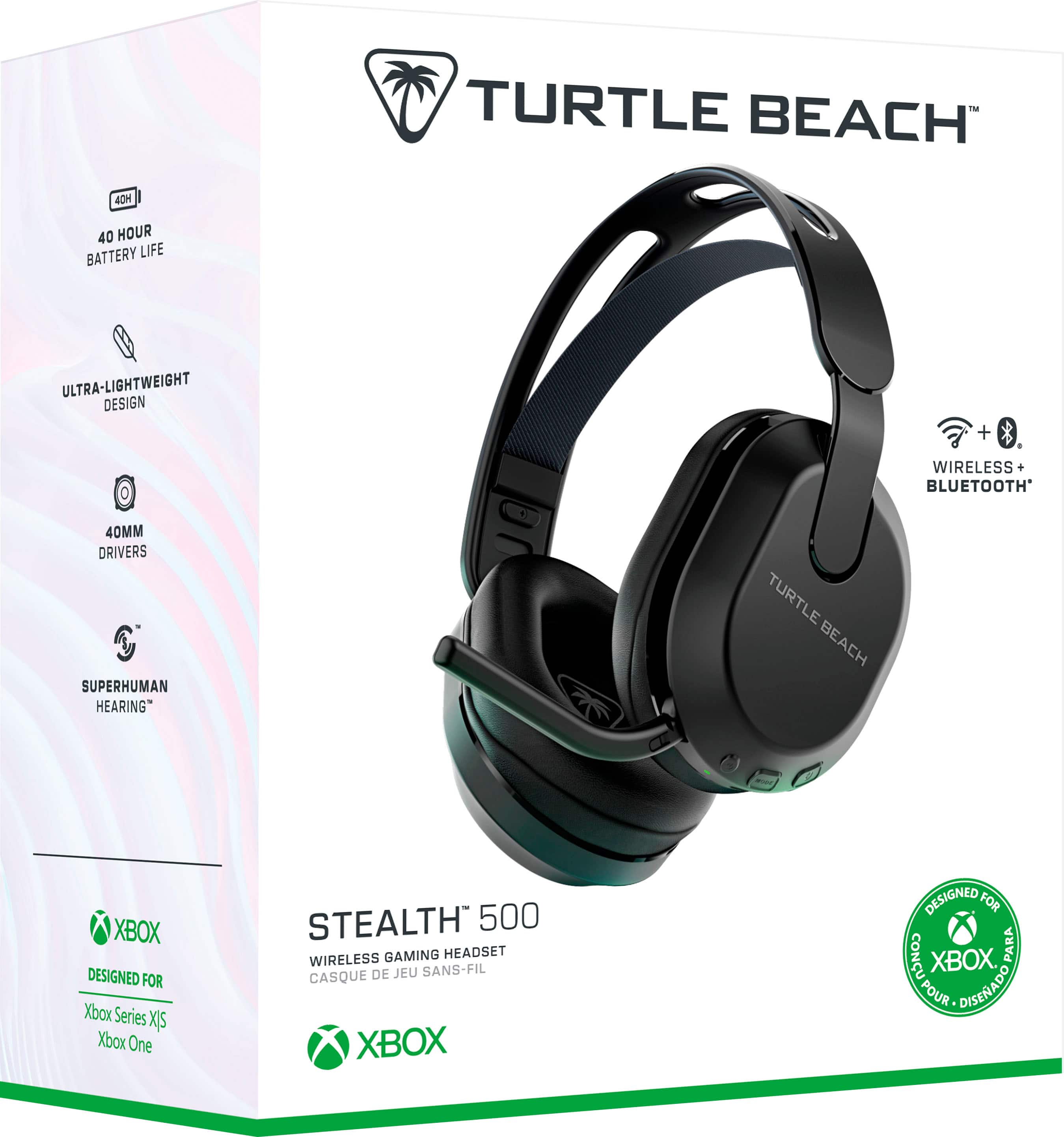
|Posted .This reviewer received promo considerations or sweepstakes entry for writing a review.I received the Turtle Beach - Stealth 500 Wireless Gaming Headset for Xbox Series X|S, Xbox One, PC, Switch & Mobile, Bluetooth, 40-Hr Battery in Black. They seem to be well made and durable. This headset is comfortable. Its leatherette earcups covered my ears perfectly, keeping them snug, they are very light headset, weighing only 8.28 ounces, so you don’t feel it weighing down on you, allowing you to wear it for long periods of time, it is a comfortable headset, be warned that the leatherette earcups can make your ears hot. I found that the headset excels at amplifying dialogue when there’s upbeat battle music playing in the background. The headset has effective spatial audio, so I could hear the eerie creaking of theme park rides and enemies mumbling under their breath from every direction. The Stealth 500 also has a Superhuman Hearing mode which lets you amplify either footsteps or gunshots. The Turtle Beach Stealth 500 has an omnidirectional mic on its left earcup. While it isn’t retractable, it nicely slots into the edge of the earcup, It can be tilted at an angle to bring it closer to your mouth, and it's also “flip-to-mute”, which means it automatically mutes itself when you put it back up, the mic’s audio quality is decent enough. All the buttons you need to control the Turtle Beach Stealth 500 headset are on the left earcup, there are two scroll wheels placed right next to each other: one for volume and one for the mic. Overall, The Turtle Beach Stealth 500 headset is an entry-level headset, but it’s a headset that packs a punch. The wireless connectivity is great, with Bluetooth and a 2.4GHz dongle giving you the option to connect to your console and phone at the same time, and even switch between them effortlessly.
I would recommend this to a friend Rated 1 out of 5 stars
Microphone not Switch Compatible
||Posted . Owned for 2 weeks when reviewed.This reviewer received promo considerations or sweepstakes entry for writing a review.Microphone does not work with Nintendo Switch using wireless function.
No, I would not recommend this to a friendBrand response from Turtle Beach Support
Posted .Hello Mark!
We are sorry to hear about your experience with using the Stealth 500 microphone on Nintendo Switch via Bluetooth, however, please understand that this is a limitation put it place by Nintendo.
Nintendo does not allow devices connected to the Switch via Bluetooth to use microphone input.
If you have any other questions or concerns, please reach out directly to our dedicated Support Team so they can lend a hand. They’re always happy to help and can be reached right from the support section of the Turtle Beach website. Thank you and have a great day!
Rated 1 out of 5 stars
Sporadic Connectivity
||Posted . Owned for 3 weeks when reviewed.This reviewer received promo considerations or sweepstakes entry for writing a review.Mic works sporadically. Could be a bad unit? but its disappointing regardless.
No, I would not recommend this to a friendBrand response from Turtle Beach Support
Posted .Hello! We are sorry to hear about the experience you've had with your Turtle Beach Stealth 500 microphone. Our products are each sold with a manufacturer's warranty, and we have a dedicated Support Team available to provide assistance as needed. Please reach out directly to our dedicated Support Team so they can lend a hand. They’re always happy to help and can be reached right from the support section of the Turtle Beach website. Thank you and have a great day!
- Pros mentioned:Battery life
Rated 4 out of 5 stars
Just ok for Xbox users
|Posted .This reviewer received promo considerations or sweepstakes entry for writing a review.Setup: The headphones where pretty simple. Unbox the headphones, wireless receiver. Then connect the wireless receiver in the usb port of your xbox. Push the power button and you will hear wireless mode. That is it. In my case I needed to pute my tv so the sound did not come out of the tv and headphones. Inside the box was a setup guide which had a QR code for Android/IOS to update the firmware and adjust the EQ. Simply download the app and pair the headphones to your mobile device. I was greeted with a firmware update. Took about 5 min. Use: I like that these were easy to setup after the firmware update. They have decent spatial sound however I did not find them as full and detailed as other headphones I have used. They did work well and I did not encounter any issues with chat or game sounds. I just was not super impressed with the sound quality. I never found a need to charge these. I liked how you could just set them down and they go to sleep. Cons: I like that they are easy however the sound profile could give more details to the game like nearby enemies in FPS or more racing sounds in Forza. Also they were just ok as far as comfort. After a fee hours I took them off since they started to hurt my head.
I would recommend this to a friend - Pros mentioned:ComfortCons mentioned:Software
Rated 3 out of 5 stars
Not ready for prime time
|Posted .This reviewer received promo considerations or sweepstakes entry for writing a review.I’m going to get this out of the way right off the bat. This is the most frustrating bluetooth/wireless audio device I’ve ever had. Boxing/packaging seemed pretty basic, but the Turtle Beach Stealth 500 arrived in good physical condition. I immediately put the headset on and the comfort level was great, much better than my previous TB. The first thing I ever do with any device that has updateable firmware, is to update it. If a firmware update is going to brick a device I’d rather have it happen right away while I’m in my return/exchange period. Grab my phone, realize I have to get another new TB app (can’t use the one I already had on my phone), install the newer app, connect to the headset, tells me there is a mandatory firmware update available, but it wont let me do it. I tried multiple times and after reboots, one time it actually looked like it was going to work and I was able to push the button to update now, and the app crashed and shut down. Ok, time to try a different way. Grab my Win11 laptop, install the app, plug in the USB dongle, I get a message in the app saying it’s detected, firmware update available, click the button to update and it goes to a screen with no devices available to update. After beating my head on that firmware wall for an hour or 2 I gave up. Also, in the process of trying to update, a few times I would turn the volume and/ or mic dials up and down and I would get an endless beeping in the headset that wouldn’t stop until I power cycled it. Maybe this was fixed in the firmware update, which was impossible to do on the 3 devices I tried it with. So on to actually trying the Stealth 500 as delivered. I plugged the USB dongle into my xbox one X, turned it on and was able to connect the headset. Played a couple games and now I do have some good things to say. The headset feels lightweight on your head, comfort level is good, and the sound is good. Overall the TB Stealth 500 gets 1 star in software/firmware/apps and 5 stars in comfort/sound quality. I can’t recommend it until the software actually works.
No, I would not recommend this to a friendBrand response from Turtle Beach Support
Posted .Hello! We are sorry to hear about the experience you've had with the software for your Turtle Beach Stealth 500 Headset, it's not what we would expect. Our products are each sold with a manufacturer's warranty, and we have a dedicated Support Team available to provide assistance as needed. Please reach out directly to our dedicated Support Team so they can lend a hand with this. They’re always happy to help and can be reached right from the support section of the Turtle Beach website. Thank you and have a great day!
- Pros mentioned:Comfort, Sound quality
Rated 5 out of 5 stars
recommende
Posted .This reviewer received promo considerations or sweepstakes entry for writing a review.Best one i had sound super cool i love how light it feel on head,
I would recommend this to a friend Rated 4 out of 5 stars
Easy connection with limited adjustments.
|Posted .This reviewer received promo considerations or sweepstakes entry for writing a review.The Turtle Beach Stealth 500 wireless gaming headset for Xbox is a headset designed for easy pairing with the Xbox systems as well as Bluetooth support for most other compatible devices. The included USB adapter for the Xbox makes connecting to your Xbox system a breeze, just plug into the Xbox and make sure the headset is in the correct mode by simply pushing the mode button on the headset. Connecting to Bluetooth is fairly standard, long press the button to go into pairing mode and connect on your device to the headset. My only real complaint with this headset is the limited amount of adjustability and the headset does not fit great on larger heads due to this lack of adjustability. The elastic band can only be adjusted to one of 3 positions, and even the largest adjustment is not very large. The mic also has very limited adjustment making it difficult to get near your mouth for better quality audio. When in the down position it rotates only slightly to either the left or right and does not have any flexibility like most other gaming headset mics. Overall, I think this is a great product and would recommend it to anyone looking for a gaming headset for their Xbox system.
I would recommend this to a friend- Pros mentioned:ComfortCons mentioned:Software
Rated 1 out of 5 stars
These are complete dog crap.
Posted .This reviewer received promo considerations or sweepstakes entry for writing a review.These headphones are absolute dog crap. Everything is great about them except the electronics and software. They are the most comfortable headphones I’ve ever used and I love how the mic is placed but unfortunately they don’t work at all. They worked great the first couple of days and then randomly stopped working and I could not get them to connect to my Xbox or any Bluetooth device. All of the buttons stopped working and I couldn’t even turn them off. All of this happened within the first week of owning them. And on top of that the app that is supposed to work with them to adjust settings only works when in Bluetooth mode so it’s useless for gaming and it almost never can connect to the app in the first place. I have heard bad things about turtle beaches software in the last couple of years and they’re all correct. Do not waste your money on these, the steel series nova 5X and Astro A20 wireless are in the similar price point and way more reliable.
No, I would not recommend this to a friendBrand response from Turtle Beach Support
Posted .Hello Parker! We are sorry to hear about the experience you've had with your Turtle Beach Stealth 500 Headset, it's not how we would expect it to behave at all. Our products are each sold with a manufacturer's warranty, and we have a dedicated Support Team available to provide assistance as needed. Please reach out directly to our dedicated Support Team so they can lend a hand and get this taken care of. They’re always happy to help and can be reached right from the support section of the Turtle Beach website. Thank you!