Customer Ratings & Reviews
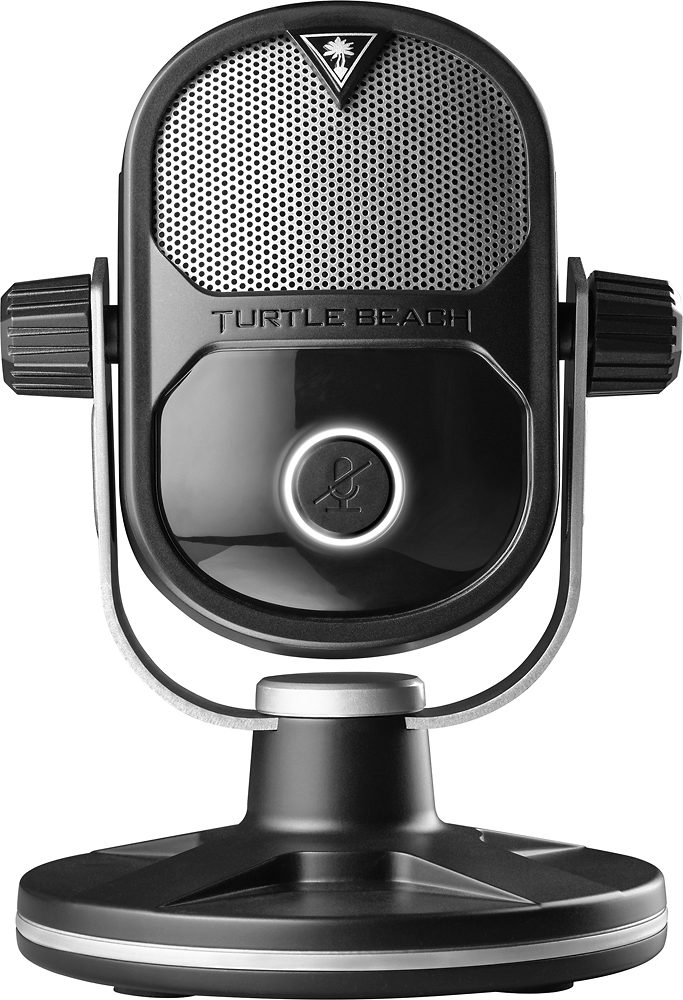
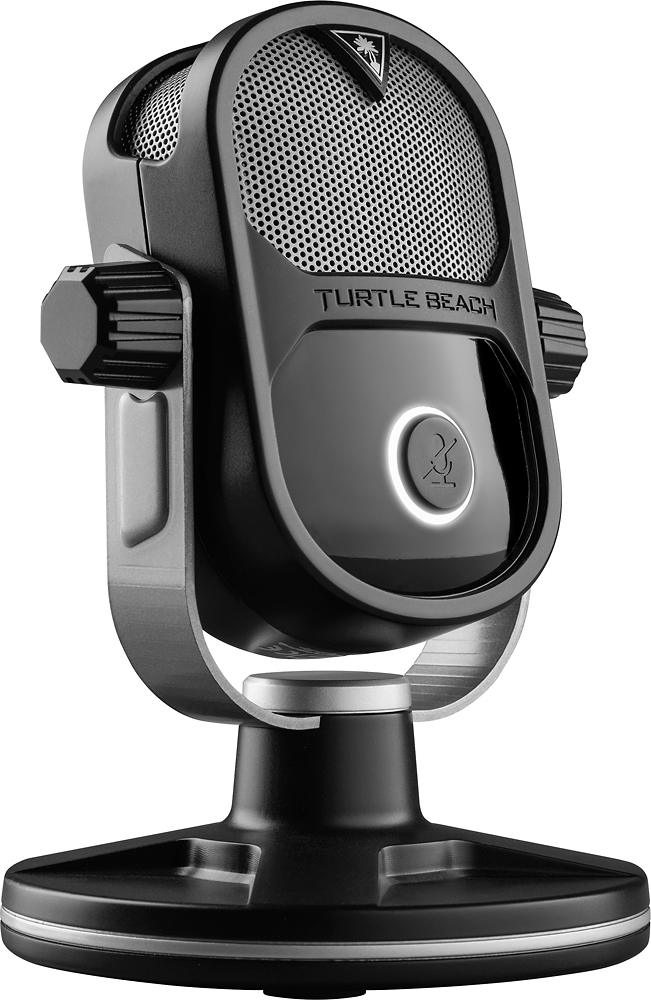
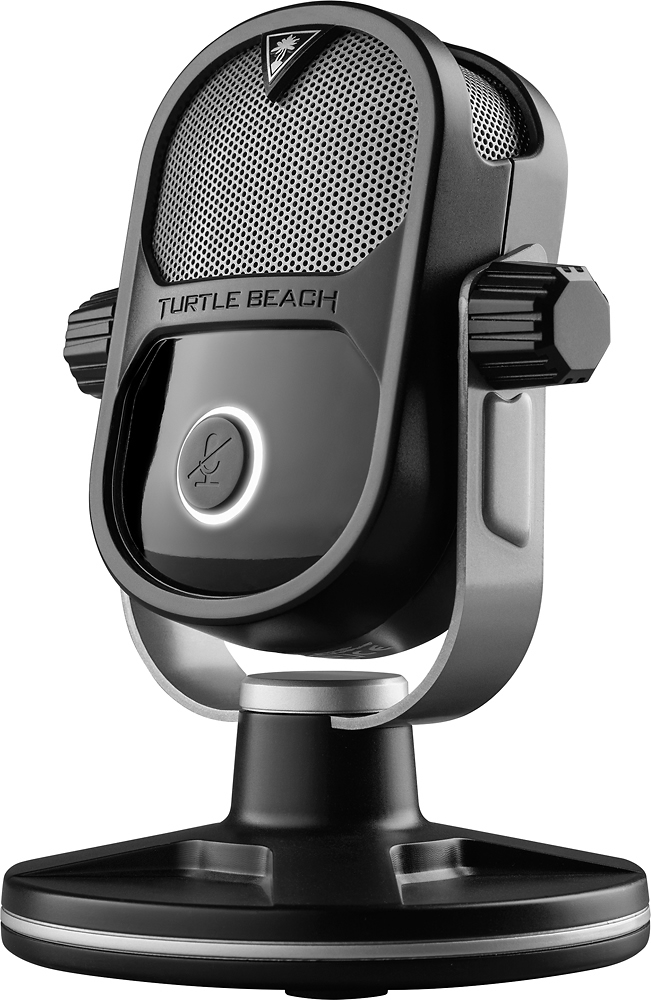
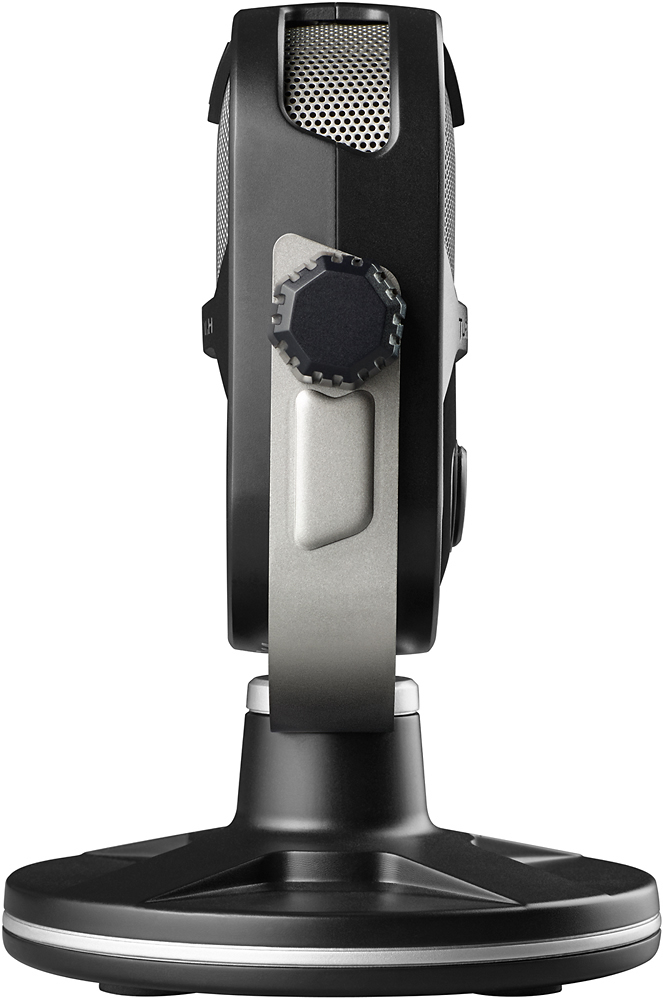
- Model:
- TBS-0400-01
- SKU:
- 5377200
Rating by feature
- Value
Rating 4.2 out of 5 stars
- Quality
Rating 4.2 out of 5 stars
- Ease of Use
Rating 4.6 out of 5 stars
Customers are saying
Customers are delighted by the Stream Mic's exceptional sound quality and ease of use. Many appreciate its compatibility with multiple devices and the affordable price point. While some users experienced minor difficulties with the software, the overall positive feedback highlights its value for gamers. The convenient size and straightforward assembly are also frequently praised.
This summary was generated by AI based on customer reviews.
- Pros mentioned:Ease of use, Sound quality

Easy setup, clear audio
|Posted .This reviewer received promo considerations or sweepstakes entry for writing a review.Simple to install and get up and running in no time, the Turtle Beach Stream Mic for PC and video game consoles really exceeded my expectations as an entry level mic when compared to other comparable products. The volume is pretty powerful; I use it in a small bedroom with not a lot of echo or air movement, but I still found the mic to pick up all kinds of sounds. While gaming, I didn't find it to be too distracting while online, but once again, it was used in a very controlled environment. I really liked the size of the mic. I found it to be well-built, with a good, rubberized base and nice weight to it. But it's not too big that I also have the option to mount it on a movable stand (though it does pick up a lot of sound when handling the mic). Overall, it's a pretty nice beginner's mic for streamers and gamers in a smaller room or environment. I was very pleased with this product. Full disclosure, I was provided this item for my honest, unbiased review.
I would recommend this to a friend Good for a beginner.
||Posted .This reviewer received promo considerations or sweepstakes entry for writing a review.Good microphone for a beginner, has a lot of distortion if you are a loud person. If you’re using it for casual gaming, or streaming, it will be fine.
I would recommend this to a friendAlright mic
||Posted .This reviewer received promo considerations or sweepstakes entry for writing a review.The mic is pretty compatible with systems but the voice clarity isn't great when recording. It picks up so much background noise for all modes.
I would recommend this to a friend- Pros mentioned:Ease of use, Sound quality
Multi-functional Streaming Mic!!
|Posted .This reviewer received promo considerations or sweepstakes entry for writing a review.This is a multi-functional mic that can serve various purposes for PS4, conference calling, Xbox gaming, pod casting, interviewing etc. I am a college lecturer; therefore, I chose to use this Mic which has outstanding range to record some podcasts for my students to listen to on Blackboard and/or download. The process of recording was very user friendly. I chose Cardioid which recorded my voice nicely. I did not experience any muffles, background noises, or echoes that can sometimes pick up when recording. The unit itself was very easy to assemble, and it seems robust for the most part. I will note, the Mic itself is made of a plasticky material; however, the unit’s bottom is robust and steady. The supplied USB cord is long in length, which is welcoming for me as I need it for the various places that I plan to do recordings in. Overall, Turtle Beach did a great job with this product as it is very multi-dimensional in usage!!!
I would recommend this to a friend Ap only works in xbox mode
||Posted .This reviewer received promo considerations or sweepstakes entry for writing a review.Can't change the settings in pc mode only when in xbox mode and the pc doesn't find it in xbox mode
No, I would not recommend this to a friendIts an ok mic but.....
||Posted .This reviewer received promo considerations or sweepstakes entry for writing a review.This mic is ok but if your wanting something for Youtube videos get the Yeti. This one doesnt cut it, it sounds weak and doesnt handle voice well unless your right up to the mic.
No, I would not recommend this to a friend- Pros mentioned:Ease of use, Mic pattern, Sound quality
Easy to use with good results.
|Posted .This reviewer received promo considerations or sweepstakes entry for writing a review.Review for Turtle Beach - Stream Mic for Xbox One, PlayStation 4 and PC The best thing about this mic is it’s ease of use! It’s simple to connect to your Mac, PC, or gaming system via USB; no need to have or use special audio hookups. The variety of settings for mic patterns make it easy to match your needs, whether it’s recording with a group, another person, or just you, This mic is very solid and sits firmly on a tabletop. It also allows for a boom mic stand mounting, which is great! The sound quality is excellent for the price. There is a jack in the back to plug in your headphones. Overall, a very nice mic!
I would recommend this to a friend Mediocre
||Posted .This reviewer received promo considerations or sweepstakes entry for writing a review.Other features didn’t really work and you have to be really close to it
No, I would not recommend this to a friend- Pros mentioned:Sound qualityCons mentioned:Software
Great product marred by poor software
|Posted .This reviewer received promo considerations or sweepstakes entry for writing a review.For the longest time, I've really only wanted one thing from a desktop microphone. The ability to sound good while also filtering out the sound of a dachshund frantically alerting me to the fact that he's spotted a neighbor. A pipe dream? Probably. But this mic came closer than anything else to actually living up to it. While most of my recording is a little more casual these days, a few years ago I did a lot of VO work and narrated a few audio books. As a result, I happened to have a reference for what I sound like using a high end condenser mic in a recording studio handy when I sat down to see how this mic measured up. It's not quite up to par with that, but I have to say it came astonishingly close to it. The audio quality in cardioid mode is phenomenal, and while it might not perfectly emulate my voice or block out all the fan noises from my computer it makes it sound pretty fantastic all the same. The only thing that keeps me from giving it the full five stars is the software which comes with it. As great as the hardware is, the software is just a chore to use. To start, it refuses to even recognize the mic is present unless it's been switched to XBox mode. But in XBox mode, Windows refuses to properly recognize it and I can't get anything at all out of most of my recording software. Perhaps I was just using the wrong software combination, but even so it seems rather ridiculous to require this. Fortunately I didn't miss it too much, as there isn't much in the software that's any good. The hypercardioid and supercardioid modes are the only things that really look useful - the rest is a somewhat over the top echo effect and a few equalizer presets. Personally I'd recommend that you skip the software and just run it straight out of the box. It's much easier.
I would recommend this to a friend Wasn't impressed
||Posted .This reviewer received promo considerations or sweepstakes entry for writing a review.This microphone sounded ok but it had problems with ambient noise
No, I would not recommend this to a friendGets the job done, with a lot of feedback.
||Posted .This reviewer received promo considerations or sweepstakes entry for writing a review.If using for general game play, this will do. If using for streaming, not so much. There is a great deal of external feedback no mater which mode you have it in. Also, if and when you rage, the mic is unable to handle the loud input and distorts your audio BIG TIME. Wouldn't recommend.
No, I would not recommend this to a friend- Pros mentioned:Sound quality
A Versatile Starter Microphone
|Posted .This reviewer received promo considerations or sweepstakes entry for writing a review.The Turtle Beach - Stream Mic for Xbox One, PlayStation 4 and PC is an inexpensive microphone that has studio quality. The appearance is that of a professional studio microphone you might find used in a radio station. The base is extremely heavy enough to secure the Turtle Beach - Stream Mic for Xbox One, PlayStation 4 and PC from being knocked over or dropped by accident. The Turtle Beach - Stream Mic for Xbox One, PlayStation 4 and PC is a plug and play device. As soon as I plugged the Turtle Beach - Stream Mic for Xbox One, PlayStation 4 and PC into my computer’s USB input, drivers immediately began to install. After driver installation, I configured the Turtle Beach - Stream Mic for Xbox One, PlayStation 4 and PC by setting it as the default playback and recording device. My amateurish sounding voice was processed by the Turtle Beach - Stream Mic for Xbox One, PlayStation 4 and PC and was changed into a more professional news anchor sounding voice. The Turtle Beach - Stream Mic for Xbox One, PlayStation 4 and PC is a very sensitive microphone and can pick up the slightest noise from a distance. There is feedback from my computer’s speakers regardless of the distance between it and the Turtle Beach - Stream Mic for Xbox One, PlayStation 4 and PC, when I raise the volume past fifty (50). I am able to plug in a headset and listen to my voice and adjust the Turtle Beach - Stream Mic for Xbox One, PlayStation 4 and PC pattern of recording by pressing the Polar Pattern/Mic Sensitivity Button. The Turtle Beach - Stream Mic for Xbox One, PlayStation 4 and PC is a great versatile starter microphone for a professional online voice.
I would recommend this to a friend Not good
||Posted .This reviewer received promo considerations or sweepstakes entry for writing a review.usb input damaged in just few weeks. I don’t recommend this item.
No, I would not recommend this to a friend- Pros mentioned:Compatibility, Price, Sound quality
High Quality Streaming Mic!
|Posted .This reviewer received promo considerations or sweepstakes entry for writing a review.I am in love with my Turtle Beach Stream Mic! I cannot believe the quality of the recordings for my wife's blog and my Facebook Live sessions I do for a racing series. Setup is a breeze and the software works flawlessly. I love the bi-angle sound quality between 2 people, the sound is top notch and blocks out the excessive ambient sounds. Form and function is easy, with big buttons and switches. PC and Mac hookups are simple and fast, work every time. Its a nice mic, no reason to go anywhere else, the price is right on this one. Great Job Turtle Beach!
I would recommend this to a friend - Pros mentioned:Mic pattern, Sound quality
Solid versatile mic
|Posted .This reviewer received promo considerations or sweepstakes entry for writing a review.Got this mic for review. I like that Turtle Beach is stepping up their game when it comes to audio streaming applications. This standalone mic is a sturdy nice all-around use for streamers and gamers, singers and narrators. However, while it does spoken voice well, it doesn't particularly excel at capturing singing vocals. It does seem to do a good job at picking up sounds around the room (if you want it to) but it does have 4 settings you can mess with: Cardioid - Picks up what's directly in front of it Bi-directional - Picks up front and back (for interviews) Hypercardioid - Like cardioid but a bit more focused to block out surrounding noise Omnidirectional - Picks up sound all around (group recording, ambient sound, etc) The mic itself has a mute button in front. On the backside, it has a headphone jack if you want to plug some in, and beside the port, a volume control for the headphones. (headphones not included). The button for mic pattern selection is next to the volume control, and next to that is the switch for Xbox/ or PC/PS4. It will also work with a Mac. Next to that, is the USB port which plugs into the computer. You can adjust the angle of the mic and it has a heavy duty stand to hold the mic well in place. The box also comes with a mic boom adapter in case you want to place it on a boom. If you want to have a solid microphone without breaking the bank, I recommend this one. If you are going for a serious singing microphone, I'd look for something else. Overall, I'm satisfied.
I would recommend this to a friend - Pros mentioned:Mic pattern, Sound quality
Turtlebeach nails it.
|Posted .This reviewer received promo considerations or sweepstakes entry for writing a review.Let me start off by saying that the Turtle Beach Stream Mic sounds better than most headsets I have tried. I used it with both my PC for VOIP and my Xbox One and it is just great. Set up was easy, plug it in and go ( you may have to make some setting adjustments on the XBox One.) I never liked headsets for listening to game play, I find them distracting and have only liked the original XBox 360 wireless chat headset. Now, with the Turtle Beach stream mic, I can enjoy completely wireless chat while listening to the full sounds coming from my television. At first, I was concerned about the sound pcik up from my television but Turtle Beach has it covered. There are 4 different modes of mic patterns that you can choose from for the room – cardiod, hypercardiod, omnidirectional and bi-directional. They give a listing of how each mode behaves in the documentation. Essentially cardiod is for streaming in a relatively quiet room with it picking up sound from in front of the mic, hypercardiod is for a loud room with picking up sound from in front of the mic ( this is one I ended up using,) bidirectional is for two way mic use like an interview and omnidirectional is picking up sound from all around. Whatever type of technology Turtlebeach has developed for the mic, it really works well. I had zero clarity issues and little pick up of backround sound. Not bad for $80 mic. It comes with a nice long USB wire and is built relatively well. I would have liked to see more metal in the construction but I am sure Turtle Beach is trying to keep the price down. So in summary, this is 5 star win for Turtle Beach and I recommend it completely.
I would recommend this to a friend - Pros mentioned:Sound quality
A clear and powerful mic
|Posted .This reviewer received promo considerations or sweepstakes entry for writing a review.Turtle Beach hit it out of the park again with their new stream mic. It is a quite the multipurpose microphone that can be used for just about any voice recording or broadcasting you need. Assembly is very straight forward out of the box and can be set up as a tabletop mic or on a stand or boom. The tabletop stand is nicely weighted so it will stay in place and comes with a 10 ft. USB power cord. It connects seamlessly to all 3 devices with the USB and you can plug in headphones into the back of the mic to listen to mic audio and game sound. There is a switch on the back of the mic and has to be flipped one direction for use on Xbox, or the other direction for use on Playstation/PC. The mic has a large mute button on the front of it, with a led ring surrounding it. The ring will light up red when recording is muted, but will light up to 4 different colors to let you know what recording mode you are in. Switching recording modes is as easy as pushing the button for it on the back of the mic and looking at what color the ring lights up. Recording playback is clear and crisp and can pick up talking from across the room with ease. On the PC though, I would recommend getting extra voice enhancement software depending on what your doing. Overall this is a great solution if you are wanting a professional level microphone but don't want to pay huge costs!
I would recommend this to a friend Poor Fidelity and Glitchy
||Posted .This reviewer received promo considerations or sweepstakes entry for writing a review.The sound is terrible on this microphone. Half the time my voice was digitally distorted. When it did work, the fidelity was low and muffled. I returned it for a full refund.
No, I would not recommend this to a friend- Pros mentioned:Mic pattern, Sound quality
Great little mic with wide-ranging recording modes
|Posted .This reviewer received promo considerations or sweepstakes entry for writing a review.This has been my first experience with any sort of standalone streaming microphone and so far, I am very impressed with the Turtle Beach Stream Mic for Xbox One, PlayStation 4 and PC. I mainly use mine for PC but did test it out on my Xbox One as well and found it did a fine job. I already own a Turtle Beach headset that I normally use with my Xbox One and will likely continue to use the headset rather than this microphone simply because it is much more convenient and easier to use. The Stream Mic really comes in handy for PC use instead since this allows a much more stationary setup. One strange thing to note during setup for PC is that the Turtle Beach Audio Hub software requires the mic be switched to Xbox mode in order to access it through the software. As far as I can tell, this is the only way to adjust and customize the settings. Once you have made the adjustments you wish to make, the mic must then be switched back to PC mode in order for your system to actually recognize it as a mic and to actually use it. Aside from this little quirk, using the mic is relatively simple. There is a wide range of mic patterns and recording options available which means you should be able to find a mode that suits you regardless of what your specific needs are. Overall, this is a great quality mic at a generous price and I highly recommend it!
I would recommend this to a friend - Pros mentioned:Mic pattern, Sound quality
Sounds great
|Posted .This reviewer received promo considerations or sweepstakes entry for writing a review.I've always liked my Turtle Beach headphones for gaming, so I was excited to try out this microphone. So far, I've not been disappointed. I did have a bit of confusion installing the mic on my PC, though. When you plug into the USB after installing the Turtle Beach Audio Hub, it tells you to switch the mic to Xbox mode (instead of PC). Then, after installing the Windows driver it didn't prompt me, and I didn't remember, to switch it back to PC mode. So, it took me a little bit to figure out why it wasn't working correctly. After getting over that hurdle, everything worked great. While the mic itself is all plastic, it has a very nice, heavy weighted base with rubber feet. Once it's set up it looks good and stays in place. I was pleasantly surprised that it came with a nice long USB cable so you can easily get it positioned where you want. I haven't tried many of the settings yet, but the default settings sound great for voice-over in my videos. It worked great for a couple of conference call/Skype sessions, too. I also like that the mic has a headphone jack on the back. That makes it easy and convenient to get plugged in without having to stretch extra wires to the PC output. Overall, I think if you're looking to upgrade your existing low-end microphone this is a great choice.
I would recommend this to a friend