Customer Ratings & Reviews
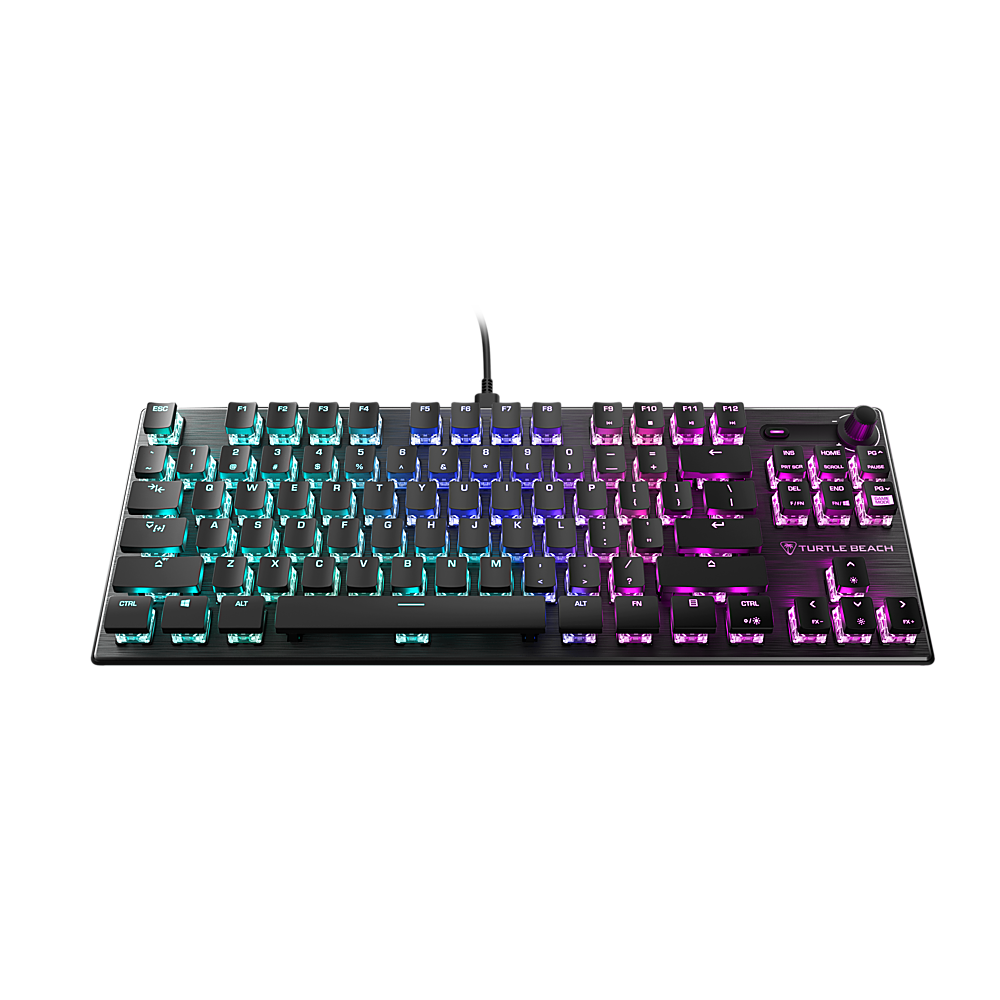
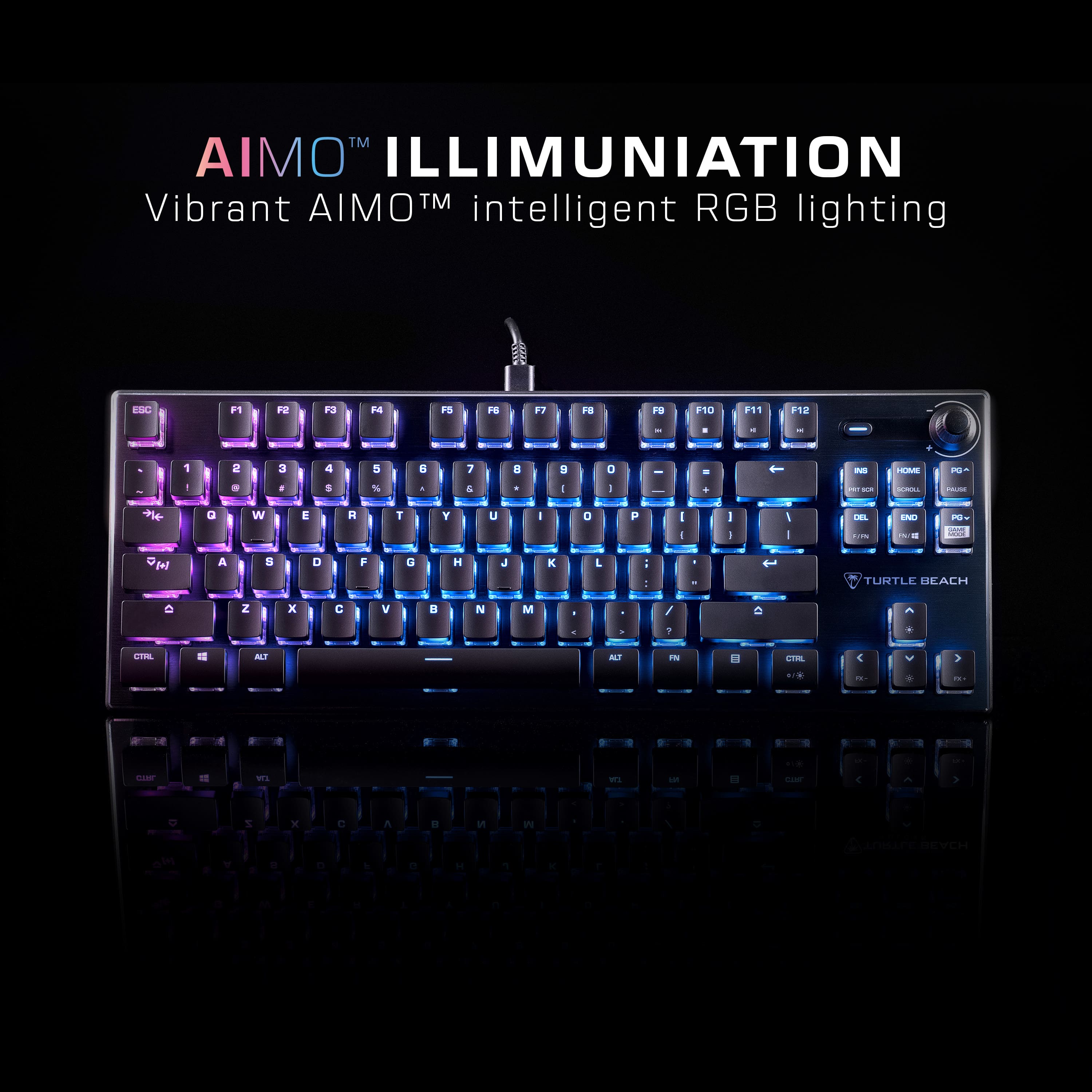
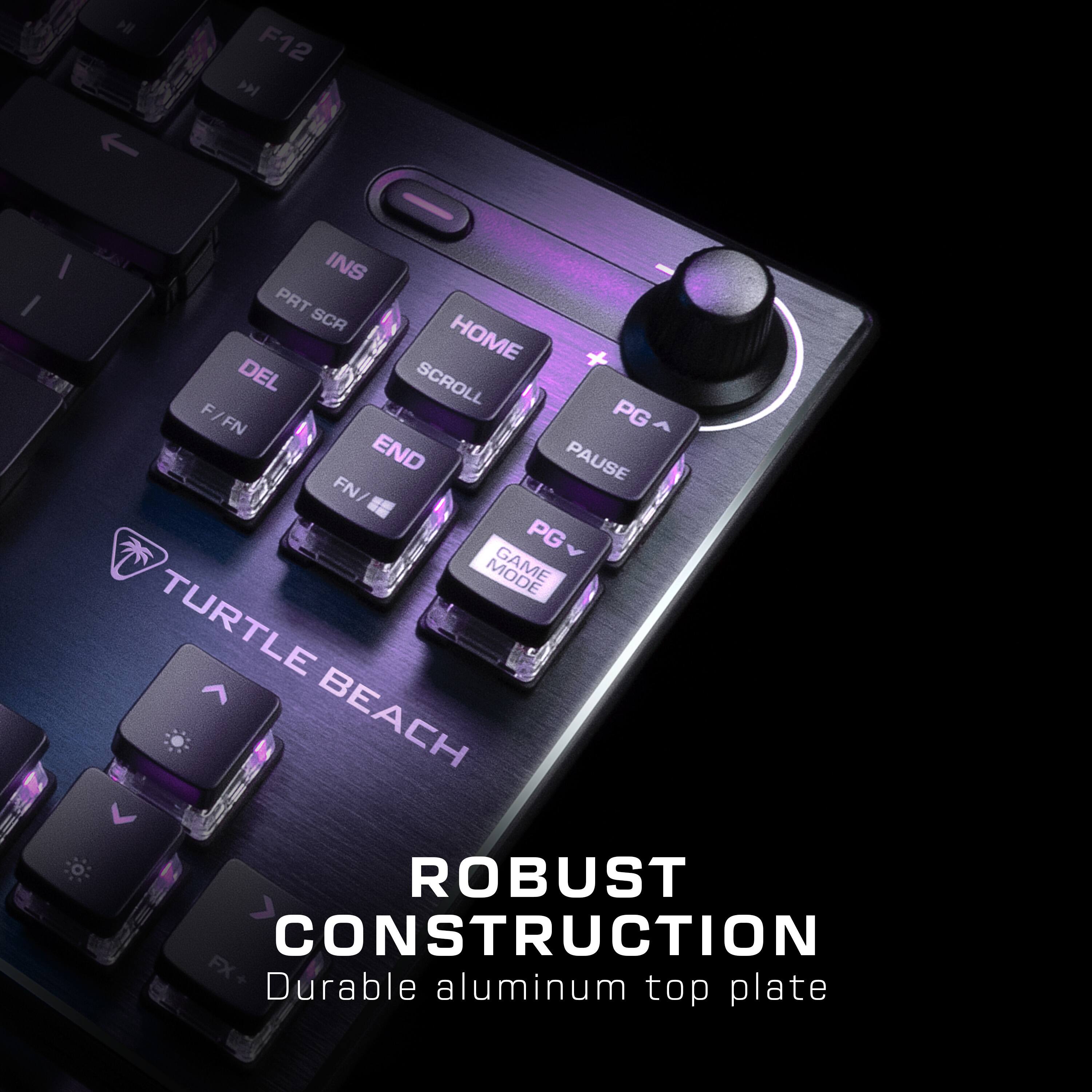
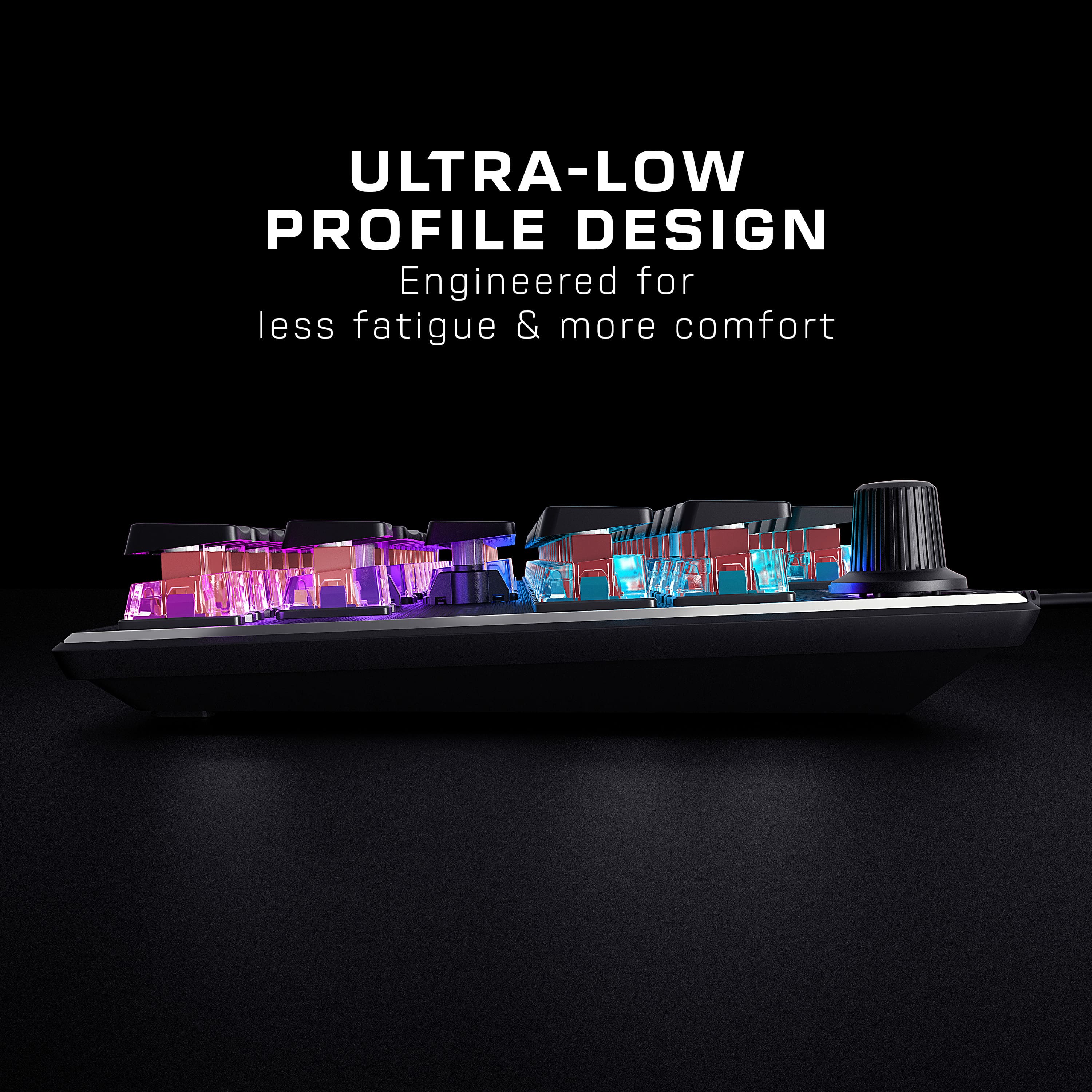
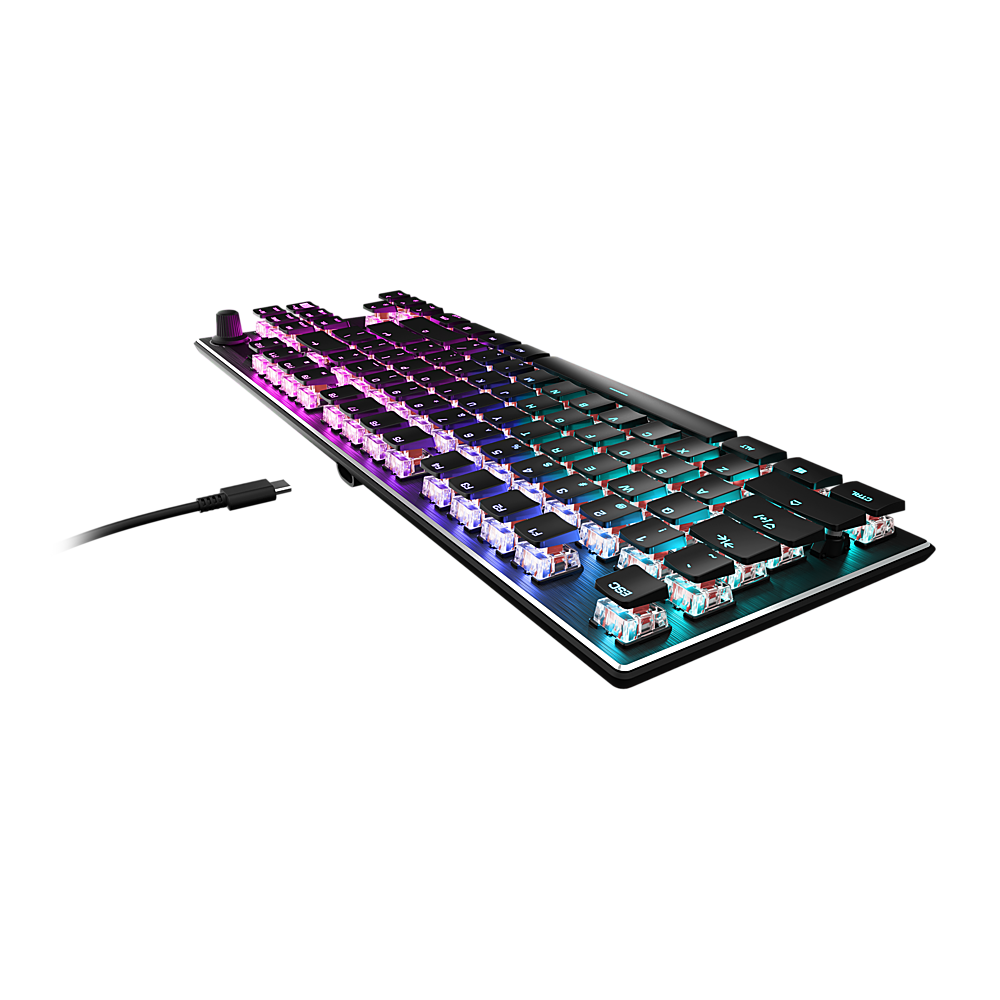
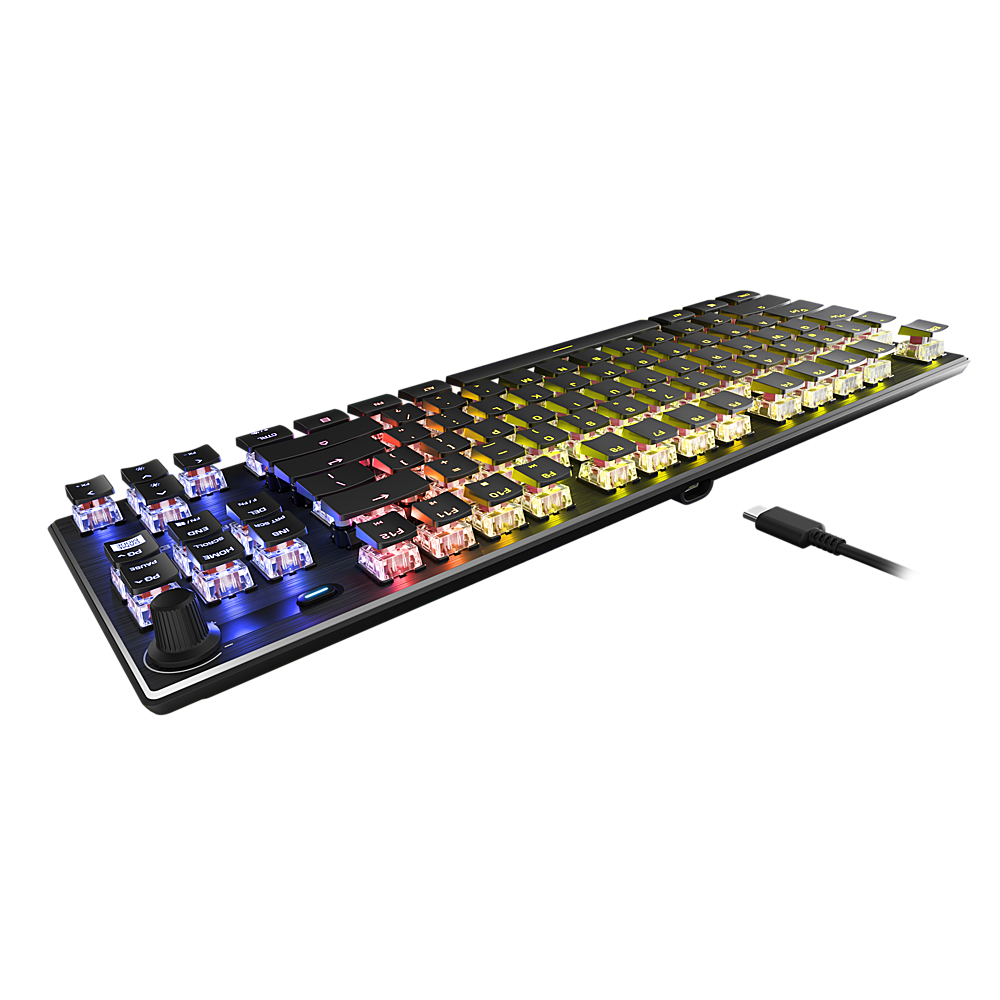
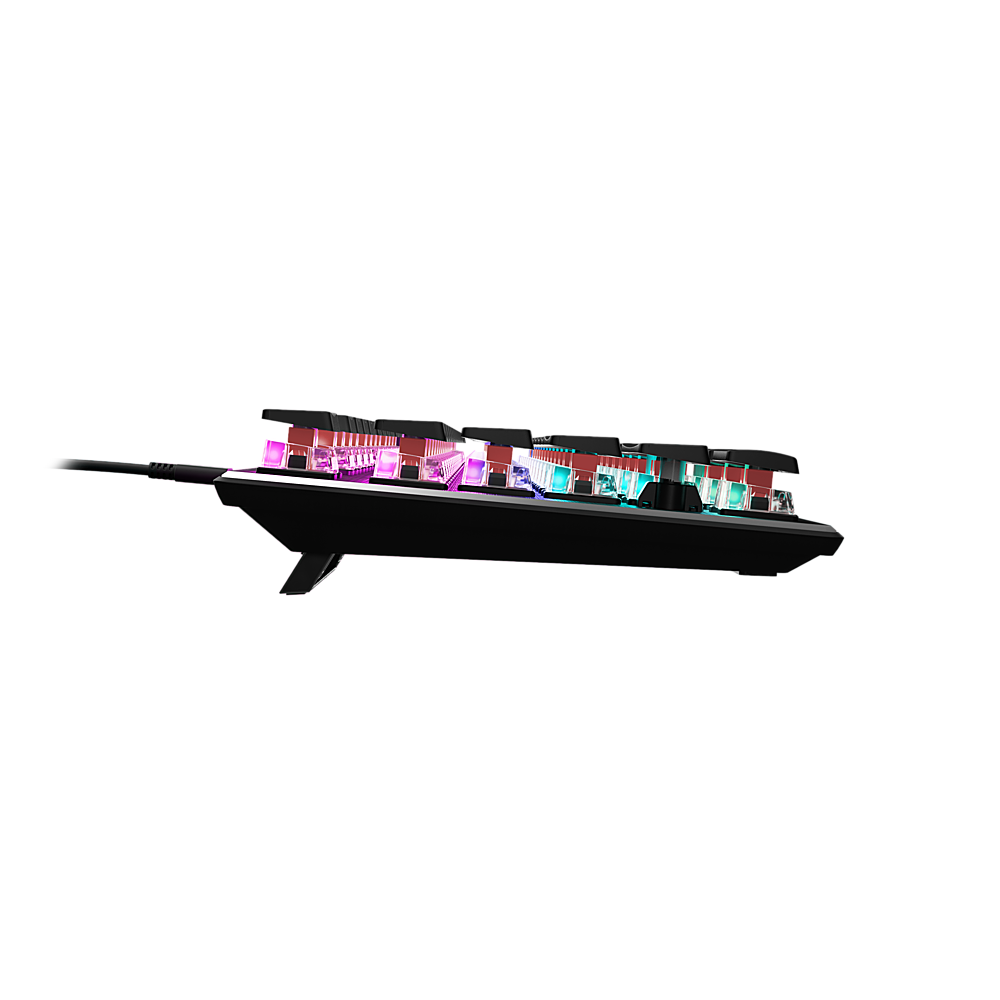
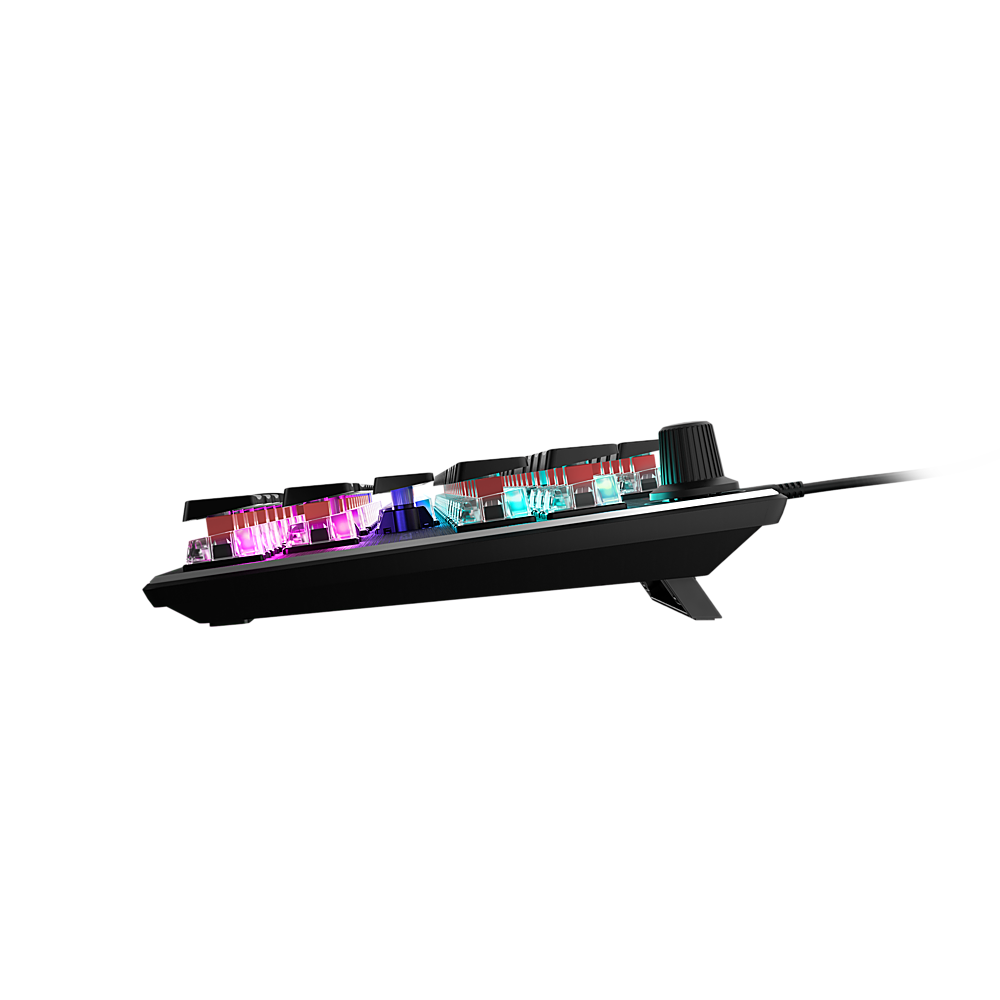
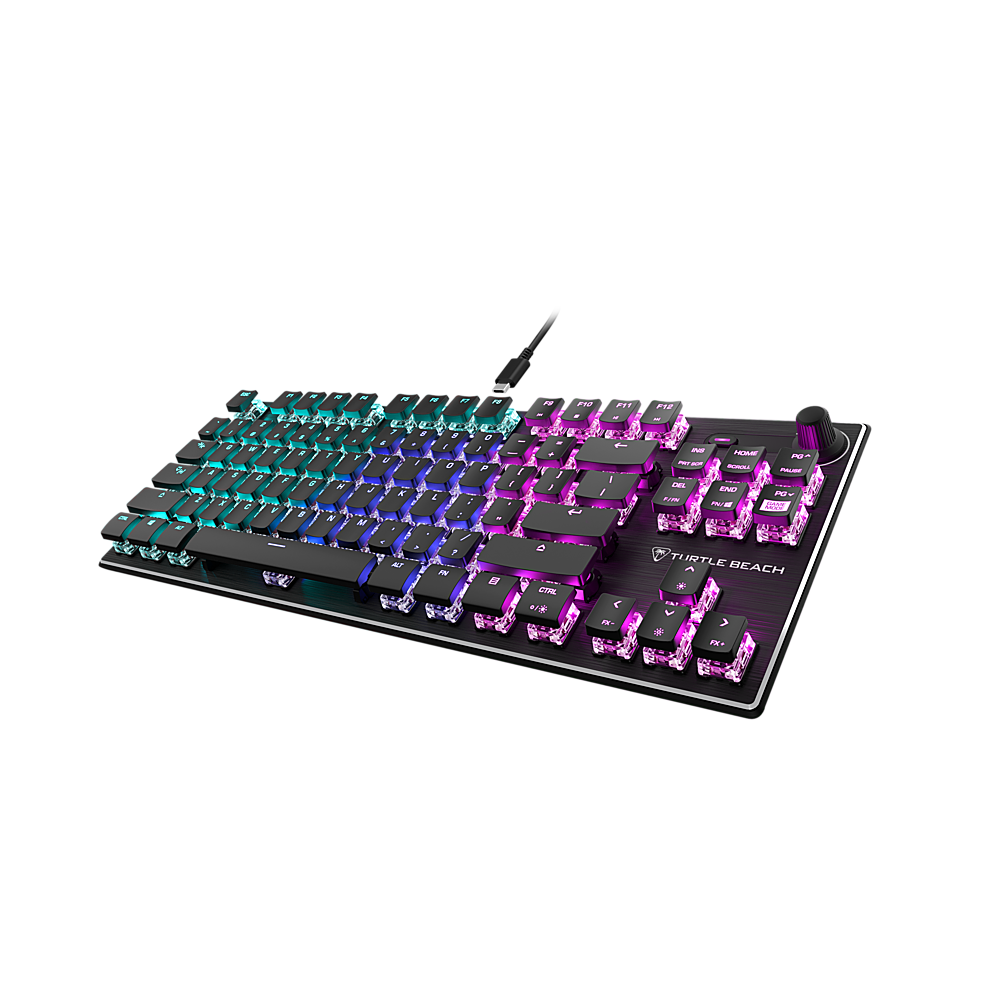
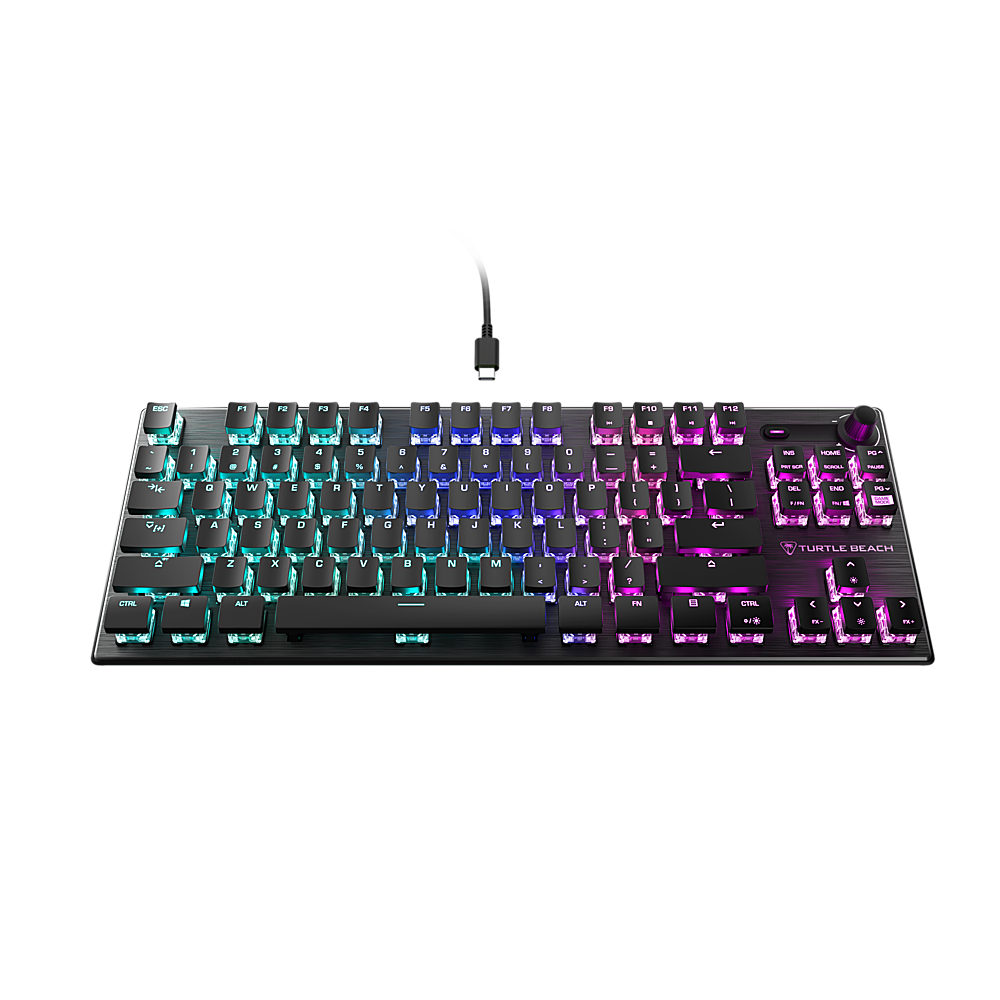
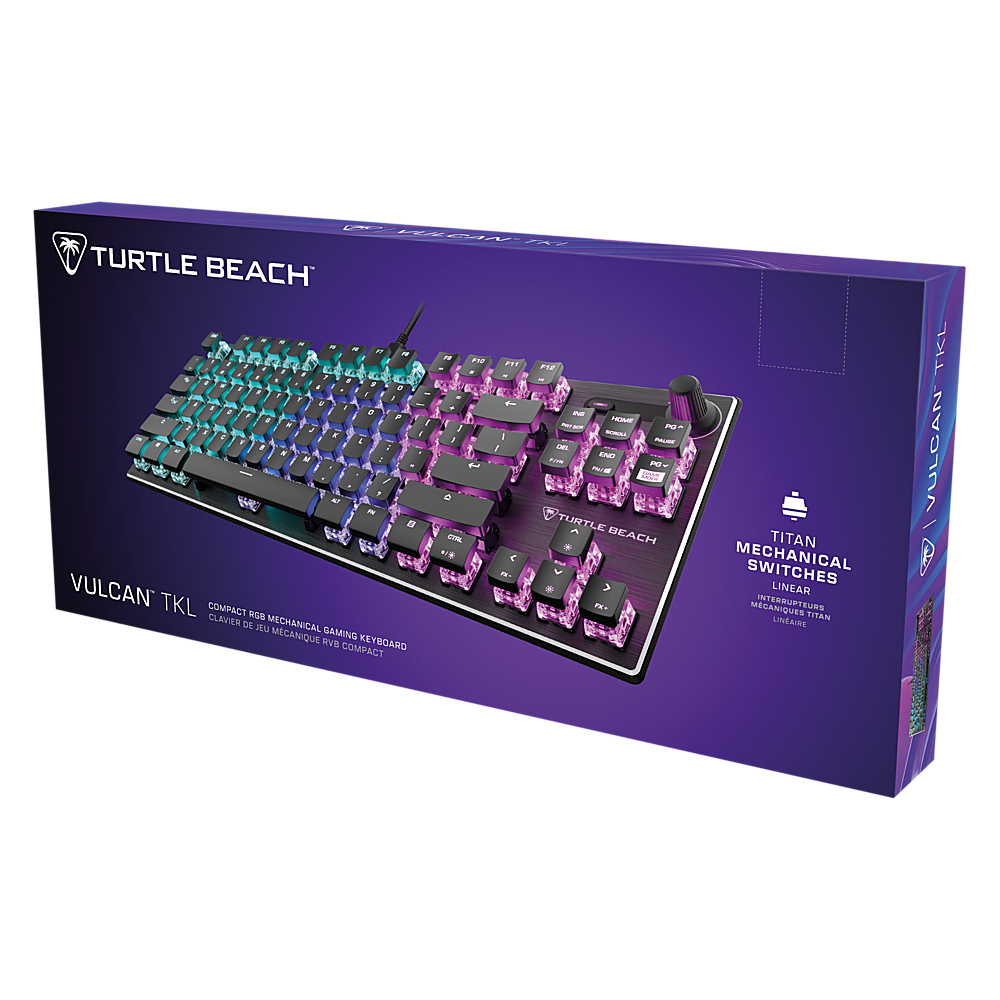
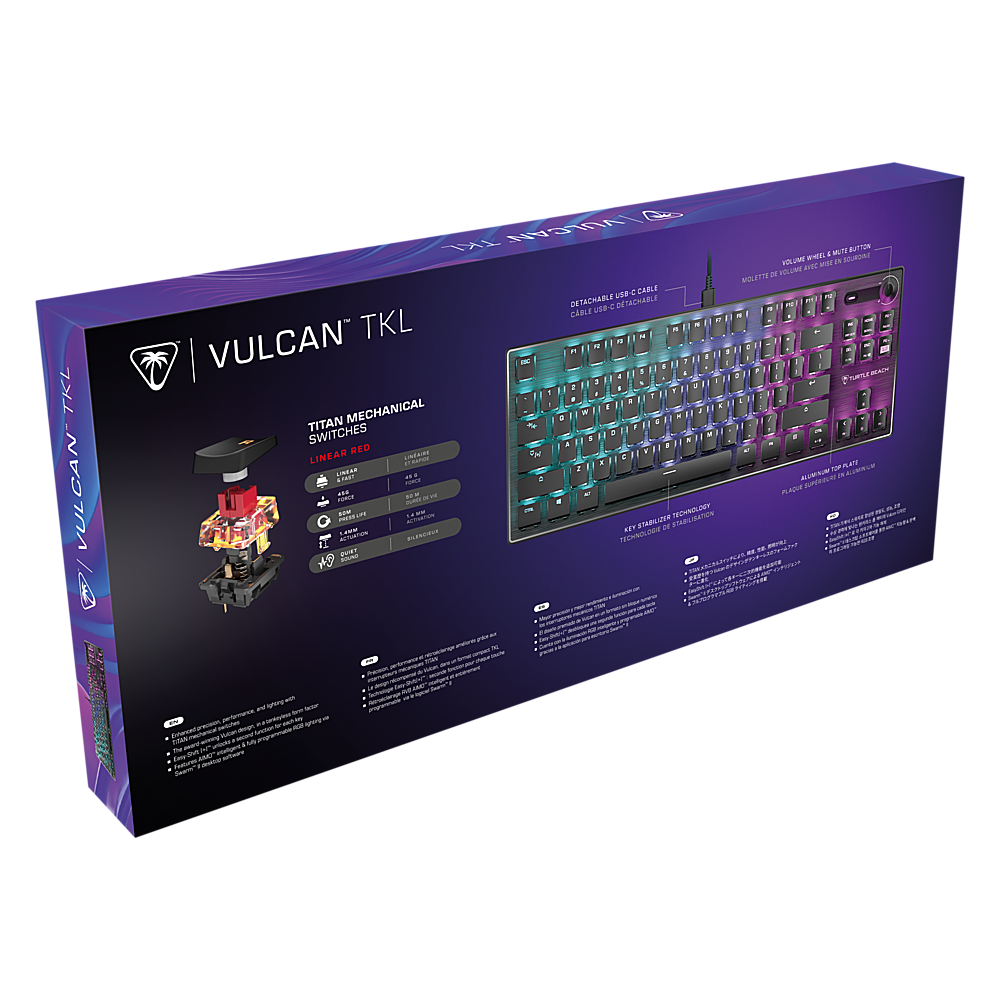
![MIXER-STYLE CONTROLS: Volume Wheel & Mute Button
10 F12 F11 N T = + ] [ } I I T + PG HOME PAUSE INS SCROLL PG SCR GAME PRT END DEL FN/ F /FN I TURTLE BEACH](https://pisces.bbystatic.com/image2/BestBuy_US/images/products/e21a0b50-142f-4b38-9ce1-2bb6cb344b29.jpg)

- Model:
- TBK-2001-01-US
- SKU:
- 10917698
Rating by feature
- Value
Rating 4.6 out of 5 stars
- Quality
Rating 4.8 out of 5 stars
- Ease of Use
Rating 4.8 out of 5 stars
Customers are saying
Customers are delighted by the solid build quality, incredible RGB lighting, and comfortable key feel for both typing and gaming. They also appreciate its perfect size, ease of use, and the great Titan switches, along with intuitive software for advanced configuration. However, some customers have experienced issues with the space bar and find the product to be on the pricey side.
This summary was generated by AI based on customer reviews.
- Pros mentioned:Key feel, Rgb lighting

Great Mechanical Keyboard for Gaming
|Posted .This reviewer received promo considerations or sweepstakes entry for writing a review.I generally use full 104-key keyboard. I don't know why, just always have. On my computer, I work, write a lot, and game. So these are my thoughts on all three. THE GOOD ~ Very compact design. I have more space on my desk now. I rarely use the 10-key pad, so the additional space is nice. ~ Good gaming keyboard. ~ The keys are very responsive (sensitive). You don't have to press them down very far before getting a response...probably less than half-way. ~ After you hit a key, it will generally change colors (unless you changed the lighting mode). This is nice if you spend a lot of time looking at the keys like I do. ~ There is a gaming mode button which will disable the windows button to prevent accidental closes to desktop. ~ I like the Swarm Software ~ You can program different keys for color (Like WASD in my pic) or macros ~ Volume dial on the keyboard (It works with headsets and speakers). Where the headset is concerned, it is definitely quicker and easier than fumbling around my ear. As for the desktop speakers, it is a little more convenient since I don't have to reach down to where the control knob is). THE BAD ~ There is really nothing "bad" that I have seen or experienced with this keyboard. THE MEH! (or can go either way) ~ Very "clacky." If you're looking for a mechanical keyboard, you know what I mean. There is definitely a report. I like having the clack. This is a tad quieter than my other keyboard. I think I actually prefer this one for noise. People can definitely tell when you're typing if you're using Discord or something like that. ~ You can have the keys make various sounds while typing. It is actually kind of fun... but might get annoying after a while. (Right now every keystroke makes a laser sound.) ~ Personal preference here, I am used to seeing secondary characters *above* numbers or symbols. Here they are below. It confused me at first... like when typing the ~. ~ Also the secondary characters do not light up, so you would see the 7 in the dark, but not the & symbol. ~ They keys are very sensitive. I am not a great typist and have a tendency to bump keys sometimes. The sensitive nature of this keyboard will add those letters. So, I have to proofread. ~ Personal issue here, too. I am used to looking over and seeing a "caps lock" light on the right. This does not have a "caps lock" light over there. Instead, when the caps lock is on, the key turns solid white. ~ USB-C connector. I actually like this. The keyboard is USB to the computer with a USB-C connector to the back of the keyboard. This means you can change the cord length if you desire or the cord if it gets damaged. I have a rottie that liked eating cords last year. OVERALL I would definitely recommend this keyboard to people. I love the responsiveness and the RGB effects. The software makes it very easy to work with and to perfect to my particular tastes. As I stated, I haven't found any negatives. Some of my "meh" issues can be viewed either way by people. If you are looking for a nice, compact mechanical keyboard with some added features, don't overlook this one. I can't speak to durability since I have only had it a few days, but as for feel... it feels great. I have not used Roccat before, but I will be paying more attention to them from now on for my builds.
I would recommend this to a friend Decent while it lasts
||Posted . Owned for 11 months when reviewed.This reviewer received promo considerations or sweepstakes entry for writing a review.Worked good while it lasted, keys are starting to fail already
No, I would not recommend this to a friendBrand response from Turtle Beach Support
Posted .We're sorry to hear about the experience you're having with your Vulkan keyboard.
ROCCAT's products are sold with a manufacturer's and their dedicated Support Team would be more than happy to lend a helping hand with this inconvenience. Please take the time to visit the main ROCCAT website so you can access the team's Contact Form. Submitting that form would get the warranty (troubleshooting and/or replacement service if necessary) process started.
Thank you and have a wonderful day.
- Pros mentioned:Key feel, Keyboard quality, Rgb lighting
Solid and beautiful
|Posted .This reviewer received promo considerations or sweepstakes entry for writing a review.Well designed, easy to clean as each key is an island. The keyboard is very rigid and does not warp. Has many lighting schemes including intelligent lighting able to change color based on your status. Keys are very responsive and very nice to type on, it travels about 4mm linearly and smoothly. But the space bar has more play then other keys so it makes a different noise and feel a bit weird when pressed, makes it looks cheap and less in quality, less robust. In term of configurability, it is very flexible, many configuration options using the ROCCAT Swarm software/driver but I had to spent more time figuring out how to use it. The other con is when making setting changes using the Swarm software, click on ok or apply takes longer than I like.
I would recommend this to a friend Returned almost immediately
||Posted . Owned for more than 2 years when reviewed.This reviewer received promo considerations or sweepstakes entry for writing a review.Broke in less than a week. Poor quality, I've seen gaming sponsorships for this and wonder why? Like this thing played like garbage.
No, I would not recommend this to a friendBrand response from Turtle Beach Support
Posted .Hi and thanks for choosing ROCCAT. We are sorry that your Vulcan TKL broke. Please note that, when a product shows an obvious defect or when you are facing another problem with it, you can always reach out to our customer support team using the contact form on our official support website.
Brand response from ROCCAT Support
Posted .Hi and thanks for choosing ROCCAT. We are sorry that your Vulcan TKL broke. Please note that, when a product shows an obvious defect or when you are facing another problem with it, you can always reach out to our customer support team using the contact form on our official support website.

- Pros mentioned:Keyboard quality, Rgb lighting
RGB lighting in a comfortable, reliable keyboard
|Posted .This reviewer received promo considerations or sweepstakes entry for writing a review.The ROCCAT Vulcan TKL mechanical gaming keyboard is one of the better keyboards I have used. I was able to pair this keyboard with the ROCCAT Elo headset, and the appearance of them makes them seem like a matched set with the RGB lighting, which is adjustable with the function keys on the keyboard, and can be turned off if preferable. I liked them both, and they were clearly meant to be compatible for those who are looking for a set, but if you aren’t looking for a headset to go with it, this keyboard is a great option all on its own. It was strange to me to not have the number pad on the right and when I sit down I still reach for those numbers at first. I’m not using this for anything that I would need to type a lot of numbers, and it’s a fairly quick adjustment to just use the numbers on top, as though you were just typing and not using the ten key pad. The keyboard is very comfortable to use. It’s not too clicky, with a very smooth and fast response. If I were typing a lot, I could use this keyboard and be comfortable with it; I wouldn’t have to slow down at all, and I can type quickly. I had no trouble with this (and am typing this review with the keyboard). By removing the number pad, it allows for a gaming specific design, with all of the function keys you want for online gaming, and the keys on the side are still there, the directional ones, scrolling, etc. It adds a volume control to the keyboard as well. Its compact size gives more room on the desk for the mouse, without seeming smaller. The keys are still full sized and nothing seems sacrificed. It is really well designed and well made. I’d like to mention again how comfortable it is to use, and it has already replaced my previous mechanical keyboard, which has the number pad but is a little too noisy. This isn’t completely quiet, but not bad. I've only been using this a few days, but for a while each day, and have found no issues with this keyboard at all. It is also reasonably priced for a gaming keyboard, and I would definitely recommend this device.
I would recommend this to a friend Right arrow key broken
||Posted . Owned for 2 weeks when reviewed.This reviewer received promo considerations or sweepstakes entry for writing a review.Looks cool but one of my keys doesn’t work. The right arrow key. Giving a one star review because I shouldn’t spend $100 on a keyboard which a key that doesn’t work.
No, I would not recommend this to a friendBrand response from Turtle Beach Support
Posted .Sorry to hear about the inconvenience you've had.
Please reach out to ROCCAT's dedicated Support Team via the Support Section of the main ROCCAT website. They'd gladly assist you in getting this taken care of under your keyboard's warranty.
Thank you kindly and have a wonderful day!
- Pros mentioned:Size
I like it!
|Posted .This reviewer received promo considerations or sweepstakes entry for writing a review.Great keyboard if you want a compact sensitive one for gaming and regular typing. Perfect size for me as my desk space is somewhat limited so I generally prefer the no numeric keypad TKL design. It is kind of sensitive so it may take a little getting used to but once you do you'll find it is actually fun to type on and may help your gaming response time. Looks great and the lighting is very nice. I've used many keyboards over the years and this is the nicest looking one I've used yet. The Swarm software lets you customize it though there's not really any documentation for it so just try it out. It's kind of like a game just playing around with the settings to see what you can do. And you can do quite a bit. I'm enjoying using it and customizing it in many different ways. You don't really have to use the software as it defaults to some nice settings without it. Good price, get one or two.
I would recommend this to a friend - Pros mentioned:Keyboard quality, Rgb lighting
wow! compact fast keyed gaming keyboard
|Posted .This reviewer received promo considerations or sweepstakes entry for writing a review.I had never heard of Roccat. But the compact size got my attention. I use a gaming Laptop (Acer Nitro) hooked up to an external monitor. I have been using a bulky HP Omen Gaming keyboard, which is mammoth in comparison to the Roccat TKL. The Roccat TKL is compact but it's still full-size keys. It's compact because it gets rid of the numeric keypad. The keys are mechanical linear switches. I found them fast and responsive on my go-to game, Overwatch. There was no lag or issues with response times. In normal typing, also no issues although to be fair, there's a little muscle memory required to get used to switching keyboards. Despite losing the numeric keypad, you still have up-down-left-right and insert, delete etc. keys. There's also a volume control knob and mute button. This is a wired keyboard. The connector on the keyboard itself is USB C and it comes with a USB C to A cable. I tested it also as a USB C to USB C connection with no issue in either configuration. Windows detected the keyboard without the need for additional software or drivers for the basic functions.. Important to note. You can customize the keyboard lighting, including custom colors for certain keys like WASD. You need to download the Roccat Swarm Drivers. You can get them free from the Roccat website https://en.roccat.org/Support/Product/Vulcan-TKL Overall, it's solidly built and has a decent weight, and feels like a quality piece of kit. I would recommend and buy it. If your desktop space is at a premium, or you're someone who likes to have a lot of room to move your mouse, the Roccat TKL is recommended. As my first ever Roccat product, I'm impressed.
I would recommend this to a friend Not worth the price
||Posted . Owned for less than 1 week when reviewed.This reviewer received promo considerations or sweepstakes entry for writing a review.Was working good for the first week and now the the rgb lights don’t work
No, I would not recommend this to a friendBrand response from ROCCAT Support
Posted .Hi and thank you for choosing ROCCAT. Most likely, your product is working just fine - there is a shortcut that toggles the illumination of the keyboard on and off. Please try pressing FN + Right CTRL. You can find more shortcuts within the Quick Installation Guide that is provided with your keyboard. If this does not help or if you encounter any other issue, please make sure to contact our support team by using the contact form on our official support website.
Brand response from Turtle Beach Support
Posted .We’re sorry to hear about this inconvenience; however, please note that ROCCAT's products are each sold with a one-year manufacturer's warranty, and ROCCAT has a dedicated Support Team available to provide assistance as needed. Their Support Team is always happy to help, and they can be reached right from the support section of the main ROCCAT website.
Best regards!
Goof for gaming, decent for everything else
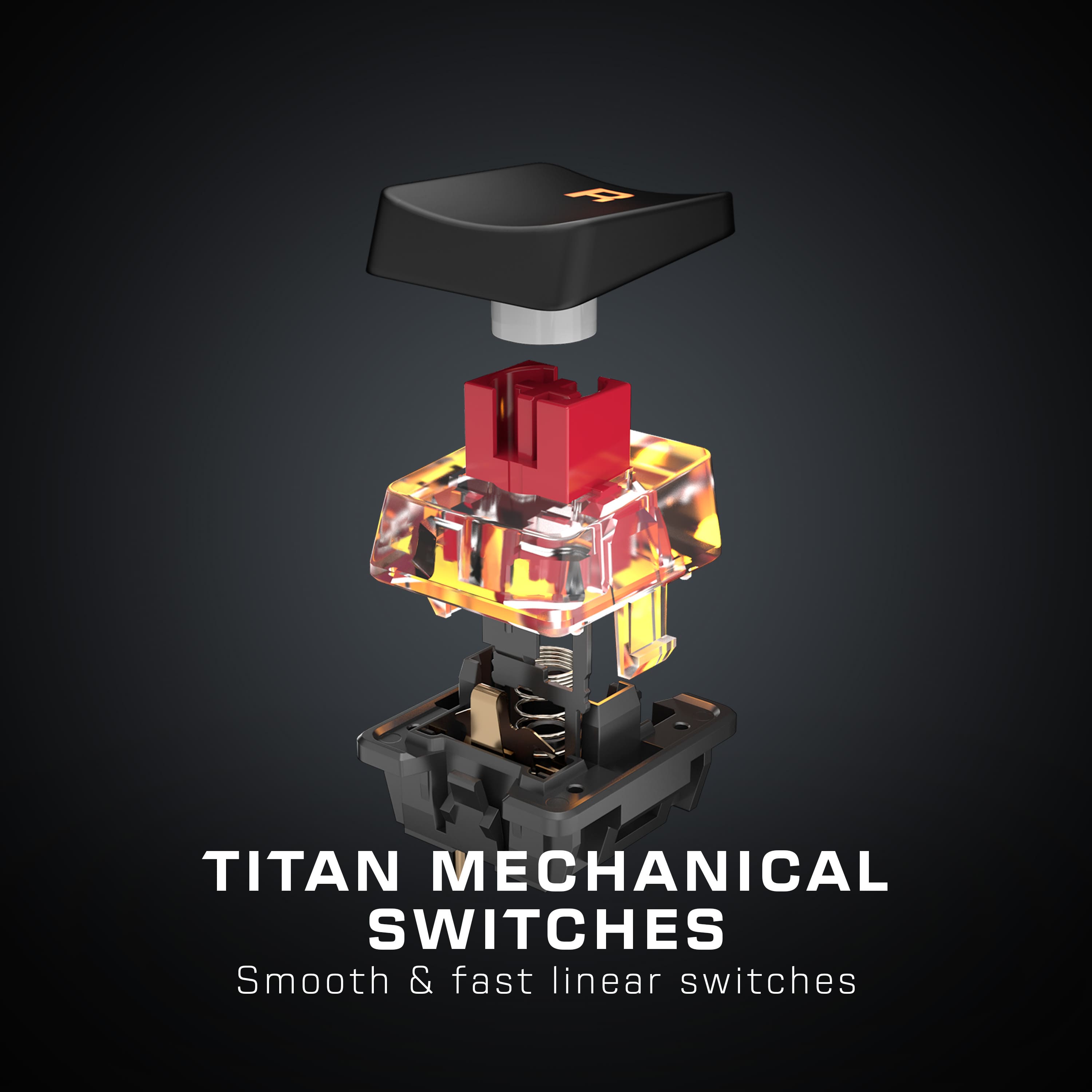
|Posted .This reviewer received promo considerations or sweepstakes entry for writing a review.I received this product in exchange for my fair and honest review. Some of you may not be familiar with Roccat as a brand, but I am. I've owned a couple of their mice previously and I've always been satisfied with them. So when the opportunity arose for me to try out the Roccat Vulkan TKL keyboard, I took it. I have to say that I'm overall impressed with its gaming performance and backlighting, that I found it pleasant to type on overall, but I wasn't wowed with the Roccat Swarm software that allows for programming macros and setting up the way the keyboard looks as it lacked intuitiveness. USB-C as a breakaway connecter was a definite plus though. ----------------------------------------------- Unboxing and setup: The keyboard and cable were packed nicely, the keyboard in a plastic wrapper and the cable tucked away in its own little pocket. The cable came with the added bonus of a velcro strap for holding it together during storage. The keyboard connects to the cable with a USB-C connector. The other end of the cable plugs into your computer with a USB-A connector. You'll then want to install the Roccat Swarm software, which is a quick download from Roccat's website. Once installed, you'll be able to update firmware and configure the lighting to how you want it to look; this unit can set lighting on a per-key basis to any one of more than 16 million colors. The Swarm software itself is somewhat unintuitive for the keyboard. I wanted to do a teal gradient across the keyboard and wasn't able to do so, but did manage to set a mode that made keypresses seem like fireworks on the keys themselves. While playing games, the keyboard was extremely comfortable to use in gaming. The buttery-smooth Titan switches - which are linear and feel like a good version of a red switch - reacted properly. Ghosting also didn't seem like an issue, as pressing more than 4 keys didn't cause anything to stop working. It's also a decent productivity keyboard but you'll have to elevate your hands from your desk to use it comfortably. ----------------------------------------------- Disappointments: None too serious. I just wish my keyboard kept its settings between reboots. Also, a C-to-C cable in the package would be nice. ----------------------------------------------- In closing, I can recommend this keyboard to the avid gamer.
I would recommend this to a frienddefective out of box
||Posted . Owned for 1 month when reviewed.This reviewer received promo considerations or sweepstakes entry for writing a review.i think its just due to roccat and their ability to put out consistent hardware
No, I would not recommend this to a friendBrand response from Turtle Beach Support
Posted .Thank you for leaving your feedback Billy and we're sorry to hear that you've encountered some sort of inconvenience with your Vulcan keyboard!
ROCCAT's products are sold with a manufacturer's warranty at the time of purchase & they have a dedicated Support Team that is always happy to help as needed with troubleshooting or replacement service if called for. That team can be reached via their Contact Form on the main ROCCAT website.
Best regards!
- Pros mentioned:Rgb lightingCons mentioned:Space bar
great compact keyboard
|Posted .This reviewer received promo considerations or sweepstakes entry for writing a review.some sacrifices but not much, always wanted a compact keyboard and this did not disappoint Pros: -Customizable RGB -Responsive buttons -Button for pausing music -Clicky volume knob for easy tuning Cons: -hear spring noises on space bar after about a week of usage -for being a compact keyboard, buttons are a little far apart -no semblance of wrist support (probably normal for compact keyboards?)
I would recommend this to a friend - Pros mentioned:Rgb lighting
Nice little gaming keyboard to own
|Posted .This reviewer received promo considerations or sweepstakes entry for writing a review.The ROCCAT - ROCCAT® Vulcan TKL Compact Mechanical RGB Gaming Keyboard - Black is a nicely built compact gaming keyboard that has many of the best functions to add to my gaming experience the keys are spaced adequately to allow complete dexterity of hand movements. Downloading the SWARM software allowed me to fine tune the ROCCAT® Vulcan TKL Compact Mechanical RGB Gaming Keyboard - Black. The sound feedback commands create different sounds when pressing the keys. The available sounds are Silent, Click Sound, Typewritter sound, Beam Sound and Sci-Fi Sound. Key illuminatin gives nine lighting modes to use with the ROCCAT® Vulcan TKL Compact Mechanical RGB Gaming Keyboard - Black (Intelligent, Wave, Snake, Fully Lit, Heartbeat 2.0, Breathing 2.0, Fade FX, and Custom Mode). Key assignment is also available with the SWARM software that allows creating a new macro. I can mute and control volume of the keyboard clicks. The F function keys also allow for duplication of commands, creating a short cut. The ROCCAT - ROCCAT® Vulcan TKL Compact Mechanical RGB Gaming Keyboard - Black is a nice little gaming keyboard to own.
I would recommend this to a friend - Pros mentioned:Rgb lighting
Turtle Beach keyboard
Posted .This reviewer received promo considerations or sweepstakes entry for writing a review.Fantastic keyboard for the price. RGB lighting is crisp, and the adjustable volume knob is a cool feature
I would recommend this to a friend - Pros mentioned:Keyboard quality
Great keyboard for non-enthusiasts
Posted .This reviewer received promo considerations or sweepstakes entry for writing a review.This is a great keyboard if you arent into hot swappable keys and don't have a sound preference. This keyboard is strong and will last forever. I've used it for about 4 years so far with zero problems. RGB is very customizable and the software for it is very user friendly and easy to use.
I would recommend this to a friend - Pros mentioned:Keyboard quality
Excellent quality, you gotta get used to the keys
|Posted .This reviewer received promo considerations or sweepstakes entry for writing a review.This thing ooozes quality, its very well made. The layout is ergonomic and comfortable to use. The lights arent too distracting and add a nice glow to your station. The keys are very sensitive and take a little getting used to. I would not recommend this keyboard for administrative work that requires a lot of typing, after all, its a gamming keyboard. It is sturdy, easy to clean, lightweight and travels very well. 5 stars
I would recommend this to a friend - Pros mentioned:Keyboard quality
Best of the bigger, only smaller
|Posted .This reviewer received promo considerations or sweepstakes entry for writing a review.My desk space seems to get smaller and smaller with each new peripheral I add, so saving space is a better solution that getting more space. This keyboard does just that. Very responsive and easy to move around. Great at home or on the go. Fits well into my gaming setup. Would recommend. Very sturdy build with no loss of advantage.
I would recommend this to a friend TKL Pro
Posted .This reviewer received promo considerations or sweepstakes entry for writing a review.Perfect form factor. I love this TKL keyboard. I can carry it with me to and from work. I got the one with linear switches and really love how responsive they are. Because they are so responsive, they will take a little getting used to, especially if you're someone like me who misclicks a lot. The other thing to get used to is the key spacing. The keys seem to be spaced a little farther than I'm used to. For gaming, it has been alright, but like I said, typing is going to take a little getting used to.
I would recommend this to a friendHeld back by the keycaps.
Posted .This reviewer received promo considerations or sweepstakes entry for writing a review.The stock ABS keycaps are terrible. They have a really slick texture and collect fingerprint oil pretty fast, which makes them slippery feeling. The shape of the caps combined with the gap between them makes typing on this board an unpleasant experience. I would have looked past this issue if I were able to use one of my other sets of PBT keycaps that I already have laying around. The Roccat switches use standard Cherry MX style stems, but the stems used on the key stabilizers are smaller than the standard Cherry MX style used on most boards so none of the stabilized keycaps can be changed out. Needless to say I will be returning this board.
No, I would not recommend this to a friendKeyboard review
Posted .This reviewer received promo considerations or sweepstakes entry for writing a review.Overall good keyboard. Keyboard does make noticeable sound when typing which may not be suited for everyone. Also I feel that this keyboard is slightly on the sensitive side.
I would recommend this to a friend