Customer Ratings & Reviews
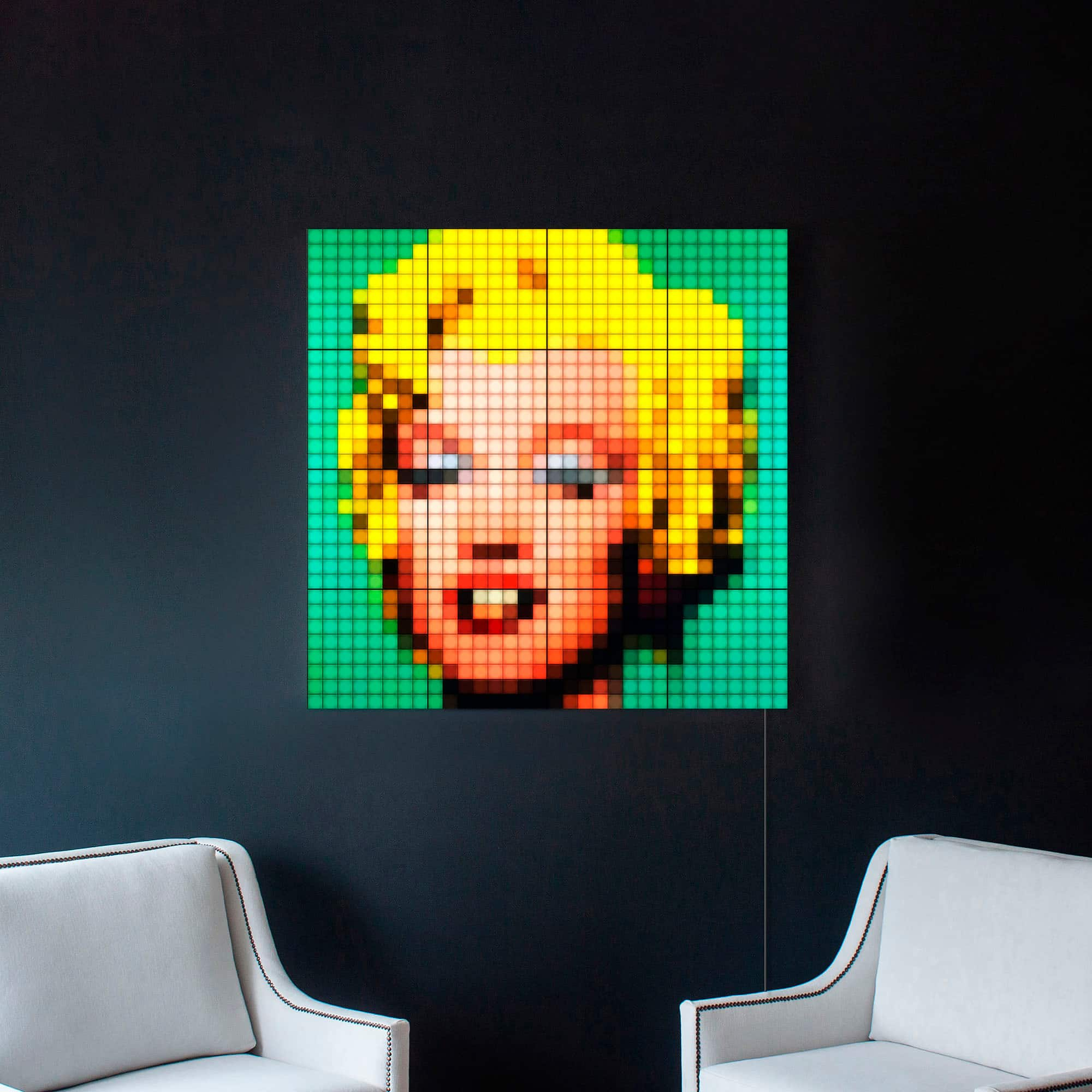
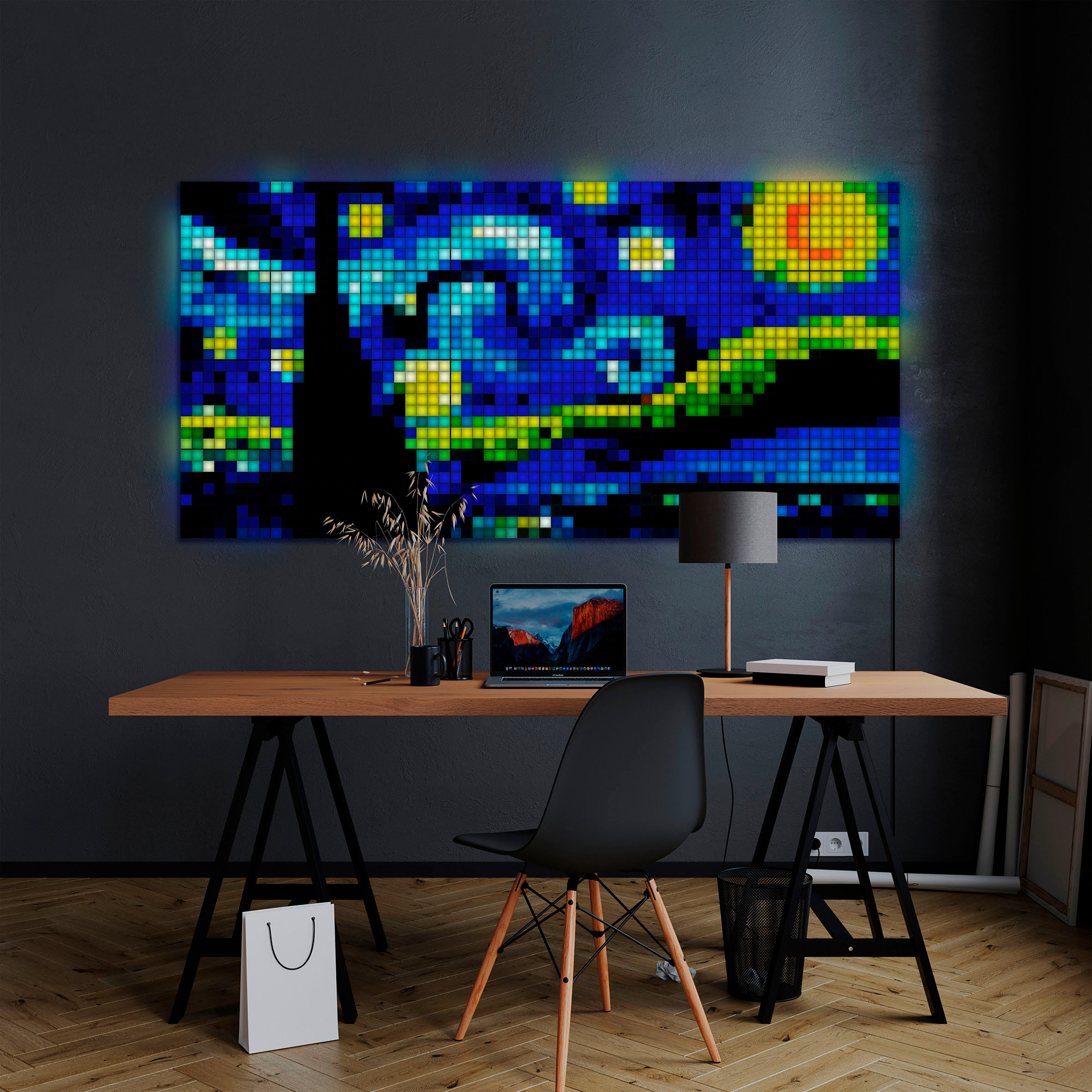
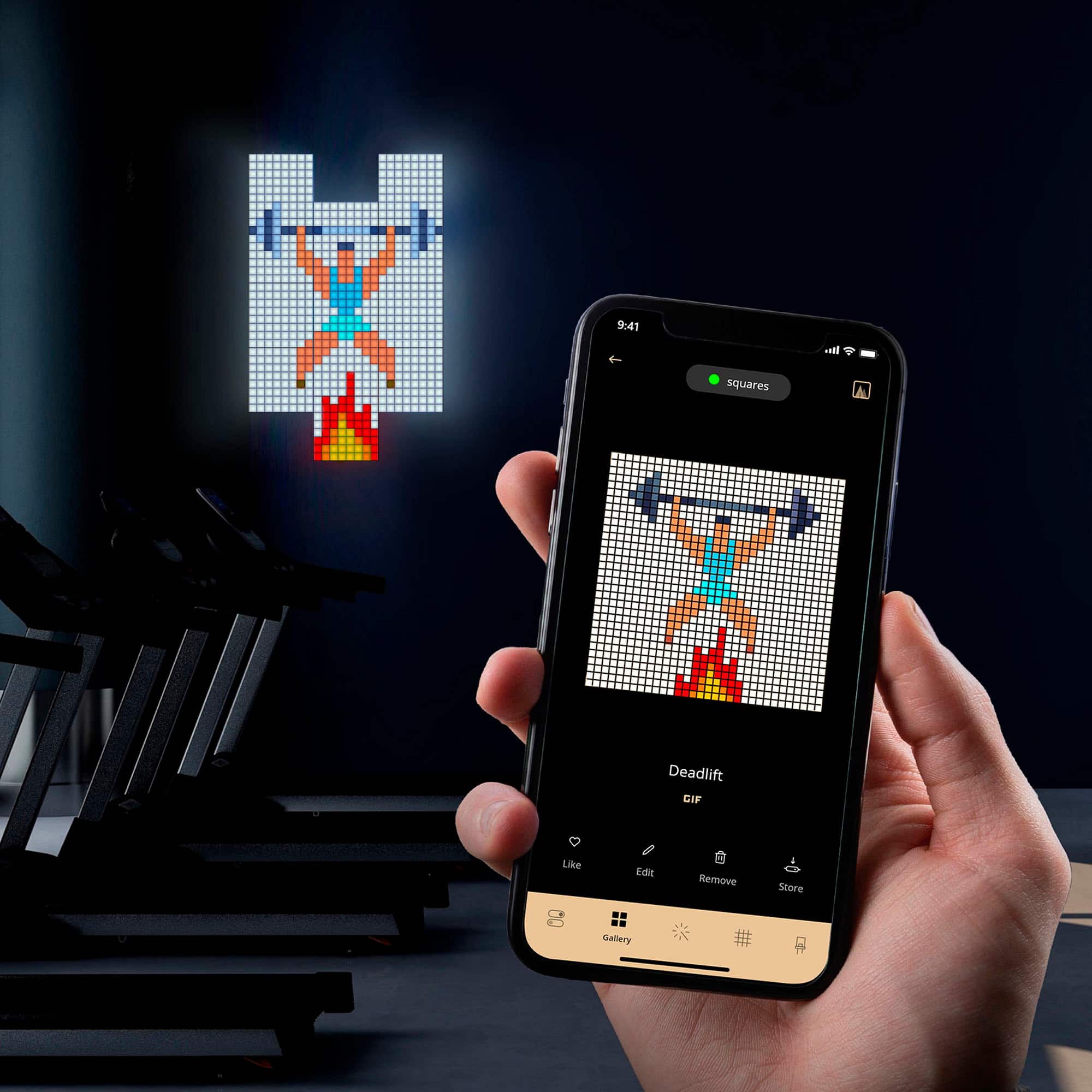

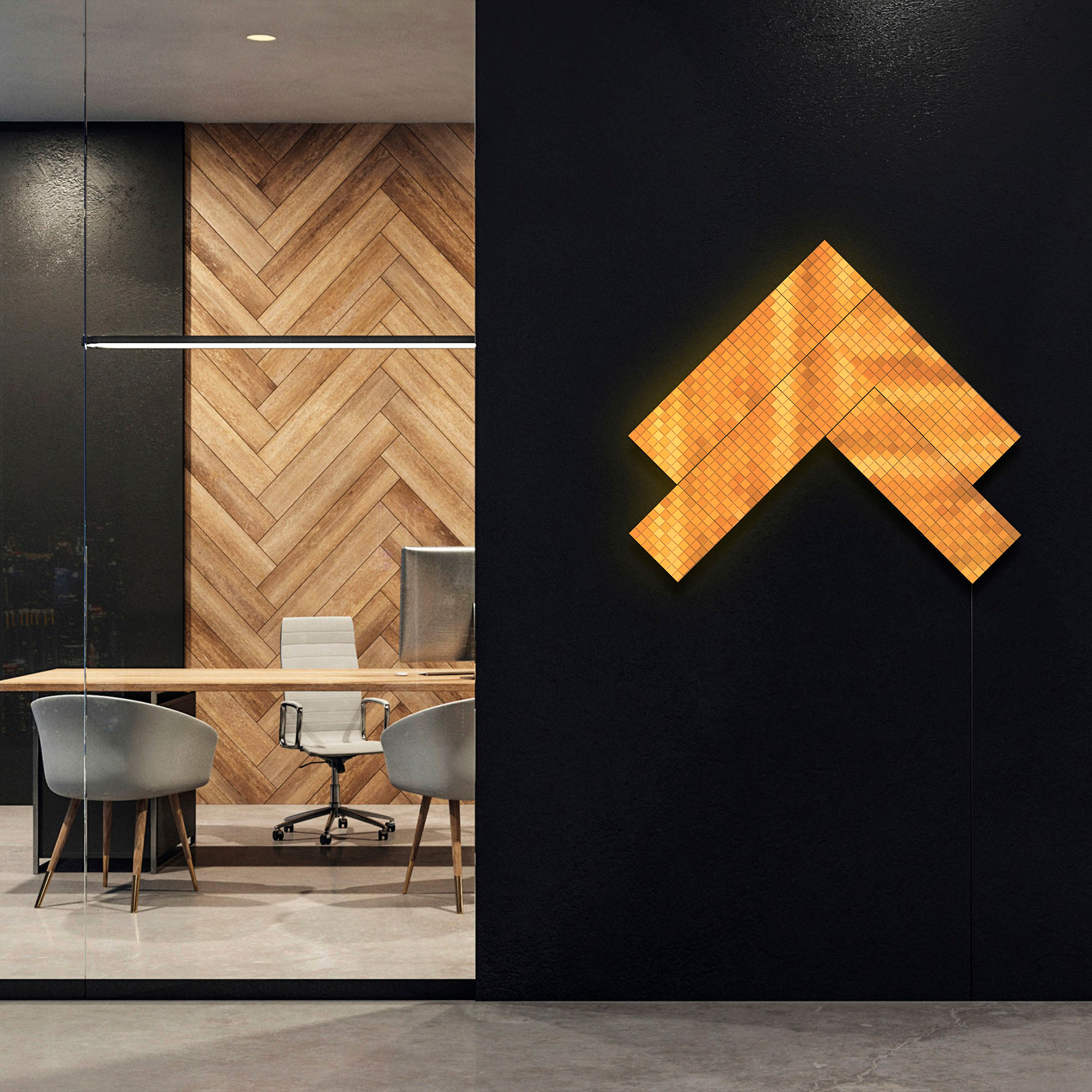

- Model:
- TWQ064STW-07-BUS
- SKU:
- 6514508
Rating by feature
- Value
Rating 3.5 out of 5 stars
- Quality
Rating 4.2 out of 5 stars
- Ease of Use
Rating 4.2 out of 5 stars
Customers are saying
Customers recognize the Squares LED Panels 5+1 Combo Pack for its easy setup, brightness, and unique design, making it a great decorative addition to any home. The companion app is also considered really good, and customers are happy with the LED quality. However, some customers have reported experiencing connectivity issues with the app.
This summary was generated by AI based on customer reviews.
Lights
||Posted . Owned for 2 weeks when reviewed.This reviewer received promo considerations or sweepstakes entry for writing a review.Beautiful lights. Good for my kids they are really happy.
I would recommend this to a friendExcessively expensive
||Posted . Owned for 1 year when reviewed.This reviewer received promo considerations or sweepstakes entry for writing a review.Way way way over priced. They shouldn’t be more than $25-35
No, I would not recommend this to a friendBrand response from twinkly Team
Posted .Hi, and thanks for sharing your opinion.
We'd like to understand more about the reasons behind this rating though, maybe we can do something to improve your Twinkly experience.
Reach us at twinkly.com > help > contact us, we'd like to help!
Not even installed
||Posted .This reviewer received promo considerations or sweepstakes entry for writing a review.They haven’t even installed them within my apartment. Scheduling a time that works for me has been a nightmare to deal with and it’s been well over a month since I bought these. I would like to speak to somebody about my experience because I have never had an issue like this at Best Buy.
No, I would not recommend this to a friendBrand response from twinkly Team
Posted .Please get in touch with our User Satisfaction department using the 'contact us' form in the Help section of the Twinkly official website, we will be happy to help you!
- Pros mentioned:Brightness

An illuminating experience
|Posted .This reviewer received promo considerations or sweepstakes entry for writing a review.We are huge fans of Twinkly products and every bedroom in my house has a set. So, it is understood that I was super stoked to try out the Twinkly - Squares LED Panels 5+1 combo pack. The box comes with six panels, connectors, USB-C cables, and connector cables. We already have the app, so the pairing setup was easy. There is no mounting hardware, but the panels are lite enough that I just used push pins to temporarily hang them during my trial run and will probably just leave them that way. There is so much to say about the interaction with the panels from the app. The first night we had them we literally spent hours just messing around with them and seeing what we could come up with. Twinkly has an affinity for producing the brightest most vibrant colors through their LEDs. The Twinkly application amplifies this by allowing the user to fully immerse themselves into what I will refer to as the artistry of the tiles. As a display piece this is super cool and quite a unique event. My drawl back is something that I would not normally speak on but would be remiss if I did not. The price as opposed to the value of what you actually receive is questionable. I got frustrated because the zig-zag design I went with looks sick, but there are just not enough panels. At this price point, I will not be able to purchase additional for some time. This product is perfect for everyone, but it is a shame that because of this not all will get to experience it.
I would recommend this to a friendBrand response from twinkly Team
Posted .Hi Christopher!
Thanks for your review, we appreciate your feedback! Twinkly is always working on quality and every aspect of its product, which is why we thought the 5+1 starter set and the possibility of adding more extension sets was the best way to give a product that could be as customisable as possible! In any case, any feedback is useful to us and we will definitely take it into consideration!
- Pros mentioned:App usability, Brightness, Setup ease
Premium Price for a Premium Product
|Posted .This reviewer received promo considerations or sweepstakes entry for writing a review.The Twinkly Square LED Panels are something special! Lets skip the price tag for now and look at the product for what it is - the highest end, highest quality and highly customizable lighting for any room. These lights are an instant eye catcher for any room, able to switch over to a few preset options available in the app to pictures/Gif’s you can upload from your camera library. From start to end, this is what happens when a company has a vision and then executes on it at the highest level, with nothing wasted or skipped over. Price: Lets talk about the biggest stickler in the room here for most people - this is $250 for 6 panels (one command and five daughter) and each expansion pack is $99 for three more. That is obviously a lot of money - but it isn’t irregularly high. If we look at other high end light brands in this segment - they charge around the same price for a lower resolution, size and in my opinion inferior product. Yes this is expensive, yes to expand these cost a lot of money, but this is as good as it gets AND the only product(that I have found) that does what this product does. Setup: The panels connect to the main panel (command panel) through small cables on the back that plug into each panel. These are super easy to connect and cable manage and the whole thing took me less than 10 minutes to set up and assemble, and set up in the app. The tiles clip together with black clips and hold the lights together quite well and do allow for some degree of flex (probably +-5 degrees).These lights sit well on a shelf but also can be wall mounted quite easy with each panel having spots for screws to slot in. Lights/app: The actual lights are spectacular, bright and highly customizable. The app is quite amazing as well, scanning the lights so you can have them in any arrangement and have it reflected in the app accurately. The preset lighting options were enough for me, that being said you can go pixel by pixel and do that by hand or upload an image. The lights take portrait mode better than landscape mode so think of it more like a phone screen than TV when setting them up for Gif’s and Images. The lights are quite bright and WILL reflect off screens so keep that in mind while setting them up, but you can control how bright the lights are and schedule them to turn on and off as well so it isn’t the biggest issue to overcome. What I would change: There really isn’t much I would change and the only real gripe I have notice thus far is the power cable. The power cable is white and somewhat short - which to me doesn’t make sense as it will most likely run down peoples walls in the dark and will refract light more than a black cable would. That being said - it is a usb-C cable so the sin is easily forgivable as you can replace it with another usb-c cable lying around or get a longer black one from BestBuy. To conclude, if you are on the fence about these lights for any reason, just grab them and try them out. BestBuy has a great return policy, so you should be enabled to try products like this. The lights are something I wasn’t quite sure of but when I set them up, my fiancé even thought they were cool and was interested in them. Anyone can set them up and they make almost every room enhanced and can be customized to anyone's liking and expanded quite easy. Like all lighting products for a gameroom, chill room or whichever your case may be - you never know until you know so it doesn’t hurt to try.
I would recommend this to a friend To have best display you need 16 total tiles
||Posted . Owned for less than 1 week when reviewed.This reviewer received promo considerations or sweepstakes entry for writing a review.But you cant buy that number this set 5+1 addon sets 3 addon tiles so you buy 3 sets of 3 addons you get 9 total addons so you have 14+1 if you had one more you could have the perfect square to show off the fancy artwork the display in the pictures but no cant buy have to order another addon and then have two you cant use. Thinking of retunring them since they are expensive and not really easily complete
No, I would not recommend this to a friendBrand response from twinkly Team
Posted .Hi Daniel, Thanks for sharing your feedback!
In the meantime, if you need assistance, do not hesitate to get on touch with our User satisfaction team using the "contact us" form found in the Help section of the Twinkly official website, we'll be happy to help you!
- Pros mentioned:Brightness, Design
Really cool, but left me wanting more
|Posted .This reviewer received promo considerations or sweepstakes entry for writing a review.I love all the potential for these lights. They are really powerful, bright, and allow you to be creative with not just the images you use but also the way you hang them. But I still felt like there's just a little bit missing for such a high priced item. To start with, there's 6 panels, (one brain and 5 slaves) which is a fine starter pack for sure, but the price of more panels is not cheap and while I was testing it out, I realized pretty quickly that you really need closer to 16 panels than 6 if you want to see any detail in an image. I stream a live show on youtube and I wanted to have our logo and other identifying images in the background to help new viewers know what's going on or to just show our logo etc. Unfortunately, with 6 panels, our logo just looked like a blob. See each light square inside the panel is a "pixel" for the image and as you can tell from the product images, it's an 8x8 "pixel" panel. Now this doesn't mean these are useless, I'm just saying my ideal use for them won't work with such a small panel size. It's more useful for abstract images and the preinstalled moving colors etc. Mostly, I'm just having a difficult time finding a good use for them without having to simply buy more panels. Which is what twinkly wants you to do, and that's fine, that's business, but the price of panels means you gotta be committed to spending some money if you want to use these on a large scale. There's also rumors of updates coming soon that allows us to scroll text, which would be useful for my situation, but now I'm a little concerned the text won't be legible but the ability to rearrange them into a row may help. So what did I LIKE about these? Well, there's still a lot of good too. The build construction is nice, they snap together on the back with included attachment pieces and they have two sizes allowing you to hook them together in fun ways. The cables that link all the panels have really nice cable management on the back as well. I also like how easy the app is to use, even if you HAVE to make an account to use it. This means email information and name. Not a big fan of every electronic I buy now needing an email but that's what burner accounts are for. Once I had an account made and was in the app, it didn't take too long to learn how to navigate around and see what was available. There's a section where you can actually draw whatever you want on the panel, that's got a lot of protentional. However when I was playing around with it, it kept crashing and deleting everything I was drawing so I quit and looked for something else. You can also upload your own gifs which is great, again, opens a lot of possibilities, but what I quickly found was most of the gifs I liked and tried to use just looked like garbage when put on the small panel size. I think the best way to do this is look specifically for pixel art. That will be designed more with small pixel size in mind and may look better. Basically simple is better when you have 6 panels. Another good thing is that one brain panel can control up to 15 attached panels according to the manual. So if you did want to go bigger, you don't have to buy the more expensive brains, you can just buy the expansion panels. (I think those are close to $100 for 3 panels still though). So to double your square size, you have to fork over another 200 bucks. I'm just not sold on something that costs SO much money to get very little performance out of it. I think the right idea is here, and with some sale prices or better bargains for expansion packs and software updates, these COULD be perfect. But for now, they're still really cool, I can use them for most of my needs, and they have loads of potential. But they won't be a five star product until they can offer more software updates and more panels for cheaper than 100. I'm still playing around with them, and I think this may be a product that gets better the longer you use it and play with it, but in a competitive market, I don't know how long I would stay with this brand over others. Would I still recommend these twinkly light panels? Yes, to the right person. I think if someone wanted some cool abstract wall art in a corner of their room or man cave etc, and wanted to be able to change the colors and art, sure. But don't think you'll be able to put up your favorite pictures or show details from images with the 6 panel starter. Hopefully soon we can do things like show live sports scores, time, weather, or scroll your text. When that happens, I could see a lot more uses for these panels and maybe even buy more. If by the time you're reading this review they have updated those features, I would recommend you give them a try.
I would recommend this to a friendBrand response from twinkly Team
Posted .Hi! Thanks for your detailed review! For us every feedback is very important because it helps us to understand how we can improve our product every day. We have forwarded your request to our research and development team, which will certainly take it into consideration for possible future implementations.Regarding the account we wanted to explain why it is a requirement to use our App. Creating a Twinkly Account is required to better manage possible cases of assistance, furthermore, it is also necessary to use Twinkly with Google Assistant, Amazon Alexa and Apple Home Kit.Through the Twinkly App, you can download new effects from the store, edit them or create your own, map the layout of your installation and a lot more! Having an account means not only having the opportunity to play with an app but to make sure that customisation is at the highest level and that all our individual creativity can be expressed!
Reading your review carefully we also wanted to let you know that if you have any problems with the App (crashing etc.) to write to our Customer Team who will definitely be able to help you get the most out of it and improve every aspect! Contact us via the help centre on our website, for us it is very important!
Junk
||Posted . Owned for 1 month when reviewed.This reviewer received promo considerations or sweepstakes entry for writing a review.Do not buy this junk it doesn’t work as advertised
No, I would not recommend this to a friendBrand response from twinkly Team
Posted .Hi James,
please get in touch with our User Satisfaction team so we can help you find a solution!
You can do this using the Contact Us form found in the Help section of the official Twinkly website.
We look forward to hearing from you!
- Pros mentioned:Design, Setup ease
Twinkly Vibe
|Posted .This reviewer received promo considerations or sweepstakes entry for writing a review.The Twinkly Squares Wall Panels are such a unique decorative addition to any home. The set includes one "master panel" with 5 extension panels included. They are attached to the wall with mounting clips, a pretty simple setup. Being squares, it is easy to line them up and appeal to the critical eye. The panels feature different colors controlled by the Twinkly App on a smart phone device. My critique, leading to 4 stars is that there is limitation to design with only 6 squares; however, Twinkly offers extension panels (up to 15) if you desire a larger and more intricate display. Regardless, the 6 total panels have the ability to create eye-catching masterpieces. I personally have mine displayed next to my television in the living room where my family and friends can enjoy it. My wife and I are enjoying the option to be able to have lighting associated with holiday colors, come the upcoming festivities. The user can set up the panels through the Twinkly on-boarding process which walks you through the process of being able to configure the lights. The Bluetooth connectivity allows the user to access the app with an iOS or Android device. There are a variety of preset and customizable effects, animations, GIFS, and pixel art. I love how vivid and ambient the LED lights on each panel are. They may be set for a more subtle, relaxed theme or a vibrant and flashy appearance, through the app. Twinkly also features an ON/OFF timer and dimmer options for even more personalization, as well as the option of voice commands that allow the user to turn the lights on/off and change brightness and color. I have yet to set up the voice commands, as smart home features always throw me off, but it is ideal this is an option. Overall, I am very satisfied with the Twinkly Squares Wall Panels, just felt slightly limited by only 6 panels in the set. I love how they have added a finishing touch to my home.
I would recommend this to a friend - Pros mentioned:App usability, Setup ease
Fun Option
|Posted .This reviewer received promo considerations or sweepstakes entry for writing a review.This is one is those things you get more for fun than actual functionality and that’s absolutely fine! These were relatively easy to set up. You should be forewarned that you will definitely need more panels in order to really see the full potential of these lights. This starter combo pack only comes with 6 panels (1 main which acts as the brains of the setup and 5 additional panels to round it out). They snap together with attachment piece and you can have virtually infinite layout options. The app is pretty easy to navigate and use. I really liked the option to draw whatever you would like on the panel but again…to really get the full benefit of that or the option to upload your own image you’re really going to need more panels to be able to see it best. For some people that alone will be a deterrent but if you want to do it right that’s what you’re going to need to do. But if you don’t want anything to elaborate or detailed and just want to have a fun piece of wall art then the starter pack will be just fine. Ultimately I feel like this has some great potential. Is it a need? No. But is it something you can have a lot of fun with? Absolutely!
I would recommend this to a friendBrand response from twinkly Team
Posted .Hi! Thank you for your decision to share feedback with us! Suggestions and customers' opinions are really important for us and led us to improve every day! The decision to sell 5+1 packs is due to the fact that this is the size that allows for a good start and ensures that even those who want a smaller installation can buy our product! For those who want larger installations, we also sell 3-square extension kits so that you don't have to buy another starter kit! In any case, your review has been certainly taken into consideration and forwarded to our research and development team! We are happy, however, that you are enjoying our product, we will make sure that we get better and better so that you can enjoy it even more!
- Pros mentioned:Brightness
Nice LED squares.
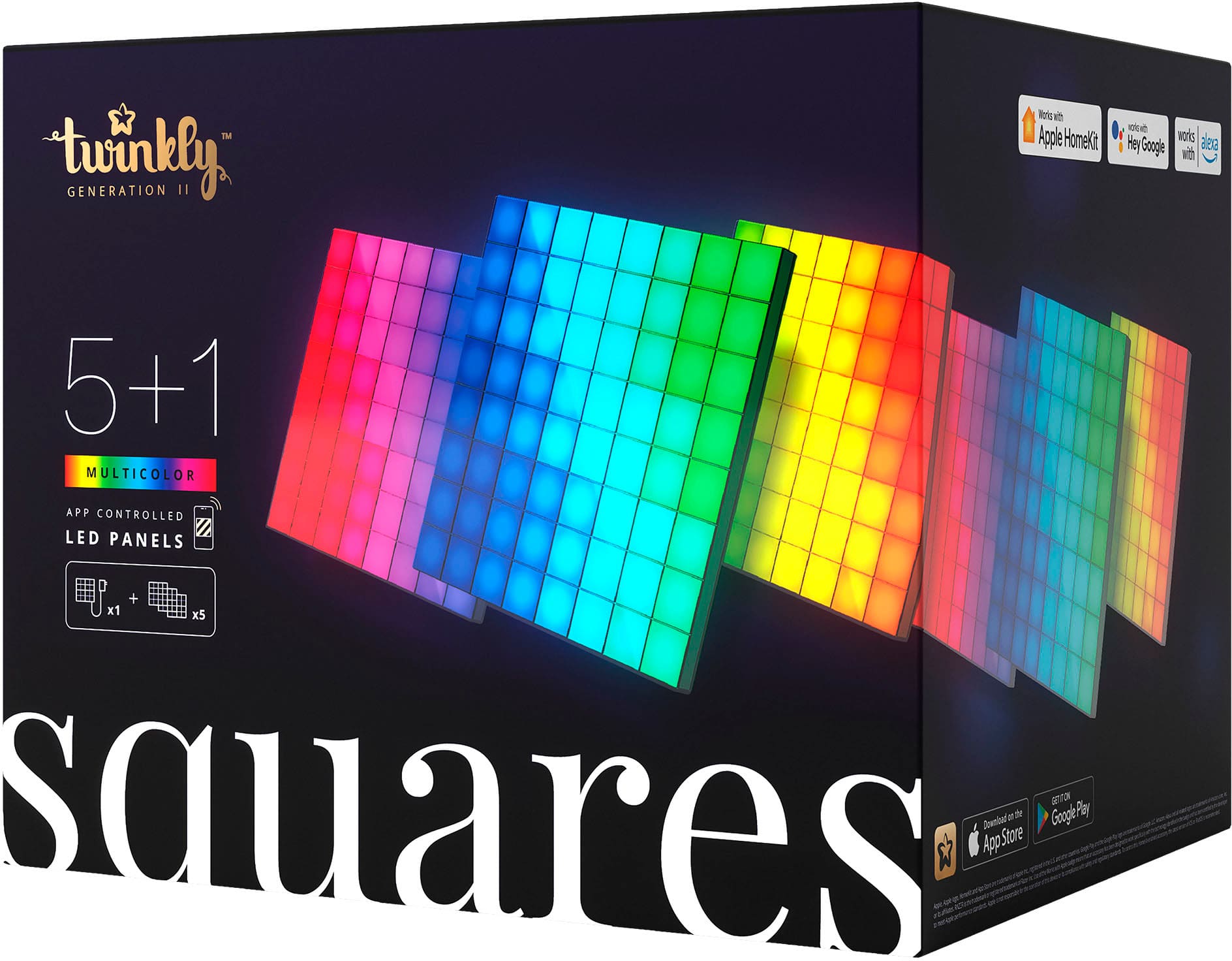
|Posted .This reviewer received promo considerations or sweepstakes entry for writing a review.The Twinkly 5+1 LED squares are a great concept, but there is room for improvement. The box comes loaded with 5 regular 6.3in X 6.3in - LED squares, plus 1 master square. There are approximately 64 LEDs per square. The master square has the USB-C power supply as well as the Bluetooth and Wi-Fi antenna. Each square can be daisy chained to the other with included cables to connect them. There is also a bag of 2 different size connectors for connecting the squares together to make them stable. At first installation can be intimidating, but it’s a lot easier than it seems. All you need is a smart phone with a camera to download the app, arrange the squares however you choose, then follow the directions in the app. The good thing about theses is there are 2 different ways you can connect to them; Direct Wi-Fi, or public Wi-Fi (2.4hz only). The direct Wi-Fi is essential because it uses its own built-in Wi-Fi incase your internet doesn’t have a 2.4hz signal available. This option at least lets you control the lights, but if you want to download an update, or more patterns then you’ll need a 2.4hz internet connection. The Twinkly app is where you control, create and download everything. It’s very easy to use and it works flawlessly. There are some cool features available in the app such as: you can draw your own pattern or design, you can upload your own GIF or picture, or you can even download many patterns for free. You can also create your own color pattern and effect through the app. The master square does have onboard memory, which means you can store your effect onto it, so it turns on to it by default without having to run the app. There is also a sleep timer that you can set, as well as change the brightness. There are plenty of designs to choose, plus you also get many free downloads, but the being able to make your own is great way to make sure everyone can add their own personal touch. The LEDs are bright and look nice, but there is a problem…Most of the patterns that have any sort of picture, are hard to make out because the LED lights are too big. Imagine taking a photo and zooming in so close that you see giant pixel boxes instead of the image, that’s exactly what it looks like here. On top of that, it takes a lot more squares to fit an image to where you can make it out. That wouldn’t be that big of a problem if it weren’t for the fact that add on squares are expensive and only come 3 to a pack. Overall, I like the Twinkly squares and I think they’re a great idea. The app is very intuitive and has many amazing features. The LED squares are easy to use and the ability to use direct Wi-Fi is a great option for networks that don’t have 2.4gz bands. The main problem is the LED sizes, they are too big. I think one of 2 things need to happen for these to be plausible, either they include more add-on squares in a single package or make the LED lights smaller so the image could fit better. Either way, I still enjoy using this product and I think it has tons of potential.
I would recommend this to a friendBrand response from twinkly Team
Posted .Hi! Thank you for your detailed review, we are sure other users will find it very useful! Certainly your suggestions and impressions are also very useful for us to improve ourselves. Regarding very large pixels, our decision to sell a 5+1 pack is due to the fact that it is also a good start for those who do not want to do a larger installation, but if you want to have a higher pixel density and consequently a higher output on effects You can physically connect up to 16 Squares panels, meaning a master panel, which contains the controller, and up to 15 extension panels. But if you want to create even bigger Squares installations, you can group multiple sets of 16 panels together using the grouping feature on the Twinkly app.!
In any case, thank you for your review it is very important to know the customers opinion! it will certainly be taken into consideration by our our research and development teamfor possible future implementations!
Amazing and fun decor with multiple extensions
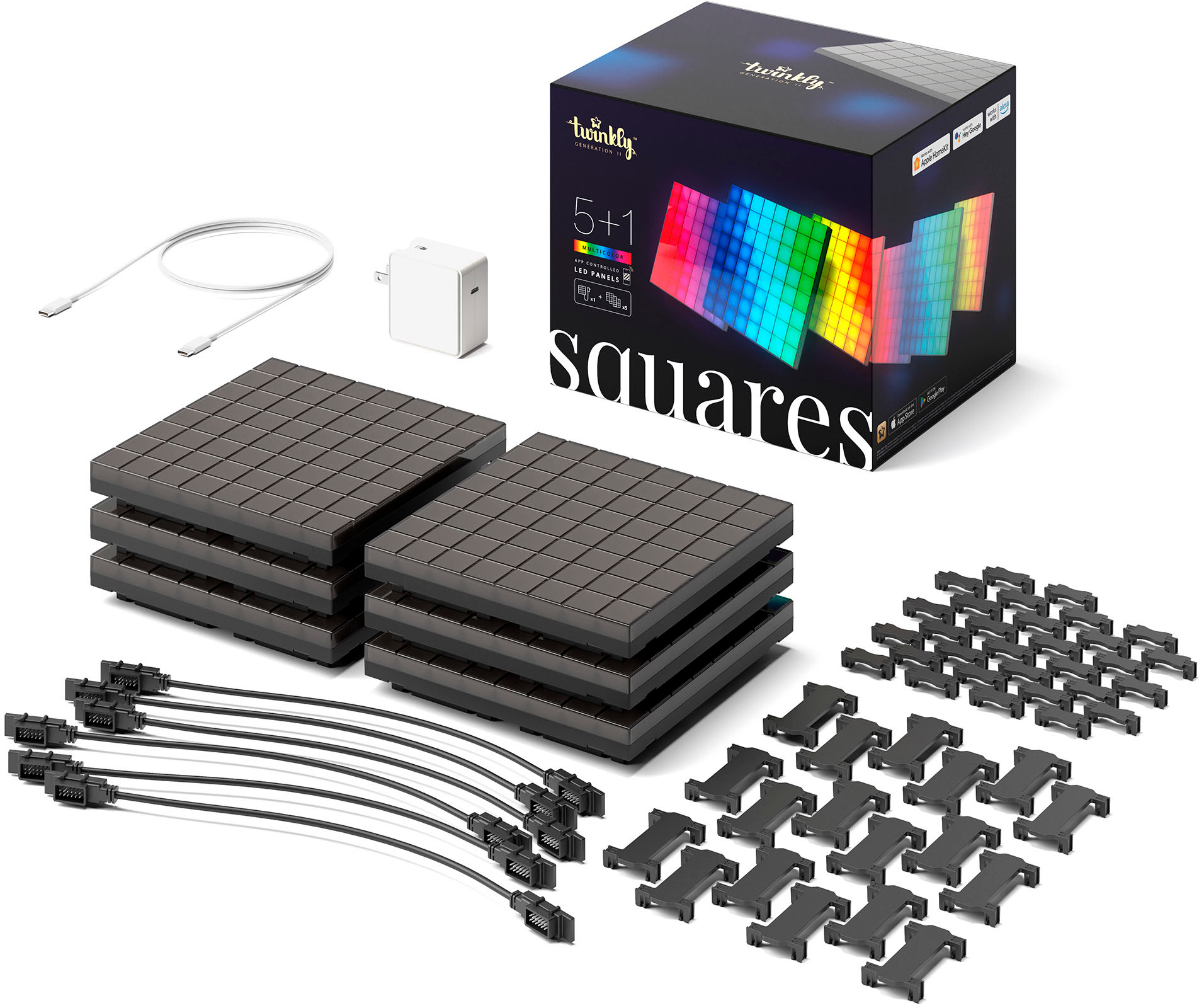
|Posted .This reviewer received promo considerations or sweepstakes entry for writing a review.These Twinkly systems are very extendable and can be used in a variety of decor settings, even as part of a larger lighting and light decoration ecosystem. This particular set is a panel starter kit, consisting of 1 controller/master panel, with an 8x8 pixel grid of multi-color LED lights, and 5 "extension" panels, meant to work with the controller panel. Everything you need to set up patterns of these 6 total panels is included in the box. The USB power cord, low-profile connection cables to link the panels, and mounting templates for wall hanging the panels. Installation is as easy as hanging a picture, and plugging in snap-on cables. The panels can be mounted in 2 different orientations, and some can be connected with 4-way or 2-way connections. This means a lot of fun ways to arrange the squares into various light configurations. Multiple sets can be combined for even more fun, but bear in mind that only a single controller panel may only be used with extension panels, so if you buy 2 5+1 sets, you'll either have two plugged-in 6 sets, or 1 set that can use at maximum 11 panels. While the controllers can support many more boards, a controller board cannot be used as an extension. There are lots of options when using multiple sets, but program-wise, only one controller board can be a part of any one program. These are a lot of fun to program and play with - The companion app allows for being used in various color change and animation modes, as well as being used to display low resolution bitmaps extrapolated over the array - One of the modes we tried was a 2x3 square configuration where we used it as a low-resolution display to animate and show different created images. The app isn't very intuitive and seemed a bit poorly developed, but it works for the purpose, and isn't something you need to use daily. I'd recommend these for a fun home office enhancement, or a kids room nightlight alternative.
I would recommend this to a friend- Cons mentioned:Connectivity
Add some beautiful Twinkles to your home.
|Posted .This reviewer received promo considerations or sweepstakes entry for writing a review.I have another Twinkly product and was very excited to get started with their new offering. The packaging contained almost no plastic and was very well designed to protect and also unpack the components. Out of the box were the panels, power brick, USB C cord, instructions, electrical connectors and clips to connect the squares. A very nice feature is you can connect the squares in any configuration you want. I am boring so I went with a simple triangle but now that it is set up I may be inspired to make them into a less traditional arrangement. One of the panels is the master and is distinguished by having a USB C power input, paring button, two extra connection ports, and small LED paring indicator on the side. The instructions were quite minimal and really should include more graphics about connecting more than two panels together. Also the instructions say to plug in one panel and then follow the instructions in the app. Doing so left me wondering what the other panels were for. Also, in the app, the picture for pairing looks nothing like what you need to do in reality. If you have the strip or string lights the image matches up but these look completely different. Again, not a huge deal but how much would it have taken to make sure that the images aligned... and yes there is a microscopic graphic in the paper manual indicating the pairing button but nothing about this in the app. Connecting to the network was a little finnicky but after about 3 tries I was ready to go. I was wondering how it would "know" how the panels were configured but there is a very cool mapping function whereby you aim your camera at the panels and they flash in all sorts of patterns which the onboard computer matches to the configuration resulting it it "knowing" its shape, size and orientation. This was impressive. The app was a little clunky but the possibilities are endless. There are many prepared patterns that can be customized. You can upload a gif to make a custom image. It is even possible to draw shapes that can be displayed. I know that I will be ordering some more panels and using this in the stairway that leads to my studio. Nothing like a little custom light show for inspiration on my way to that space. All in all, this is a quality product that will add an interesting aesthetic to any home that can be customized infinitely to achieve the desired effect.
I would recommend this to a friend - Pros mentioned:Brightness, Setup ease
Finally Pixel RGB Fun!
|Posted .This reviewer received promo considerations or sweepstakes entry for writing a review.This is a fantastic way to do RGB room accent lights. Instead of the usual shapes that allow you to just change the color with basic RGB flows, this allows you to create Pixel Squares for moving patterns and GIFs giving you a much wider range of things to display. Each square is an eight by eight grid of RGB pixels to draw. You can setup the squares in various patterns, such as a large square canvas, straight line or something else. Once you figure out how to place the lights and mount them to the wall (they do include a template which makes hanging easy) you are ready to setup in the app. Have to say it was a seamless experience finding the light panel with my phone and getting it setup on my local WI-fi network. Once that is done the app asks you to scan the setup with your Phones camera so it can understand how you placed the panels and knows how to display each pixel. Once that is done (very easy) your off to the races, you can create your own, use some pre-created ones or import pixel GIFS to display and because of this flexibility you can have a lot of fun with this. The lights can also very bright which is nice, though you can control the overall brightness of the lights. You can expand the kits with additional squares to give yourself a large canvas for larger drawings or more. Overall for RGB accent lights this is finally something that makes sense since you can actually draw with them and display art to just watch the pretty lights. I can't be happier with this kit as it was easy to put together and setup and can't wait to see what else they come up with.
I would recommend this to a friend - Pros mentioned:App usabilityCons mentioned:Connectivity
Pretty cool light panels
|Posted .This reviewer received promo considerations or sweepstakes entry for writing a review.This is a new concept for me although I've seen them all over the place lately, it's great to get my hands on a set of these to have some fun. Quick insight, I've already ordered four of the three packs to get this party going, 6 simply wont cut it. I think 16 will be a better size with one to spare. Out of the box the panels feel pretty solid and well built, not cheap or low end feeling. However the clips are just the opposite and I wouldn't plan on changing the layout often with these, I don't think the plugs would hold up well over time. Get your desired layout set up the way you want and mount them to the wall with the built in screw holes. Load up the app into your phone and simply point it at your set up and the app will do the rest. Once set up you can choose from some preloaded images, go to the store and download more or design your own. Did I mention GIF's? Yes you can have a GIF play as well, not just a still image. These really are art! I love the high gloss finish of the display's but wish they had a true white LED, it just isn't crisp enough for me. I'm also bummed about the size of the power supply and the color of the wiring, not sure why it isn't black. My last favorite thing is how thick the black line is between panels, I wish it was the same thickness as the line in between the led squares themselves. So pretty much I don't hate them and ordered more, but a few tweaks would make these amazing, I'm excited for the other panels to come in so I can get a much larger canvas.
I would recommend this to a friend - Pros mentioned:Design
Disco party light set
|Posted .This reviewer received promo considerations or sweepstakes entry for writing a review.The Twinkly Square Led panel lights are a great addition to any room, office or gaming area. They are 16 cm square, and each panel has 64 LED squares, I think of them as pixels and you can create pictures, effects, gifs your imagination is the only limit. To use the squares, you need to download the Twinkly app, then sync with the squares and start inventing. I received mine right before Halloween, so I went to the app and downloaded some graphics from their website, they are pretty cool. There are a couple of issues I have with the product that I don’t think will ever change, but it would be a great product if they could change it. My issue is that the pixels or the individual squares are roughly 2 cm square, to really get any image to not be pixelated you have to buy more squares, so each individual square is a smaller part of the picture. When you look at some of the pictures that have a lot of detail, they usually have two or three times the squares then what comes in the standard package of 6. Yes, they look great if you were to add more squares, but that can get costly, the starter kit which comes with 5 normal squares and 1 control panel. This will set you back around $250.00, there is a extension kit which comes with three normal panels and that will set you back $100.00. This is a better deal, but the control panel can only control up to 15 extension panels before you need another control panel. The panels are compatible with Amazon Alexa, Apple HomeKit, and Google Assistant. You can mix and match different type of Twinkly products to work and light together. You can even set it up to work with your gaming rig or sync it to your favorite music. This is a really great product, and I will probably buy some extension panels in the future, but I will wait, Maybe I will get some for Christmas.
I would recommend this to a friend - Pros mentioned:Brightness
Awesome lights with a few small issues.
|Posted .This reviewer received promo considerations or sweepstakes entry for writing a review.TLDR: these panels are great on their own and even better when compared to the similarly priced competition. They're bright and very customizable, but are a bit low resolution and marginally frustrating to mount. I would recommend them to a friend and am planning on purchasing a few additional panels in the future. If I were to list out all the positives as I see them, this would be the list.... The unboxing experience was great. Everything was packaged well and it was easy locate and organize all the different parts prior to install. The app is well designed, functional, and *mostly* bug free. You need one master panel per array and each master panel can support 15 extenders. The master panel is compatible with all major smart home standards - including Apple HomeKit (although I couldn't get mine to work with HomeKit, more on that in a minute). The LEDs are individually addressable and bright. This is great since it means you can program more intricate patterns or even display photos and GIFs. They're also bright enough to be a useful source of light in a small/medium sized room. And this starter kit comes with everything you could need to get started. Panels, mounting stuff, interconnect cables, stickers, etc. Now the not so good..... The mounting system isn't great. The expectation is for you to use screws and to their credit, they include a handy guide for marking screw holes. I found screws to be extremely irritating to use for this so I wound up using command strips. It makes the panels sit a bit proud of the wall but not enough that it's an issue. The panels are also light enough that I'm not afraid they'll fall. I couldn't get the panels to show up in HomeKit. It's totally possible that I did something wrong and starting the setup process over could have fixed it but considering I already had to run the setup process twice to actually get it finished, I didn't want to do it again. For me, this didn't matter since I use Home Assistant. Setting up the panel in that and bridging it to HomeKit took about 45 seconds. That might not be a good solution for you though. Only other complaint is the resolution of the panels. I think a version 2 with 1/2 inch LEDs instead of 3/4 inch would be awesome. Right now, displaying pictures is a bit more of a novelty with only six panels. Overall, I think these panels are fantastic. Pricing is a bit high but considering the competition at this price bracket, these are almost certainly your best bet.
I would recommend this to a friendBrand response from twinkly Team
Posted .Hi! Thanks for the review. If you need help setting up Homekit you can contact us through the HELP section of our website, we will be happy to help!
Customizable Pixel Art For Your Space!
Posted .This reviewer received promo considerations or sweepstakes entry for writing a review.Depsite the hefty price tag, Twinkly did something that I've been looking for for a while: a way to create and display pixel art that doesn't lock you in to one image. And then they took it a step further and added gifs! The gif uploader is super easy to use and the custom creation is really fun. It definitely takes a little finesse to create your own, but if wmyoi pair it with another pixel art creation tool, it becomes a really easy way to display fin pixel art. My biggest issue is actually the Twinkly app for Android. They've really struggled to make the light mapping work for the android side, so much that I generally just use my husband's work iPhone to get things set up.
I would recommend this to a friendBrand response from twinkly Team
Posted .Hi! We are happy you liked our SQUARE. Thanks for your feedback, our customers' opinion is important for us.
Good not great light show
|Posted .This reviewer received promo considerations or sweepstakes entry for writing a review.Twinkling squares LED panels 5 + 1 combo pack is a cute idea but still needs a little work. It was very quick to give you many options to arrange the panels. The panels are excellent, but the interface could be better. It needs more preloaded artwork. As well as more included light configurations. I have yet to load a clear image I found. Every design I tried to use came out blurry and not recognizable. I wanted this for my entertainment room, but it's suitable for just background lighting and things of that nature so far, but with a little more work on the app, it will be an excellent product. The Wi-Fi setup was quick and straightforward. You can add as many panels as you want. The app needs more instructions on using the LED panels. They already include enough wiring for up to 16 panels. Getting him to stick together and support each other took a lot of work, but I got it to where it works on wall where i hung it.. You can check it out, but I wasn't a big fan. You mght love it!!!!
No, I would not recommend this to a friendGreat addition to any office or gaming setup
|Posted .This reviewer received promo considerations or sweepstakes entry for writing a review.Twinkly Squares are a lot of fun. It's made a great addition to my home office, and great background piece for video calls. Setup was really simple and for the most part self-explanatory. Chaining the panels together was almost kind of fun, trying to figure out the optimum way to get them all wired. The primary panel has 4 connector ports, the others have only 2. So, in theory the best way to wire them is to daisy chain one onto the next one. If you're not into that sort of thing, it might feel a bit frustrating. Once it's wired, you snap in all the plastic connectors to secure the squares to each other. The put-together panel will flex still though, so be careful as you move and carry it. Fire up the Twinkly app on your phone, and follow the instructions to pair the lights and get them on wifi, then you use your camera for it to figure out how your panels are oriented (hold your phone vertically!), which only takes a few seconds, and you're good to go! The Twinkly App itself, after setup, is not my favorite. It has a few animations preloaded that you can send to your squares, which is pretty easy. But you have to know (on Android) to tap the top-right Cloud Download icon to get more from the "twinkly effects store". They're all listed as "Free", but still concerning they might try to charge for some animations. Then, in the top left (on Android) is another icon to tap, which lets you build a "playlist" of animations to play in sequence, and you can set how long each animation should stay up. You can create your own effects, but it feels pretty limited in what you could do. You can also draw something with your fingers, which is kind of fun at first, but gets a bit frustrating after a while on a phone if you're trying to do precision. Maybe it's easier on a tablet or with a stylus. You can also upload a GIF, which I presume would animate (I didn't have one to test). On Windows you can download the OMEN Gaming Hub, which lets you get the OMEN Light Studio which allows you to upload images to your squares or sync it with other lights connected to your computer. So, there is lots of potential for creativity, and being able to sync it with other devices is great.
I would recommend this to a friend