Customer Ratings & Reviews
- Model:
- LS570B
- SKU:
- 6577243
Rating by feature
- Value
Rating 4.4 out of 5 stars
- Quality
Rating 4.3 out of 5 stars
- Ease of Use
Rating 4.5 out of 5 stars
Customers are saying
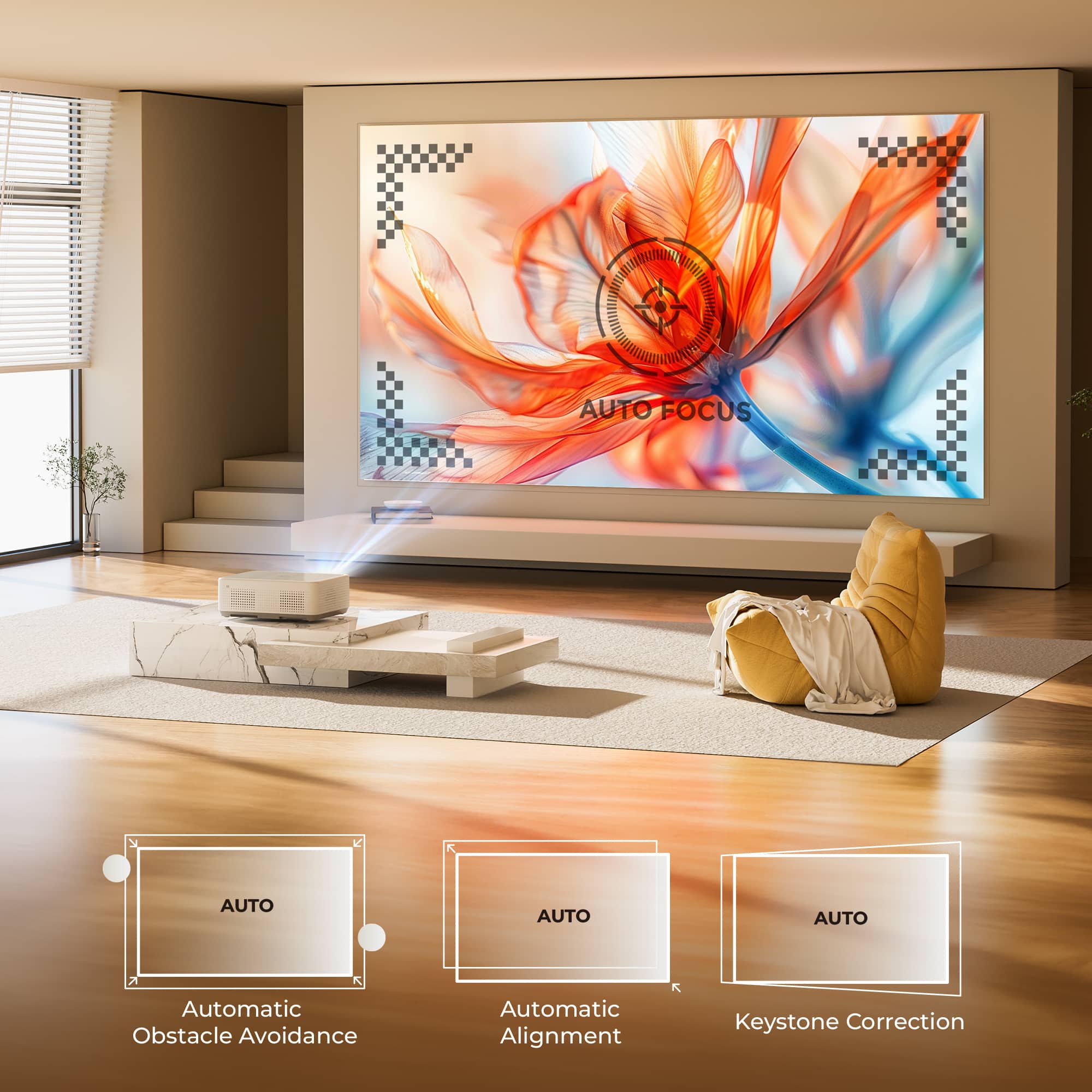
Customers regard the Leisure 570B projector highly for its picture quality and ease of use, with features like auto focus and Bluetooth connectivity adding to its appeal. The projector's compact size is also appreciated for its practicality. However, some customers have expressed concerns about the brightness, screen quality, app availability, keystone correction, and fan noise.
This summary was generated by AI based on customer reviews.
Good but could be a tad better.
||Posted . Owned for 5 months when reviewed.This reviewer received promo considerations or sweepstakes entry for writing a review.I would give 5 stars if it worked with YouTube TV. I had to plug a Chromecast into the HDMI and the USB port is powerful enough to power the Chromecast.
I would recommend this to a friendBrand response from Vankyo Team
Posted .Thank you for your support. We are super excited to provide something that betters your life. We promise to continue striving to exceed your expectations! Remember, your device comes with an warranty, and anytime you need help, just let us know. Email:support@ivankyo.com

Not What I Was Expecting
||Posted . Owned for 7 months when reviewed.This reviewer received promo considerations or sweepstakes entry for writing a review.The unit did not meet my standards quality-wise. I am sure that it works just fine and the included screen is a plus as well. I ended up spending additional money for something more inline with my needs and expectations.
No, I would not recommend this to a friendBrand response from Vankyo Team
Posted .Brand Response from Vankyo Team
We really appreciate your feedback to make this item better. I would like to present our deepest apologies for all the inconvenience.
We are dedicated to ensuring your 100% satisfaction. Please reach out to us via support@ivankyo.com. We are more than happy to assist you further.
We offer a warranty for this product, plus lifetime technical support. Our standard for responding to email quests is less than 24 working hours, and we look forward to hearing from you!
- Pros mentioned:Auto focus, Picture qualityCons mentioned:Fan noise

Excellent Projector for the Price
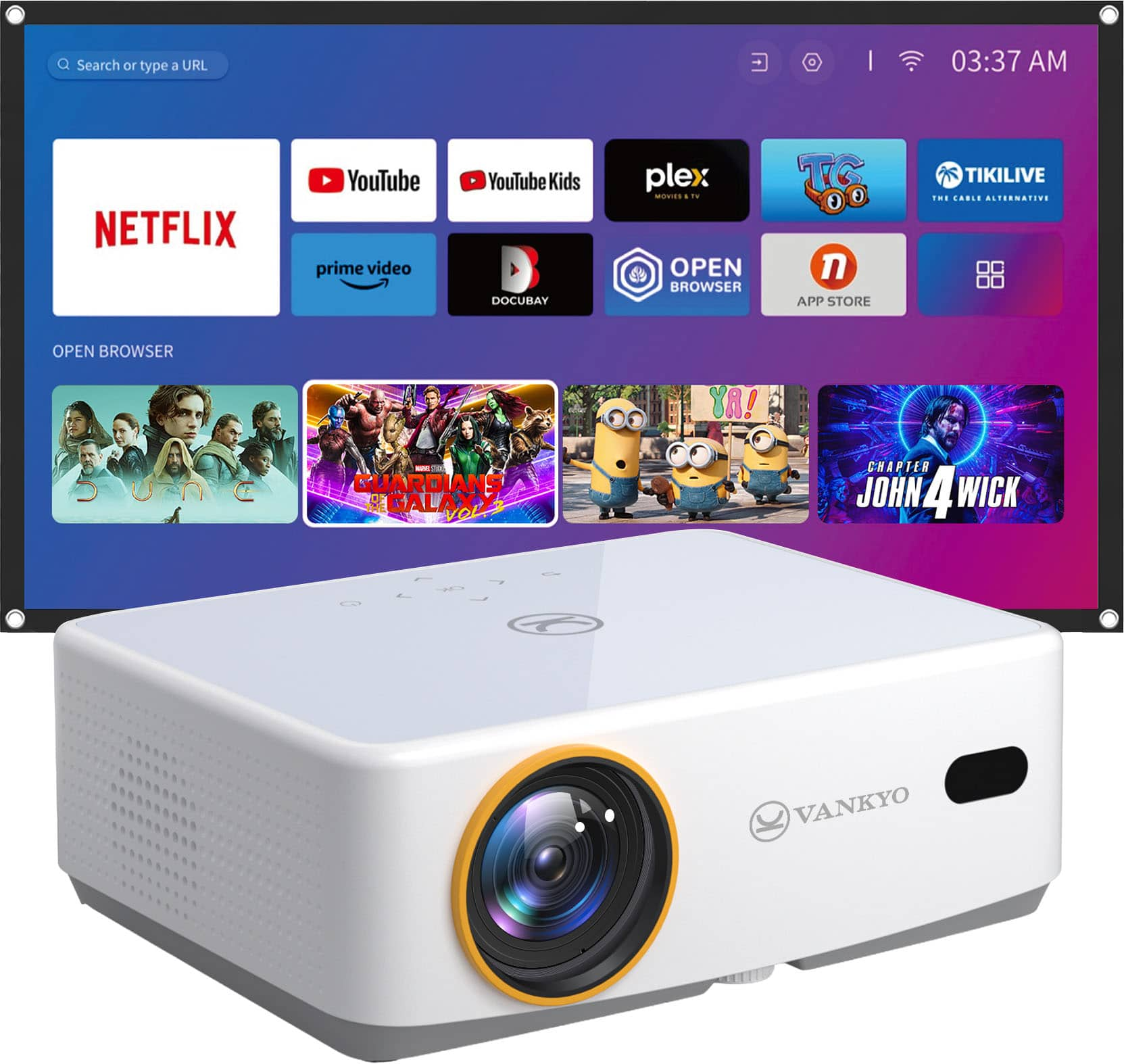
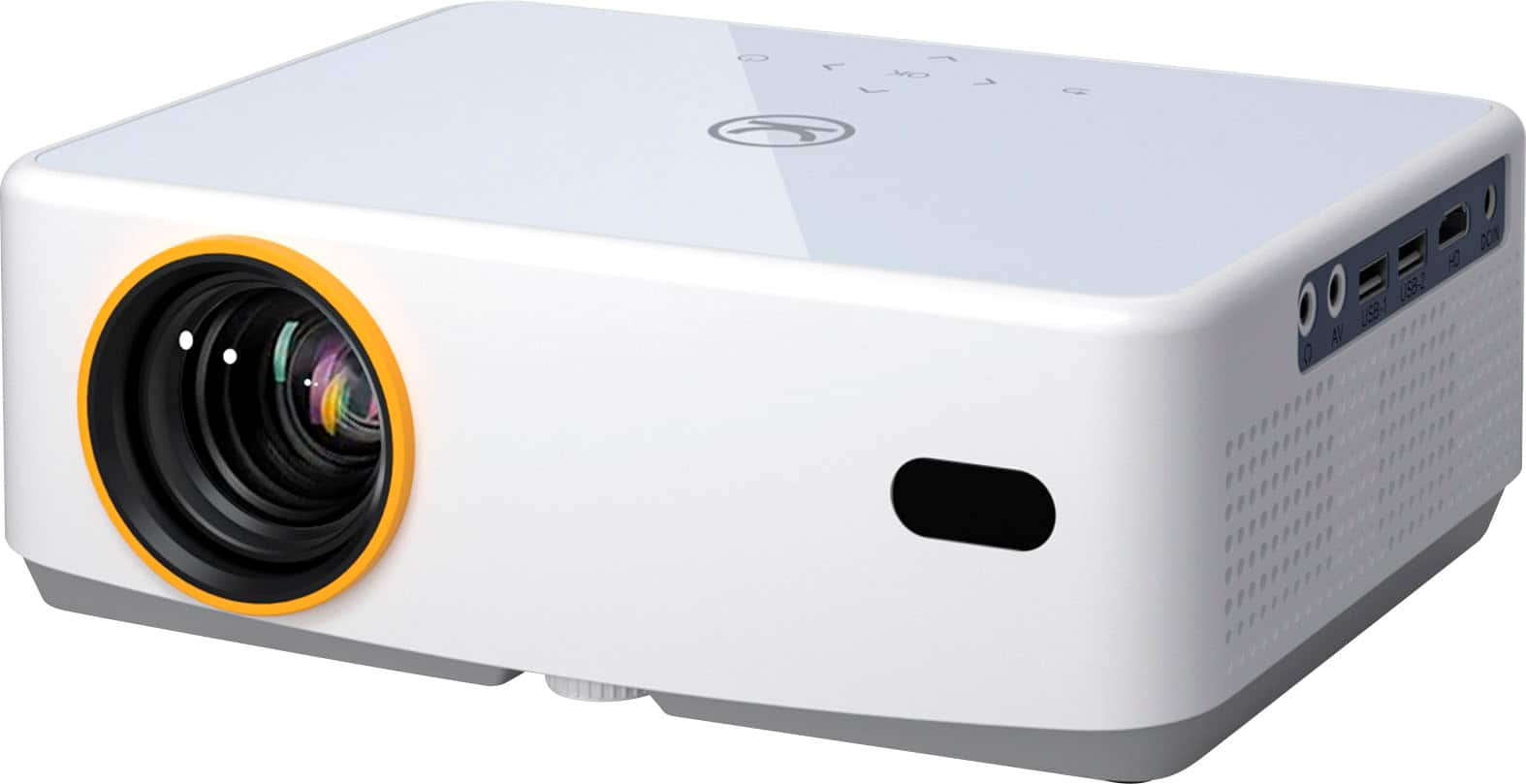
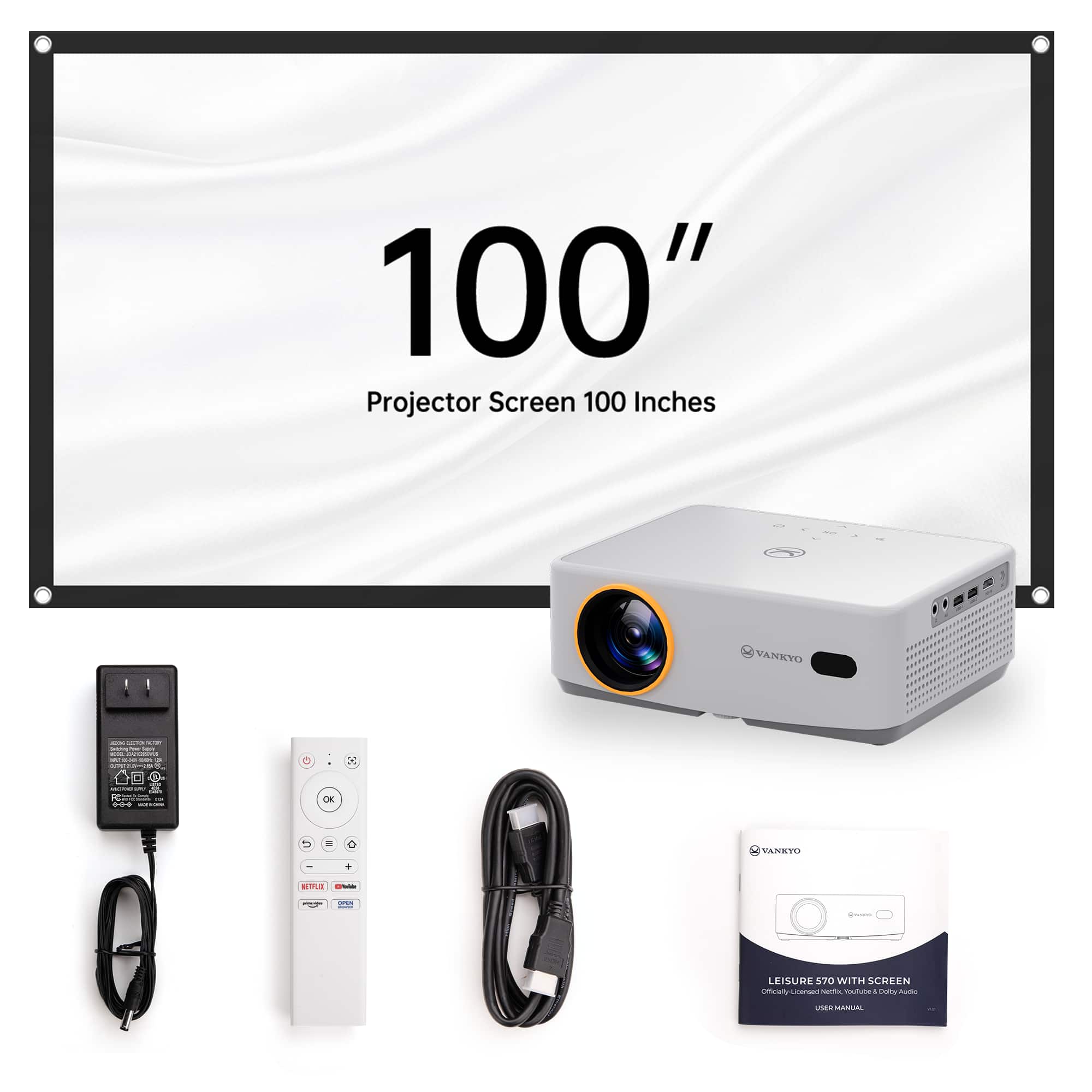
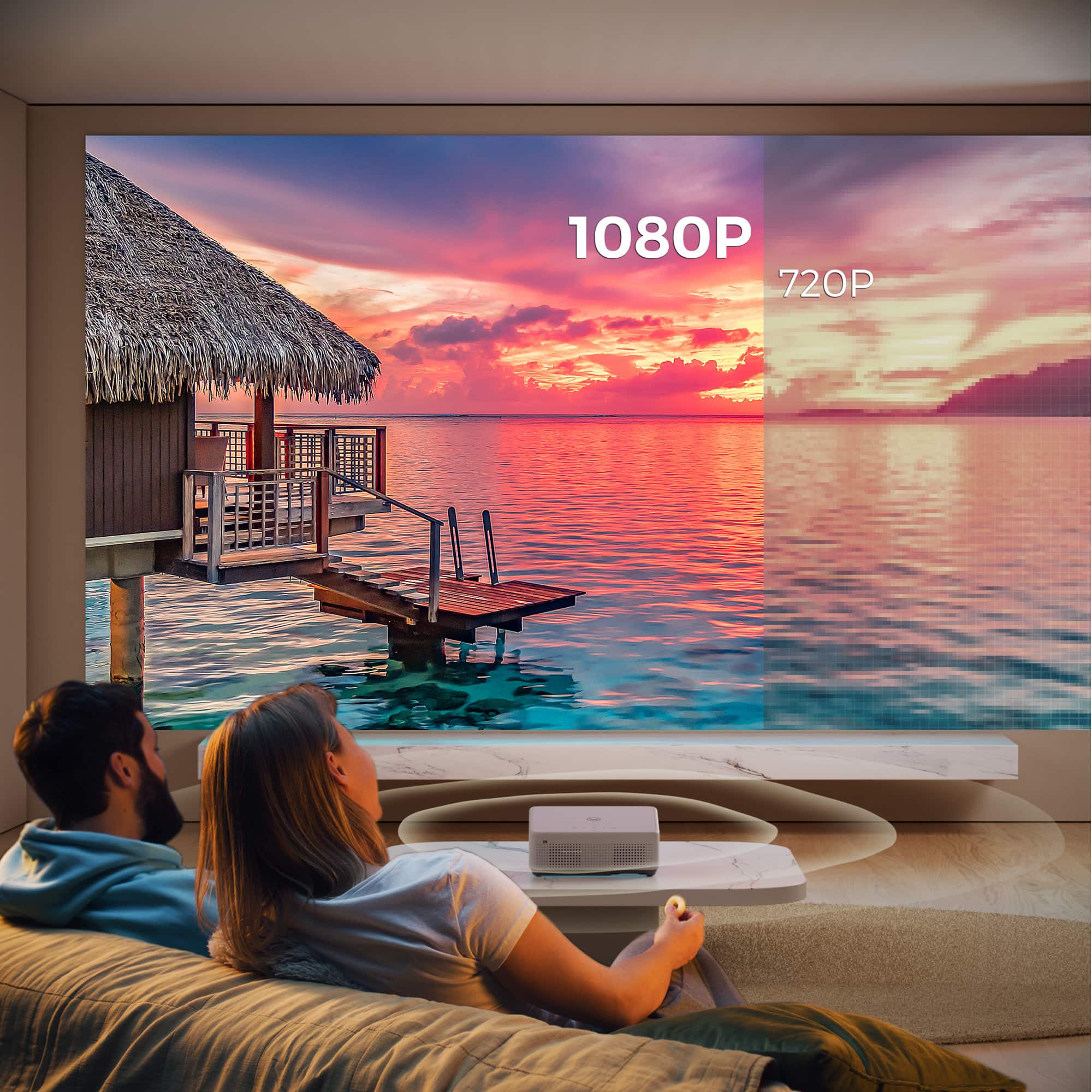
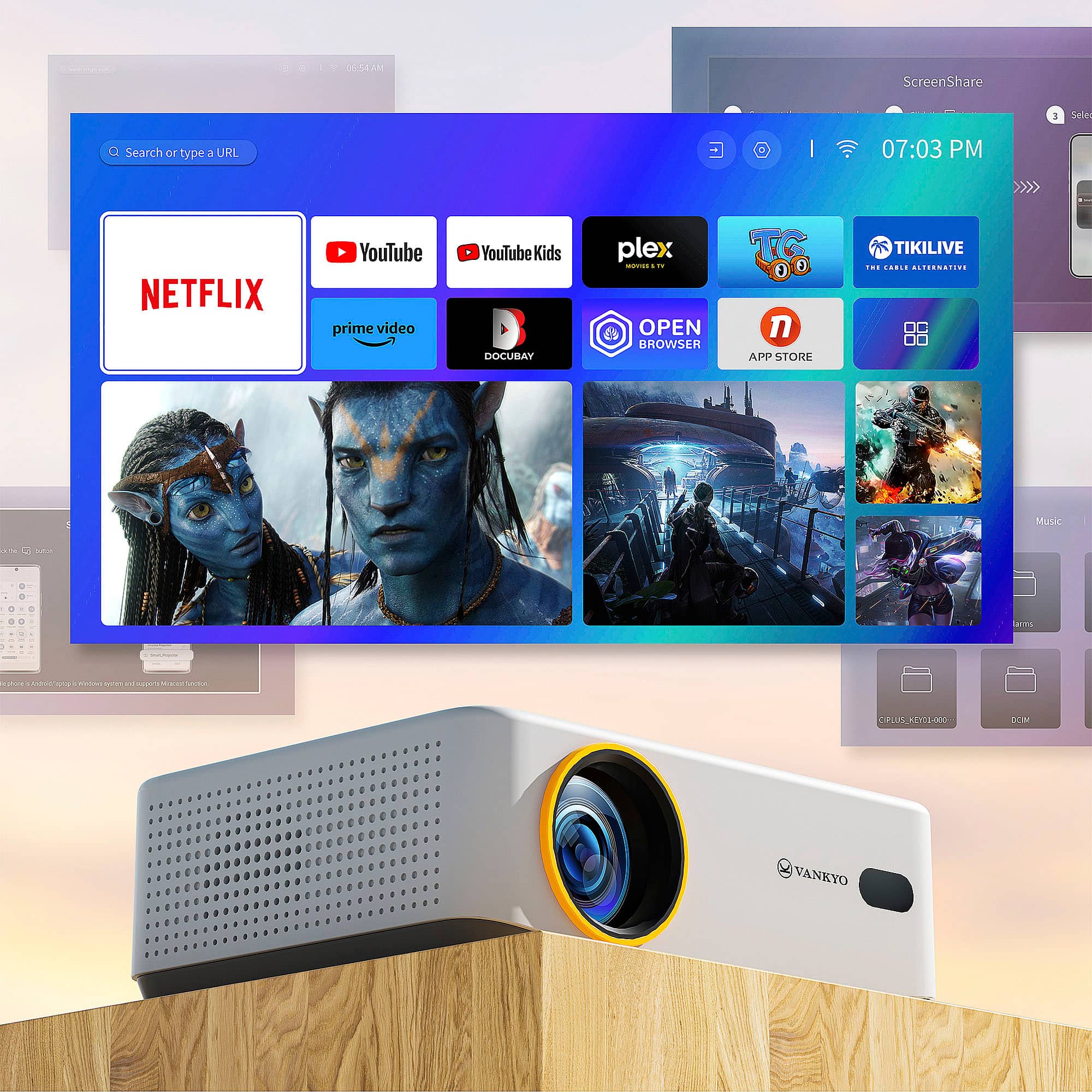
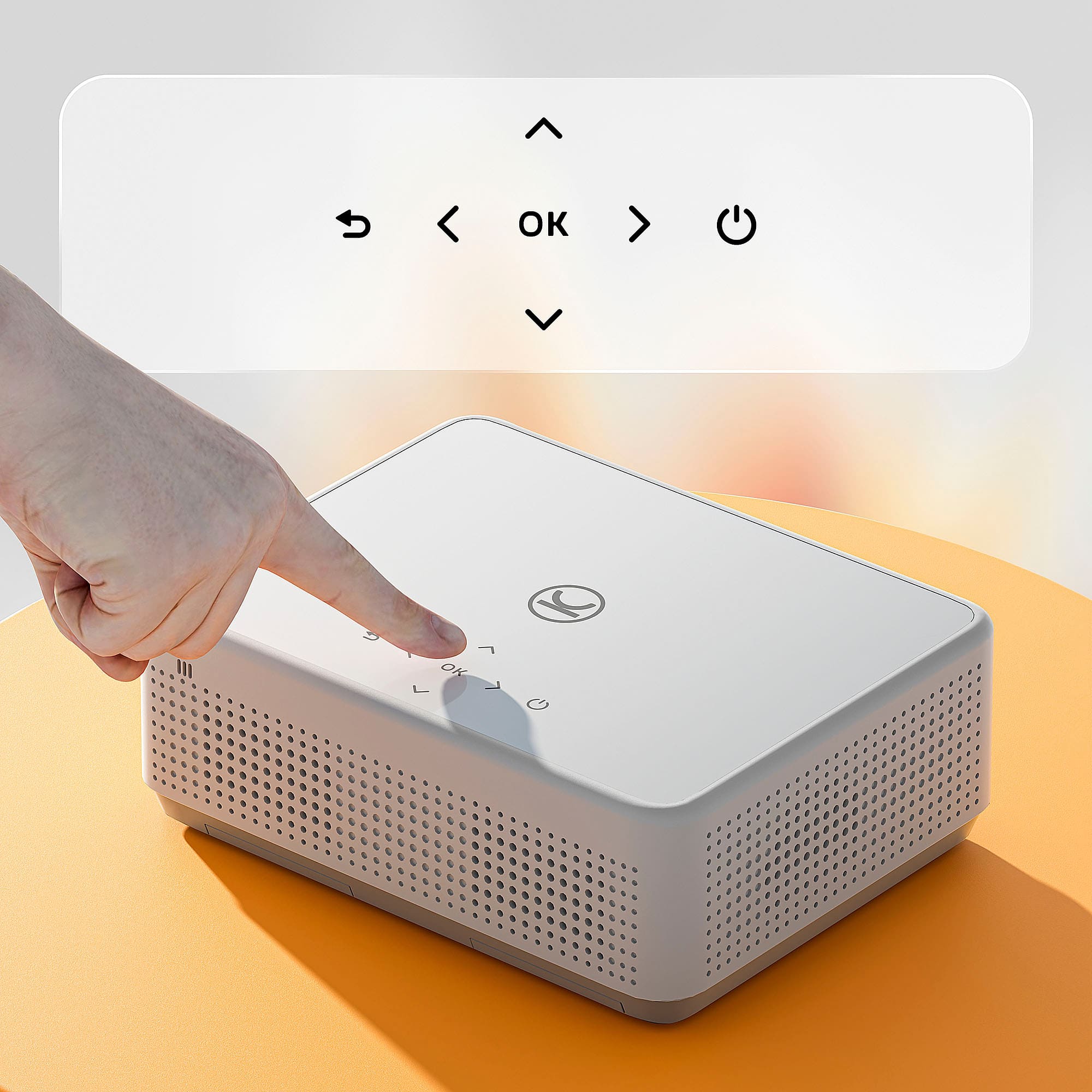
|Posted .This reviewer received promo considerations or sweepstakes entry for writing a review.This is an excellent projector for its price range. It does have some limitations but nothing that prevents it from doing exactly what it is intended for. Starting off with the picture and sound, the resolution at 1080p looks clear and the colors are bright and look exactly as they should. The device has auto focus and as long as the device is far enough away from the screen, the auto focus works excellently without the need to do anything. If the projector is too close to the screen, the auto focus does not work at all. It has a brightness of 200 lumens which is plenty bright enough for the room even with-it being daylight and the sun shining in the windows. The sound is decent but nothing great. It has a small speaker which can be very loud and fill the room but is a little on the tinny side. The fan in it is very loud and does distract quite a bit. That is something really unfortunate that needs improvement. When you turn it on, you are greeted with a whole slew of icons for the various streaming services. There is Netflix, Prime, and YouTube but those are the only recognizable ones. All of the others are streaming services I have never heard of. You can add others but again most I have not heard of. I have a subscription to Hulu and that was one of the apps that can be installed, and it turns out to be browser based, but after signing in, it asks you to enable location services. I was never able to figure out how to do this so I couldn’t get Hulu to work. So overall, the streaming services are lacking, and the home screen is not laid out well either. The unit has a stand to tilt it. It is simply a screw that can be turned to raise and lower the angle. Very basic but does the job just fine. The remote is also basic but has all of the buttons necessary to do everything needed. It is lacking play/pause/rewind/fast-forward buttons that I really wish it had forcing you to figure it out based on the app being used which is not always easy. The Wi-Fi was very easy to connect to when setting up the unit for the first time. I was able to connect right away the first time. There really weren’t any other settings that needed to be done except for the settings within the apps. It has inputs for USB, HDMI, and A/V. I couldn’t figure out how to use the A/V since no cable came with the unit for it. The HDMI worked fine as expected. The USB accepted a stick with videos on it and played a lot of different formats; more than I would have expected. Using it required just changing the input to USB and selecting the icon for the video you want to play. The screen for selecting the videos is very easy to navigate and looks well organized. It does only accept USB drives formatted for NTFS. Drives formatted for FAT do not work. It also has a headphone jack. It says it has a Bluetooth connection to a Bluetooth speaker, but I was not able to try it. That should improve the sound quality over the built-in speaker. It comes with a 100” cloth screen that installs either with tape or hooks making it easy for a permanent install. I found the picture quality looks good on the screen but also looks good on a white wall. Finally, it comes with a lens cap and cleaning cloths which are nice touches. Overall, this is a good projector for its price point. It does everything it is supposed to do and does them well with only a few limitations I mentioned, mostly more recognizable streaming services and a better remote.
I would recommend this to a friend Very good quality product and great value for the
||Posted . Owned for 3 months when reviewed.This reviewer received promo considerations or sweepstakes entry for writing a review.Very good quality product and great value for the price.
I would recommend this to a friendBrand response from Vankyo Team
Posted .Thank you for your support. We are super excited to provide something that betters your life. We promise to continue striving to exceed your expectations! Remember, your device comes with an warranty, and anytime you need help, just let us know. Email:support@ivankyo.com
Lacks support for all streaming apps
||Posted . Owned for 3 weeks when reviewed.This reviewer received promo considerations or sweepstakes entry for writing a review.This device doesn’t support all common streaming apps, couldn’t watch the event I purchased it for. You must download the app and stream direct. You cannot cast from an app on your phone for example or computer. They didn’t have peacock tv for download. Some have suggested purchasing a fire stick or Roku and hooking that up to the device to then play from all the desired apps. Overall this is too clunky and not easy to use for my purposes. I regret buying this projector in light of the streaming limitations.
No, I would not recommend this to a friendBrand response from Vankyo Team
Posted .Brand Response from Vankyo Team
We really appreciate your feedback to make this item better. I would like to present our deepest apologies for all the inconvenience.
We are dedicated to ensuring your 100% satisfaction. Please reach out to us via support@ivankyo.com. We are more than happy to assist you further.
We offer a warranty for this product, plus lifetime technical support. Our standard for responding to email quests is less than 24 working hours, and we look forward to hearing from you!
works great and great price
||Posted .This reviewer received promo considerations or sweepstakes entry for writing a review.i love it i would recommend to anyone that is looking to buy
I would recommend this to a friendBrand response from Vankyo Team
Posted .Thank you for your support. We are super excited to provide something that betters your life. We promise to continue striving to exceed your expectations! Remember, your device comes with an warranty, and anytime you need help, just let us know. Email:support@ivankyo.com
No TV. No problem.
||Posted . Owned for 1 month when reviewed.This reviewer received promo considerations or sweepstakes entry for writing a review.This projector works great. Clear screen. Self adjusting. And it uses any HDMI to watch anything but also has Netflix and prime on it.
I would recommend this to a friendBrand response from Vankyo Team
Posted .Thank you for your support. We are super excited to provide something that betters your life. We promise to continue striving to exceed your expectations! Remember, your device comes with an warranty, and anytime you need help, just let us know. Email:support@ivankyo.com
Best gf gift, trust
||Posted . Owned for 3 months when reviewed.This reviewer received promo considerations or sweepstakes entry for writing a review.My gf loved it, it’s really a romantic type of gift.
I would recommend this to a friendBrand response from Vankyo Team
Posted .Thank you for your support. We are super excited to provide something that betters your life. We promise to continue striving to exceed your expectations! Remember, your device comes with an warranty, and anytime you need help, just let us know. Email:support@ivankyo.com
Kids
||Posted .This reviewer received promo considerations or sweepstakes entry for writing a review.Been perfect for my autistic neice who breaks tv’s !
I would recommend this to a friendI love tho sop at Best Buy
||Posted . Owned for 1 month when reviewed.This reviewer received promo considerations or sweepstakes entry for writing a review.I love this product I highly recommend this item also I love to shop at Best Buy is clean nice people
I would recommend this to a friendBrand response from Vankyo Team
Posted .Thank you for your support. We are super excited to provide something that betters your life. We promise to continue striving to exceed your expectations! Remember, your device comes with an warranty, and anytime you need help, just let us know. Email:support@ivankyo.com
- Pros mentioned:Picture quality
only lasted a few months
||Posted . Owned for 2 months when reviewed.This reviewer received promo considerations or sweepstakes entry for writing a review.Purchased it in November and it burned out in February, we liked the picture quality and it was nice while it lasted.
No, I would not recommend this to a friendBrand response from Vankyo Team
Posted .Brand Response from Vankyo Team
We really appreciate your feedback to make this item better. I would like to present our deepest apologies for all the inconvenience.
We are dedicated to ensuring your 100% satisfaction. Please reach out to us via support@ivankyo.com. We are more than happy to assist you further.
We offer a warranty for this product, plus lifetime technical support. Our standard for responding to email quests is less than 24 working hours, and we look forward to hearing from you!
- Cons mentioned:Brightness
Would not recommend
||Posted . Owned for 1 week when reviewed.This reviewer received promo considerations or sweepstakes entry for writing a review.Could only use at night or with no lights on. Returned it and purchased a different projector. The light output was awful. Bluetooth had an audio lag on all devices I tried with it.
No, I would not recommend this to a friendBrand response from Vankyo Team
Posted .Brand Response from Vankyo Team
We really appreciate your feedback to make this item better. I would like to present our deepest apologies for all the inconvenience.
We are dedicated to ensuring your 100% satisfaction. Please reach out to us via support@ivankyo.com. We are more than happy to assist you further.
We offer a long warranty for this product, plus lifetime technical support. Our standard for responding to email quests is less than 24 working hours, and we look forward to hearing from you!
not bad
||Posted . Owned for 1 week when reviewed.This reviewer received promo considerations or sweepstakes entry for writing a review.It's not bad for the price, but however, the Bluetooth fails a lot. It has a good internet connection and good projection. You will need speakers to use it. Its sound system is very poor.
I would recommend this to a friendGreat for any room size or shape
||Posted . Owned for 1 month when reviewed.This reviewer received promo considerations or sweepstakes entry for writing a review.Excellent for use on my angled ceiling in my room.
I would recommend this to a friendChose a better product
||Posted . Owned for 1 month when reviewed.This reviewer received promo considerations or sweepstakes entry for writing a review.Terrible product. Do not waste your money. We returned it because it was crooked, would not autofit, and is just a bad product. We ended up getting the Samsung which worked better.
No, I would not recommend this to a friendBrand response from Vankyo Team
Posted .Brand Response from Vankyo Team
We really appreciate your feedback to make this item better. I would like to present our deepest apologies for all the inconvenience.
We are dedicated to ensuring your 100% satisfaction. Please reach out to us via support@ivankyo.com. We are more than happy to assist you further.
We offer a warranty for this product, plus lifetime technical support. Our standard for responding to email quests is less than 24 working hours, and we look forward to hearing from you!
Lifespan Issue
||Posted .This reviewer received promo considerations or sweepstakes entry for writing a review.We really liked this projector; unfortunately, it completely stopped turning on after only 4 months of very light use. I didn't purchase a warranty because I didn't assume it would have quite such a short life span.
No, I would not recommend this to a friendBrand response from Vankyo Team
Posted .Brand Response from Vankyo Team
We really appreciate your feedback to make this item better. I would like to present our deepest apologies for all the inconvenience.
We are dedicated to ensuring your 100% satisfaction. Please reach out to us via support@ivankyo.com. We are more than happy to assist you further.
We offer a warranty for this product, plus lifetime technical support. Our standard for responding to email quests is less than 24 working hours, and we look forward to hearing from you!
Not long lasting
||Posted . Owned for 3 months when reviewed.This reviewer received promo considerations or sweepstakes entry for writing a review.Love it at first but now 3 months in and the projector is no longer working. The power button is red and flickers
No, I would not recommend this to a friendBrand response from Vankyo Team
Posted .Brand Response from Vankyo Team
We really appreciate your feedback to make this item better. I would like to present our deepest apologies for all the inconvenience.
We are dedicated to ensuring your 100% satisfaction. Please reach out to us via support@ivankyo.com. We are more than happy to assist you further.
We offer a warranty for this product, plus lifetime technical support. Our standard for responding to email quests is less than 24 working hours, and we look forward to hearing from you!
Reverend
||Posted .This reviewer received promo considerations or sweepstakes entry for writing a review.The "screen" that comes with it is just a cloth. We had to set the projector close to the screen in order for the presentation to be clear, but it was very small. Auto focus didn't work and the further away from the screen (in order to fill the screen) the harder it was to see.
No, I would not recommend this to a friendBrand response from Vankyo Team
Posted .Brand Response from Vankyo Team
We really appreciate your feedback to make this item better. I would like to present our deepest apologies for all the inconvenience.
We are dedicated to ensuring your 100% satisfaction. Please reach out to us via support@ivankyo.com. We are more than happy to assist you further.
We offer a warranty for this product, plus lifetime technical support. Our standard for responding to email quests is less than 24 working hours, and we look forward to hearing from you!
- Cons mentioned:Brightness
Absouloute trash
||Posted . Owned for 1 month when reviewed.This reviewer received promo considerations or sweepstakes entry for writing a review.Waste of money, isnt bright, isnt clear in a pitch black room
No, I would not recommend this to a friendBrand response from Vankyo Team
Posted .Brand Response from Vankyo Team
We really appreciate your feedback to make this item better. I would like to present our deepest apologies for all the inconvenience.
We are dedicated to ensuring your 100% satisfaction. Please reach out to us via support@ivankyo.com. We are more than happy to assist you further.
We offer a warranty for this product, plus lifetime technical support. Our standard for responding to email quests is less than 24 working hours, and we look forward to hearing from you!
- Pros mentioned:Ease of use, Picture quality
Perfect for projector for portable & leisurely use
|Posted .This reviewer received promo considerations or sweepstakes entry for writing a review.Affordable projectors have really come a long way since I last checked. This projector is not only a great value for the price but a great projector in its own right. It works even in rooms that are not fully dark. It produces good enough sound for a small space, and its picture is bright and color accurate. This projector is such a great value for the price that I can recommended wholeheartedly for anyone who just needs something to put a picture on a wall now and again. I think it would even work for someone who wanted to use it as their main mode of large-screen entertainment, as long as you have a good bluetooth speaker to pair it to. I've been keeping a 40" LED TV in storage and setting it up in my kids' room for things like parties and sleepovers when we need to keep the main TV area free from loud children. This will 100% take the place of that TV. My first experience with this projector was bringing it to a cabin for a camping trip. The first two days of the trip saw beautiful weather and we didn't use the projector at all, but on the third day the rain came and the need for screens became apparent. I was able to have the projector set up and working with my phone as a Wi-Fi hotspot in just a few minutes. I added my Netflix account to the app and we were able to start watching right away. It can also be used with a YouTube account, meaning my kids can pick up where they left off anytime they want to on the road. Amazon Prime Video is also built it. Just make sure you pack a couple of AAA batteries for the remote because the box does not include them. Speaking of the remote, it is very intuitive and easy to use and worked very well compared to some that I've seen. Note that the home button is in kind of a weird spot compared to other remotes of its type, so you might find yourself pressing it instead of the menu button. You'll get used to it. The operating system is snappy and responsive, with no lag. Speakers are definitely adequate for small crowds in a room, but maybe wouldn't be enough for a larger group outdoors. The fan noise is noticeable but definitely not too loud compared to the audio and I found it quite comfortable listening for long periods of time. I also like that this can be used as a Bluetooth speaker for phones to connect to and play. The picture is bright enough to be used in a room with curtains drawn even during a sunny day. I was impressed by that. It's also good enough to be used without adjustments, but there are several presets for various kinds of content and also a custom picture mode. Speaking of the picture modes, it seems that the settings apply only to video content; when you set them from the main menu, you won't notice a difference, but when you switch to watching something, your settings will be applied. As for clarity, I did notice some light blurring on the edges of the image even on a very flat wall with the projector about 7 feet away, but it was only noticeable when viewing static images like the main menu. Videos and movies played during my testing were excellently reproduced. The box for this is small enough that it could be packed in anyone's luggage even in a smaller car for road trips and hotel stays. Perhaps not something you'd want to take on a plane, but the whole thing would take up about as much room as 3 pairs of adult jeans, so maybe! For those who want to watch movies off-grid, this projector is very efficient. I ran it plugged in through a watt meter for several hours while watching videos, and the max power draw never climbed about 61 watts. An 1-kWh power bank could keep this running for about 16 hours. That's cool! The only drawback that I noticed is the fact that it can't stream from certain apps like Hulu and Disney directly from the projector. Something to do with copyright or projection rights or something. For that, you'll need a separate device like a streaming stick or PC. All-in-all, I highly recommend the Vankyo Leisure 570B for all your leisurely projection needs. It is honestly incredible for the money!
I would recommend this to a friend