Customer Ratings & Reviews


- Model:
- CTL4100
- SKU:
- 6196636
Rating by feature
- Value
Rating 4.6 out of 5 stars
- Quality
Rating 4.6 out of 5 stars
- Ease of Use
Rating 4.4 out of 5 stars
Customers are saying
Customers appreciate the Intuos Graphic Drawing Tablet for its ease of use, compact size, and overall quality, making it a good option for drawing. The included software bundle and compatibility are also well-received. However, some users have experienced initial setup issues and mention the sensitivity takes some getting used to. A few customers would prefer a Bluetooth option or a version with a screen.
This summary was generated by AI based on customer reviews.
Wacom Review
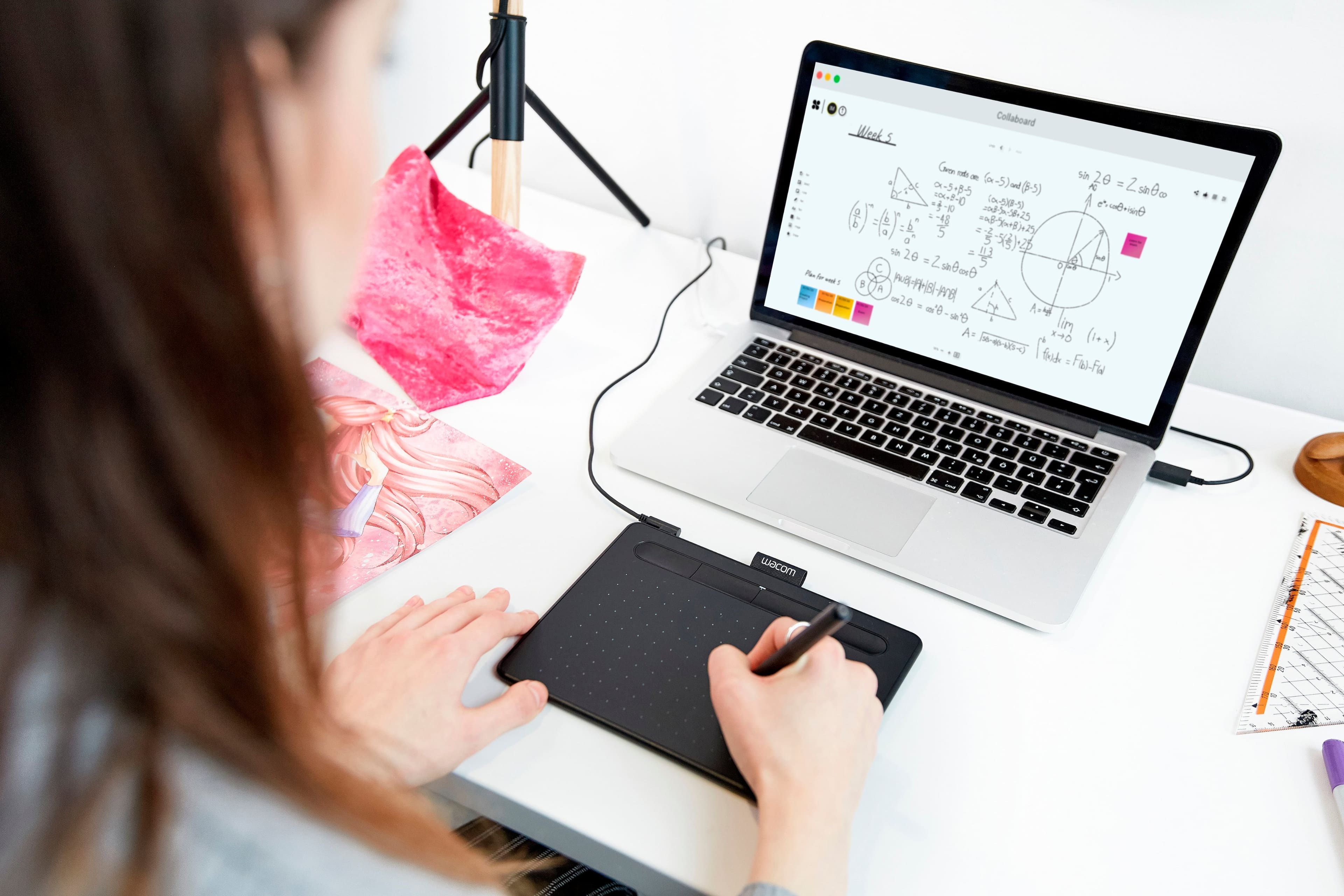
||Posted . Owned for 1 month when reviewed.This reviewer received promo considerations or sweepstakes entry for writing a review.It’s really handy for me to take notes on my MacBook Pro. Highly recommended to buy this product from BestBuy.
I would recommend this to a friend- Pros mentioned:Ease of useCons mentioned:Features
Good for starting out
||Posted .This reviewer received promo considerations or sweepstakes entry for writing a review.Good for a beginner or as a gift for someone interested in graphic design. Not for a professional but that should be obvious
I would recommend this to a friend Drawing device
||Posted .This reviewer received promo considerations or sweepstakes entry for writing a review.My son loves digital art. This device helps him while he’s doing his art on his computer.
I would recommend this to a friend- Pros mentioned:Drawing, Ease of use
You should have it
||Posted . Owned for 1 month when reviewed.This reviewer received promo considerations or sweepstakes entry for writing a review.Easy to install and excellent device during the on-line teaching. It is for drawing, but you can write any equations and sentences without any problem and efforts. Amazing.
I would recommend this to a friend - Pros mentioned:Ease of use

Good
|Posted . Owned for 1 month when reviewed.This reviewer received promo considerations or sweepstakes entry for writing a review.Works great. super easy to get drivers for linux(plug and play for most gui) and program available for setting buttons although Wacom could help intsead of making the community do it.
I would recommend this to a friend - Pros mentioned:Size
Great tool
||Posted . Owned for 1 month when reviewed.This reviewer received promo considerations or sweepstakes entry for writing a review.I bought this for my online classes. I teach college courses and use the blackboard platform. This little writing pad works wonderful. I just wish I had bought the bigger pad because this little pad sometimes it's just too little, but it gets the job done and it wasn't very expensive. For what I use it for it is perfect. I don't do much whiteboard writing but when I do it's perfect. For those that use whiteboard alot I would recommend splurging on bigger pad to give you more area to work in.
I would recommend this to a friend Love it!
||Posted . Owned for 1 month when reviewed.This reviewer received promo considerations or sweepstakes entry for writing a review.I've been a Wacom user for years, and I was on the fence of buying this model; and going with a totally different brand. But there was a sale and figured why not. One nice thing about the newer models is the cord is removeable so you no longer get the cord of death. Which brought the end of my tablets I've had over the years. Another nice thing about this product, is that that the texture when drawing on it itself feels like your drawing on paper. I also like how the replacement nibs are kept inside the pen, which is nice, and you'd never lose them. I've never used the features of the buttons, since I'm a simple gal. Just using the tablet itself is good enough for me. The only thing I can critique about this product is there's no CD software, you have to go on Wacom's website to download. Which can be annoying if you don't have internet access. Also I had to contact Wacom customer service to figure out what softeware to download, since they didn't make it very clear. Since there's quite a few different drawing tablets they have listed, this is a 2019 model for future buyers if you're curious. All in all I would recommend this product. :)
I would recommend this to a friend- Pros mentioned:Software
Very Addictive Feel and Features
||Posted . Owned for 1 month when reviewed.This reviewer received promo considerations or sweepstakes entry for writing a review.I originally bought this to try it out and return. From the moment I began using it with Lightroom and Photoshop I have really enjoyed it. I knew how essential a Pen tablet is to photographers. What I didn't know is easy and productive the Wacom Intuos. PROS -Customizable software by system/ Application -4 Customizable user preset buttons at the top by system/ Application -2 Customizable user preset buttons on the Stylus by system/ Application -Local and free Cloud tablet backups -Sleek Style -Extreemly comfortable feel CONS - About $30 more expense than similar larger Bluetooth tablets
I would recommend this to a friend - Pros mentioned:Ease of use
Extremely affordable and easy to use
||Posted . Owned for 3 weeks when reviewed.This reviewer received promo considerations or sweepstakes entry for writing a review.This is my first time using a drawing tablet. While you do need to get used to seeing the monitor while you draw, I think this is probably the best tablet for beginners. The tablet’s been also extremely useful for taking notes and writing while I do other stuff like taking a language course.
I would recommend this to a friend Works great!
||Posted . Owned for 3 weeks when reviewed.This reviewer received promo considerations or sweepstakes entry for writing a review.The software it came with takes some getting used to if you haven't already used it before. Installation was easy like I know wacoms tend to be. The only issue here is that it doesn't feel as sturdy as older wacom products and the drawing nibs wear down much much quicker. I had my old wacom for 8 years and never had to replace the nib, and after owning this for a month you can already see how worn down the tip is. Get a wacom bamboo pen tablet if you can find one!
I would recommend this to a friend- Pros mentioned:Ease of use
Great for 12 Year Old Artist
||Posted . Owned for 3 weeks when reviewed.This reviewer received promo considerations or sweepstakes entry for writing a review.Purchased for my daughter. She loves to sketch, paint, etc. and wanted to get more into digital art. She was able to open and set this up completely on her own to her HP laptop. To obtain the free software, you must sign in and register the product first. Then your offers appear on the website along with serial numbers to unlock full versions. Overall she loves this tablet. It’s easy to use and a great beginners tool.
I would recommend this to a friend affordable and Efficient
||Posted .This reviewer received promo considerations or sweepstakes entry for writing a review.It's cheap, it gets the job done, bought it bc I had a 2D Animation class and couldn't have passed it without this device, ballin on a budge
I would recommend this to a friend- Pros mentioned:Ease of use
Wish I bought it long time ago!
||Posted . Owned for less than 1 week when reviewed.This reviewer received promo considerations or sweepstakes entry for writing a review.From a while I am sitting in photo-editing programs and I this is ny first graphic tablet and though at the beginning I was more after the medium size, I decised to buy the small one and I think it was a great choice. It is super portable and doesn’t take a lot of room so I can work at home as well as in a cafe. It fits perfectly to my purse and it is super light! Opinionw are devided but the weight of the tablet and the pen is an advantage!
I would recommend this to a friend Nice Basic Tablet
||Posted .This reviewer received promo considerations or sweepstakes entry for writing a review.Nice tablet. It was a little laggy but once calibrated it worked like a charm. Great for graphic design work and taking notes.
I would recommend this to a friend- Pros mentioned:Ease of use, Software
Good product, needs better grade plastic.
||Posted . Owned for 3 weeks when reviewed.This reviewer received promo considerations or sweepstakes entry for writing a review.Easy to use, nice software, pen feels great. Cheap plastic of case for tablet is kind of awful. The usb port is decent quality and the cable is very nice.
No, I would not recommend this to a friend Awesome for beginners
||Posted .This reviewer received promo considerations or sweepstakes entry for writing a review.My 10yr old wanted to try digital art for so long and this is perfect for beginners.
I would recommend this to a friend- Pros mentioned:Quality
great tablet
||Posted . Owned for 7 months when reviewed.This reviewer received promo considerations or sweepstakes entry for writing a review.I wanted to wait awhile to write a review to make sure we got the full experience with the wacom. So far we have had no issues and even in my art school other students have been using the same one or one similar to this one. we are very happy with our purchase.
I would recommend this to a friend - Pros mentioned:Ease of use, Size
Great small tablet
||Posted . Owned for 1 month when reviewed.This reviewer received promo considerations or sweepstakes entry for writing a review.This is the perfect small tablet for a laptop that you can easily take with you. It was easy to set up and costumize.
I would recommend this to a friend - Pros mentioned:Ease of use
Nice tool for teaching classes - as described.
||Posted .This reviewer received promo considerations or sweepstakes entry for writing a review.Very helpful for remote learning / instruction. Allows you to write direction on most applications like MS Word, Paint, and PowerPoint (the few I use in these courses.) Also functions as a laser pointer (or pen) during presentation mode of PowerPoint. Very easy to get from Best Buy - arrived at my doorstep in 2 days instead of Amazon's 2 week lead time.
I would recommend this to a friend Wonderful for digital art
||Posted . Owned for 1 month when reviewed.This reviewer received promo considerations or sweepstakes entry for writing a review.This has been such an excellent item for my daughter’s digital art. She loves it.
I would recommend this to a friend