Customer Ratings & Reviews
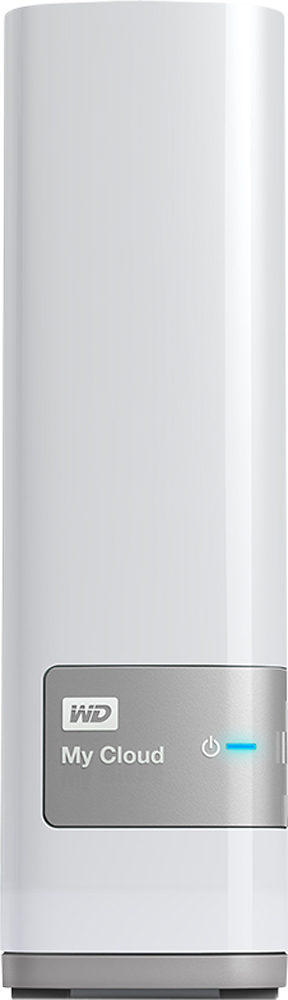
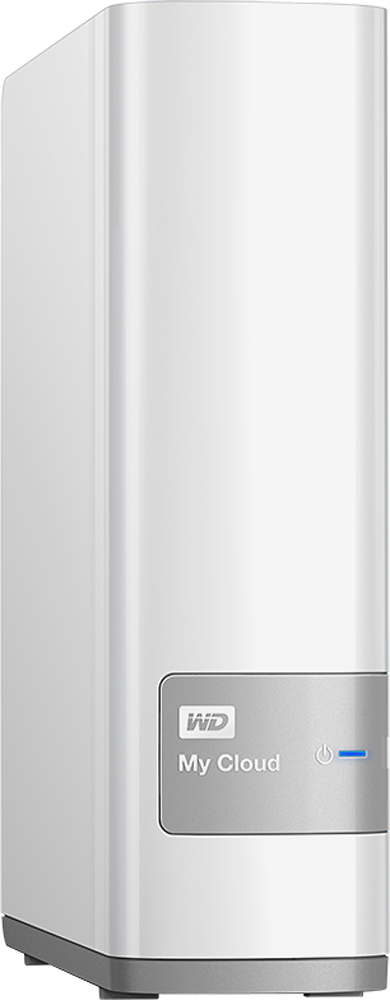
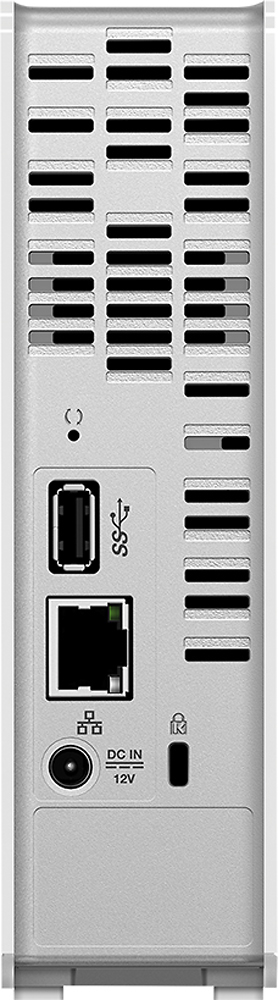

- Model:
- WDBCTL0040HWT-NESN
- |
- SKU:
- 2832018
Customer reviews
Rating 4.2 out of 5 stars with 1848 reviews
(1,848 customer reviews)Rating by feature
- Ease of Use3.5
Rating 3.5 out of 5 stars
Customers are saying
Customers find value in the My Cloud 4TB External Hard Drive's ease of use, large storage capacity, and relatively quick setup. Positive feedback also highlights its performance, remote access capabilities, and competitive price. However, some users experienced challenges with the software and interface, suggesting areas for improvement. The instructions could also benefit from greater clarity and detail.
This summary was generated by AI based on customer reviews.
- Pros mentioned:Ease of use
Rated 5 out of 5 stars
External hard
||Posted .This reviewer received promo considerations or sweepstakes entry for writing a review.This WD My Cloud drive features a 4TB capacity and lets you stream media to compatible DLNA-/UPnP-capable devices or upload and access data .easy to use and very easy to installed
I would recommend this to a friend - Pros mentioned:Ease of use, Price
Rated 5 out of 5 stars
Great device with minimal hassle
||Posted .This reviewer received promo considerations or sweepstakes entry for writing a review.It was easy to set up and very convenient to use. I really like being able access my files wireless from anywhere. The desktop app is a bit archaic in its user interface, however using the website looks and works great when you're not near the device. I wish I could drag and drop entire folders of data over internet like I can when nearby the device at home. Price is great. Beats Walmarts price by $50 at least.
I would recommend this to a friend - Pros mentioned:Storage
Rated 5 out of 5 stars
GREAT!!! for Personal File Storage and Backups
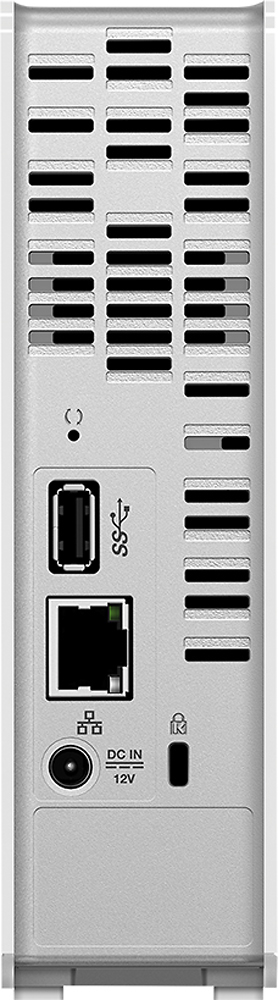
||Posted .This reviewer received promo considerations or sweepstakes entry for writing a review.I bought a WD MyCloud expecting it to be like other NAS (Network Attached Storage) products, which could only access from within the home network. But I was very pleasantly surprised to learn that not only could I setup network shares for each user on my network, but that I could also access "My Cloud" from anywhere, just like any of the cloud-based storage service, e.g. Dropbox, Google Drive, and Box. Unlike other cloud-based storage services, I know exactly where my files are physically and have the option to make those files available over the Internet or just within my home network. User and share management is very simple, as is setting up the Cloud functionality. The MyCloud also supports the addition of more storage space via the USB port located on the back of the unit, which supports USB thumb drives (SD storage) or USB hard drives. I have my 4TB MyCloud setup with an addition 2GB My Passport USB hard drive. My only complaint is that the attached USB drives show up as separate shares and cannot be mounted as a subdirectory within the main storage drive, so if you add additional USB drives, they should be dedicated to a specific share. The MyCloud also supports Windows and iTunes Media Streaming directly from the MyCloud, allowing for music and videos to be stored in one place and streamed to devices over the network. I would recommend the WD MyCloud to anyone thinking about paying for extra storage space from one of the online cloud storage services or looking for a NAS solution! Thank you Western Digital for creating such a fantastic product!
I would recommend this to a friend - Pros mentioned:Storage
Rated 5 out of 5 stars
Easy setup and data transfer
||Posted .This reviewer received promo considerations or sweepstakes entry for writing a review.I like the ability to either backup my entire computer or just the files I want too. It works as cloud storage. I use it to store pictures and videos consolidated from 3 computers.
I would recommend this to a friend - Pros mentioned:Setup
Rated 5 out of 5 stars
Love my new myCloud drive
||Posted .This reviewer received promo considerations or sweepstakes entry for writing a review.I'm thrilled to setup my own cloud drive where I am sharing photos with other family members. It was easy to setup and upload files.
I would recommend this to a friend Rated 3 out of 5 stars
Didn't Work with my MacBook Air
||Posted .This reviewer received promo considerations or sweepstakes entry for writing a review.I was really excited about this drive, but my MacBook Air struggled to stay connected to it. Worked through WD customer support, but in the end, sometimes it was visible to my MacBook, and sometimes it wouldn't show up...sometimes I was able to connect to the drive when it was visible, and sometimes I couldn't. It may have been a bug with the drive? But, WD support wasn't real confident...which didn't make me real confident. Maybe it works better with PC's?? Decided to go with a straight backup drive connected to my router instead. It doesn't have the functionality that the WD cloud drive promised...but then again, the WD drive didn't deliver on its promise. Can't recommend it if you have a Mac.
No, I would not recommend this to a friend- Pros mentioned:Ease of use, Storage
Rated 4 out of 5 stars
Great Cloud system. Easy to use
||Posted .This reviewer received promo considerations or sweepstakes entry for writing a review.A great cloud system. Easy to use. One of the best one out there. Great for small companies or someone with a lot information to storage. I will recommended this system to anyone who regular cloud systems are not enough. I give it four stars, because the price.
I would recommend this to a friend Rated 4 out of 5 stars
It is nice backup to have
||Posted .This reviewer received promo considerations or sweepstakes entry for writing a review.I like that I can allow certain people to have access to all files and for some to only particular folders. I don't like sometimes I receive error that device is disconnected whereas it is connected to my FiOS quantum router directly. Another thing is it takes long for some files to load. Other than that I will highly recommend to people to share their family pictures with family abroad.
I would recommend this to a friend- Pros mentioned:Storage
Rated 5 out of 5 stars
Awesome drive for movies
||Posted .This reviewer received promo considerations or sweepstakes entry for writing a review.Great! Buy it! You will be satisfied with this product. I've had a WD media player for about 5 yrs & still going strong. I needed more storage that is the reason I bought this 4T drive
I would recommend this to a friend Rated 5 out of 5 stars
Great Choice for Non-RAID NAS
||Posted .This reviewer received promo considerations or sweepstakes entry for writing a review.I was most concerned about the compatibility of the NAS interface with Time Machine for my MacBook Pro. No worries, the interface allows for a selectable Time Machine quota and no problems using it under El Capitan. The storage is also remote accessible easily and particularly with an available app under iOS. Security and user accounts are fairly easy to manage for the beginner user so no rocket science necessary.
I would recommend this to a friend- Pros mentioned:Ease of use
Rated 5 out of 5 stars
Easy setup
||Posted .This reviewer received promo considerations or sweepstakes entry for writing a review.Easy setup, Easy access from internet, Easy access from any computer on my network, Awesome addition to any home network that wants to share Pictures, music, data, etc...........
I would recommend this to a friend - Pros mentioned:Storage
Rated 4 out of 5 stars
What I expect for the money
||Posted .This reviewer received promo considerations or sweepstakes entry for writing a review.This drive was what I was looking for to backup all my computers
I would recommend this to a friend - Pros mentioned:Ease of use
Rated 5 out of 5 stars
good backup system
||Posted .This reviewer received promo considerations or sweepstakes entry for writing a review.It was easy to install and download the program. Easily conects to smart phones bothe Man and Android and can be set to automatically upload to cloud at your desired interval.
I would recommend this to a friend - Pros mentioned:Performance
Rated 4 out of 5 stars
Great Once You Get Past the Setup Stage
||Posted .This reviewer received promo considerations or sweepstakes entry for writing a review.I am using this for Apple Time Machine backups for three different Mac laptops. It's connected via Ethernet to a Netgear Orbi base station, and is working flawlessly for this. The only snag I hit while setting the system up was getting to the configuration screen on my browser. This was not as easy as it should have been, and I had to fool around with some settings on the Macs before it would work (and after about an hour of repeated attempts to connect via the unit's IP address). There are some useful setup articles available from WD online, but they took some time to find. In my opinion, a NAS device should be brain-dead simple to connect, which this wasn't. But again, once you get past this initial stage, the product works exactly as it's supposed to. Hence my four star rating.
I would recommend this to a friend - Pros mentioned:Setup, Storage
Rated 4 out of 5 stars
Lots of storage at a great price
||Posted .This reviewer received promo considerations or sweepstakes entry for writing a review.I really like this Network Attached Storage device, it gives a ton of space (4TB) at a great price. It was easy and intuitive to setup, and start syncing files from my computer. I like the fact you can access your files from any computer over the internet.
I would recommend this to a friend - Pros mentioned:Storage
Rated 5 out of 5 stars
FANTASTIC FOR HOME OR SMALL OFFICE
||Posted .This reviewer received promo considerations or sweepstakes entry for writing a review.This NAS will save you a lot of space in your computer, cellphone and other devices, excellent for camera recording backup.
I would recommend this to a friend - Pros mentioned:Performance
Rated 4 out of 5 stars
Cloud back up
||Posted .This reviewer received promo considerations or sweepstakes entry for writing a review.My husband needed this for work and it worked beautifully for his project
I would recommend this to a friend - Pros mentioned:Ease of use
Rated 4 out of 5 stars
Solid product
||Posted .This reviewer received promo considerations or sweepstakes entry for writing a review.Connects well to multiple devices. easy to use once it is set up correctly.
I would recommend this to a friend - Pros mentioned:Ease of use
Rated 5 out of 5 stars
Great NAS for the price.
||Posted .This reviewer received promo considerations or sweepstakes entry for writing a review.Easy to setup, easy to use. Pretty good as a starter NAS. The manual/instruction comes with is little weird but on WD website has provided lots of help.
I would recommend this to a friend - Cons mentioned:Instructions
Rated 4 out of 5 stars
Good product
||Posted .This reviewer received promo considerations or sweepstakes entry for writing a review.Bought the WD CLOUD after finding out I needed a server to work with my $2400 worth of Bose Sound Touch equipment that was very poorly explained by Best Buy employees. The WD server set up was no where near a user friendly set up (another sales pitch by Best Buy that missed the target audience ). Instructions that came with the external HD were NOT clear nor comprehensive, in that I had to do a lot of reading on the WD website to find out I needed to down load software front the site to laptop just to set up the drive on my home network. Finally got things moving, create folders, etc. Got some music move over so we can enjoy our $2400 speakers, but Bose is another sales failure by Best Buy that will be listed under that purchase. Probably THE worst experience with Best Buy Ive ever had.
No, I would not recommend this to a friend