Customer Ratings & Reviews
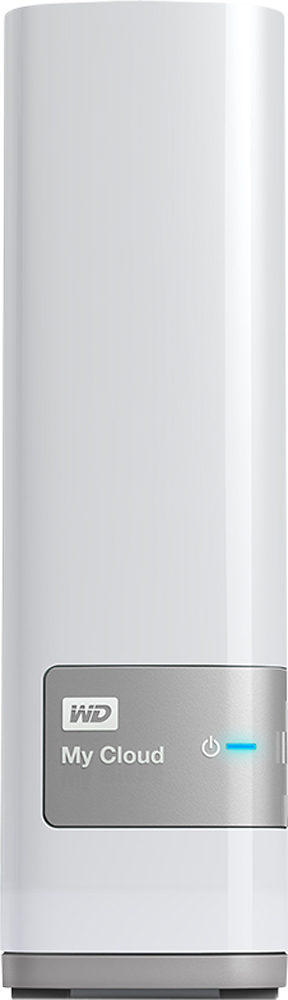
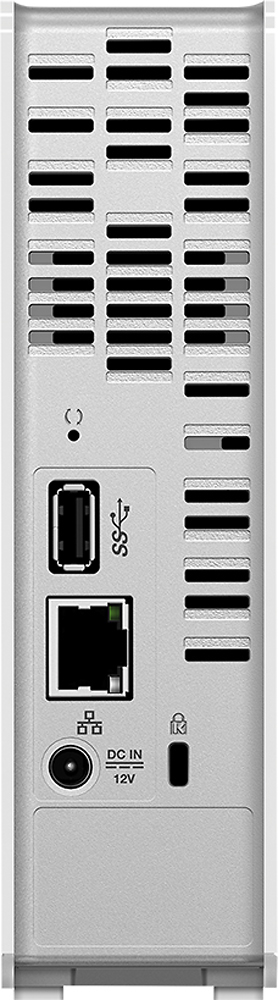

- Model:
- WDBCTL0040HWT-NESN
- |
- SKU:
- 2832018
Customer reviews
Rating 4.2 out of 5 stars with 1848 reviews
(1,848 customer reviews)Rating by feature
- Ease of Use3.5
Rating 3.5 out of 5 stars
Customers are saying
Customers find value in the My Cloud 4TB External Hard Drive's ease of use, large storage capacity, and relatively quick setup. Positive feedback also highlights its performance, remote access capabilities, and competitive price. However, some users experienced challenges with the software and interface, suggesting areas for improvement. The instructions could also benefit from greater clarity and detail.
This summary was generated by AI based on customer reviews.
- Pros mentioned:Ease of use
Rated 5 out of 5 stars
Easy to setup and use. Free backup program.
Posted .This reviewer received promo considerations or sweepstakes entry for writing a review.I have had my WD My Cloud (4GB) for a week now. It was very easy to setup and start using. You can download the Smartware for backing up your computers and upgrade to Pro for free. I have backed up both my desktop and laptop on it. There are apps for using it on your laptop and cell phone etc. I have downloaded both User Manuals for the My Cloud and the Smartware. I did upgrade the Ethernet cable from the CAT5 that came with it to a Belkin Premium Flat High-Speed CAT6 cable. It has worked fine when I use my cell phone to view my content. You can email files, pictures and video for family and friends to view.
I would recommend this to a friend Rated 1 out of 5 stars
Do not do this to someone you care about
Posted .This reviewer received promo considerations or sweepstakes entry for writing a review.First note that I regularly RELY on WD products. I buy enough hard drives for clients, customers, field work, etc. that I have real stats on different producers ... and WD is typically superior value for the money. NOTHING I say here should detract from WDs other products. In short however, this product is so naïve on so many levels that a detailed review is probably beyond the scope of an entry here. By naïve, I mean it will kind of work (provided you don't really try to do too much with it). Once you put a lot of files on it, the re-boot process (which naively scans EVERYTHING seemingly EVERY TIME) can take HOURS [be prepared to let it run over night, before it is "fully" functional. The web interface is naïve in that it stores copies of the shares on your local C drive (USING UP LOTS OF C-drive space) -- like what is the point of having a network drive if all the files are also copied to your c-drive? The FTP access is not standard -- and sends the password to the share in the clear. Thus I have yet to figure out how to use SFTPDrive (or similar programs) with this. SSH access is very limited -- and tunneling seems to leave you locked into the box (can't access the rest of the network). You can map the drive to a letter drive ... IF you are on the local network. HOWEVER they actually have stuff in there to detected if you are coming from outside the network, and they won't let you map it to a letter drive, if you are coming from outside the network. Of course the solution would be to VPN into the drive ... but the OPENVPN running on the drive, seem to be allocated for only the drive to use for accessing the web interface -- i.e., no native user accessible VPN. More than one person can't access a share at the same time. The cloud access requires a UNIQUE email address for each share -- so it is not even real cloud access. AND you cannot open multiple shares simultaneously on the same computer (the web interface is also very naïve). NET: If you are ONLY going to give this **LIGHT** use and NOT put a lot of files on it -- and if you are VERY VERY PATIENT ... it will probably work for you. HOWEVER, if you think you are getting a NAS DRIVE ... well it may play the part of a NAS drive in its own fantasies -- but it is not a real NAS drive. Likewise, given all the non-standard features, bad documentation, etc. trying to REALLY use this drive will quickly become VERY frustrating. The drive will tease you: Promising to deliver ... and then maybe it won't. Bottom line: If someone you care about is expecting to REALLY use this drive or depend on it -- DO NOT DO IT. You may eventually have to choose between retiring the drive or the relationship.
No, I would not recommend this to a friendRated 5 out of 5 stars
Pretty simple and is working great.
Posted .This reviewer received promo considerations or sweepstakes entry for writing a review.I've had my NAS for about 2 weeks and am very happy with it. I've had no problems with the device at all, downloading or uploading. I think I figured out why people are having slowness, they're working with small files. It takes longer for smaller files because of the few seconds it takes to finish the upload with one and begin the next. I've been transferring huge files (2-4 MB) and am impressed with how fast they go.
I would recommend this to a friend- Cons mentioned:Software, Speed
Rated 1 out of 5 stars
Avoid this product
Posted .This reviewer received promo considerations or sweepstakes entry for writing a review.I purchased this device for a household file server, backup, media server. It has totally underwhelmed me with its performance and user capabilities It's difficult to locate on the network, INCREDIBLY slow, nonfunctioning features, poorly written software and updates that decrease the performance of the system. It falls off the network so it can't be found and then I have to reboot it which takes nearly 15 minutes to come back on line. It refuses to make a Safepoint which is a system backup to another location. The software refuses to report the size of the drive or the amount of space used and remaining. Save your money. Save yourself from extreme frustration. Avoid this product!
No, I would not recommend this to a friend - Pros mentioned:Performance
Rated 2 out of 5 stars
Not Impressed
Posted .This reviewer received promo considerations or sweepstakes entry for writing a review.This is my fourth generation of WD cloud storage drive (though the name keeps changing). After four months, I am not impressed with this system. Performance is reasonable (but not what I expected). The status console is SLOW. I put about 900GB of data on the drive three months ago and ever since, the drive has not stopped being constantly accessed by the internal applications since (constant drive access noise). The dashboard shows ZERO change in status since 24 hours after the initial load (meaning that the dashboard believes that the indexing hasn't gotten anything done in three months!). Between the slow performance and the constant (and I mean constant) drive access noise, I cannot recommend this for anyone who will be working in the same room as the drive (as it is in my home office).
No, I would not recommend this to a friend - Pros mentioned:Ease of use, Storage
Rated 5 out of 5 stars
Easy to use
Posted .This reviewer received promo considerations or sweepstakes entry for writing a review.I have been thinking about getting something to store photos and data from my phone. When I was at Best Buy I decided to go ahead and purchase this one after an associate recommended this one. It works great and it has an easy setup. I like that there is the app that makes access to the stored data easy.
I would recommend this to a friend Rated 4 out of 5 stars
Network drive with remote access and affordable
Posted .This reviewer received promo considerations or sweepstakes entry for writing a review.After doing a lot of research on network drives and their capabilities, I found this drive to do almost everything I want it to do and at a reasonable price. Remote access is works well. A little complicated at setup. In my experience WD has so many versions of this device and software for them that it makes figuring out how to setup the drive confusing. I spent more time than I wanted to setting this thing up. But once I got it setup it does everything that its supposed to do flawlessly. I would like WD to streamline the software or produce better tutorials.
I would recommend this to a friend- Pros mentioned:Performance
Rated 5 out of 5 stars
Great NAS backup drive, reliable
Posted .This reviewer received promo considerations or sweepstakes entry for writing a review.The Dashboard is a great tool when accessing locally. Would like to view this remotely also, but can only view shares remotely, but it does the job remotely and via mobile app on iphone!! Very reliable so far!! WD hit a home run with this one, when compared to the older units they sold.
I would recommend this to a friend - Pros mentioned:Ease of use
Rated 5 out of 5 stars
Easy Install, Good Price
Posted .This reviewer received promo considerations or sweepstakes entry for writing a review.After endless struggle trying to use Seagate 5TB storage on router w macs I tried this and found instant success. Super easy install, doesn't care about Macs, works w time machine and all for less than half of apple airport. Hope it lasts a long time.
I would recommend this to a friend - Pros mentioned:Ease of use, Storage
Rated 5 out of 5 stars
4TB Cloud System
Posted .This reviewer received promo considerations or sweepstakes entry for writing a review.I love this HD, it works exactly as it says. I can store files on the cloud and download anything I need from literally ANYWHERE! Great for those last minute documents or music files you might need for meetings.
I would recommend this to a friend - Pros mentioned:Ease of use
Rated 1 out of 5 stars
Brought two,both malfunctioned
Posted .This reviewer received promo considerations or sweepstakes entry for writing a review.Easy set-up...works great,if it works. It took more than 3 days to load a 700 gig music folder...then it died. The second one would not let me create users...tech support told me to reformat,which would wipe out that 700 gig music folder. I was not going to spend another 3 days loading it....for the third time. I will now go back to my MyBook Live for NAS...very,very slow but at least it works. Maybe the next generation of MyCloud will work.
No, I would not recommend this to a friend - Pros mentioned:Performance, Setup
Rated 5 out of 5 stars
Great inexpensive NAS
Posted .This reviewer received promo considerations or sweepstakes entry for writing a review.I bought two of these drives for backup purposes, and they've been great so far. The UI is a little slow, but it's not a deal breaker. Setup was easy and performance is fast. Highly recommended!
I would recommend this to a friend Rated 5 out of 5 stars
I love it THe Best Buy I ever Made
Posted .This reviewer received promo considerations or sweepstakes entry for writing a review.I got it to back my computers we 10 computers backing up to it and it work great we software backup to when we installed windows 10 it didn't even need to download the software it hook right up to the computer and we installed our programs in min's thank you WD for making a great product..
I would recommend this to a friendRated 4 out of 5 stars
I'm impressed...
Posted .This reviewer received promo considerations or sweepstakes entry for writing a review.This is an amazing unit. It's USB 3.0 interface allows easy backup for robustness. I initially had trouble with the read speeds on my Mac. Mac Users: Although the Finder will show the unit as a Shared resource, the AFP implementation has a problem (as of firmware v03.04.01-219) that interferes with the read function. Mount the unit as a Samba drive under the Go->Connect to Server function and use smb://wdmycloud.local or browse for it. It's important to mount it as a Samba drive at least until WD fixes the AFP implementation. You can easily set up users, access permissions and other share point features through the web UI. My unit achieved 25-45MB/sec writes on large files and 40-80+MB/sec reads. I was really pleased. Like most disk systems, small file management slows it down. It's going to work just fine for my intended use as an NAS for mostly video/movie/music content. The control UI is intuitive and makes it easy to set up. I've not tried the remote access, DLNA or iTunes features yet but am pleased with what it does as an NAS. I'm told by tech support that the unit has a WD Red series drive. I found tech support to be excellent, knowledgeable and educational. I couldn't be more pleased. The tech helped me discover the Samba connection.
I would recommend this to a friendRated 5 out of 5 stars
Works well, Plenty of storage
Posted .This reviewer received promo considerations or sweepstakes entry for writing a review.The drive works well as a wireless cloud storage. The software could use some work from Western Digital. I'm sure these devices will improve in time but its current edition is very usable.
I would recommend this to a friendRated 5 out of 5 stars
Excellent Drive
Posted .This reviewer received promo considerations or sweepstakes entry for writing a review.Easy to setup, works better with Software that's included. I use it as an additional drive to my Airport Time Capsule, so I have plenty of backup for two computers. If you follow the instructions, you should enjoy using this drive.
I would recommend this to a friend- Pros mentioned:Ease of use
Rated 5 out of 5 stars
Easy to setup & does what I need
Posted .This reviewer received promo considerations or sweepstakes entry for writing a review.Very easy to set up. Although it doesn't state it anywhere in the WD online support, it works perfectly with Ubuntu-Mate Linux. I also use MacOS, and it works like a champ with all my Macs. I like that I can access my files when away from home, and also set up specific files to be shareable to people not on my network. In addition, the USB 3.0 port lets you attach additional external drives, even using an USB hub. I am very happy with it. It replaced an old (5+ years) and slowly dying Seagate GoFlexHome NAS.
I would recommend this to a friend - Pros mentioned:Storage
Rated 1 out of 5 stars
not good for Time Machine backups
Posted .This reviewer received promo considerations or sweepstakes entry for writing a review.I got this WDMyCloud drive five months ago because I had outgrown the backup drive connected to my computer and thought this new network drive would work like an Apple Time Capsule which I had used in the past but had become too small long ago. I had no problems connecting it to my Apple Airport Extreme (latest model) and making backups of my two computers even though it took several days even with a direct ethernet connection. I faithfully updated the firmware when a new version came out, and the Time Machine program on my macs were able to access the backups the way it was supposed to. I had/have no need of streaming video or photo storage so I can’t comment on those features. I only wanted a reliable backup device that would hold 3 or 4 TB. About three weeks after the first backup I got a message saying Time Machine had to create a new backup for me to improve reliability. The only choice is to say OK do it now, or do it later, meanwhile nothing is being backed up and when you say yes or OK, all the previous backups are gone. So I spent two or three days doing that and losing everything I had backed up to this point in time. All I need is a reliable backup of my files. There were a few times the hard drive lost its connection but I was always able to get it back online, sometimes having to reboot the drive using the WD web software. That has not been a problem. I can see the files on the drive using the Apple finder if I want to and using WD’s software. I can put up with some annoyances because I have been using computers and creating successful backup systems for 30 years. I have basic faith in technology and do not give up easily. All I need is a reliable backup of my files. So in the ensuing months I got three more of these notices, each time losing my prior backups and starting over. For the past three months, on August 24, September 26 and October 2. Oh, and I was away and unplugged from a backup from August 28 through September 15. I completely reformatted the drive five days ago and created another two sets of backups, five days worth, and have not received that message telling me to create a new backup so far. Should I be excited after only five days. I don’t think I can be. There is a lot of chatter on the internet about this error. It comes from Apple’s Time Machine program, which I suspect does not like anyone using a NAS drive that is not an Apple Time Capsule. If this message is true, it is telling me the backups on the WDMyCloud are not reliable. If I keep getting these messages saying the backup is not reliable, why bother creating it over and over? After all these recreations in these five months I now have only five days worth of backups rather than five months worth as I would expect. All I need is a reliable backup of my files. I have communicated with both BestBuy and WD, but I find that now I am stuck with this thing. Best Buy will not take it back because it has been longer than 15 days, WD won’t take it back because I didn’t buy it on their online store. Each company will happily replace the exact drive I have with one exactly like it, which means I will lose this past five days worth of backups once I replace it. So If you don’t mind having to create new backups and perhaps reformatting the drive every month or so, then you can probably use this drive for the advertised purpose.
No, I would not recommend this to a friend - Pros mentioned:Setup
Rated 5 out of 5 stars
Small package of preset NAS for beginners
Posted .This reviewer received promo considerations or sweepstakes entry for writing a review.Quick and easy to setup. Transfer speeds roughly 20-25MB/s. Can easily stream 1080P content over wired connection to connected devices.
I would recommend this to a friend - Cons mentioned:Speed
Rated 2 out of 5 stars
Great Idea - Not so great execution
Posted .This reviewer received promo considerations or sweepstakes entry for writing a review.Bought 2 of these for work . One is fine, the other kept disconnecting from the network. Most of the resolution steps involve taking HOURS to attempt fixes and resets. Not exactly a lightning bolt speed wise even when working. The good news is that it happened early in the warranty stage.
No, I would not recommend this to a friend