Customer Ratings & Reviews
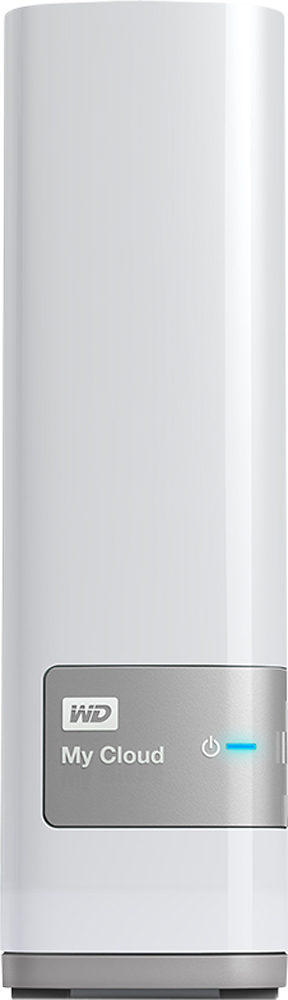
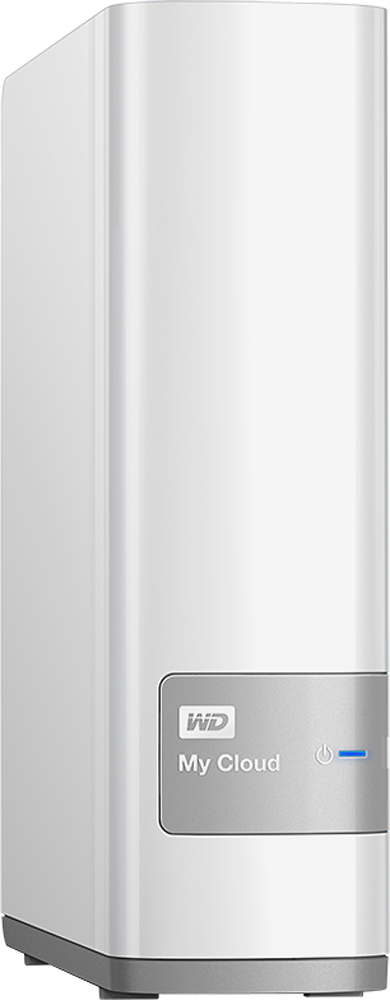
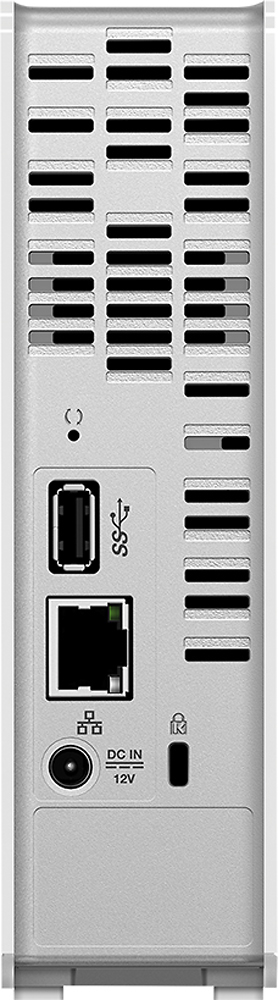

- Model:
- WDBCTL0040HWT-NESN
- |
- SKU:
- 2832018
Customer reviews
Rating 4.2 out of 5 stars with 1848 reviews
(1,848 customer reviews)Rating by feature
- Ease of Use3.5
Rating 3.5 out of 5 stars
Customers are saying
Customers find value in the My Cloud 4TB External Hard Drive's ease of use, large storage capacity, and relatively quick setup. Positive feedback also highlights its performance, remote access capabilities, and competitive price. However, some users experienced challenges with the software and interface, suggesting areas for improvement. The instructions could also benefit from greater clarity and detail.
This summary was generated by AI based on customer reviews.
- Pros mentioned:Storage
Rated 3 out of 5 stars
NOT Plex Compatible
Posted .This reviewer received promo considerations or sweepstakes entry for writing a review.I have a media server at home for all my movies. I use almost 3TB of a 4TB drive. I use Plex Server to distribute my movies at home and when I travel. I had read the forums it was possible to watch my movies using this. They were wrong. According to the directions from the WD site this was supposed to be possible but after contacting WD it seems that feature has been removed. You dont stream video from this device, you must download then watch. Decent app except for no streaming. Having public and private folders is a great idea.
No, I would not recommend this to a friend - Pros mentioned:Ease of useCons mentioned:Speed
Rated 1 out of 5 stars
Not worth it
Posted .This reviewer received promo considerations or sweepstakes entry for writing a review.My wife recently got this for me as a Father's Day gift to store movies & shows on this. Right out the box it was really easy to hook up & use. File transfers took a little time but I can deal with that. When watching movies & shows on my Smart TV from the drive, picture was great but after a few uses the hard drive would disconnect from the network causing me to restart the movie or show from the beginning. Another negative I had with this product was that while restarting a show, I was unable to fast forward or rewind to a certain part. I've read on the internet that the drive might heat up if it's on its side but mine was standing up. After the recent disconnection, I'm starting to look at other Nas hard drive brands.
No, I would not recommend this to a friend - Cons mentioned:Speed
Rated 2 out of 5 stars
This is NOT a long term storage device
Posted .This reviewer received promo considerations or sweepstakes entry for writing a review.I purchased and installed this unit 2 weeks ago. It works great. But then I noticed that it never stops running. The hard drive is constantly running, constantly making the traditional growling sound that external drives make, and constantly warm since the motor never stops turning. This is not good for durability. For 2 weeks now, the motor has not stopped running. It's on my desk, so even though the noise is relatively quiet, it becomes annoying after hours of hearing it. I finally contacted WD Tech Support yesterday and received a response from Karl in Service. He said that if I have the remote functionality turned on, the drive will not enter sleep mode and will run continuously. This is its normal function and the only way to stop it is to eliminate the "Cloud" functionality of the unit. Eliminating the Cloud function just makes this unit an over priced normal external hard drive. However, a hard drive that runs continuously 24/7 is not going to last. Therefore, the Cloud functionality of this device may be a cool novelty and some may have a specific use for it, but it is not practical to be used as a storage unit. Compared to traditional direct connect storage units, this one is very slow due to the wireless functionality. We are willing to put up with the slow speed because of the benefit of the cloud. However, now that using the cloud is not an option, this really is just an over priced, slow storage unit. I really thought it was cool until I realized this. Very disappointed.
No, I would not recommend this to a friend - Cons mentioned:Interface
Rated 1 out of 5 stars
stay away
Posted .This reviewer received promo considerations or sweepstakes entry for writing a review.Very fast and easy set up, but t goes downhill from there. automatic download from my iphone only copied half the files, a little over a thousand pictures and small videos. So after I deleted everything to start fresh and upload everything one by one, the files seemed to be there but couldn't be opened unless i downloaded them to my computer wich defeats the purpose.the interface is also terrible, cant search for specific pictures an they don't upload in order, just randomly
No, I would not recommend this to a friend - Pros mentioned:Performance
Rated 5 out of 5 stars
Excellent and Easy to Use
Posted .This reviewer received promo considerations or sweepstakes entry for writing a review.Great for the family. Works from iphone, ipad and pc very seamlessly, both at home and abroad. Perfect!
I would recommend this to a friend - Cons mentioned:Speed
Rated 1 out of 5 stars
Does not live up to expectations
Posted .This reviewer received promo considerations or sweepstakes entry for writing a review.I purchased this for my photography business to store all of my images. I use a Mac Book Pro to do my photo editing and have had nothing but problems with the WDMyCloud drive. Since updating to OS X Mavericks I have to restart my computer every time I want to connect to the drive. It is very slow when editing photos. I expected it to be a little slow when moving large files across my wireless network but is very slow, even with an ethernet connection. All the advanced features are neat but they should have spent more time on the basic features, like having a reliable connection. I would return it if I had kept the packaging but for $200.00 I figured it would work as well as my 5 year old hard drive.
No, I would not recommend this to a friend Rated 3 out of 5 stars
Not quite right yet... still quirky
Posted .This reviewer received promo considerations or sweepstakes entry for writing a review.Plugs in smooth, install with disc was fairly quick. Once you get to this point, things here get a little confusing. They have a web interface to access the drive, along with the ability to drag and drop w/in the windows consoles. Web interface has some stats and info, graphics are OK, but it seems like they should have more wizards built in to assist with certain processes (like copying data, setting up backups, setting up cloud-sharing accounts, etc). It's there, but it just does not flow well with steps. Apps across mobile platforms seem to be inconsistent in performance and setup, and it seems to hog a lot of bandwidth when data is being accessed. Today I had a movie playing on an iPad that was sitting on MyCloud, and at same time, attempted to look at a picture in the "shared folder" through my Windows Phone. Picture took a long time to load (way too long), and it froze up the movie when I looked it up. I have a WD Player unit that can connect to the MyCloud. This works great... watched some HD movies that we have through that and picture/sound were flawless. No buffering or lag. Copying data over to the drive is a nightmare... it is horribly slow. 50 GB blocks can take an hour or more. Wish they would have provided a USB 3.0 option to just port data over when doing a mass HD swap. If they retool some of the interface and make the processes a bit easier, I think it would be an OK device. Trying to figure out how to set things up to max out its potential. Due to speed issues, think of it more as an external hard drive with some interesting options... a low end NAS. Will update my review as I use and work with it more.
I would recommend this to a friendRated 4 out of 5 stars
Good Product
Posted .This reviewer received promo considerations or sweepstakes entry for writing a review.This is a good product, It helped me with my storage problems
I would recommend this to a friendRated 5 out of 5 stars
Great backup tool!
Posted .This reviewer received promo considerations or sweepstakes entry for writing a review.I bought this to store all my family pictures and do backups. I love that I am able to access all my files from anywhere! This is a great tool for anyone!
I would recommend this to a friendRated 5 out of 5 stars
Your own personal cloud at a great price
Posted .This reviewer received promo considerations or sweepstakes entry for writing a review.WD My Cloud is one of those products that is a must have for anyone who have limited drive space and want to access their files from anywhere.
I would recommend this to a friend- Cons mentioned:Speed
Rated 3 out of 5 stars
Great in home backup, but very slow
Posted .This reviewer received promo considerations or sweepstakes entry for writing a review.I got this to backup my computers, and save pictures to so that I could work from pc and switch to surface pro or tablet or laptop without having to copy to usb flash over and over. It works. But I bought the 4tb, as I have 3 tb worth of pictures and videos I wanted on the unit. Well, a 1gb file, transfers at 1.2 mbps. It doesn't have a usb port for transfer, only network. I have it plugged into a separate just for this wireless router, that router is plugged into pc, and also to my normal house router. Having its own router to pc I thought i'd get around the speeds the router was capable of. Nope, not even close.
No, I would not recommend this to a friend Rated 3 out of 5 stars
intermittent
Posted .This reviewer received promo considerations or sweepstakes entry for writing a review.I bought this to store data for shared access from 5 computers. It does NOT work very well - it worked well at first but then worked only intermittently - and became too frustrating to be of any use as a file server/NAS... It is useful as a cloud backup, however.
No, I would not recommend this to a friendRated 2 out of 5 stars
Average at Best...has Connecting issues
Posted .This reviewer received promo considerations or sweepstakes entry for writing a review.I have had this for about a year and while it works, it does not make it easy to connect. My Windows 10 computer is constantly saying it can't find the WD when you access it through windows explorer or any other program where you have a file to open on the WD. It then comes to a "my computer is missing protocols" and going thru the troubleshooter, it sometimes finds it by itself, others you have to actually open the WD Smartware program and "hope" it lets you log in. I haven't tried to actually access this cloud remotely yet, but I can't imagine much success when my computer is 3 feet from the WD and I can't access it. I can't recommend this to anyone with a good conscience if you think it will be plug and play easy.
No, I would not recommend this to a friend- Pros mentioned:Storage
Rated 5 out of 5 stars
Excellent Starter NAS(Network Storage Device)
Posted .This reviewer received promo considerations or sweepstakes entry for writing a review.Worked great with my smart TV. Enabled my entire family to enjoy all the media we have, Movies,Music,Photos. Most difficult task was getting our media onto it cause it honestly takes forever for GBs of data to copy no matter how new your computer is. I recommend using Syncback, I used the free edition.(PC) Wired Gigabit speed is around 60MB/s That's 60 MegaBYTES,
I would recommend this to a friend Rated 1 out of 5 stars
4 stars for PCs, 1 star for Macs
Posted .This reviewer received promo considerations or sweepstakes entry for writing a review.Has worked fine with all the PCs on the LAN, no complaints there. Has been next to useless with the Mac. Time Machine on the Mac immediately sees it as a backup device (good), backups up to it for a few hours (good) then complains endlessly that the drive is "in use" and stops backing up. Only way to resolve it is rebooting the drive. It will work great again for 12-20 hours, then "in use" errors come up again. Internet collective wisdom suggested disabling the power saving mode on the drive. I tried that too, but didn't improve anything. In fairness, I have no way of telling if the problem is with WD or with Apple. But WD docs online are very clear: they do not provide any Time Machine support, and you must contact Apple. If you're thinking about using this drive with a Mac, I recommend against it.
No, I would not recommend this to a friendRated 5 out of 5 stars
excellent product and i highly recommend it
Posted .This reviewer received promo considerations or sweepstakes entry for writing a review.excellent solution for storage and and ease of access. very well rounded up.
I would recommend this to a friend- Cons mentioned:Software
Rated 1 out of 5 stars
Endless Problems Since Purchase
Posted .This reviewer received promo considerations or sweepstakes entry for writing a review.When I first purchased this device, I set it up and spent the weekend configuring the backup plans on two desktops and a macbook air. Then proceeded to setup image backups on phones and tablets. Starting the second month, the backups started failing at night, and the software had problems talking to the drive. I have uninstalled everything numerous times, reinstalled all the software, reset the device back to it's factory settings (which takes 8 hours, if you do it through the dashboard). I have opened a support ticket with WD, which was closed after two responses, stating that I needed to call in for further technical support. I have tried calling in twice in the last two weeks on a Saturday (when I have time) In both cases, I have spent about 10 mins on hold, 20 mins on the phone with a tech, and then mysteriously disconnected. At this point, having just completed the RMA request, I am in one of those places where I swear I will never buy another WD device again.
No, I would not recommend this to a friend Rated 1 out of 5 stars
Very slow, needed to be reset on days 2 and 3
Posted .This reviewer received promo considerations or sweepstakes entry for writing a review.This is my third day with the product, and while the user interface is nice enough, any application on the computer relies on Adobe Flash and it consistently needs to be unplugged and plugged back in in order to hold a stable connection as a network drive. While some of this may very well be my set up, no other device on my network (disconnected completely while troubleshooting this) has had any problem at all with network speeds. It reported about 5 hours to transfer about 120GB of data, which did so averaging 2.5-3.0 MBps. I used the mapped network drive to do the transfer, as the Flash-based application didn't like to support data over 900MB at a time. This is my first NAS device, and I'm going to return it promptly after I submit this review. I still completely vouch for WD for their Passport series of exHDDs, of which I have several.
No, I would not recommend this to a friend- Cons mentioned:Speed
Rated 3 out of 5 stars
So effing slow
Posted .This reviewer received promo considerations or sweepstakes entry for writing a review.So frustrating to use. It works, it stores by photos well, but it is so slow and takes forever to open and load all of my files its incredibly annoying. Id suggest looking at other brands or something faster. Im not an expert on all the things you need to look for in an external HD. If you have a lot of patience, than this will work fine. I used to have a WD my passport for maybe a year and it crashed, so I am giving WD a second chance with this one.
No, I would not recommend this to a friend - Cons mentioned:Speed
Rated 1 out of 5 stars
Constantly has to be reset
Posted .This reviewer received promo considerations or sweepstakes entry for writing a review.Very disappointed. Took forever to transfer files. Every time I try to access my files it is offline. Contacted support they told me to reset the unit. I have had to do this at least 4 times in the 1 week I've owned it.
No, I would not recommend this to a friend