Customer Ratings & Reviews
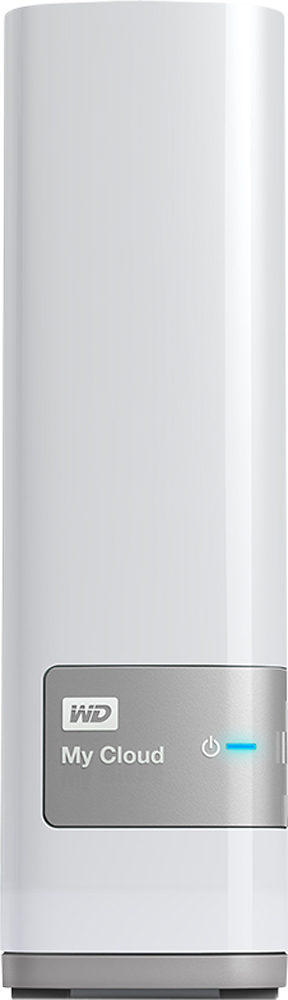
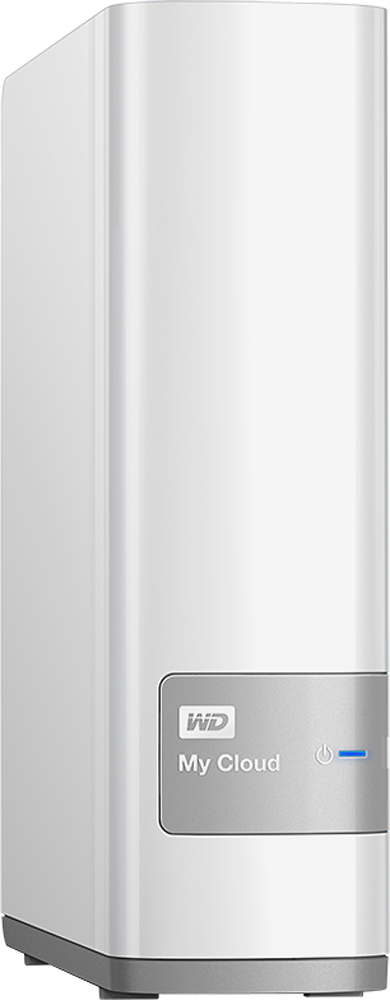
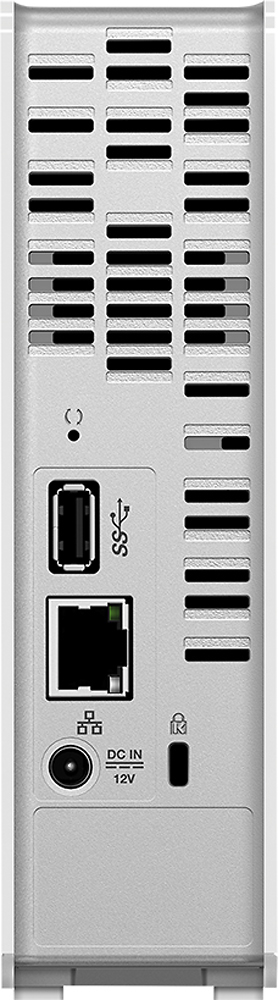

- Model:
- WDBCTL0040HWT-NESN
- |
- SKU:
- 2832018
Customer reviews
Rating 4.2 out of 5 stars with 1848 reviews
(1,848 customer reviews)Rating by feature
- Ease of Use3.5
Rating 3.5 out of 5 stars
Customers are saying
Customers find value in the My Cloud 4TB External Hard Drive's ease of use, large storage capacity, and relatively quick setup. Positive feedback also highlights its performance, remote access capabilities, and competitive price. However, some users experienced challenges with the software and interface, suggesting areas for improvement. The instructions could also benefit from greater clarity and detail.
This summary was generated by AI based on customer reviews.
- Cons mentioned:Software
Rated 1 out of 5 stars
I would have given it a 0 if I could have
Posted .This reviewer received promo considerations or sweepstakes entry for writing a review.Remote access does no work...almost...period. I have an older XP machine...does not work, I have a work laptop with Windows 7, does not work and I have a Windows 8.1 laptop...does not work. My cheapo Windows 8.1 tablet does access the drive remotely. Crazy! Additionally, you will put files on this drive and they will seem to disappear, then one day, you'll access it and they will be there! I am VERY computer savvy and while I liked this drive at first, I've frankly grown to hate it. They updated the firmware on 10/28, at which point the software I had installed started working a little flaky. After downloading software again...3rd time in 4 weeks...I can now access it with all computers through my LAN, but can't get remote access working on anything but my windows tablet. Stay away...stay very far away! I think it is a fine product if you want to back up one computer over your network with it, but other than that, it is garbage. I am taking it back! IT does almost nothing it says it does.
No, I would not recommend this to a friend Rated 5 out of 5 stars
The My Cloud Is Very Cool
Posted .This reviewer received promo considerations or sweepstakes entry for writing a review.WD - My Cloud 4TB External Hard Drive (NAS) - White Is So Cool
I would recommend this to a friend- Pros mentioned:Ease of use
Rated 5 out of 5 stars
Great product.
Posted .This reviewer received promo considerations or sweepstakes entry for writing a review.I've had multiple storage versions of this drive, and worked great. Their software lets your computer backed up automatically, or schedule it. Very easy to use, and easy to restore.
I would recommend this to a friend - Cons mentioned:Speed
Rated 1 out of 5 stars
Slow, so very slow
Posted .This reviewer received promo considerations or sweepstakes entry for writing a review.SLOW, SLOW, SLOW The My Cloud runs applications in the background to generate thumbnails and stuff to support the mobile interface application. I suppose this is keen if you use it that way, but it makes it too slow to serve data to the local network. It takes FOREVER to copy files back and forth. Seriously, I watched the bananas turn brown while I waited for a GB to transfer to the new drive. I was on a hard line and the My Cloud was in gigibit mode where both lights next to the network connection are green, not orange. You have no hope if the light is orange. You can give birth to, and raise children before data will transfer This is the kind of drive you buy for someone who thinks Instagram is art. They will be happy with it. On the other hand, if you have a 70GB music library and own a DSLR.....DO NOT BUY THIS DRIVE. It's not fast enough to store the photos you are going to try and dump into it. A donkey could transfer files faster by retyping the 1s and 0s with his hooves
No, I would not recommend this to a friend - Pros mentioned:Ease of use
Rated 4 out of 5 stars
Pretty good cloud
Posted .This reviewer received promo considerations or sweepstakes entry for writing a review.Works easily with my MacBook. I needed a more efficient way to back up and this does the trick
I would recommend this to a friend Rated 4 out of 5 stars
It's great
Posted .This reviewer received promo considerations or sweepstakes entry for writing a review.I have my documents in a safe storage now. I like that I can use it from everywhere.
I would recommend this to a friend- Pros mentioned:Setup
Rated 1 out of 5 stars
Had 2 break within 2 weeks
Posted .This reviewer received promo considerations or sweepstakes entry for writing a review.I bought a 4TB WD myCloud at Best Buy. Setup was pretty easy. The device let me stream media to my TV but writing to it was extremely slow. Accessing files over the internet only worked sometimes for some files. So overall it was OK, but then after 2 weeks it broke. I contacted WD and their customer service was terrible perhaps even worse than Comcast. Eventually they sent a replacement device. The replacement also broke after 2 weeks. Now I am stuck dealing with WD customer service again. Uhg. Don't buy this. Oh and don't even think about data recovery. If you care at all about your files don't go with WD.
No, I would not recommend this to a friend - Pros mentioned:Storage
Rated 5 out of 5 stars
Great storage and price...and wireless
Posted .This reviewer received promo considerations or sweepstakes entry for writing a review.I love this device...I have saved all my music, pics, and movies here and I can stream them all through my PS3
I would recommend this to a friend Rated 1 out of 5 stars
Loved it until it stopped working
Posted .This reviewer received promo considerations or sweepstakes entry for writing a review.I’m not hard on my electronics. I use them as intended and treat things carefully because I can’t afford to replace stuff willy nilly. I got this to host content for my house and to easily access it while away from home. Everything worked great until one day it kept disconnecting from my home network. I unplugged and replugged the power and it would eventually reappear on the network...for a few minutes. I had to play this game for a couple of days to back up my content and run some SMART tests which revealed that something serious was wrong and that I needed to contact WD support. Having had to replace several drives over the years I had the foresight to buy the Geek Squad protection plan and I’m glad I did. I don’t usually but for this kind of thing it makes sense. The drive lasted only six months! I don’t know if it’s a hardware or software issue but back to Best Buy it went and they refunded all my money, no questions asked. Too bad the drive was a clunker, I really liked it while it worked!
No, I would not recommend this to a friend- Pros mentioned:Ease of use
Rated 5 out of 5 stars
Good Product GREAT PRICE..BB is awesome
Posted .This reviewer received promo considerations or sweepstakes entry for writing a review.The product works great and is very convenient, like a lot of the cloud related products these days. The price just BLEW ME AWAY on this one. BB is awesome for getting this out there.
I would recommend this to a friend Rated 3 out of 5 stars
good backup poor documentation
Posted .This reviewer received promo considerations or sweepstakes entry for writing a review.Its a quality back up device but the documentation is lacking especially if you want to use it on a mac
I would recommend this to a friend- Cons mentioned:Interface
Rated 2 out of 5 stars
Look at other brands
Posted .This reviewer received promo considerations or sweepstakes entry for writing a review.While this does give a reliable place to store your information, the interface is unreliable. Very often when I try to save a file to My Cloud it won't give me access. I am constantly having to save the document or file to my document folder, then opening the My Cloud and dragging the file over as it will NOT let me save directly to the My Cloud. Sometimes it works, sometimes it doesn't. My computer is brand new and I bought the My Cloud at the same time I bought the computer. It is very frustrating and time consuming. I usually have to reboot my computer in order to get it to allow access. I have read other comments about the same problem since purchasing this item. I would highly recommend purchasing another brand of cloud device.
No, I would not recommend this to a friend Rated 2 out of 5 stars
Not the right solution for me
Posted .This reviewer received promo considerations or sweepstakes entry for writing a review.Admittedly this is very cool tech, but it is the wrong solution for me. Purchased this as Best Buy priced matched an online price that made it a steal for 4TB of capacity (year before last I think... ) The iOS apps work as expected, but the photo app just adds an unnecessary layer of complexity. This is hardly WD's fault as Apple prohibits a direct link from either the Camera or Photos app under iOS. The MyCloud App also worked, but so does Dropbox. None of my family members takes advantage of the media streaming services - myself included. I'm vested in the Apple ecosystem so the My Cloud features are rarely exploited the way they should. My large iTunes library (been a music collector for decades) is best hosted from a dedicated hard drive. Between iTunes Match and Home Sharing it's available everywhere I need it to be. As movie content is available from so many online services, I never made the effort to rip and archive my DVDs to the WD My Cloud. The WD Smartware application does provide a useful backup solution for the single Win10 laptop in use by family and it worked _easily_ and reliably to restore when the internal hard drive in said laptop had to be replaced. The WD My Cloud App under OS X is okay - when it works. Nothing to write home about - it does what it does (sometimes.) Most of the time it fails to connect from my late-2011 MBP (regardless of which OS X version I'm running.) That said, the My Cloud typically connects reliably from the Finder (my experience seems to contradict reoccurring complaints on the WD Forums.) Using the WD My Cloud as a backup for my iTunes library worked most of the time (using Carbon Copy Cloner for incremental backups), but permissions errors were not uncommon. When I did need to restore to a new media drive, the backup was reliable - all my data was intact. That said, resuming backup to the WD My Cloud from CCC was an exercise in frustration - so much so that I opted to increase the capacity of my 1 TB Apple Time Capsule Model A1355 (re: old and out of warranty) with a Seagate 3TB, 7200 RPM SATA drive and revert to using Time Machine for my back-ups. Don't even bother placing your Photos on this drive. Just don't. The My Cloud is file system is not compatible (again, not really WD's fault.) So to recap: if you are heavily vested in the Apple ecosystem, as I am, I would not recommend this drive. Between iTunes Match and an iCloud 50 GB Storage Plan, my needs are met. The WD Smartware application continues to work well for me, but I am considering online backup solutions as an alternative. The 4 TB capacity is nice to have, but my needs would have been better served with a dedicated external hard drive and not a NAS. As I mentioned, very cool tech, but not the right solution for me. I might consider a G-Technology G-Drive as a replacement sometime down the road.
No, I would not recommend this to a friend- Pros mentioned:Storage
Rated 5 out of 5 stars
Great for storage!!!!
Posted .This reviewer received promo considerations or sweepstakes entry for writing a review.Awesome hard drive with what seems like an unlimited amount of space. Great apps to use for it also on my iPhone.
I would recommend this to a friend - Pros mentioned:Setup
Rated 1 out of 5 stars
Great idea, poor execution.
Posted .This reviewer received promo considerations or sweepstakes entry for writing a review.I saw this in the store and was excited. I had heard friends talking about similar devices and how much they loved them. I have always trusted Western Digital and thought to myself "What could go wrong?" I took it home opened the box and set up was easy. Plug it in to the power and the router then wait for the light to turn solid blue. That is all the instruction that come with it and it really was that simple. The trouble started when I went to the site listed in their materials for setup. I typed in the address and the site came up but then it would not recognize the device. I double checked the connections and tried again with no luck. I went to the tech support and there is literally no information. All of their links go nowhere. I then resorted to the wonderful world of techies. Searching forum after forum I discovered hundreds of people with the same frustrations. There wer perhaps ten percent of the people who were able to figure out how to make it work. These people were obviously very knowledgeable. I have worked in the computer industry myself and while I my knowledge is a little out of date, I still build my own computers and can figure most things out. Following the advice on the forums I started trying solutions. I discovered that the router as well as my computer were able to see the device but the website could not. I tried accessing the dashboard of the device directly and still was unable to get there. I spent most of a day trying to make it work and finally came to the conclusion that it was simply a very expensive brick. I have returned the device and will not purchase another of this brand. I still want what it claims to do but will look to other manufacturers and do a lot of research before choosing another. Don not waste your time or money on this item.
No, I would not recommend this to a friend - Pros mentioned:Storage
Rated 5 out of 5 stars
Great for home storage
Posted .This reviewer received promo considerations or sweepstakes entry for writing a review.Fast access and lots of storage for family photos and videos via the network
I would recommend this to a friend Rated 5 out of 5 stars
External Drive
Posted .This reviewer received promo considerations or sweepstakes entry for writing a review.This external hard drive is great to use with our Mac mini.
I would recommend this to a friendRated 4 out of 5 stars
My own cloud
Posted .This reviewer received promo considerations or sweepstakes entry for writing a review.I can now store all my files in one place, access them whenever and wherever, upload whenever and wherever, and also share one or all files with whomever I chose. I'm all about making life easier.
I would recommend this to a friend- Cons mentioned:Interface
Rated 2 out of 5 stars
Slow
Posted .This reviewer received promo considerations or sweepstakes entry for writing a review.The level of experience you have with NAS devices should shape your opinion of this device. Very slow to migrate data from source to this device in bulk. Also the interface is very cumbersome and creating shares is much more difficult than it needs to be. Allowing for Windows shares and permissions would be much easier. Again if you like the idea of access to data without paying subscription for G00gle/1Drive, etc type sites then this works - but it's slow.
No, I would not recommend this to a friend - Pros mentioned:Ease of use
Rated 5 out of 5 stars
Good!
Posted .This reviewer received promo considerations or sweepstakes entry for writing a review.Have it for a few months and have no problems. Works well!
I would recommend this to a friend