Customer Ratings & Reviews
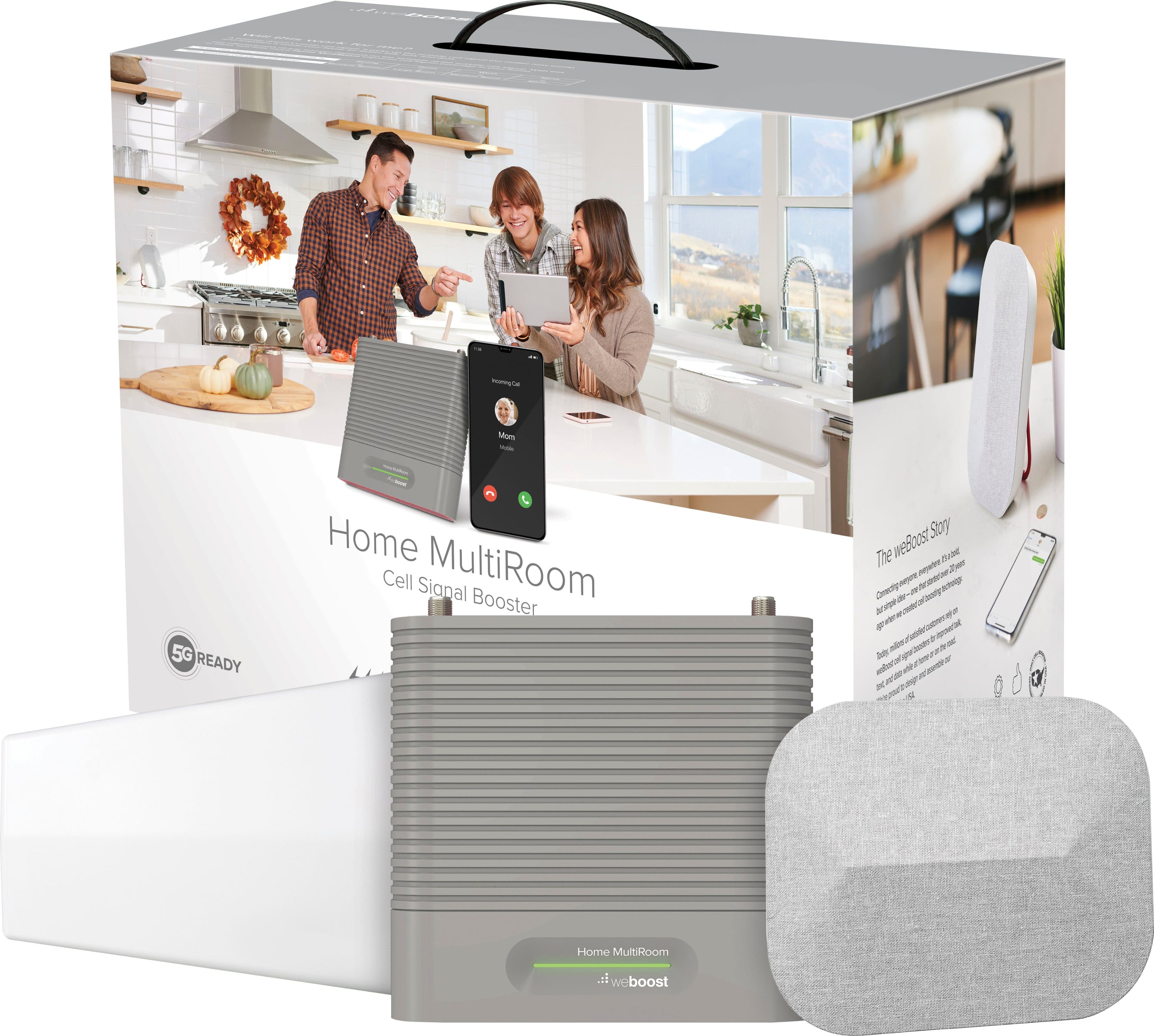


- Model:
- 470144
- SKU:
- 6364298
Rating by feature
- Value
Rating 3.7 out of 5 stars
- Quality
Rating 4.2 out of 5 stars
- Ease of Use
Rating 4.1 out of 5 stars
to a friend
Customers are saying
Customers value the Home MultiRoom Cell Phone Signal Booster Kit for its ability to improve signal strength, call quality, and overall performance. While the product is considered easy to use and provides great coverage, some customers have noted challenges during installation. A few customers mentioned the unit gets hot, and some feel the product is a little pricey.
This summary was generated by AI based on customer reviews.
Didn’t work :/
||Posted .This reviewer received promo considerations or sweepstakes entry for writing a review.Hooked up and adjusted numerous times over four hours and didn’t work.
No, I would not recommend this to a friendI don't know
||Posted . Owned for more than 2 years when reviewed.This reviewer received promo considerations or sweepstakes entry for writing a review.I really can't seem much of a difference. I bought it to boost signal in a metal warehouse clear span building.
No, I would not recommend this to a friend
Significant Signal Boost
|Posted .This reviewer received promo considerations or sweepstakes entry for writing a review.Anyone who says an antenna doesn't work just doesn't understand antennae. Even a coffee can or colander can be an effective passive antenna. What determines success is location. Clear line-of-sight is optimal but distance and other radio interference can degrade the signal. Without a clear line-of-sight it's a crap-shoot. Trees, leaves, buildings, clouds, etc can all effect the signal boost. So it's not that an antenna doesn't work, it's just that the signal that's trying to be boosted isn't that great to begin with. The weBoost Home MultiRoom Cell Booster is an amplified booster. It takes your weak signal, boosts the gain, and rebroadcasts. The downside of is that sometimes even noise will be boosted. It's kinda like turning your radio up so loud that you end up getting distortion. For my cell voice signal I had no problems and a very significant increase in signal integrity and strength. I live in a rural area. The nearest tower to me is 1.5mi away and AT&T is the only antenna on that tower. The other AT&T towers are 3.5 and 4mi away. Sprint is about 5mi and Verizon is 4mi. All the towers except for the 1.5mi tower have no LoS so hunting the right spot for the antenna was a bit of a chore. I have Sprint, Verizon, and AT&T service because I have no other options for internet access. AT&T is my main since I can get up to 60Mb/s from the near tower. Sprint I can barely get 3Mb/s and Verizon, if I connect to the right tower and get the LTE+ tower I can get about 10Mb/s. My wife doesn't like me putting my antennae outdoors so I had to find the best spot in the house. Now installing indoors you'll find that near a window isn't always the best spot. Materials in your house can reflect, absorb, and block signals. My best spot was in the middle upstairs near the stair case. The repeater has to be at least 24' away from the booster so I had to back track my cables, go 7' south, then 7'back and 20' to where the repeater was going to be located. Wouldn't have been so messy if the best spot was on the other side of the room. I already knew where to best aim my antenna for the Verizon signal since I've already found the sweet spot for my passive yagi antenna. I pointed the weBoost receiving antenna in the right direction, powered it up, got the green light and was good to go. Before installation my signal was -81dB for AT&T and -108 to -112 for VZ. (AT&T doesn't vary much since I'm so close). My passive antenna on the Nighthawk boosts the signal to -76dB. The weBoost boosted the signal to -67dB! I only get that signal when I'm directly under the tower - I occasionally checked for the osprey to report to AT&T so when it migrates away they can do repairs if it damages it. VZ signal went from -112 to -86dB. I was finally able to walk around the house with my VZ phone and not lose the call. Any other time I had to stay in one spot to make sure I didn't drop. We have a 3200ft 2 story house and I maintained the call all over without any loss. Now for the downside...my AT&T speed took a huge hit. I think boosting the strong signal just boosted the noise level and reduced my 60Mb/s speed down to under 10Mb/s. VZ which varied from 200Kb/s to 10Mb/s was steady 2Mb/s all over the house. I never surpassed 2Mb/s. It was perfectly consistent but I lost my top speed. So depending on what your situation is like, you might take a hit on speed also. For calls the Multiroom Cellular Booster is almost magical, but sadly, for me, the hit on speed takes a star away. I can't ding it for not doing what I wanted because it did what it's supposed to do spectacularly and made calls with Verizon usable. Maybe I'm just too dang close to another tower and it could be possible that's causing the VZ hit. VZ is band 5 and AT&T is 12. If you need reliable cell signal this will surely get you a boost, but how much depends on the source signal strength. Just don't expect miracles on data speed.
I would recommend this to a friendWhat an amazing product!
|Posted .This reviewer received promo considerations or sweepstakes entry for writing a review.Right off, I just want to say that this is an awesome kit for improving the cell service in your home. From opening the box to plugging in and powering the unit at the end, the instructions are clear and fairly easy to follow. Upon opening the box, you will see that each of the items is marked in the order you should install them, complete with “Command strips” for attaching the two parts to places inside your home. It is always good to take everything out and check it over before diving into a project like this to make sure you are familiar with all the parts and that everything is there that you will need. Before beginning your installation, there are a couple of important factors to consider. First, it is recommended that the outside antenna be installed 50 feet horizontally or 20 feet vertically from the inside antenna. For me, that was a challenge since we live in a ranch style house that is fairly narrow and single story. I ended up installing it on a 20 foot pole mounted to a fence away from the house. The second is that the two parts installed indoors are pretty sensitive to where they are in proximity to each other. I found that the indoor antenna works best a few feet in front of the booster and at least six to eight feet away from it. Again, since our house is relatively small, that posed a challenge when trying to find a good permanent location. I actually was pretty skeptical of the whole system, not a good feeling to have when it is a bit pricey and involves a little planning and installation time (total of about two hours for me, including mounting the mast outside and running cables under the eaves) so I tested things out before completing the install. I was amazed at the difference almost immediately upon the system booting up. I went from right around -120dBm to hovering just below -90dBm! It made a huge difference in the coverage in the house. I can now send and receive texts and am no longer missing calls. The last was a pain as I was constantly getting missed calls or voicemail notifications while I was in the house. After testing, I went back out and finished installing the cabling along the eaves. I ended up using about three or four times the wire clips than what they include in the packaging and had to add quite a bit of cabling as well since I ran the cable around one end of the house. Other than that, the install was pretty straightforward. Make sure you have a good ladder and are careful about not kinking the RG-6 cable! It is very apparent that a huge amount of thought went into designing and packaging the system. The pieces are not going to detract from other technology items you may have in the house and the mounting system is pretty neat with either stick-on or screw mounting options. We were to the point of thinking of trying to switch carriers since our service was so bad in our house. It seems that the newer the phone, the worse the coverage was getting, so each exciting new device brought even more missing texts and calls. Despite the price, I would have no problem recommending this to anyone, and while I have not tried their other products, I hope Wilson Electronics has put the same effort into all of them. This is a great change to our home and has really made a difference for us.
I would recommend this to a friendReally works! Challenging installation.
|Posted .This reviewer received promo considerations or sweepstakes entry for writing a review.This is my first experience with a cell phone booster and upon opening the box, I was a little overwhelmed with the contents. Then after sorting out the parts, it became a bit less scary. The kit consists of an indoor antennae and an outdoor antennae, a booster and various cables and mounts. The challenge is figuring out where the nearest cell tower is. Fortunately weBoost had a very good video on how to find out. There are some apps that can tell you that as well as web sites that can help you figure that out. Another challenge was figuring out where to mount the outside antennae. In my case I figured out the location of the nearest tower, then went to one of my windows that was facing closest to that direction and mounted it outside. You can “aim” the antennae from there. The kit included a very cool flat cable that allowed me to run it through the window and allowed me to still close it. From there, I found a good spot to mount the inside antennae and booster. I installed the booster next to the window behind the drapes and ran the cable up though the attic, then brought the cable down through the ceiling into the main living area where we needed the best signal. (This wasn’t really necessary as the cellular signal was boosted all over my house). From there, I plugged it all in. Following the instructions, I tweaked the antennae position outside the window until I got (mostly) solid green lights. A little more tweaking might be necessary. The bottom line is that this really works. The performance is excellent. In some locations in my house I got maybe 1 or 2 bars. Once I installed this product I was up around 4 or more! The installation can be challenging though. You may need to use your ladder for the outside antennae and be prepared to fish some wires here and there. But If cell service is weak in your area, I would highly recommend this product
I would recommend this to a friendCell Boost with weboost!
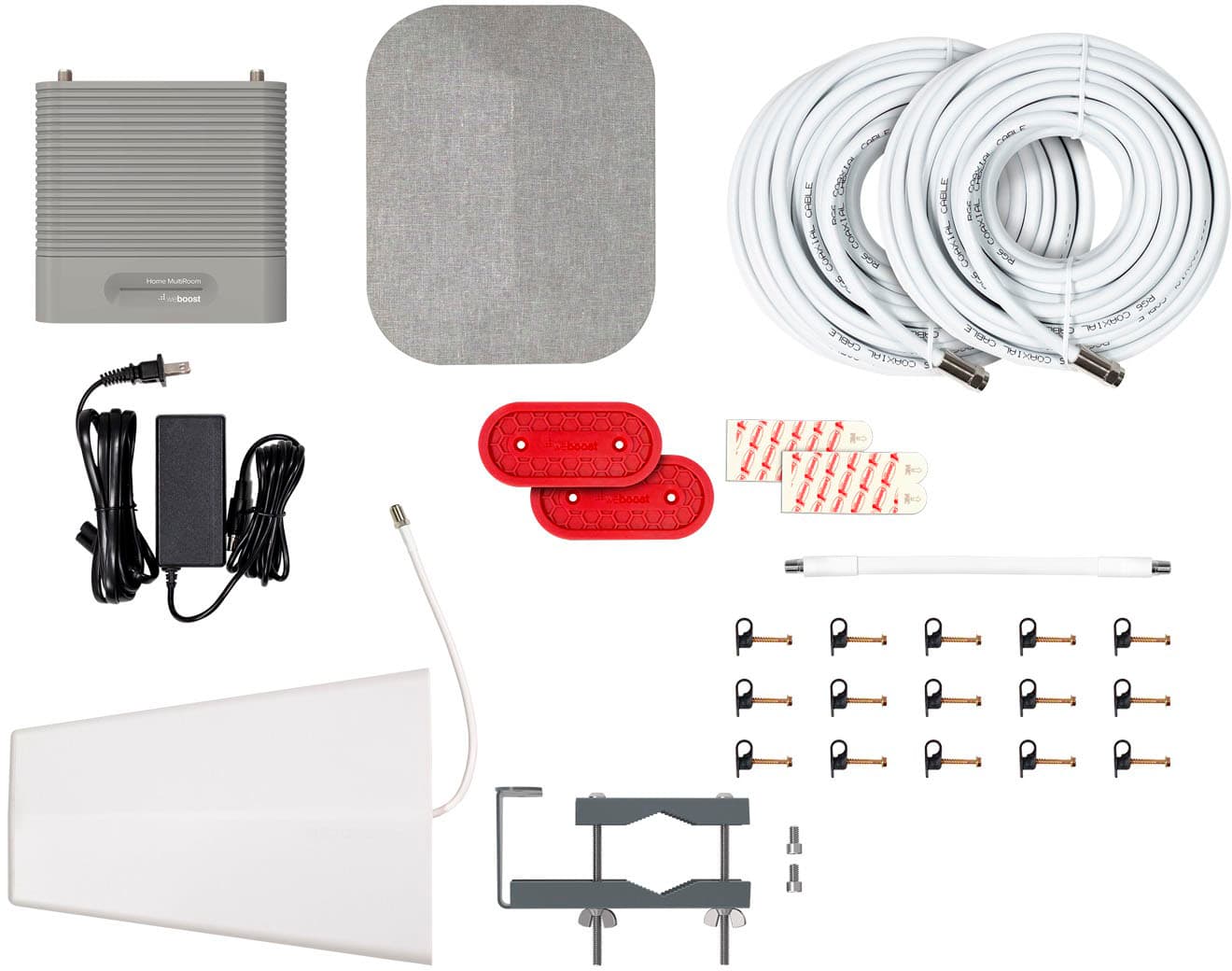
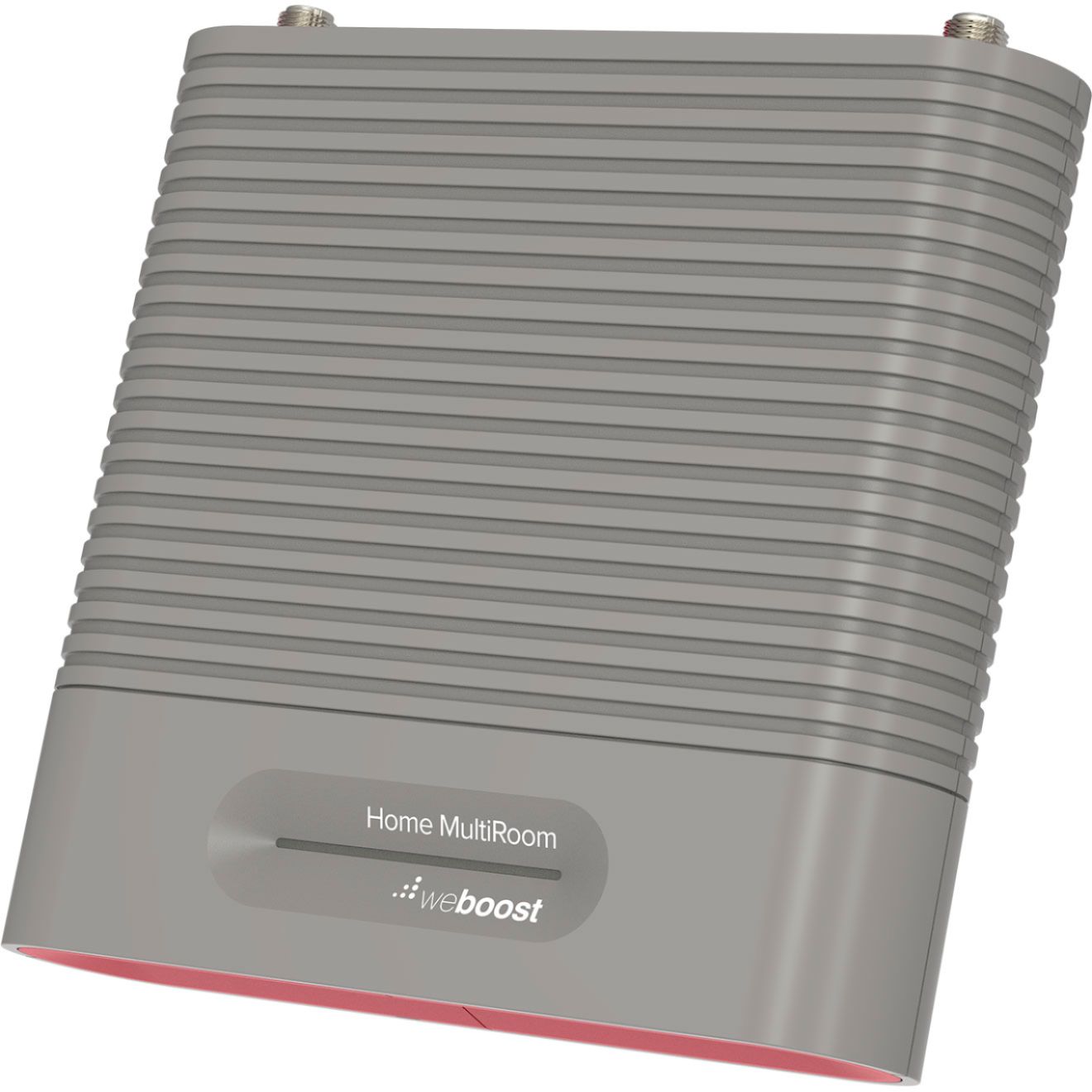
|Posted .This reviewer received promo considerations or sweepstakes entry for writing a review.There are plenty of benefits to living in a rural area, but great cell service is certainly not one of them. We typically get a single bar of LTE in the summer and maybe two bars when the leaves drop in the fall. With that said, I was a bit skeptical that a cell boost system would really work. We got the weboost Home MultiRoom Cellular Booster Model 470144 and gave it a try. We are now getting twice the signal with two full bars of service average with three off and on over the course of the day. In the box is an exterior and interior antennas, the booster module, 3 coaxial cables, a thru-window coax connector and mounting brackets and hardware. I was a bit nervous about the aesthetics of running a coax cable all over the place, but was able to use existing conduit we had installed for an outdoor hot tub. Once the nearest cell tower was located using the Tower Finder app, I mapped out the antenna placement and got to work. It took about an hour and a half to fully install the system and get it turned on. The manual is very straight forward and walks through the steps for installation and powering on. After a couple of tweaks on the exterior antenna the signal was solid on the two main floor of our home, including my home office space which was my focus. Pros: - Relatively easy installation - Solid construction - definitely boosts cell signal throughout the house Cons: - red anodizing on the exterior antenna is a bit much for a residential install. - could be a significant installation depending on location of nearest cell tower and where the interior antenna and booster need to be installed. All-in-all this system does boost cell signal and was relatively easy to install and is reasonably priced.
I would recommend this to a friendCell signal went from horrible to very good
Posted .This reviewer received promo considerations or sweepstakes entry for writing a review.Thus was a big investment and a big chance I took AND cost me nearly $300 to install but I'd do it again in a heart beat. My husband and I are too old to climb up on a high ladder to the top of the roof and put the "antenna" there. My problem was because our house is built with 6" walls and we have steel and lots of insulation. I MIGHT be able to start a call, but then sounded like I got put on hold. The call was more off than on. I was SO frustrated. Call your cell server and find out exactly where to install it on your house. AT&T looked at my address on Google Earth and not only told me which direction to aim it, but the best place to put it on the house. We have a 3 level house [5100 sq. ft] ... not sure we needed this model because it doesn't help too much in the walk-out basement. I kept reading and asking but no one could answer if it would work on multi-levels. It probably has to do with the floor plan and where you put the inside receptor. I think I could have gotten by with a less expensive model or maybe 2 of the basic models. NOTE: I called Tech Support 3 times and got all the way from no help to some good advice. We had an electrician install! I didn't get replies from any of the antenna guys I called and the electrician said he could do it - and he did. It took about 3 hrs. partly because we moved the inside receptor 3 times testing the best reception and ran cable half-way around the outside of the house before bringing it inside [I have a home office and needed the best signal in there to answer work calls].
I would recommend this to a friendWeBoost Works at My Rural Cabin
Posted .This reviewer received promo considerations or sweepstakes entry for writing a review.Installed weBoost multiroom booster at my mountain cabin where I had barely one bar of service. Couldn't call or receive calls most of the time and even if we were able to make a call it wouldn't last and we would lose connection, but we could receive text and emails sporadically. Installation took a few hours and the Open Signal app recommended for locating your nearest tower wouldn't work on my iphone. I had a rough idea of the direction of my cell service provider's tower based on researching it at home via my computer. Pointed the antenna in my best guess direction and then fine tuned it over the period of about an hour. Actually, the antenna setup was the most difficult part as I have a metal roof on my cabin with a good pitch so I can't walk on it, but I found a decent place on the roof edge framing. I now get 2-3 bars in my cabin living room and if I stand within 5 feet of the indoor antenna I get 4 bars. We can make and receive phone calls and download data with two bars. The only caution is that the system, at least in our circumstance, is not multiroom, but basically one big room. Still, I'm happy. The product is solid and the instructions were well done and complete.
I would recommend this to a friendSkeptic turned believer. Amazing product.
Posted .This reviewer received promo considerations or sweepstakes entry for writing a review.We bought a house one year ago that is in an absolute dead spot. Our Verizon service has been a nightmare as calls dropped constantly if we could even find a spot with enough reception to make a call. I really hesitated spending the money on the WeBoos MultiRoom because I thought there was no way it would actually help. At the end of my rope, I spent the money yesterday and could not be more impressed with the results. Without any experience, I managed to install the antenna and point it towards the nearest tower and got instant results. I went from zero bars to full bars when I powered up the booster. I had to install on the far side of my 4500 square foot house, but the signal is strong clear across the house. My only regret is that I was skeptical for so long. If I would have bought it sooner, I would have saved myself a ton of grief. The instructions and installation are straightforward and manageable. The results are amazing.
I would recommend this to a friendSatisfied Customer
Posted .This reviewer received promo considerations or sweepstakes entry for writing a review.Live in the country with terrible cell service. Upgraded to new phones and still had poor service. Purchased WeBoost and installed. Immediate difference. Went from around 120dBm to the low 90's. Easy to install and I am a decidedly low tech person. If I can do it, anyone can. Company videos make installation a breeze. Can look up an app on line that helps locate the strongest signal on locating the receiver. Only issue is strength of signal in my office, but will work with placement of interior antennae and I think that will improve also.
I would recommend this to a frienda bit of work to install, but well worth it
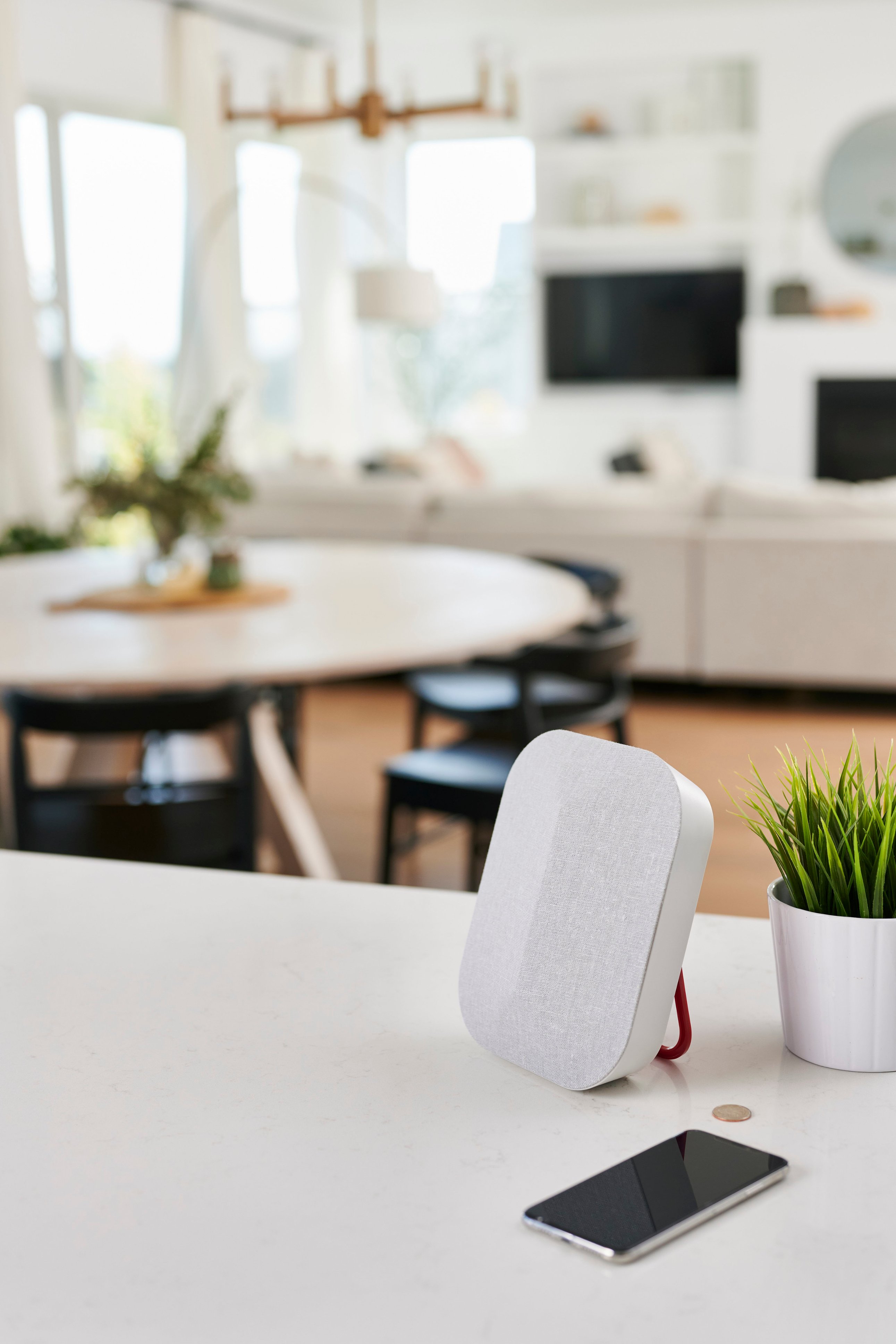
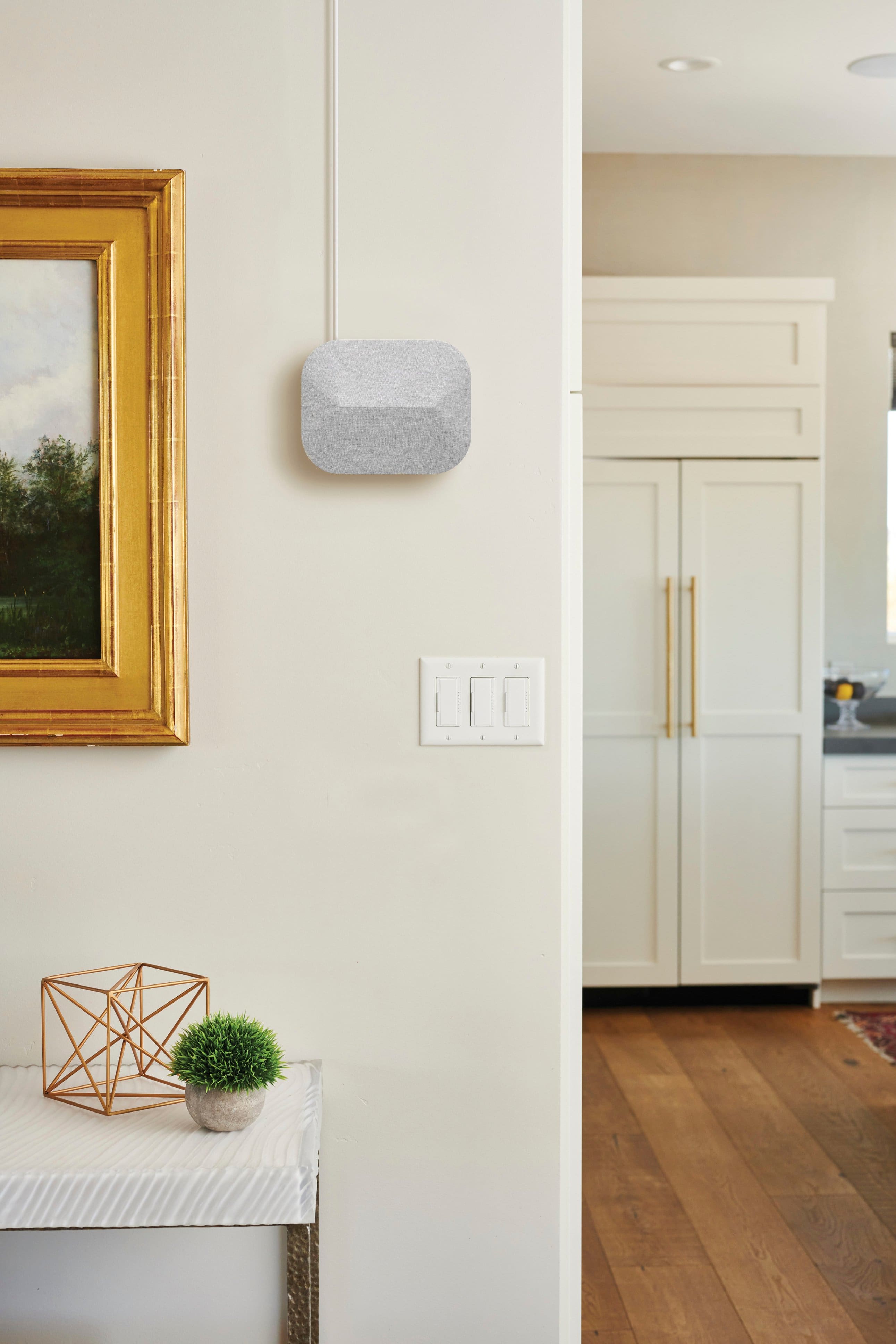
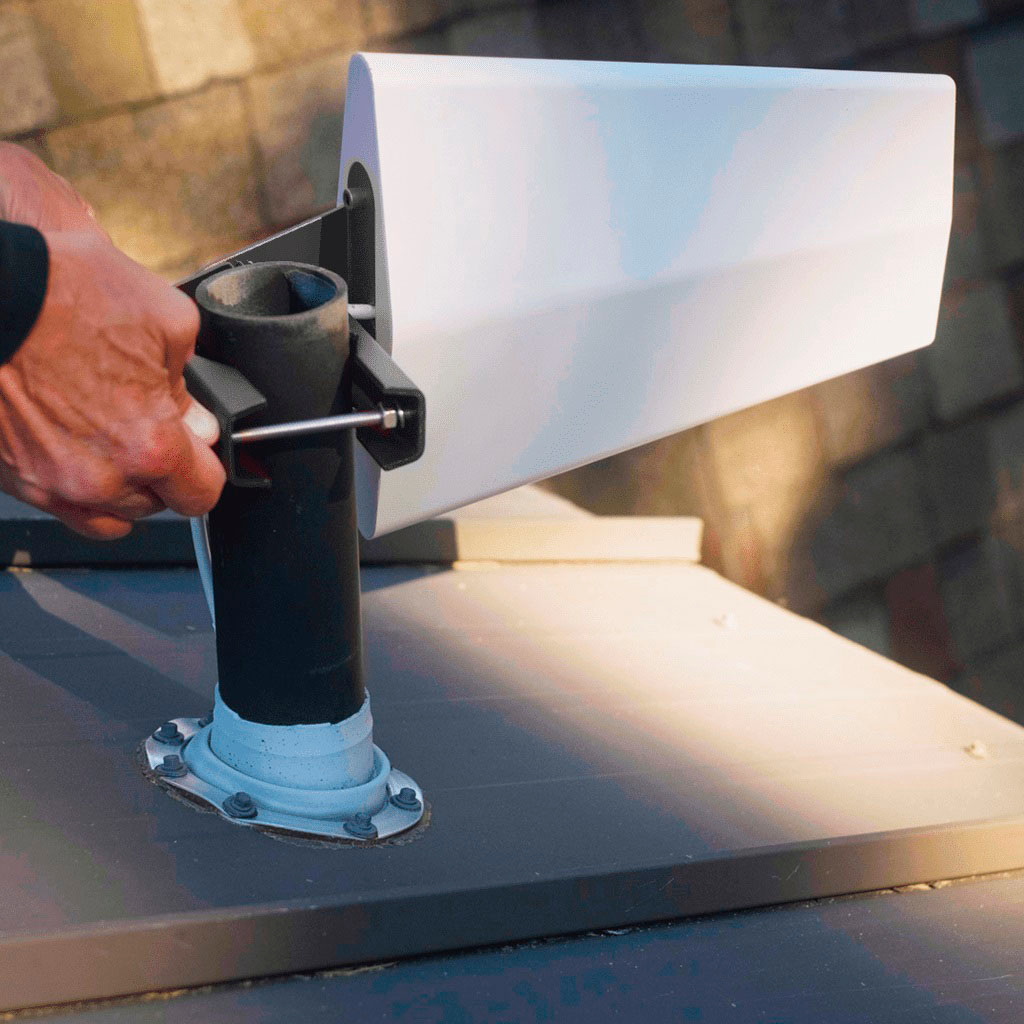
|Posted .This reviewer received promo considerations or sweepstakes entry for writing a review.I was intrigued when I heard about this product because I wasn’t aware that such a thing was available for home use. Where my house is located, cell service from Verizon, which is my cell provider, is marginal at best. I usually have little problem making phone calls, but occasionally I can be in a part of the house where the 4G signal drops considerably and the call can drop or never complete in the first place, so the thought that I could install a device to strengthen the cell signal throughout the house was attractive. This is especially true because our household has used only our cellphones for our phone service for more than 10 years now. We do not have land-line service, so good cell service is imperative. When I opened the box and began to read the instructions, I was a bit put off by the extent of the installation process and the possible need to drill holes through walls to install the system. However those fears were quickly allayed as I read further and saw how the system could be installed with minimal digging into the structure of my house. There are three main components—an outdoor antenna, and indoor antenna, and a signal booster. Several methods of mounting the antenna outdoors are suggested, but you begin by downloading to your cell phone an app called “Open Signal,” which will show you a cell tower map for your area and point, with a compass-like display, in the direction of the nearest cell tower. The app will also indicate the relative strength of the signal at your location, and it confirmed the marginal signal strength we experience. This information is needed to properly orient the outdoor antenna, which is the most critical aspect in the installation process. I was fortunate in that the nearest cell tower was off one corner of my house, and the roof on that corner of the house had a bathroom vent pipe sticking up through the roof where I could mount the antenna. Thus, I had no need to drill into the roof or the side of the house to mount the antenna. You then run a cable into your house via any of several suggested ways, and I used the included flat coaxial cable adapter that allows you to route the cable through an open window and then close the window on the cable. No drilling through the house was needed, which is greatly appreciated. Once the cable is routed into the house, it was a simple matter to connect the indoor antenna, which can be wall-mounted or simply stood upright with its built-in stand on a nearby desk or other piece of furniture, and the booster. The next step is to power up the system and go through the final process to fine-tune the aim of the outdoor antenna. This is best done with two people (I used my wife). I was on the roof adjusting the antenna in short increments as described in the manual while my wife stood in the house in the area where our cell signal had traditionally been the weakest and watched the cell signal strength on her phone. With a little back and forth, we obtained the antenna aiming direction that maximized the signal strength. And that’s it. There is also a process whereby you can obtain the signal strength as a more precise number, rather than just as a number-of-bars thing, by going into your phone’s settings, but I haven’t really seen the need to do this. We now have a full five bars of signal strength in all areas of the house with no more dropped calls if we happen to be in one of the formerly weak-signal areas, which is what we wanted. We’re very pleased with this product and highly recommend it to anyone with marginal cell service at their location.
I would recommend this to a friendStraight forward kit to boost your cell coverage!
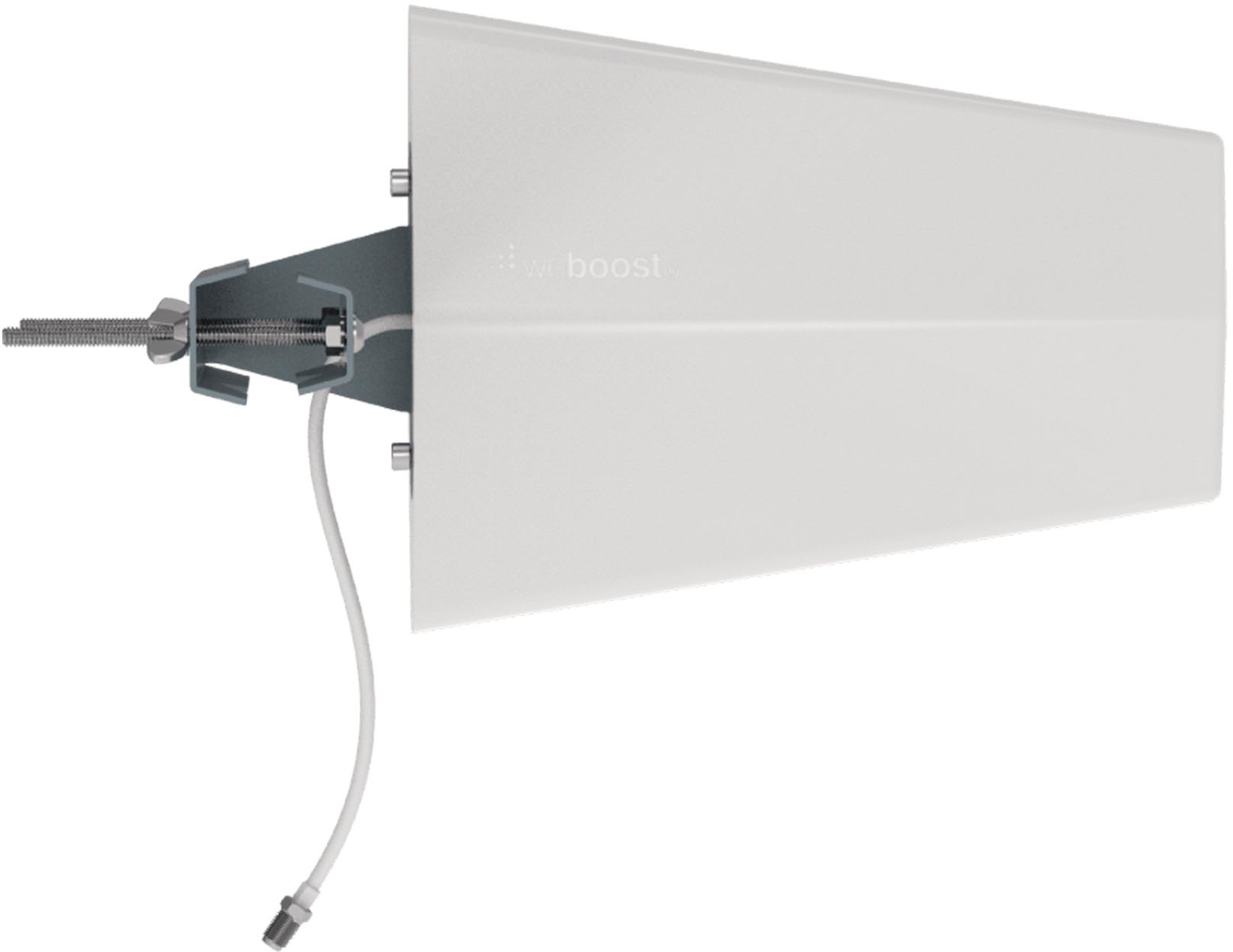
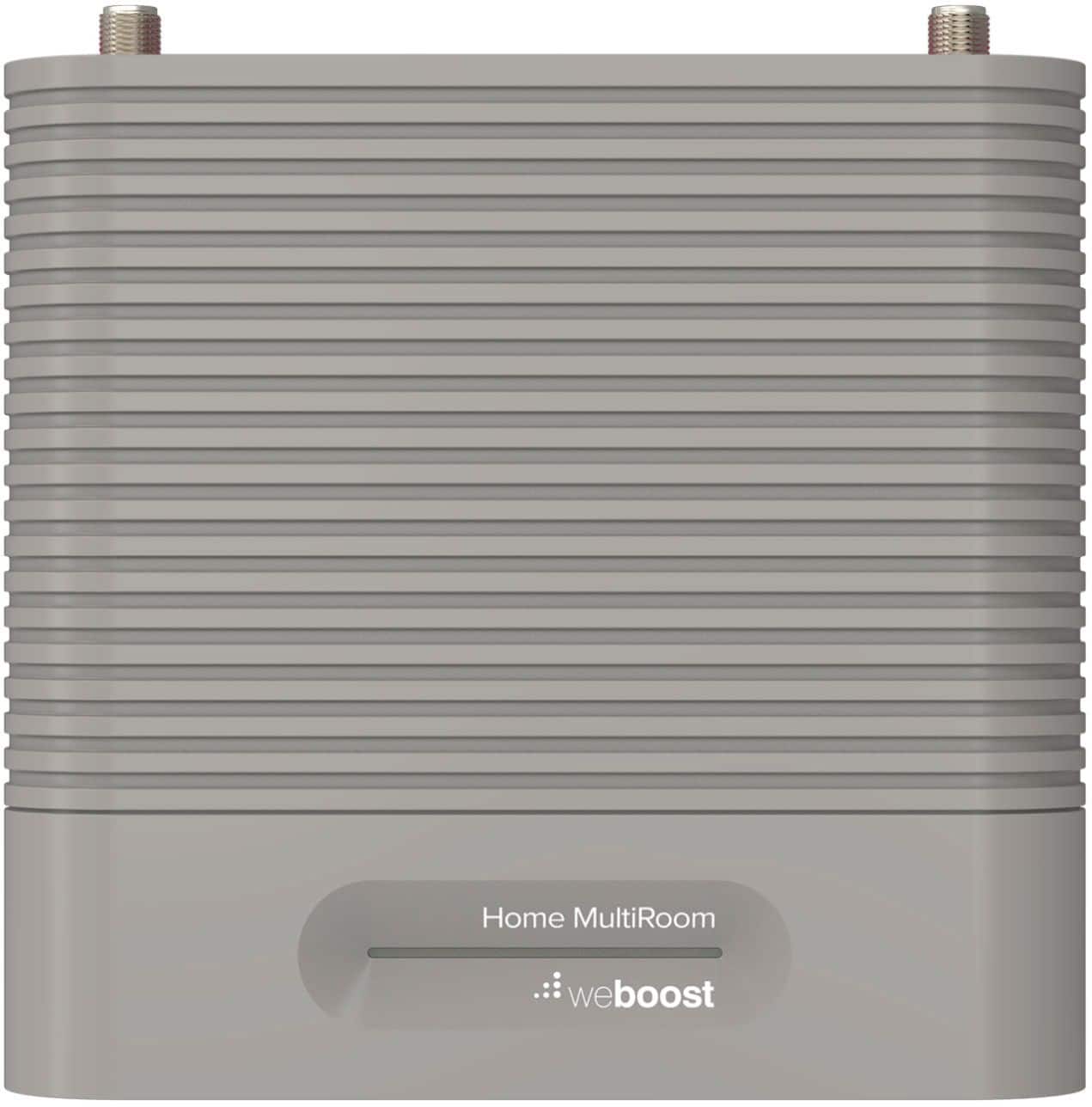
|Posted .This reviewer received promo considerations or sweepstakes entry for writing a review.Whether you just have thick walls or your provider's coverage in the area is not great, the WeBoost MultiRoom Booster is a straight forward way to improve cellular coverage within your home. My apartment is situated in an elevated woody area which results in poor coverage on AT&T - this typically results in 1 bar of service on my iPhone and Android. For the sake of testing, I downloaded an Android app to measure dBm performance with and without the booster. In terms of dBm the higher the number the better. Typically -80 would be considered excellent while -80 to -90 would be good, and anything less than -90 would be poor with -100 being the edge of coverage. The setup was straight forward. The hardware comes labeled out of the box by step. Essentially there are 3 major pieces of hardware: - outdoor directional antenna: This allows you to "target" the signal coming from a tower. This antenna comes with a mounting bracked which can be used to mount it from a pole. WeBoost points you to a phone application which shows tower locations in the area to provide you with guidance on the angle and position of this antenna. - booster/amplifier: This device "boosts" and "cleans" the signal from the outdoor antenna before it goes to the indoor antenna. I placed this inside about 15 feet from the outdoor antenna and 25 from the indoor antenna. - indoor omni antenna: This is for broadcasting the captured signal which came through the outdoor antenna to the booster. It has a asthetic wrapped fabric look that will blend into any home's decor. I located this in the living room since that's where the signal was the worst. Both the booster and indoor antenna have a plate that you secure to the wall with either command strips or screws. After that the hardware slides on to secure. They include 3 lengths of cable for connecting the antennas to the booster along with a handy thin cable to help guide the cable inside from a window or door frame. Finally, they include cable ties and wall mounts for the cable. I ran my cables along the baseboards, but you could also run the cable through your attic. In terms of performance, the improvement with the booster was obvious - YouTube and Netflix loaded subtaintially faster. Typical measured dBm at my apartment before was around -105 dBm. With the booster this improved to around -88. This is still not perfect, but the only direction I could face the outdoor antenna is through trees. With a better line of sight I believe this would improve even more. Overall, this system provides an easy way to improve cellular coverage with straight forward directions and plug-n-play hardware - even for the non-technical user.
I would recommend this to a friendBoosts range, plan your setup
|Posted .This reviewer received promo considerations or sweepstakes entry for writing a review.The Weboost device does make a better connection for your cell phone if needed, but you need to plan for it. I have 3 cell towers around me, but somehow, I'm in a dip where I only get one bar from any of them in my house. Outside the house the reception is usually okay. Inside my house I'm getting delayed or not receiving texts/SMS, and can't make cellular calls. Without Wi-Fi I'd wouldn't get much, and wi-fi doesn’t deliver everything. My cell phone company sent me a wireless booster. You place one unit a window (inside) facing a tower, and the other unit further away in your house. No wires, easy setup. Gets me 1 bar all the time. The Weboost is an outside antenna, and wired connections. So, I was able to see how it compared. The best you can get in reception is only what the antenna can pick up. I setup the outdoor Weboost antenna in the exact location as the inside booster, but outside the window. This was out a second-floor window facing a cell tower. I ran the wiring inside the house to the booster, and then the indoor antenna. In the same location I was now getting 2-3 bars in my house and got no delays on my text/SMS and calls connected faster on the cell phone network. From 1 bar to 2-3 is a definite improvement. That was also just doing it as a direct comparison. This device needs some planning and when properly setup I expect better results. You can check many websites or your cell phone company to find out where your nearest cell towers are. The Weboost system has three parts, the outdoor antenna, booster, and inside antenna. You get plenty of cabling, 2x15', 1x30', and one piece of flat cable for going under windows or doors. Only the booster needs power. You get brackets to attach the outdoor antenna to the side of your house, or a pole/vent pipe etc. You get all of the material needed to set this up over a good distance. For distance, they recommend the booster be at least 2' away from the outdoor antenna, and the indoor and outdoor antennas be at least 50' horizontally, or 20' vertically apart. So, plan accordingly. Installation will be different for everyone, but a ladder and drill might be in the picture. Overall the setup is simple, just connect the three pieces by the cabling. Where you setup the outdoor antenna may be the most difficult part. But, I can definitely say it boosted my signal over no booster, and over in inside cell phone booster. It does what it says. As long as you can connect to a tower, this should be able benefit you if you have a low cell phone signal connection.
I would recommend this to a friendA great alternative to your carriers booster
|Posted .This reviewer received promo considerations or sweepstakes entry for writing a review.A good cellular signal booster is a must depending on where you live. I live in an area where nearly all cellular providers have 1-2 bars max and it is often difficult if not impossible to get signal indoors. Weboost is here to help. It works with any US carrier. I tested it with ATT, T-Mobile, and Verizon. The package includes: * Signal booster with wall mount bracket, inside antenna with wall mount bracket, and outside antenna with wall mount bracket. * 1 - 30 foot and 2-15 foot coaxial cables * Cable mounting clips * Window entry cable * Power supply Set-up and installation: You will need to give yourself a minimum of 2 hours to set this up, possibly longer depending on the location of the different antennas. You want to take your time and run the cables cleanly as the coaxial cables are fairly thick. I found it was helpful to have a second person help. Prior to set up you need to make sure you have at least 1 bar of service or this product may not work well for you. Download an app from your phones appstore designed to help locate the nearest cell phone tower. They recommend Open Signal. This is important as you need to install the outside antenna in the direction of the tower for best results. They recommend near the roof. Next, place the indoor antenna as far away from the outdoor antenna. I placed it on the opposite side of my house near the first floor. Lastly, place the booster between the outdoor and indoor antennas. I picked the garage as it was the easiest to run the wires through the walls; however, this is not a requirement. They provide a window entry cable if you cannot or do not want to run the coaxial cables in the walls. Even though it seems intimidating, the instructions are clear. You can do it! Signal: After setting up the Weboost device, I have seen noticeable improvement in the signal quality and signal strength. I now receive 4-5 bars at all times. Verdict: Despite a fairly long install process, I think the Weboost offers a great product at a competitive price. No more deposits or contracts to use your carriers booster which is only good for their service. Install this and know that you are set no matter what carrier you have. I highly recommend this.
I would recommend this to a friendGreat product
|Posted .This reviewer received promo considerations or sweepstakes entry for writing a review.this is our 3rd Weboost booster. The first was purchased when 3g towers we the best technology. When our closet cell tower upgraded to 4g, we had to up grade our equipment. It changed our life. Where we could not use our cell phone at home, we boosted to 3 bars. That was about 3 years ago so we thought we would try this new booster. It is called multi room to cover more square footage than our older model. Be aware that there are a lot of particulars in setting up these boosters to get the best signal. While we didn’t need to contact Weboost this time for assistance, the last time their customer service was awesome! If you have no signal from a cell tower, this will not boost a signal that is not available. There should be 50 feet between the indoor an outdoor antenna, or 20 feet vertical and they have to face opposite directions. You have to be able to point the outside antenna toward the nearest cell tower. These things can be tricky to achieve. Bottom line, we were not able to improve our signal to more rooms or to get a better signal than our old Weboost gave us. That being said, with Weboost, we were able to get rid of our land line and finally have cell service like most other people. We highly recommend Weboost! Don’t hesitate to ask for help.
I would recommend this to a friendGreat for those with poor indoor signal
|Posted .This reviewer received promo considerations or sweepstakes entry for writing a review.Radio signal penetration into homes is quite variable. Factors include the specific frequency utilized by your carrier in your region and the materials in your home. If you have a metal roof you invariably have problems. Sometimes wifi calling can save the day but phones randomly turn off this feature and some carriers STILL do not support (ATT prepaid etc). I have a Wilson booster in my car which greatly helps data and voice when traveling. While you can find cheaper kits, the Weboost works well and is easier to install. It does require some work to find the best external site but the directions are clear and phone support helpful. The kit uses RG6 (similar to cable tv) which is easy to deal with and even has a flat window pass-though negating the need to drill thought the wall. It is quite variable how large an area of improved signal you will see when completed but if you follow the directions and have some flexibility to the internal and external install sites you likely have a much improved signal in your home.
I would recommend this to a friendA bit difficult to install
|Posted .This reviewer received promo considerations or sweepstakes entry for writing a review.I received the Weboost Home MultiRoom Cellular Booster a couple of weeks ago, I had to have someone help me install since we had to get the outdoor antenna connected outside. But I do have to admit it does fix my signal issues. If I had a choice I probably would purchase something easier to install. But the product works so I cannot complain!
I would recommend this to a friendCell Boosters
Posted .This reviewer received promo considerations or sweepstakes entry for writing a review.Works mostly as advertised. I could only get one to two bars outside and one insides the house. After installing in the peak of my attic I now get three bars inside the house. If HOA would allow exterior antennas it would probably perform even better. The coverage inside isn’t as broad. Overall I am pleased with the unit.
I would recommend this to a friendCan you hear me now?
|Posted .This reviewer received promo considerations or sweepstakes entry for writing a review.YES! Thank you weboost. I rented out a basement suite for a photography studio and had, yes had, no bars in there. I’m in the dark ages of the 90’s pre cellphone. I was concerned because the box made it seem that you can’t add signal to no signal but I mounted the satellite/receiver in the stairwell where there was some signal generally 1-2 bars, and I was able to transfer that to 3 bars in my solitary basement studio. Could not be happier with the outcome. Just followed the instructions. Thank you, thank you, thank you. Works great!
I would recommend this to a friend3yr review - Trashed. Not worth it.
Posted .This reviewer received promo considerations or sweepstakes entry for writing a review.I have Verizon and a constant struggle for my family was always the lack of coverage in our home. While we could use wi-fi calling and text, that functionality relies on first ACK'ing with the tower before being able to make a call. Our signal was so bad our phones couldn't even do this. I had this kit professionally installed day 1 which was a great experience; they did a very clean install - it was done through a Dish Network installer, I discovered. They calibrated the antenna in the right direction, etc. for me right out of the gate. Initially, we noticed an improvement from 0-.5 bars to around 3 - but this fluctuated greatly throughout the house. We still had "those rooms" that we couldn't go in, and others that worked better so we were relegated to them to make phone calls, etc. However, about 2yr later Verizon did tower upgrades in my area. I was left to figure out how to re-aim the antenna on my own (documented on their website, thankfully) but was never able to get back to the original performance we had. I finally gave up and called Verizon. They shipped me, instead, a device which broadcasts *their* signal throughout my home, plugging into my internet to deliver it to their network. With this I have a full 5 bars all the time. Most US Carriers will happily do this for you so I suggest before buying a unit like this you talk to your carrier about what they can do on their end.
No, I would not recommend this to a friend