Customer Ratings & Reviews
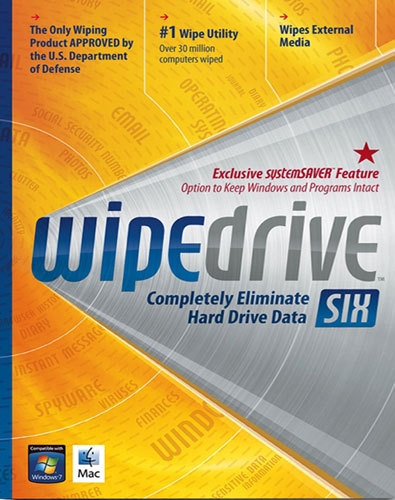
- Model:
- 8071591
- |
- SKU:
- 1369743
Customer reviews
Rating 4.1 out of 5 stars with 114 reviews
(114 customer reviews)Rating by feature
- Ease of Use3.5
Rating 3.5 out of 5 stars
Customers are saying
Customers are enthusiastic about WipeDrive Six for its user-friendly interface and effectiveness in removing viruses. They appreciate how easy it is to use, with one customer saying, "Really worked well and was easy to use." Another customer was pleased with its ability to remove viruses, stating, "Virus were removed and computer is working fine." However, some customers expressed concerns about the thoroughness of the data wipe, with one person saying, "This thing cleaned everything off even my drivers."
This summary was generated by AI based on customer reviews.
- Cons mentioned:Performance
Rated 1 out of 5 stars
Didn't work as advertised
||Posted .This reviewer received promo considerations or sweepstakes entry for writing a review.Worthless, didn't work as advertised.Ruined my computer.
No, I would not recommend this to a friend Rated 1 out of 5 stars
Product did not work well
||Posted .This reviewer received promo considerations or sweepstakes entry for writing a review.I got the Wipe Drive to clear the hard drives of some older computers and could not get it to clean up those hard drives. I even called the manufacturer and they gave me the latest version and it still would not clean up those drives.
No, I would not recommend this to a friendRated 1 out of 5 stars
Recommended by associate
||Posted .This reviewer received promo considerations or sweepstakes entry for writing a review.This was recommended by an employee. It didn't work and no return so just a waste of my money. Next time I will think twice before taking employee advice.
No, I would not recommend this to a friendRated 1 out of 5 stars
Wiped everything out
||Posted .This reviewer received promo considerations or sweepstakes entry for writing a review.It also wiped the drives out so have to buy a new program for the computer. I only wanted the stored files/documents permanently deleted not where I couldn't use the computer.
No, I would not recommend this to a friendRated 1 out of 5 stars
SOFTWEAR Wiper 6
||Posted .This reviewer received promo considerations or sweepstakes entry for writing a review.WAS TO WIPE HARD DRIVE DID NOT WORK ..I destroyed the hard drive and junked the computer.
No, I would not recommend this to a friendRated 1 out of 5 stars
wipeout did not work
||Posted .This reviewer received promo considerations or sweepstakes entry for writing a review.aso for 2 hours their so called 24/7 tech support , all I got was a busy signal
No, I would not recommend this to a friend- Cons mentioned:Operating system
Rated 4 out of 5 stars
Did everything I needed it to do
Posted .This reviewer received promo considerations or sweepstakes entry for writing a review.I wiped 7 hard drives with this software over the course of a few days and had very few issues. I did both desktop and laptop drives that had almost everything from Windows 95 to Vista. I wiped all the drives I had laying around since the 90's. The most challenging part of it was to build an old PC that the old IDE drives could be mounted in since I didn't want to buy some kind of external drive caddy. There were really only two issues that I had with this software. One - that you have to reinstall the software every time you want to wipe a drive. What I wanted to do was install it on a pc (Drive C# and then keep putting in the drives I wanted to wipe as secondary drives #Drive D) wipe them all and then wipe the C drive last. Unfortunately you have to have the drives physically installed then re-install the software every time you changed the drives rather than just launch the software and it detects the drives at the launch. Two - the other issue is that you have to be careful if you use it to wipe secondary drives that you choose the right drive to tell it to wipe. Understandably WipeDrive 6 sees the drives as Windows sees them, which may not be the way your BIOS sees them. In my case Windows and the BIOS were seeing opposite drives as Drive 0 and Drive 1 which almost led me to wiping out my C drive before I wiped out any of the five D drives, that would have been a big problem. So if you are using it to wipe secondary drives pay close attention and make sure that what you think is the secondary drive is also what WipeDrive and Windows sees as the secondary drive.
I would recommend this to a friend - Pros mentioned:Ease of use
Rated 4 out of 5 stars
CD drive usefulness only
Posted .This reviewer received promo considerations or sweepstakes entry for writing a review.Product was great. Simple easy to understand instructions. However with only one type of media enclosed (CD) your out of luck if you needed to wipe disks on systems whose access is limited with floppy drive access.
I would recommend this to a friend - Pros mentioned:Ease of use
Rated 5 out of 5 stars
Does the job, easy to use
Posted .This reviewer received promo considerations or sweepstakes entry for writing a review.Popped in the cd, it loaded some files on to the computer, restarted as indicated in onscreen directions, and it did the rest. Took 45 minutes to an hour each for two computers. MUCH easier than the free downloads that take several steps. Worth the modest price for the ease of use.
I would recommend this to a friend Rated 2 out of 5 stars
Software has some bugs, poor support
Posted .This reviewer received promo considerations or sweepstakes entry for writing a review.Purchased this software to clean my PC before giving it to a relative. I had a lot of business info on is such as customer credit card numbers, so I didn't want to take a chance on that data escaping. At first, I tried to use the SystemSaver function so the installed software including the system OS would not have to be reloaded. It failed miserably. It kept hanging up. I tried calling White Canyon software for tech support, and was surprised when I was told I was first in line for tech support. I was on hold for about 15 minutes, when the system said no one was available and asked me to leave my name, number and the nature of the problem. So much for prompt customer service. I searched their on line trouble shooting messages, which were very limited and no help. So I reinstalled the software and did a complete system wipe, which seems to be working correctly. At least this functioned okay, and is better than other wiping software I've used in the past.
I would recommend this to a friend- Cons mentioned:Performance
Rated 1 out of 5 stars
Wipe Drive 6 suspect of destroying computer.
Posted .This reviewer received promo considerations or sweepstakes entry for writing a review.February 20, 2013 It is my belief that Wipe Drive 6 is dangerous and could destroy your disk drive and/or computer. I used this program and that is what happened to me. Best Buy could not fix it. I spoke with Western Digital people and Gateway/Acer people. It was necessary to send the entire computer to the manufacturer for repair. I have not received it back yet and I do not know how much it will cost me. But there was no choice. I am a computer professional with extensive training in both hardware and software. It is my opinion that this program caused the internal BIOS/CMOS/FLASH to be corrupted, rendering the computer useless. The company with the suspect program is White Canyon Software out of Utah. At first, they denied that their program was at fault. I have reported this company to the Better Business Bureau, the Attorney General of my State and also the United States Attorney General. As you can see here, there are other Amazon customers who have had similar problems. Here is an email excerpt quote I received from the White Canyon Director of Marketing on February 15, 2013. "1) You can ship your drive to us (we will cover shipping costs) and we will evaluate it to see if the problem was indeed caused by our software. If it was and we cannot fix the issue we will reimburse your for the drive. 2) Since you've had a negative experience, we would be willing to simply reimburse you the cost of the drive without our going through the evaluation/troubleshooting process". If you buy or use this program you do so at your own risk.
No, I would not recommend this to a friend Rated 5 out of 5 stars
Does what it says!
Posted .This reviewer received promo considerations or sweepstakes entry for writing a review.I have a couple of old desktops that I need to donate. They still run fine, but I have now upgraded to a faster, more up to date machine. So far, I've done one computer using the option to leave the operating system and just remove my personal information. It worked as expected, and the system still works fine and I couldn't find any trace of my personal info left. I'd recommend the program.
I would recommend this to a friendRated 5 out of 5 stars
Performs as advertised
Posted .This reviewer received promo considerations or sweepstakes entry for writing a review.I have used this product on computers that I have taken out of service and on another computer just to remove personal data. In both cases, it performed as advertised.
I would recommend this to a friendRated 1 out of 5 stars
Sorry I bought it
Posted .This reviewer received promo considerations or sweepstakes entry for writing a review.Has no instructions that help.program opens up.and only has four option that has nothing to do with procedure. You don't have an option to just erase files. The disk is even labeled different from box. Box says wipedrive 6 disk says wipedrive 7. Don't buy.
No, I would not recommend this to a friend