Customer Ratings & Reviews


- Model:
- SR-C30ABL
- SKU:
- 10110801
to a friend
Amazing sound bar and subwoofer!
||Posted .This reviewer received promo considerations or sweepstakes entry for writing a review.Absolutely love this sound bar and sub woofer!! For how small the soundbar is, it has amazing sound and the subwoofer makes it feel like I’m in a movie theatre. Would highly recommend!
I would recommend this to a friendNice sound for a smaller unit
||Posted . Owned for 3 weeks when reviewed.This reviewer received promo considerations or sweepstakes entry for writing a review.I bought this to use my small workout room. It is loud, but I thought it would be louder, loud enough, that I wouldn’t hear myself singing. Ha! But it could be operator error?? I have the sub on top of dresser and the bar in another area. Everything works as it should.
I would recommend this to a friend
Very Good Sounding 2.1 Sound Bar - Easy to Use!
|Posted .This reviewer received promo considerations or sweepstakes entry for writing a review.To begin, the item was well packaged. Plenty of styrofoam to protect everything. Everything was well wrapped and packaged and neatly laid out. Set up was a breeze. Power cable, connect to television, set the input, and boom! For flat panel televisions, these are almost a must-have. Instantly a huge difference. I tried many different forms of media and the sound bar made a big difference. Watching news, voices are clear and bold. No delay at all. Voices were perfectly timed. I then tuned into sports and the game sounded great. The crowd was roaring and you could feel the bass come through. Made a huge difference. Then tuned into a movie. Dialogue came through loud and clear. Conversations were crisp and precise. An excellent reproduction of sound. When it came to action scenes, the sound bar came through with an excellent mix of mids, bass, and treble. None of them overpowered the others. Car chase scenes were dynamic and explosive. For a 2.1 sound bar, this does a great job. At its price point, it’s the best 2.1 system I have heard. The easy access menus and remote control make it a clear winner. Without breaking the bank, this is a great compact system. Highly recommended!
I would recommend this to a friendGreat compact Soundbar w/ Subwoofer with 1 caveat
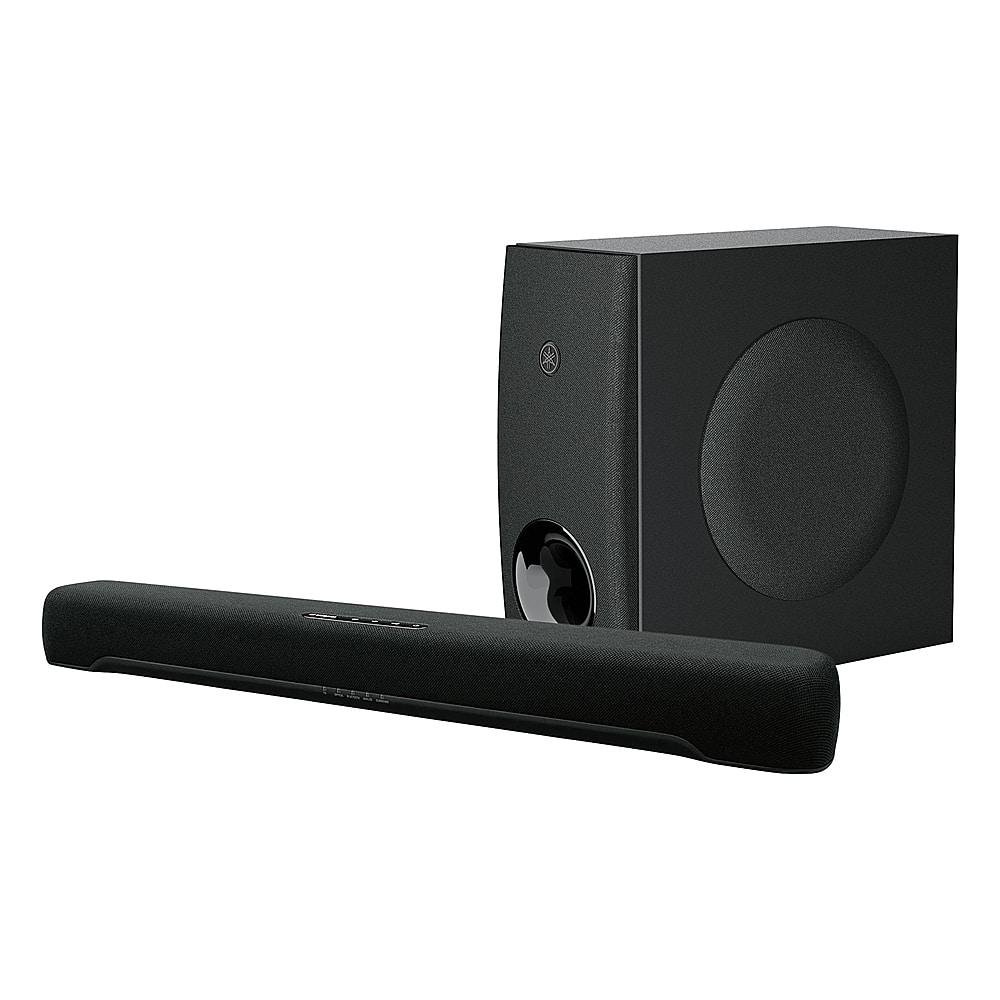
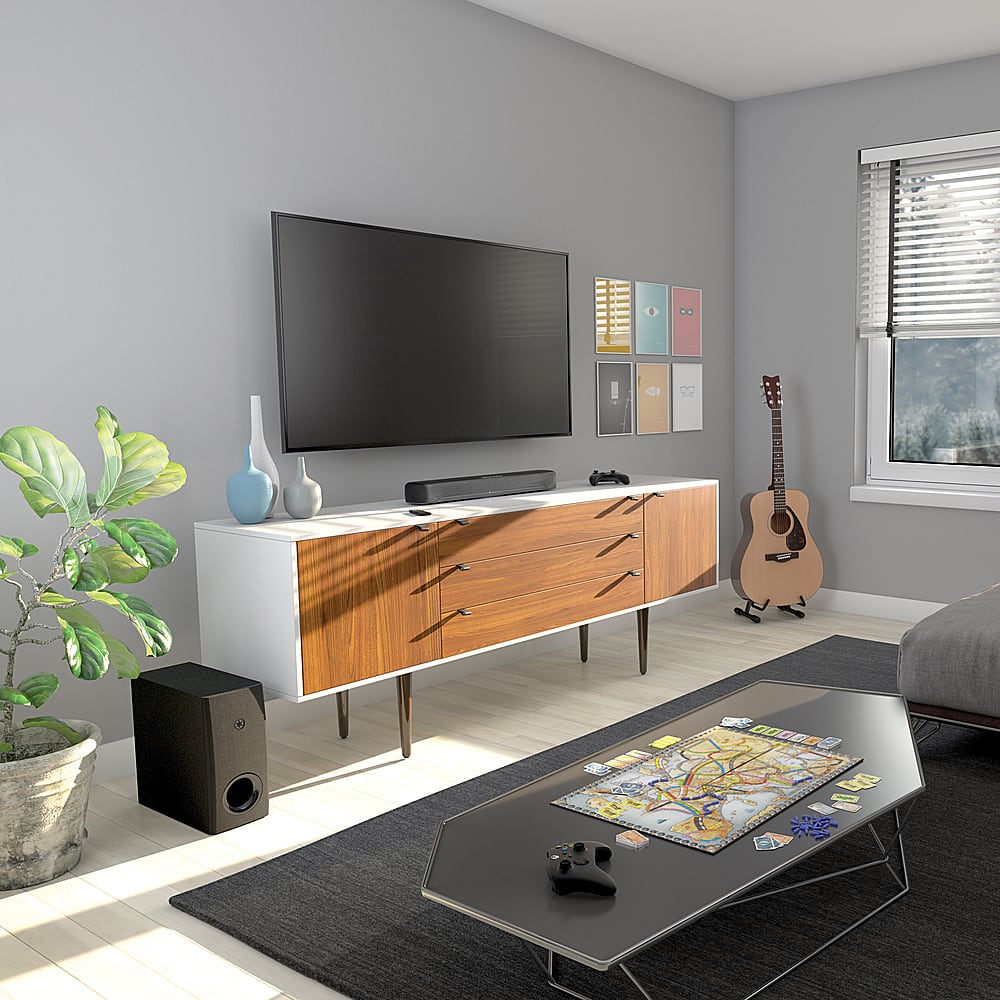
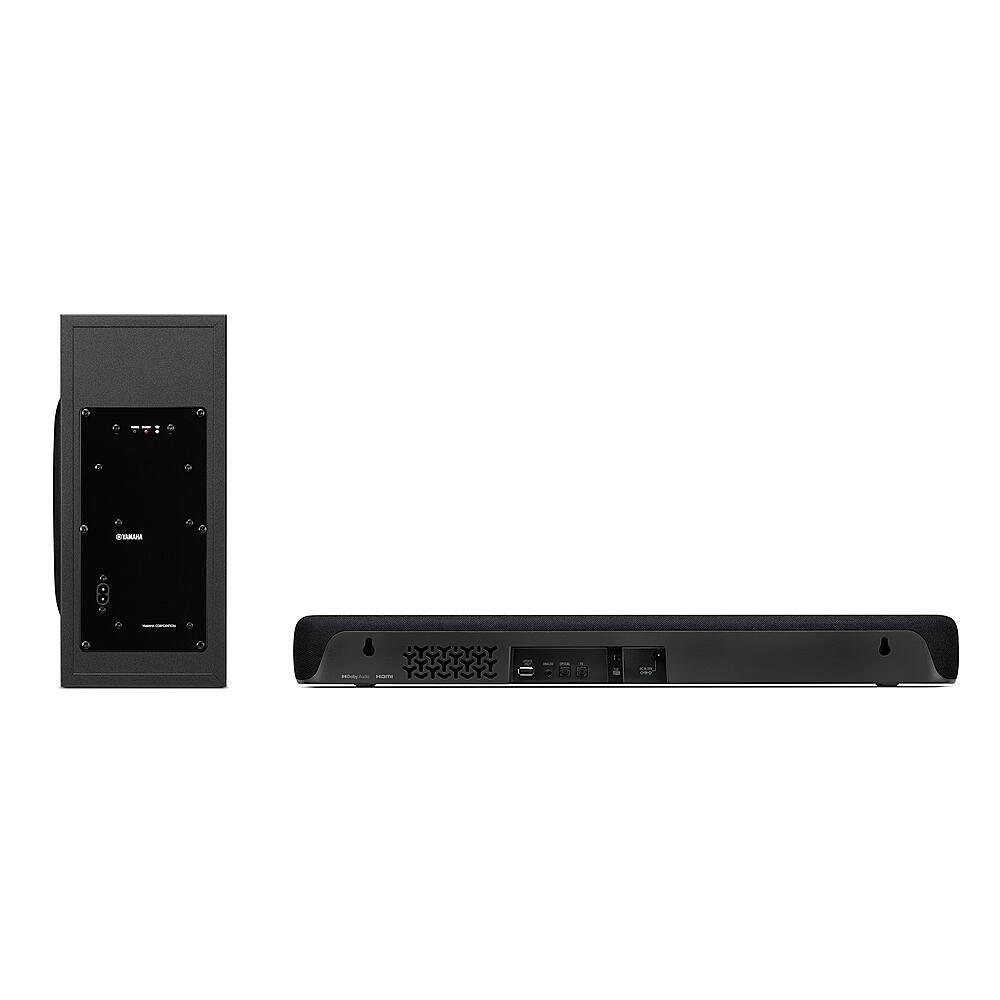
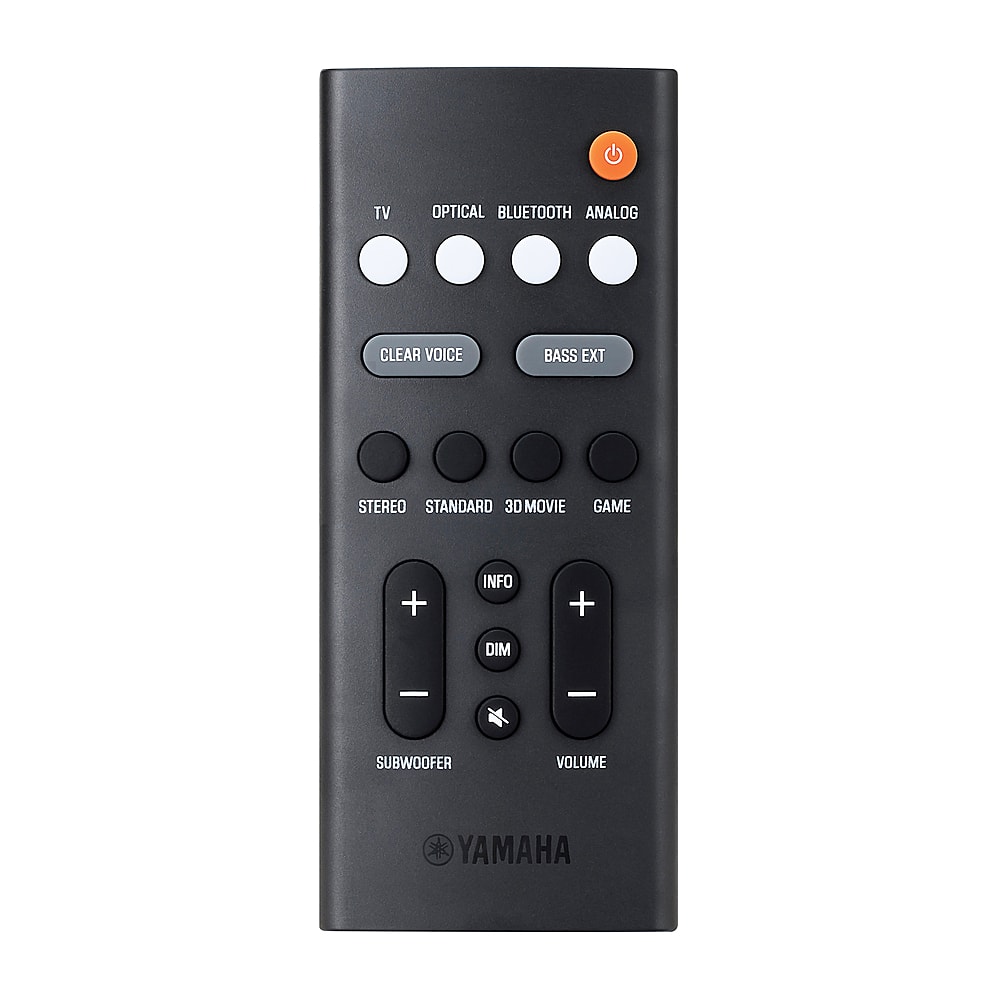
|Posted .This reviewer received promo considerations or sweepstakes entry for writing a review.This 2.1 Sound Bar with Sub-woofer sounds great for its compact size. The Soundbar is 2.9lbs, and 23-5/8” x 2-1/2” x 3-3/4”. The wireless Subwoofer is 12.9lbs and 13-1/4” x 6-1/4” x 14-3/8. Being lightweight and having mounting holes makes it easy to mount under a TV, monitor, or on a wall. The Subwoofer is not big and with no wires is easy to place under a desk or behind a cabinet. The unit comes with two power cables, a remote, spacers, a mounting template, pads for the subwoofer, and a Toslink cable. The soundbar and subwoofer come pre-mated and connect automatically. The soundbar has the connections, HDMI, 2x Toslink, and 3.5mm. The USB connection is for updates only. I slung my soundbar under my PC monitor and the subwoofer under my desk. For PC connections, you will have to use a Toslink cable. The HDMI interface only works for sound with an Audio Return Channel (ARC) connection. Connecting the soundbar directly to a video card or a non ARC TV HDMI connection will not provide any sound. You can control the on/off and HDMI control functions through the HDMI cable without ARC, but that’s it. You will need to a Toslink or 3.5mm cable without ARC. Toslink is limited to 5.1, but with a 2.1 setup such as this, it’s not a problem. Dolby Digital and PCM are supported thought HDIM or Toslink. I connected my PC to the soundbar via Toslink. If you want to use this with multiple items, you will need to connect them to a TV with the soundbar on the ARC HDMI slot, and have all other units go through the TV. Most PC monitors do not have ARC. Once hooked up the sound is quite good. Far better than small PC, TV, or monitor speakers. Unlike many small soundbars, with the subwoofer the range is greatly increased. The subwoofer is not overpowering and matches the soundbar nicely. The remote control is a simple layout and allows access to all the functions and inputs. On the soundbar itself, lights indicate the status and settings. You get 4 preset modes, Stereo, Standard, 3D movie, and Game. You also have options for clear voice, and bass extension. All provide slight tweaks to the listening experience. The soundbar, even turned up high never got distorted. The remote has two volume controls, one for overall and one for the subwoofer. If you don’t want to use a cable you can connect to the soundbar with Bluetooth (BT). Using BT, the unit will stay in a low power mode waiting for the BT signal and turn on as needed. BT sounded good and connecting was a standard pairing procedure. You can dim the lights and mute from the remote too. As I was using the soundbar on a PC, I selected game for the sound preference. Games sound great and with the bass have some punch to them. Music sounds good whether through Toslink or BT connections. The soundbar has a good range and the bass adds the low range nicely. The info button the remote will tell you the type of audio signal the unit is receiving by the lights that illuminate on the soundbar. You can also access the soundbar through the Yamaha SB remote on a tablet or smartphone. This works through BT and allows access to all soundbar features. If BT is on this can also be an easy way to control everything. The soundbar is compact, lightweight sound good, and easy to mount or place due to its compact size. With the subwoofer the range of sound is expanding providing a better listening experience. The caveat is you can’t simply plug into the unit with HDMI. The unit can be connected to two different units through BT. You have to have ARC, there is only one HDMI connection. Even with HDMI splitters, most split out the sound to Toslink, but I found none that would pass an ARC signal onto a split HDMI port if the source didn’t have ARC. But, you can always go wireless with BT if you are trying to cut down on cables. PCs, TVs, and many A/V units have Toslink ports and with the provided cable you connect easily. The soundbar frees up space and does its job well.
I would recommend this to a friendSounds bigger on the outside
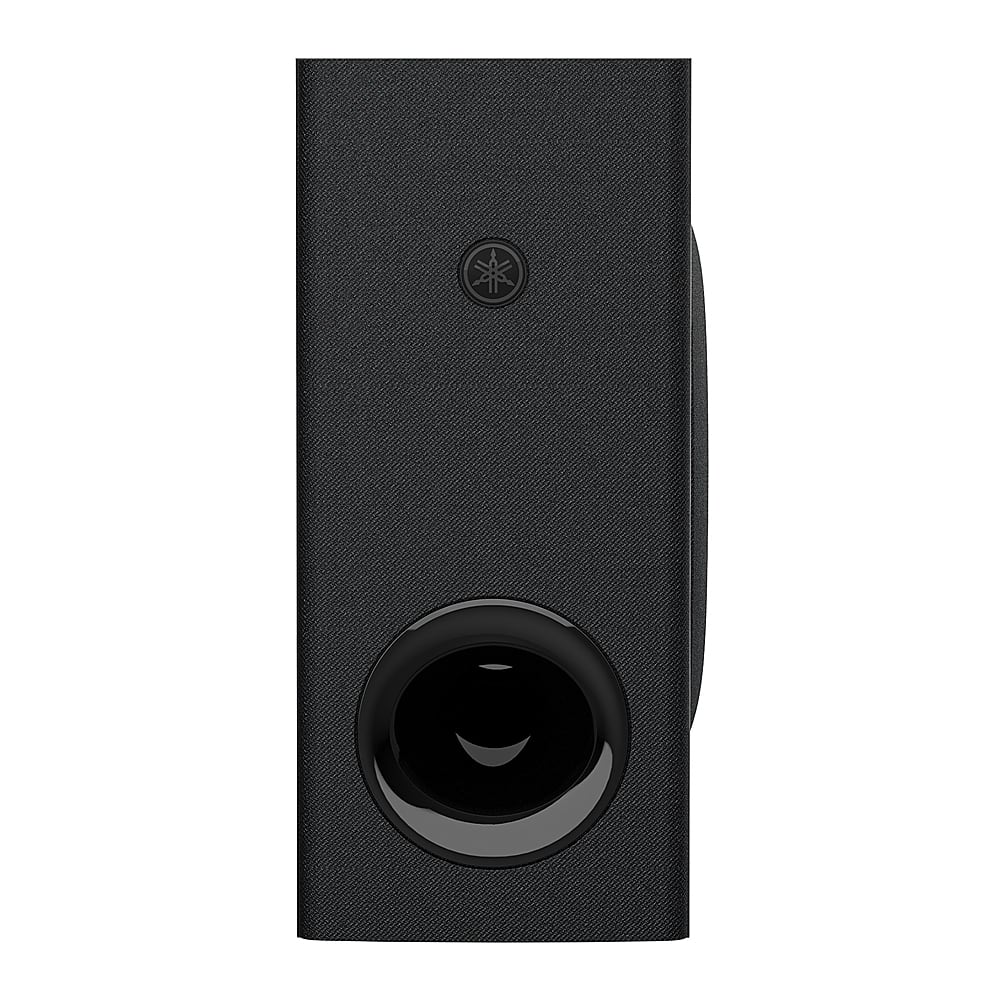
|Posted .This reviewer received promo considerations or sweepstakes entry for writing a review.Yamaha soundbar SR-C30ABL (package) SR-CUC30A (soundbar) SR-WSWC30A(subwoofer) TLDR: Great for the size and price Background I got this for use in a room over a garage. It will be connected to a 55” TV. It is where I watch a lot of movies and play video games with a connected gaming desktop PC. It is not a particularly large space and has sloped ceilings for the majority of the area. Since it isn’t the primary system in the house, I was just looking for something small and affordable that might improve the sound in the space and give it a little more depth. Setup Opening the interestingly shaped box reveals a fairly small soundbar, and a subwoofer. Also included are a remote, a power brick, and a couple of power cords, as well as an optical audio cable. No HDMI cable for ARC is included, although there is a port for it. It also includes hardware for mounting the soundbar if you want to. Connection was fairly straight forward. Step one, Plug in the power supplies Step two, Pull the battery tab on the remote Step three, There are little plastic covers on each end of the optical cable. Remove those. Step four plug in the optical cable between the soundbar and the TV Step five, and I missed this step, press the optical button on the remote to select the optical input Step six, Watch and enjoy Appearance, the front looks ok with a nice black fabric. The back is just kind of cheap looking plastic, but you don’t really see it anyway. The woofer is nice looking as well, and it is built so it can be used in either a vertical or a horizontal orientation. This gives you options in where you place it. Also, much appreciated is the fact it is wireless, so you don’t need to figure out how to run wire to it, which also opens up a lot of placement options. Basically you can put it anywhere you want as long as you can plug it in. Controls While it has LEDS on the front, it isn’t super obvious at first what they are representing. When you adjust the volume, they all kind of just flash. A blue LED represents being in bluetooth mode I guess. There are five LEDs, so it would make sense to just light up however many are proportional to your current volume as you hit the volume button, which it does do, but only after you stop pressing the volume button. Performance Once I had it connected, which basically just involved plugging in the included optical cable between my TV and the soundbar, and connecting power and took all of 5 minutes, I decided to try a test movie that I thought would have some good sound effects. I chose Edge of Tomorrow First Impression - What? Really?! I will be honest, I was not expecting much when I got this because it was quite affordable but it also looks kind of diminutive when you take it out of the box, especially the soundbar. I was kind of like, is this it? However, the sound is rich and deep and just really great all around. The subwoofer adds a lot to the party. It has a separate volume button on the remote for the subwoofer which you can set to 4 levels, so it is easy to turn the volume for it up and down to see the impact, and it is surprising how much impact it adds. The subwoofer adds a lot. There are a variety of modes you can use. Standard mode for just watching regular TV. 3D mode for movies to give them an extra punch. Stereo mode for streaming music, and Game mode when playing games. The difference between each mode was noticeable. Basically they are kind of like preset Equalizer settings. You can also switch the speaker between a clear voice and bass mode to help hear voices when watching something with dialog. Bluetooth/streaming I also connected my phone to it and listened to music through it. This worked great too. It has different modes, so I connected my phone via bluetooth and selected stereo mode, and it sounded really good. It was a little confusing connecting to bluetooth at first. It wasn’t until I realized, maybe I have to switch the soundbar to bluetooth to see it. When I did that, a device, Yamaha SR-C30A appeared and I paired with that and could play. That didn’t appear until I hit the bluetooth button on the remote though and I didn’t really know I needed to do that. Reconnecting for later sessions just entails pressing the bluetooth button to switch the sound bar into bluetooth mode and then the phone just connects to it automatically. Soundbar Remote App I also installed the Yamaha Soundbar Remote app on my Android device. It basically mimics all the controls on the actual remote. All of the controls are available in the app, but it does not appear to add any additional functionality that is not already available on the remote. If you want to avoid always searching for the remote, or if you lose the remote completely, it is good to know the app is there if you need it. Conclusion For the price, I think this is a good value. I was really surprised, especially in movie mode, how much of a difference it made. Also, toggling the woofer on and off really showed very clearly what an impact it made over just having the soundbar alone. It is like night and day. I think the best way I can express how impressed I am with it is this. I am actually going to buy another one. My son had indicated he was interested in a soundbar last Christmas. He currently rents a room in a shared apartment with roommates, so he is also fairly limited on space. He still hasn’t really settled, so anything he gets is probably going to have to be moved a few times until he reaches that point. So anything he gets at this point needs to be fairly small and easily transportable. He will probably mostly use it for gaming. He doesn’t have a stereo either and with this he can just stream to this from his phone or his laptop. After using this, I see no reason to even look at anything else. It seems like a perfect fit for him. I could also see this being a great solution for something like a dorm room too. It is small enough that it doesn’t take up much room if you have to take all your stuff to and from school each year. Also, if you are using a small projector, which my kids did/do in college to avoid having to transport a TV back and forth, this could provide the sound that those just can’t provide. I could see this coupled with a small portable projector streaming from a firestick or a laptop providing a pretty impressive dorm movie night. The whole system is compact and wouldn’t be difficult to move between years, or between apartments. Don’t let its small size fool you. Big things come in small packages. It is affordable enough and the quality is good enough that it is not a hard choice to make, which is why I am keeping mine and will buy another. I would highly recommend it. I think it is great for what it is for. I do have a nicer soundbar elsewhere in my home and admittedly it has features this doesn't have, but it was also vastly more expensive. Dollar for dollar, this really impresses with what it offers.
I would recommend this to a friendTiny package BIG Sound!
|Posted .This reviewer received promo considerations or sweepstakes entry for writing a review.I was skeptical about this sound bar when I seen the size of it but, boy oh boy, am I half to be wrong! I knew the speakers on my 65" Vizio where bad and I've bought a few sound bars in the past only to return them because either they were not loud or the sound was terrible on them (think: nails on a chalk board). So when this arrived i was fully prepared to be underwhelmed..... then I hooked it up (temporary set up, just in case) and I turned it on and I was alone in the room and literally said out loud, "Wow! This sounds awesome! Holy cow!" Then I got to messing around with the the clear voice settings while watching some ghost hunting shows and I could actually HEAR STUFF easily that I used to have to replay over and over at max volume with just the TV speakers. The 3D sound, sounds great and its my preferred song while just watching regular stuff and movies. It also has "stereo" and "game" sound eq profile that also sounds great. The bass boost actually works and doesn't muddy up the the sound profile and bass maxed out with bass boost on in every mode represented a clear audio experience and nothing was washed out, drowning in the bass or sounding like it was struggling. You can adjust the subwoofer bass volume independent of the sound bar volume...... this is an excellent feature and allows you to dial in the exact sound profile you want. It's comes with an optical cable, remote with battery and an analog input as well as ARC HDMI input and controls..... and Bluetooth connectivity. You will need to supply your own HDMI cable if you want to hook it up that way. The Bluetooth worked flawlessly both independently connected to devices and via the Yamaha app. The app is a very nice, alternate way to efficiently control the settings and see what you have on and off at a glance.... also if you lose your remote you can still EASILY control the sound bar. The HDMI ARC works fantastically to control the volume with a device remote...i.e. a fire cube or similar alternative. Meaning you don't need the sound bar remote and a device remote all the time..... you just need your device remote. The sub woofer can be mounted on its side or vertically.... big plus! Means you can fit this set up basically anywhere! Sound bar measures 5x.5 long by 3.5 deep by 2.5 high. That's space efficient! I've had bigger bars with less volume and terrible sound but this one hits the spot on both of those aspects! Also worthy of note is.... for some reason the sound stays pretty local to the room its in. Meaning the if it's at full base and full volume the whole house isn't shaking and it doesn't carry that far outside the room its in. I REALLY LIKE THAT. You can watch a movie and be immersed in the movie bass without being obnoxious and disturbing the entire household. This one's a keeper.... so much so, that i have no problem putting holes in my wall to permanently mount it.... which will happen here shortly. The wireless sub woofer is the key to making this so good....I tried it with the sub unplugged from the wall and then plugged the sub in and it went from "so so" to "whoa-whoa!" It "warms" up the sound profile in all the right ways without it sounding like a car from the hood driving by. I really have enjoyed it since it being delivered and would 10,000% recommend it vs others in this price point just due to size and being able to flip the sub woofer on its side. The only bad thing I have to say is the remote shape and texture makes its a bit slippery to handle, but that's me nit picking and trying to find something negative to say. I really like this set up and if your looking to improve your boring and quiet TV speakers then this is definitely the upgrade to consider! Love this system! My master bedroom is rocking now!
I would recommend this to a friendA+ Soundbar for Secondary TV
|Posted .This reviewer received promo considerations or sweepstakes entry for writing a review.For such a small soundbar, this Yamaha packs a serious punch. It’s an easy way to upgrade your TV’s built-in speakers and may be a great upgrade for your living room. Plus, because of how compact it is it’s perfect for placing under smaller TVs without looking ridiculous, and that may be what makes this the perfect soundbar for bedrooms, offices, dens, and kids’ playrooms. You get the soundbar and subwoofer out of the box, a nice remote that may be on the smaller side (more on that later), an optical cable, and some rubber pads to place on the subwoofer. I chose to pair this with my 32” home office TV. Given the size of the soundbar itself, it fits perfectly underneath my TV. Setup is as easy as plugging the soundbar and subwoofer into a power outlet and connecting the TV via either the included optical cable or HDMI via your TV’s HDMI ARC port. I opted to connect via HDMI ARC instead of using the included optical cable. But beware: there’s only one HDMI port on this unit, so you won’t be plugging in any devices directly into the soundbar if you go this route, and it takes up your HDMI ARC port on your TV. So, if HDMI port availability on your TV is a concern, then there’s a chance the included optical cable may suit your purposes better. Another note: if you have an older TV that doesn’t support HDMI ARC but does have an optical out port, you can still enjoy most of the benefits of HDMI ARC including TV volume controls and the ability to power on and off the TV and soundbar with your TV’s remote. This TV allows you to connect via both HDMI (for remote control function) and optical (to relay sound from the TV to the soundbar). Given how small and easily lost the remote seems, and simply out of convenience, I would opt to use either ARC or this method to connect to your TV. The sound quality on this thing is mightily impressive for the size, but you should expect great sound from Yamaha who makes quality audio receivers and speakers, along with a breadth of musical instruments. Let’s just say, they know what sounds good, and this unit impressed me, especially in its low end and bass. Plus for only a 90-watt system ( I preferred the standard audio setting with bass extension kept on and the subwoofer volume level at about +4. Those options as well as a clear voice toggle and soundbar volume levels can be changed using the included remote or via Yamaha’s mobile app. The app is available on both Apple’s App Store and the Google Play store and connects via Bluetooth. Overall, I think that this soundbar is a good offering in the sub $300 category, especially for its sound quality and wireless subwoofer. The lack of ports is a little disappointing even at this price, but if this is for use in a secondary room or bedroom, like it is for me, it may not even be of concern to you. Also, while this does support “Dolby Audio” don’t expect Atmos levels of surround sound, though what this thing puts out will still not disappoint. While I would like to rate it 4.5/5, I can't so I'm rounding up to 5.
I would recommend this to a friendIt's a Good Soundbar but not exceptional
|Posted .This reviewer received promo considerations or sweepstakes entry for writing a review.I like Yamaha products. My main stereo amplifier is an older Yamaha and it's been fantastic. My actual score for this soundbar would be 4.5 stars if I could do 1/2 stars. It's a very good soundbar with some great features but I wouldn't call the sound quality amazing. It IS good with some tweaking and certainly much, much better than using the TV's speakers but I just wasn't "blown away". It does not play nice with older Visio TV with HDMI (Arc) port, but it works great with newer Sharp Roku TV. I'll discuss this more later... Build quality is good but the parts don't feel substantial. Both the soundbar and the subwoofer are very light. They also feel kind of plasticky. I'm guessing this lack of mass is why the sound just didn't live up to my expectations. It's not overwhelmingly loud. I measured 80-90 dB at max volume with music at about 6-7 feet away. The bass can sound muddy when turned all the way up but can be adjusted. The subwoofer wirelessly connects to the soundbar automatically. They do not need to be paired. Clear voice works well to boost people speaking over background music/noises. The Bass Extender will boost the bass noticeably. With Bass Ext. off, the bass is quite flat even at the highest subwoofer volume. It was very easy to pair my iPhone and stream music to the soundbar. Again, the different modes on the remote (stereo, standard, 3d movie & game) do make a difference. For me, stereo with bass extender up and bass volume at 4 (with 5 as max volume) sounds best with music and I liked 3D movie with bass extender and bass volume at 3, best for watching TV. Some additional info... I wanted to upgrade a 10 year old Visio TV in my home gym that has an HDMI (Arc) port with a soundbar that supports this feature. I was using a Sony soundbar with an optical connection that requires me to use 2 remotes (1 for the TV and 1 for the soundbar). The Arc port should allow the soundbar to be controlled by the TV and the TV remote so the second soundbar remote isn't required. I tried for about 90 minutes to get the thing to work with the Visio TV. It looked like it should be working at times (lights were flashing, volume indicators moved) but I could not get any sound out of the soundbar using HDMI (Arc) only. It was only after I attached the optical cable that I finally got some sound and I was initially disappointed. It sounded very muddy to me. After some adjustment I thought it sounded better, but again, I wasn't "blown away". I decided to try the soundbar with a newer TV because I figured the setup issues were because of the old Visio TV and not the Yamaha soundbar. I was right. After setting up a 3 year old Sharp Roku TV (that I was planning on using in my backyard) and connecting the soundbar, everything just worked. Other than plugging things in, there was no other setup. The TV controlled the volume and the turned the soundbar on and off as expected. This Roku will now be replacing the old Visio. Summary: I feel it's a little costly for what it is at MSRP. The sound quality could be better for the price. However, it does have really good features and is quite compact. If you can find this on sale, I would highly recommend it. At MSRP, I'd say it is very good if you have limited space but there might be some better options out there.
I would recommend this to a friendGood sound for small to medium rooms
|Posted .This reviewer received promo considerations or sweepstakes entry for writing a review.The Yamaha SR-C30A is a compact sound bar measuring a little under 24 inches wide making it ideal to place on top of small to large furniture. The wireless subwoofer at 6 inches wide can easily be placed around a room upright or on its side. The typical L-shaped package is quite small because of the size of this sound bar system. The package includes a full remote control, an optical cable and a mounting template and mounting equipment. A quick user guide is provided, and the full user guide is available for download online. This soundbar system does not have Wi-Fi and connecting it to my TV was basic and easy. There’s an available HDMI (ARC) connection, HDMI cable not provided, that I decided to use instead of the optical connection. I also connected it to my phone via Bluetooth using the Yamaha Sound Bar Remote app. For the most basic setup this system offers an analog 3.5mm input jack. Next to my 65-inch TV, the soundbar looks small but the sound is not disappointing. With the HDMI (ARC) connection, I can control the system with the TV remote. It wakes up as I turn on the TV. The sound quality is good for such a small package. Watching a movie with lots of dialogue with the Clear Voice option on made it enjoyable and pleasant to my ears. Action movies with crashes and explosions were as pleasant to listen to. With the bass cranked up to the max and playing at 80 percent volume, the system held its own and performed adequately for its size. At 90 watts of total power between the sound bar and the subwoofer, there are limitations when it comes to room sizes and pure performance. It cannot compare to a high end sound bar system, but it sure passes the test when it comes to quality sound. There are four sound setting options: stereo, standard, 3D movie and game. My favorite for watching TV is standard; the sound is balanced and more natural. The 3D movie setting sounds great but too artificial for my taste. I used the stereo option while playing music with my phone through Bluetooth. However, stereo sound is always limited with a soundbar and with this compact size, the separation is lacking. Even when listening to music, I usually end up settling with the standard mode. Playing different styles of music, I noticed that the highs are lacking, and the mid-range can get overwhelming. The full remote provides complete control from the different connection inputs and sound settings to dimming the LED lights indicators on the soundbar and adding extra bass or turning on the Clear Voice option and controlling the subwoofer volume independently from the system volume. Because of the limited LED indicators on the soundbar that I personally don’t find useful, I much prefer using the Sound Bar app. The user interface is simple and easy to use and clearly indicates the setting options you have chosen. The app does everything that remote does and serves as a reminder of the current settings. In conclusion, I give this sound bar system a passing grade. It is ideal for small to medium rooms. The sound quality and bass are not high-end levels, but they are good enough for many audio and videophiles out there and they pack a decent punch in the right environment.
I would recommend this to a friendGreat Entry Level Soundbar w/ Sub for the Price
|Posted .This reviewer received promo considerations or sweepstakes entry for writing a review.The Yamaha SR-C30A 2.1-Channel Indoor Compact Bluetooth Sound Bar with Wireless Subwoofer is a great bang for your buck product with fantastic audio for those looking to upgrade their home entertainment experience from stock Tv speakers. With 90 watts of power, this soundbar and wireless subwoofer combination produce excellent sound quality for both music, Video games and movies. The compact design of the sound bar is perfect for those who have limited space, and fits perfectly under my 65in TV. The wireless subwoofer allows for greater placement flexibility, as it can be placed in any location with only having to worry about the power cord. That being said the instructions do not explain how to pair the Sub with the soundbar and I had to google how to pair it and was taken to Yamaha’s website with the step by step instructions on how to pair it. A physical pairing button on the on soundbar would have been a nice addition. One of the standout features of the Yamaha SR-C30A is its Bluetooth connectivity, which allows for easy and convenient wireless streaming from your smartphone, tablet, or other compatible devices. The sound bar also includes HDMI arch, optical, and analog inputs, providing a variety of options for connecting to your TV or other audio sources. I went with the HDMI/arc for my setup, so there would be no issues when switching to different connected devices. The sound bar's intuitive and easy-to-use remote control makes it simple to navigate through the various audio settings and modes. My TV was able to auto-detect what brand the sound bar was and was able to control the sound from the TV remote. That being said you still will need the Yamaha remote if you want to adjust the different sound settings or the bass of the Sub. There is also the Yamaha “SB Remote” app where you can control the settings if you download it from your smart device app store. The only minor nitpick is that Yamaha SR-C30A does not support Dolby Atmos or other immersive audio formats, which some may find limiting, but I haven't really noticed a huge difference since my TV speakers do offer Atmos, but the 3D movie sound setting still sounds really good. Overall, you can't go wrong with the Yamaha SR-C30A 2.1-Channel Indoor Compact Bluetooth Sound Bar with Wireless Subwoofer; it's an excellent entry soundbar for anyone looking to improve their home audio system. It’s compact design, powerful sound, and versatile connectivity options make it a great choice.
I would recommend this to a friendCompact Yet Powerful
|Posted .This reviewer received promo considerations or sweepstakes entry for writing a review.This Yamaha 2.1-Channel indoor compact Bluetooth Sound Bar with wireless Subwoofer is a versatile sound bar that gives strong and premium sound to little to medium-sized rooms. It features a sleek black finish that supplements any room, giving it an incredible look to any room arrangement. With its small size, the SR-C30ABL is great for the people who have restricted space in their home, loft, family room or even a little work area and gaming arrangement One of the most delightful highlights of this soundbar is its 2.1-channel setup. The sound bar has two speakers that emits loud and clear sound, while the subwoofer adds nice bass effects to add a punch to the sound and makes it joyful to hear . The subwoofer is not difficult to set up, as it connects remotely to the sound bar, killing the requirement for extra links. whatever the setup you have this The 2.1-setup design gives a vivid sound at all times. One more incredible element of the Yamaha SR-C30ABL is its Bluetooth availability. This makes it simple to stream sound from viable gadgets, for example, cell phones, tablets, and workstations. With Bluetooth, The sound bar also supports 3D movie preset, which creates a virtual surround sound experience, making it feel as you are in the middle of the action and it also supports compatible with Dolby Digital and Dolby Pro Logic audio The sound bar has a straightforward remote control with buttons for power, volume control, input sources and multiple sound presets . The sound bar itself also has physical controls on front for power, volume and inputs on back it has multiple ports like a Hdmi Arc, analog, optical, tv and USB and there is a app too control without needing to have physical remote control all the time As far as sound quality, the Yamaha SR-C30ABL provides strong and clear sound. The sound bar has a frequency of 40Hz to 20kHz, guaranteeing that it can duplicate an extensive variety of sound frequencies. The two speakers convey great sound combines with 40 watts, while the subwoofer adds profound bass to improve the sound with 50 watts. it also has a option for clear voice which enhance the dialog quality which makes you understand whats going on without adjusting the volume At last, the Yamaha SR-C30ABL is an incredible incentive at its cost. For a minimal and flexible sound bar, it gives noteworthy sound quality and a lot of helpful elements. The remote subwoofer wipes out the requirement for extra wires and links, while the Bluetooth availability permits you to stream sound remotely from viable gadgets. The minimized size makes it ideal for little to medium-sized rooms, while the smooth dark color adds a bit of style to your home arrangement. All in all, buying this Yamaha Sound Bar with Subwoofer is a great decision for anybody searching for a compact and stylish sound bar that conveys clear and great sound. With its Bluetooth connectivity, wireless subwoofer, and flexible sound sources gives a awesome immersive sound experience, making it an incredible solution for your all different audio needs
I would recommend this to a friendThings are looking up at the bar.
|Posted .This reviewer received promo considerations or sweepstakes entry for writing a review.You could probably count on one hand even after a few severe woodworking accidents, the number of companies that make both sound bars and musical instruments. Yamaha is that rare company that has the authoritative advantage of making products on either side of the recording process. So, the ability of the engineers who are voicing the sound reproducing equipment have the company resources and history to know what instruments should sound like reproduced because they make so many real, different, high quality instruments. This model sound bar, the SR-C30A under review, is admittedly in the middle of the technological pack of Yamaha’s capabilities for this product category, but nonetheless fulfills a very bread and butter function in that it will make just about any TV sound better than it would without it. There is no Dolby Atmos or DTX processing, but there are a few options for sound field modification like “3D Movie” and “Game” presets. Is it your best choice? Well, if the price, size and technology match your needs, read on and it may very well turn out to be your new sound bar. Here’s where the nitty-gritty might meet the pretty ditty. The two drivers in the sound bar are of the full range type that are expressing sound in all of the frequency range other than the lowest notes (which are, of course, attended to by the subwoofer). There are no distinctive tweeters and midrange drivers and thus no passive crossovers required. This configuration can be aurally fine if the drivers are of good quality and the system employs a DSP (digital signal processing) chip to shape the sound frequencies to the target “voicing” the manufacturer desires. Point/source performance increases with only one axial sound source per channel as you get with a full range driver as opposed to two slightly displaced sound sources like a midrange and tweeter arriving at your ears at slightly different times or angles. However, lighter, faster tweeter materials can be a benefit to more brilliant highs, so, tradeoffs exist and your past aural experiences will undoubtedly be your guide as to what you’ll inevitably be the happiest with. As for the subwoofer, keep in mind that it is probably best suited to filling smaller sized rooms such as bedrooms or offices due to its modest 5.125” diameter cone. It won’t ever be gut-punching bass that rattles your belongings off the shelves, but it works well and is adequate for this purpose. Also, it is effortless to set up with its wireless connectivity and versatile placement capabilities. With all that out of the way, lets get to the specifics of what makes this package appropriate for your needs or not. This is a diminutive-sized sound bar and subwoofer package. It is probably not best suited and sized for a larger TV pairing. I had a very pleasant experience pairing it with a 32” set in an office and a 42” set in a bedroom, and slightly less success in living up to pairing it with a 65” unit in a larger room. If your expectations are modest from a volume standpoint, even a large screen TV would still benefit from this pair. The sound quality is quite good and is easily adapted to the environments above with the use of several presets on the included remote that shape the frequency response and inter-channel phase relationship as well as several ways to supplement bass and clarify the voice range. An additional method of controlling the system is an iOS-available Yamaha app called Sound Bar Remote, not to be confused with the similarly named, Sound Bar Controller. The app allows complete control of all the functions on the sound bar with the most significant aspect being able to clearly see the status of the settings without having to rely on the mysterious flashing status lights on the front of the bar. Some of the aspects that I only love a little are the external power supply for the sound bar which represents a challenge to tuck away while wall mounting, those cryptic flashing status lights on the front of the sound bar and the aeronautically-bright landing strip beacon on the back of the subwoofer. As all of the above are easily forgivable, I would very much recommend this product considering its relatively low price, simplicity, versatility, even tonality at various volume levels, generous assortment of input options (ARC compatible HDMI, analog, two optical digital inputs and Bluetooth) and its pleasing overall sound. For me, this product will work well in several locations around the house. Picking the winning location may be the hardest part.
I would recommend this to a friendA Great Compact Sound Bar!
|Posted .This reviewer received promo considerations or sweepstakes entry for writing a review.For starters, this is a compact Sound Bar that blasts good-quality sound. It easily fits underneath my 27' monitor. Unlike most Sound Bars that are gigantic. The quality feels excellent that has a speaker-like soft material around it. The functions are touch buttons with no clicks. So you have to pay attention if you adjust it with the touch buttons. There are multiple ways to adjust or control the Sound Bar. Manually with the controls on the Sound Bar. The Remote that comes with the Sound Bar. Last, with the app that can be downloaded. I found the app to be the best way to do this. You can use the Sound Bar via HDMI, Optical, Analog, or Bluetooth. I selected the Bluetooth method. I have not had any lagging or delays with my sound. No dropouts or anything of the sort. The Audio plays when I hit play and stops when I hit stop. I selected to enable the Clear Voice and Bass Extension while keeping the Subwoofer on 3. These were the settings that worked best for me. You have a Standard, Stereo, 3D-Movie, and Game Mode. Which can be switched easily based on preference. The subwoofer is a decent size that doesn't take up much space as well! Now for the Audio quality. This little device gets loud. I bet if I turned this thing up all the way my neighbors would probably hear it. I'm not a professional audiophile. The podcast I listened to was very clear and crisp. The movies and entertainment I watched were the same. It brought an overall better experience when taking the stuff in. It felt more life-like in a way. Good clear audio can enhance any experience. After getting the bass I liked, it just gives everything that extra punch! Some negatives? I would have to be picky here. I wish there was a screen to display the volume setting. Also, it comes with an app. Every company wants you to download their app. It's not a requirement but some phones can only have so much data on them. Plus, we all know these apps collect your information. Not saying this one does and sells it. It's something we all have to be aware of. Overall, this is a great compact Sound Bar that is perfect for a monitor or minimalist setup!
I would recommend this to a friendSmall but mighty
|Posted .This reviewer received promo considerations or sweepstakes entry for writing a review.Based on the size of the soundbar, I didn't have much expectations for this system out of the box, but this system has more than exceeded my expectations. The soundbar alone is okay, but when paired with the subwoofer, it really packs a strong, dynamic sound. I'm also really impressed with the voice mode, as it does seem to amplify voices without giving off a sharp, tinny sound, which is always a concern of mine. The subwoofer is Bluetooth, and it instantly pairs when plugged up. I didn't have to do any setup at all. The speaker connects via optical, which is standard on pretty much every T.V. and in my experience, the most stable and reliable connection (over HDMI-ARC). A concern is the volume adjustment settings. The speaker blinks in such a way that it's not indicative of what you are doing, so it's not always easy to tell if the volume if actually going up. There is also some lag time with my Samsung remote when I adjust the volume, which can be slightly frustrating. Given the size and minimalism of this system, it's incredibly good. I have soundbar systems that are substantially more expensive, and while they certainly sound better, I wouldn't say the difference is that profound when watching basic T.V. One thing this speaker system isn't great at is multi-directional sound. The sound coming from the soundbar is very linear, so it doesn't sound like a multi-speaker system up front. However, the subwoofer helps alleviate this partly. Overall, pretty impressed with this setup. It's great for a small space, small apartment, guest-room, vacation home, etc.
I would recommend this to a friendHigh quality
|Posted .This reviewer received promo considerations or sweepstakes entry for writing a review.This Yamaha sound bar with subwoofer is a great product for anyone who loves electronics. It was pretty easy to install in minutes. It comes with an optical line so you can link to your TV. It comes with a remote that is easy to use with just a touch of a button. The sound quality is amazing which is loud with the perfect amount of bass with the subwoofer. The subwoofer pairs as soon as you plug the unit in and turn the soundbar on. I love the option of bluetooth so I can easily just link up my bluetooth on my phone and listen to music. It is easy to change between any option on the remote or you can change the input from the top of the unit with a easy tap. This Yamaha soundbar and subwoofer makes any living room feel like you are in the movie theater. So enjoyable and it is the perfect amount of loudness with the bass that every movie needs. This soundbar would be great for anyone who needs to spice up their living room or maybe their mancave. This product is good quality and heavy duty. Great product that I loved for my living room.
I would recommend this to a friendWell worth your money
||Posted . Owned for 2 weeks when reviewed.This reviewer received promo considerations or sweepstakes entry for writing a review.Really solid, deep sound. Small in nature, big in output. The sub slaps.
I would recommend this to a friendWould but again
||Posted .This reviewer received promo considerations or sweepstakes entry for writing a review.Love how simple to use and setup it was. Could be louder in the treble area but the bass is more than adequate.
I would recommend this to a friendRecommend
||Posted . Owned for 2 weeks when reviewed.This reviewer received promo considerations or sweepstakes entry for writing a review.Much of a surprise this sucker carries a punch. I’ve got two Samsung‘s 2.1 and a 3.1 that has nothing on this little thing. The sub is powerful as well. Going to be replacing my big ones for this one fits beautiful underneath a 43 inch Spare room TV so I know it’ll fit beautiful under the 65 and 82. Great value great buy.
I would recommend this to a friendSmall but mighty!
||Posted . Owned for 3 weeks when reviewed.This reviewer received promo considerations or sweepstakes entry for writing a review.We really wanted surround sound, but because there’s no true wireless options I settled on this unit. It has been awesome. Turned out living room into a theater with our new TV.
I would recommend this to a friendDecent compact sound bar for the money.
|Posted .This reviewer received promo considerations or sweepstakes entry for writing a review.This is the second sound bar that I have ever owned. While it does not sound as "full" as my other sound bar and lacks full surround sound features (although it does have a 3D Surround function... more on that later), it is also a lot less expensive and more compact, so that is something to keep in mind. To begin, I was a little dismayed as the sound bar has a single HDMI (ARC) connection. This means that multiple sources of audio must be switched through the television. While I suppose this is not necessarily a bad thing if everything is running through a television with an ARC connection, my original plan was to use this with a computer gaming setup, which is not possible unless your computer has multiple HDMI ports so that you can export an audio signal through one HDMI and then connect your monitor/screen to another HDMI (as most computer monitors do not support ARC the same way televisions do). The irony with this single HDMI (ARC) port, however, is that I was able to use the same type of setup to solve a problem I was having with my other more expensive sound bar, so I suppose that was a positive. Once I figured out how the ARC setting actually works on my television in conjunction with the sound bar, the setup was very simple. Just plug the HDMI cable into the ARC connection on the television and plug the other end into the only HDMI connection on the sound bar. That is about it. Aside from the HDMI connection, it is also possible to play audio via bluetooth or an analog connection. Given this HDMI-ARC connection, I was pleasantly surprised that my television, Apple TV, and sound bar work seamlessly together using my Siri Remote. One remote to turn everything on, control everything, and (ultimately) turn everything off. I did experience an issue after a couple weeks of use where I turned on the system and the sound bar refused to acknowledge changes in volume through either the HDMI-ARC connection or the smartphone app. A quick "reboot" of the sound bar took care of that, though. One nice thing about this setup is that it included a subwoofer that connects wirelessly to the sound bar, so there is no wire that needs to run between the two. This provides some nice flexibility when deciding where to put the subwoofer as it has to be within bluetooth range, but is not constrained by a physical cable/cord. Given the wireless connection, I was a little nervous that there could be some lag between the two, but that has not been an issue. The controls on the sound bar itself are relatively minimal with a smartphone app required for customization. The app allows you to switch inputs, increase the bass, turn on 3D Surround, enable "clear voice" (which does a good job of amplifying individuals speaking so that they are not drowned out or overpowered by a soundtrack, special effects, or background noise in the audio stream). You can also switch between different "sound programs" that include TV, stereo, movie, music, sports, and game. Admittedly, I have not played with this feature much and therein lies the rub with having a smartphone app that controls the sound bar. I want to just turn everything on and go. To have to find my smartphone, open the app, and then change the sound programs is somewhat inconvenient. The app does allow you to control the volume of the sound bar with an option to increase or decrease the level of the subwoofer relative to the sound bar itself. Personally, I found it best to increase the subwoofer one or two (with options that span a range from -4 to 4). The interesting thing, though, is that while that is a good solution for audio playing at a reasonable or higher volume, when the volume is very low, the subwoofer clearly overrides the sound bar audio at that setting. Yet again, it is inconvenient to have to open the application to make these subtle changes "on the fly" as my listening needs changes. With all of that in mind, how does it sound? Again, the sound bar is relatively compact and fits nicely on my desk (located under my wall-mounted television). Given its smaller size, I was worried that the sound would be "tinny" or "hollow," but that is not the case. While the sound bar is no where near as nice as full surround sound system with discrete channel speakers and a stand alone receiver, the sound bar also only needs a single connection to the television. (It can also be wall mounted, if so desired.) For the money, I would have to say this is a pretty nice setup. I actually replaced two HomePods working as a stereo pair with this sound bar and find that I like this better as it is more reliable and also provides more flexibility as I can run any audio from the television through the sound bar (whereas the HomePods could only play audio from the Apple TV, which meant I still had to rely on my television speakers for playing console games). Invariably, this sound bar is also definitely preferable to relying on the tiny speakers that are installed in my television. In summary, I think this is a pretty nice unit for the money. I cannot give a five star rating because it lacks some features found in more expensive sound bars, has a single HDMI input, and some of the audio processing is not perfect, requiring "tweaks" through the app (as described above). While 1/2 stars are not possible, I would probably rate this closer to a 4.5 than a 4 (but definitely not a 5).
I would recommend this to a friend