iPad Keyboards

![Keys-To-Go - % 2 # ! 3 1 2 W tab caps lock shift A $ % 5 6 4 R T E D F S - X C Z 88 t cmd control option MI a * & 7 8 Y U G H V 4. I 9 / J 4 0 O K M 4) e + delete - - \ / 1 / P ] 1 H return . L ; shift V ? < I y A t Y 96 opt 1 crd 4](https://pisces.bbystatic.com/image2/BestBuy_US/images/products/c6fda7e7-dd6d-4ac2-8a86-3c7696028a33.png;maxHeight=100;maxWidth=150)
iPad Keyboards (96)
 $349.00$349.00
Pick up in 1 hour
Get it tomorrow • FREE
 $249.00$249.00
Pick up in 1 hour
Get it tomorrow • FREE

Finding the right Apple iPad keyboard for you
When you’re typing using your iPad’s on-screen keyboard, do you ever find that your fingers are out of position on the small screen, causing you to write lines of gibberish? An iPad keyboard can help you avoid that. Apple iPad keyboards can be a big plus if you use your iPad Pro for long typing sessions, for instance, or if you prefer to have use of the full screen, undiminished by the keyboard taking up screen space. Fortunately, iPads are designed to easily accommodate an external keyboard.
If you’re browsing iPad keyboards, your first decision should be whether you want wireless or wired. Wireless is very convenient since you can position the keyboard optimally, but wired keyboards often mean less interference from outside radio signals, fewer possible security threats, and less uncertainty relating to power, since there are no batteries to run down. While most iPads are compatible with any of the wireless or Bluetooth keyboards for iPad, most wired keyboards are designed to be used with specific models of iPad. For example, most iPad Pro keyboards won’t fit an iPad mini, and most iPad mini keyboards can’t be used with an iPad Air.
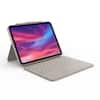
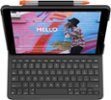
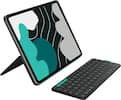
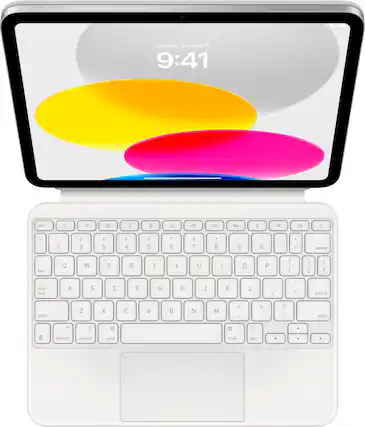
Your next decision is choosing the best iPad keyboard style for you. Some keyboard designs clip onto your iPad, then can be used as a cover for the display during travel. A folio design is a case that has a keyboard integrated into one side that provides your iPad with protection, while also serving as a desk when you need it. With an iPad magic keyboard that attaches magnetically to your tablet, you also have the advantage of using a tablet stylus pen because it has a trackpad right below the keys for enhanced versatility. One note: if you’re browsing iPad mini keyboard cases, be certain the one you choose is compatible with your version. For an extra measure of security, you may also want to consider an iPad screen protector to serve as an additional safeguard for your screen. Most keyboard folios allow you to set your iPad at an angle that suits you, but if the keyboard you select doesn’t, you might want to get a tablet stand or mount to ensure a comfortable position.
Getting the most from your Apple iPad keyboard
Your iPad keyboard can extend the usability of your device, but it’s still only as good as the available signal, which can be an issue when you’re on-the-go. You can stay connected wherever you are with a mobile hotspot, many of which are designed to also charge your smartphone, iPad or other device. Another consideration is keeping your iPad and keyboard clean. Most guides suggest using soft, even strokes with a lint-free, scratch-resistant cloth dampened with clean, lukewarm water only, no chemical cleaners. To get in-between the keys, consider using an air duster that uses compressed gas with an ozone-safe formula to efficiently remove dust and dirt. Pick up iPad accessories like an iPad keyboard case to provide extra protection.
Finally, be sure to bundle your keyboard with AppleCare+ to extend coverage to all your Apple devices, ensuring they last you for years to come.
