$(csi.user.businessName)
Skip to contentGo to Product Search
Assistive Survey
Fall Football
Top Deals
Deal of the Day
Gift Ideas
My Best Buy Memberships
Credit Cards
Gift Cards
Trade-In
Best Buy Business
Main Content
  • Visit our Support Center
  • Check your Order Status
  • Shipping, Delivery & Store Pickup
  • Returns & Exchanges
  • Price Match Guarantee

Order & Purchases

  • Check Order Status
  • Shipping, Delivery & Pickup
  • Returns & Exchanges
  • Price Match Guarantee
  • Product Recalls
  • Trade-In Program
  • Gift Cards

Payment Options

  • My Best Buy® Credit Card
  • Pay Your Bill at Citibank
  • Lease to Own
  • Buy Now, Pay Later
  • Best Buy Business Financing

Support & Services

  • Visit our Support Center
  • Shop with an Expert
  • Schedule a Service
  • Manage an Appointment
  • Protection & Support Plans
  • Haul Away & Recycling
  • Contact Us

Rewards & Membership

  • My Best Buy Memberships
  • View Points & Certificates
  • Member Offers

Partnerships

  • Sell on Best Buy Marketplace
  • Advertise with Us
  • Affiliates: Creators & Publishers
  • Best Buy Health
  • Best Buy Education
  • Best Buy Business
  • Partner+

About Best Buy

  • Corporate Information
  • Careers
  • Corporate Responsibility
  • Sustainability
Sign in or Create Account

Get the latest deals and more.


Best Buy appLearn more ›

Share on YouTubeShare on InstagramShare on TikTokShare on FacebookShare on PinterestShare on X

Best Buy Canada

AccessibilityTerms & ConditionsPrivacyInterest-Based AdsState Privacy RightsHealth Data PrivacyDo Not Sell/Share My Personal InformationLimit Use of My Sensitive Personal InformationTargeted Advertising Opt OutCA Supply Chain Transparency Act
In-store pricing may vary. Prices and offers are subject to change. © 2026 Best Buy. All rights reserved. BEST BUY, the BEST BUY logo, the tag design, and MY BEST BUY are trademarks of Best Buy and its affiliated companies.

Yellow vs. Red Switches: The 2026 Keyboard Debate search results

Filters

Skip To Results

Get it fast

Select Store
55423

Sold & shipped by

Category: Wireless & Bluetooth Keyboards

Price

to

Brand

Features

Current Deals

Color

Length of Cable

Inputs Outputs

Form Factor

Customer Rating

Lighting Type

Condition

Keyboard Technology

Yellow vs. Red Switches: The 2026 Keyboard Debate in Wireless & Bluetooth Keyboards (8)

Search all categories
Sort by:
  • The text on the image is a description of the keys on a keyboard. The keys are grouped as follows:

1. Function keys (F1 to F12)
2. Numeric keys (1 to 9)
3. Alphanumeric keys (a to z, A to Z)
4. Punctuation and special keys (Del, Q, W, E, R, T, Y, U, I, O, P, J, K, L, ; : , . , /, ?, End, Ctrl + Alt, Fn)

The image shows a close-up of a colorful keyboard with a rainbow pattern, which is a visually appealing design for the keys.

    Glorious - GMMK 3 PRO HE 75% Wireless Hall-Effect Linear Switch Gaming Keyboard with Rapid Trigger and Adjustable Actuation - Silver

    Rating 4.3 out of 5 stars with 116 reviews

    4.3(116 reviews)
  • Best Selling
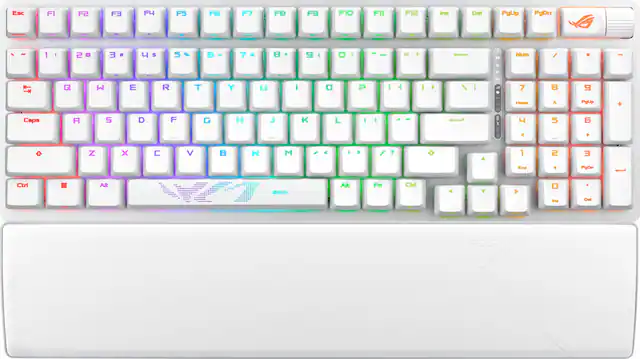
    Esc F1 F2 F3 F4 F5 F6 F7 F8 F9 F10 F11 F12 Ins Del PgUp PgDn | | ~ 1 2 E  S 5 %  7 8 9 O = Num  Q W E R T Y U I O P [ 1 I L 7 8 9 - Home A PgUp + Caps A S D F G H J  L  5  z X  V  N M ? A 1 2 E ... Ctrl  Alt VE ROG Alt Fn Ctrl Ered O ts PgOn Del ROG

    ASUS - ROG Strix Scope II 96 96% Wireless Mechanical Gaming Keyboard with Hot-Swappable ROG NX Snow Switches - White

    Rating 4.8 out of 5 stars with 167 reviews

    4.8(167 reviews)
  • - : .. i , - D - + d A  - + T FA : o . . - + 2  + A ~ -  - / F1 .  FI - I I , L0EA  F12 ! - - - INS 222 P . EN . e - - F . JV J J . - - 2 -  - e N N - A 1 -  ! M + Ph CTRL - - -

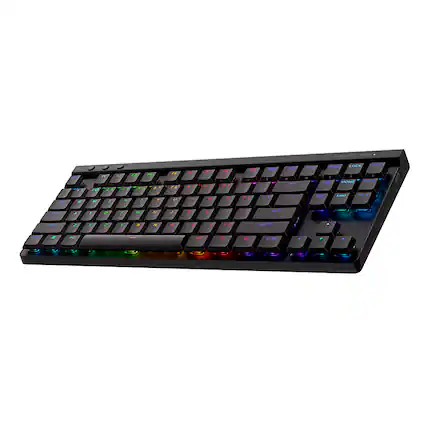
    Logitech - G515 LIGHTSPEED TKL Wireless Mechanical Linear (Red) Switch Gaming Keyboard with LIGHTSYNC RGB - Black

    Rating 4.3 out of 5 stars with 12 reviews

    4.3(12 reviews)
  • The text on the image is a list of keys on a keyboard. The keys are grouped as follows:

1. Function keys (F1 to F12)
2. Numeric keys (0 to 9)
3. Alphanumeric keys (A to Z and a to z)
4. Punctuation and special keys (e.g., !, @, #, $)
5. Navigation keys (e.g., arrow keys, home, end, page up, page down)
6. Modifier keys (e.g., shift, control, option, fn)

The image does not provide any information about the specific keyboard layout or the type of keyboard.

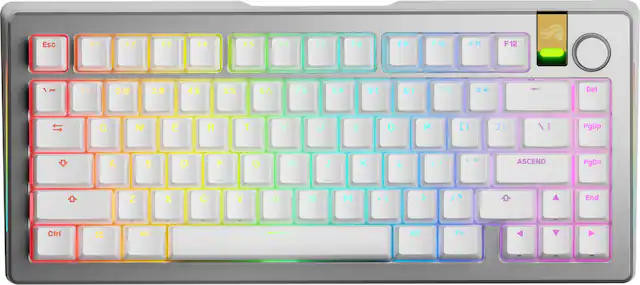
    Keychron - K4 HE Custom 96% Wireless Hall Effect Mechanical Switch Gaming Keyboard with Programmable QMK Launcher Software - Special Edition

    Rating 4.4 out of 5 stars with 28 reviews
    4.4(28 reviews)
Sponsored
Sponsored
Sponsored