Audio Editing Software For Windows
-
Adobe - Creative Cloud Pro Student and Teacher Edition (1-Year Subscription) - Mac OS, Windows [Digital]
SKU: J3KZ6LYJ3Lgreat deal!...i love it :) best deal gor qll the great programs al in one !...Great product great price!...Adobe is great especially when you need a place to be creative!...Best Buy has been the best...
See all Graphic Design SoftwareProduct Description
An all-in-one digital toolkit offering full versions of top creative apps, AI tools, and 100GB cloud storage.Your price for this item is $244.88 -
Acoustica - Mixcraft 8 Home Studio - Windows [Digital]
SKU: JXKG7CVCKTLove this recording studio easy setup great value for the price...Great DAW...Love the daw. Lets me do everything the pros do online. Have used it for years now.
See all Music & Audio Editing SoftwareProduct Description
An easy-to-use Windows digital studio for recording, mixing, arranging loops, and editing audio or video.Your price for this item is $29.00Save $10The previous price was $39.00 -
MAGIX - ACID Music Studio 11 - Windows [Digital]
SKU: JXXW28GFT8Great and easy to use software. I highly recommend it....Acis pro 11 is great!...Acis pro 11 is great! I purchased it for a customer and they loved it.
See all Music & Audio Editing SoftwareProduct Description
An intuitive Windows digital software for composing, editing, and mixing music with integrated tutorials and no subscription.Your price for this item is $59.99 -
Acoustica - Mixcraft 10.5 Pro Studio - Windows [Digital]
SKU: J32S26Y4JYCan create great sounding midis and music mashups.
See all Music & Audio Editing SoftwareProduct Description
An advanced Windows digital audio workstation featuring AI stem separation, MIDI support, video editing, and intuitive workflow tools.Your price for this item is $99.00Save $50The previous price was $149.00 -
Acoustica - Mixcraft 10.5 Recording Studio - Windows [Digital]
SKU: J32S26Y4JHA Well Thought Out DAW for a Great Price
See all Music & Audio Editing SoftwareProduct Description
An intuitive digital audio workstation for Windows featuring enhanced plugin support, video editing, and customizable workflow.Your price for this item is $49.00Save $30The previous price was $79.00 -
MAGIX - Music Maker 2026 Premium - Windows [Digital]
SKU: JXXW23YG9TI had an older program of it before fell in love with it got this one fell in love all over again.
See all Music & Audio Editing SoftwareProduct Description
An intuitive Windows music software offering drag-and-drop song creation, virtual instruments, and advanced mixing tools.Your price for this item is $59.99 -
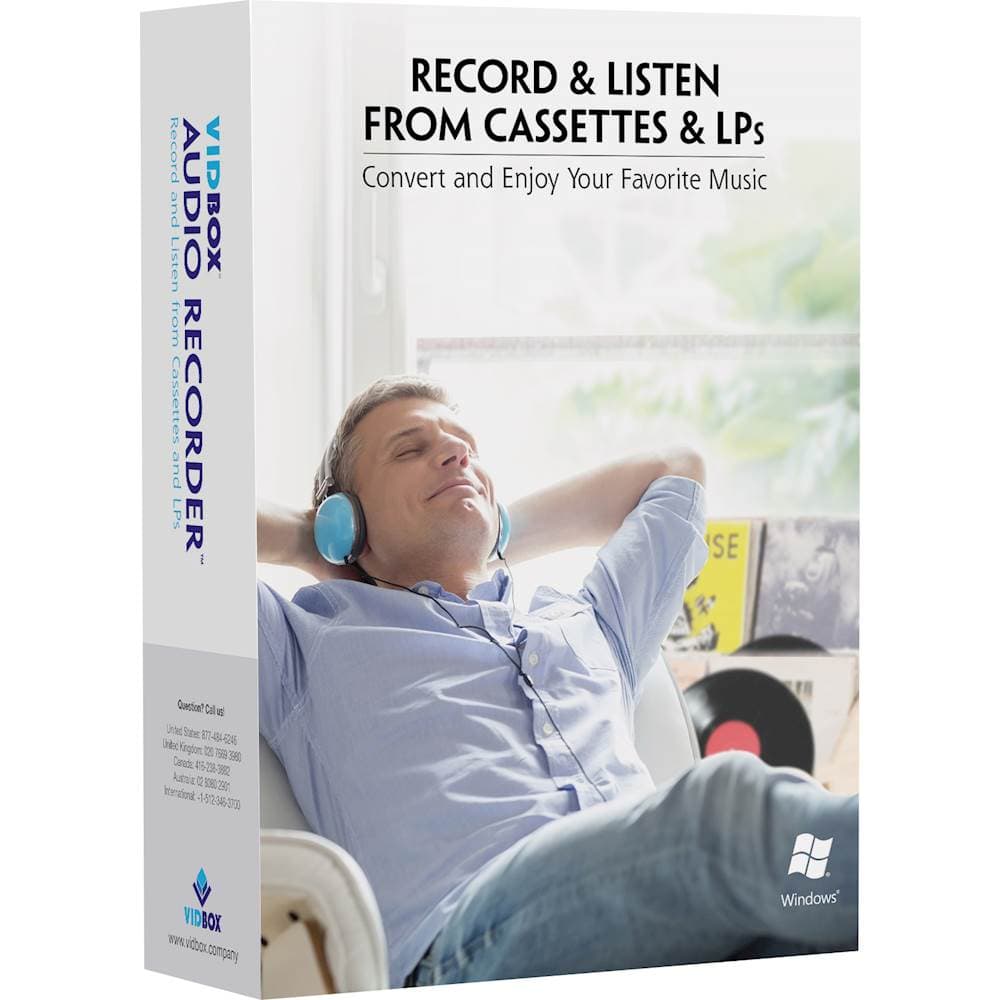
VIDBOX - Audio Recorder - Windows
SKU: J3KHQ2Y86KOn the suggestion of a Best Buy associate, I purchased this software to copy a large number of LP records...Great Program....
See all Music & Audio Editing SoftwareProduct Description
An easy-to-use USB device for converting cassette or vinyl audio to MP3 files on Windows.Your price for this item is $59.99Save $20The previous price was $79.99 -
MAGIX - Video deluxe 2026 Plus - Windows [Digital]
SKU: JXXW23YGY7See all Video Editing SoftwareProduct Description
An intuitive Windows digital video editing software with AI-powered tools, creative effects, and advanced subtitle features.Your price for this item is $54.99
![Adobe - Creative Cloud Pro Student and Teacher Edition (1-Year Subscription) - Mac OS, Windows [Digital]](https://pisces.bbystatic.com/image2/BestBuy_US/images/products/2bf09474-c0c3-4825-98be-e3b292fa44b8.jpg)
![Acoustica - Mixcraft 8 Home Studio - Windows [Digital]](https://pisces.bbystatic.com/image2/BestBuy_US/images/products/6427/6427997_sd.jpg)
![MAGIX - ACID Music Studio 11 - Windows [Digital]](https://pisces.bbystatic.com/image2/BestBuy_US/images/products/6331/6331576_sd.jpg)
![Acoustica - Mixcraft 10.5 Pro Studio - Windows [Digital]](https://pisces.bbystatic.com/image2/BestBuy_US/images/products/6556/6556922_sd.jpg)
![Acoustica - Mixcraft 10.5 Recording Studio - Windows [Digital]](https://pisces.bbystatic.com/image2/BestBuy_US/images/products/6556/6556920_sd.jpg)
![MAGIX - Music Maker 2026 Premium - Windows [Digital]](https://pisces.bbystatic.com/image2/BestBuy_US/images/products/effbda12-219a-4ee3-b010-62d59bb763bb.jpg)
![MAGIX - Video deluxe 2026 Plus - Windows [Digital]](https://pisces.bbystatic.com/image2/BestBuy_US/images/products/311aa87e-fb15-4c2f-9310-5afbf1fc6cc1.jpg)
Best Sellers
![Acoustica - Mixcraft 8 Home Studio - Windows [Digital]](https://pisces.bbystatic.com/image2/BestBuy_US/images/products/6427/6427997_sd.jpg;maxHeight=144;maxWidth=200?format=webp)
![MAGIX - ACID Music Studio 11 - Windows [Digital]](https://pisces.bbystatic.com/image2/BestBuy_US/images/products/6331/6331576_sd.jpg;maxHeight=144;maxWidth=200?format=webp)
![Acoustica - Mixcraft 10.5 Pro Studio - Windows [Digital]](https://pisces.bbystatic.com/image2/BestBuy_US/images/products/6556/6556922_sd.jpg;maxHeight=144;maxWidth=200?format=webp)
![Acoustica - Mixcraft 10.5 Recording Studio - Windows [Digital]](https://pisces.bbystatic.com/image2/BestBuy_US/images/products/6556/6556920_sd.jpg;maxHeight=144;maxWidth=200?format=webp)
![MAGIX - Music Maker 2026 Premium - Windows [Digital]](https://pisces.bbystatic.com/image2/BestBuy_US/images/products/effbda12-219a-4ee3-b010-62d59bb763bb.jpg;maxHeight=144;maxWidth=200?format=webp)
Related Pages

FAQ
When choosing audio editing software for Windows, consider features like multi-track editing, support for various audio file formats, real-time effects, noise reduction tools, and compatibility with third-party plugins. Some software also offers MIDI support and advanced mixing capabilities.
Yes, many audio editing programs for Windows are well-suited for podcast production. They offer tools for recording, editing, mixing, and exporting high-quality audio, as well as features like voice enhancement, background noise removal, and support for multiple tracks.
Many audio editing software options for Windows are designed with user-friendly interfaces and built-in tutorials, making them accessible for beginners. Some programs also offer basic and advanced modes to help users grow their skills over time.
Yes, most audio editing software for Windows supports a wide range of audio file formats, including MP3, WAV, FLAC, AAC, and more. This ensures compatibility with different devices and platforms.
Absolutely. Many audio editing software titles for Windows include features for music creation, such as virtual instruments, MIDI editing, loop libraries, and professional mixing tools, making them ideal for musicians and producers.