VIDBOX - Audio Recorder - Windows
Customers are saying
Customers are enthusiastic about the Audio Recorder's ability to convert vinyl records into MP3s, with one customer saying it's easy to convert their vinyl into MP3s. The product is also considered easy to use, with one customer saying it's a good product that's easy to use.
Convert all of your music, including cassettes, LPs and 8-track tapes, into MP3s, WAV files, audio CDs and MP3 CDs, and listen to them on your portable music players
Use the included USB audio capture device for an easy all-in-one solution
Use noise reduction for improving audio quality
With Normalizer you can control irregular volume by increasing or decreasing as needed
Easily split your single audio file to multiple tracks by auto detecting the gaps between tracks
Easy Wizard Mode lets your record and convert cassettes and LPs with just one click, along with step-by-step visual instructions to assist you
The Advanced Mode gives you more options, including editing to split a clip into multiple tracks, remove static or adjust the volume, as well as publishing to convert captured audio into MP3 files and burn audio CDs or MP3 CDs
Create MP3 and WAV files to play on your portable devices (not included)
Includes USB audio capture device, RCA cables
- Number of Users1Number of Devices1Operating System CompatibilityWindowsSoftware FormatPhysical
Reviews
Rating 4.2 out of 5 stars with 15 reviews
- Ease of Use (6)
- Overall Performance (3)
The vast majority of our reviews come from verified purchases. Reviews from customers may include My Best Buy members, employees, and Tech Insider Network members (as tagged). Select reviewers may receive discounted products, promotional considerations or entries into drawings for honest, helpful reviews.
Compare similar products

Pack all your favorite albums into your portable music player with this Vidbox audio recorder. The USB audio capture device lets you connect your cassette player or record player, and the included RCA cables make it easy to set up your recording system. With its intuitive software, this Vidbox audio recorder lets you edit audio MP3 files into individual tracks.

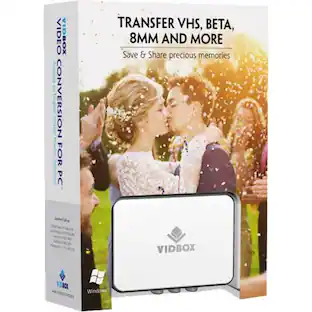
Digitize VHS, camcorder, Beta and 8-millimeter tapes with VIDBOX Video Conversion Suite for PC. Connect your legacy video recorder to your computer using the included USB and RCA AV cables and share your treasured family videos with a new audience. VIDBOX Video Conversion Suite for PC includes instructions and live support to guide you through the video conversion process.
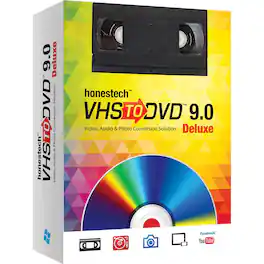
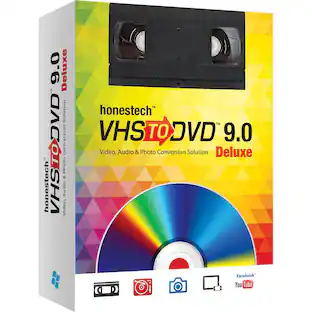
Save treasured family memories with this VIDBOX VHS to DVD converter. Ideal for beginners, this small unit features Easy Wizard Mode to transfer tapes at a touch, while Creative Mode includes the ability to edit video and upload to social media. This versatile VIDBOX VHS to DVD converter even creates photo slideshows and audio files to capture all your special moments.
![MAGIX - ACID Music Studio 11 - Windows [Digital]](https://pisces.bbystatic.com/image2/BestBuy_US/images/products/6331/6331576_sd.jpg;maxHeight=422;maxWidth=264?format=webp)
Discover the world of professional composing, editing, and mixing music. Become a producer and take full control. ACID Music Studio helps you get started in loop-based music production. It's easy: simply drop a beat on the timeline and begin. The software accomplishes tasks normally carried out by a professional, so you can concentrate fully on making music. ACID Music Studio accompanies you every step of the way. Compose, edit, and mix your tracks like a pro in minutes with the help of integrated tutorials.
| Pros for VIDBOX - Audio Recorder - Windows | |||
|---|---|---|---|
| Overall Performance, Ease of Use | Overall Performance, Ease of use, Video Quality, USB | There were no pros for this product— | There were no pros for this product— |
| Cons for VIDBOX - Audio Recorder - Windows | |||
| There were no cons for this product— | Compatibility | There were no cons for this product— | There were no cons for this product— |
Specs
Customers often buy these together
 $62.99The price was $99.00
 $61.99The price was $69.00
 $51.80The price was $73.99


More to consider







Explore tech essentials Sponsored
 $24.99The price was $49.99


Discover related products
 $12.99The price was $13.99