VIDBOX - Video Conversion for PC - Windows
Customers are saying
Customers are delighted by the ease of use, overall performance, and video quality of Video Conversion for PC. Users find the product simple to use and report that it works as advertised. The device also utilizes USB to transfer analog input to a computer. However, some customers have reported compatibility issues.
Provides everything you need to easily convert your videos to digital formats
All you need is a VCR and a PC with or without a DVD burner
The step-by-Step pictorial instructions guide you through the process
Save your precious memories before it's too late
- Number of Users1Number of Devices1Operating System CompatibilityWindowsSoftware FormatPhysical
Reviews
Rating 4.2 out of 5 stars with 104 reviews
- Ease of use (41)
- Overall Performance (13)
- Video Quality (11)
- USB (4)
- Compatibility (4)
Customer Images
The vast majority of our reviews come from verified purchases. Reviews from customers may include My Best Buy members, employees, and Tech Insider Network members (as tagged). Select reviewers may receive discounted products, promotional considerations or entries into drawings for honest, helpful reviews.
Compare similar products
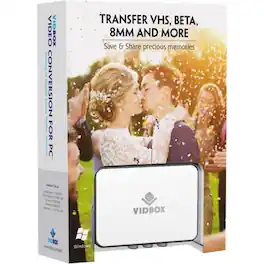
Digitize VHS, camcorder, Beta and 8-millimeter tapes with VIDBOX Video Conversion Suite for PC. Connect your legacy video recorder to your computer using the included USB and RCA AV cables and share your treasured family videos with a new audience. VIDBOX Video Conversion Suite for PC includes instructions and live support to guide you through the video conversion process.
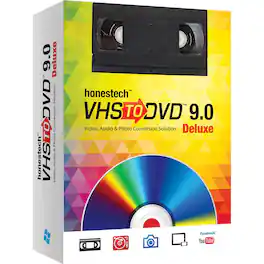
Save treasured family memories with this VIDBOX VHS to DVD converter. Ideal for beginners, this small unit features Easy Wizard Mode to transfer tapes at a touch, while Creative Mode includes the ability to edit video and upload to social media. This versatile VIDBOX VHS to DVD converter even creates photo slideshows and audio files to capture all your special moments.

Pack all your favorite albums into your portable music player with this Vidbox audio recorder. The USB audio capture device lets you connect your cassette player or record player, and the included RCA cables make it easy to set up your recording system. With its intuitive software, this Vidbox audio recorder lets you edit audio MP3 files into individual tracks.
![Corel - VideoStudio Ultimate 2022 - Windows [Digital]](https://pisces.bbystatic.com/image2/BestBuy_US/images/products/6519/6519152_sd.jpg;maxHeight=422;maxWidth=264?format=webp)
Take your filmmaking and video editing up a notch with this Windows-compatible VideoStudio Ultimate 2022 software. The customizable filters, video masking and color grading enable seamless edits, while built-in recording tools let you capture your screen or multi-camera videos. This digital download of VideoStudio Ultimate 2022 software features custom menus to directly upload content to YouTube or burn to discs, easily sharing your creations.
| Pros for VIDBOX - Video Conversion for PC - Windows | |||
|---|---|---|---|
| Overall Performance, Ease of use, Video Quality, USB | There were no pros for this product— | Overall Performance, Ease of Use | There were no pros for this product— |
| Cons for VIDBOX - Video Conversion for PC - Windows | |||
| Compatibility | There were no cons for this product— | There were no cons for this product— | There were no cons for this product— |
Specs
Find more like this





More to consider






Explore tech essentials Sponsored
 $44.99The price was $84.99

Discover related products
 $12.99The price was $13.99
 $30.99The price was $32.99












