Acoustica - Mixcraft 8 Home Studio - Windows [Digital]
Customers are saying
Customers consistently note the ease of use of Mixcraft 8 Home Studio. Users find the product to be user-friendly. There were no cons mentioned for this product.
Includes up to 16 audio and virtual instrument tracks
Works easily with your audio interfaces, guitars, and microphones
Contains six virtual instruments and 20 powerful effects, such as reverb, delay, EQ, chorus, and flanger
Mixcraft's audio library embraces all music genres with over 6,500 loops and freesound.org sounds for inspired music creation
The built-in virtual mixer features volume and an individual three-band EQ for each channel, just like a hardware mixer
Edit your MIDI notes using the piano roll, step, or notation editors, and then even print music scores
Make, and record a live performance using eight sets of automatically synchronized, nonstop audio and MIDI clip grooves using the amazingly flexible performance panel
Create music videos with text, effects, video, and photos. Supports MP4 video format
- Number of Licenses1Operating System CompatibilityWindowsSoftware FormatDigital
Reviews
Rating 4.8 out of 5 stars with 6 reviews
- Ease of use (4)
Customer Images
The vast majority of our reviews come from verified purchases. Reviews from customers may include My Best Buy members, employees, and Tech Insider Network members (as tagged). Select reviewers may receive discounted products, promotional considerations or entries into drawings for honest, helpful reviews.
Compare similar products
![Acoustica - Mixcraft 8 Home Studio - Windows [Digital]](https://pisces.bbystatic.com/image2/BestBuy_US/images/products/6427/6427997_sd.jpg;maxHeight=422;maxWidth=264?format=webp)
Mixcraft 8 Home Studio is an easy-to-use music application that lets you fast and simply record up to 16 audio and MIDI tracks, arrange loops, remix, score, and edit video, and mix and master compositions. It includes thousands of music loops and dozens of audio effects and virtual instruments. Jump to the stage with eight sets of automatically synchronized, nonstop audio and MIDI clip grooves using the amazingly flexible performance panel, a perfect partner for live performances.
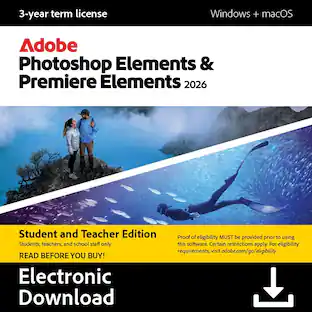
![Adobe - Photoshop Elements & Premiere Elements 2026 Student & Teacher Edition (1-User) (3-Year License) - Windows, Mac OS [Digital]](https://pisces.bbystatic.com/image2/BestBuy_US/images/products/15d9d94f-a50e-4289-a42b-fa03d7719a73.jpg;maxHeight=422;maxWidth=264?format=webp)
Your photos and videos are everything, so why not make them absolutely amazing? Photoshop Elements & Premiere Elements 2026 gives you easy ways to edit, unique creative options, and room to grow so you can always get the look you envision. Easily touch up your pics, enhance them with eGects, or generate all-new images. And quickly trim and resize your videos and add transitions, motion titles, music, and more. The license offers a full 3 years of access from the date of redemption, with no automatic renewal. The 3‐year term license begins once you redeem the code. Note that only one redemption code can be redeemed per Adobe account. If you are looking to redeem another redemption code, click on "Use a different Adobe ID email" on the redemption page and log into a different account. If you have accidentally redeemed multiple codes using the same Adobe account, please contact Adobe Support to receive a replacement code.
![Adobe - Express Premium - Android, Mac OS, Windows [Digital]](https://pisces.bbystatic.com/image2/BestBuy_US/images/products/e9addb06-7f4b-445f-aaf1-01fb55aaf056.jpg;maxHeight=422;maxWidth=264?format=webp)
Unleash your creative potential with Adobe Express Premium, the all-in-one AI content creation app. Create stunning social posts, images, videos, and more, with cutting-edge generative AI tools powered by Adobe Firefly. Whether you're a seasoned designer or just starting, Adobe Express Premium makes it easy to stand out. Get everything you need to make your vision a reality. The intuitive interface lets you jump right in, no matter your experience level, and start creating beautiful content that captures attention. It includes powerful generative AI tools like Generative Fill, Text to Image, and Text to Template which allow you to generate content with just a few clicks. Simply type what you need, and Adobe Express will do the rest, giving you professional-quality results every time. Millions of professionally designed static and video templates ensure that your content looks polished and professional. You also get access to over 200 million royalty-free Adobe Stock photos, videos, music tracks, and design elements so you'll always have the perfect assets to complement your creations. Turn your designs into social media campaigns instantly. With just one click, you can resize your content for various platforms, including Instagram, TikTok, Facebook, YouTube, and more. Focus on creating great content rather than worrying about formatting. Combine video clips, images, music, and animations to create videos that stand out. You don't need any experience in video editing -the intuitive interface and powerful tools make it simple to produce professional-quality videos that engage your audience. Planning and managing your social media content is easier than ever with an intuitive calendar. Plan, preview, and schedule your posts, ensuring that your content goes live at the perfect time. Stay organized and consistent with your social media presence, to build and maintain an engaged audience.
![MAGIX - Video deluxe 2026 Premium - Windows [Digital]](https://pisces.bbystatic.com/image2/BestBuy_US/images/products/7ebaa978-42c0-45ea-b027-c66e37b2c2c8.jpg;maxHeight=422;maxWidth=264?format=webp)
Video deluxe 2026 Premium makes advanced video editing feel easy. Discover intuitive editing tools, the seamless all-in-one media window and the proDAD VitaScene V5 Pro effects suite with over 1,700 effects, filters and transitions for impressive cinematic results. Use AI-generated subtitles and voiceovers and browse premium stock content for your B-roll scenes. New features: Make your subtitles pop with the Highlight function, organize your footage with AI media management and access exclusive content— including customizable LUTs, music tracks and sound effects.
| Pros for Acoustica - Mixcraft 8 Home Studio - Windows [Digital] | |||
|---|---|---|---|
| Ease of use | There were no pros for this product— | There were no pros for this product— | There were no pros for this product— |
Specs
Customers often buy these together
 $55.99The price was $69.99
 $13.99The price was $17.99



More to consider



Explore tech essentials Sponsored
 $20.99The price was $114.99
 $59.99The price was $89.99


Discover related products
 $12.99The price was $13.99