MAGIX - Video deluxe 2026 Plus - Windows [Digital]
Reviews coming soon
About this product
Video deluxe 2026 Plus makes video editing fun and easy. All important functions are right at your fingertips in the intuitive all-in-one media window—from easy-to-use editing tools and creative effects to versatile templates and smooth transitions. Use AI-powered tools to enhance image quality, automatically generate subtitles, and create realistic voiceovers and browse premium stock content for your B-roll scenes. New features: Make your subtitles pop in sync with your audio with the Highlight function and organize your footage with powerful AI media management.
Features
Save time sorting your media with media management powered by AI categorization
Highlight subtitles in sync with your audio for YouTube Shorts, TikToks or Reels
Export your created subtitles as transcript for perfect close captions on YouTube
Smooth and seamless editing with the all-in-one media window
Accelerated export and smooth project playback with the INFUSION Engine
AI-powered tools for generating subtitles automatically and creating realistic voiceovers
AI effects for enhancing image quality and unique visual styles
Precise color correction, automatic look adjustment filters for impressive film looks
Templates for projects, editing sequences and export—also for social media
Over 2,000 effects, fades, templates, titles + integrated image stabilization
Access over 1 million royalty free video and audio assets
MultiCam editing with up to 4 cameras
Additional creative content in the in-app store
Specifications
- Operating System CompatibilityWindowsSoftware FormatDigital
Reviews
This product doesn't have any reviews yet.
Compare similar products
![MAGIX - Video deluxe 2026 Plus - Windows [Digital]](https://pisces.bbystatic.com/image2/BestBuy_US/images/products/311aa87e-fb15-4c2f-9310-5afbf1fc6cc1.jpg;maxHeight=422;maxWidth=264?format=webp)
Video deluxe 2026 Plus makes video editing fun and easy. All important functions are right at your fingertips in the intuitive all-in-one media window—from easy-to-use editing tools and creative effects to versatile templates and smooth transitions. Use AI-powered tools to enhance image quality, automatically generate subtitles, and create realistic voiceovers and browse premium stock content for your B-roll scenes. New features: Make your subtitles pop in sync with your audio with the Highlight function and organize your footage with powerful AI media management.
![MAGIX - Video deluxe 2026 Premium - Windows [Digital]](https://pisces.bbystatic.com/image2/BestBuy_US/images/products/7ebaa978-42c0-45ea-b027-c66e37b2c2c8.jpg;maxHeight=422;maxWidth=264?format=webp)
Video deluxe 2026 Premium makes advanced video editing feel easy. Discover intuitive editing tools, the seamless all-in-one media window and the proDAD VitaScene V5 Pro effects suite with over 1,700 effects, filters and transitions for impressive cinematic results. Use AI-generated subtitles and voiceovers and browse premium stock content for your B-roll scenes. New features: Make your subtitles pop with the Highlight function, organize your footage with AI media management and access exclusive content— including customizable LUTs, music tracks and sound effects.
![MAGIX - Music Maker 2026 Premium - Windows [Digital]](https://pisces.bbystatic.com/image2/BestBuy_US/images/products/effbda12-219a-4ee3-b010-62d59bb763bb.jpg;maxHeight=422;maxWidth=264?format=webp)
MUSIC MAKER is the intuitive, loop-based music software that lets anyone create their own songs and beats with an easy drag-and-drop workflow, no expensive gear or years of experience required. Browse through genre-based Soundpools, pick your favorite loops and arrange them into complete songs with just a few clicks. Shape your sound with virtual instruments, MIDI editing, built-in effects and powerful mixing and mastering tools. New features: Optimized Loop Browser, custom Beatbox kits, and easier pitch control.
![Corel - VideoStudio Ultimate 2022 - Windows [Digital]](https://pisces.bbystatic.com/image2/BestBuy_US/images/products/6519/6519152_sd.jpg;maxHeight=422;maxWidth=264?format=webp)
Take your filmmaking and video editing up a notch with this Windows-compatible VideoStudio Ultimate 2022 software. The customizable filters, video masking and color grading enable seamless edits, while built-in recording tools let you capture your screen or multi-camera videos. This digital download of VideoStudio Ultimate 2022 software features custom menus to directly upload content to YouTube or burn to discs, easily sharing your creations.
Specs
Customers often buy these together
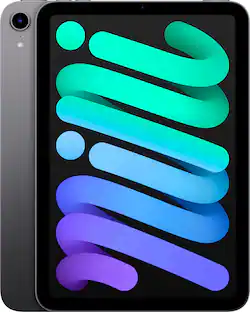
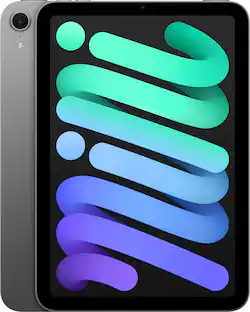
Apple iPad mini (A17 Pro chip) - Built for Apple Intelligence - Wi-Fi 128GB
$434.99The price was $499.00





Customers ultimately bought


Explore tech essentials Sponsored
Trend Micro Ultimate Protection Antivirus + Scam + Identity Protection (20-Device) (1-Year Subscription)
$20.99The price was $114.99






Discover related products
Acer USB C Docking Station With 2 HDMI, 9-IN-1 Docking Hub with USB A&C 3.0, SD/Micro SD, 100W Charging
$42.99The price was $47.99Acer USB C to HDMI Cable for Home Office 6.6FT (4K@60Hz), High-Speed Type C to HDMI 2.0 Braided Cord
$12.99The price was $13.99