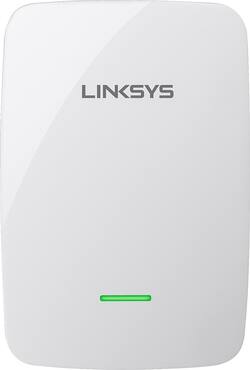
Linksys - N600 Dual-Band Wi-Fi Range Extender - White
- Key Specs
- Number of LAN Ports: 2 (Number of devices able to be connected to the Local Area Network (LAN). LAN ports allow wired connections to other networking devices (wireless access points, range extenders, etc.) in order to share the internet connection received through a WAN port.)
- Wireless Networking Standard: Wi-Fi 6 (The wireless networking standard used by the device. Each iteration of the standard developed by the Wi-Fi Alliance corresponds to an existing IEEE 802.11 protocol; for example, standard 802.11ac (or AC) is termed Wi-Fi 5. Refers specifically to the standard the device is designed to use, but ultimately determines product interoperability and backward compatibility including previous versions.)
- General
- Product Name: N600 Dual-Band Wi-Fi Range Extender
- Brand: Linksys
- Model Number: RE4100W-4A
- Network
- Minimum Frequency: 2400 megahertz (The lowest signal frequency that the device is able to amplify or transmit. The higher the frequency, the more data that can be transmitted and the more easily the signal is attenuated (weakened over distance/passing through buildings).)
- Maximum Frequency: 5.0 gigahertz (The highest signal frequency that the device is able to amplify or transmit. Generally, the higher the frequency, the more data that can be transmitted and the more likely the signal is attenuated (weakened over distance/passing through buildings).)
- Maximum Coverage Area: 0 square feet
- Wireless Networking Standard: Wi-Fi 6 (The wireless networking standard used by the device. Each iteration of the standard developed by the Wi-Fi Alliance corresponds to an existing IEEE 802.11 protocol; for example, standard 802.11ac (or AC) is termed Wi-Fi 5. Refers specifically to the standard the device is designed to use, but ultimately determines product interoperability and backward compatibility including previous versions.)
- Features
- Overload Protection: false (Features intended to protect the product from damage and overheating caused by overload.)
- Compatibility
- System Requirements: 802.11a/b/g/n wireless router or access point (The software that a product must have for it to be able to integrate with another product.)
- Dimensions
- Product Height: 1.46 inches (The out of box height of the item. Height is measured as the vertical distance from the bottom of the item to the top as it would be primarily used or placed.)
- Product Length: 4.01 inches (The out of box length of the item. Length is measured as the longest dimension of the item.)
- Product Width: 2.76 inches (The out of box width of the item. Width is measured as the horizontal distance from one side of the item to the other as it would be primarily used or placed.)
- Product Weight: 0.26 pounds (The out of box weight of the item.)
- Warranty
- Manufacturer's Warranty - Parts: 1 year limited
- Manufacturer's Warranty - Labor: 1 year limited
- Other
- UPC: 745883679362
Boost your wireless network with this Linksys RE4100W-4A range extender, which features Wireless-N technology and works with 802.11a/b/g/n wireless routers and access points. The 2.4GHz and 5.0GHz frequencies offer up to 300 Mbps + 300 Mbps speeds.
- Wireless-N technology: Provides enhanced signal strength and coverage.
- Compatible with 802.11n networks: Backward compatible with 802.11a/b/g networks, so you can upgrade easily.
- Dual frequency bands: Let you achieve speeds up to 300 Mbps + 300 Mbps.
- 2 Ethernet ports: Allow simple wired connectivity.
Whats Included
- N600 Dual-Band Wi-Fi Range Extender
- Owner's manual
A: You must run the setup routine on the CD that comes with the unit and you must do this from a computer that is connected wirelessly to the network you want to extend. Other than that, very easy to use and pay attention to the signal strength of the router at the place where you plan on plugging in the extender. If the extender is not receiving a good signal, you will not be happy with how the extender performs. An easy way to check wireless signal strength is to download the WiFi Analyzer app for your smart phone or tablet. You can view the signal strengths for both 2.4 MHz and 5 MHz bands. Sorry, haven't seen this app for Iphones or Ipads.
A: Hi, Buzz. Yes, the Linksys RE4100W is compatible with the Linksys routers, including the Linksys EA7500.
A: Yes, Julie. This Linksys RE4100W range extender is compatible with the Linksys E2500 Advanced Dual-Band N600 Router.
Q: Is this compatible with the Belkin N600 DB Router? Model F9K1102v3?
A: Yes, Karen. The range extender is compatible with that router.
Q: Im using a lynksys wireless adapter on computer. Will it help get a better signal to the computer?
A: This extender boosts the wi-fi signal originating from your router. So if it's a weak or non-existent signal that's your issue, then the extender will help/fix the issue. Note that apart from compatibility, it's irrelevant what wi-fi adapter you're using within your laptop. And given that network adapter in your laptop is Linksys, there will be no compatibility issues with the network broadcast from this extender regardless.
A: There's no known issue between the Netgear router and the Linksys range extender. With the proper configuration, the Linksys RE4100W should work with your Netgear router.
Q: I have Verizon DSL (7 mbps) in my 2 bedroom apartment. Will this device boost this? Thank you.
A: Hi, Virginia. If you have a modem/router combo, then yes, the Linksys RE4100W range extender will boost its wireless signal.
Q: I can't get a signal from wireless router to my desktop in my home. Will the Link system help?
A: Depends. Your question gives no indication of why you're not getting a signal. It could be a number of things not least of which is the wi-fi- signal itself. If you can get a signal when you're a few feet away from your router, but not when you move further away, then that would indicate that the wi-fi extender would fix the issue. If however, you're not getting a signal when you're close to the main router, then there is something else wrong (bad or incorrectly setup network adapter in your laptop, trying to use the wrong wi-fi security protocol, etc.).