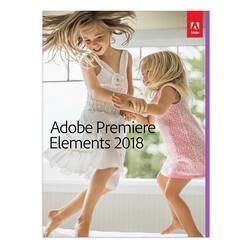
Adobe - Premiere Elements 2018 - Windows, Mac OS
- Key Specs
- Number of Users: 1
- Number of Devices: 1
- Operating System Compatibility: Windows, Mac OS
- Software Format: Physical (Physical software requires a disc, cartridge, etc. be inserted into the gaming console or computer to download and/or operate the software. Digital software allows for downloading and/or playing the software on the gaming console or computer without a physical disc, cartridge, etc. Physical (Download Code Only) software is purchased in physical form with a code that allows for downloading and/or playing the software on the gaming console or computer without a physical disc, cartridge, etc.)
- General
- Brand: Adobe
- Model Number: ADO951800F086
- Product Name: Premiere Elements 2018
- Publisher: Adobe
- Features
- Software Subject: Photo editing
- Tutorials Included: true
- Purchase Rights
- Number of Users: 1
- Number of Devices: 1
- Compatibility
- Operating System Compatibility: Windows, Mac OS
- Software Format: Physical (Physical software requires a disc, cartridge, etc. be inserted into the gaming console or computer to download and/or operate the software. Digital software allows for downloading and/or playing the software on the gaming console or computer without a physical disc, cartridge, etc. Physical (Download Code Only) software is purchased in physical form with a code that allows for downloading and/or playing the software on the gaming console or computer without a physical disc, cartridge, etc.)
- Requirements
- Hard Drive Space Required: 5 gigabytes
- Other
- UPC: 883919272979
Video editing doesn't have to be daunting or take tons of time. Go from hundreds of mystery folders to a visual view of your videos automatically sorted by date. Use automated editing options and step-by-step guidance to create and share everything from animated GIFs and video collages to new dynamic slideshows and full-length movies.
- Hassle-free organization: Go from hundreds of mystery folders scattered across your computer to a visual view of your videos automatically sorted by date. Easily tag and find people, places, and events.
- No-fear video editing: Smart Trim automatically finds and brings together the best scenes based on the style of your video. Automatically extract candid photos from your raw footage.
- Stunning creations: Add style and polish with freeze frame motion titles, bounce-back effects, and dozens more titles, effects, transitions, and themes.
- Shareable memories: Share with friends and family any way you like - via new dynamic slideshows, HDTVs, YouTube, Facebook, Vimeo, discs and more.**
- Hassle-free organization: Go from hundreds of mystery folders scattered across your computer to a visual view of your videos automatically sorted by date. Easily tag and find people, places, and events.
- No-fear video editing: Smart Trim automatically finds and brings together the best scenes based on the style of your video. Automatically extract candid photos from your raw footage.
- Stunning creations: Add style and polish with freeze frame motion titles, bounce-back effects, and dozens more titles, effects, transitions, and themes.
- Shareable memories: Share with friends and family any way you like - via new dynamic slideshows, HDTVs, YouTube, Facebook, Vimeo, discs and more.**
Q: Is this software good for beginners is it for the advanced?
A: Yes this software is a good choice for beginners. It's easy to use.
A: It will work with the most common video types- see the list below: 3GPP (.3gp, .3g2) Adobe Shockwave Flash (.swf) Audio Video Interleave (.avi) AVCHD (.m2ts, .mts) H.264 (.mp4, .m4v) H.264-encoded QuickTime (.mov, .mp4, .m4v) MOD (.mod) MPEG-1 (.mpeg) MPEG-2 (.m2v, .mpg) MPEG-2 Transport Stream (.m2t) QuickTime (.mov, .m4a) TOD (.tod) Video Object (DVD video) (.vob) Windows Media (.wmv)
Q: Can I use this on a regular computer or will it have to be a Mac computer
A: This program can be used on Windows or Mac PCs.
Q: How long does this subscription last?
A: This is a one time purchase, so it lasts forever or till you decide to upgrade.
A: There are video editing apps for android phones. You just have to google them. Premier Elements is perfectly suited for such a task. If you don't have one, get a phone to computer USB cable to transfer. Then import footage into Premier Elements.
A: Premier Elements is very much like any professional editing software. Ot provides numerous layers or tracks with apecial settings that will allow you to perform pictue-in-picture presentations.
Q: Can I use this to edit multiple pictures to create one of my own
A: This software cannot edit pictures. However, if you mean videos, you can edit together videos to make your own.
A: Yes you can go to the wedsite of Adobe and buy it for there and upload to your computer without cd