Rating 4.4 out of 5 stars with 128 reviews
4.4- Camera Quality (61)
- Ease of use (43)
- Installation (11)
- Night Vision (10)
- App Integration (7)
- Storage (12)
- Price (4)
- Connectivity (3)
Customer Images
The vast majority of our reviews come from verified purchases. Reviews from customers may include My Best Buy members, employees, and Tech Insider Network members (as tagged). Select reviewers may receive discounted products, promotional considerations or entries into drawings for honest, helpful reviews.
- Rated 3 out of 5 stars
Quality went down
Purchased in 2022. Had an issue and was exchanged in Jan of 2024. The product quality has gone down. Major differences, more plastic, one solid piece so you don’t have the option of screwing to the wall as before, cord is one piece and appears to not be as long. Marking it from a 5 to a 3 because of the changes to the model which I feel make it not worth the price even if on sale. Top unit is the one from 2022 and bottom is from 2024. 2nd picture is the plug and cord from 2022.
Posted by Casper
- Rated 5 out of 5 stars
Great if you have a myQ Opener
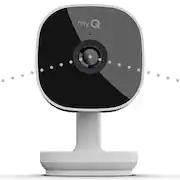
## Setup The setup process was fairly easy. I was happy to learn that the myQ Camera has a magnetic base and can easily be attached to the bottom of your garage door opener (assuming it has a metal cover, which it likely does). I simply stuck the camera to the bottom of the garage door opener and used some twist-ties to tuck the power cord out of the way of the moving parts. The myQ camera requires an outlet, as does the myQ opener and, obviously, your garage door opener. So if you’re mounting them all in the same location of your garage door opener, make sure you have enough outlets (or a safe outlet extender) handy as you’ll need at least 3 outlets. The myQ app walked me through the setup process, connecting to the camera via Bluetooth and then transferring over my WiFi information to the camera. I was then able to associate the camera with my existing myQ garage door opener, and now I can see both the camera feed and the status of the door on one screen in the myQ app. ## Performance Although the app indicated the WiFi signal was only “fair” in my garage, I’m still able to see the image in HD. Picture quality is great and I clearly see what is happening. There is also a push-to-talk feature in the app so you can talk with anyone in the garage through the camera. Night vision also works very well, allowing me to easily see the inside of my garage at night (in black and white). You may be wondering why you would want a camera in your garage? I used another brand of garage door sensor in the past that would occasionally indicate the garage door was open when in reality it was closed. So I would waste a trip back home to verify it was indeed closed and that the sensor was just shaken enough by the wind to make it “think” that the garage door had opened. With the camera, I can get a visual confirmation of the garage door’s status. It’s also nice for Amazon Key deliveries! I totally understand that the idea of Amazon opening your garage door to deliver a package makes a lot of people uncomfortable. However, I keep the door to the house locked and I have a separate security system inside the house, so I’m not worried about a delivery person going inside as I (and all of the neighbors) would soon know if that happened. The myQ camera provides extra reassurance that the delivery person did not go rummaging through my old garden tools. In reality, in the video clips I’ve watched, the driver does not care one bit about what’s in my garage: they drop off the package, close the door, and quickly move on to their next delivery. The one downside to the myQ camera is that there is no local storage on the camera. You can live stream the camera and get motion alerts for free, but if you want to record video clips or see a history of motion events, you must pay for cloud storage. It’s not terribly expensive, but most of us are experiencing “subscription fatigue” and don’t want yet another monthly charge on our cards. Therefore, you must watch the Amazon delivery as it happens; you can’t see a clip of the delivery later unless you’re paying for cloud storage. ## Summary If you have an existing myQ garage door opener, the myQ Camera system integrates nicely, especially if you use the Amazon Key in-garage delivery option. However, the lack of local storage makes it less attractive if you’re not already in the myQ ecosystem.
Posted by TechnicallyWell
- Rated 5 out of 5 stars
Clear picture at an affordable price
Received today. Setup and installation was less than 5 minutes.
Posted by Rico
- Rated 5 out of 5 stars
My Q
Working great i’m a little not text savvy but after a few tries I figured out my own and now it works wonderfully thank you
Posted by TamV
- Rated 5 out of 5 stars
A Nice Camera
The Chamberlain My Q Garage Camera is a nice camera. The camera operates within the My Q App and when paired with the Chamberlain My Q Garage Control it provides you with visual protection to enhance the pairing. The camera is wired. So you will need an available receptacle in the garage. You simply plug it in and follow the set-up prompts on the app. and in and within a few minutes the camera is up and running. The picture quality is good. The WI-FI connection is solid and the app is intuitive allowing you to set up some camera functions in terms of notification and such. You can place the camera on the stand on a shelf or attach it to the wall. The camera can be adjusted for the proper viewing angles. I have a 2 car garage and I placed the camera on the center of the back wall and it sees both cars and doors. 1080 HD view and 2 way audio for you to communicate are two other features. I tried the 2 way audio and it was pretty good. Video storage will require a subscription after a 30 day trial. I am not a fan of subscriptions, but it is common place with outdoor and doorbell cameras these days. Chamberlain is following in that pattern. The camera seems as durable as any other camera and being set-up inside it should last a great deal of time. It is great having the ability to look in at your garage from anywhere through WIFI and the app. This is a good product and operates with an equally as good app.
Posted by AFASOX