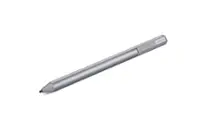
Livescribe - 3 smartpen Pro Edition for Android and iOS Smartphones and Tablets - Black/Dark Chrome
- Key Specs
- Model Compatibility: Apple iPad, Apple iPhone
- General
- Brand: Livescribe
- Model Number: APX-00017
- Product Name: 3 smartpen Pro Edition for Android and iOS Smartphones and Tablets
- Color: Black/Dark Chrome
- Compatibility
- Brand Compatibility: Android, Apple
- Model Compatibility: Apple iPad, Apple iPhone
- Features
- Replaceable Stylus Tip: true
- Integrated Writing Pen: true
- Dimensions
- Product Length: 0.59 inches (The out of box length of the item. Length is measured as the longest dimension of the item.)
- Product Diameter: 0.59 inches (The out of box diameter of the item, measured as a straight line passing from side to side of the item, through its center.)
- Product Weight: 1.2 ounces (The out of box weight of the item.)
- Warranty
- Warranty - Parts: 1 year limited
- Warranty - Labor: 1 year limited
- Other
- UPC: 816108010427
This Livescribe 3 Pro Edition APX-00017 pairs with your app-enabled Apple® or Android device via Bluetooth Smart technology to capture your handwritten notes, allowing them to instantly appear on your device's screen. The included journal allows you to begin writing immediately.
- Compatible with select Bluetooth-enabled devices: Including Apple iPad, iPhone and iPod touch and Android smartphones and tablets for wide-ranging use.
- Bluetooth Smart technology: To enable real-time syncing of your writings and drawings.
- Livescribe+ mobile app (download required): Enables you to easily tag, search and convert your notes into text.
- Use your mobile device's built-in microphone: To record audio that synchronizes with everything you put on paper.
- Integrated capacitive stylus tip and twist ring: Turns on the smartpen and allows you to extract the ink for simple operation.
- Rechargeable lithium battery: Provides more than 14 hours of continuous use between charges for extended operation.
Whats Included
- 100-sheet dot paper journal, leather smartpen portfolio, 2 tungsten-carbide ballpoint ink cartridges (black, medium), integrated stylus cap
- Livescribe 3 smartpen Pro Edition for Android and iOS Smartphones and Tablets
- Micro USB charging cable
- Owner's manual
A: Yes, you can use this device to dictate your notes orally and then play them back as an audio file on your favorite Apple device.
Q: what is the difference between the Livescribe 3 and Livescribe3 Pro?
A: Livescribe 3 Standard : ~ Livescribe+ Mobile App (download from iTunes store) ~ Livescribe 3 smartpen Basics Guide ~ Standard Inclusions (Micro USB cable, Carbon Tungsten ink cartridge, integrated stylus) ~ Livescribe A5 Starter Notebook Livescribe 3 Pro Edition : ~ Livescribe+ Mobile App (download from iTunes store) ~ Livescribe 3 smartpen Basics Guide ~ Standard Inclusions (Micro USB cable, Carbon Tungsten ink cartridge, integrated stylus) ~ Livescribe 3 Dot Paper Journal (100 sheets) ~ Leather Smartpen Portfolio ~ Evernote Premium (One year free subscription)
Q: can you share (e-mail) the audio files you create with the pen?
A: Yes, you can share the audio files created but you have to transfer them to a PC first.
Q: Will this smartpen work with the iPad Air 2?
A: must be iPad3 or later, or any iPad mini, or iPhone running iOS8
Q: What kind of paper can i write on?
A: You have to write on the special paper sold by livescribe. It has pixels within for the pen to digitize your notes. Their website has many different notebook options for whatever your needs might be. You can also print your own paper if you have a laser printer.
Q: will it work with nexus 7 tablet
A: undefined