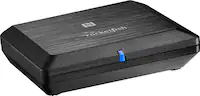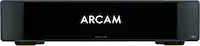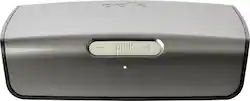
Polk Audio - Omni P1 Wireless Audio Adapter for Streaming Music - Dark Gray
- General
- Brand: Polk Audio
- Model Number: OMNI P1
- Product Name: Omni P1 Wireless Audio Adapter for Streaming Music
- Color: Dark Gray
- Warranty
- Warranty - Parts: 1 year
- Warranty - Labor: 1 year
- Other
- Product Width: 7.75 inches (The out of box width of the item. Width is measured as the horizontal distance from one side of the item to the other as it would be primarily used or placed.)
- Product Height: 2 inches (The out of box height of the item. Height is measured as the vertical distance from the bottom of the item to the top as it would be primarily used or placed.)
- Product Length: 7.75 inches (The out of box length of the item. Length is measured as the longest dimension of the item.)
- Product Weight: 1.3 pounds (The out of box weight of the item.)
- Additional Accessories Included: RCA cable, power brick
- UPC: 747192124663
Polk Audio Omni P1 Wireless Audio System Adapter: Give your old audio equipment new life by making it compatible with the latest wireless services. Connect the adapter to your legacy components, and you can stream music from your digital library, radio stations or internet services.
- Integrate legacy equipment into your multiroom setup: Part of the Polk Omni Collection, the P1 adapter features DTS Play-Fi, an open platform that can control your entire home audio system. Add Play-Fi-enabled components to your setup any time.
- Control your home audio from your phone: Download the free Omni app on your wireless device to arrange and play compatible speaker and component setups however you want.
- Wireless streaming lets you access all the music you love in one place: Enjoy your music library, Internet radio stations and online services through your existing sound system.
- Access speakers and all of your music with an app: The free Polk Omni app, available for Android and iOS, lets you set up your speakers, integrate your music sources and choose songs to play.
- Quick, easy setup: Plug the P1 adapter into your current audio system, download the free Omni app and follow the instructions for wireless music in minutes.
- Additional ports: Auxiliary input. Optical output. Coaxial output.
- Integrate legacy equipment into your multiroom setup: Part of the Polk Omni Collection, the P1 adapter features DTS Play-Fi, an open platform that can control your entire home audio system. Add Play-Fi-enabled components to your setup any time.
- Control your home audio from your phone: Download the free Omni app on your wireless device to arrange and play compatible speaker and component setups however you want.
- Wireless streaming lets you access all the music you love in one place: Enjoy your music library, Internet radio stations and online services through your existing sound system.
- Access speakers and all of your music with an app: The free Polk Omni app, available for Android and iOS, lets you set up your speakers, integrate your music sources and choose songs to play.
- Quick, easy setup: Plug the P1 adapter into your current audio system, download the free Omni app and follow the instructions for wireless music in minutes.
- Additional ports: Auxiliary input. Optical output. Coaxial output.
Whats Included
- Omni P1 Wireless Audio Adapter
- Owner's manual
- Power brick
- RCA cable
- Omni P1 Wireless Audio Adapter
- Owner's manual
- Power brick
- RCA cable
Q: how to use my P1 wireless SPEAKER on my PC
A: undefined
A: Yes, you can use the Polk Audio Omni P1 as a preamp to connect directly to an amplifier. I have a P1 connected directly to a NAD 2 channel amp, which is connected to a pair of speakers. The signal coming from the P1 is gain controlled by the PlayFi application volume. With the PlayFi apps (Polk Audio or any other playfi app) you can stream from a local music source (e.g. computer, tablet, phone, or a NAS), or from any of the available streaming services that are part of the PlayFi ecosystem. There are also playfi amplifier choices, such as the Polk Audio Omni A1, which is like a P1 but has built in 2 channel amplifier to connect directly to speakers. Great for a quick setup of extra speakers you may have with no amp or source to drive them. Definitive Technology also make a "connector" as well as a PlayFi amp for a bit more money than the Polk Audio products, that you can find here on Best Buy.
Q: hdmi cables
A: Not for this model - however there is an Ethernet port on the speaker