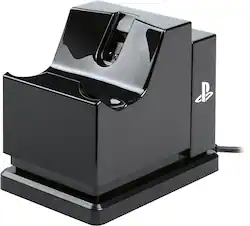
PowerA - Charging Stand for PlayStation 4 - Black
- Key Specs
- Brand Compatibility: Sony
- Model Compatibility: PlayStation 4
- General
- Brand: PowerA
- Model Number: 1346333-02
- Product Name: Charging Stand for PlayStation 4
- Color: Black
- Power
- Charging Method: Wired
- Compatibility
- Compatible Platform(s): PlayStation 4
- Brand Compatibility: Sony
- Model Compatibility: PlayStation 4
- Dimensions
- Product Height: 3.35 inches (The out of box height of the item. Height is measured as the vertical distance from the bottom of the item to the top as it would be primarily used or placed.)
- Product Length: 3.78 inches (The out of box length of the item. Length is measured as the longest dimension of the item.)
- Product Width: 2.68 inches (The out of box width of the item. Width is measured as the horizontal distance from one side of the item to the other as it would be primarily used or placed.)
- Product Weight: 0.32 pounds (The out of box weight of the item.)
- Warranty
- Warranty - Parts: Two-year limited warranty - visit PowerA.com/Support
- Warranty - Labor: Two-year limited warranty - visit PowerA.com/Support
- Other
- UPC: 617885010415
Charge and display your DUALSHOCK 4 wireless controller with the officially licensed Charging Stand. Charging is a snap - Simply connect the charging adapter to the micro USB port on the DUALSHOCK 4, set the controller on the stand and click down to see the LED base light up to indicate charging level. When fully charged, click to release contact and simply leave the controller on the stand. Be certain your controller is always ready to game as it stylishly charges on display alongside of your PS4 console.
Whats Included
- USB Charging adapter USB Charging Cable
- USB Charging adapter USB Charging Cable
Q: the ps4 charging station does it charge only 1
A: Just the one & it does it poorly. First you have to connect this tiny adaptor to the controller to extend the copper contacts to be able to reach the contacts on the cradle. Then you have to push down on the controller until it clicks into place on the cradle. But the spring is so soft it doesn't always click when you push down so it takes 3 or 6 tries. Then you have to find a special place to store that tiny adapter when it's not in use; otherwise, the whole thing becomes useless. So weird to make something that was easy to do into something unnecessarily longer & more complicated. You will miss the days of just plugging in the USB cable to the controller & walking away.
Q: Where can I find that small piece that goes in the controller because I lost mine
A: To be honest you might have to buy a new one. They do not sell them separately.
A: You plug it into the port for the PS4 or a wall plug in and connect the small piece to the controller and plug it into the station.
Q: Is this compatible for the PS4 pro?
A: Yes it is
Q: Dose this station charge the Move Motion Controller beside the DualShock 4?
A: No it is not designed to fit the move controllers.