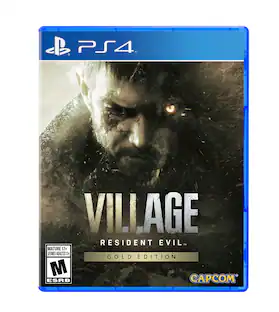
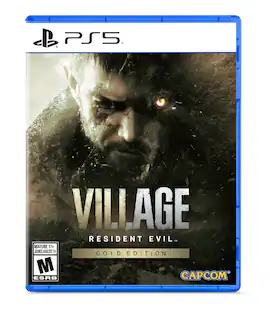
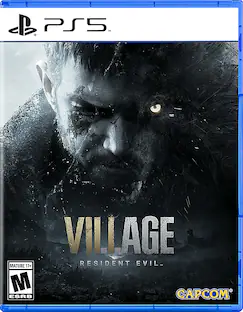
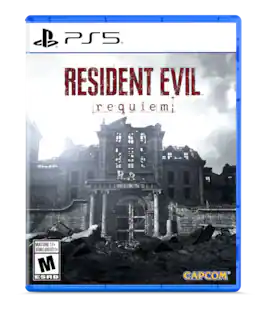
Resident Evil Village Standard Edition - PlayStation 4
Reviews coming soon
Customers are saying
Customers are enthusiastic about the overall performance and high-quality graphics of the product. Players also appreciate the effective gameplay mechanics and the engaging storyline that keeps them invested. While the atmosphere and scare factor are well-received, some users have noted that certain sections of the game can be quite challenging.
All New Experiences
Picking up where Resident Evil 7 biohazard left off, Resident Evil Village is the eighth major installment in the flagship Resident Evil series.
Next Generation Technology
RE Engine paired with next-gen console power will deliver photorealistic graphics, bringing the shadowy village and its haunting residents to life. Resident Evil Village will showcase the most realistic survival horror experience to date.
First-Person Action
Players will assume the role of Ethan Winters and experience every up-close battle and terrifying pursuit through a first-person perspective.
Familiar Faces
Chris Redfield has typically been a hero in the Resident Evil series, but his appearance in Resident Evil Village seemingly shrouds him in sinister motives
A Living, Breathing Village
More than just a mysterious backdrop for the horrifying events that unfold in the game, the village is acharacter in its own right with mysteries for Ethan to uncover and terrors to escape from.
- EditionStandard EditionESRB RatingM (Mature 17+)ESRB DescriptorsBlood and gore, Intense violence, Strong languageESRB Interactive ElementsIn-Game PurchasesCompatible Platform(s)PlayStation 4Software FormatPhysical
Reviews
This product doesn't have any reviews yet.
Compare similar products
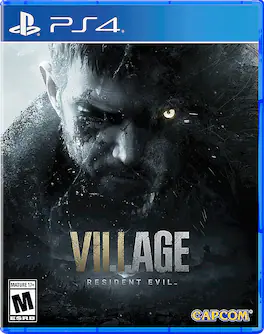
Experience survival horror like never before in Resident Evil Village. Elevate each desperate fight to survive by showcasing the most realistic and terrifying graphics to date. The all-new title is the eighth major installment in the storied Resident Evil franchise, which established the survival horror genre nearly 25 years ago. The title is currently in development using Capcom’s proprietary RE Engine, used to create vivid gameplay experiences in hit titles such as Resident Evil 7 biohazard, Resident Evil 2, Resident Evil 3, and Devil May Cry 5. With hyper-detailed graphics, intense first-person action and masterful storytelling, the terror has never felt more realistic and inescapable. Set a few years after the horrifying events in the critically acclaimed Resident Evil 7 biohazard, the all-new storyline begins with Ethan Winters and his wife Mia living peacefully in a new location, free from their past nightmares. Just as they are building their new life together, tragedy befalls them once again. Chris Redfield, the legendary hero from the Resident Evil series, is reacquainted with the couple and horribly disrupts their life, spiraling Ethan into chaos. A devastated Ethan finds himself in a remote snow-capped village seeking answers after being thrown into an entirely new nightmare.

Experience survival horror like never before in Resident Evil Village. Elevate each desperate fight to survive by showcasing the most realistic and terrifying graphics to date. The all-new title is the eighth major installment in the storied Resident Evil franchise, which established the survival horror genre nearly 25 years ago. The title is currently in development using Capcom’s proprietary RE Engine, used to create vivid gameplay experiences in hit titles such as Resident Evil™ 7 biohazard, Resident Evil™ 2, Resident Evil™ 3, and Devil May Cry™ 5. With hyper-detailed graphics, intense first-person action and masterful storytelling, the terror has never felt more realistic and inescapable. Set a few years after the horrifying events in the critically acclaimed Resident Evil 7 biohazard, the all-new storyline begins with Ethan Winters and his wife Mia living peacefully in a new location, free from their past nightmares. Just as they are building their new life together, tragedy befalls them once again. Chris Redfield, the legendary hero from the Resident Evil series, is reacquainted with the couple and horribly disrupts their life, spiraling Ethan into chaos. A devastated Ethan finds himself in a remote snow-capped village seeking answers after being thrown into an entirely new nightmare.

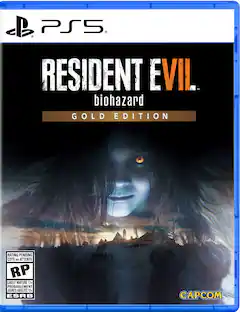
Resident Evil Village Gold Edition, is a bundle of the Winters’ Expansion and the main game. The new content includes a Third-Person Mode for the campaign, The Mercenaries Additional Orders featuring new stages and playable characters Chris Redfield, Heisenberg, and Lady Dimitrescu; and a continuation of the story in Shadows of Rose. Set 16 years after the events of Resident Evil Village, this new tale follows Rose Winters, the daughter of main protagonist Ethan, as she struggles with her terrifying powers. Players must explore and survive a warped and mysterious realm inside the consciousness of the Megamycete in search of a cure.

Resident Evil Village Gold Edition, is a bundle of the Winters’ Expansion and the main game. The new content includes a Third-Person Mode for the campaign, The Mercenaries Additional Orders featuring new stages and playable characters Chris Redfield, Heisenberg, and Lady Dimitrescu; and a continuation of the story in Shadows of Rose. Set 16 years after the events of Resident Evil Village, this new tale follows Rose Winters, the daughter of main protagonist Ethan, as she struggles with her terrifying powers. Players must explore and survive a warped and mysterious realm inside the consciousness of the Megamycete in search of a cure.
| Pros for Resident Evil Village Standard Edition - PlayStation 4 | |||
|---|---|---|---|
| Overall Performance, Gameplay, Story, Atmosphere, Scare Factor | Overall Performance, Gameplay, Story, Atmosphere, Immersion | There were no pros for this product— | Gameplay |
| Cons for Resident Evil Village Standard Edition - PlayStation 4 | |||
| Difficulty | Difficulty, Scary Elements, Perspective | There were no cons for this product— | There were no cons for this product— |
Specs
Customers often buy these together
 Top Deal$57.99The price was $69.99
 $129.99The price was $189.99