Deals for every list.Start early, save early.Shop now

Skip to contentGo to Product Search
Main Content

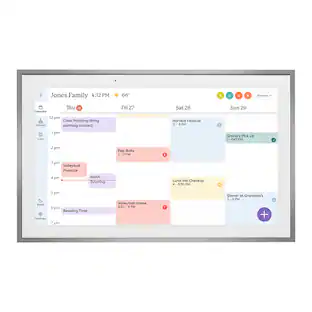
Skylight - Calendar Max: 27 inch Touchscreen Smart Calendar and Family Organizer - White

Model: 270BGBa
SKU: 6618865
Sold byBest Buy

Customers are saying

Customers find value in the product's exceptional ease of use and overall performance, which users frequently highlight as key benefits. Many appreciate how the device helps them stay organized and productive while offering convenient features like a grocery list. Additionally, users enjoy the seamless phone connectivity and the attractive design that complements their home decor.

Generated by AI based on customer reviews.

Features

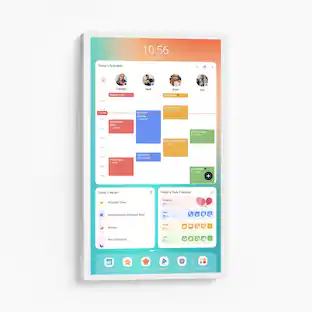
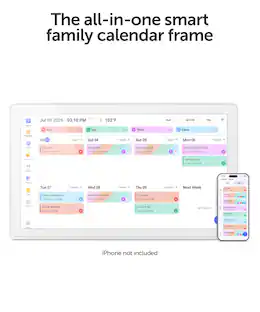
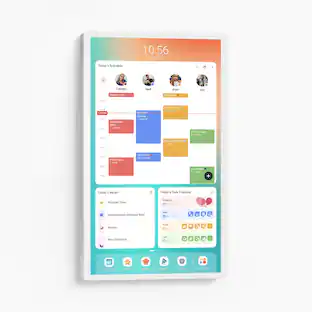
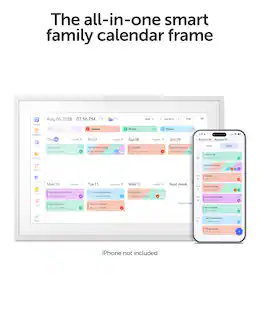
  • Skylight All-in-one Smart Home WiFi Touchscreen Digital Calendar

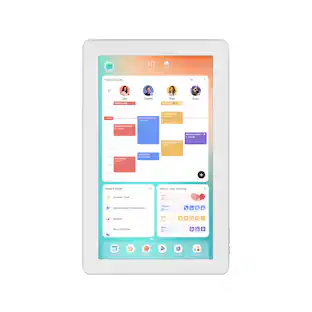
    Effortlessly organzie the whole family with the touchscreen display for all your calendar events, chores and tasks in one spot.

  • Quick Set-up

    Simply plug it in, connect to Wi-Fi, and sync your calendars – all your events will automatically populate and sync. Add events or chores directly on the device or use the free to download mobile app. Compatible with Google Calendar, iCloud Calendar, Outlook Calendar, Cozi, and Yahoo. Support available at email vip@myskylight.com.

  • Beautiful and Intuitive HD Smart Display

    27” touchscreen wall mount in portrait or landscape to fit your space. Vibrant Quad HD display boasts high resolution of 2569x1440 pixels with anti-glare.

  • Chore Chart and Routines

    Assign and manage progress of daily chores or routines for the entire household to encourage positive habits and build independence.

  • Custom Lists

    Grocery lists, packing lists, wish lists — you can create, edit, and color code them right from the Calendar or on the go with the Free Skylight App.

  • Simplify your routines with features designed for families

    Additional features are available with the Calendar Plus subscription sold separately in the app. Plan meals with ease, import events by transforming emails and PDFs into calendar events, and motivate kids to turn good habits into fun achievements with the Rewards system. Plus, with Disney Mode you can encourage your family to work together even further via animations, avatars & screensavers featuring 16 iconic characters.

Specifications

  • Brand
    Skylight
    Model Number
    270BGBa
    Product Name
    Calendar Max: 27 inch Touchscreen Smart Calendar and Family Organizer
    Color
    White
    Product Width
    26.1 inches
    Product Height
    15.9 inches
Sponsored

Reviews

Customers are sayingCustomers find value in the product's exceptional ease of use and overall performance, which users frequently highlight as key benefits. Many appreciate how the device helps them stay organized and productive while offering convenient features like a grocery list. Additionally, users enjoy the seamless phone connectivity and the attractive design that complements their home decor.
This summary was generated by AI based on customer reviews.
  • Ease of Use (42)
  • Overall Performance (40)
  • Features (7)
  • Connectivity (5)
  • Design (4)

Customer Images

The vast majority of our reviews come from verified purchases. Reviews from customers may include My Best Buy members, employees, and Tech Insider Network members (as tagged). Select reviewers may receive discounted products, promotional considerations or entries into drawings for honest, helpful reviews.

  • Rated 5 out of 5 stars

    Skylight Calendar Max

    Easy to setup, connects to whichever calendar online that you use and imports all dates over. Would be nice if it came with a stand incase you didn't; want to mount it.

    Posted by CassieM

  • Rated 5 out of 5 stars

    Everything I was wanting and needing plus more!

    I was tired of constantly having to add stuff to the calendar on my phone then have to fill in my chalkboard calendar every month so I wanted a big digital calendar to make things easier. And this is exactly what I wanted! It’s helped me stay way more organized and I love how it play a loud chime 30 min before an event. The photo slideshow screensaver is nice also. My kids are more motivated to do their chores now that they see them on the skylight and can earn stars to get rewards. The price scared me off for months worried that it wasn’t worth it but it definitely is and there’s constant updates that adds new features which I think is awesome!

    This review is from Skylight - Calendar Max: 27 inch Touchscreen Smart Calendar and Family Organizer - Aluminum

    Posted by Brandie

  • Rated 5 out of 5 stars

    Perfect household organizer!

    In the crowded field of digital calendars, the Skylight Calendar Max Calendar stands out as a powerful and elegant option for organizing your life. With its large display and smart features, it’s designed to be more than just a calendar; it’s a centerpiece for your home or office that blends functionality with style. The 27-inch touchscreen display is vibrant and clear, making it easy to read and interact with. The interface is user-friendly, with intuitive touch controls that make navigation a breeze. The high-resolution screen ensures that text and images are crisp and easily visible from a distance, enhancing overall usability. One of the standout features of the Skylight Calendar Max is its versatility. It integrates seamlessly with major calendar platforms like Google Calendar, Microsoft Outlook, and Apple Calendar. This integration allows for real-time updates and easy synchronization, ensuring you’re always up to date. Additionally, the Skylight Calendar Max supports photo display, turning your calendar into a digital photo frame when not in use. You can upload your favorite pictures and create a personalized slideshow, adding a touch of customization to your device. The calendar functionality itself is robust, offering various views such as daily, weekly, and monthly. You can set reminders, add events, and even color-code different activities to stay organized. The touchscreen responsiveness is excellent, and the ability to interact directly with your schedule is a notable advantage over traditional wall calendars. Connectivity is straightforward with built-in Wi-Fi, which ensures seamless syncing with your digital calendars and photo libraries. Setting up the device is quick and easy, and the included app for mobile devices further enhances the user experience by providing remote access and management. Overall Pros • Large, high-resolution touchscreen display. • Seamless integration with major calendar platforms. • Dual functionality as a digital calendar and photo frame. • Easy setup and intuitive interface. The Skylight Calendar Max: 27 inch Touchscreen Smart Calendar is a top-tier option for those seeking a sophisticated and functional digital calendar. Its large display, smart features, and seamless integration with various platforms make it a powerful tool for staying organized and connected. If you’re in the market for a modern calendar solution that goes beyond basic functionality, the Skylight Calendar Max is the highly recommended choice that combines practicality with advanced technology.

    This review is from Skylight - Calendar Max: 27 inch Touchscreen Smart Calendar and Family Organizer - Aluminum

    Posted by FitnessRated

  • Rated 5 out of 5 stars

    Sleek design

    Right out of the box this thing was simple to mount and setup. The tutorials were easy to follow and the interface is user friendly. Looks good on the wall.

    Posted by ALLISON

  • Rated 5 out of 5 stars

    HIGHLY Recommend

    I have recommended the Skylight calendar to more parents than I can count! Not only is the calendar function great for busy families (it feeds from my husband and I’s Google Calendar as well, which was a big plus), but the chore function and checklists are great too! We created ToDo lists for the kids so they can check them off each morning as they are getting ready! No more fighting over who’s turn it is for feeding animals and other chores because it is right there in the calendar (ok, let’s be honest they still try to fight on who’s turn but I don’t have to remember because it’s all right there!). The recipe saver and meal planning functions are great as well, helping me not only prep for the week but creating a store list as I am planning! 10/10 recommend!!

    This review is from Skylight - Calendar Max: 27 inch Touchscreen Smart Calendar and Family Organizer - Aluminum

    Posted by AnnaG

Compare similar products

Skylight - Calendar Max: 27 inch Touchscreen Smart Calendar and Family Organizer - White

Skylight Calendar Max 27-Inch Digital Calendar & Daily Planner, Touchscreen Smart Display For Work, Office and Family Schedules
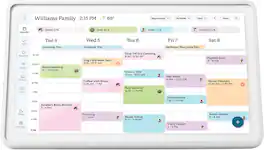
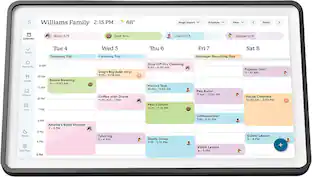
Skylight - Calendar 2: 15 Inch Touchscreen Smart Calendar and Chore Chart - White

Skylight Calendar 2 - 15" Digital Calendar with removable Shadowbox Frame. Daily Planner, Touchscreen Smart Display for Family Schedules, Work, and Office. Get the whole family organized with chore charts, meal planning, and customizable lists on a WiFi-connected system with a beautiful and intuitive digital display.

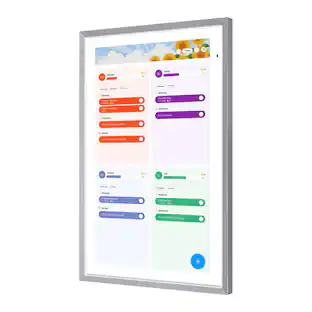
Skylight - Calendar: 15 Inch Touchscreen Smart Calendar and Chore Chart - White

Skylight Calendar is an innovative touchscreen display for all your calendar events, to-do’s, grocery list, and chores to help you organize your family’s busy schedule. It has a 15” touch screen that displays your family’s schedule in HD clarity making it a beautiful centerpiece for your home. It is the perfect size for a kitchen counter or can be mounted on a wall. High-quality metal stand and wall mount included.

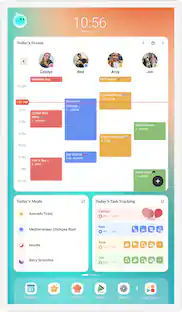
Apolosign - 27-In. Dual-Mode Digital Calendar, Wall Planner, Smart Family Organizer - Spruce Gray
5.0(1)

Designed for maximum visibility, the Apolosign® 27-In. Dual-Mode Digital Calendar transforms family coordination on an oversized display. Keep everyone aligned with synced calendars from Google®, Outlook®, and iCloud®, while managing to-do lists, groceries, and chore charts in 1 hub. The Android™ 15 dashboard lets you customize with apps, widgets, and smart home controls, while voice control adds hands-free convenience. It also doubles as a digital photo frame with live screensaver, complete with privacy cover and energy-saving features. This premium wall planner and family organizer is subscription-free, versatile, and built for connected households.

Pros for Skylight - Calendar Max: 27 inch Touchscreen Smart Calendar and Family Organizer - White
Ease of Use, Overall Performance, Features, Connectivity, DesignEase of Use, Overall Performance, Software FunctionalityOverall Performance, Ease of use, Touchscreen, Organization, Screen SizeThere were no pros for this product—
Cons for Skylight - Calendar Max: 27 inch Touchscreen Smart Calendar and Family Organizer - White
There were no cons for this product—There were no cons for this product—Price, Subscription, Battery LifeThere were no cons for this product—

Specs

Questions & Answers

  • Can I mount the Skylight Calendar on the wall?

    Yes, you can wall mount the Skylight Calendar in either portrait or landscape orientation to best fit your space.

    This question and answer was generated by AI based on customer and product data.
  • What is the screen size of this Skylight Calendar?

    The Skylight Calendar Max has a 27-inch touchscreen display.

    This question and answer was generated by AI based on customer and product data.
  • What is the resolution of the Skylight Calendar's display?

    The Skylight Calendar features a vibrant Quad HD display with a resolution of 2560x1440 pixels.

    This question and answer was generated by AI based on customer and product data.
  • Can I use this Skylight Calendar with my Google Calendar?

    Yes, the Skylight Calendar is compatible with Google Calendar, as well as iCloud Calendar, Outlook Calendar, Cozi, and Yahoo.

    This question and answer was generated by AI based on customer and product data.
  • Does the Skylight Calendar have a chore chart feature?

    Yes, the Skylight Calendar includes an interactive chore chart to help families manage tasks.

    This question and answer was generated by AI based on customer and product data.
Ask a question
No content
Sponsored