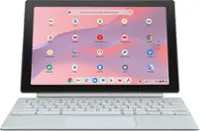
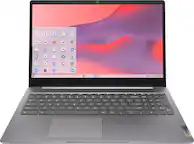
Lenovo - Chromebook 3 14" LCD Touchscreen Laptop - Mediatek MT8183 2019 - 4GB Memory - 64GB eMMC - Arctic Grey
Related Item

Specifications
- Screen TypeIPSScreen Size14 inchesScreen Resolution1920 x 1080 (Full HD)Touch ScreenYesBrightness300 nitsProcessor ModelMediaTek MT Series
- Key Specs
- Screen Type: IPS
- Screen Size: 14 inches (Size of the screen, measured diagonally from corner to corner.)
- Screen Resolution: 1920 x 1080 (Full HD) (Screens come in a range of resolutions (measured in pixels, horizontal x vertical). The higher the resolution, the greater the picture quality.)
- Touch Screen: true (Touch-screen devices make navigating more intuitive. Using a touch-screen display, you can do things such as tap to select, hold and drag to move items, swipe to scroll, and pinch to zoom.)
- Brightness: 300 nits (A measure of the total light output.)
- Processor Model: MediaTek MT Series (Your computer's processor is like its brain. Working in combination with system memory, the power of the processor determines the complexity of software you can run, how many programs you can have open at the same time, and how fast those programs will run. Most computers feature an AMD, Intel or Snapdragon processor.)
- CPU Base Clock Frequency: 1.6 gigahertz (Actual central processing unit (CPU) speed may vary by device configuration and design. The average rate at which the processor is able to execute tasks under normal operating conditions as asserted by the manufacturer.)
- Storage Type: eMMC
- Total Storage Capacity: 64 gigabytes
- System Memory (RAM): 4 gigabytes (Random-access memory (RAM) is a computing device's short-term data storage, which allows active information to be accessed quickly. The size and type of RAM determines how efficiently the device can handle large amounts of information at one time. For example, gaming or video editing requires more RAM for optimal performance.)
- Graphics: ARM Mali-G72 (Often referred to as a "graphics processing unit" (GPU), this device is responsible for displaying image content and decoding/encoding video content in programs and games.)
- Display Connector(s): Display connection via USB port (The number and type of connectors used to connect to an external display.)
- Battery Life (up to): 10 hours (Battery life will vary depending on the product configuration, product model, applications loaded on the product, power management setting of the product and the product features used by the customer. As with all batteries, the maximum capacity of this battery will decrease with time and usage.)
- Battery Chemistry: Lithium-ion polymer
- 2-in-1 Design: true (A laptop and a tablet combined in one lightweight, portable device. Sometimes referred to as "convertible" or "hybrid" laptops, these devices deliver the processing power and keyboard of a laptop. When you're ready to play, either detach the screen or fold your 2-in-1 into tablet mode to comfortably watch movies, play games, read an e-book and more.)
- Backlit Keyboard: false (Integrated lights allow for visibility of the keys in low-light conditions.)
- General
- Brand: Lenovo
- Model Number: 82KN0001US
- Product Name: Chromebook 3 14" LCD Touchscreen Laptop - Mediatek MT8183 2019 - 4GB Memory - 64GB eMMC
- Color: Arctic Grey
- Year of Release: 2021
- Display
- Display Type: LCD
- Screen Type: IPS
- Screen Size: 14 inches (Size of the screen, measured diagonally from corner to corner.)
- Screen Resolution: 1920 x 1080 (Full HD) (Screens come in a range of resolutions (measured in pixels, horizontal x vertical). The higher the resolution, the greater the picture quality.)
- Touch Screen: true (Touch-screen devices make navigating more intuitive. Using a touch-screen display, you can do things such as tap to select, hold and drag to move items, swipe to scroll, and pinch to zoom.)
- Display Surface: Anti-glare
- Brightness: 300 nits (A measure of the total light output.)
- Color Gamut (NTSC): 45 percent
- Processor
- Processor Brand: MediaTek
- Processor Model: MediaTek MT Series (Your computer's processor is like its brain. Working in combination with system memory, the power of the processor determines the complexity of software you can run, how many programs you can have open at the same time, and how fast those programs will run. Most computers feature an AMD, Intel or Snapdragon processor.)
- Processor Model Number: MT8183
- Processor Model Year of Release: 2019 (The year the processor model was initially available for sale or built into a computer.)
- CPU Base Clock Frequency: 1.6 gigahertz (Actual central processing unit (CPU) speed may vary by device configuration and design. The average rate at which the processor is able to execute tasks under normal operating conditions as asserted by the manufacturer.)
- Number of CPU Cores: 8-core (A core, or "brain" of a CPU, allows it to receive and execute instructions. Each core can work independently or together to perform parallel operations.)
- Storage
- Storage Type: eMMC
- Total Storage Capacity: 64 gigabytes
- eMMC Capacity: 64 gigabytes (The amount of data that can be stored on the device's embedded Multimedia Card (eMMC). eMMC is a flash-based storage used in smartphones and personal computers; it typically has a smaller capacity than HDD or SSD storage.)
- Memory
- System Memory (RAM): 4 gigabytes (Random-access memory (RAM) is a computing device's short-term data storage, which allows active information to be accessed quickly. The size and type of RAM determines how efficiently the device can handle large amounts of information at one time. For example, gaming or video editing requires more RAM for optimal performance.)
- Type of Memory (RAM): LPDDR4X (Each type of RAM delivers a different level of speed, bandwidth, energy efficiency and performance.)
- Number Of Memory Slots: 0
- Graphics
- Graphics Type: Integrated (Dedicated graphics uses a separate graphics card for processing video images. Because it does not use memory from the system's RAM, there is no extra burden on the CPU and graphics are processed more efficiently. Integrated graphics shares system RAM to process video images.)
- GPU Brand: MediaTek
- Graphics: ARM Mali-G72 (Often referred to as a "graphics processing unit" (GPU), this device is responsible for displaying image content and decoding/encoding video content in programs and games.)
- Compatibility
- Operating System: Chrome OS (The operating system manages all software and hardware, including files, memory and connected devices. Most importantly, it lets you interact with your device and your programs in a visual way; otherwise, you'd be typing computer code to get anything done.)
- Operating System Architecture: 64-bit (An operating system (OS) manages computer hardware, software resources, and programs in conjunction with the system's processor. 64-bit operating systems can handle more data at once than 32-bit systems, resulting in faster speeds, more effiency, and overall improved performance.)
- Voice Assistant Built-in: No (A digital assistant built into the device that uses voice commands to answer questions and control smart devices.)
- Works With: Amazon Alexa, Google Home (Compatible with or able to be connected to other smart devices or applications.)
- Connectivity
- Display Connector(s): Display connection via USB port (The number and type of connectors used to connect to an external display.)
- Number of HDMI Outputs (Total): 0
- Number of DisplayPort Outputs (Total): 0
- Number of Thunderbolt Ports (Total): 0
- Number of VGA Ports: 0 (VGA (Video Graphics Adapter or Video Graphics Array) is a display standard that transmits via analog signals. This type of interface is typically used to connect a computer to a display device such as a monitor, projector, or TV.)
- DisplayPort Over USB-C: DisplayPort 1.1 (The version of DisplayPort that leverages the Alternate Mode Functional Extension of the USB-C interface. This connector allows for higher resolution, broader color space, multichannel audio support, and greater backwards compatibility with display adapters. Also known as DisplayPort Alt Mode.)
- USB Ports: 1 x USB-A 2.0, 1 x USB-C 2.0 (The number and type of USB ports the product has.)
- Number of USB Ports (Total): 2
- Headphone Jack: true (The device features an interface that allows for the connection of headphones.)
- Microphone Input: true (The device features an input for connecting an external microphone.)
- Wireless Connectivity: Bluetooth, Wi-Fi (The manner in which a device sends data to another device over a short distance without the use of wires or cables.)
- Wireless Standard: AC (The wireless networking protocol used by the device. Each iteration of the protocol is based on the 802.11 standard developed by the Institute of Electrical and Electronics Engineers (IEEE) Standards Association. Denoted by letters following 802.11 (802.11a, 802.11ac, etc.), each version, published in alphabetical order, encompasses all previous versions.)
- Wireless Networking Standard: Wi-Fi 5 (The wireless networking standard used by the device. Each iteration of the standard developed by the Wi-Fi Alliance corresponds to an existing IEEE 802.11 protocol; for example, standard 802.11ac (or AC) is termed Wi-Fi 5. Refers specifically to the standard the device is designed to use, but ultimately determines product interoperability and backward compatibility including previous versions.)
- Number Of Ethernet Ports: 0
- Network Connectivity: None (The manner in which a device sends data to another device over a long distance using a cellular network.)
- Cooling
- CPU Cooling System: Air
- Power
- Power Supply Input: USB-C
- Power Supply Maximum Wattage: 45 watts
- Battery Life (up to): 10 hours (Battery life will vary depending on the product configuration, product model, applications loaded on the product, power management setting of the product and the product features used by the customer. As with all batteries, the maximum capacity of this battery will decrease with time and usage.)
- Battery Cells: 3-cell
- Battery Chemistry: Lithium-ion polymer
- Expansion
- Number of M.2 Slots: 0 (This interface is most commonly used for high-speed solid state drives (SSDs), and is often used in laptops due to its small size.)
- Camera
- Front-Facing Camera: true
- Front Facing Camera Video Resolution: 720p (Refers to the number of pixels, both horizontally and vertically, used by the camera facing the user to capture video. The higher the resolution the finer the video detail that can be seen.)
- Built-In Microphone: true
- Features
- 2-in-1 Design: true (A laptop and a tablet combined in one lightweight, portable device. Sometimes referred to as "convertible" or "hybrid" laptops, these devices deliver the processing power and keyboard of a laptop. When you're ready to play, either detach the screen or fold your 2-in-1 into tablet mode to comfortably watch movies, play games, read an e-book and more.)
- Backlit Keyboard: false (Integrated lights allow for visibility of the keys in low-light conditions.)
- Customizable Keyboard Lighting: No
- GPS Enabled: true
- Touchpad Type: Multi-touch
- Media Card Reader: true (A hardware device that allows for access to data on a memory card and enables the transfer of its files to a computer. These devices may have one or multiple slots for various types of memory cards, and may be integrated into the computer or available as an external device.)
- Media Card Slot: microSD
- Customizable Case Lighting: false
- Audio Technology: High Definition (HD) Audio, Maxim MAX98357A Dialog DA7219 codec
- Speaker Type: Stereo speakers, 2W x2
- Chrome Features: Google Assistant
- Windows AI: Not Applicable
- Security Features: Cable lock slot
- Cable Lock Slot: Kensington Security Slot (K-Slot)
- Casing Material: Aluminum
- Dimensions
- Product Height: 0.74 inches (The out of box height of the item. Height is measured as the vertical distance from the bottom of the item to the top as it would be primarily used or placed.)
- Product Width: 9.23 inches (The out of box width of the item. Width is measured as the horizontal distance from one side of the item to the other as it would be primarily used or placed.)
- Product Depth: 12.95 inches (The out of box depth of the item. Depth is measured as the distance from the front of the item to the back as it would be primarily used or placed.)
- Product Weight: 3.08 pounds (The out of box weight of the item.)
- Certifications Listings & Approvals
- ENERGY STAR Certified: true (Devices carrying the ENERGY STAR service mark, such as computer products and peripherals, kitchen appliances, and other products, generally use 20% to 30% less energy than required by federal standards.)
- EPEAT Qualified: false (The Electronic Product Environmental Assessment Tool (EPEAT) was designed to provide an environmental assessment tool for purchasers. In order to qualify for EPEAT, a product must meet all 23 required criteria.)
- Included
- Optical Drive Type: None (An optical disk drive (ODD) uses a laser light to read data from or write data to an optical disc. These discs include CDs, DVDs, and Blu-ray Discs. This allows you to play music or watch movies using prerecorded discs.)
- Numeric Keypad: false
- Stylus Included: false
- Warranty
- Warranty - Parts: 1 year limited
- Warranty - Labor: 1 year limited
- Other
- UPC: 195477876095
Fast, flexible, and fun, the Chromebook 3-14" brings everyone’s favorite Chromebook features, running on the lightning-fast Chrome OS that boots up in seconds, updates automatically, and is protected by built-in virus protection. Powered by a MediaTek processor and up to 10 hours of battery life, it’ll seamlessly run all of your favorite apps at the same time. Get Minecraft and 3 months of Realms Plus at no cost* with purchase of a new Chromebook. Terms Apply. *Offer valid for qualifying Chromebooks purchased on or after July 1st, 2023 through September 30th, 2023 while supplies last.
- Google Chrome OS: Chromebook is a computer for the way the modern world works, with thousands of apps, built-in virus protection and cloud backups. It is secure, fast, up-to-date, versatile and simple. Minecraft now available on Chromebooks.
- 14.0" Full HD touch screen for hands-on control: Natural finger-touch navigation makes the most of Chrome OS. The 1920 x 1080 resolution boasts impressive color and clarity. IPS technology for wide viewing angles. Energy-efficient LED backlight.
- MediaTek MT8183 processor: Multicore processing. Based on ARM Cortex architecture, delivers the multitasking performance you need, the graphics quality you want, and the power efficiency you rely on.
- 4GB system memory for basic multitasking: Adequate high-bandwidth RAM to smoothly run multiple applications and browser tabs all at once.
- Built-in cloud support: Easily save your files to your Google Drive account for secure access wherever you go. You can also sync with your other devices running Chrome and even work offline when needed. Fees may apply.
- Integrated ARM-based Graphics: The integrated graphics chipset with shared video memory provides solid image quality for Internet use, movies, basic photo editing, and casual gaming.
- Weighs 3.08 lbs. and measures 0.74" thin: Ultraportable design, featuring a smaller screen size and omitting the DVD/CD drive to achieve the compact form factor. 3-cell lithium-polymer battery.
- Built-in media reader for simple photo transfer: Supports microSD memory card formats.
- Wireless connectivity (WiFi 5 - 802.11 ac): Connect to a Wireless-AC router for nearly 3x the speed, more capacity and wider coverage than Wireless-N. Backward-compatible with all other Wi-Fi networks and hotspots.
- Built-in HD webcam with microphone: Makes it easy to video chat with family and friends or teleconference with colleagues over Skype or other popular applications.
- Built-in virus protection and Google products: Work, play and do right out of the box with Search, Gmail, Talk, YouTube and Hangouts, then personalize with the Chrome Web Store. Multiple layers of protection defend against viruses and malware.
- Additional ports: Microphone-in/headphone-out combo jack.
- Xbox Game Pass: Get 1 free month of Xbox Game Pass Ultimate at check out and an additional 3 free months of Xbox Game Pass Ultimate upon device activation.
- Google Chrome OS: Chromebook is a computer for the way the modern world works, with thousands of apps, built-in virus protection and cloud backups. It is secure, fast, up-to-date, versatile and simple. Minecraft now available on Chromebooks.
- 14.0" Full HD touch screen for hands-on control: Natural finger-touch navigation makes the most of Chrome OS. The 1920 x 1080 resolution boasts impressive color and clarity. IPS technology for wide viewing angles. Energy-efficient LED backlight.
- MediaTek MT8183 processor: Multicore processing. Based on ARM Cortex architecture, delivers the multitasking performance you need, the graphics quality you want, and the power efficiency you rely on.
- 4GB system memory for basic multitasking: Adequate high-bandwidth RAM to smoothly run multiple applications and browser tabs all at once.
- Built-in cloud support: Easily save your files to your Google Drive account for secure access wherever you go. You can also sync with your other devices running Chrome and even work offline when needed. Fees may apply.
- Integrated ARM-based Graphics: The integrated graphics chipset with shared video memory provides solid image quality for Internet use, movies, basic photo editing, and casual gaming.
- Weighs 3.08 lbs. and measures 0.74" thin: Ultraportable design, featuring a smaller screen size and omitting the DVD/CD drive to achieve the compact form factor. 3-cell lithium-polymer battery.
- Built-in media reader for simple photo transfer: Supports microSD memory card formats.
- Wireless connectivity (WiFi 5 - 802.11 ac): Connect to a Wireless-AC router for nearly 3x the speed, more capacity and wider coverage than Wireless-N. Backward-compatible with all other Wi-Fi networks and hotspots.
- Built-in HD webcam with microphone: Makes it easy to video chat with family and friends or teleconference with colleagues over Skype or other popular applications.
- Built-in virus protection and Google products: Work, play and do right out of the box with Search, Gmail, Talk, YouTube and Hangouts, then personalize with the Chrome Web Store. Multiple layers of protection defend against viruses and malware.
- Additional ports: Microphone-in/headphone-out combo jack.
- Xbox Game Pass: Get 1 free month of Xbox Game Pass Ultimate at check out and an additional 3 free months of Xbox Game Pass Ultimate upon device activation.
Whats Included
- Computer
- Charger
- User Guide
- Computer
- Charger
- User Guide
Disclaimers
- Actual battery life will vary and depends on many factors such as product configuration and usage, software use, wireless functionality, power management settings, and screen brightness. The maximum capacity of the battery will decrease with time and use.
- Actual battery life will vary and depends on many factors such as product configuration and usage, software use, wireless functionality, power management settings, and screen brightness. The maximum capacity of the battery will decrease with time and use.
Q: What processor is used in this Chromebook?
A: This Chromebook uses the MediaTek MT8183 processor.
Q: What type of wireless connectivity does this Chromebook support?
A: This Chromebook supports WiFi 5 (802.11ac) for wireless connectivity.
Q: How much system memory does this Chromebook have?
A: This Chromebook comes with 4GB of system memory.
Q: What is the storage capacity of this Chromebook?
A: This Chromebook has a total storage capacity of 64GB.
Q: Does this Chromebook come with a built-in webcam?
A: Yes, this Chromebook has a built-in HD webcam with a microphone.
Q: How long does the battery last on this Chromebook?
A: This Chromebook boasts up to 10 hours of battery life on a single charge.
Q: what is the Auto update expiration date on this chromebook?
A: The Lenovo Chromebook 3 14 model number 82KN0001US, will continue to receive Google Auto updates through: 2027-05-19
Q: Is this a 14" laptop or 11.6"? The specs say 14" but the overview says 11.6"...
A: The Lenovo Chromebook 3 14 model number 82KN0001US, ships with a 14 inch (screen size measured diagonally) IPS - FHD (1920x1080) 10-point Multi-touch screen, with a brightness level of 300 nits and has an Anti-glare coating. Here is a link to more information about this specific model configuration: https://psref.lenovo.com/Detail/IdeaPad/IdeaPad_3_CB_14M836?M=82KN0001US
Compare similar products

Fast, flexible, and fun, the Chromebook 3-14" brings everyone’s favorite Chromebook features, running on the lightning-fast Chrome OS that boots up in seconds, updates automatically, and is protected by built-in virus protection. Powered by a MediaTek processor and up to 10 hours of battery life, it’ll seamlessly run all of your favorite apps at the same time. Get Minecraft and 3 months of Realms Plus at no cost* with purchase of a new Chromebook. Terms Apply. *Offer valid for qualifying Chromebooks purchased on or after July 1st, 2023 through September 30th, 2023 while supplies last.
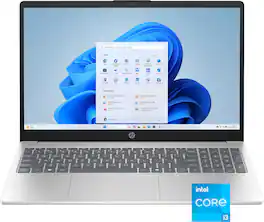
Built for everyday life, this laptop combines dependable performance with Microsoft Copilot AI assistance to help you work smarter and find answers faster. Dual-array mics with AI noise reduction and an HD camera keep your video calls clear, while privacy features like a one-touch camera shutter and mic mute put you in control.
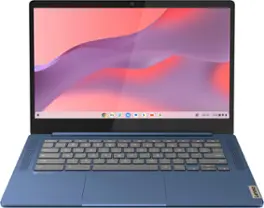
Live animated, live lively, live balanced. When you’re packing the thin and light IdeaPad Slim 3 Chromebook laptop, featuring WiFi 6 and 13.5 hours of battery life, balancing work and play all day becomes effortless. The 14" FHD IPS touchscreen display and MediaTek Kompanio 500 Series processors are a significant upgrade to your work and entertainment, with front-facing Waves-tuned speakers.

Power your everyday. Performance of an Intel processor paired with the ChromeOS to take on all your tasks and more. With built-in virus protection, long battery life, a fast boot up, and behind-the-scenes automatic updates, the HP Chromebook x360 is easy to use and easy to love.
| Pros for Lenovo - Chromebook 3 14" LCD Touchscreen Laptop - Mediatek MT8183 2019 - 4GB Memory - 64GB eMMC - Arctic Grey | |||
|---|---|---|---|
| Ease of use, Speed, Touch Screen, Price, Performance | Overall Performance, Portability, Speed, Battery Life, Screen Quality | Overall Performance, Ease of use, Battery Life, Speed, Touchscreen | Overall Performance, Portability, Battery Life, Speed, Design |
| Cons for Lenovo - Chromebook 3 14" LCD Touchscreen Laptop - Mediatek MT8183 2019 - 4GB Memory - 64GB eMMC - Arctic Grey | |||
| Compatibility, Storage, USB Port | Storage Capacity | Storage, RAM | Storage Capacity, Compatibility, Screen Quality, Heat Dissipation |
Specs


Reviews
Customers are saying
Customers are pleased with the Chromebook's touch screen, ease of use, and affordable price. Many users also appreciate its performance, speed, and battery life, as well as its lightweight design and convenient size. However, some customers have expressed a desire for more USB ports and have noted compatibility issues with certain devices. Additionally, a few users have mentioned that the storage capacity is limited.
Customer Images
The vast majority of our reviews come from verified purchases. Reviews from customers may include My Best Buy members, employees, and Tech Insider Network members (as tagged). Select reviewers may receive discounted products, promotional considerations or entries into drawings for honest, helpful reviews.
- Rated 5 out of 5 stars
Great deal for $150
This laptop is amazing to deal for $150 I wouldn't pay full price however I mainly got this to do school work but due to this laptop having google play and a touch screen I can actually use discord and play light games. Light video editing etc. I can actually send text messages from my Chromebook and use Facebook messenger as well. My only complaint is the sound isn't amazing but I can live with that for the price. It's defiantly worth a little extra to pick this up compared to a smaller cheaper Chromebook as you can actually see what you're doing with the larger display lol. It's not the end of the world but it does have Linux for advanced users however it doesn't support x86 applications as it has an arm CPU so you cant install steam etc. Most of the time there's an android app that will do the tho job. Since there is an arm CPU it has better android support than an intel based Chromebook. The battery life is way better than any other laptop I have used due to how power efficient the CPU is. Lenovo has really changed my View on chromebooks.
Posted by Ethan
- Rated 5 out of 5 stars
Excellent chromebook AND value when on sale!
As the title suggests, this chrome book is an excellent value when on sale. If you are paying full price ($319 USD) I would consider a different chrome book as there are better options in that price range. I bought this on sale for 189. This review is for mode 82KN0001US (the touch screen mode). It runs as smooth as butter for your basic internet browsing and movie/Streaming needs. It comes with the mediatek 8183 processor which is what you would want at this price range. Added bonus is the 64gb eMMC vs 32gb which pretty much all other chrome books at this price range with a touch screen have. Also note it’s a 14” screen vs 11” screens at this price point. Multiple browsing tabs don’t slow this machine down. It’s a matte touch screen so it does well in bright rooms and helps to avoid smudge marks. Even viewing off center (see image) isn’t bad. Sound is great when watching by yourself - would def get drowned out in a classroom like setting with everyone chatting. Touch pad is slightly flimsy and can seem a little inaccurate at times but it’s not a deal breaker. I bought this for my grade school girls to practice their iReady tests / get used to laptops / virtual homework on seesaw / and for other basic computing. If spread sheets are your thing; I would not rec this as the system does slow down. Even using Google docs for excel; just scrolling down the excel sheet got me frustrated due to the “lag.” Picture editing beyond cropping / rotating / red eye auto removal would probably be too much for this. Would I buy this again? Yes for the sale price. Do not buy this if you think it will replace your work desktop or work laptop where you using MS office suite regularly. It’s really a basic machine that does all the basics perfectly.
Posted by 12765443jack
- Rated 5 out of 5 stars
Sleek, powerful, and affordable.
I recently purchased this laptop. I was looking for a lightweight, portable, affordable, and yet capable laptop that could allow me to complete my assignments by using the necessary programs. I have not "stress tested" it yet by working on multiple operations simultaneously, however, it has performed well while I was using it. I believe the touchscreen will come in handy even after I graduate and repurpose this laptop as my professional device when I start my career.
Posted by DuaneH