
Logitech - K400 Wireless Keyboard - White
This item is no longer available in new condition.
See similar items below.
Description
Features
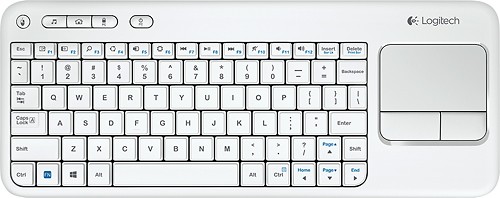
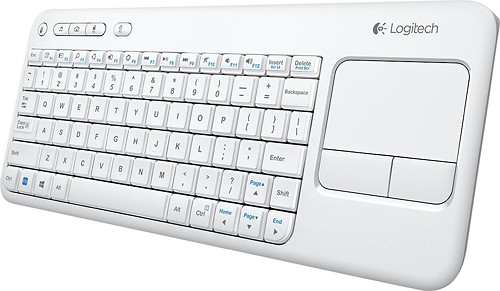
86 sleek, low-profile keys
Ensure quiet typing and feature bold, easy-to-read characters. Multimedia keys provide quick access to entertainment.
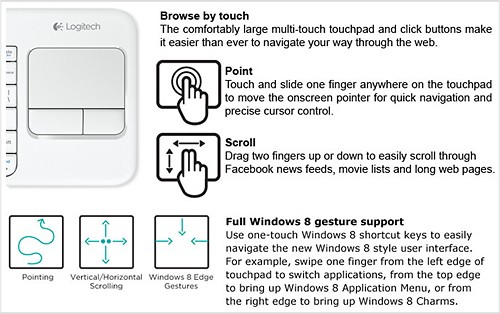
Built-in 3.5" multitouch touchpad
Facilitates Web navigation.
USB connectivity
For simple plug-and-play connection.
Up to 33' wireless range
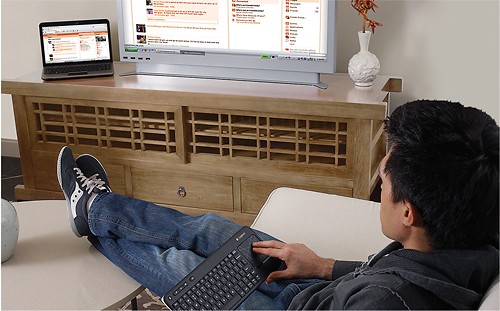
Offers convenient control when your laptop is connected to your TV.
Windows-based laptop compatible
For use with your existing laptop with Windows 8, 8 RT, Vista, 7 or XP.
What's Included
Logitech k400 Wireless Touch Keyboard for Windows-Based Laptops
USB receiver
2 AA batteries (pre-installed)
Owner's manual
Q: Questionis k400 compatible with samsung smart tv 5500Will k400 keyboard work directly with samsung smart tv 5500scarlets
Asked by scarlets.
- A:Answer Am using it with Samsung 50HU8550 Smart TV. Right click on Mouse pad brings Tools where you can select Smart Hub, Search, Input Source, OnScreen remote, Power Off. Once you select Smart hub then you can select app using arrow keys and hit enter to open the application. The keyboard can't be used inside apps (YouTube, Netflix) to type. I use Search option to search videos which lists videos of YouTube, etc. Venkatx5
Answered by venkatx5
Q: QuestionAny way to get the keyboard to work within the Samsung Smart apps?Is there any way to get the keyboard on the K400r to work within the Samsung Smart TV apps? The function keys work within the Smart aps and both the function keys and the keyboard work in the open web browser but I can't get the keyboard to work within the Smart Hub apps (Amazon, Netflix, etc.). Would be nice rather than using the remote to type in info since it takes so long, I wasn't sure if there was any kind of software update that would let me use the keyboard to type within Smart apps or if I'm stuck using keyboard only in the browser. Thank you!
Asked by Anonymous.
- A:Answer Unfortunately no the keyboard wont work with the apps. The apps are there own system and designed to work off the remote not the keyboard. If you do a google search you will find that hundreds of people have the same issue no matter what keyboard you use including the Samsung one.
Answered by Anonymous
Q: QuestionIs this keyboard compatible with Chromebox?
Asked by TopCat.
- A:Answer I'm using it with a chromebook. Since the chrome box uses chrome OS, I think you should be good.
Answered by jkSaabh
Q: QuestionWill this keyboard work for a laptop with Windows 10? Thanks!
Asked by Win10.
- A:Answer Yes, I use my K400r with an HP EliteBook running Windows 10 1909. Also works on Windows 7. No issues with either OS, and keyboard has been great.
Answered by 007s
Q: Questionwill this keyboard work with an apple ipad?
Asked by Anonymous.
- A:Answer No, it cannot. This keyboard isn't Bluetooth, and requires you to plug in a USB receiver to the host computer. As the ipad has no USB ports, you can't plug in the receiver.
Answered by DocSane
Q: QuestionDoes this come with an on and off button to shut off the keyboard?On/Off button
Asked by jv.
- A:Answer Yes it does have an off and on button. Very handy. I only use mine on the weekend. and you don't lose connectivity or need to reset it when you turn it off and on.
Answered by careycat
Q: QuestionIs there an indicator light for the caps lock?
Asked by KMS2458.
- A:Answer No indicator light for CAPS LOCK.
Answered by PeterK2
Q: QuestionWill it work with windows 10?
Asked by Walt.
- A:Answer Windows 10, 8.1, 8, 7, Vista as well as most Linux Distros, and I think Mac too. I've used it on those versions of Windows and a few Linux Distros personally.
Answered by KellyAnn