1-3 of 3 Answers
Yes
Sorry, there was a problem. Please try again later.Yes
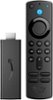
Sorry, there was a problem. Please try again later.Hi Mark! YouTube TV is available on the Fire TV Stick. 1. Power up your Fire Stick and wait for the home window to load up. 2. On the home window, select Search > Find in the middle menu bar. 3. Now, type the name of the YouTube TV app. When the app appears in the search results, click it. 4. Click the YouTube TV app from the list of the apps that appear. 5. Click Get if this is the first time you are installing the app and then click open. The app will appear under Your Apps & Channels. Hope this helps and have a great day!
Sorry, there was a problem. Please try again later.
