“Regarding my fire stick, just got a upgrade router, modem. The tech from Century Link came and wanted us to make sure and do up dates. None of us yet know how to do that with our fire stick? Can you help us Nick”
Answer This Question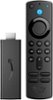
1-3 of 3 Answers
Go to settings, chose my fire tv and select check updates.click on it and it will tell you if it's needs updated.If so click the download update and follow the instructions
Sorry, there was a problem. Please try again later.I got full of understanding how to use it piece of cake
Sorry, there was a problem. Please try again later.Hello! To do a system update for your Fire TV device, follow these steps: 1. Go to Settings on your Fire TV. 2. Select My Fire TV. 3. Select About. 4. Select Check for System Update. Have a great day!
Sorry, there was a problem. Please try again later.
