“Recently Amazon upgraded our Toshiba Amazon Fire TV. The result is our Firestick buttons for Prime Video and Netflix provide no access. Second, when we do get a streaming movie it now stops repeatedly to buffer and has message that the TV is too slow.”
Answer This Question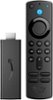
1-2 of 2 Answers
I love the new fire stick works good I would buy another one
Sorry, there was a problem. Please try again later.Hello, Craig2706! Sorry to hear about the issues you are having with your Fire TV Stick. I have a few suggestions that you can try to resolve the issue. To fix the issues with your remote, I would suggest trying these things: -Replace the batteries in your remote. -Move your remote closer to your Fire TV device, within 10 feet (3 m). -Unplug your Fire TV device from the power cord or adapter then plug it back in. -Use the Fire TV app to pair your remote. -If you have seven controllers paired, remove one of them before attempting to pair another. As far as the issues with buffering, this is usually due to WiFi issues. Here are some things you can do to resolve these issues: -Wi-Fi switch: Use the switch to turn off/on the internet connection to your Fire TV device. -Reboot Fire TV: Use this option to restart your Fire TV device from the Wi-Fi troubleshooting page on the device. If the connection issue persists try the following: -Use the connectors and cables that came with your Fire TV device. -Confirm that you are using a Wi-Fi password and not an Amazon account password. -Store your Fire TV out of enclosed areas such as closets that block your Wi-Fi signal. -Restart your Fire TV device and any home network devices like modems or routers. If these things don't help to solve the issues, you can try doing a factory reset of the device or contacting Amazon Customer Support for assistance. I hope that one of these things helps get your device working again. Have a great day!
Sorry, there was a problem. Please try again later.
