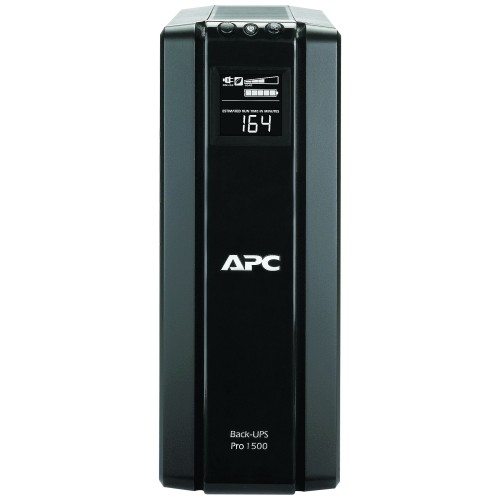
A:AnswerThe batteries come with the unit. They are inside the unit, but not connected. You do not have to open the unit to connect or replace the batteries. This is a very unique and desirable feature.
A:AnswerThank you for your inquiry. The estimated power draw for the u-verse digital phone system is 75 watts. The BR1500G should support a 75 watt load load for approximately 1 hour and 40 minutes. You can also attach an external battery pack to this UPS, which increases the overall runtime. The part number is BR24BP.
A:AnswerThere isn't any technical skill really. The unit comes with the batteries installed backwards so that they aren't activated until you get the unit. You have to take the back cover off, remove the batteries, remove a plastic film from the battery, put the batteries back in. There is a flyer to guide you. Also the back of the unit has 2 types of outlets. One type uses the battery backup, the other is just a power pass through that won't have battery backup. They are clearly marked. You shouldn't have a problem.
There is software that is available to optimize the unit and monitor the status but it is completely optional.
A:AnswerThank you for your interest in our product. The BR1500G would give you around 17 minutes of runtime with 350 watts of equipment connected to the unit. If you need additional runtime you can purchase an external battery pack for the unit. The part number for the external battery pack is BR24BP.
A:AnswerYes you can connect it to an external battery pack to extend the run time of your devices connected to the UPS. Here is the link to the APC website about the external battery; http://www.apc.com/shop/us/en/products/APC-Back-UPS-Pro-External-Battery-Pack-for-1500VA-Back-UPS-Pro-models-/P-BR24BPG?isCurrentSite=true
With the extra battery pack connected to your UPS module it will effectively double the run-time of your devices that are connected to the UPS or it will allow you to connect more devices and maintain the same run-time.
A:AnswerThank you for your inquiry. The BR1500G should charge your iPhone 8 Plus around 4 times before the UPS would need recharged. I would reach out to your local BestBuy store to see what their return policy is. If you were to have issues with the unit the unit would come with a 3 year warranty through us. If you do have issues with the unit please do not hesitate to reach out to an APCbySchneider support team.
A:AnswerThank you for your inquiry. The amount of runtime you will get on the BR1500G depends on the combined power consumption of the items plugged into the unit. To find the total wattage load, it is best to look at the technical specifications or user manuals for your computer, printer, monitor and modem. Monitors and modems usually have a low draw (this can vary depending on the model you have), so the more important task would be to find the wattage of the computer and printer. Once you have the combined wattage load, refer to the runtime graph via the link below to see how much time you will have on the BR1500G. Thank you.
http://www.apc.com/products/runtimegraph/runtime_graph.cfm?base_sku=BR1500G&chartSize=large
A:AnswerThank you for your inquiry. The BR1500G comes bundled with our Powerchute Personal Edition software, which allows for safe shutdown of the attached computer. You must connect the computer to the UPS via the included USB cable, so it is not considered remote access. For true remote access across a network, we would recommend one of our Smart-UPS and network management cards.