A:AnswerI don’t know about a manual, but to go from Bluetooth to a receiver you simply need to plug in the rca cable to the back of the turntable and connect it to your receiver.
A:AnswerIs this happening only when using the turntable wirelessly (connected via Bluetooth), when using it hard-wired, or both? Is it skipping as in the needle is physically stuck in the same spot on the record (the tonearm does not progress) and the same section of the record is repeated over and over, OR is the sound just dropping out momentarily throughout the record as the record plays (the tonearm DOES progress)? If it is sticking, exchange this unit for another one as this could be caused by a number of factors. If it is dropping out only when using the wireless connection, you are experiencing interference from another electronic device nearby. Keep the turntable away from wireless routers as these seem to be the most common source of interference at this time. As much as 30 feet between a router and Bluetooth turntable may be required.
A:AnswerThis turntable does not feature Bluetooth, but it can be wired to the Polk DSB 1 Sound Bar using the 6 ft 3.5mm male to 3.5mm male analog cable that was provided with the sound bar.
There is a Bluetooth version of this turntable, the AT-LP60XBT-USB, but we cannot guarantee the compatibility of it with the sound bar.
A:AnswerThis turntable uses a universal power supply (AC Adapter) and works with voltages ranging from 100 to 240V, 50/60 Hz. The provided power supply will work for you in terms of voltage, but you will need a plug adapter in order to accommodate the outlet configuration.
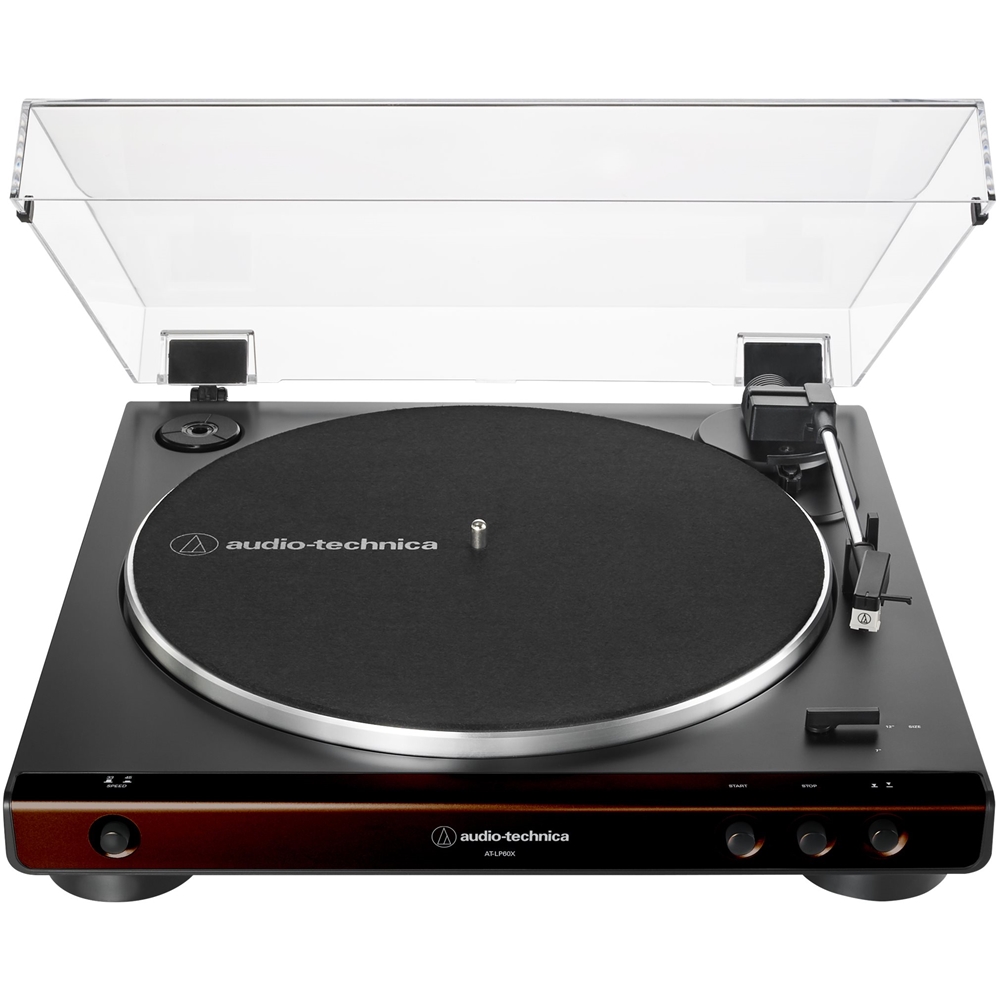
A:AnswerDid you install the drive belt? The belt comes pre-installed around the drive rim on the flipside of the aluminum record platter, but you have to finish installing it by placing it around the brass-colored motor pulley located in the upper left corner of the turntable. Place the belt around the motor pulley after setting the platter on the center spindle. To check this, simply remove the black felt record mat from the turntable and rotate the aluminum record platter by hand until one of the large rectangular shaped openings in the platter is located in the upper left corner of the turntable (at about the 10 o’clock position). Look into the opening and locate the brass-colored motor pulley. Is the belt around this pulley and is the belt taught? The belt does NOT go around the white post located on the right side of the turntable (at about the 2 o’clock position).
A:AnswerBeing a fully automatic type turntable, the tonearm will automatically lift off the record at the end of play, return to the tonearm rest, and the motor will shut off. You may stop the turntable at anytime by pressing the stop button on the front panel.
A:AnswerCorrect. In addition to having Bluetooth, a single 3.5mm stereo Analog Out jack is provided on the back of the turntable for making a wired connection. A 3.5mm stereo to dual (left and right) RCA male plugs audio cable is provided.
A:AnswerNo app. The turntable contains a Bluetooth transmitter, your device must contain a Bluetooth receiver. The Bluetooth profile is A2DP and the support codecs are SBC and aptX
A:AnswerYes. It has RCA plugs to plug into the amp. An older Sansui should have a phono pre-amp input. If it does, you would make sure the phono pre-amp switch is turned off on the back of turntable. If the amp just has an AUX input, you would turn ON the turntable phono pre-amp switch and plug in using the RCA lines.
A:AnswerNo it will not, not wirelessly anyway. Your Sonos system works over Wi-Fi, not Bluetooth. Alternatively, the AT-LP60XBT Turntable can be wired to your stand alone pre amp just like you do with your existing turntable.
A:Answer14” Wide
15.5” Deep (with dust cover open, includes buttons on front, connections on rear)
4” High with dust cover closed
14” high with dust cover open